SVG Wireframe For Your Website Design
Part of Tools
Author(s) and publish date
- By:
-
-
Karl Dubost
-
- Published:
Very often, when you are negociating a new Web site for your organization or company, the Web designer will hand over a photoshop mockup of your Web site. Personally, I have a tendency to ban this practice. I prefer to receive a solid xhtml/css mockup and sees how it is handled in different devices.
The community around SVG is building up a new Web site. They decided to use SVG for the wireframe mockup of their Web site.

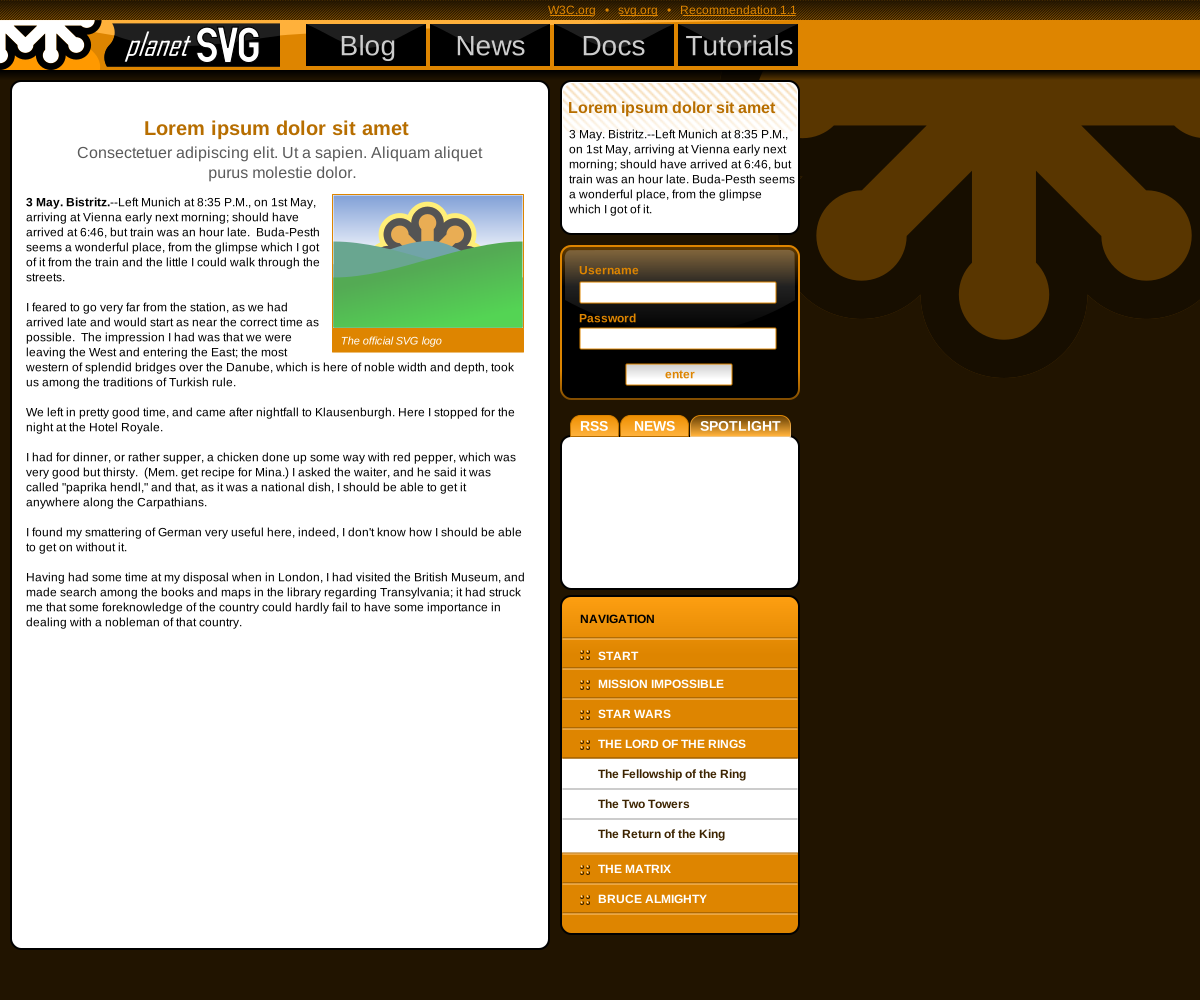
Interesting. What software did they use to make the SVG ?
I made a website using Inkscape (on Linux Ubuntu), and when I opened the original SVG in Firefox, most of the text was simply gone. The same happened when I saved it as "plain svg". So I was wondering how they did it.
About my previous comment: I found the solution to my problem. To "unflow" all text blocks (Inkscape menu Text > Unflow) will make the text appear normally in a browser. Unflowing has the effect of loosing transformations to the text, though. Better start with unflowed text in the first place I suppose.
Hi,
I did the wireframe over at the SVG IG site. I used Inkscape and FF3 and Opera for the preview.
Actually, I, too, ran into this "text does not what I want" thingy. There seem to be some inconsistencies in how Opera, FF and Inkscape handle nested definitions of the x and y attribute on texts and tspans.
However, after some experimenting and repositioning, entering and removing spare linebreaks and so on, the text was finally consistent over browsers.
And yes, neither FF3 nor Opera understand the flowing text property of Inkscape and SVG 1.2.
What I think of as very nice advantage is, that you can embed JavaScript in the SVG and can with that create a wireframe and a prototype at the same time (of course, it's not an HTML prototype, but the customer is likely to not noticing this ;-) ).
Best,
Manuel
Very nice suggestions enjoyed the article. Nice basic thoughts and information, ideas communicated well.
I would like Inkscape to be extended for wireframing.
Yes, you could make SVG mockups and hope the client is only using a capable browser to view it, or export to PNG.
For this a "librairy" function would be great, where standard elements can be stored, reused and distributed.
For now I stick to "Pencil".
Thanks,
Kees