This Web page lists Failures from Techniques for WCAG 2.0: Techniques and Failures for Web Content Accessibility Guidelines 2.0. For information about the techniques, see Introduction to Techniques for WCAG 2.0. For a list of techniques for other technologies, see the Table of Contents.
All technologies that support CSS.
This failure relates to:
This describes the failure condition that results when CSS, rather than structural markup, is used to modify the visual layout of the content, and the modified layout changes the meaning of the content. Using the positioning properties of CSS2, content may be displayed at any position on the user's viewport. The order in which items appear on a screen may be different than the order they are found in the source document. Assistive technologies rely on the source code or other programmatically determined order to render the content in the correct sequence. Thus, it is important not to rely on CSS to visually position content in a specific sequence if this sequence results in a meaning that is different from the programmatically determined reading order.
The following example demonstrates how CSS has been improperly used to create a set of columns. In addition, the text appears visually in the browser in a different order than in the markup.
In this example a class is defined for each object that is being positioned. When style sheets are applied, the text appears in two columns. Elements of class "menu1" (Products) and "menu2" (Locations) appear as column headings. "Telephones, Computers, and Portable MP3 Players" are listed under Products and "Idaho" and "Wisconsin" are listed under Locations (note the different order for Idaho and Wisconsin in the source code order).
Since appropriate structural elements have not been used, when style sheets are not applied, all of the text appears in one line in the source order, "Products Locations Telephones Computers Portable MP3 Players Wisconsin Idaho."
Here is the HTML content:
Example Code:
<div class="box">
     <span class="menu1">Products</span>
     <span class="menu2">Locations</span>
     <span class="item1">Telephones</span>
     <span class="item2">Computers</span>
     <span class="item3">Portable MP3 Players</span>
     <span class="item5">Wisconsin</span>
     <span class="item4">Idaho</span>
</div>
Here are the styles for the above content:
Example Code:
.menu1 {
     position: absolute;
     top: 3em;
     left: 0em;
     margin: 0px;
     font-family: sans-serif;
     font-size: 120%;
     color: red;
     background-color: white
}
.menu2 {
     position: absolute;
     top: 3em;
     left: 10em;
     margin: 0px;
     font-family: sans-serif;
     font-size: 120%;
     color: red;
     background-color: white
}
.item1 {
     position: absolute;
     top: 7em;
     left: 0em;
     margin: 0px
}
.item2 {
     position: absolute;
     top: 8em;
     left: 0em;
     margin: 0px
}
.item3 {
     position: absolute;
     top: 9em;
     left: 0em;
     margin: 0px
}
.item4 {
     position: absolute;
     top: 7em;
     left: 14em;
     margin: 0px
}
.item5 {
     position: absolute;
     top: 8em; left: 14em;
     margin: 0px
}
#box {
     position: absolute;
     top: 5em;
     left: 5em
}
A better solution for this content would be to use more meaningful elements, such as a table or a definition list.
No resources available for this technique.
For content which uses CSS for positioning:
Remove the style information from the document or turn off use of style sheets in the user agent.
Check that the reading order of the content is correct and the meaning of the content is preserved.
If step #2 is false, then this failure condition applies and the content fails this Success Criterion.
All technologies that support images or presentation markup.
This failure relates to:
This document describes a failure that occurs when a change in the appearance of text conveys meaning without using appropriate semantic markup. This failure also applies to images of text that are not enclosed in the appropriate semantic markup.
The author intended to make a heading but didn't want the look of the default HTML heading. So they used CSS to style the P element to look like a heading and they called it a heading. But they failed to use the proper HTML heading element. Therefore, the Assisitive Technology could not distinguish it as a heading.
Example Code:
 <style type="text/css">
 .heading1{
        font-family: Times, serif;
        font-size:200%;
        font-weight:bold;
 }
 </style>

 <p class="heading1">Introduction</p>
 <p>This introduction provides detailed information about how to use this
 ........
 </p>
Note: In this case, the proper approach would be to use CSS to style the H1 element in HTML.
Chapter1.gif is an image of the words, "Chapter One" in a Garamond font sized at 20 pixels. This is a failure because at a minimum the img element should be enclosed within a header element. A better solution would be eliminate the image and to enclose the text within a header element which has been styled using CSS.
Example Code:
<img src="Chapter1.gif" alt="Chapter One">

<p>Once upon a time in the land of the Web.....
</p>
The following example fails because the information conveyed by using the CSS font-weight property to change to a bold font is not conveyed through semantic markup or stated explicitly in the text.
Here is a CSS class to specify bold:
Example Code:
.yell {
  font-weight:bold;
  text-transform: uppercase;
}
And here is the corresponding HTML:
Example Code:
<p>
 "I said, <span class="yell">no</span>, not before dinner!",
 was the exasperated response when Timmy asked his mother for the
 fourth time for an ice cream cone.
 </p>
No resources available for this technique.
For images of text:
Check if any images of text are used to convey structural information of the document.
Check that the proper semantic structure (e.g., HTML headings) is used with the text to convey the information.
For styled text that conveys information:
Check if there is any styled text that conveys structural information.
Check that in addition to styling, the proper semantic structure is used with the text to convey the information.
If check #1.1 is true, then #1.2 is true.
If check #2.1 is true, then #2.2 is true.
All technologies that support CSS.
This failure relates to:
The CSS background-image property provides a way to include images in the document with CSS without any reference in the HTML code. The CSS background-image property was designed for decorative purposes and it is not possible to associate text alternatives with images that are included via CSS. Text alternatives are necessary for people who cannot see images that convey important information. Therefore, it is a failure to use this property to add images to convey important information.
Note: Embedding information into a background image can also cause problems for people who use alternate backgrounds in order to increase legibility and for users of high contrast mode in some operating systems. These users, would lose the information in the background image due to lack of any alternative text.
In the following example, part of the content is contained in an image that is presented by CSS alone. In this example, the image TopRate.png is a 180 by 200 pixel image that contains the text, "19.3% APR Typical Variable."
Example Code:
 The CSS contains:
p#bestinterest {
  padding-left: 200px;
  background: transparent url(/images/TopRate.png) no-repeat top left;
}
It is used in this excerpt:
Example Code:
<p id="bestinterest">
  Where else would you find a better interest rate?
</p>A book distributor uses background images to provide icons against a list of book titles to indicate whether they are new, limited, in-stock, or out of stock.
The CSS contains:
Example Code:
ul#booklist li {
  padding-left: 20px;
}

ul#booklist li.new {
  background: transparent url(new.png) no-repeat top left;
}

ul#booklist li.limited {
  background: transparent url(limited.png) no-repeat top left;
}

ul#booklist li.instock {
  background: transparent url(instock.png) no-repeat top left;
}

ul#booklist li.outstock {
  background: transparent url(outstock.png) no-repeat top left;
}
It is used in this excerpt:
Example Code:
<ul id="booklist">
  <li class="new">Some book</li>
  <li class="instock">Some other book</li>
  <li class="limited">A book we desperately want to get rid of</li>
  ...
  <li class="outstock">A book you actually want </li>
</ul>No resources available for this technique.
Examine all images added to the content via CSS.
Check that the images do not convey important information.
If an image does convey important information, the information is provided to assistive technologies and is also available when the CSS image is not displayed.
If step #2 and step #3 are both false, then this failure condition applies and the content fails this Success Criterion.
Cascading Style Sheets.
This failure relates to:
The blink value of the text-decoration property
is not supported by Internet Explorer. It is supported in
Netscape/Mozilla family browsers. Not tested in others (e.g., Safari,
Opera).
CSS defines the blink value for the text-decoration
property. When used, it causes any text in elements with this property to
blink at a predetermined rate. This cannot be interrupted by the user, nor
can it be disabled as a user agent preference. The blinking continues as
long as the page is displayed. Therefore, content that uses
text-decoration:blink fails the Success Criterion because
blinking can continue for more than three seconds.
A product list page uses the text-decoration:blink style
on an element to draw attention to sale prices. This fails the
Success Criterion because users cannot control the blink.
Example Code:
<p>My Great Product <span style="text-decoration:blink">Sale! $44,995!</span></p>
Resources are for information purposes only, no endorsement implied.
Examine inline styles, internal stylesheets, and external
stylesheets for the text-decoration property with a
value of "blink".
If the property is used, determine if the ID, class, or element identified by selectors on which this property is defined are used in the document.
If step #1 and step #2 are true, the content fails the success criterion.
Technologies that support blinking content within an object, applet, or a plug-in.
This failure relates to:
When content that is rendered by a plug-in or contained in an applet blinks, there may be no way for the user agent to pause the blinking. If neither the plug-in, applet, nor the content itself provides a mechanism to pause the content, the user may not have sufficient time to read the content between blinks or it may be so distracting that the user will not be able to read other content on the page.
An applet displays an advertisement on a news site. The applet blinks key words in the advertisement in order to call the user's attention to it. The blinking cannot be paused through any user agent settings and the applet does not provide a mechanism to stop it.
For each page that has blinking content in a plugin or applet:
Determine if the content continues to blink for longer than 5 seconds.
Determine if there is a means to pause the blinking content.
If step #1 is true and step #2 is false, the content fails the success criterion.
Applies to all technologies.
This failure relates to:
This describes a failure condition for all techniques involving captions. If the "caption" does not include all of the dialogue (either verbatim or in essence) as well as all important sounds then the 'Captions' are not real captions.
NOTE: Captions sometimes simplify the spoken text both to make it easier to read and to avoid forcing the viewer to read at very high speed. This is standard procedure and does not invalidate a caption.
Examples of text streams that are not captions include:
text that contains the dialogue (possibly simplified dialogue) but that does not describe important sounds
text that omits dialogue during portions of the material
No resources available for this technique.
(none currently listed)
View the material with captioning turned on.
Check that all dialogue is accompanied by a caption.
Check that all important sounds are captioned.
Step #2 and step #3 are true.
General.
This failure relates to:
This document describes a failure that occurs when removing focus from a form element, such as by moving to the next element, causes a change of context.
The user is going through the form filling out the fields in order. When he moves from the third field to the forth, the form submits.
Resources are for information purposes only, no endorsement implied.
Find all form elements.
Go through them in order.
Check if the form submits when you move from one field to the next.
Check if moving from one field to the next launches any new windows.
Check if moving from one filed to the next navigates to another screen.
If step #3, step #4, or step #5 is true, then this failure condition applies and the content fails the Success Criterion.
Applies when content creates a situation where the user can enter the content using the keyboard, but cannot exit the content using the keyboard.
This failure relates to:
When content includes multiple formats, one or more user agents or plug-ins are often needed in order to successfully present the content to users. For example, a page that includes XHTML, SVG, SMIL and XForms may require a browser to load as many as three different plug-ins in order for a user to successfully interact with the content. Some plug-ins create a common situation in which the keyboard focus can become "stuck" in a plug-in, leaving a keyboard-only user with no way to return to the other content.
A plug-in traps the user A user tabs into a plug-in and is unable to return to content outside the plug-in content with the keyboard. The user has to restart their browser in order to regain control and navigate to a new page and is unable to access any content that appears beyond the plug-in content.
No resources available for this technique.
Using a keyboard, navigate through the content.
Check to see that the keyboard focus is not "trapped" and it is possible to move keyboard focus out of the plug-in content without closing the user agent or restarting the system.
If the keyboard focus becomes "trapped," then this failure condition applies and content fails the Success Criterion and conformance requirement 5.
Sites that require user login to submit input and that terminate the session after a some period of inactivity.
This failure relates to:
Web servers that require user authentication usually have a session mechanism in which a session times out after a period of inactivity from the user. This is sometimes done for security reasons, to protect users who are assumed to have left their computer exposed in a state where someone could do something harmful to them such as transfer bank funds or make an unauthorized purchase. A user with a disability may actually still be working to complete the form as it may take him or her longer to complete the form than would normally be expected. Upon re-authentication, if the state of the user's session is not restored, including all data that had been previously entered into the form, he or she will have to start over. And for these users, it is likely that the session will time out again before they can complete the form. This sets up a situation where a user who needs more time to complete the form can never complete it.
A user submits a form on an authenticated site after their login has expired. On submitting the form, they are prompted to log in again, and then taken to a general welcome page. The data is not processed and they must try again.
A user submits a form on an authenticated site after their login has expired. On submitting the form, they are prompted to log in again, and then taken back to the page they were on just before the login, which in this case contains the form they attempted to submit. However, the form is not populated with the data they just entered, and they must re-enter it.
On a site where authentication is required, user input is collected, and which ends the user's session after a known period of inactivity:
Provide user input as required but allow the session to time out, then submit the form.
When requested, re-authenticate with the server.
Determine if the function is performed using the previously submitted data.
If step #3 is false, the site fails the Success Criterion.
All technologies.
This failure relates to:
The objective of this technique is to describe the failure that occurs when an image uses color differences to convey information, but the text alternative for the image does not convey that information. This can cause problems for people who are blind or colorblind because they will not be able to perceive the information conveyed by the color differences.
A bar chart of sales data is provided as an image. The chart includes yearly sales figures for four employees in the Sales Department. The text alternative for the image says, "The following bar chart displays the yearly sales figures for the Sales Department. Mary sold 3.1 Million; Fred, 2.6 Million; Bob, 2.2 Million; and Andrew, 3.4 Million. The red bars indicate sales that were below the yearly quota". This text alternative fails to provide the information which is conveyed by the color red in the image. The alternative should indicate which people did not meet the sales quota rather than relying on color.
No resources available for this technique.
For all images in the content that convey information by way of color differences:
Check that the information conveyed by color differences is not included in the text alternative for the image.
If step #1 is true, then this failure condition applies and content fails the Success Criterion.
All technologies.
This failure relates to:
The objective of this technique is to show how identifying content only by its shape or location makes content difficult to understand and operate. When only visual identification or location is used, users with visual disabilities may find it difficult to locate content since they cannot see the screen or may perceive only a small portion of the screen at one time. Also, location of content can vary if page layout varies due to variations in font, window, or screen size.
The navigation instructions for a site state, "To go to next page, press the button to the right. To go back to previous page, press the button to the left."
A user is reading a news article in an on-line newspaper. The article contains an illustration and additional links for more information. Within the text of the article is a statement, "Please see sidebar to the left of the illustration for links to additional information." An assistive technology user would have difficulty finding the illustration and the sidebar. Some alternatives would be to include the list of links within the text; to provide an in-page link within the text which links to the sidebar; to provide a heading for the sidebar which can be used for navigation and refer to the heading in the instructions.
A user is completing an on-line survey. There are three buttons at the bottom of the survey form. The instructions state, "Press the square button to exit the survey without saving, Press the triangle button to save in-progress survey results. You may return later to complete the survey. Press the round button to submit the survey results." A screen reader user cannot determine which button is square, triangular, or round. The buttons must have additional information to indicate their functions.
No resources available for this technique.
Examine the Web page for textual references to content within the Web page.
Check that the references do not rely on only the shape or location of the content.
If step #2 is false, then this failure condition applies and the content fails this Success Criterion.
Applies to all technologies that support an accessibility API.
This failure relates to:
When standard controls from accessible technologies are used, they usually are programmed in a way that uses and supports the accessibility API. If custom controls are created, however, then it is up to the programmer to be sure that the newly created control supports the accessibility API. If this is not done, then assistive technologies will not be able to understand what the control is or how to operate it or may not even know of its existence.
A music player is designed with custom controls that look like musical notes that are stretched for volume, tone etc. The programmer does not make the new control support the Accessibility API. As a result - the controls cannot be identified or controlled from AT.
Resources are for information purposes only, no endorsement implied.
(none currently listed)
Using the accessibility checker for the technology (or if that is not available, inspect the code or test with an assistive technology), check the controls to see if they support the accessibility API.
If step #1 is false, then this failure condition applies and the content fails this Success Criterion
All technologies that support visual movement or scrolling.
This failure relates to:
In this failure technique, there is moving or scrolling content that cannot be paused and resumed by users. In this case, some users with low vision or cognitive disabilities will not be able to perceive the content.
A page has a scrolling news ticker without a mechanism to pause it. Some users are unable to read the scrolling content.
On a page with moving or scrolling content,
Check that a mechanism is provided in the Web page or user agent to pause moving or scrolling content.
Use the pause mechanism to pause the moving or scrolling content.
Check that the moving or scrolling has stopped and does not restart by itself.
Check that a mechanism is provided in the Web page or user agent to restart the paused content.
Use the restart mechanism provided to restart the moving content.
Check that the movement or scrolling has resumed from the point where it was stopped.
If steps step #1, step #3, step #4, or step #6 are false, then the content fails the success criterion.
Applies to the Document Object Model (DOM) for HTML and XHTML
This failure relates to:
The objective of this technique is to ensure that Web pages can be interpreted consistently by user agents, including assistive technology. If it is ambiguous, different user agents including assistive technologies could present different information to their users. Users of assistive technology for example may have different information presented to them than users of other mainstream user agents. Some elements and attributes in markup languages are required to have unique values, and if this requirement is not honored, the result can be irregular or not uniquely resolvable content. For example, when id attribute values are not unique, they are particularly problematic when referenced by labels, headers in data tables, or used as fragment identifiers, as user agents do not have enough information to provide determine essential relationships (i.e., to determine which label goes with which item).
A label element whose for attribute value is an idref that points to a non-existent id
An id attribute value that is not unique.
An accesskey attribute value that is not unique
No resources available for this technique.
(none currently listed)
Check for id and accesskey values which are not unique within the document.
Check that attribute values that have an idref value have a corresponding id value.
For tables that use the axis attribute, check that all values listed in the axis attribute have a corresponding id value in a table header cell in the same table.
For client-side image maps, check that the value of the usemap attribute has a corresponding id value if the usemap attribute is not a URI.
If step #1, step #3 or step #4 is true or step #2 is false, then this failure condition applies and the content fails the success criterion.
Sites that provide alternative, WCAG conforming versions of nonconforming primary content.
This failure relates to:
This failure technique describes the situation in which an alternate, conforming version of the content is provided, but there is no direct way for a user to tell that it is available or where to find it. Such content fails the Success Criterion because the user cannot find the conforming version.
A link or a search takes a user directly to one of the nonconforming pages in the Web site. There is neither an indication that an alternate page is available, nor a path to the alternate page from the nonconforming page.
Nonconforming pages on the Web site inform the user that a conforming version is available and provide a link to the home page. However, the user must search the site for the conforming version of the page, so the functionality does not meet the requirements of the Success Criterion.
A user is able to use the nonconforming Web site for most pages. But when the user is not able to access a particular page, there is no way to find the conforming version of the page.
Identify a nonconforming page that has an alternative conforming version.
Determine if the nonconforming page provides a link to the conforming version.
If step #2 is false, the content fails the Success Criterion.
Applies to all technologies.
This failure relates to:
The objective of this failure condition is to address situations where the non-text content is updated, but the text alternative is not updated at the same time. If the text in the text alternative cannot still be used in place of the non-text content without losing information or function, then it fails because it is no longer a text alternative for the non-text content.
Failure Example 1: A Sales chart is updated to October results, but the text alternative still describes September results.
Failure Example 2: Pictures on a home page change daily, but text alternatives are not updated at the same time.
Failure Example 3: The source attribute of images on a page is updated periodically using script, but the text alternatives are not updated at the same time.
No resources available for this technique.
(none currently listed)
Check each text alternative to see if it is describing content other than the currently-displayed non-text content.
If step #1 is true then the text alternative is not up to date with current item, this failure condition applies, and content fails these Success Criteria.
General
This failure relates to:
Failure due to opening new windows when the user does not expect them. New windows take the focus away from what the user is reading or doing. This is fine when the user has interacted with a piece of User Interface and expects to get a new window, such as an options dialogue. The failure comes when pop-ups appear unexpectedly.
When a user navigates to a page, a new window appears over the existing user agent window, and the focus is moved to the new window.
A user clicks on a link, and a new window appears. The original link has no associated text saying that it will open a new window.
A user clicks on the body of a page and a new window appears. No indication that the area that was clicked has functionality is present.
A user clicks on undecorated text within the page and a new window appears. The page has no visible indication that the area is functional.
No resources available for this technique.
Load the Web page.
Check if new (additional) windows open.
Find every actionable element, such as links and buttons, in the Web page.
Activate each element.
Check if activating the element opens a new window.
Check if elements that open new windows have associated text saying that will happen. The text can be displayed in the link, or available through a hidden association such as an HTML title attribute.
If step #2 is true, the failure condition applies and the content fails the Success Criterion
If step #5 is true and step #6 is false, the failure condition applies and the content fails the Success Criterion
Applies to all technologies except those for voice interaction.
This failure relates to:
This describes a failure condition for Success Criteria involving sound. If sound does not turn off automatically within 3 seconds and there is no way to turn the sound off then Success Criterion 1.4.2 would not be met. Sounds that play over 3 seconds when there is no mechanism to turn off the sound included in the content would fall within this failure condition.
A site that plays continuous background music
A site with a narrator that lasts more than 3 seconds before stopping, and there is no mechanism to stop it.
No resources available for this technique.
(none currently listed)
Check that there is a way in a Web page to turn off any sound that plays automatically for more than three seconds.
If step #1 is not true then content fails Success Criterion 1.4.2
All technologies that allow user agents to control foreground and background colors through personal stylesheets or other means.
This failure relates to:
Users with vision loss or cognitive, language and learning challenges often prefer specific foreground and background color combinations. In some cases, individuals with low vision will find it much easier to see a Web page that has white text on a black background, and they may have set their user agent to present this contrast. Many user agents make it possible for authors to choose a preference about the foreground or background colors they would like to see without overriding all author-specified styles. This makes it possible for users to view pages pages where colors have not been specified by the author in their preferred color combination.
Unless an author specifies both foreground and background colors, then they (the author) can no longer guarantee that the user will get a contrast that meets the contrast requirements. If, for example, the author specifies, that text should be grey, then it may override the settings of the user agent and render a page that has grey text (specified by the author) on a light grey background (that was set by the user in their user agent). This principle also works in reverse. If the author forces the background to be white, then the white background specified by the author could be similar in color to the text color preference expressed by the user in their user agent settings, thus rendering the page unusable to the user. Because an author can not predict how a user may have configured their preferences, if the author specifies a foreground text color then they should also specify a background color which has sufficient contrast with the foreground and vice versa.
It is not necessary that the foreground and background colors both be defined on the same CSS rule. Since CSS color properties inherit from ancestor elements, it is sufficient if both foreground and background colors are defined either directly or through inheritance by the time that color is applied to a given element.
Note: Best practice is to include all states of the text. For example, text, link text, visited link text, link text with hover and keyboard focus, etc.
In the example below the background color is defined on the body element, however the foreground color is not defined. Therefore, the example fails the Success Criterion.
Example Code:
<!DOCTYPE html PUBLIC "-//W3C//DTD XHTML 1.0 Transitional//EN"
  "http://www.w3.org/TR/xhtml1/DTD/xhtml1-transitional.dtd">
  <html xmlns="http://www.w3.org/1999/xhtml">
      <html>
          <head>
              <title>A study of population dynamics</title>
          </head>
          <body bgcolor="white">
              <p> ... document body...</p>
          </body>
</html>In the example below the foreground color is defined on the body element, however the background color is not defined. Therefore, the example fails the Success Criterion.
Example Code:
 <!DOCTYPE html PUBLIC "-//W3C//DTD XHTML 1.0 Transitional//EN"
   "http://www.w3.org/TR/xhtml1/DTD/xhtml1-transitional.dtd">
<html xmlns="http://www.w3.org/1999/xhtml">
<html>
<head>
 <title>A study of population dynamics</title>

</head>
<body color="white">
  <p>... document body...</p>
</body>
</html>In the example below the background color is defined on the CSS stylesheet, however the foreground color is not defined. Therefore, the example fails the Success Criterion.
Example Code:
  <!DOCTYPE html PUBLIC "-//W3C//DTD XHTML 1.0 Transitional//EN"
    "http://www.w3.org/TR/xhtml1/DTD/xhtml1-transitional.dtd">
<html xmlns="http://www.w3.org/1999/xhtml">
<html>
<head>
 <title>Setting the canvas background</title>
    <style type="text/css">

       body {background-color:white}
    </style>
  </head>
  <body>
    <p>My background is white.</p>
  </body>
</html>In the example below the foreground color is defined on the CSS stylesheet, however the background color is not defined. Therefore, the example fails the Success Criterion.
Example Code:
 <!DOCTYPE html PUBLIC "-//W3C//DTD XHTML 1.0 Transitional//EN"
   "http://www.w3.org/TR/xhtml1/DTD/xhtml1-transitional.dtd">
<html xmlns="http://www.w3.org/1999/xhtml">
<html>
<head>
 <title>Setting the canvas background</title>
    <style type="text/css">
       body {color:white}
    </style>
  </head>

  <body>
    <p>My foreground is white.</p>
  </body>
</html>In the example below the link text (foreground) color is defined on the body element. However, the background color is not defined. Therefore, the example fails the Success Criterion.
Example Code:
  <!DOCTYPE HTML PUBLIC "-//W3C//DTD HTML 4.01//EN"
    "http://www.w3.org/TR/html4/strict.dtd">
<html xmlns="http://www.w3.org/1999/xhtml">
<html>
<head>
 <title>A study of population dynamics</TITLE>
 <style type="text/css">
  a:link { color: red }
  a:visited { color: maroon }
  a:active { color: fuchsia }
 </style>

</head>
<body>
  <p>... document body... <a href="foo.htm">Foo</a></p>
</body>
</html>
Resources are for information purposes only, no endorsement implied.
Examine the code of the Web page.
Check to see if an author-specified foreground color is present
Check to see if an author-specified background color is present
Note 1: Color and background color may be specified at any level in the cascade of preceding selectors, by external stylesheets or through inheritance rules.
Note 2: Background color may also be specified using a background image with the CSS property 'background-image' or with the CSS property 'background' (with the URI of the image, e.g., 'background: url("images/bg.gif")'). With background images, it is still necessary to specify a background color, because users may have images turned off in their browser. But the background image and the background color need to be checked.
If step #2 is true but step #3 is false, OR if step #3 is true but step #2 is false then this failure condition applies and content fails these Success Criteria.
All technologies.
This failure relates to:
This describes a failure condition when the Web page has a title, but the title does not identify the contents or purpose of the Web page.
Examples of text that are not titles include:
Authoring tool default titles, such as
"Enter the title of your HTML document here,"
"Untitled Document"
"No Title"
"Untitled Page"
"New Page 1"
Filenames that are not descriptive in their own right, such as "report.html" or "spk12.html"
Empty text
Filler or placeholder text
A site generated using templates includes the same title for each page on the site. So the title cannot be used to distinguish among the pages.
No resources available for this technique.
Check whether the title of each Web page identifies the contents or purpose of the Web page .
If step #1 is false, then this failure condition applies and the content fails this Success Criterion.
All technologies.
This failure relates to:
The objective of this technique is to show how using a graphical symbol to convey information can make content difficult to comprehend. A graphical symbol may be an image, an image of text or a pictorial or decorative character symbol (glyph) which imparts information nonverbally. Examples of graphical symbols include an image of a red circle with a line through it, a "smiley" face, or a glyph which represents a check mark, arrow, or other symbol but is not the character with that meaning. Assistive technology users may have difficulty determining the meaning of the graphical symbol. If a graphical symbol is used to convey information, provide an alternative using features of the technology or use a different mechanism that can be marked with an alternative to represent the graphical symbol. For example, an image with a text alternative can be used instead of the glyph.
A shopping cart uses two simple glyphs to indicate whether an item is available for immediate shipment. A check mark indicates that the item is in stock and ready to ship. An "x" mark indicates that the item is currently on back order and not available for immediate shipment. An assistive technology user could not determine the status of the current item.
No resources available for this technique.
Examine the page for non-text marks that convey information.
Check whether there are other means to determine the information conveyed by the non-text marks.
If step #2 is false, then this failure condition applies and the content fails this Success Criterion.
Applies to all technologies.
This failure relates to:
This describes a failure condition for all techniques involving text alternatives. If the text in the "text alternative" cannot be used in place of the non-text content without losing information or function then it fails because it is not, in fact, an alternative to the non-text content.
Examples of text that are not text alternatives include:
placeholder text such as " " or "spacer" or "image" or "picture" etc that are put into the 'text alternative' location on images or pictures.
programming references that do not convey the information or function of the non-text content such as "picture 1", "picture 2" or "0001", "0002" or "Intro#1", "Intro#2".
filenames that are not valid text alternatives in their own right such as "Oct.jpg" or "Chart.jpg" or "sales\\oct\\top3.jpg"
No resources available for this technique.
(none currently listed)
Check each text alternative to see if it is not actually a text alternative for the non-text content.
If step #1 is true then this failure condition applies and content fails the Success Criterion.
Applies to all technologies.
This failure relates to:
Components that have the same function in different Web pages are more easily recognized if they are labeled consistently. If the naming is not consistent, some users may get confused.
Note: Text alternatives that are "consistent" are not always "identical." For instance, you may have an graphical arrow at the bottom of a Web page that links to the next Web page. The text alternative may say "Go to page 4." Naturally, it would not be appropriate to repeat this exact text alternative on the next Web page. It would be more appropriate to say "Go to page 5". Although these text alternatives would not be identical, they would be consistent, and therefore would not be failures for this Success Criterion.
One of the most common examples of using inconsistent labels for components with the same function is to use a button that says "search" in one page and to use a button that says "find" on another page when they both serve the identical function.
An online authoring tool that uses a button with "Save page" on one page and "Save" on another page, in both cases for the same function.
No resources available for this technique.
(none currently listed)
In a set of Web pages, find components with the same function that are repeated in multiple Web pages.
For each component with the same function found in step #1, check that the naming is consistent.
If step #2 is false then this failure condition applies and content fails the Success Criterion.
All technologies.
This failure relates to:
The objective of this technique is to describe how using white space characters, such as space, tab, line break, or carriage return, to format individual words visually can be a failure to present meaningful sequences properly. When blank characters are inserted to control letter spacing within a word, they may change the interpretation of the word or cause it not to be programmatically recognized as a single word.
Inserting white space characters into an initialism is not an example of this failure, since the white space does not change the interpretation of the initialism and may make it easier to understand.
The use of white space between words for visual formatting is not a failure, since it does not change the interpretation of the words.
This example has white spaces within a word to space out the letters in a heading. Screen readers may read each letter individually instead of the word "Welcome."
Example Code:
<h1>W e l c o m e</h1>
can also be used to add white space, producing similar failures:
Example Code:
<h1>H E L L O</h1>
In Japanese, Han characters (Kanji) may have multiple readings that mean very different things. In this example, the word is read incorrectly because screen readers may not recognize these characters as a word because of the white space between the characters. The characters mean "Tokyo," but screen readers say "Higashi Kyo".
Example Code:
<h1>東 京</h1>
In the row header cell of a data table containing Japanese text, authors often create vertical text by using line break characters. However screen readers are not able to read the words in vertical text correctly because the line breaks occur within the word. In the following example, "東京都"(Tokyo-to) will be read "Higashi Kyo Miyako".
Example Code:
<table>
<caption>表1. 都道府県別一覧表</caption>
<tr>
<td></td>
<th scope="col">(見出しセル 1.)</th>
<th scope="col">(見出しセル 2.)</th>
</tr>
<tr>
<th scope="row">東<br />京<br />都</th>
<td>(データセル 1.)</td>
<td>(データセル 2.)</td>
</tr>
・・・・・・
</table>
No resources available for this technique.
For each word that appears to have non-standard spacing between characters:
Check whether any words in the text of the content contain white space characters .
If step #1 is true, then this failure condition applies and the content fails this Success Criterion.
All technologies.
This failure relates to:
The objective of this technique is to describe how using white space characters, such as space, tab, line break, or carriage return, to format columns of data in text content is a failure to use structure properly. Assistive technologies will interpret content in the reading order of the current language. Using white space characters to create multiple columns does not provide the information in a natural reading order. Thus, the assistive technology user will not be presented with the information in an understandable manner.
Plain text is not suitable for displaying multiple columns of text. Modify the content to present the data in a different layout. Alternatively, use a technology that provides structural elements to represent columnar data.
The following example incorrectly uses white space characters to format a paragraph into a two column format.
Example Code:
Web Content Accessibility Guidelines      including blindness and low vision,
2.0 (WCAG 2.0) covers a wide range of     deafness and hearing loss, learning
issues and recommendations for making     difficulties, cognitive limitations, limited
Web content more accessible. This         movement, speech difficulties, and
document contains principles,             others. Following these guidelines will
guidelines, Success Criteria, benefits,   also make your Web content more
and examples that define and explain      accessible to the vast majority of users,
the requirements for making Web-based     including older users. It will also enable
information and applications accessible.  people to access Web content using
"Accessible" means usable to a wide       many different devices - including a
range of people with disabilities,        wide variety of assistive technologies.
If this table was to be interpreted and spoken by a screen reader it would speak the following lines:
Web Content Accessibility Guidelines including blindness and low vision,
2.0 (WCAG 2.0) covers a wide range of deafness and hearing loss, learning
issues and recommendations for making difficulties, cognitive limitations, limited
Web content more accessible. This movement, speech difficulties, and
(additional lines eliminated for brevity)
If the text were reflowed, or changed from a fixed to a variable font, or increased in size until lines no longer fit on the page, similar interpretation issues would arise in the visual presentation.
No resources available for this technique.
(none currently listed)
Examine the document for data or information presented in columnar format.
Check whether the columns are created using white space characters to lay out the information.
If step #2 is true, then this failure condition applies and the content fails these Success Criteria.
All technologies.
This failure relates to:
The objective of this technique is to describe how using white space characters, such as space, tab, line break, or carriage return, to format tables in text content is a failure to use structure properly. When tables are created in this manner there is no way to indicate that a cell is intended to be a header cell, no way to associate the table header cells with the table data cells, or to navigate directly to a particular cell in a table.
In addition, assistive technologies will interpret content in the reading order of the current language. Using white space to organize data in a visual table does not provide the information in a natural reading order in the source of the document. Thus, the assistive technology user will not be presented with the information in a logical reading order.
Plain text is not suitable for displaying complex information like tables because the structure of the table cannot be perceived. Rather than using visual formatting to represent tabular relations, tabular information would need to be presented using a different technology or presented linearly. (See Presenting tabular information in plain text)
The following example incorrectly uses white space to format a Menu as a visual table.
Example Code:
Menu
         Breakfast        Lunch           Dinner

Monday   2 fried eggs    tomato soup     garden salad
         bacon           hamburger       Fried Chicken
         toast           onion rings     green beans
                         Oatmeal cookie  mashed potatoes

Tuesday   Pancakes       vegetable soup  Caesar salad
          sausage        hot dogs        Spaghetti with meatballs
          orange juice   potato salad    Italian bread
                         brownie         ice cream
If this table was to be interpreted and spoken by a screen reader it would speak the following lines:
Menu
Breakfast Lunch Dinner
Monday 2 fried eggs tomato soup garden salad
bacon hamburger Fried Chicken
toast onion rings green beans
Oatmeal cookie mashed potatoes
This reading order does not make sense since there is no structure in the table for the assistive technology to identify it as a table. If the text were reflowed, or changed from a fixed to a variable font, or increased in size until lines no longer fit on the page, similar issues would arise in the visual presentation.
No resources available for this technique.
Examine the document for visually formatted tables.
Check whether the tables are created using white space characters to layout the tabular data.
If step #2 is true, then this failure condition applies and the content fails these Success Criteria.
HTML and XHTML
This failure relates to:
Forms are frequently designed so that they submit automatically when the user has filled in all the fields, or when focus leaves the last field. There are two problems with this approach. First is that a disabled user who needs more context may move focus away from the field to the directions on how to fill in the form, or to other text, accidentally submitting the form. The other is that, with some form elements, the value of the field changes as each item is navigated with the keyboard, again accidentally submitting the form. It is better to rely on the standard form behavior of the submit button and enter key.
This failure example submits a form when the user leaves the last field of a three-field telephone number form. The form will submit if the user leaves the field after editing it, even navigating backwards in the tab order. Developers should not use this method to submit a form, and should instead use a submit button, or rely on the form's default behavior of submitting when the user hits enter in a text field.
Example Code:
<form method="get" id="form1">
  <input type="text" name="text1" size="3" maxlength="3"> -
  <input type="text" name="text2" size="3" maxlength="3"> -
  <input type="text" name="text3" size="4" maxlength="4" onchange="form1.submit();">
</form> This is a example that submits a form when the user selects an option from the menu when there is no warning of this behavior in advance. The form will submit as soon as an item from the menu is selected. A user using a keyboard will not be able to navigate past the first item in the menu. Blind users and users with hand tremors can easily make a mistake on which item on the dropdown menu to choose and they are taken to the wrong destination before they can correct it.
Example Code:
<form method="get" id="form2">
 <input type="text" name="text1">
  <select name="select1" onchange="form2.submit();">
    <option>one</option>
    <option>two</option>
    <option>three</option>
    <option>four</option>
  </select>
</form>
Resources are for information purposes only, no endorsement implied.
Enter data in all fields on page starting at top.
Enter data in last field and exit from it (tab out of it).
Check whether leaving the last field causes change of context.
If step #3 is true, then this failure condition applies and content fails the Success Criterion.
HTML and XHTML
This failure relates to:
Internet Explorer 6 also triggers the onclick event when a radio button with onclick receives focus; adding other event handlers (onxxx attributes) to prevent this does not work.
This document describes a failure that occurs when changing the status of a
radio button, a check box or an item in a select list causes a new window to
open. It is possible to use scripting to create an input
element that causes a change of context (submit the form, open a new page, a
new window) when the element is selected. Developers can instead use a
submit button (see G80: Providing a submit button to initiate a change of context) or clearly indicate the
expected action.
The example below fails the Success Criterion because it processes the form when a radio button is selected instead of using a submit button.
Example Code:
<script type="text/JavaScript">
  function goToMirror(theInput) {
   var mirrorSite = "http://download." + theInput.value + "/";
   window.open(mirrorSite);
  }
</script>
  …
<form name="mirror_form" id="mirror_form" action="" method="get">
       <p>Please select a mirror download site:</p>
       <p>
       <input type="radio" onclick="goToMirror(this);" name="mirror"
       id="mirror_belnet" value="belnet.be" />
       <label for="mirror_belnet">belnet (<abbr>BE</abbr>)</label><br />
       <input type="radio" onclick="goToMirror(this);" name="mirror"
       id="mirror_surfnet" value="surfnet.nl" />
       <label for="mirror_surfnet">surfnet (<abbr>NL</abbr>)</label><br />
       <input type="radio" onclick="goToMirror(this);" name="mirror"
       id="mirror_puzzle" value="puzzle.ch" />
       <label for="mirror_puzzle">puzzle (<abbr>CH</abbr>)</label><br />
       <input type="radio" onclick="goToMirror(this);" name="mirror"
       id="mirror_voxel" value="voxel.com" />
       <label for="mirror_voxel">voxel (<abbr>US</abbr>)</label><br />
       </p>
</form>No resources available for this technique.
(none currently listed)
Find each form in a page.
For each form control that is a radio button, check box or an item in a select list, check if changing the status of the control launches a new window.
For each new window resulting from step 2, check if the user is warned in advance.
If step #3 is false, then this failure condition applies and content fails the Success Criterion.
HTML and XHTML
This failure relates to:
This describes a failure condition for text alternatives for images that
should be ignored by AT. If there is no alt attribute at all assistive
technologies are not able to ignore the non-text content. The alt attribute
must be proved and have a null value (i.e., alt="" or
alt=" ") to avoid a failure of this Success Criterion.
Note: Although alt=" " is valid, alt="" is
recommended.
Failure Example 1: Decorative images that have no alt
attribute
No resources available for this technique.
(none currently listed)
Identify any img and applet elements
that are used for purely decorative content;
Check that the alt attribute for these elements
exists.
Check that the alt attribute for these elements is
null.
if step #2 or step #3 is false, this failure condition applies and content fails the Success Criterion.
Applies to HTML and XHTML.
This failure relates to:
This describes a failure condition for text alternatives for images that
should be ignored by AT. If there is no alt attribute at all assistive
technologies are not able to ignore the non-text content. The alt attribute
must be proved and have a null value (i.e., alt="" or
alt=" ") to avoid a failure of this Success Criterion.
Note: Although alt=" " is valid, alt="" is
recommended.
Failure Example 1: Decorative images that have no alt
attribute
No resources available for this technique.
(none currently listed)
Identify any img and applet elements
that are used for purely decorative content;
Check that the alt attribute for these elements
exists.
Check that the alt attribute for these elements is
null.
If step #2 or step #3 is false, this failure condition applies and content fails the Success Criterion.
All pages
This failure relates to:
meta
http-equiv of {time-out}; url=... is often used to
automatically redirect users. When this occurs after a time delay, it is an
unexpected change of context that may interrupt the user.
It is acceptable to use the meta element to create a redirect
when the time-out is set to zero, since the redirect is instant and will not
be perceived as a change of context. However, it is preferable to use
server-side methods to accomplish this. See SVR1: Implementing automatic redirects on the server side instead of on the
client side (SERVER)
.
The page below is a failure because it will redirect to the URI http://www.example.com/newpage after a time limit of 5 seconds.
Example Code:
<html xmlns="http://www.w3.org/1999/xhtml">
   <head>
      <title>Do not use this!</title>
      <meta http-equiv="refresh"
      content="5; url=http://www.example.com/newpage" />
   </head>
   <body>
      <p>
         If your browser supports Refresh, you'll be
         transported to our
         <a href="http://www.example.com/newpage">new site</a>
         in 5 seconds, otherwise, select the link manually.
      </p>
   </body>
</html>
Resources are for information purposes only, no endorsement implied.
View a page.
Check that the page does not redirect after a time-out.
#2 is true.
HTML and XHTML
This failure relates to:
meta
http-equiv of refresh is often used to periodically refresh
pages or to redirect users to another page. If the time interval is too
short, people who are blind will not have enough time to make their screen
readers read the page before the page refreshes unexpectedly and causes the
screen reader to begin reading at the top. Sighted users may also be
disoriented by the unexpected refresh.
This is a deprecated example that changes the user's page at regular
intervals. Content developers should not use this technique to
simulate "push" technology. Developers cannot predict how much time
a user will require to read a page; premature refresh can disorient
users. Content developers should avoid periodic refresh and allow
users to choose when they want the latest information. (The number
in the content attribute is the refresh interval in
seconds.)
Example Code:
<html xmlns="http://www.w3.org/1999/xhtml">
  <head>
    <title>HTML Techniques for WCAG 2.0</title>
    <meta http-equiv="refresh" content="60" />
  </head>
  <body>
    ...
  </body>
</html>
This is a deprecated example that redirects the user to another page
after a number of seconds. Content developers are recommended to
user server-side redirects instead. (The number in the
content attribute is the refresh interval in
seconds.)
Example Code:
<html xmlns="http://www.w3.org/1999/xhtml">
  <head>
    <title>The Tudors</title>
    <meta http-equiv="refresh" content="10;URL='http://example.com/'" />
  </head>
  <body>
    <p>This page has moved to a <a href="http://example.com/">
    example.com</a>. Please note that we now have our own
    domain name and will redirect you in a few seconds. Please update
    your links and bookmarks.</p>
  </body>
</html> Find meta elements in the document.
For each meta element, check if it contains the
attribute http-equiv with value "refresh"
(case-insensitive) and the content attribute with a
number (representing seconds) greater than 0.
If step 2 is true then this failure condition applies and content fails these Success Criteria.
HTML and XHTML with Scripting.
This failure relates to:
This failure occurs when JavaScript event handlers are attached to elements to ''emulate links''. A control or link created in this manner cannot be tabbed to from the keyboard and does not gain keyboard focus like other controls and/or links. If scripting events are used to emulate links, user agents including assistive technology may not be able to identify the links in the content as links. They may not be recognized as interactive controls by assistive technology, or they may be recognized as interactive controls but still not recognized as links. Such elements do not appear in the links list generated by user agents or assistive technology.
The <a href> and <area>
elements are intended to mark up links.
Attaching event handlers to elements that are not normally interactive, such
as span and div, can be quite disorienting to
users. Even if care is taken to provide keyboard access to such elements,
users may have a difficult time discovering that there are interactive
controls in the content or understanding what type of behavior to expect
from them. For example, users may not know which keystrokes are supported by
the script to activate the element. Additionally, these elements do not
generate the same operating system events as interactive elements, so
assistive technology may not be notified when the user activates them.
Scripted event handling is added to a span element so
that it functions as a link when clicked with a mouse. Assistive
technology does not recognize this element as a link.
Example Code:
<span onclick="this.location.href='newpage.html'">
    Fake link
</span>
Scripted event handling is added to an img element so
that it functions as a link when clicked with a mouse. Assistive
technology does not recognize this element as a link.
Example Code:
   src="go.gif"
   alt="go to the new page"
   onclick="this.location.href='newpage.html'"
Scripted event handling is added to an img element so
that it functions as a link. In this example, the link functionality
can be invoked with the mouse or via the Enter key if the user agent
includes the element in the tab chain. Nevertheless, the element
will not be recognized as a link.
Example Code:
function doNav(url)
{
   window.location.href = url;
}

function doKeyPress(url)
{
   //if the enter key was pressed
   if (window.event.type == "keypress" &&
       window.event.keyCode == 13)
   {
      doNav(url);
   }
}
The markup for the image is:
Example Code:
<p>
	<img src="bargain.jpg"
		tabindex="0"
		alt="View Bargains"
		onclick="doNav('viewbargains.html');"
		onkeypress="doKeyPress('viewbargains.html');"
	>
</p>
This example uses script to make a div element behave
like a link. Although the author has provided complete keyboard
access and separated the event handlers from the markup to enable
repurposing of the content, the div element will not be
recognized as a link by assistive technology.
Example Code:
window.onload = init;

function init()
{
	var objAnchor = document.getElementById('linklike');

	objAnchor.onclick = function(event){return changeLocation(event,
'surveyresults.html');};
	objAnchor.onkeypress = function(event){return changeLocation(event,
'surveyresults.html');};
}

function changeLocation(objEvent, strLocation)
{
	var iKeyCode;

	if (objEvent && objEvent.type == 'keypress')
	{
		if (objEvent.keyCode)
			iKeyCode = objEvent.keyCode;
		else if (objEvent.which)
			iKeyCode = objEvent.which;

		if (iKeyCode != 13 && iKeyCode != 32)
			return true;
	}

	window.location.href = strLocation;
}
The markup for the div element is:
Example Code:
<div id="linklike">
View the results of the survey.
</div>
Resources are for information purposes only, no endorsement implied.
Check whether there are JavaScript event handlers on an element that emulates a link.
Check whether the programmatically determined role of the element is link.
If check #1 is true and check #2 is false, then this failure condition applies and content fails the Success Criterion.
HTML and XHTML
This failure relates to:
The objective of this technique is to describe a failure that occurs when
structural markup is used to achieve a presentational effect, but indicates
relationships that do not exist in the content. This is disorienting to
users who are depending on those relationships to navigate the content or to
understand the relationship of one piece of the content to another. Note
that the use of HTML tables for layout is not an example of this failure as
long as the layout table does not include improper structural markup such as
<th> or <caption>
elements.
In this example, a heading element is used to display an address in a large, bold font. The address does not identify a new section of the document, however, so it should not be marked as a heading.
Example Code:
<p>Interested in learning more? Write to us at</p>
<h4>3333 Third Avenue, Suite 300 · New York City</h4>

<p>And we'll send you the complete informational packet absolutely Free!</p>
In this example, heading markup is used in two different ways: to
convey document structure and to create visual effects. The
h1 and h2 elements are used appropriately
to mark the beginning of the document as a whole and the beginning
of the abstract. However, the h3 and h4
elements between the title and the abstract are used only for visual
effect — to control the fonts used to display the authors' names and
the date.
Example Code:
<h1>Study on the Use of Heading  Elements in Web Pages</h1>
<h3>Joe Jones and Mary Smith<h3>
<h4>March 14, 2006</h4>
<h2>Abstract</h2>
<p>A study was conducted in early 2006 ...
</p>
The following example uses blockquote for text that is
not a quotation to give it prominence by indenting it when displayed
in graphical browsers.
Example Code:
<p>After extensive study of the company Web site, the task force
identified the following common problem.</p>

<blockquote>
<p>The use of markup for presentational effects made Web
pages confusing to screen reader users.</p>
</blockquote>

<p>The committee lists particular examples of the problems
introduced by this practice below.</p>
Example Code:
<fieldset>
<legend>Bargain Corner</legend>
<p>Buy today, and save 20%</p>
</fieldset>
No resources available for this technique.
Check that each element's semantic meaning is appropriate for the content of the element.
If check #1 is false, then this failure condition applies and the content fails the Success Criterion.
HTML and XHTML
This failure relates to:
This document describes a failure that occurs when the tab order does not follow logical relationships and sequences in the content.
Focusable elements like links and form elements have a tabindex
attribute. The elements receive focus in ascending order of the value of the
tabindex attribute. When the values of the
tabindex attribute are assigned in a different order than the
relationships and sequences in the content, the tab order no longer follows
the relationships and sequences in the content.
One of the most common causes of this failure occurs when editing a page
where tabindex has been used. It is easy for the tab order and
the content order to fall out of correspondence when the content is edited
but the tabindex attributes are not updated to reflect the
changes to the content.
The following example incorrectly uses tabindex to specify an alternative tab order:
Example Code:
<ul>
   <li><a href="main.html" tabindex="1">Homepage</a></li>
   <li><a href="chapter1.html" tabindex="4">Chapter 1</a></li>
   <li><a href="chapter2.html" tabindex="3">Chapter 2</a></li>
   <li><a href="chapter3.html" tabindex="2">Chapter 3</a></li>
</ul>
If this list is navigated by the tab key, the list is navigated in the order Homepage, chapter 3, chapter 2, chapter 1, which does not follow the sequence in the content.
The tab order has been set explicitly in a Web page by providing
tabindex attributes for all fields. Later, the page
is modified to add a new field in the middle of the page, but the
author forgets to add a tabindex attribute to the new
field. As a result, the new field is at the end of the tab
order.
Resources are for information purposes only, no endorsement implied.
HTML 4.01 Tabbing navigation
If tabindex is used, check that the tab order
specified by the tabindex attributes follows
relationships in the content.
If check #1 is false, then this failure condition applies and content fails the Success Criterion.
th elements,
caption elements, or non-empty summary attributes in
layout tablesHTML and XHTML
This failure relates to:
The objective of this technique is to describe a failure that occurs when a
table used only for layout includes either th elements, a
summary attribute, or a caption element. This
is a failure because it uses structural (or semantic) markup only for
presentation. The intent of the HTML and XHTML table elements is to present data.
Although not commonly used in a layout table, the following structural markup would also be failures of Success Criterion 1.3.1 if used in a layout table:
headers attributes
scope attributes
Assistive technologies use the structure of an HTML or XHTML table to present data to
the user in a logical manner. The th element is used to mark
the column and row headers of the table. A screen reader uses the
information in th elements to speak the header information that
changes as the user navigates the table. The summary attribute on the
table element provides a textual description of the table
that describes its purpose and function. Assistive technologies make the
summary attribute information available to users. The
caption element is part of the table and identifies the
table.
Although WCAG 2 does not prohibit the use of layout tables, CSS-based layouts are recommended in order to retain the defined semantic meaning of the HTML table elements and to conform to the coding practice of separating presentation from content.
When a table is used
for layout purposes the th element should not be used. Since
the table is not presenting data there is no need to mark any cells as
column or row headers. Likewise, there is no need for an additional
description of a table which is only used to layout content. Do not include
a summary attribute and do not use the summary
attribute to describe the table as, for instance, "layout table". When
spoken, this information does not provide value and will only distract users
navigating the content via a screen reader. Empty summary
attributes are acceptable on layout tables, but not recommended.
Here is a simple example that uses a table to layout content in a
three column format. The navigation bar is in the left column, the
main content in the middle column, and an additional sidebar is on
the right. At the top is a page title. The example marks the page
title as <th>, and provides a summary
attribute indicating that the table is a layout table.
Example Code:
 <table summary="layout table">
 <tr>
   <th colspan=3>Page Title</th>
 </tr>
 <tr>
   <td><div>navigation content</div></td>
   <td><div>main content</div></td>
   <td><div>right sidebar content</div></td>
 </tr>
 <tr>
   <td colspan=3>footer</td>
 </tr>
 </table>
No resources available for this technique.
Examine the source code of the HTML or XHTML document for the
table element
If the table is used only to visually lay out elements within the content
Check that the table does not contain any th
elements.
Check that the table element does not
contain a non-empty summary attribute.
Check that the table element does not
contain a caption element.
If any check above is false, then this failure condition applies and the content fails the Success Criterion.
HTML and XHTML
This failure relates to:
The blink element is not supported by Internet Explorer 6 on Windows. It is supported in Netscape/Mozilla family of user agents and Opera on Windows.
The blink element, while not part of the official HTML or XHTML
specification, is supported by many user agents. It causes any text inside
the element to blink at a predetermined rate. This cannot be interrupted by
the user, nor can it be disabled as a preference. The blinking continues as
long as the page is displayed. Therefore, content that uses
blink fails the Success Criterion because blinking can continue
for more than three seconds.
A product list page uses the blink element to draw
attention to sale prices. This fails the Success Criterion because
users cannot control the blink.
Example Code:
<p>My Great Product <blink>Sale! $44,995!</blink></p>
Examine code for the presence of the blink
element.
If #1 is true, the content fails the Success Criterion.
pre element to markup
tabular informationHTML and XHTML
This failure relates to:
This document describes a failure caused by use of the HTML pre
element to markup tabular information. The pre element
preserves only visual formatting. If the pre element is used to
markup tabular information, the visually implied logical relationships
between the table cells and the headers are lost if the user cannot see the
screen or if the visual presentation changes significantly.
Instead, the HTML table element is intended to present tabular
data. Assistive technologies use the structure of an HTML table to present
data to the user in a logical manner. This structure is not available when
using the pre element.
Example Code:
 <pre>
 	Monday	Tuesday	Wednesday	Thursday	Friday
 8:00-
 9:00	Meet with Sam
 9:00-
 10:00			Dr. Williams	Sam again	Leave for San Antonio
 </pre>
Example Code:
 <pre>
   CIRCUIT COURT JUDGE BRANCH 3
                                                  W
                                                   R
                                          M R E     I
                                           A . L     T
                                     M L    R   B     E
                                      I A    Y   E     -
                                       K N        R     I
                                        E G        T     N
                                       -----   -----   -----
0001 TOWN OF ALBION WDS 1-2               22      99       0
0002 TOWN OF BERRY WDS 1-2                52     178       0
0003 TOWN OF BLACK EARTH                  16      49       0
0004 TOWN OF BLOOMING GROVE WDS 1-3       44     125       0
0005 TOWN OF BLUE MOUNDS                  33     117       0
0006 TOWN OF BRISTOL WDS 1-3             139     639       1
0007 TOWN OF BURKE WDS 1-4                80     300       0
0008 TOWN OF CHRISTIANA WDS 1-2           22      50       0

 </pre>
No resources available for this technique.
Check to see if the pre element is used
For each occurrence of the pre element, check
whether the enclosed information is tabular.
If check #2 is true, then this failure condition applies and the content fails the Success Criterion.
HTML and XHTML
This failure relates to:
Early screen readers literally read Web content from the screen, which lead to problems when tables were used for layout where one table cell was meant to be read in its entirety before reading the next table cell. Today's screen readers work with the underlying markup, which means that they do read a table cell in its entirety before moving on to the next cell, but layout tables may still inadvertently introduce problems with the natural reading order of the content.
Although WCAG 2 does not prohibit the use of layout tables, CSS-based layouts are recommended in order to retain the defined semantic meaning of the HTML table elements and to conform to the coding practice of separating presentation from content. If a layout table is used, however, it is important that the content make sense when linearized.
This failure occurs when a meaningful sequence of content conveyed through presentation is lost because HTML tables used to control the visual placement of the content do not “linearize" correctly. Tables present content in two visual dimensions, horizontal and vertical. However, screen readers present this two-dimensional content in linear order of the content in the source, beginning with the first cell in the first row and ending with the last cell in the last row. The screen reader reads the table from top to bottom, reading the entire contents of each row before moving to the next row. The complete content of each cell in each row is spoken—including the complete content of any table nested within a cell. This is called linearization.
Suppose that a Web page is laid out using a table with 9 columns and 22 rows. The screen reader speaks the content of the cell at Column 1, Row 1 followed by the cells in columns 2, 3, 4 and so on to column 9. However, if any cell contains a nested table, the screen reader will read the entire nested table before it reads the next cell in the original (outer) table. For example, if the cell at column 3, row 6 contains a table with 6 columns and 5 rows, all of those cells will be read before Column 4, Row 6 of the original (outer) table. As a result, the meaningful sequence conveyed through visual presentation may not be perceivable when the content is spoken by a screen reader.
An advertisement makes clever use of visual positioning, but changes meaning when linearized.
Example Code:
<table>
<tr>
  <td ><img src="logo.gif" alt="XYZ mountaineering"></td>
  <td rowspan="2" valign="bottom">top!</td>
</tr>
<tr>
  <td>XYZ gets you to the</td>
</tr>
</table>
The reading order from this example would be:
XYZ mountaineering top!
XYZ gets you to the
A Web page from a museum exhibition positions a navigation bar containing a long list of links on the left side of the page. To the right of the navigation bar is an image of one of the pictures from the exhibition. To the right of the image is the kind of "placard" text you'd see on the wall next to the object if you were at the museum. Below that text is a heading that says "Description," and below that heading is a description of the image. The image, placard text, Description heading, and text of the description form a meaningful sequence.
A layout table is used to position the elements of the page. The links in the navigation bar are split into different cells in the leftmost column.
Example Code:
<table>
<tr>
	<td><a href="#">Link 1</a></td>
	<td rowspan="20"><img src="img.png" alt="Museum Picture"></td>
	<td rowspan="6"><img src="placard.png" alt="Placard text"></td>
</tr>
<tr>
	<td><a href="#">Link 2</a></td>
</tr>
<tr>
	<td><a href="#">Link 3</a></td>
</tr>
<tr>
	<td><a href="#">Link 4</a></td>
</tr>
<tr>
	<td><a href="#">Link 5</a></td>
</tr>
<tr>
	<td><a href="#">Link 6</a></td>
</tr>
<tr>
	<td><a href="#">Link 7</a></td>
	<td rowspan="2"><h2>Image Heading</h2></td>
</tr>
<tr>
	<td><a href="#">Link 8</a></td>
</tr>
<tr>
	<td><a href="#">Link 9</a></td>
	<td rowspan="12">Description of the image</td>
</tr>
<tr>
	<td><a href="#">Link 10</a></td>
</tr>
 ...
<tr>
	<td><a href="#">Link 20</a></td>
</tr>
</table>
The reading order from this example would be:
Link 1
Image
Placard Text
Link 2
Link 3
Link 4
Link 5
Link 6
Link 7
Image Heading
Link 8
Link 9
Link 10
...
Link 20
Because the navigation bar links are interleaved with the content describing the image, screen readers cannot present the content in a meaningful sequence corresponding to the sequence presented visually.
No resources available for this technique.
Linearize the content in either of the following ways:
Present the content in source code order
Remove the table markup from around the content
Check that the linear reading order matches any meaningful sequence conveyed through presentation.
If check #2 is false, then this failure condition applies and the content fails this Success Criterion.
Technologies that support script-controlled blinking of content.
This failure relates to:
Scripts can be used to blink content by toggling the content's visibility on and off at regular intervals. It is a failure for the script not to include a mechanism to stop the blinking at 5 seconds or earlier. See SCR22: Using scripts to control blinking and stop it in five seconds or less (Scripting) for information about how to modify the technique to stop the blinking.
The following example uses script to blink content, but the blink continues indefinitely rather than stopping after five seconds.
Example Code:
...
<script type="text/javascript">
<!--
// blink "on" state
function show()
{
	if (document.getElementById)
	document.getElementById("blink1").style.visibility = "visible";
	settime-out("hide()", 450);
}
// blink "off" state
function hide()
{
	if (document.getElementById)
	document.getElementById("blink1").style.visibility = "hidden";
	settime-out("show()", 450);
}
// kick it off
show();
//-->
</script>
...
<span id="blink1">This content will blink</span>
For each instance of blinking content:
Determine if the blinking stops in 5 seconds or less.
If #1 is false, then the content fails the Success Criterion.
Applies when scripting is used to open new windows.
This failure relates to:
Some Web sites open a new window when a page is loaded, to advertise a product or service. The objective of this technique is to ensure that pages do not disorient users by opening up one or more new windows as soon as a page is loaded.
Note: There are multiple methods by which this failure may be triggered. Two common examples that are supported differently in various versions of user agents are listed as examples below.
The following example is commonly used in HTML 4.01 to open new windows when pages are loaded.
Example Code:
window.onload = showAdvertisement;
 function showAdvertisement()
 {
  window.open('advert.html', '_blank', 'height=200,width=150');
}The following example commonly used in XHTML to open new windows when pages are loaded.
Example Code:
if (window.addEventListener) {
    window.addEventListener("load", showAdvertisement, true);
}
if (window.attachEvent) {
    window.attachEvent("onload", showAdvertisement);
}
function showAdvertisement()
{
window.open('noscript.html', '_blank', 'height=200,width=150');
}
Resources are for information purposes only, no endorsement implied.
load a new page
check to see whether a new window has been opened as a result of loading the new page
If step 2 is true, then this failure condition applies and content fails the Success Criterion.
Technologies that have event handlers specific to pointing devices.
User Agent and Assistive Technology Support Notes
None listed.
This failure relates to:
When pointing device-specific event handlers are the only mechanism available to invoke a function of the content, users with no vision (who cannot use devices such as mice that require eye-hand coordination) as well as users who must use alternate keyboards or input devices that act as keyboard emulators will be unable to access the function of the content.
The following example is of an image that responds to a mouse click
to go to another page. This is a failure because the keyboard cannot
be used to move to the next page.
<p><img onmousedown="nextPage();" src="nextarrow.gif"
alt="Go to next page"></p>
Resources are for information purposes only, no endorsement implied.
Check to see whether pointing-device-specific event handlers are the only means to invoke scripting functions.
If any are found, then this failure condition applies and content fails the Success Criterion.
Applies to all content that supports script.
User Agent and Assistive Technology Support Notes
None listed.
This failure relates to:
Content that normally receives focus when the content is accessed by keyboard may have this focus removed by scripting. This is sometimes done when designer considers the system focus indicator to be unsightly. However, the system focus indicator is an important part of accessibility for keyboard users. In addition, by this practice removes focus entirely, which means the content can only be accessed by a pointer device, such as a mouse.
Example Code:
<input type="submit" onFocus="this.blur();"> Example Code:
<a onFocus="this.blur()" href="Page.html"><img src="myImage.gif"></a> Example Code:
<a href="link.html" onfocus="if(this.blur)this.blur();">Link Phrase</a> No resources available for this technique.
(none currently listed)
Use the keyboard to verify that you can get to all interactive elements using the keyboard.
Check that when focus is placed on each element, focus remains there until user moves it.
If #2 is false then this failure condition applies and content fails the Success Criterion.
Any server-side scripting language
Content does not meet the exceptions in the Success Criterion for permitted time limits.
This failure relates to:
The Refresh header is not defined in HTTP/1.1 or HTTP/1.0, but it is widely supported by browsers (tested in Firefox 1.0 and IE 6 on Windows).
Server-side scripting languages allow developers to set the non-standard HTTP header "Refresh" with a time-out (in seconds) and a URI to which the browser is redirected after the specified time-out. If the time interval is too short, people who are blind will not have enough time to make their screen readers read the page before the page refreshes unexpectedly and causes the screen reader to begin reading at the top. Sighted users may also be disoriented by the unexpected refresh.
The HTTP header that is set is Refresh: {time in seconds}; url={URI of
new location}. It is also possible to omit the URI and obtain a
periodically refreshing page, which causes the same problem. The HTTP header
that is set is Refresh: {time in seconds}.
The following example is a failure because a timed server-side redirect is implemented in Java Servlets or JavaServer Pages (JSP).
Example Code:
public void doGet (HttpServletRequest request, HttpServletResponse response)
      throws IOException, ServletException {
        response.setContentType("text/html");
	PrintWriter out = response.getWriter();
	response.setHeader("Refresh", "10; URL=TargetPage.html");
	out.println("<!DOCTYPE html PUBLIC \"-//W3C//DTD XHTML 1.0 Transitional//EN\"
	 \"http://www.w3.org/TR/xhtml1/DTD/xhtml1-transitional.dtd\">");
	out.println("<html><head><title>Redirect</title></head><body>");
	out.println("<p>This page will redirect you in 10 seconds.</p>");
	out.println("</body></html>");
  }
The following example is a failure because a timed server-side redirect is implemented in Active Server Pages (ASP) with VBScript.
Example Code:
 <% @Language = "VBScript" %>
 <% option explicit
 Response.Clear
 Response.AddHeader "Refresh", "5; URL=TargetPage.htm"
 %><!DOCTYPE html PUBLIC "-//W3C//DTD XHTML 1.0 Strict//EN"
 "http://www.w3.org/TR/xhtml1/DTD/xhtml1-strict.dtd">
 <html xmlns="http://www.w3.org/1999/xhtml" lang="en" xml:lang="en">
 …
 <!--HTML code for content that is shown before the redirect is triggered-->
Resources are for information purposes only, no endorsement implied.
When a Web page is rendered, check to see if it automatically redirects to another page after some period of time without the user taking any action.
If such a redirect is found then this failure condition applies and content fails the Success Criterion.
HTML and XHTML with scripting
This failure relates to:
This failure demonstrates how using generic HTML elements to create user
interface controls can make the controls inaccessible to assistive
technology. Assistive technologies rely on knowledge of the role and current
state of a component in order to provide that information to the user. Many
HTML elements have well defined roles, such as links, buttons, text fields,
etc. Generic elements such as div and span do not
have any predefined roles. When these generic elements are used to create
user interface controls in HTML the assistive technology may not have the
necessary information to describe and interact with the control.
See the resources section below for links to specifications which describe mechanisms to provide the necessary role and state information to create fully accessible user interface controls.
The following example fails because it creates a checkbox using a span and an image.
Example Code:
  <p>
  <span  onclick="toggleCheckbox('chkbox')">
  <img src="unchecked.gif"  id="chkbox" alt=""> Include Signature
  </span>
</p> Here is the scripting code which changes the image source when the
span is clicked with the mouse.
Example Code:
  var CHECKED = "check.gif";
  var UNCHECKED = "unchecked.gif";
  function toggleCheckbox(imgId) {
  var theImg = document.getElementById(imgId);
  if ( theImg.src.lastIndexOf(CHECKED)!= -1 ) {
  theImg.src = UNCHECKED;
  // additional code to implement unchecked action
  }
  else {
  theImg.src = CHECKED;
  // additional code to implement checked action
  }
  }
A checkbox created in this manner will not work with assistive technology since there is no information that identifies it as a checkbox. In addition, this example is also not operable from the keyboard and would fail guideline 2.1.
Resources are for information purposes only, no endorsement implied.
Examine the source code for elements which have event handlers assigned within the markup or via scripting.
If those elements are acting as user interface controls, check that the role of the control is defined.
If check #2 is false and the created user interface control does not have role information, this failure condition applies.
General
This failure relates to:
This document describes a failure that occurs when a new window is created in response to a user filling in a text field for other than error reporting.
This is a deprecated example showing a failure: A user is filling in his mailing address. When he fills in his postal code, a new window opens containing advertisements for services available in his city.
This example is acceptable: A user is filling in his mailing address in a form. When he fills in the postal code field, a script runs to validate that it is a valid postal code. If the value is not valid, a window opens with instructions on how to fill in the field.
Resources are for information purposes only, no endorsement implied.
Find all text input form fields
Change the value in each form field
Check if new windows open
For any new windows that open, check if they contain an error message and a button that closes the window returning focus to the initiating form element.
If #3 is true and #4 is false then failure condition applies and the content fails this Success Criterion.
General
This failure relates to:
This document describes a failure that occurs when the content filling the user's entire viewport is automatically updated, and the content does not contain options for disabling this behavior.
A news site automatically refreshes itself to ensure that it has the newest headlines. There is no option to disable this behavior.
A slideshow fills the entire viewport and advances to the next slide automatically. There is no stop button.
Resources are for information purposes only, no endorsement implied.
(none currently listed)
open the content
leave the content open for 24 hours
check if the content changed
confirm that the content does not contain any settings to disable automatic changes
If both 3 and 4 are true, then this failure condition applies and the content fails this Success Criterion.
Applies to the Document Object Model (DOM) for XML.
This failure relates to:
The objective of this technique is to ensure that Web pages can be interpreted consistently by user agents, including assistive technology. If specific relationships in a Web page are ambiguous, different user agents, including assistive technologies, could present different information to their users. Users of assistive technology, for example, may have different information presented to them than users of other mainstream user agents. Some elements and attributes in markup languages are required to have unique values, and if this requirement is not honored, the result can be irregular or not uniquely resolvable content.
An id attribute value that is not unique.
An SVG document uses id attributes on
title elements (for alternative text) in
order to reuse in other locations in the document. However,
one of the title elements has an id that is
also used elsewhere in the document, so the document is
ambiguous.
A DAISY document uses the imgref attribute on
the caption element to link captions with
images. However, imgref attribute value does
not refer to the id attribute of the
img element to which it belongs, so the user
agent cannot find the caption for that image.
Resources are for information purposes only, no endorsement implied.
(none currently listed)
Check that all id values within the document (as defined by the schema) are unique.
Check that elements or attributes that refer to unique identifiers inside the same document have a corresponding id value.
Note that for XML document types defined by a DTD, this refers to attributes of type ID, IDREF or IDREFS. For XML document types defined by a W3C XML Schema, this refers to elements or attributes of type ID, IDREF or IDREFS. (For compatibility, the types ID, IDREF and IDREFS should only be used on attributes, but using them for elements is possible, according to XML Schema Part 2: Datatypes Second Edition.) For other schema languages, check the corresponding mechanisms for specifying IDs and references to IDs.
If #1 or #2 is false, then this failure condition applies and the content fails the Success Criterion.
All technologies.
This failure relates to:
This describes a failure condition when the context needed for understanding the purpose of a link is located in content that is not programmatically determined link context. If the context for the link is not in the same sentence, paragraph, list item, or table cell as the link, then the user will not be able to find out where the link is going with any ease. If the user must leave the link to search for the context, the context is not programmatically determined link context and this failure condition occurs.
A news service lists the first few sentences of an article in a paragraph. The next paragraph contains the link "Read More...". Because the link is not in the same paragraph as the lead sentence, the user cannot easily discover what the link will let him read more about.
Example Code:
<p>A British businessman has racked up 2 million flyer miles and plans to
travel on the world's first commercial tourism flights to space.</p>

<p><a href="ff.html">Read More...</a></p>
An audio site provides links to where its player can be downloaded. The information about what would be downloaded by the link is in the preceding row of the layout table, which is not programmatically determined context for the link.
Example Code:
 <table>
   <tr>
       <td>Play music from your browser</td>
   </tr>
   <tr>
       <td>
       <a href="http://www.example.com/download.htm">
       <img src="download.jpg" width="165" height="32" alt="Download now"></a>
       </td>
   </tr>
 </table>
In HTML and XHTML, definition lists provide a programmatic association between the term and its definition. So theoretically, a link provided in a definition could use the definition term as its context. However, support is particularly bad for definitions lists, and there would be no way for users of today's assistive technology to discover the context using a definition list alone. Definition lists are a useful mechanism for providing associative relationships, but at this moment in time could not be considered sufficient for Success Criterion 2.4.2.
Example Code:
<dl>
    <dt>Harry Potter and the Chamber of Secrets</dt>
    <dd>Story of a boy with magical powers who has to face Lord Voldemort.</dd>
    <dd><a href="potter.php?id=123">Buy now</a></dd>
    <dt>Harry Potter and the Goblet of Fire</dt>
    <dd>Harry finds himself selected as an underaged competitor in a dangerous multi-wizardry school competition.</dd>
    <dd><a href="potter.php?id=124">Buy now</a></dd>
    <dt>Harry Potter and the Prisoner of Azkaban</dt>
    <dd>
Something wicked this way comes. It's Harry's third year at Hogwarts;
not only does he have a new "Defense Against the Dark Arts" teacher,
but there is also trouble brewing. Convicted murderer Sirius Black has
escaped the Wizards' Prison and is coming after Harry.
    </dd>
    <dd><a href="potter.php?id=125">Buy now</a></dd>
</dl>
No resources available for this technique.
(none currently listed)
Locate content needed to understand how link text describes the purpose of the link.
Check whether the content is contained in the same sentence, paragraph, list item, or table cell, or in the preceding heading.
If check 2 is false, the content fails the Success Criterion.
HTML and XHTML
This failure relates to:
This describes a failure condition for text alternatives on images. If there is no alt attribute, then assistive technologies are not able to identify the image or to convey its purpose to the user.
Some Assistive Technology might attempt to compensate for the missing alt text by reading the file name of the image. But it is insufficient to rely simply on the file name for many reasons. For example, file names may not be descriptive (e.g., images/nav01.gif), and technology specifications do not require descriptive file names. Some assistive technology may not read the file name if alt text is absent.
In the code example below, the person using a screen reader would not know the purpose of the image.
Example Code:
<img src="../images/animal.jpg" />
No resources available for this technique.
identify any img, area and input elements of type "image"
check that the alt attribute for these elements exists.
If check #2 is false, this failure condition applies and content fails the Success Criterion.
Applies to all technologies
This failure relates to:
This describes a failure condition for all techniques involving navigation mechanisms that are repeated on multiple Web pages within a set of Web pages (Success Criterion 3.2.3). If the mechanism presents the order of links in a different order on two or more pages, then the failure is triggered.
Examples of a navigation mechanism that presents links in a different order.
Page 1 Menu
Example Code:
<div id="menu">
    <a href="Brazil.htm">Brazil</a><br />
    <a href="Canada.htm">Canada</a><br />
    <a href="Germany.htm">Germany</a><br />
    <a href="Poland.htm">Poland</a>
</div>
Page 2 Menu
Example Code:
<div id="menu">
    <a href="Canada.htm">Canada</a><br />
    <a href="Brazil.htm">Brazil</a><br />
    <a href="Germany.htm">Germany</a><br />
    <a href="Poland.htm">Poland</a>
</div>
No resources available for this technique.
(none currently listed)
Check to see if a navigation mechanism is being used on more than one Web page.
Check the default presentation of the navigation mechanism on each page to see if the list of links are in the same relative order on each Web page.
Note: "Same relative order" means that secondary navigation items may be in between the link items on some pages. They can be present without affecting the outcome of this test.
If #1 is true and #2 is false, then this failure condition applies and content fails the Success Criterion.
All technologies.
This failure relates to:
The objective of this technique is to describe the failure that occurs when the long description for non-text content does not serve the same purpose or does not present the same information as the non-text content. This can cause problems for people who cannot interpret the non-text content because they rely on the long description to provide the necessary information conveyed by the non-text content. Without a long description that provides complete information, a person may not be able to comprehend or interact with the Web page.
An image showing the locations of venues for events at the Olympic Games displayed on a street map. The image also contains an icon for each type of sporting event held at each venue. The long description states, "Map showing the location of each Olympic venue. Skating, hockey and curling are held at the Winter Park Ice Arena, Downhill skiing and jumping are held at Snow Mountain, Gymnastics is held at the JumpUp Arena, Cross Country Skiing is held at the Kilometer Forest". While this description provides useful information, it does not convey the same information as the image because it provides no specific location information such as the address or the distance of each location from some fixed point. Note that long descriptions do not always need to be in prose form; sometimes the information may best be presented in a table or other alternate format.
No resources available for this technique.
For all non-text content that requires a long description
Check that the long description serves the same purpose or presents the same information as the non-text content.
If step #1 is false, then this failure condition applies and the content fails this Success Criterion.
HTML and XHTML controls that use visible labels
This failure relates to:
This failure describes a problem that occurs when no label element is used to explicitly associate a form control with a label where the visual design uses a label.
Note 1: Elements that use explicitly-associated labels are:
input type="text"
input type="checkbox"
input type="radio"
input type="file"
input type="password"
textarea
select
Note 2:
The label element is not used for the following because labels for these elements are provided via the value attribute (for Submit and Reset buttons), the alt attribute (for image buttons), or element content itself (button).
Submit and Reset buttons (input type="submit" or input type="reset")
Image buttons (input type="image")
Hidden input fields (input type="hidden")
Script buttons (button elements or <input type="button">)
The following example demonstrates a form that visually presents labels for form controls, but does not use the label element to associate them with their controls. The code example below is a failure because assistive technology may not be able to determine which label goes with which control.
Example Code:
<form>
 First name:
 <input type="text" name="firstname">
 <br />
 Last name:
 <input type="text" name="lastname">
 <br />
 I have a dog <input type="checkbox" name="pet" value="dog" />
 I have a cat <input type="checkbox" name="pet" value="cat" />
</form>
In the following code examples, the names associated with the text input controls are not properly determined by assistive technology.
Example Code:
<form action="..." method="post">
<p>
<label>
   First Name
   <input type="text" name="firstname">
</label>
<label>
   <input type="text" name="lastname">
   Last Name
</label>
</p>
</form>
Example Code:
<form action="..." method="post">
<p>
<label>First Name </label>
<input type="text" name="firstname">
<label>Last Name</label>
<input type="text" name="lastname">
</p>
</form>
The search text box does in the following code example not have a name. The name can be supplied with either the title attribute or with a label element hidden with CSS.
Example Code:
<input type="text" value="Type your search here"><input type="submit" type="submit" value="Search">
For all input elements of type radio, checkbox, text, file or password, for all textareas, and for all select elements in the Web page:
Check that the visual design uses a text label that identifies the purpose of the control
Check that a label element associates the text with the input element
If check #1 is true and check #2 is false, then this failure condition applies and the content fails these Success Criteria.
HTML, XHTML and CSS
This failure relates to:
The objective of this failure condition is to describe a problem that occurs when changing the size of text causes text to be clipped, truncated, or obscured, so that it is no longer available to the user. In general, this failure occurs when there is no way for a user agent's layout engine to honor all the layout hints in the HTML at the new font size. Some of the ways in which this can occur include:
Setting the overflow property of the enclosing element to hidden
Using absolutely positioned content
Creating popups that aren't big enough for their content at the new font size
The font size is set in a scalable way, but the container is set to a fixed pixel size. A gray border shows the boundaries of the text container. When the text is resized, it spills out of its container, and obsures the next paragraph.
Example Code:
<div style="font-size:100%; width:120px; height:100px; border: thin solid gray;>
  Now is the time for all good men to come to the aid of their country.
</div>
<p>Now is the time for all good men to come to the aid of their country.</p>
Illustration of example 1:
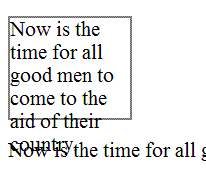
This example is identical to the last one, except that the container is set to clip the text. The text is no longer bleeding into the next paragraph, but now it is truncated. This is also a failure.
Example Code:
<div style="font-size:100%; width:120px; height:100px; overflow: hidden; border: thin solid gray;>
 Now is the time for all good men to come to the aid of their country.
</div>
<p>Now is the time for all good men to come to the aid of their country.</p>
Illustration of example 2:
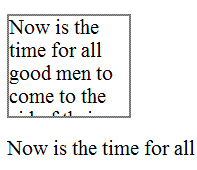
(none currently listed)
Increase the text size of the content by 200%.
Check that no text is clipped, truncated, or obscured.
If check #2 is false, then the failure condition applies and the content fails these Success Criteria.
Markup languages: HTML, XHTML, and other SGML or XML-based technologies.
This failure relates to:
The objective of this failure is to identify examples of markup errors in element tags that could cause assistive technology to be unable to generate a satisfactory model of the page. Different user agents may implement different heuristics to recover from errors, resulting in inconsistent presentations of the page between user agents.
Some common types of problems with start and end tags that lead to this failure condition (though this is not an exhaustive list):
Opening and closing tags that are missing the opening < and closing > brackets.
Closing tag missing the initial / to indicate it is a closing tag.
Attribute values that have an opening quote but not a closing quote. Attribute values must be either fully quoted or, in some markup languages, may be unquoted.
Lack of whitespace between attributes.
Unquoted attribute values that have whitespace in the value.
Failure to provide a closing element tag for elements that do not accept empty-element syntax.
The following code fails because the opening tag is missing an angle bracket, and the intended boundary of the tag is unclear.
Example Code:
<p This is a paragraph</p>
The following code fails because the closing tag is missing the slash, making it look like it is in fact another opening tag.
Example Code:
<p>This is a paragraph<p>
The following code fails because the attribute value is missing the closing quote, which makes the boundary of the attribute-value pair unclear.
Example Code:
<input title="name type="text">
The following code fails because the there is not whitespace between attributes, which makes the boundary between attribute-value pairs unclear.
Example Code:
<input title="name"type="text">
The following code fails because an attribute value is not quoted and contains whitespace, which makes the boundary of the attribute-value pair unclear.
Example Code:
<input title=Enter name here type=text>
The following code fails because the closing tag of the first paragraph is missing, making it unclear whether the second paragraph is a child or sibling of the first.
Example Code:
<p>This is a paragraph
<p>This is another paragraph</p>
(none currently listed)
Check the source code of pages implemented in markup languages.
Check whether any opening tags, closing tags or attributes are malformed.
If check #2 is true, then the failure condition applies and the content does not meet this Success Criterion.
Any technology.
This failure relates to:
The objective of this failure condition is to avoid substituting characters whose glyphs look similar to the intended character, for that intended character. The Unicode character set defines thousands of characters, covering dozens of writing systems. While the glyphs for some of these characters may look like the glyphs for other characters in visual presentation, they are not processed the same by text-to-speech tools.
For example, the characters U+0063 and U+03F2 both look like the letter "c", yet the first is from the Western alphabet and the second from the Greek alphabet and not used in Western languages. The characters U+0033 and U+04E0 both look like the number "3", yet the second is actually a letter from the Cyrillic alphabet.
Note: This failure also applies to the use of character entities. It is the incorrect character used because of its glyph representation that comprises a failure, not the mechanism by which that character is implemented.
The following word looks, in browsers with appropriate font support, like the English word "cook", yet is composed of the string U+03f2 U+043E U+03BF U+006B, only one of which is a letter from the Western alphabet. This word will not be processed meaningfully, and a text alternative is not provided.
Example Code:
ϲоοk
The following example, like the one above, will look like the English word "cook" when rendered in browsers with appropriate font support. In this case, the characters are implemented with character entities, but the word will still not be processed meaningfully, and a text alternative is not provided.
Example Code:
ϲоοk
Working Example: "ϲоοk"
(none currently listed)
Check the characters or character entities used to represent text.
If the characters used do not match the appropriate characters for the displayed glyphs in the human language of the content, then look-alike glyphs are being used.
If look-alike glyphs are used, and there is not a text alternative for any range of text that uses look-alike glyphs, then the content does not meet the Success Criterion.
Any technology.
This failure relates to:
The objective of this failure condition is to avoid the use of ASCII art when a text alternative is not provided. Although ASCII art is implemented as a character string, its meaning comes from the pattern of glyphs formed by a visual presentation of that string, not from the text itself. Therefore ASCII art is non-text content and requires a text alternative. Text alternatives, or links to them, should be placed near the ASCII art in order to be associated with it.
The following ASCII art chart lacks a text alternative and therefore does not meet Success Criterion 1.1.1. Note this failure example does in fact cause this page to fail, but you may skip over the example.
Example Code:
<pre>
  %   __ __ __ __ __ __ __ __ __ __ __ __ __ __
100 |             *                             |
 90 |                *  *                       |
 80 |          *           *                    |
 70 |             @           *                 |
 60 |          @                 *              |
 50 |       *        @              *           |
 40 |                   @              *        |
 30 |    *  @              @  @           *     |
 20 |                                           |
 10 |    @                       @  @  @  @     |
      0  5 10 15 20 25 30 35 40 45 50 55 60 65 70
      Flash frequency (Hz)
</pre>
(none currently listed)
Access a page with ASCII art.
For each instance of ASCII art, check that it has a text alternative.
If check #2 is false, then this failure condition applies and the content fails this Success Criterion.
Any technology.
This failure relates to:
This failure helps ensure that people who cannot perceive color differences can identify links. Link underlines or some other non-color visual distinction are required. While some links may be visually evident from page design and context, such as navigational links, links within text are often visually understood only from their own display attributes. Removing the underline and leaving only the color difference for such links would be a failure because there would be no other visual indication (besides color) that it is a link.
Note 1: If the non-color cue only happens when the mouse hovers over the link or when the link receives focus, it is still a failure.
Note 2: If the link is a different color and bold it would not fail because the boldness is not color dependent.
A Web page includes a large number of links within the body text. The links are styled so that they do not have underlines and are very similar in color to the body text. This would be a failure because users would be unable to differentiate the links from the body text.
The following code is an example of removing the underline from a link in a sentence or paragraph without providing another visual cue besides color.
Example Code:
<head>
<style type="text/css">
p a:link {text-decoration: none}
p a:visited {text-decoration: none}
p a:active {text-decoration: none}
p a:hover {text-decoration: underline; color: red;}
</style>
</head>

<body>

<p>To find out more about the <a href="rain_in_spain.htm">rain in spain</a>there are many resources.</p>

</body>
Note: If the visual cue is only provided on hover (as in the example above), it would still fail.
(none currently listed)
Check that each link within text that is part of a sentence or paragraph (or other area where they could be mistaken as non-linked text) in the page is underlined or otherwise visually identifiable (i.e., bolded, italicized) as a link without relying on color (hue).
If check #1 is false, then this failure condition applies and the content fails this Success Criterion.
Pages that provide synchronized media alternatives to text.
This failure relates to:
The objective of this failure is to avoid situations in which synchronized media alternatives are not labeled with the text for which they are alternatives. Synchronized media alternatives provide enhanced access to users for whom synchronized media is a more effective format than text. Since they are alternatives to text, they do not need themselves to have redundant text alternatives. However, they need to be clearly labeled with the text for which they substitute, so users can find them and so users who normally expect text alternatives to synchronized media know not to look for them.
A page with instructions to complete a tax form provides a prose description of the fields to complete, data to provide, etc. Additionally, a synchronized media alternative provides spoken instructions, with video of a person completing the section being discussed in the audio. Although both versions are provided on the page, the synchronized media version is provided elsewhere on the page and is not clearly labeled with the part of the text for which it is a substitute. This makes it difficult for users encountering the text to find it, and users encountering the video do not know where its text alternative is.
(none currently listed)
Check pages that provide synchronized media alternatives to text.
Check that synchronized media is clearly labeled with the text for which it is an alternative.
If check #2 is false, then this failure condition applies and the content fails these Success Criteria.
Any technology.
This failure relates to:
The objective of this failure is to avoid situations in which synchronized media alternatives provide more information than the text for which they are alternatives, but do not provide their own text alternatives to provide access to the extra information. Synchronized media alternatives provide enhanced access to users for whom synchronized media is a more effective format than text. Since they are alternatives to text, they are do not need themselves to have redundant text alternatives in the form of captions, audio descriptions or full text alternatives. However, if they provide more information than the text for which they are an alternative, then they are more than simply alternatives but are synchronized media content in their own right. In this case they are subject to the full requirements of Success Criterion 1.2.2 to provide captions and to Success Criterion 1.2.2 and 1.2.3.
(none currently listed)
Check for captions on synchronized media alternatives.
Check that the synchronized media alternative does not provide more information than is presented on the page in text.
Note: Synchronized media alternatives often use different words to present what is on the page but it should not present new information on the topic of the page.
If check #2 is false, then this failure condition applies and the content fails these Success Criteria.
Applies to all technologies.
This failure relates to:
Without prior instruction, unexpected change of context due to change of user interface setting can sometimes confuse users. Users must receive instruction prior to such encounter. Providing the instruction in a way in which the user may not have the opportunity to review may leave opportunity for confusion.
Failure examples:
Not providing instruction on the Web page preceding the user interface element that causes change of context by change of setting.
Not providing instruction at a part of the process prior to the step where they may encounter such change of context, in case of a multi-step process in which users must go through particular steps to reach the user interface element where change of setting would cause a change of context.
Not providing mandatory instruction about the change of context in the case of intranet Web application.
Find occurrence of change of context due to change of user interface setting
Find instructional material that all users must review prior encountering of the change of context.
If #1 is true and #2 is false, then this failure condition applies and content fails the Success Criterion.
Any XML-based markup languages including HTML 4.01 and XHTML 1.x.
This failure relates to:
This describes a failure condition where duplicate ID errors are known to cause problems for assistive technologies when they are trying to interact with content. Duplicate values of type ID can be problematic for user agents that rely on this attribute to accurately convey relationships between different parts of content to users. For example, a screen reader may use ID values to identify the applicable header content for a data cell within a data table, or an input control to which a given label applies. If these values are not unique, the screen reader will be unable to programmatically determine which headers are associated with the data cell or which control is associated with which label or name.
Checking that ID attribute values are unique within a document can be done by validating the document against its schema, because the schema defines which attributes contain document-wide unique identifiers.
Note 1: In most markup languages, ID values are attribute values, for example in HTML and XHTML.
Note 2:
XML documents that use only the xml:id attribute as an ID attribute, parsing the XML document with a validating parser that supports the xml:id specification is sufficient.
An author uses an online validation service to check that all id attribute values are unique.
A developer utilizes features in their authoring tool to ensure that id attribute values are unique.
Resources are for information purposes only, no endorsement implied.
xml:id Version 1.0 - W3C Recommendation 9 September 2005.
Extensible Markup Language (XML) 1.0 (Fourth Edition): Validity constraint: ID
HTML 4.01: id attribute
Check that all values of type ID are unique in the Web page
If Step #1 is false, then this failure condition applies and the content fails the Success Criterion.
Any technology
This failure relates to:
This describes a failure condition that occurs when the user agent's default visual indication of keyboard focus is turned off or rendered non-visible by other styling on the page without providing an author-supplied visual focus indicator. Turning off the focus indicator instructs the user agent not to present the focus indicator. Other styling may make it difficult to see the focus indicator even though it is present, such as outlines that look the same as the focus outline, or thick borders that are the same color as the focus indicator so it cannot be seen against them.
The following CSS example will remove the default focus indicator, which fails the requirement to provide a visible focus indicator.
Example Code:
:focus {outline: none}The following CSS example will create an outline around links that looks the same as the focus indicator. This makes it impossible for users to determine which one in fact has the focus, even though the user agent does draw the focus indicator.
Example Code:
a {outline: thin dotted black}The following CSS example creates a border around links that does not have enough contrast for the focus indicator to seen when drawn on top of it. In this case the focus indicator is drawn just ouside the border, but as both are black and the border is thicker than the focus indicator, it no longer meets the definition of "visible".
Example Code:
a {border: medium solid black}No resources available for this technique.
Set the focus to all focusable elements on a page.
Check that the focus indicator is visible.
#2 is true.
All technologies
This failure relates to:
Whether a user interface component has focus is a particularly important facet of its state. Many types of assistive technology rely on tracking the current keyboard focus. Screen readers will move the user's point of regard to the focused user interface component, and screen magnifiers will change the display of the content so that the focused component is visible. If assistive technology is not notified when focus moves to a new component, the user will become confused when they attempt to interact with the wrong component.
While user agents usually handle this functionality for standard controls, custom-scripted user interface components are responsible for using accessibility APIs to make focus information and notifications available.
A custom menu displays menu items by rendering them explicitly, handling mouse and key events directly and highlighting the currently selected menu item. The programmer does not expose the menu item that has focus via the Accessibility API, so assistive technology can only determine that focus is somewhere within the menu and cannot determine which menu item has focus.
Resources are for information purposes only, no endorsement implied.
Using the accessibility checker for the technology (or if that is not available, inspect the code or test with an assistive technology), check the controls to see if they expose the focus state through the accessibility API.
Using the accessibility checker for the technology (or if that is not available, inspect the code or test with an assistive technology), check whether assistive technology is notified when focus moves from one control to another.
If Check #1 or Check #2 is false, then this failure condition applies and the content fails this Success Criterion.
HTML, XHTML, and CSS
This failure relates to:
The objective of this failure condition is to describe a problem that occurs when changing the size of text does not cause the text-based form controls to resize accordingly. This means that the user may have difficulty entering text and being able to read what they have entered because the text is not displayed at the text size required by the user.
Text-based form controls include input boxes (text and textarea) as well as buttons.
A Contact Us form has some introductory information and then form controls for users to enter their first name, last name, telephone number and email address. The heading, introductory text and form control labels have been implemented in a scalable way but the form controls themselves have not.
The XHTML component:
Example Code:
 <h1>Contact Us</h1>
 <p>Please provide us with your details and we will contact you as soon as we can. Note that all of the form fields are required.</p>
 <label for="fname">First Name</label><input type="text" name="fname" id="fname" /><br />
 <label for="lname">Last Name</label><input type="text" name="lname" id="lname" /><br />
 <label for="phone">Telephone</label><input type="text" name="phone" id="phone" /><br />
 <label for="email">Email</label><input type="text" name="email" id="email" /><br />
 <input type="submit" name="Submit" value="Submit" id="Submit" />
The CSS component:
Example Code:
 h1 { font-size: 2em; }
 p, label { font-size: 1em; }
input {font-size: 12pt}No resources available for this technique.
(none currently listed)
Enter some text into text-based form controls that receive user entered text.
Increase the text size of the content by 200%.
Check that the text in text-based form controls has increased by 200%.
If check #3 is false, then the failure condition applies and the content fails these Success Criteria.
All technologies
This failure relates to:
This objective of this technique is to describe the failure that occurs when a required field or an error field is marked with color differences only, without an alternate way to identify the required field or error field. This can cause problems for people who are blind or colorblind, because they may not be able to perceive the color differences that indicate which field is required or which field is causing an error.
A user is completing an online form, and the phone number field is required. To indicate that the phone number field is required, the label "Phone Number" is displayed in blue text only, without any other indication that "Phone Number" is a required field. A blind or colorblind user may not be able to identify that "Phone Number" is a required field.
A user submits an online form and leaves a required field blank, resulting in an error. The form field that caused the error is indicated by red text only, without an additional non-color indication that the field caused an error.
For all required fields or error fields in the Web page that are identified using color differences:
Check that an non-color way to identify the required field or error field is provided.
If step #1 is false, then this failure condition applies and content fails the Success Criterion.
Any technology
This failure relates to:
This failure ensures that people with visual or cognitive disabilities will recognize phone number fields and understand what information to provide to fill in the fields. Phone numbers are frequently formatted in fixed, distinctive ways, and authors may feel that just providing visual formatting of the fields will be sufficient to identify them. However, even if all the fields have programmatically determined names, a text label must also identify the set of fields as a phone number.
In the United States, phone numbers are broken into a three digit area code, a three digit prefix, and a four digit extension. A web page creates fixed length text input fields for the three parts of the phone number, surrounding the first field with parenthesis and separating the second and third fields with a dash. Because of this formatting, some users recognize the fields as a phone number. However, there is no text label for the phone number on the web page. This is because the label for each field will be the closest preceding text, so the three fields would be labeled "(", ")" , and "-" respectively.
For each set of phone number fields in the web page that represents a single phone number, check that the set of fields are labeled with a visible text label that is positioned near the set of phone number fields.
For each set of phone number fields in the Web page that represent a single phone number, instructions are provided about how to fill in the fields.
If both check #1 and check #2 are false, then this failure condition applies and the content fails this success criterion.
Any technology
This failure relates to:
This failure occurs when people with low vision are not able to read text that is displayed over a background image. When there is not sufficient contrast between the background image and the text, features of the background image can be confused with the text making it difficult to accurately read the text.
To satisfy Success Criterion 1.4.3 and 1.4.6, there must be sufficient contrast between the text and its background. For pictures, this means that there would need to be sufficient contrast between the text and those parts of the image that are most like the text and behind the text.
Black text overlays an image with black lines. The lines cross behind the letters making F's look like E's etc.
Black text overlays an image with with dark gray areas. Wherever the text crosses a dark gray area the contrast is so bad that the text cannot be read.
Quickcheck: First do a quick check to see if the contrast between the text and the area of the image that darkest (for dark text) or lightest (for light text) meets or exceeds that required by the Success Criterion (1.4.3 or 1.4.5). If the contrast meets or exceeds the specified contrast, then there is no failure.
If the Quickcheck is false, then check to see if the background behind each letter has sufficient contrast with the letter.
If Quickcheck is false and #2 is false as well then this failure condition applies and the content fails the contrast Success Criterion.
HTML and XHTML
This failure relates to:
This failure describes a common condition where links such as "click here" or "more" are used as anchor elements where you need to have the surrounding text to understand their purpose and where there isn't any mechanism to make the destination clear by itself, such as a button to expand the link text.
Many blind people who use screen readers call up a dialog box that has a list of links from the page. They use this list of links to decide where they will go. But if many of the links in that list simply say "click here" or "more" they will be unable to use this feature in their screen reader, which is a core navigation strategy. That's why it's a failure of 2.4.9 to not provide any way of allowing them to know the destination from the link text alone. It is also true for people who tab through links. If all they hear as they tab through the document is "click here, click here, click here etc." they will become confused.
Example Code:
<a href="file110.htm">Click here</a> for more information on the Rocky Mountains.Example Code:
<h2>News headlines</h2>
The middle east peace meetings have yielded fruitful dialogue.
<a href="r4300.htm">read more</a>Examine each link on the page.
Check to see if it has non-descript link text such as "click here" or "more" whose purpose can be determined from the surrounding text but not from the link text alone.
Check to see if there is a mechanism on the page which turns all non-descript links on the page into descriptive links.
If step #2 is true AND #3 is false, then this failure condition applies and content fails the success criterion.
All technologies.
This failure relates to:
This describes the failure condition that results when a Web page opens a dialog or menu interface component embedded on the page in a way that makes it difficult for a keyboard user to operate because of its position in the sequential navigation order. When the user opens the dialog or menu embedded on the page by activating a button or link, his next action will be to interact with the dialog or menu. If the dialog or menu is not adjacent to the trigger control in the sequential navigation order, it will be difficult for the keyboard user to operate the dialog or menu.
When a DHTML menu or dialog is activated, it is created dynamically, positioned visually near the trigger, and appended to the end of the DOM. Because it is appended to the end of the DOM, it is at the end of the sequential navigation order. The user must tab through the rest of the web page before he can interact with the dialog or menu.
When a DHTML menu is dismissed, it is removed or hidden from the web page and focus is set to the document. The user must tab from the beginning of the navigation sequence to reach the point from which the menu was opened.
For each menu or dialog embedded on a Web page that is opened via a trigger control:
Activate the trigger control via the keyboard.
Check whether focus is in the menu or dialog.
Check whether advancing the focus in the sequential navigation order puts focus in the menu or dialog.
Dismiss the menu or dialog.
Check whether focus is on the trigger control.
Check whether advancing the focus backwards in the sequential navigation order puts focus in the trigger control.
If step 1a and 1b are both false, then this failure condition applies and the content fails this success criterion.
If step 2a and 2b are both false, then this failure condition applies and the content fails this success criterion.
General
This failure relates to:
This describes a failure condition of Success Criterion 4.1.2 where some or all of the parts of multi-part form field do not have names. Often there is a label for the multi-part field, which is either programatically associated with the first part, or not programatically associated with any parts.
Note: A name does not necessarily have to be visible, but is visible to assistive technologies.
A US telephone number consists of a 3-digit area code, a 3-digit prefix, and a 4-digit suffix. They are typically formatted as follows ([area code]) [prefix]-[suffix], such as (206) 555-1212. Often, forms asking for a telephone number will include 3 separate fields, but with a single label, such as:
Example Code:
Phone number:
(<input type="text" size="3">) <input type="text" size="3">-<input type="text" size="4">
The failure occurs when there is not a name for each of the 3 fields in the Accessibility API. A user with assistive technology will experience these as three undefined text fields. Some assistive technologies will read the punctuation as identification for the text fields, which can be even more confusing. In the case of a 3-field US phone number, some assistive technologies would name the fields "(", ")" and "-", which is not very useful.
The same US telephone number. In this case, the label is not programatically associated with any of the parts. Phone number:
Example Code:
(<input type="text" size="3">) <input type="text" size="3">-<input type="text" size="4">A user with assistive technology will experience these as three undefined text fields.
The same US telephone number. In this case, the label is programatically associated with the first part.
Example Code:
<label for="area">Phone number:</label>
(<input id="area" type="text" size="3">) <input type="text" size="3">-<input type="text" size="4">
A user with assistive technology will be led to believe that the first field is for the entire phone number, and will experience the second and third fields as undefined text fields.
Resources are for information purposes only, no endorsement implied.
Microsoft Active Accessibility 2.0 SDK. Includes Inspect32.exe and other MSAA tools.
Microsoft Internet Explorer Developer Toolbar. Allows examination of script-generated DOM in Microsoft Internet Explorer.
Firebug. Allows examination of script-generated DOM in Firefox.
General Procedure:
Install a tool that allows you to view the accessibility API for your platform (see Resources section)
Find each form control
Check that the name property for each control is populated
Alternative Procedure for HTML and XHTML:
Find each input, select, and textarea element in the HTML source
Check that there is a title attribute on the element
Check that there is an associated label element
General Procedure:
If check #3 is false, then the failure condition applies and the content fails this success criterion.
Alternative Procedure for HTML and XHTML:
If checks #2 and #3 are false, then the failure condition applies and the content fails the success criterion.
All technologies that support CSS.
This failure relates to:
:before and :after are not supported by IE7 and lower
The CSS :before and :after pseudo-elements specify the location of content before and after an element's document tree content. The content property, in conjunction with these pseudo-elements, specifies what is inserted. For users who need to customize or turn off style information in order to view content according to their needs, assistive technologies may not be able to access the information that is inserted using CSS. Therefore, it is a failure to use these properties to insert non-decorative content.
In the following example, :before and :after are used to indicate speaker changes and to insert quotation marks in a screenplay.
The CSS contains:
Example Code:
 p.jim:before {	content: "Jim: " }
p.mary:before { content: "Mary: " }

q:before { content: open-quote }
q:after  { content: close-quote }
It is used in this excerpt:
Example Code:
 <p class="jim">
 <q>Do you think he's going to make it?</q>
</p>
<p class="mary">
 <q>It's not looking good.</q>
</p>In this example, :before is used to differentiate facts from opinions.
The CSS contains:
Example Code:
 p.fact:before { content: "Fact: "; font-weight: bold; }
 p.opinion:before { content: "Opinion: "; font-weight: bold; }
It is used in this excerpt:
Example Code:
 <p class="fact">
 The defendant was at the scene of the crime when it occurred.
</p>
<p class="opinion">
 The defendant committed the crime.
</p>
Resources are for information purposes only, no endorsement implied.
Examine all content inserted through use of the :before and :after pseudo-elements and the content property
Verify that the content is decorative.
If the inserted content is not decorative, check that the information is provided to assistive technologies and is also available when CSS is turned off.
If checks #2 or #3 are false, then this failure condition applies and the content fails this Success Criterion.
All technologies.
This failure relates to:
Many people with cognitive disabilities have a great deal of trouble with blocks of text that are justified (aligned to both the left and the right margins). The spaces between words create "rivers of white" running down the page, which can make the text difficult for some people to read. This failure describes situations where this confusing text layout occurs. The best way to avoid this problem is not to create text layout that is fully justified (aligned to both the left and the right margins).
In the following example of a failure, the HTML align attribute is used to create justified text.
Example Code:
<p align="justify">Lorem ipsum dolor sit amet, consectetuer adipiscing elit. Vestibulum sit amet pede. Phasellus
nec sem id mauris vehicula tincidunt. Morbi ac arcu. Maecenas vehicula velit et orci. Donec
ullamcorper porttitor velit. Sed arcu lorem, cursus sit amet, auctor eu, convallis ut, purus.
Vivamus imperdiet accumsan nunc. Maecenas pellentesque nunc a libero. Vestibulum ante ipsum
primis in faucibus orci luctus et ultrices posuere cubilia Curae; Curabitur pharetra commodo
justo. Nulla facilisi. Phasellus nulla lacus, tempor quis, tincidunt ac, rutrum et, mauris.
</p>In this example of a failure, the CSS text-align property is used to create justified text.
Example Code:
...
p {text-align: justify}

...

<p>Lorem ipsum dolor sit amet, consectetuer adipiscing elit. Vestibulum sit amet pede. Phasellus
nec sem id mauris vehicula tincidunt. Morbi ac arcu. Maecenas vehicula velit et orci. Donec
ullamcorper porttitor velit. Sed arcu lorem, cursus sit amet, auctor eu, convallis ut, purus.
Vivamus imperdiet accumsan nunc. Maecenas pellentesque nunc a libero. Vestibulum ante ipsum
primis in faucibus orci luctus et ultrices posuere cubilia Curae; Curabitur pharetra commodo
justo. Nulla facilisi. Phasellus nulla lacus, tempor quis, tincidunt ac, rutrum et, mauris.</p>Open the page in a common browser.
Verify that content is not justified (aligned to both the left and the right margins).
If test procedure #2 is false, then this failure condition applies and the content fails to meet Success Criterion 1.4.8.
Content that contains links.
This failure relates to:
Different assistive technologies employ different repair strategies when dealing with links that lack text alternatives. For HTML, they may use the title attribute of the anchor, if present, or they may use the value of the src attribute of the img element.
This failure condition occurs when a link contains only non-text content, such as an image, and the non-text content has been implemented in a way that it can be ignored by assistive technology. Because a link is an interactive control, the user can tab to it and activate it. Since there is no text content within the link to be used as the name, assistive technology employs a variety of repair techniques to find some name to use for the link.
Often, both text and images are used on a page to link to the same target. This introduces a "stuttering" effect when two nearly links have the same name, and authors attempts to eliminate the redundancy by providing a null alt attribute for the image. Unfortuneately, this often makes the problem worse. H2: Combining adjacent image and text links for the same resource (HTML) is the recommended approach to reduce the number of separate links and the undesirable redundancy.
A search site returns search results that include both a text link and an image link to the match site. The image has a null alt attribute, since the result already contains a link with a text description. However, the screen reader does not ignore the image link but uses heuristics to find some text that might describe the purpose of the link. For example, the screen reader might announce, "football dot gif Football Scorecard."
Example Code:
 <a href="scores.html">
   <img src="football.gif" alt="" />
 </a>
 <a href="scores.html">
   Football Scoreboard
 </a>
}
Resources are for information purposes only, no endorsement implied.
Check whether the link contains only non-text content.
Check whether the non-text content has been implemented in a way that it can be ignored by assistive technology.
If all checks are true, then this failure condition applies and the content fails the success criteria.