W3C Copyright Notices and Licenses
Copyright © 2006 World Wide Web Consortium, (Massachusetts Institute of Technology, European Research Consortium for Informatics and Mathematics, Keio University). All Rights Reserved.
This document is published under the W3C® Document Copyright Notice and License. The bindings within this document are published under the W3C® Software Copyright Notice and License. The software license requires "Notice of any changes or modifications to the W3C files, including the date changes were made." Consequently, modified versions of the DOM bindings must document that they do not conform to the W3C standard; in the case of the IDL definitions, the pragma prefix can no longer be 'w3c.org'; in the case of the Java language binding, the package names can no longer be in the 'org.w3c' package.
W3C® Document Copyright Notice and License
Note: This section is a copy of the W3C® Document Notice and License and could be found at http://www.w3.org/Consortium/Legal/2002/copyright-documents-20021231.
Copyright © 2006 World Wide Web Consortium, (Massachusetts Institute of Technology, European Research Consortium for Informatics and Mathematics, Keio University). All Rights Reserved.
http://www.w3.org/Consortium/Legal/2002/copyright-documents-20021231
Public documents on the W3C site are provided by the copyright holders under the following license. By using and/or copying this document, or the W3C document from which this statement is linked, you (the licensee) agree that you have read, understood, and will comply with the following terms and conditions:
Permission to copy, and distribute the contents of this document, or the W3C document from which this statement is linked, in any medium for any purpose and without fee or royalty is hereby granted, provided that you include the following on ALL copies of the document, or portions thereof, that you use:
- A link or URL to the original W3C document.
- The pre-existing copyright notice of the original author, or if it doesn't exist, a notice (hypertext is preferred, but a textual representation is permitted) of the form: "Copyright © [$date-of-document] World Wide Web Consortium, (Massachusetts Institute of Technology, European Research Consortium for Informatics and Mathematics, Keio University). All Rights Reserved. http://www.w3.org/Consortium/Legal/2002/copyright-documents-20021231"
- If it exists, the STATUS of the W3C document.
When space permits, inclusion of the full text of this NOTICE should be provided. We request that authorship attribution be provided in any software, documents, or other items or products that you create pursuant to the implementation of the contents of this document, or any portion thereof.
No right to create modifications or derivatives of W3C documents is granted pursuant to this license. However, if additional requirements (documented in the Copyright FAQ) are satisfied, the right to create modifications or derivatives is sometimes granted by the W3C to individuals complying with those requirements.
THIS DOCUMENT IS PROVIDED "AS IS," AND COPYRIGHT HOLDERS MAKE NO REPRESENTATIONS OR WARRANTIES, EXPRESS OR IMPLIED, INCLUDING, BUT NOT LIMITED TO, WARRANTIES OF MERCHANTABILITY, FITNESS FOR A PARTICULAR PURPOSE, NON-INFRINGEMENT, OR TITLE; THAT THE CONTENTS OF THE DOCUMENT ARE SUITABLE FOR ANY PURPOSE; NOR THAT THE IMPLEMENTATION OF SUCH CONTENTS WILL NOT INFRINGE ANY THIRD PARTY PATENTS, COPYRIGHTS, TRADEMARKS OR OTHER RIGHTS.
COPYRIGHT HOLDERS WILL NOT BE LIABLE FOR ANY DIRECT, INDIRECT, SPECIAL OR CONSEQUENTIAL DAMAGES ARISING OUT OF ANY USE OF THE DOCUMENT OR THE PERFORMANCE OR IMPLEMENTATION OF THE CONTENTS THEREOF.
The name and trademarks of copyright holders may NOT be used in advertising or publicity pertaining to this document or its contents without specific, written prior permission. Title to copyright in this document will at all times remain with copyright holders.
W3C® Software Copyright Notice and License
Note: This section is a copy of the W3C® Software Copyright Notice and License and could be found at http://www.w3.org/Consortium/Legal/2002/copyright-software-20021231
Copyright © 2006 World Wide Web Consortium, (Massachusetts Institute of Technology, European Research Consortium for Informatics and Mathematics, Keio University). All Rights Reserved.
http://www.w3.org/Consortium/Legal/2002/copyright-software-20021231
This work (and included software, documentation such as READMEs, or other related items) is being provided by the copyright holders under the following license. By obtaining, using and/or copying this work, you (the licensee) agree that you have read, understood, and will comply with the following terms and conditions.
Permission to copy, modify, and distribute this software and its documentation, with or without modification, for any purpose and without fee or royalty is hereby granted, provided that you include the following on ALL copies of the software and documentation or portions thereof, including modifications:
- The full text of this NOTICE in a location viewable to users of the redistributed or derivative work.
- Any pre-existing intellectual property disclaimers, notices, or terms and conditions. If none exist, the W3C® Short Software Notice should be included (hypertext is preferred, text is permitted) within the body of any redistributed or derivative code.
- Notice of any changes or modifications to the files, including the date changes were made. (We recommend you provide URIs to the location from which the code is derived.)
THIS SOFTWARE AND DOCUMENTATION IS PROVIDED "AS IS," AND COPYRIGHT HOLDERS MAKE NO REPRESENTATIONS OR WARRANTIES, EXPRESS OR IMPLIED, INCLUDING BUT NOT LIMITED TO, WARRANTIES OF MERCHANTABILITY OR FITNESS FOR ANY PARTICULAR PURPOSE OR THAT THE USE OF THE SOFTWARE OR DOCUMENTATION WILL NOT INFRINGE ANY THIRD PARTY PATENTS, COPYRIGHTS, TRADEMARKS OR OTHER RIGHTS.
COPYRIGHT HOLDERS WILL NOT BE LIABLE FOR ANY DIRECT, INDIRECT, SPECIAL OR CONSEQUENTIAL DAMAGES ARISING OUT OF ANY USE OF THE SOFTWARE OR DOCUMENTATION.
The name and trademarks of copyright holders may NOT be used in advertising or publicity pertaining to the software without specific, written prior permission. Title to copyright in this software and any associated documentation will at all times remain with copyright holders.
1. Document Object Model Events
- Editors:
- Björn Höhrmann
- Philippe Le Hégaret, W3C (until November 2003)
- Tom Pixley, Netscape Communications Corporation (until July 2002)
1.1 Introduction
DOM Events is designed with two main goals. The first goal is the design of an event system which allows registration of event listeners and describes event flow through a tree structure. Additionally, the specification will provide standard modules of events for user interface control and document mutation notifications, including defined contextual information for each of these event modules.
The second goal of the DOM Events is to provide a common subset of the current event systems used in DOM Level 0 browsers. This is intended to foster interoperability of existing scripts and content. It is not expected that this goal will be met with full backwards compatibility. However, the specification attempts to achieve this when possible.
The following sections of the specification define both the specification for the DOM Event Model and a number of conformant event modules designed for use within the model. The DOM Event Model consists of:
- The DOM event flow, which describe the flow of events in a tree-based structure.
- A set of interfaces to access contextual information on events and to register event listeners.
1.1.1 Event flows
This document specifies an event flow for tree-based structures: DOM event flow. While it is expected that HTML and XML applications will follow this event flow, applications might reuse the interfaces defined in this document for non tree-based structures. In that case, it is the responsibility of such applications to define their event flow and how it relates to the DOM event flow. An example of such use can be found in [DOM Level 3 Load and Save].
An implementation is DOM Level 3 Events conformant if it supports the Core module defined in [DOM Level 2 Core], the DOM event flow and the interfaces with their associated semantics defined in Basic interfaces. An implementation conforms to a DOM Level 3 Events module if it conforms to DOM Level 3 Events and the event types defined in the module. An implementation conforms to an event type if it conforms to its associated semantics and DOM interfaces. For example, an implementation conforms to the DOM Level 3 User Interface Events module (see User Interface event types) if it conforms to DOM Level 3 Events (i.e. implements all the basic interfaces), can generate the event types DOMActivate, DOMFocusIn, DOMFocusOut, focus, and blur accordingly to their semantics, supports the UIEvent interface, and conforms to the DOM Level 2 Core module.
Note: An implementation which does not conform to an event module can still implement the DOM interfaces associated with it. The DOM application can then create an event object using the DocumentEvent.createEvent() method and dispatch an event type associated with this interface using the EventTarget.dispatchEvent() method.
A DOM application may use the hasFeature(feature, version) method of the DOMImplementation interface with parameter values "Events" and "3.0" (respectively) to determine whether or not DOM Level 3 Events is supported by the implementation. In order to fully support DOM Level 3 Events, an implementation must also support the "Core" feature defined in the DOM Level 2 Core specification [DOM Level 2 Core] and use the DOM event flow. For additional information about conformance, please see the DOM Level 3 Core specification [DOM Level 3 Core]. DOM Level 3 Events is built on top of DOM Level 2 Events [DOM Level 2 Events], i.e. a DOM Level 3 Events implementation where hasFeature("Events", "3.0") returns true must also return true when the version number is "2.0", "" or, null.
Each event module describes its own feature string in the event module listing.
Note: This specification is to be understood in the context of the DOM Level 3 Core specification [DOM Level 3 Core] and the general considerations for DOM implementations apply. For example, handling of namespace URIs is discussed in XML Namespaces, and behavior in exceptional circumstances (such as when a null argument is passed when null was not expected) is discussed under DOMException.
1.2 DOM event flow
The DOM event flow is the process through which the event originates from the DOM Events implementation and is dispatched into a tree. Each event has an event target, a targeted node in the case of the DOM Event flow, toward which the event is dispatched by the DOM Events implementation.
1.2.1 Phases
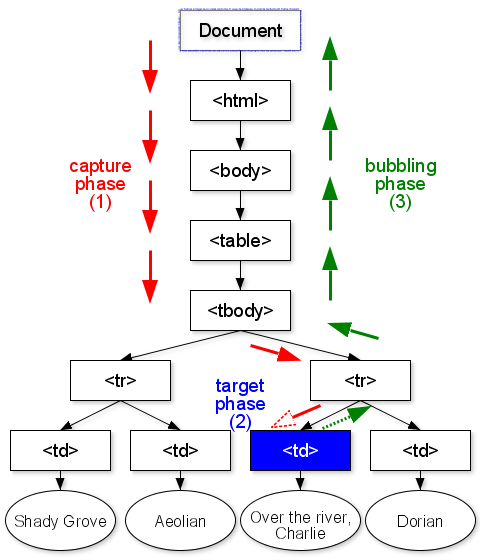
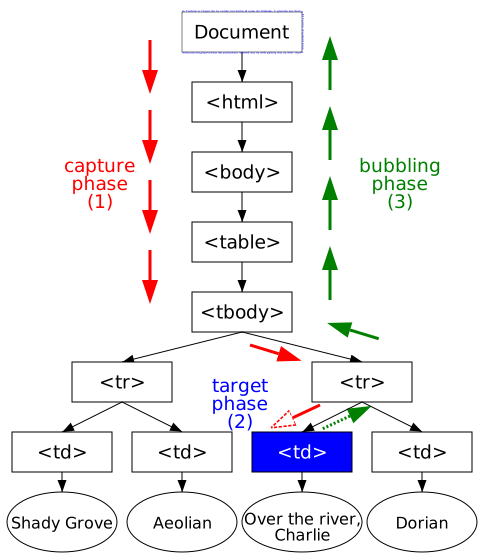
The event is dispatched following a path from the root of the tree to this target node. It can then be handled locally at the target node level or from any target's ancestors higher in the tree. The event dispatching (also called event propagation) occurs in three phases and the following order:
- The capture phase: the event is dispatched to the target's ancestors from the root of the tree to the direct parent of the target node.
- The target phase: the event is dispatched to the target node.
- The bubbling phase: the event is dispatched to the target's ancestors from the direct parent of the target node to the root of the tree.
The target's ancestors are determined before the initial dispatch of the event. If the target node is removed during the dispatching, or a target's ancestor is added or removed, the event propagation will always be based on the target node and the target's ancestors determined before the dispatch.
Some events may not necessarily accomplish the three phases of the DOM event flow, e.g. the event could only be defined for one or two phases. As an example, events defined in this specification will always accomplish the capture and target phases but some will not accomplish the bubbling phase ("bubbling events" versus "non-bubbling events", see also the Event.bubbles attribute).
1.2.2 Event listeners
Each node encountered during the dispatch of the event may contain event listeners.
1.2.2.1 Registration of event listeners
Event listeners can be registered on all nodes in the tree for a specific type of event (Event types) or event category (Event types and event categories), phase, and group (Event groups).
If the event listener is being registered on a node while an event gets processed on this node, the event listener will not be triggered during the current phase but may be triggered during a later phase in the event flow, i.e. the bubbling phase.
1.2.2.2 Event groups
An event listener is always part of a group. It is either explicitly in a group if a group has been specified at the registration or implicitly in the default group if no group has been specified. Within a group, event listeners are ordered in their order of registration. If two event listeners {A1, A2}, which are part of the same group, are registered one after the other (A1, then A2) for the same phase, the DOM event flow guarantees their triggering order (A1, then A2). If the two listeners are not part of the same group, no specification is made as to the order in which they will be triggered.
In general, a DOM application does not need to define and use a separate group unless other event listeners, external to the DOM application, may change the event propagation (e.g. from a concurrent DOM application, from imported functionalities that rely on the event system, etc.).
Note: While this specification does not specify a full ordering (i.e. groups are still unordered), it does specify ordering within a group. This implies that if the event listeners {A1, A2, B1, B2}, with A and B being two different groups, are registered for the same phase in the order A1, A2, B1, and B2, the following triggering orders are possible and conform to the DOM event flow:
- {A1, A2, B1, B2}
- {A1, B1, A2, B2}
- {B1, A1, A2, B2}
- {A1, B1, B2, A2}
- {B1, A1, B2, A2}
- {B1, B2, A1, A2}
DOM Events implementations may impose priorities on groups but DOM applications must not rely on it. Unlike this specification, [
DOM Level 2 Events] did not specify any triggering order for event listeners.
1.2.2.3 Triggering an event listener
When the event is dispatched through the tree, from node to node, event listeners registered on the node are triggered if the following three conditions are all met:
- they were registered for the same type of event, or the same category.
- they were registered for the same phase;
- the event propagation has not been stopped for the group.
1.2.2.4 Removing an event listener
If an event listener is removed from a node while an event is being processed on the node, it will not be triggered by the current actions. Once removed, the event listener is never invoked again (unless registered again for future processing).
1.2.2.5 Reentrance
It is expected that actions taken by an event listener may cause additional events to be dispatched. Additional events should be handled in a synchronous manner and may cause reentrance into the event model. If an event listener fires a new event using EventTarget.dispatchEvent(), the event propagation that causes the event listener to be triggered will resume only after the event propagation of the new event is completed.
Since implementations may have restrictions such as stack-usage or other memory requirements, applications should not depend on how many synchronous events may be triggered.
1.2.2.6 Event propagation and event groups
All event listeners are part of a group (see Registration of event listeners). An event listener may prevent event listeners that are part of a same group from being triggered. The effect can be:
- immediate: no more event listeners from the same group will be triggered by the event object (see
Event.stopImmediatePropagation());
- deferred until all event listeners from the same group have been triggered on the current node, i.e. the event listeners of the same group attached on other nodes will not be triggered (see
Event.stopPropagation()).
If two event listeners are registered for two different groups, one cannot prevent the other from being triggered.
1.3 Default actions and cancelable events
Implementations may have a default action associated with an event type. An example is the [HTML 4.01] form element. When the user submits the form (e.g. by pressing on a submit button), the event submit is dispatched to the element and the default action for this event type is generally to send a request to a Web server with the parameters from the form.
The default actions are not part of the DOM Event flow. Before invoking a default action, the implementation must first dispatch the event as described in the DOM event flow.
A cancelable event is an event associated with a default action which is allowed to be canceled during the DOM event flow. At any phase during the event flow, the triggered event listeners have the option of canceling the default action or allowing the default action to proceed. In the case of the hyperlink in the browser, canceling the action would have the result of not activating the hyperlink. Not all events defined in this specification are cancelable events. See also Default actions and cancelable keyboard events.
Different implementations will specify their own default actions, if any, associated with each event. The DOM Events specification does not attempt to specify these actions.
This specification does not provide mechanisms for accessing default actions or adding new ones.
Implementations could react to an event before dispatching it and do changes on the display and the DOM tree. In such case, if a DOM attribute is changed before the event is fired, cancelling the device event type will also reverse the change. A good example is the attribute HTMLInputElement.checked: as described in [DOM Level 2 HTML], the value of this property may be changed before the dispatch of the event; the user clicks on the radio button, the radio button is being checked (or unchecked) on the display, the attribute HTMLInputElement.checked is changed as well, and then the device event type click is being dispatched. If the default action of the device event type is prevented, or if the default action attached to the DOMActivate event type is prevented, the property HTMLInputElement.checked will need to be changed back to its original value.
1.4 Activation requests and behavior
Event targets may have associated activation behavior that implementations perform in response to an activation request. As an example, the typical activiation behavior associated with hyperlinks is to follow the link. Activation requests are typically initiated by users through an input device.
In terms of this specification, the activation behavior of the event target is the default action of the event type DOMActivate. DOM applications should use this event type whenever they wish to make or react to an activation request.
Implementations dispatch the DOMActivate event as default action of a click event. This click event is either part of the activation request (e.g., a user requests activiation using a mouse), or synthesized by the implementation to accomodate legacy applications. Context information of such a click event is implementation dependent.
When implementations dispatch a synthesized click event, the expectation is that they do so as default action of another event type. For example, when a user activates a hyperlink using a keyboard, the click event would be dispatched as default action of respective keyboard event.
Implementations are, however, required to dispatch the synthesized click event as described above even if they do not dispatch such an event (e.g., when activation is requested by a voice command since this specification does not address event types for voice input).
Note: The activation of an event target is device dependent but is also application dependent, e.g. a link in a document can be activated using a mouse click or a mouse double click.
1.5 Event types
Each event is associated with a type, called event type. The event type is composed of a local name and a namespace URI as used in [DOM Level 3 Core]. All events defined in this specification are in no namespace.
1.5.1 Event types and event categories
An event type could be part of one or more categories. A category is represented using a local name and a namespace URI as defined in [XML Namespaces 1.1]. The event types defined in this specification are not associated with one or more event categories and this specification does not provide methods to associate them. Other specifications may create and associate event categories with event listeners but in such case would need to inform the dispatch mechanism of those event categories. An example of the use of categories is given at Using VoiceXML Events.
1.5.2 Complete list of event types
Depending on the level of DOM support, or the devices used for display (e.g. screen) or interaction (e.g., mouse, keyboard, touch screen, and voice), these event types can be generated by the implementation. When used with an [XML 1.0] or [HTML 4.01] application, the specifications of those languages may restrict the semantics and scope (in particular the possible target nodes) associated with an event type. Refer to the specification defining the language used in order to find those restrictions or to find event types that are not defined in this document.
The following table provides a non-normative summary of the event types defined in this specification. All event types are in no namespace and this specification refers to them by their local name only. All events will accomplish the capture and target phases, but not all of them will accomplish the bubbling phase (see also DOM event flow). Some events are not cancelable (see Default actions and cancelable events). Some events will only be dispatched to a specific set of possible targets, specified using node types. Contextual information related to the event type is accessible using DOM interfaces.
| type |
Bubbling phase |
Cancelable |
Target node types |
DOM interface |
| DOMActivate |
Yes |
Yes |
Element |
UIEvent |
| DOMFocusIn |
Yes |
No |
Element |
UIEvent |
| DOMFocusOut |
Yes |
No |
Element |
UIEvent |
| focus |
No |
No |
Element |
UIEvent |
| blur |
No |
No |
Element |
UIEvent |
| textInput |
Yes |
Yes |
Element |
TextEvent |
| click |
Yes |
Yes |
Element |
MouseEvent |
| mousedown |
Yes |
Yes |
Element |
MouseEvent |
| mouseup |
Yes |
Yes |
Element |
MouseEvent |
| mouseover |
Yes |
Yes |
Element |
MouseEvent |
| mousemove |
Yes |
Yes |
Element |
MouseEvent |
| mouseout |
Yes |
Yes |
Element |
MouseEvent |
| keydown |
Yes |
Yes |
Element |
KeyboardEvent |
| keyup |
Yes |
Yes |
Element |
KeyboardEvent |
| DOMSubtreeModified |
Yes |
No |
Document, DocumentFragment, Element, Attr |
MutationEvent |
| DOMNodeInserted |
Yes |
No |
Element, Attr, Text, Comment, CDATASection, DocumentType, EntityReference, ProcessingInstruction |
MutationEvent |
| DOMNodeRemoved |
Yes |
No |
Element, Attr, Text, Comment, CDATASection, DocumentType, EntityReference, ProcessingInstruction |
MutationEvent |
| DOMNodeRemovedFromDocument |
No |
No |
Element, Attr, Text, Comment, CDATASection, DocumentType, EntityReference, ProcessingInstruction |
MutationEvent |
| DOMNodeInsertedIntoDocument |
No |
No |
Element, Attr, Text, Comment, CDATASection, DocumentType, EntityReference, ProcessingInstruction |
MutationEvent |
| DOMAttrModified |
Yes |
No |
Element |
MutationEvent |
| DOMCharacterDataModified |
Yes |
No |
Text, Comment, CDATASection, ProcessingInstruction |
MutationEvent |
| DOMElementNameChanged |
Yes |
No |
Element |
MutationNameEvent |
| DOMAttributeNameChanged |
Yes |
No |
Element |
MutationNameEvent |
| load |
No |
No |
Document, Element |
Event |
| unload |
No |
No |
Document, Element |
Event |
| abort |
Yes |
No |
Element |
Event |
| error |
Yes |
No |
Element |
Event |
| select |
Yes |
No |
Element |
Event |
| change |
Yes |
No |
Element |
Event |
| submit |
Yes |
Yes |
Element |
Event |
| reset |
Yes |
Yes |
Element |
Event |
| resize |
Yes |
No |
Document, Element |
UIEvent |
| scroll |
Yes |
No |
Document, Element |
UIEvent |
As an example, the event load will trigger event listeners attached on Element nodes for that event and on the capture and target phases. This event cannot be cancelled. If an event listener for the load event is attached to a node other than Document or Element nodes, or if it is attached to the bubbling phase only, this event listener cannot be triggered.
The event objects associated with the event types described above may contain context information. Refer to the description of the DOM interfaces for further information.
1.5.3 Compatibility with DOM Level 2 Events
Namespace URIs were only introduced in DOM Level 3 Events and were not part of DOM Level 2 Events. All event types in this specification are defined to be in no namespace, DOM Level 2 methods have been modified to refer to event types in no namespace when adding or removing event listeners and initializing event objects, and new methods have been added to provide equivalent functionality for event types in a namespace. A future draft of this document will provide guidelines on defining new event types.
DOM Level 3 Events considers the Event.type attribute to be case-sensitive, while DOM Level 2 Events considers Event.type to be case-insensitive.
1.6 Event listener registration
Note: This section is non-normative.
There are mainly two ways to associate an event listener to a node in the tree:
- at the programming level using the
EventTarget methods.
- at the document level using [XML Events] or an ad-hoc syntax, as the ones provided in [XHTML 1.0] or [SVG 1.1].
1.6.1 Using the EventTarget methods
The user can attach an event listener using the methods on the EventTarget interface:
aCircle.addEventListener("DOMActivate", aListener, false);
The methods do not provide the ability to register the same event listener more than once for the same event type and the same phase. It is not possible to register an event listener:
- for only one of the target and bubbling phases since those phases are coupled during the registration (but the listener itself could ignore events during one of these phases if desired).
- for a specific event category.
To register an event listener, DOM applications use the methods EventTarget.addEventListener() and EventTarget.addEventListenerNS().
An EventListener being registered on an EventTarget may choose to have that EventListener triggered during the capture phase by specifying the useCapture parameter of the EventTarget.addEventListener() or EventTarget.addEventListenerNS() methods to be true. If false, the EventListener will be triggered during the target and bubbling phases.
1.6.2 Using XML Events
In [XML Events], event listeners are attached using elements and attributes:
<listener event="DOMActivate" observer="aCircle" handler="#aListener"
          phase="default" propagate="stop"/>
Event listeners can only be registered on Element nodes, other Node types are not addressable, and cannot be registered for a specific group either, they are always attached to the default group. The target phase and the bubbling phase are coupled during the registration. [XML Events] does not address namespaces in event types.
1.6.3 Using VoiceXML Events
In [VoiceXML 2.0], event listeners are attached using elements:
<form>
  <field>
    <prompt>Please say something</prompt>
    <catch event="error.noauthorization">
     <prompt>You don't have the authorization!</prompt>
    </catch>
    <catch event="connection.disconnect.hangup">
     <prompt>Connection error</prompt>
    </catch>
    <catch event="connection.disconnect">
     <prompt>Connection error</prompt>
    </catch>
  </field>
  <catch event="error">
    <prompt>Unknown error</prompt>
  </catch>
</form>
Event listeners can only be registered on Element nodes, other Node types are not addressable, and cannot be registered for a specific group either, they are always attached to the default group. The target phase and the bubbling phase are coupled during the registration. [VoiceXML 2.0] does not address namespaces in event types but uses the notion of event categories. The event type "connection.disconnect.hangup" could be associated to the event categories {"http://www.example.org/2003/voicexml", "connection"} and {"http://www.example.org/2003/voicexml", "connection.disconnect"}.
1.6.4 Using XML or HTML attributes
In languages such as [HTML 4.01], [XHTML 1.0], or [SVG 1.1], event listeners are specified as attributes:
<circle id="aCircle" onactivate="aListener(evt)"
        cx="300" cy="225" r="100" fill="red"/>
Since only one attribute with the same name can appear on an element, it is not possible to register more than one event listener on a single EventTarget for the event type. Also, event listeners can only be registered on Element nodes for the target phase and bubbling phase, other Node types and the capture phase are not addressable with these languages. Event listeners cannot be registered for a specific group either, they are always attached to the default group.
1.7 Basic interfaces
The interfaces described in this section are fundamental to DOM Level 3 Events and must always be supported by the implementation.
- Interface Event (introduced in DOM Level 2)
-
The Event interface is used to provide contextual information about an event to the listener processing the event. An object which implements the Event interface is passed as the parameter to an EventListener. More specific context information is passed to event listeners by deriving additional interfaces from Event which contain information directly relating to the type of event they represent. These derived interfaces are also implemented by the object passed to the event listener.
To create an instance of the Event interface, use the DocumentEvent.createEvent("Event") method call.
IDL Definition-
- Definition group PhaseType
-
An integer indicating which phase of the event flow is being processed as defined in DOM event flow.
- Defined Constants
-
AT_TARGET- The current event is in the target phase, i.e. it is being evaluated at the event target.
BUBBLING_PHASE- The current event phase is the bubbling phase.
CAPTURING_PHASE- The current event phase is the capture phase.
- Attributes
-
bubbles of type boolean, readonly- Used to indicate whether or not an event is a bubbling event. If the event can bubble the value is
true, otherwise the value is false.
cancelable of type boolean, readonly- Used to indicate whether or not an event can have its default action prevented (see also Default actions and cancelable events). If the default action can be prevented the value is
true, otherwise the value is false.
currentTarget of type EventTarget, readonly- Used to indicate the
EventTarget whose EventListeners are currently being processed. This is particularly useful during the capture and bubbling phases. This attribute could contain the target node or a target ancestor when used with the DOM event flow.
defaultPrevented of type boolean, readonly, introduced in DOM Level 3- Used to indicate whether
Event.preventDefault() has been called for this event.
eventPhase of type unsigned short, readonly- Used to indicate which phase of event flow is currently being accomplished.
namespaceURI of type DOMString, readonly, introduced in DOM Level 3- The namespace URI associated with this event at creation time, or
null if it is unspecified.
For events initialized with a DOM Level 2 Events method, such as Event.initEvent(), this is always null.
target of type EventTarget, readonly- Used to indicate the event target. This attribute contains the target node when used with the DOM event flow.
timeStamp of type DOMTimeStamp, readonly- Used to specify the time at which the event was created in milliseconds relative to 1970-01-01T00:00:00Z. Due to the fact that some systems may not provide this information the value of
timeStamp may be not available for all events. When not available, the value is 0.
type of type DOMString, readonly- The local name of the event type. The name must be an NCName as defined in [XML Namespaces 1.1] and is case-sensitive.
- Methods
-
initEvent-
The
initEvent method is used to initialize the value of an
Event created through the
DocumentEvent.createEvent method. This method may only be called before the
Event has been dispatched via the
EventTarget.dispatchEvent() method. If the method is called several times before invoking
EventTarget.dispatchEvent, only the final invocation takes precedence. This method has no effect if called after the event has been dispatched. If called from a subclass of the
Event interface only the values specified in this method are modified, all other attributes are left unchanged.
This method sets the
Event.type attribute to
eventTypeArg, and
Event.namespaceURI to
null. To initialize an event with a namespace URI, use the
Event.initEventNS() method.
Parameters
eventTypeArg of type DOMString- Specifies
Event.type, the local name of the event type.
canBubbleArg of type boolean- Specifies
Event.bubbles. This parameter overrides the intrinsic bubbling behavior of the event.
cancelableArg of type boolean- Specifies
Event.cancelable. This parameter overrides the intrinsic cancelable behavior of the event.
No Return Value
No Exceptions
initEventNS introduced in DOM Level 3-
The
initEventNS method is used to initialize the value of an
Event object and has the same behavior as
Event.initEvent().
Parameters
namespaceURIArg of type DOMString- Specifies
Event.namespaceURI, the namespace URI associated with this event, or null if no namespace.
eventTypeArg of type DOMString- Refer to the
Event.initEvent() method for a description of this parameter.
canBubbleArg of type boolean- Refer to the
Event.initEvent() method for a description of this parameter.
cancelableArg of type boolean- Refer to the
Event.initEvent() method for a description of this parameter.
No Return Value
No Exceptions
preventDefault-
If an event is cancelable, the
preventDefault method is used to signify that the event is to be canceled, meaning any default action normally taken by the implementation as a result of the event will not occur (see also
Default actions and cancelable events), and thus independently of event groups. Calling this method for a non-cancelable event has no effect.
Note: This method does not stop the event propagation; use Event.stopPropagation() or Event.stopImmediatePropagation() for that effect.
No Parameters
No Return Value
No Exceptions
stopImmediatePropagation introduced in DOM Level 3-
This method is used to prevent event listeners of the same group to be triggered and, unlike
Event.stopPropagation() its effect is immediate (see
Event propagation and event groups). Once it has been called, further calls to that method have no additional effect.
Note: This method does not prevent the default action from being invoked; use Event.preventDefault() for that effect.
No Parameters
No Return Value
No Exceptions
stopPropagation-
This method is used to prevent event listeners of the same group to be triggered but its effect is deferred until all event listeners attached on the
Event.currentTarget have been triggered (see
Event propagation and event groups). Once it has been called, further calls to that method have no additional effect.
Note: This method does not prevent the default action from being invoked; use Event.preventDefault() for that effect.
No Parameters
No Return Value
No Exceptions
- Interface CustomEvent (introduced in DOM Level 3)
-
The CustomEvent interface is the recommended interface for application-specific event types. Unlike the Event interface, it allows applications to provide contextual information about the event type. Application-specific event types should have an associated namespace to avoid clashes with future general-purpose event types.
To create an instance of the CustomEvent interface, use the DocumentEvent.createEvent("CustomEvent") method call.
IDL Definition-
// Introduced in DOM Level 3:
interface CustomEvent : Event {
readonly attribute DOMObject detail;
void initCustomEventNS(in DOMString namespaceURI,
in DOMString typeArg,
in boolean canBubbleArg,
in boolean cancelableArg,
in DOMObject detailArg);
};
- Attributes
-
detail of type DOMObject, readonly- Specifies some detail information about the
Event.
- Methods
-
initCustomEventNS-
The
initCustomEventNS method is used to initialize the value of a
CustomEvent object and has the same behavior as
Event.initEventNS().
Parameters
namespaceURI of type DOMString- Refer to the
Event.initEventNS() method for a description of this parameter.
typeArg of type DOMString- Refer to the
Event.initEventNS() method for a description of this parameter.
canBubbleArg of type boolean- Refer to the
Event.initEventNS() method for a description of this parameter.
cancelableArg of type boolean- Refer to the
Event.initEventNS() method for a description of this parameter.
detailArg of type DOMObject- Specifies
CustomEvent.detail. This value may be null.
No Return Value
No Exceptions
- Interface EventTarget (introduced in DOM Level 2)
-
The EventTarget interface is implemented by all the objects which could be event targets in an implementation which supports the Event flows. The interface allows registration and removal of event listeners, and dispatch of events to an event target.
When used with DOM event flow, this interface is implemented by all target nodes and target ancestors, i.e. all DOM Nodes of the tree support this interface when the implementation conforms to DOM Level 3 Events and, therefore, this interface can be obtained by using binding-specific casting methods on an instance of the Node interface.
Invoking addEventListener or addEventListenerNS repeatedly on the same EventTarget with the same values for the parameters namespaceURI, type, listener, and useCapture has no effect. Doing so does not cause the EventListener to be called more than once and does not cause a change in the triggering order. In order to register a listener for a different event group (Event groups) the previously registered listener has to be removed first.
IDL Definition-
// Introduced in DOM Level 2:
interface EventTarget {
void addEventListener(in DOMString type,
in EventListener listener,
in boolean useCapture);
void removeEventListener(in DOMString type,
in EventListener listener,
in boolean useCapture);
// Modified in DOM Level 3:
boolean dispatchEvent(in Event evt)
raises(EventException,
DOMException);
// Introduced in DOM Level 3:
void addEventListenerNS(in DOMString namespaceURI,
in DOMString type,
in EventListener listener,
in boolean useCapture,
in DOMObject evtGroup);
// Introduced in DOM Level 3:
void removeEventListenerNS(in DOMString namespaceURI,
in DOMString type,
in EventListener listener,
in boolean useCapture);
};
- Methods
-
addEventListener-
This method allows the registration of an event listener in the default group and, depending on the
useCapture parameter, on the capture phase of the DOM event flow or its target and bubbling phases. Invoking this method is equivalent to invoking
addEventListenerNS with the same values for the parameters
type,
listener, and
useCapture, and the value
null for the parameters
namespaceURI and
evtGroup.
Parameters
type of type DOMString- Specifies the
Event.type associated with the event for which the user is registering.
listener of type EventListener- The
listener parameter takes an object implemented by the user which implements the EventListener interface and contains the method to be called when the event occurs.
useCapture of type boolean- If true,
useCapture indicates that the user wishes to add the event listener for the capture phase only, i.e. this event listener will not be triggered during the target and bubbling phases. If false, the event listener will only be triggered during the target and bubbling phases.
No Return Value
No Exceptions
addEventListenerNS introduced in DOM Level 3-
This method allows the registration of an event listener in a specified group or the default group and, depending on the
useCapture parameter, on the capture phase of the DOM event flow or its target and bubbling phases.
No Return Value
No Exceptions
dispatchEvent modified in DOM Level 3-
This method allows the dispatch of events into the implementation's event model. The
event target of the event is the
EventTarget object on which
dispatchEvent is called.
Parameters
evt of type Event- The event to be dispatched.
Exceptions
|
EventException
|
UNSPECIFIED_EVENT_TYPE_ERR: Raised if the Event.type was not specified by initializing the event before dispatchEvent was called. Specification of the Event.type as null or an empty string will also trigger this exception.
DISPATCH_REQUEST_ERR: Raised if the Event object is already being dispatched.
|
|
DOMException
|
NOT_SUPPORTED_ERR: Raised if the Event object has not been created using DocumentEvent.createEvent().
INVALID_CHARACTER_ERR: Raised if Event.type is not an NCName as defined in [XML Namespaces 1.1].
|
removeEventListener-
This method allows the removal of event listeners from the default group. Calling
removeEventListener with arguments which do not identify any currently registered
EventListener on the
EventTarget has no effect. The
Event.namespaceURI for which the user registered the event listener is implied and is
null.
Note: Event listeners registered for other event groups than the default group cannot be removed using this method; see EventTarget.removeEventListenerNS() for that effect.
Parameters
type of type DOMString- Specifies the
Event.type for which the user registered the event listener.
listener of type EventListener- The
EventListener to be removed.
useCapture of type boolean- Specifies whether the
EventListener being removed was registered for the capture phase or not. If a listener was registered twice, once for the capture phase and once for the target and bubbling phases, each must be removed separately. Removal of an event listener registered for the capture phase does not affect the same event listener registered for the target and bubbling phases, and vice versa.
No Return Value
No Exceptions
removeEventListenerNS introduced in DOM Level 3-
This method allows the removal of an event listener, independently of the associated event group. Calling
removeEventListenerNS with arguments which do not identify any currently registered
EventListener on the
EventTarget has no effect.
No Return Value
No Exceptions
- Interface EventListener (introduced in DOM Level 2)
-
The EventListener interface is the primary way for handling events. Users implement the EventListener interface and register their event listener on an EventTarget. The users should also remove their EventListener from its EventTarget after they have completed using the listener.
Copying a Node, with methods such as Node.cloneNode or Range.cloneContents, does not copy the event listeners attached to it. Event listeners must be attached to the newly created Node afterwards if so desired.
Moving a Node, with methods Document.adoptNode, Node.appendChild, or Range.extractContents, does not affect the event listeners attached to it.
IDL Definition-
- Methods
-
handleEvent-
This method is called whenever an event occurs of the event type for which the
EventListener interface was registered.
Parameters
evt of type Event- The
Event contains contextual information about the event.
No Return Value
No Exceptions
- Exception EventException introduced in DOM Level 2
-
Event operations may throw an EventException as specified in their method descriptions.
IDL Definition-
- Definition group EventExceptionCode
-
An integer indicating the type of error generated.
- Defined Constants
-
DISPATCH_REQUEST_ERR, introduced in DOM Level 3.- If the
Event object is already dispatched in the tree.
UNSPECIFIED_EVENT_TYPE_ERR- If the
Event.type was not specified by initializing the event before the method was called. Specification of the Event.type as null or an empty string will also trigger this exception.
1.7.1 Event creation
In most cases, the events dispatched by the DOM Events implementation are also created by the implementation. It is however possible to simulate events such as mouse events by creating the Event objects and dispatch them using the DOM Events implementation.
Creating Event objects that are known to the DOM Events implementation is done using DocumentEvent.createEvent(). The application must then initialize the object by calling the appropriate initialization method before invoking EventTarget.dispatchEvent(). The Event objects created must be known by the DOM Events implementation; otherwise an event exception is thrown.
- Interface DocumentEvent (introduced in DOM Level 2)
-
The DocumentEvent interface provides a mechanism by which the user can create an Event object of a type supported by the implementation. If the feature "Events" is supported by the Document object, the DocumentEvent interface must be implemented on the same object. If the feature "+Events" is supported by the Document object, an object that supports the DocumentEvent interface must be returned by invoking the method Node.getFeature("+Events", "3.0") on the Document object.
IDL Definition-
// Introduced in DOM Level 2:
interface DocumentEvent {
Event createEvent(in DOMString eventType)
raises(DOMException);
// Introduced in DOM Level 3:
boolean canDispatch(in DOMString namespaceURI,
in DOMString type);
};
- Methods
-
canDispatch introduced in DOM Level 3-
Test if the implementation can generate events of a specified type.
Return Value
|
boolean
|
true if the implementation can generate and dispatch this event type, false otherwise.
|
No Exceptions
createEvent-
Parameters
eventType of type DOMString- The
eventType parameter specifies the name of the DOM Events interface to be supported by the created event object, e.g. "Event", "MouseEvent", "MutationEvent" and so on. If the Event is to be dispatched via the EventTarget.dispatchEvent() method the appropriate event init method must be called after creation in order to initialize the Event's values.
As an example, a user wishing to synthesize some kind of UIEvent would invoke DocumentEvent.createEvent("UIEvent"). The UIEvent.initUIEventNS() method could then be called on the newly created UIEvent object to set the specific type of user interface event to be dispatched, DOMActivate for example, and set its context information, e.g. UIEvent.detail in this example.
Note: For backward compatibility reason, "UIEvents", "MouseEvents", "MutationEvents", and "HTMLEvents" feature names are valid values for the parameter eventType and represent respectively the interfaces "UIEvent", "MouseEvent", "MutationEvent", and "Event".
Return Value
|
Event
|
The newly created event object.
|
Exceptions
|
DOMException
|
NOT_SUPPORTED_ERR: Raised if the implementation does not support the Event interface requested.
|
1.8 Event module definitions
The DOM Event Model allows a DOM implementation to support multiple modules of events. The model has been designed to allow addition of new event modules if required. The DOM will not attempt to define all possible events. For purposes of interoperability, the DOM defines a module of user interface events including lower level device dependent events and a module of document mutation events.
1.8.1 User Interface event types
The User Interface event module contains basic event types associated with user interfaces.
- Interface UIEvent (introduced in DOM Level 2)
-
The UIEvent interface provides specific contextual information associated with User Interface events.
To create an instance of the UIEvent interface, use the DocumentEvent.createEvent("UIEvent") method call.
IDL Definition-
// Introduced in DOM Level 2:
interface UIEvent : Event {
readonly attribute views::AbstractView view;
readonly attribute long detail;
void initUIEvent(in DOMString typeArg,
in boolean canBubbleArg,
in boolean cancelableArg,
in views::AbstractView viewArg,
in long detailArg);
// Introduced in DOM Level 3:
void initUIEventNS(in DOMString namespaceURI,
in DOMString typeArg,
in boolean canBubbleArg,
in boolean cancelableArg,
in views::AbstractView viewArg,
in long detailArg);
};
- Attributes
-
detail of type long, readonly- Specifies some detail information about the
Event, depending on the type of event.
view of type views::AbstractView, readonly- The
view attribute identifies the AbstractView from which the event was generated.
- Methods
-
initUIEvent-
The
initUIEvent method is used to initialize the value of a
UIEvent object and has the same behavior as
Event.initEvent().
Parameters
typeArg of type DOMString- Refer to the
Event.initEvent() method for a description of this parameter.
canBubbleArg of type boolean- Refer to the
Event.initEvent() method for a description of this parameter.
cancelableArg of type boolean- Refer to the
Event.initEvent() method for a description of this parameter.
viewArg of type views::AbstractView- Specifies
UIEvent.view. This value may be null.
detailArg of type long- Specifies
UIEvent.detail.
No Return Value
No Exceptions
initUIEventNS introduced in DOM Level 3-
The
initUIEventNS method is used to initialize the value of a
UIEvent object and has the same behavior as
Event.initEventNS().
Parameters
namespaceURI of type DOMString- Refer to the
Event.initEventNS() method for a description of this parameter.
typeArg of type DOMString- Refer to the
Event.initEventNS() method for a description of this parameter.
canBubbleArg of type boolean- Refer to the
Event.initEventNS() method for a description of this parameter.
cancelableArg of type boolean- Refer to the
Event.initEventNS() method for a description of this parameter.
viewArg of type views::AbstractView- Refer to the
UIEvent.initUIEvent() method for a description of this parameter.
detailArg of type long- Refer to the
UIEvent.initUIEvent() method for a description of this parameter.
No Return Value
No Exceptions
The User Interface event types are listed below. A DOM application may use the hasFeature(feature, version) method of the DOMImplementation interface with parameter values "UIEvents" and "3.0" (respectively) to determine whether or not the DOM Level 3 User Interface event module are supported by the implementation. In order to fully support this module, an implementation must also support the "Events" feature defined in this specification and the "Views" feature defined in the DOM Level 2 Views specification [DOM Level 2 Views]. For additional information about conformance, please see the DOM Level 3 Core specification [DOM Level 3 Core]. The DOM Level 3 User Interface Events module is built on top of the DOM Level 2 User Interface Events [DOM Level 2 Events] module, i.e. a DOM Level 3 User Interface Events implementation where hasFeature("UIEvents", "3.0") returns true must also return true when the version number is "2.0", "" or, null.
- DOMFocusIn
-
| Type |
DOMFocusIn |
| Namespace |
http://www.w3.org/2001/xml-events |
| Interface |
UIEvent |
| Cancelable |
No |
| Bubbles |
Yes |
| Target |
Element |
| Context info |
UIEvent.view is in use. |
An event target receives focus. The focus is given to the element before the dispatch of this event type. This event type is dispatched after the event type focus.
- DOMFocusOut
-
| Type |
DOMFocusOut |
| Namespace |
http://www.w3.org/2001/xml-events |
| Interface |
UIEvent |
| Cancelable |
No |
| Bubbles |
Yes |
| Target |
Element |
| Context info |
UIEvent.view is in use. |
An event target loses focus. The focus is taken from the element before the dispatch of this event type. This event type is dispatched after the event type blur.
- focus
-
| Type |
focus |
| Namespace |
None |
| Interface |
UIEvent |
| Cancelable |
No |
| Bubbles |
No |
| Target |
Element |
| Context info |
UIEvent.view is in use. |
An event target receives focus. The focus is given to the element before the dispatch of this event type.
- blur
-
| Type |
blur |
| Namespace |
None |
| Interface |
UIEvent |
| Cancelable |
No |
| Bubbles |
No |
| Target |
Element |
| Context info |
UIEvent.view is in use. |
An event target loses focus. The focus is taken from the element before the dispatch of this event type.
1.8.2 Text events types
The text event module originates from the [HTML 4.01] onkeypress attribute. Unlike this attribute, the event type textInput applies only to characters and is designed for use with any text input devices, not just keyboards. Refer to Appendix A, "Keyboard events and key identifiers", for examples on how text events are used in combination with keyboard events.
- Interface TextEvent (introduced in DOM Level 3)
-
The TextEvent interface provides specific contextual information associated with Text Events.
To create an instance of the TextEvent interface, use the DocumentEvent.createEvent("TextEvent") method call.
IDL Definition-
// Introduced in DOM Level 3:
interface TextEvent : UIEvent {
readonly attribute DOMString data;
void initTextEvent(in DOMString typeArg,
in boolean canBubbleArg,
in boolean cancelableArg,
in views::AbstractView viewArg,
in DOMString dataArg);
void initTextEventNS(in DOMString namespaceURI,
in DOMString type,
in boolean canBubbleArg,
in boolean cancelableArg,
in views::AbstractView viewArg,
in DOMString dataArg);
};
- Attributes
-
data of type DOMString, readonlydata holds the value of the characters generated by the character device. This may be a single Unicode character or a non-empty sequence of Unicode characters [Unicode]. Characters should be normalized as defined by the Unicode normalization form NFC, defined in [UAX #15]. This attribute cannot be null or contain the empty string.
- Methods
-
initTextEvent-
The
initTextEvent method is used to initialize the value of a
TextEvent object and has the same behavior as
UIEvent.initUIEvent(). The value of
UIEvent.detail remains undefined.
No Return Value
No Exceptions
initTextEventNS-
The
initTextEventNS method is used to initialize the value of a
TextEvent object and has the same behavior as
UIEvent.initUIEventNS(). The value of
UIEvent.detail remains undefined.
No Return Value
No Exceptions
The text event type is listed below. A DOM application may use the hasFeature(feature, version) method of the DOMImplementation interface with parameter values "TextEvents" and "3.0" (respectively) to determine whether or not the Text event module is supported by the implementation. In order to fully support this module, an implementation must also support the "UIEvents" feature defined in this specification. For additional information about conformance, please see the DOM Level 3 Core specification [DOM Level 3 Core].
- textInput
-
One or more characters have been entered. The characters can originate from a variety of sources. For example, it could be characters resulting from a key being pressed or released on a keyboard device, characters resulting from the processing of an input method editor, or resulting from a voice command. Where a "paste" operation generates a simple sequence of characters, i.e. a text without any structure or style information, this event type should be generated as well.
1.8.3 Mouse event types
The Mouse event module originates from the [HTML 4.01] onclick, ondblclick, onmousedown, onmouseup, onmouseover, onmousemove, and onmouseout attributes. This event module is specifically designed for use with pointing input devices, such as a mouse or a trackball.
- Interface MouseEvent (introduced in DOM Level 2)
-
The MouseEvent interface provides specific contextual information associated with Mouse events.
In the case of nested elements mouse events are always targeted at the most deeply nested element. Ancestors of the targeted element may use bubbling to obtain notification of mouse events which occur within theirs descendent elements.
To create an instance of the MouseEvent interface, use the DocumentEvent.createEvent("MouseEvent") method call.
Note: When initializing MouseEvent objects using initMouseEvent or initMouseEventNS, implementations should use the client coordinates clientX and clientY for calculation of other coordinates (such as target coordinates exposed by DOM Level 0 implementations).
IDL Definition-
// Introduced in DOM Level 2:
interface MouseEvent : UIEvent {
readonly attribute long screenX;
readonly attribute long screenY;
readonly attribute long clientX;
readonly attribute long clientY;
readonly attribute boolean ctrlKey;
readonly attribute boolean shiftKey;
readonly attribute boolean altKey;
readonly attribute boolean metaKey;
readonly attribute unsigned short button;
readonly attribute EventTarget relatedTarget;
void initMouseEvent(in DOMString typeArg,
in boolean canBubbleArg,
in boolean cancelableArg,
in views::AbstractView viewArg,
in long detailArg,
in long screenXArg,
in long screenYArg,
in long clientXArg,
in long clientYArg,
in boolean ctrlKeyArg,
in boolean altKeyArg,
in boolean shiftKeyArg,
in boolean metaKeyArg,
in unsigned short buttonArg,
in EventTarget relatedTargetArg);
// Introduced in DOM Level 3:
boolean getModifierState(in DOMString keyIdentifierArg);
// Introduced in DOM Level 3:
void initMouseEventNS(in DOMString namespaceURI,
in DOMString typeArg,
in boolean canBubbleArg,
in boolean cancelableArg,
in views::AbstractView viewArg,
in long detailArg,
in long screenXArg,
in long screenYArg,
in long clientXArg,
in long clientYArg,
in unsigned short buttonArg,
in EventTarget relatedTargetArg,
in DOMString modifiersList);
};
- Attributes
-
altKey of type boolean, readonlytrue if the alt (alternative) key modifier is activated.
Note: The Option key modifier on Macintosh systems must be represented using this key modifier.
button of type unsigned short, readonly- During mouse events caused by the depression or release of a mouse button,
button is used to indicate which mouse button changed state. 0 indicates the normal button of the mouse (in general on the left or the one button on Macintosh mice, used to activate a button or select text). 2 indicates the contextual property (in general on the right, used to display a context menu) button of the mouse if present. 1 indicates the extra (in general in the middle and often combined with the mouse wheel) button. Some mice may provide or simulate more buttons, and values higher than 2 can be used to represent such buttons.
clientX of type long, readonly- The horizontal coordinate at which the event occurred relative to the DOM implementation's client area.
clientY of type long, readonly- The vertical coordinate at which the event occurred relative to the DOM implementation's client area.
ctrlKey of type boolean, readonlytrue if the control (Ctrl) key modifier is activated.
metaKey of type boolean, readonlytrue if the meta (Meta) key modifier is activated.
Note: The Command key modifier on Macintosh system must be represented using this meta key.
relatedTarget of type EventTarget, readonly- Used to identify a secondary
EventTarget related to a UI event, depending on the type of event.
screenX of type long, readonly- The horizontal coordinate at which the event occurred relative to the origin of the screen coordinate system.
screenY of type long, readonly- The vertical coordinate at which the event occurred relative to the origin of the screen coordinate system.
shiftKey of type boolean, readonlytrue if the shift (Shift) key modifier is activated.
- Methods
-
getModifierState introduced in DOM Level 3-
This methods queries the state of a modifier using a key identifier. See also
Modifier keys.
Parameters
keyIdentifierArg of type DOMString- A modifier key identifier, as defined by the
KeyboardEvent.keyIdentifier attribute. Common modifier keys are "Alt", "AltGraph", "CapsLock", "Control", "Meta", "NumLock", "Scroll", or "Shift".
Note: If an application wishes to distinguish between right and left modifiers, this information could be deduced using keyboard events and KeyboardEvent.keyLocation.
Return Value
|
boolean
|
true if it is modifier key and the modifier is activated, false otherwise.
|
No Exceptions
initMouseEvent-
The
initMouseEvent method is used to initialize the value of a
MouseEvent object and has the same behavior as
UIEvent.initUIEvent().
No Return Value
No Exceptions
initMouseEventNS introduced in DOM Level 3-
The
initMouseEventNS method is used to initialize the value of a
MouseEvent object and has the same behavior as
UIEvent.initUIEventNS().
No Return Value
No Exceptions
The Mouse event types are listed below. In the case of nested elements, mouse event types are always targeted at the most deeply nested element. Ancestors of the targeted element may use bubbling to obtain notification of mouse events which occur within its descendent elements.
A DOM application may use the hasFeature(feature, version) method of the DOMImplementation interface with parameter values "MouseEvents" and "3.0" (respectively) to determine whether or not the Mouse event module is supported by the implementation. In order to fully support this module, an implementation must also support the "UIEvents" feature defined in this specification. For additional information about conformance, please see the DOM Level 3 Core specification [DOM Level 3 Core]. The DOM Level 3 Mouse Events module is built on top of the DOM Level 2 Mouse Events [DOM Level 2 Events] module, i.e. a DOM Level 3 Mouse Events implementation where hasFeature("MouseEvents", "3.0") returns true must also return true when the version number is "2.0", "" or, null.
- click
-
| Type |
click |
| Namespace |
None |
| Interface |
MouseEvent |
| Cancelable |
Yes |
| Bubbles |
Yes |
| Target |
Element |
| Context info |
MouseEvent.screenX, MouseEvent.screenY, MouseEvent.clientX, MouseEvent.clientY, MouseEvent.altKey, MouseEvent.ctrlKey, MouseEvent.shiftKey, MouseEvent.metaKey, MouseEvent.button, and UIEvent.view are in use. The UIEvent.detail attribute indicates the number of consecutive clicks of a pointing device button during a user action. The attribute value is 1 when the user begins this action and increments by 1 for each click. The notion of consecutive clicks depends on the environment configuration. For example, a "double click" will not happen if there is a long delay between the two clicks, even if the pointing device did not move. |
A pointing device button is clicked over an element. The definition of a click depends on the environment configuration; i.e. may depend on the screen location or the delay between the press and release of the pointing device button. In any case, the target node must be the same between the mousedown, mouseup, and click. The sequence of these events is: mousedown, mouseup, and click. It depends on the environment configuration whether the event type click can occur if one or more of the event types mouseover, mousemove, and mouseout occur between the press and release of the pointing device button. In the case of nested elements, this event type is always targeted at the most deeply nested element. In addition, the event type is dispatched as described in Activation requests and behavior.
- mousedown
-
| Type |
mousedown |
| Namespace |
None |
| Interface |
MouseEvent |
| Cancelable |
Yes |
| Bubbles |
Yes |
| Target |
Element |
| Context info |
MouseEvent.screenX, MouseEvent.screenY, MouseEvent.clientX, MouseEvent.clientY, MouseEvent.altKey, MouseEvent.ctrlKey, MouseEvent.shiftKey, MouseEvent.metaKey, MouseEvent.button, and UIEvent.view are in use. The UIEvent.detail attribute indicates the number of consecutive clicks, incremented by one, of a pointing device button during a user action. For example, if no click happened before the mousedown, UIEvent.detail will contain the value 1. |
A pointing device button is pressed over an element. In the case of nested elements, this event type is always targeted at the most deeply nested element.
- mouseup
-
| Type |
mouseup |
| Namespace |
None |
| Interface |
MouseEvent |
| Cancelable |
Yes |
| Bubbles |
Yes |
| Target |
Element |
| Context info |
MouseEvent.screenX, MouseEvent.screenY, MouseEvent.clientX, MouseEvent.clientY, MouseEvent.altKey, MouseEvent.ctrlKey, MouseEvent.shiftKey, MouseEvent.metaKey, MouseEvent.button, and UIEvent.view are in use. The UIEvent.detail attribute indicates the number of consecutive clicks, incremented by one, of a pointing device button during a user action. |
A pointing device button is released over an element. In the case of nested elements, this event type is always targeted at the most deeply nested element.
- mouseover
-
A pointing device is moved onto an element. In the case of nested elements, this event type is always targeted at the most deeply nested element.
- mousemove
-
A pointing device is moved while it is over an element. In the case of nested elements, this event type is always targeted at the most deeply nested element.
- mouseout
-
A pointing device is moved away from an element. In the case of nested elements, this event type is always targeted at the most deeply nested element.
As an example, a "double click" on a mouse device will produce the following events (the value of UIEvent.detail is indicated in parenthesis):
"mousedown" (1)"mouseup" (1)"click" (1)"mousedown" (2)"mouseup" (2)"click" (2)
1.8.4 Keyboard event types
Keyboard events are device dependent, i.e. they rely on the capabilities of the input devices and how they are mapped in the operating systems. It is therefore highly recommended to rely on Text events types when dealing with character input.
- Interface KeyboardEvent (introduced in DOM Level 3)
-
The KeyboardEvent interface provides specific contextual information associated with keyboard devices. Each keyboard event references a key using an identifier. Keyboard events are commonly directed at the element that has the focus.
The KeyboardEvent interface provides convenient attributes for some common modifiers keys: KeyboardEvent.ctrlKey, KeyboardEvent.shiftKey, KeyboardEvent.altKey, KeyboardEvent.metaKey. These attributes are equivalent to use the method KeyboardEvent.getModifierState(keyIdentifierArg) with "Control", "Shift", "Alt", or "Meta" respectively.
To create an instance of the KeyboardEvent interface, use the DocumentEvent.createEvent("KeyboardEvent") method call.
IDL Definition-
// Introduced in DOM Level 3:
interface KeyboardEvent : UIEvent {
// KeyLocationCode
const unsigned long DOM_KEY_LOCATION_STANDARD = 0x00;
const unsigned long DOM_KEY_LOCATION_LEFT = 0x01;
const unsigned long DOM_KEY_LOCATION_RIGHT = 0x02;
const unsigned long DOM_KEY_LOCATION_NUMPAD = 0x03;
readonly attribute DOMString keyIdentifier;
readonly attribute unsigned long keyLocation;
readonly attribute boolean ctrlKey;
readonly attribute boolean shiftKey;
readonly attribute boolean altKey;
readonly attribute boolean metaKey;
boolean getModifierState(in DOMString keyIdentifierArg);
void initKeyboardEvent(in DOMString typeArg,
in boolean canBubbleArg,
in boolean cancelableArg,
in views::AbstractView viewArg,
in DOMString keyIdentifierArg,
in unsigned long keyLocationArg,
in DOMString modifiersList);
void initKeyboardEventNS(in DOMString namespaceURI,
in DOMString typeArg,
in boolean canBubbleArg,
in boolean cancelableArg,
in views::AbstractView viewArg,
in DOMString keyIdentifierArg,
in unsigned long keyLocationArg,
in DOMString modifiersList);
};
- Definition group KeyLocationCode
-
This set of constants is used to indicate the location of a key on the device. In case a DOM implementation wishes to provide a new location information, a value different from the following constant values must be used.
- Defined Constants
-
DOM_KEY_LOCATION_LEFT- The key activated is in the left key location (there is more than one possible location for this key). Example: the left Shift key on a PC 101 Key US keyboard.
DOM_KEY_LOCATION_NUMPAD- The key activation originated on the numeric keypad or with a virtual key corresponding to the numeric keypad. Example: the '1' key on a PC 101 Key US keyboard located on the numeric pad.
DOM_KEY_LOCATION_RIGHT- The key activation is in the right key location (there is more than one possible location for this key). Example: the right Shift key on a PC 101 Key US keyboard.
DOM_KEY_LOCATION_STANDARD- The key activation is not distinguished as the left or right version of the key, and did not originate from the numeric keypad (or did not originate with a virtual key corresponding to the numeric keypad). Example: the 'Q' key on a PC 101 Key US keyboard.
- Attributes
-
altKey of type boolean, readonlytrue if the alternative (Alt) key modifier is activated.
Note: The Option key modifier on Macintosh systems must be represented using this key modifier.
ctrlKey of type boolean, readonlytrue if the control (Ctrl) key modifier is activated.
keyIdentifier of type DOMString, readonlykeyIdentifier holds the identifier of the key. The key identifiers are defined in Appendix A.2 "Key identifiers set". Implementations that are unable to identify a key must use the key identifier "Unidentified".
keyLocation of type unsigned long, readonly- The
keyLocation attribute contains an indication of the location of they key on the device, as described in Keyboard event types.
metaKey of type boolean, readonlytrue if the meta (Meta) key modifier is activated.
Note: The Command key modifier on Macintosh systems must be represented using this key modifier.
shiftKey of type boolean, readonlytrue if the shift (Shift) key modifier is activated.
- Methods
-
getModifierState-
This methods queries the state of a modifier using a key identifier. See also
Modifier keys.
Parameters
keyIdentifierArg of type DOMString- A modifier key identifier. Common modifier keys are
"Alt", "AltGraph", "CapsLock", "Control", "Meta", "NumLock", "Scroll", or "Shift".
Note: If an application wishes to distinguish between right and left modifiers, this information could be deduced using keyboard events and KeyboardEvent.keyLocation.
Return Value
|
boolean
|
true if it is modifier key and the modifier is activated, false otherwise.
|
No Exceptions
initKeyboardEvent-
The
initKeyboardEvent method is used to initialize the value of a
KeyboardEvent object and has the same behavior as
UIEvent.initUIEvent(). The value of
UIEvent.detail remains undefined.
No Return Value
No Exceptions
initKeyboardEventNS-
The
initKeyboardEventNS method is used to initialize the value of a
KeyboardEvent object and has the same behavior as
UIEvent.initUIEventNS(). The value of
UIEvent.detail remains undefined.
Parameters
namespaceURI of type DOMString- Refer to the
UIEvent.initUIEventNS() method for a description of this parameter.
typeArg of type DOMString- Refer to the
UIEvent.initUIEventNS() method for a description of this parameter.
canBubbleArg of type boolean- Refer to the
UIEvent.initUIEventNS() method for a description of this parameter.
cancelableArg of type boolean- Refer to the
UIEvent.initUIEventNS() method for a description of this parameter.
viewArg of type views::AbstractView- Refer to the
UIEvent.initUIEventNS() method for a description of this parameter.
keyIdentifierArg of type DOMString- Refer to the
KeyboardEvent.initKeyboardEvent() method for a description of this parameter.
keyLocationArg of type unsigned long- Refer to the
KeyboardEvent.initKeyboardEvent() method for a description of this parameter.
modifiersList of type DOMString- A white space separated list of modifier key identifiers to be activated on this object. As an example,
"Control Alt" will activated the control and alt modifiers.
No Return Value
No Exceptions
Depending on the character generation device, keyboard events may or may not be generated.
The keyboard event types are listed below. A DOM application may use the hasFeature(feature, version) method of the DOMImplementation interface with parameter values "KeyboardEvents" and "3.0" (respectively) to determine whether or not the Keyboard event module is supported by the implementation. In order to fully support this module, an implementation must also support the "UIEvents" feature defined in this specification. For additional information about conformance, please see the DOM Level 3 Core specification [DOM Level 3 Core].
- keydown
-
A key is pressed down. This event type is device dependent and relies on the capabilities of the input devices and how they are mapped in the operating system. This event type is generated after the keyboard mapping but before the processing of an input method editor. This event should logically happen before the event keyup is produced. Whether a keydown contributes or not to the generation of a text event is implementation dependent.
- keyup
-
A key is released. This event type is device dependent and relies on the capabilities of the input devices and how they are mapped in the operating system. This event type is generated after the keyboard mapping but before the processing of an input method editor. This event should logically happen after the event keydown is produced. Whether a keyup contributes or not to the generation of a text event is implementation dependent.
1.8.5 Mutation and mutation name event types
The mutation and mutation name event modules are designed to allow notification of any changes to the structure of a document, including attribute, text, or name modifications. It may be noted that none of the event types associated with the modules are designated as cancelable. This stems from the fact that it is very difficult to make use of existing DOM interfaces which cause document modifications if any change to the document might or might not take place due to cancelation of the resulting event. Although this is still a desired capability, it was decided that it would be better left until the addition of transactions into the DOM.
Many single modifications of the tree can cause multiple mutation events to be dispatched. Rather than attempt to specify the ordering of mutation events due to every possible modification of the tree, the ordering of these events is left to the implementation.
- Interface MutationEvent (introduced in DOM Level 2)
-
The MutationEvent interface provides specific contextual information associated with Mutation events.
To create an instance of the MutationEvent interface, use the DocumentEvent.createEvent("MutationEvent") method call.
IDL Definition-
// Introduced in DOM Level 2:
interface MutationEvent : Event {
// attrChangeType
const unsigned short MODIFICATION = 1;
const unsigned short ADDITION = 2;
const unsigned short REMOVAL = 3;
readonly attribute Node relatedNode;
readonly attribute DOMString prevValue;
readonly attribute DOMString newValue;
readonly attribute DOMString attrName;
readonly attribute unsigned short attrChange;
void initMutationEvent(in DOMString typeArg,
in boolean canBubbleArg,
in boolean cancelableArg,
in Node relatedNodeArg,
in DOMString prevValueArg,
in DOMString newValueArg,
in DOMString attrNameArg,
in unsigned short attrChangeArg);
// Introduced in DOM Level 3:
void initMutationEventNS(in DOMString namespaceURI,
in DOMString typeArg,
in boolean canBubbleArg,
in boolean cancelableArg,
in Node relatedNodeArg,
in DOMString prevValueArg,
in DOMString newValueArg,
in DOMString attrNameArg,
in unsigned short attrChangeArg);
};
- Definition group attrChangeType
-
An integer indicating in which way the Attr was changed.
- Defined Constants
-
ADDITION- The
Attr was just added.
MODIFICATION- The
Attr was modified in place.
REMOVAL- The
Attr was just removed.
- Attributes
-
attrChange of type unsigned short, readonlyattrChange indicates the type of change which triggered the DOMAttrModified event. The values can be MODIFICATION, ADDITION, or REMOVAL.
attrName of type DOMString, readonlyattrName indicates the name of the changed Attr node in a DOMAttrModified event.
newValue of type DOMString, readonlynewValue indicates the new value of the Attr node in DOMAttrModified events, and of the CharacterData node in DOMCharacterDataModified events.
prevValue of type DOMString, readonlyprevValue indicates the previous value of the Attr node in DOMAttrModified events, and of the CharacterData node in DOMCharacterDataModified events.
relatedNode of type Node, readonlyrelatedNode is used to identify a secondary node related to a mutation event. For example, if a mutation event is dispatched to a node indicating that its parent has changed, the relatedNode is the changed parent. If an event is instead dispatched to a subtree indicating a node was changed within it, the relatedNode is the changed node. In the case of the DOMAttrModified event it indicates the Attr node which was modified, added, or removed.
- Methods
-
initMutationEvent-
The
initMutationEvent method is used to initialize the value of a
MutationEvent object and has the same behavior as
Event.initEvent().
Parameters
typeArg of type DOMString- Refer to the
Event.initEvent() method for a description of this parameter.
canBubbleArg of type boolean- Refer to the
Event.initEvent() method for a description of this parameter.
cancelableArg of type boolean- Refer to the
Event.initEvent() method for a description of this parameter.
relatedNodeArg of type Node- Specifies
MutationEvent.relatedNode.
prevValueArg of type DOMString- Specifies
MutationEvent.prevValue. This value may be null.
newValueArg of type DOMString- Specifies
MutationEvent.newValue. This value may be null.
attrNameArg of type DOMString- Specifies
MutationEvent.attrname. This value may be null.
attrChangeArg of type unsigned short- Specifies
MutationEvent.attrChange. This value may be null.
No Return Value
No Exceptions
initMutationEventNS introduced in DOM Level 3-
The
initMutationEventNS method is used to initialize the value of a
MutationEvent object and has the same behavior as
Event.initEventNS().
No Return Value
No Exceptions
The mutation event types are listed below. A DOM application may use the hasFeature(feature, version) method of the DOMImplementation interface with parameter values "MutationEvents" and "3.0" (respectively) to determine whether or not the Mutation event module is supported by the implementation. In order to fully support this module, an implementation must also support the "Events" feature defined in this specification. For additional information about conformance, please see the DOM Level 3 Core specification [DOM Level 3 Core]. This MutationEvent interface is built on top of the DOM Level 2 Mutation Events [DOM Level 2 Events] module, i.e. a DOM Level 3 MutationEvent interface implementation where hasFeature("MutationEvents","3.0") returns true must also return true when the version number is "2.0", "" or, null.
- DOMSubtreeModified
-
| Type |
DOMSubtreeModified |
| Namespace |
None |
| Interface |
MutationEvent |
| Cancelable |
No |
| Bubbles |
Yes |
| Target |
Document, DocumentFragment, Element, Attr |
| Context info |
None |
This is a general event for notification of all changes to the document. It can be used instead of the more specific mutation and mutation name events listed below. It may be dispatched after a single modification to the document or, at the implementation's discretion, after multiple changes have occurred. The latter use should generally be used to accommodate multiple changes which occur either simultaneously or in rapid succession. The target of this event is the lowest common parent of the changes which have taken place. This event is dispatched after any other events caused by the mutation(s) have occurred.
- DOMNodeInserted
-
| Type |
DOMNodeInserted |
| Namespace |
None |
| Interface |
MutationEvent |
| Cancelable |
No |
| Bubbles |
Yes |
| Target |
Element, Attr, Text, Comment, CDATASection, DocumentType, EntityReference, ProcessingInstruction |
| Context info |
MutationEvent.relatedNode holds the parent node of the node that has been inserted or, in case of Attr nodes, the ownerElement of the Attr node. |
A node has been added as a child of another node or, in case of Attr nodes, has been added to an Element. This event is dispatched after the insertion has taken place. The target node of this event is the node being inserted.
- DOMNodeRemoved
-
| Type |
DOMNodeRemoved |
| Namespace |
None |
| Interface |
MutationEvent |
| Cancelable |
No |
| Bubbles |
Yes |
| Target |
Element, Attr, Text, Comment, CDATASection, DocumentType, EntityReference, ProcessingInstruction |
| Context info |
MutationEvent.relatedNode holds the parent node of the node being removed or, in case of Attr nodes, the ownerElement of the Attr node. |
A node is being removed from its parent node or, in case of Attr nodes, removed from its ownerElement. This event is dispatched before the removal takes place. The target node of this event is the node being removed.
- DOMNodeRemovedFromDocument
-
| Type |
DOMNodeRemovedFromDocument |
| Namespace |
None |
| Interface |
MutationEvent |
| Cancelable |
No |
| Bubbles |
Yes |
| Target |
Element, Attr, Text, Comment, CDATASection, DocumentType, EntityReference, ProcessingInstruction |
| Context info |
None |
A node is being removed from a document, either through direct removal of the node or removal of a subtree in which it is contained; Attr nodes are considered part of an Element's subtree. This event is dispatched before the removal takes place. The target node of this event type is the node being removed. If the node is being directly removed, the event type DOMNodeRemoved occurs before this event type.
- DOMNodeInsertedIntoDocument
-
| Type |
DOMNodeInsertedIntoDocument |
| Namespace |
None |
| Interface |
MutationEvent |
| Cancelable |
No |
| Bubbles |
Yes |
| Target |
Element, Attr, Text, Comment, CDATASection, DocumentType, EntityReference, ProcessingInstruction |
| Context info |
None |
A node has been inserted into a document, either through direct insertion of the node or insertion of a subtree in which it is contained; Attr nodes are considered part of an Element's subtree. This event is dispatched after the insertion has taken place. The target node of this event is the node being inserted. If the node is being directly inserted, the event type DOMNodeInserted occurs before this event type.
- DOMAttrModified
-
Occurs after
Attr.value has been modified and after an Attr node has been added to or removed from an Element. The target node of this event is the Element node where the change occured. It is implementation dependent whether this event type occurs when the children of the Attr node are changed in ways that do not affect the value of Attr.value.
- DOMCharacterDataModified
-
Occurs after
CharacterData.data or ProcessingInstruction.data have been modified but the node itself has not been inserted or deleted. The target node of this event is the CharacterData node or the ProcessingInstruction node.
- Interface MutationNameEvent (introduced in DOM Level 3)
-
The MutationNameEvent interface provides specific contextual information associated with Mutation name event types.
To create an instance of the MutationNameEvent interface, use the Document.createEvent("MutationNameEvent") method call.
IDL Definition-
// Introduced in DOM Level 3:
interface MutationNameEvent : MutationEvent {
readonly attribute DOMString prevNamespaceURI;
readonly attribute DOMString prevNodeName;
// Introduced in DOM Level 3:
void initMutationNameEvent(in DOMString typeArg,
in boolean canBubbleArg,
in boolean cancelableArg,
in Node relatedNodeArg,
in DOMString prevNamespaceURIArg,
in DOMString prevNodeNameArg);
// Introduced in DOM Level 3:
void initMutationNameEventNS(in DOMString namespaceURI,
in DOMString typeArg,
in boolean canBubbleArg,
in boolean cancelableArg,
in Node relatedNodeArg,
in DOMString prevNamespaceURIArg,
in DOMString prevNodeNameArg);
};
- Attributes
-
prevNamespaceURI of type DOMString, readonly- The previous value of the
relatedNode's namespaceURI.
prevNodeName of type DOMString, readonly- The previous value of the
relatedNode's nodeName.
- Methods
-
initMutationNameEvent introduced in DOM Level 3-
The
initMutationNameEvent method is used to initialize the value of a
MutationNameEvent object and has the same behavior as
MutationEvent.initMutationEvent().
No Return Value
No Exceptions
initMutationNameEventNS introduced in DOM Level 3-
The
initMutationNameEventNS method is used to initialize the value of a
MutationNameEvent object and has the same behavior as
MutationEvent.initMutationEventNS().
No Return Value
No Exceptions
The mutation name event types are listed below. A DOM application may use the hasFeature(feature, version) method of the DOMImplementation interface with parameter values "MutationNameEvents" and "3.0" (respectively) to determine whether or not the Mutation Name event module is supported by the implementation. In order to fully support this module, an implementation must also support the "MutationEvents" feature defined in this specification and the "Core" feature defined in the DOM Level 3 Core specification [DOM Level 3 Core]. For additional information about conformance, please see the DOM Level 3 Core specification [DOM Level 3 Core].
- DOMElementNameChanged
-
Occurs after the
namespaceURI and/or the nodeName of an Element node have been modified (e.g., the element was renamed using Document.renameNode()). The target node of this event is the renamed Element node.
- DOMAttributeNameChanged
-
Occurs after the
namespaceURI and/or the nodeName of a Attr node have been modified (e.g., the attribute was renamed using Document.renameNode()). The target node of this event is the Element node whose Attr has been renamed.
1.8.6 Basic event types
This event module contains basic event types associated with document manipulation.
A DOM application may use the hasFeature(feature, version) method of the DOMImplementation interface with parameter values "BasicEvents" and "3.0" (respectively) to determine whether or not the basic event module is supported by the implementation. In order to fully support this module, an implementation must also support the "Events" feature defined in this specification. For additional information about conformance, please see the DOM Level 3 Core specification [DOM Level 3 Core].
The basic event types are listed below.
The event types resize and scroll implement the UIEvent interface. All other basic event types implement at least the basic Event interface. However, they may be generated from a user interface; in that case, the event objects also implements the UIEvent interface and UIEvent.view is in use.
- load
-
| Type |
load |
| Namespace |
None |
| Interface |
Event |
| Cancelable |
No |
| Bubbles |
No |
| Target |
Document, Element |
| Context info |
UIEvent.view may be in use. |
The DOM Implementation finishes loading the resource (such as the document) and any dependent resources (such as images, style sheets, or scripts). Dependent resources that fail to load will not prevent this event from firing if the resource that loaded them is still accessible via the DOM. If this event type is dispatched, implementations are required to dispatch this event at least on the Document node.
- unload
-
| Type |
unload |
| Namespace |
None |
| Interface |
Event |
| Cancelable |
No |
| Bubbles |
No |
| Target |
Document, Element |
| Context info |
UIEvent.view may be in use. |
The DOM implementation removes from the environment the resource (such as the document) or any dependent resources (such as images, style sheets, scripts). The document is unloaded after the dispatch of this event type. If this event type is dispatched, implementations are required to dispatch this event at least on the Document node.
- abort
-
| Type |
abort |
| Namespace |
None |
| Interface |
Event |
| Cancelable |
No |
| Bubbles |
Yes |
| Target |
Element |
| Context info |
UIEvent.view may be in use. |
The loading of the document, or a resource linked from it, is stopped before being entirely loaded.
- error
-
| Type |
error |
| Namespace |
None |
| Interface |
Event |
| Cancelable |
No |
| Bubbles |
Yes |
| Target |
Element |
| Context info |
UIEvent.view may be in use. |
A resource failed to load, or has been loaded but cannot be interpreted according to its semantics such as an invalid image, a script execution error, or non-well-formed XML.
- select
-
| Type |
select |
| Namespace |
None |
| Interface |
Event |
| Cancelable |
No |
| Bubbles |
Yes |
| Target |
Element |
| Context info |
UIEvent.view may be in use. |
A user selects some text. DOM Level 3 Events does not provide contextual information to access the selected text. The selection occured before the dispatch of this event type.
- change
-
| Type |
change |
| Namespace |
None |
| Interface |
Event |
| Cancelable |
No |
| Bubbles |
Yes |
| Target |
Element |
| Context info |
UIEvent.view may be in use. |
A control loses the input focus and its value has been modified since gaining focus. This event type is dispatched before the event type blur.
- resize
-
| Type |
resize |
| Namespace |
None |
| Interface |
UIEvent |
| Cancelable |
No |
| Bubbles |
Yes |
| Target |
Document, Element |
| Context info |
UIEvent.view is in use. |
A document view or an element has been resized. The resize occured before the dispatch of this event type.
- scroll
-
| Type |
scroll |
| Namespace |
None |
| Interface |
UIEvent |
| Cancelable |
No |
| Bubbles |
Yes |
| Target |
Document, Element |
| Context info |
UIEvent.view is in use. |
A document view or an element has been scrolled. The scroll occured before the dispatch of this event type.
Appendix A: Keyboard events and key identifiers
- Editors:
- Björn Höhrmann
- Philippe Le Hégaret, W3C (until November 2003)
This section contains necessary information regarding keyboard events:
- Relations between keys, such as dead keys or modifiers keys.
- Relations between keyboard events, their default actions, and text events.
- The set of key identifiers, and guidelines on how to extend this set.
Note: This section uses serbian and kanji characters which are not always available (or are misrepresented) in the alternative versions or printed versions of this specification.
A.1 Introduction
Each keyboard event references a key using a DOMString key identifier. The set contained in this appendix is based on the sets of keycodes from:
While implementations are recommended to use the most relevant identifier for a key independently of the platform or keyboard layout mappings, DOM applications should not make assumption on the ability of keyboard devices to generate them. When using keyboard events, "consider using numbers and function keys (F4, F5, and so on) instead of letters in shortcut-key combinations" ([DWW95]) given that most keyboard layouts will provide keys for those.
"U+0000", "U+0001", ..., "U+10FFFF" are Unicode based key identifiers ([Unicode]). When a key cannot be mapped to Unicode, a specific identifier is used (see also Guidelines for defining key identifiers). In any case, no assumption should be made between the sequence of keyboard events and the text events. The following three examples illustrate the concept of keyboard layout mappings and its relation with keyboard events (following the Guidelines for defining key identifiers, the 'Q' key is mapped to the Latin Capital Letter Q key).
The keystroke "U+0051" (Latin Capital Letter Q key) will produce (on a PC/AT US keyboard using a US keyboard layout mapping and without any modifier activated) the Unicode character q (Latin Small Letter Q):
"keydown": "U+0051" (Latin Capital Letter Q key)"textInput": "q""keyup": "U+0051"
If the keyboard layout mapping is switched to a french mapping, pressing the same key will produce:
"keydown": "U+0041" (Latin Capital Letter A key)"textInput": "a""keyup": "U+0041"
If the keyboard layout mapping is switched to a serbian (cyrillic) mapping, pressing the same key will produce:
"keydown": "U+0409" (Cyrillic Capital Letter LJE)"textInput": "љ""keyup": "U+0409"
Note: The order between the text event and keyboard events may differ depending on the keyboard devices.
A.1.1 Modifier keys
Keyboard input uses modifier keys to change the normal behavior of a key. Keys associated with modifiers generate, like other keys, keydown and keyup events as shown in the example below. Some modifiers are activated while the key is being pressed down or maintained pressed such as "Alt", "Control", "Shift", "AltGraph", or "Meta". Others modifiers are activated depending on their state such as "CapsLock", "NumLock", or "Scroll". Change in the state happens when the modifier key is being pressed down. The KeyboardEvent interface provides convenient attributes for some common modifiers keys: KeyboardEvent.ctrlKey, KeyboardEvent.shiftKey, KeyboardEvent.altKey, KeyboardEvent.metaKey. Some operating systems simulate the "AltGraph" modifier key with the combination of the "Alt and "Control" modifier keys. Implementations are encouraged to use the "AltGraph" modifier key.
The following example describes a possible sequence of keys to generate the Unicode character Q (Latin Capital Letter Q) on a PC/AT US keyboard using a US mapping:
"keydown": "Shift", shiftKey"keydown": "U+0051" (Latin Capital Letter Q key), shiftKey"textInput": "Q""keyup": "U+0051", shiftKey"keyup": "Shift"
The following example describes a possible sequence of keys that does not generate a Unicode character (using the same configuration):
"keydown": "Control", ctrlKey"keydown": "U+0056" (Latin Capital Letter V key), ctrlKey"keyup": "U+0056", ctrlKey"keyup": "Control"
A.1.2 Dead keys
Keyboard input uses dead keys for the input of composed character sequences. Unlike the handwriting sequence, in which users enter the base character first, keyboard input requires to enter a special state when a dead key is pressed and emit the character(s) only when one of a limited number of "legal" base character is entered.
The dead keys are represented in the key identifiers set using combining diacritical marks. The sequence of keystrokes "U+0302" (Combining Circumflex Accent key) and "U+0045" (Latin Capital Letter E key) will likely produce (on a PC/AT french keyboard using a french mapping and without any modifier activated) the Unicode character ê (Latin Small Letter E With Circumflex), as preferred by the Unicode Normalization Form NFC:
"keydown": "U+0302" (Combining Circumflex Accent key)"keyup": "U+0302""keydown": "U+0045" (Latin Capital Letter E key)"textInput": "é""keyup": "U+0045"
A.1.3 Input Method Editors
Also known as front end processor, an input method editor (IME) is an application that performs the conversion between keystrokes and ideographs or other characters, usually by user-guided dictionary lookup.
This specification does not provide a representation of the input method editor (IME) events, i.e. the IME's functions and the IME context are not represented in this set. As an example, receiving a keydown for the "Accept" key identifier does not necessarily imply that the text currently selected in the IME is being accepted. It only indicates that a keystroke happened, disconnected from the IME Accept functionality. Depending on the device in use, the IME Accept functionality can be obtain using the Accept key or the Return key. Keyboard events cannot be used to determine the current state of the input method editor.
Keyboard events correspond to the events generated by the input device after the keyboard layout mapping but before the processing of the input method editor.
The following example describes a possible sequence of keys to generate the Unicode character 市 (Kanji character, part of CJK Unified Ideographs) using Japanese input methods. This example assumes that the input method editor is activated and in the Japanese-Romaji input mode. The keys "Convert" and "Accept" may be replaced by others depending on the input device in use and the configuration of the IME, e.g. it could be respectively "U+0020" (Space key) and "Enter".
"keydown": "U+0053" (Latin Capital Letter S key)"keyup": "U+0053" (Latin Capital Letter S key)"keydown": "U+0049" (Latin Capital Letter I key)"keyup": "U+0049" (Latin Capital Letter I key)"keydown": "Convert""keyup": "Convert""keydown": "Accept""textInput": "市""keyup": "Accept"
A.1.4 Default actions and cancelable keyboard events
Canceling the default action of a keydown event does not affect its respective keyup event; it will however prevent the respective textInput event from being generated. The following example describes a possible sequence of keys to generate the Unicode character Q (Latin Capital Letter Q) on a PC/AT US keyboard using a US mapping:
"keydown": "U+0051" (Latin Capital Letter Q key), shiftKey
the default action of the keydown event is prevented, e.g. by invoking Event.preventDefault() during the dispatch of the keydown event object.- No
"textInput" is generated.
"keyup": "U+0051", shiftKey
If the key is a modifier key, the keystroke is taken into account for the modifiers states. The following example describes a possible sequence of keys to generate the Unicode character Q (Latin Capital Letter Q) on a PC/AT US keyboard using a US mapping:
"keydown": "Shift", shiftKey
the default action of the keydown event is prevented."keydown": "U+0051" (Latin Capital Letter Q key), shiftKey"textInput": "Q""keyup": "U+0051", shiftKey"keyup": "Shift"
If the key is part of a sequence of several keystrokes, whether it is a dead key or it is contributing to an Input Method Editor sequence, the keystroke is ignored (not taken into account) only if the default action is canceled on the keydown event. Canceling a dead key on a keyup event has not effect on textInput events. The following example uses the keystrokes "U+0302" (Combining Circumflex Accent key) and "U+0045" (Latin Capital Letter E key) (on a PC/AT french keyboard using a french mapping and without any modifier activated):
"keydown": "U+0302" (Combining Circumflex Accent key)
the default action of the keydown event is prevented"keyup": "U+0302""keydown": "U+0045" (Latin Capital Letter E key)"textInput": "a""keyup": "U+0045"
A.1.5 Guidelines for defining key identifiers
Note: This section is non-normative.
The list of key identifiers contained in this appendix is not exhaustive and input devices may have to define their own key identifiers. Here is a algorithm to determine which key identifier to use:
- Determine a representation for the key by looking at the keyboard layout mapping in use (and not the keyboard device in use). This representation should be unique, as human friendly as possible, platform independent, and consistent. For example, on PC/AT US keyboards with a US mapping, the 'Q' key is mapped to the key identifier "U+0051" (Latin Capital Letter Q key), the '1/!' key is mapped to the key identifier "U+0031" (Digit One key), the key '`/~' is mapped to the key identifier "U+0060" (Grave Accent key), and the 'Enter' key is mapped to the key identifier "Enter".
- Find an appropriate mapping in the Unicode character set. There might not always be an appropriate and obvious mapping: the Unicode set contains characters and symbols, the key might generate different characters depending on the operating system, ... In general, unless the representation of the key can be mapped to a unique Unicode character, it is better to create a new one.
- If no appropriate mapping was found, create a key identifier as human friendly as possible. The key identifier must not contain white spaces. As an example, the Enter key is mapped to the key identifier "Enter" and not to "U+000A" (Line Feed), given that this key generates the character "U+000A" on Unix operating systems and the characters "U+000D" and "U+000A" on Windows operating systems.
A.2 Key identifiers set
Note: The keycodes Multiply, Add, Substract, Decimal, Separator, Divide, NumPad0, NumPad1, NumPad2, NumPad3, NumPad4, NumPad5, NumPad6, NumPad7, NumPad8, and NumPad9 are not part of this set. Use KeyboardEvent.keyLocation to know if a key originated from the numeric keypad.
- "Accept"
- The Accept (Commit) key.
- "Again"
- The Again key.
- "AllCandidates"
- The All Candidates key.
- "Alphanumeric"
- The Alphanumeric key.
- "Alt"
- The Alt (Menu) key.
- "AltGraph"
- The Alt-Graph key.
- "Apps"
- The Application key.
- "Attn"
- The ATTN key.
- "BrowserBack"
- The Browser Back key.
- "BrowserFavorites"
- The Browser Favorites key.
- "BrowserForward"
- The Browser Forward key.
- "BrowserHome"
- The Browser Home key.
- "BrowserRefresh"
- The Browser Refresh key.
- "BrowserSearch"
- The Browser Search key.
- "BrowserStop"
- The Browser Stop key.
- "CapsLock"
- The Caps Lock (Capital) key.
- "Clear"
- The Clear key.
- "CodeInput"
- The Code Input key.
- "Compose"
- The Compose key.
- "Control"
- The Control (Ctrl) key.
- "Crsel"
- The Crsel key.
- "Convert"
- The Convert key.
- "Copy"
- The Copy key.
- "Cut"
- The Cut key.
- "Down"
- The Down Arrow key.
- "End"
- The End key.
- "Enter"
- The Enter key.
Note: This key identifier is also used for the Return (Macintosh numpad) key.
- "EraseEof"
- The Erase EOF key.
- "Execute"
- The Execute key.
- "Exsel"
- The Exsel key.
- "F1"
- The F1 key.
- "F2"
- The F2 key.
- "F3"
- The F3 key.
- "F4"
- The F4 key.
- "F5"
- The F5 key.
- "F6"
- The F6 key.
- "F7"
- The F7 key.
- "F8"
- The F8 key.
- "F9"
- The F9 key.
- "F10"
- The F10 key.
- "F11"
- The F11 key.
- "F12"
- The F12 key.
- "F13"
- The F13 key.
- "F14"
- The F14 key.
- "F15"
- The F15 key.
- "F16"
- The F16 key.
- "F17"
- The F17 key.
- "F18"
- The F18 key.
- "F19"
- The F19 key.
- "F20"
- The F20 key.
- "F21"
- The F21 key.
- "F22"
- The F22 key.
- "F23"
- The F23 key.
- "F24"
- The F24 key.
- "FinalMode"
- The Final Mode (Final) key used on some asian keyboards.
- "Find"
- The Find key.
- "FullWidth"
- The Full-Width Characters key.
- "HalfWidth"
- The Half-Width Characters key.
- "HangulMode"
- The Hangul (Korean characters) Mode key.
- "HanjaMode"
- The Hanja (Korean characters) Mode key.
- "Help"
- The Help key.
- "Hiragana"
- The Hiragana (Japanese Kana characters) key.
- "Home"
- The Home key.
- "Insert"
- The Insert (Ins) key.
- "JapaneseHiragana"
- The Japanese-Hiragana key.
- "JapaneseKatakana"
- The Japanese-Katakana key.
- "JapaneseRomaji"
- The Japanese-Romaji key.
- "JunjaMode"
- The Junja Mode key.
- "KanaMode"
- The Kana Mode (Kana Lock) key.
- "KanjiMode"
- The Kanji (Japanese name for ideographic characters of Chinese origin) Mode key.
- "Katakana"
- The Katakana (Japanese Kana characters) key.
- "LaunchApplication1"
- The Start Application One key.
- "LaunchApplication2"
- The Start Application Two key.
- "LaunchMail"
- The Start Mail key.
- "Left"
- The Left Arrow key.
- "Meta"
- The Meta key.
- "MediaNextTrack"
- The Media Next Track key.
- "MediaPlayPause"
- The Media Play Pause key.
- "MediaPreviousTrack"
- The Media Previous Track key.
- "MediaStop"
- The Media Stok key.
- "ModeChange"
- The Mode Change key.
- "Nonconvert"
- The Nonconvert (Don't Convert) key.
- "NumLock"
- The Num Lock key.
- "PageDown"
- The Page Down (Next) key.
- "PageUp"
- The Page Up key.
- "Paste"
- The Paste key.
- "Pause"
- The Pause key.
- "Play"
- The Play key.
- "PreviousCandidate"
- The Previous Candidate function key.
- "PrintScreen"
- The Print Screen (PrintScrn, SnapShot) key.
- "Process"
- The Process key.
- "Props"
- The Props key.
- "Right"
- The Right Arrow key.
- "RomanCharacters"
- The Roman Characters function key.
- "Scroll"
- The Scroll Lock key.
- "Select"
- The Select key.
- "SelectMedia"
- The Select Media key.
- "Shift"
- The Shift key.
- "Stop"
- The Stop key.
- "Up"
- The Up Arrow key.
- "Undo"
- The Undo key.
- "VolumeDown"
- The Volume Down key.
- "VolumeMute"
- The Volume Mute key.
- "VolumeUp"
- The Volume Up key.
- "Win"
- The Windows Logo key.
- "Zoom"
- The Zoom key.
- "U+0008"
- The Backspace (Back) key.
- "U+0009"
- The Horizontal Tabulation (Tab) key.
- "U+0018"
- The Cancel key.
- "U+001B"
- The Escape (Esc) key.
- "U+0020"
- The Space (Spacebar) key.
- "U+0021"
- The Exclamation Mark (Factorial, Bang) key (!).
- "U+0022"
- The Quotation Mark (Quote Double) key (").
- "U+0023"
- The Number Sign (Pound Sign, Hash, Crosshatch, Octothorpe) key (#).
- "U+0024"
- The Dollar Sign (milreis, escudo) key ($).
- "U+0026"
- The Ampersand key (&).
- "U+0027"
- The Apostrophe (Apostrophe-Quote, APL Quote) key (').
- "U+0028"
- The Left Parenthesis (Opening Parenthesis) key (().
- "U+0029"
- The Right Parenthesis (Closing Parenthesis) key ()).
- "U+002A"
- The Asterix (Star) key (*).
- "U+002B"
- The Plus Sign (Plus) key (+).
- "U+002C"
- The Comma (decimal separator) sign key (,).
- "U+002D"
- The Hyphen-minus (hyphen or minus sign) key (-).
- "U+002E"
- The Full Stop (period, dot, decimal point) key (.).
- "U+002F"
- The Solidus (slash, virgule, shilling) key (/).
- "U+0030"
- The Digit Zero key (0).
- "U+0031"
- The Digit One key (1).
- "U+0032"
- The Digit Two key (2).
- "U+0033"
- The Digit Three key (3).
- "U+0034"
- The Digit Four key (4).
- "U+0035"
- The Digit Five key (5).
- "U+0036"
- The Digit Six key (6).
- "U+0037"
- The Digit Seven key (7).
- "U+0038"
- The Digit Eight key (8).
- "U+0039"
- The Digit Nine key (9).
- "U+003A"
- The Colon key (:).
- "U+003B"
- The Semicolon key (;).
- "U+003C"
- The Less-Than Sign key (<).
- "U+003D"
- The Equals Sign key (=).
- "U+003E"
- The Greater-Than Sign key (>).
- "U+003F"
- The Question Mark key (?).
- "U+0040"
- The Commercial At (@) key.
- "U+0041"
- The Latin Capital Letter A key (A).
- "U+0042"
- The Latin Capital Letter B key (B).
- "U+0043"
- The Latin Capital Letter C key (C).
- "U+0044"
- The Latin Capital Letter D key (D).
- "U+0045"
- The Latin Capital Letter E key (E).
- "U+0046"
- The Latin Capital Letter F key (F).
- "U+0047"
- The Latin Capital Letter G key (G).
- "U+0048"
- The Latin Capital Letter H key (H).
- "U+0049"
- The Latin Capital Letter I key (I).
- "U+004A"
- The Latin Capital Letter J key (J).
- "U+004B"
- The Latin Capital Letter K key (K).
- "U+004C"
- The Latin Capital Letter L key (L).
- "U+004D"
- The Latin Capital Letter M key (M).
- "U+004E"
- The Latin Capital Letter N key (N).
- "U+004F"
- The Latin Capital Letter O key (O).
- "U+0050"
- The Latin Capital Letter P key (P).
- "U+0051"
- The Latin Capital Letter Q key (Q).
- "U+0052"
- The Latin Capital Letter R key (R).
- "U+0053"
- The Latin Capital Letter S key (S).
- "U+0054"
- The Latin Capital Letter T key (T).
- "U+0055"
- The Latin Capital Letter U key (U).
- "U+0056"
- The Latin Capital Letter V key (V).
- "U+0057"
- The Latin Capital Letter W key (W).
- "U+0058"
- The Latin Capital Letter X key (X).
- "U+0059"
- The Latin Capital Letter Y key (Y).
- "U+005A"
- The Latin Capital Letter Z key (Z).
- "U+005B"
- The Left Square Bracket (Opening Square Bracket) key ([).
- "U+005C"
- The Reverse Solidus (Backslash) key (\).
- "U+005D"
- The Right Square Bracket (Closing Square Bracket) key (]).
- "U+005E"
- The Circumflex Accent key (^).
- "U+005F"
- The Low Sign (Spacing Underscore, Underscore) key (_).
- "U+0060"
- The Grave Accent (Back Quote) key (`).
- "U+007B"
- The Left Curly Bracket (Opening Curly Bracket, Opening Brace, Brace Left) key ({).
- "U+007C"
- The Vertical Line (Vertical Bar, Pipe) key (|).
- "U+007D"
- The Right Curly Bracket (Closing Curly Bracket, Closing Brace, Brace Right) key (}).
- "U+007F"
- The Delete (Del) Key.
- "U+00A1"
- The Inverted Exclamation Mark key (¡).
- "U+0300"
- The Combining Grave Accent (Greek Varia, Dead Grave) key.
- "U+0301"
- The Combining Acute Accent (Stress Mark, Greek Oxia, Tonos, Dead Eacute) key.
- "U+0302"
- The Combining Circumflex Accent (Hat, Dead Circumflex) key.
- "U+0303"
- The Combining Tilde (Dead Tilde) key.
- "U+0304"
- The Combining Macron (Long, Dead Macron) key.
- "U+0306"
- The Combining Breve (Short, Dead Breve) key.
- "U+0307"
- The Combining Dot Above (Derivative, Dead Above Dot) key.
- "U+0308"
- The Combining Diaeresis (Double Dot Abode, Umlaut, Greek Dialytika, Double Derivative, Dead Diaeresis) key.
- "U+030A"
- The Combining Ring Above (Dead Above Ring) key.
- "U+030B"
- The Combining Double Acute Accent (Dead Doubleacute) key.
- "U+030C"
- The Combining Caron (Hacek, V Above, Dead Caron) key.
- "U+0327"
- The Combining Cedilla (Dead Cedilla) key.
- "U+0328"
- The Combining Ogonek (Nasal Hook, Dead Ogonek) key.
- "U+0345"
- The Combining Greek Ypogegrammeni (Greek Non-Spacing Iota Below, Iota Subscript, Dead Iota) key.
- "U+20AC"
- The Euro Currency Sign key (€).
- "U+3099"
- The Combining Katakana-Hiragana Voiced Sound Mark (Dead Voiced Sound) key.
- "U+309A"
- The Combining Katakana-Hiragana Semi-Voiced Sound Mark (Dead Semivoiced Sound) key.
Appendix C: IDL Definitions
This appendix contains the complete OMG IDL [OMG IDL] for the Level 3 Document Object Model Events definitions.
The IDL files are also available as: http://www.w3.org/TR/2006/WD-DOM-Level-3-Events-20060413/idl.zip
// File: events.idl
#ifndef _EVENTS_IDL_
#define _EVENTS_IDL_
#include "dom.idl"
#include "views.idl"
#pragma prefix "dom.w3c.org"
module events
{
typedef dom::DOMString DOMString;
typedef dom::DOMTimeStamp DOMTimeStamp;
typedef dom::DOMObject DOMObject;
typedef dom::Node Node;
interface EventTarget;
interface EventListener;
// Introduced in DOM Level 2:
exception EventException {
unsigned short code;
};
// EventExceptionCode
const unsigned short UNSPECIFIED_EVENT_TYPE_ERR = 0;
// Introduced in DOM Level 3:
const unsigned short DISPATCH_REQUEST_ERR = 1;
// Introduced in DOM Level 2:
interface Event {

  // PhaseType
  const unsigned short      CAPTURING_PHASE                = 1;
  const unsigned short      AT_TARGET                      = 2;
  const unsigned short      BUBBLING_PHASE                 = 3;

  readonly attribute DOMString       type;
  readonly attribute EventTarget     target;
  readonly attribute EventTarget     currentTarget;
  readonly attribute unsigned short  eventPhase;
  readonly attribute boolean         bubbles;
  readonly attribute boolean         cancelable;
  readonly attribute DOMTimeStamp    timeStamp;
  void               stopPropagation();
  void               preventDefault();
  void               initEvent(in DOMString eventTypeArg,
                               in boolean canBubbleArg,
                               in boolean cancelableArg);
  // Introduced in DOM Level 3:
  readonly attribute DOMString       namespaceURI;
  // Introduced in DOM Level 3:
  void               stopImmediatePropagation();
  // Introduced in DOM Level 3:
  readonly attribute boolean         defaultPrevented;
  // Introduced in DOM Level 3:
  void               initEventNS(in DOMString namespaceURIArg,
                                 in DOMString eventTypeArg,
                                 in boolean canBubbleArg,
                                 in boolean cancelableArg);
};
// Introduced in DOM Level 3:
interface CustomEvent : Event {
  readonly attribute DOMObject       detail;
  void               initCustomEventNS(in DOMString namespaceURI,
                                       in DOMString typeArg,
                                       in boolean canBubbleArg,
                                       in boolean cancelableArg,
                                       in DOMObject detailArg);
};
// Introduced in DOM Level 2:
interface EventTarget {
void addEventListener(in DOMString type,
in EventListener listener,
in boolean useCapture);
void removeEventListener(in DOMString type,
in EventListener listener,
in boolean useCapture);
// Modified in DOM Level 3:
boolean dispatchEvent(in Event evt)
raises(EventException,
dom::DOMException);
// Introduced in DOM Level 3:
void addEventListenerNS(in DOMString namespaceURI,
in DOMString type,
in EventListener listener,
in boolean useCapture,
in DOMObject evtGroup);
// Introduced in DOM Level 3:
void removeEventListenerNS(in DOMString namespaceURI,
in DOMString type,
in EventListener listener,
in boolean useCapture);
};
// Introduced in DOM Level 2:
interface EventListener {
  void               handleEvent(in Event evt);
};
// Introduced in DOM Level 2:
interface DocumentEvent {
Event createEvent(in DOMString eventType)
raises(dom::DOMException);
// Introduced in DOM Level 3:
boolean canDispatch(in DOMString namespaceURI,
in DOMString type);
};
// Introduced in DOM Level 2:
interface UIEvent : Event {
  readonly attribute views::AbstractView view;
  readonly attribute long            detail;
  void               initUIEvent(in DOMString typeArg,
                                 in boolean canBubbleArg,
                                 in boolean cancelableArg,
                                 in views::AbstractView viewArg,
                                 in long detailArg);
  // Introduced in DOM Level 3:
  void               initUIEventNS(in DOMString namespaceURI,
                                   in DOMString typeArg,
                                   in boolean canBubbleArg,
                                   in boolean cancelableArg,
                                   in views::AbstractView viewArg,
                                   in long detailArg);
};
// Introduced in DOM Level 3:
interface TextEvent : UIEvent {
  readonly attribute DOMString       data;
  void               initTextEvent(in DOMString typeArg,
                                   in boolean canBubbleArg,
                                   in boolean cancelableArg,
                                   in views::AbstractView viewArg,
                                   in DOMString dataArg);
  void               initTextEventNS(in DOMString namespaceURI,
                                     in DOMString type,
                                     in boolean canBubbleArg,
                                     in boolean cancelableArg,
                                     in views::AbstractView viewArg,
                                     in DOMString dataArg);
};
// Introduced in DOM Level 2:
interface MouseEvent : UIEvent {
  readonly attribute long            screenX;
  readonly attribute long            screenY;
  readonly attribute long            clientX;
  readonly attribute long            clientY;
  readonly attribute boolean         ctrlKey;
  readonly attribute boolean         shiftKey;
  readonly attribute boolean         altKey;
  readonly attribute boolean         metaKey;
  readonly attribute unsigned short  button;
  readonly attribute EventTarget     relatedTarget;
  void               initMouseEvent(in DOMString typeArg,
                                    in boolean canBubbleArg,
                                    in boolean cancelableArg,
                                    in views::AbstractView viewArg,
                                    in long detailArg,
                                    in long screenXArg,
                                    in long screenYArg,
                                    in long clientXArg,
                                    in long clientYArg,
                                    in boolean ctrlKeyArg,
                                    in boolean altKeyArg,
                                    in boolean shiftKeyArg,
                                    in boolean metaKeyArg,
                                    in unsigned short buttonArg,
                                    in EventTarget relatedTargetArg);
  // Introduced in DOM Level 3:
  boolean            getModifierState(in DOMString keyIdentifierArg);
  // Introduced in DOM Level 3:
  void               initMouseEventNS(in DOMString namespaceURI,
                                      in DOMString typeArg,
                                      in boolean canBubbleArg,
                                      in boolean cancelableArg,
                                      in views::AbstractView viewArg,
                                      in long detailArg,
                                      in long screenXArg,
                                      in long screenYArg,
                                      in long clientXArg,
                                      in long clientYArg,
                                      in unsigned short buttonArg,
                                      in EventTarget relatedTargetArg,
                                      in DOMString modifiersList);
};
// Introduced in DOM Level 3:
interface KeyboardEvent : UIEvent {

  // KeyLocationCode
  const unsigned long       DOM_KEY_LOCATION_STANDARD      = 0x00;
  const unsigned long       DOM_KEY_LOCATION_LEFT          = 0x01;
  const unsigned long       DOM_KEY_LOCATION_RIGHT         = 0x02;
  const unsigned long       DOM_KEY_LOCATION_NUMPAD        = 0x03;

  readonly attribute DOMString       keyIdentifier;
  readonly attribute unsigned long   keyLocation;
  readonly attribute boolean         ctrlKey;
  readonly attribute boolean         shiftKey;
  readonly attribute boolean         altKey;
  readonly attribute boolean         metaKey;
  boolean            getModifierState(in DOMString keyIdentifierArg);
  void               initKeyboardEvent(in DOMString typeArg,
                                       in boolean canBubbleArg,
                                       in boolean cancelableArg,
                                       in views::AbstractView viewArg,
                                       in DOMString keyIdentifierArg,
                                       in unsigned long keyLocationArg,
                                       in DOMString modifiersList);
  void               initKeyboardEventNS(in DOMString namespaceURI,
                                         in DOMString typeArg,
                                         in boolean canBubbleArg,
                                         in boolean cancelableArg,
                                         in views::AbstractView viewArg,
                                         in DOMString keyIdentifierArg,
                                         in unsigned long keyLocationArg,
                                         in DOMString modifiersList);
};
// Introduced in DOM Level 2:
interface MutationEvent : Event {

  // attrChangeType
  const unsigned short      MODIFICATION                   = 1;
  const unsigned short      ADDITION                       = 2;
  const unsigned short      REMOVAL                        = 3;

  readonly attribute Node            relatedNode;
  readonly attribute DOMString       prevValue;
  readonly attribute DOMString       newValue;
  readonly attribute DOMString       attrName;
  readonly attribute unsigned short  attrChange;
  void               initMutationEvent(in DOMString typeArg,
                                       in boolean canBubbleArg,
                                       in boolean cancelableArg,
                                       in Node relatedNodeArg,
                                       in DOMString prevValueArg,
                                       in DOMString newValueArg,
                                       in DOMString attrNameArg,
                                       in unsigned short attrChangeArg);
  // Introduced in DOM Level 3:
  void               initMutationEventNS(in DOMString namespaceURI,
                                         in DOMString typeArg,
                                         in boolean canBubbleArg,
                                         in boolean cancelableArg,
                                         in Node relatedNodeArg,
                                         in DOMString prevValueArg,
                                         in DOMString newValueArg,
                                         in DOMString attrNameArg,
                                         in unsigned short attrChangeArg);
};
// Introduced in DOM Level 3:
interface MutationNameEvent : MutationEvent {
  readonly attribute DOMString       prevNamespaceURI;
  readonly attribute DOMString       prevNodeName;
  // Introduced in DOM Level 3:
  void               initMutationNameEvent(in DOMString typeArg,
                                           in boolean canBubbleArg,
                                           in boolean cancelableArg,
                                           in Node relatedNodeArg,
                                           in DOMString prevNamespaceURIArg,
                                           in DOMString prevNodeNameArg);
  // Introduced in DOM Level 3:
  void               initMutationNameEventNS(in DOMString namespaceURI,
                                             in DOMString typeArg,
                                             in boolean canBubbleArg,
                                             in boolean cancelableArg,
                                             in Node relatedNodeArg,
                                             in DOMString prevNamespaceURIArg,
                                             in DOMString prevNodeNameArg);
};
};
#endif // _EVENTS_IDL_
Appendix D: Java Language Binding
This appendix contains the complete Java [Java] bindings for the Level 3 Document Object Model Events.
The Java files are also available as http://www.w3.org/TR/2006/WD-DOM-Level-3-Events-20060413/java-binding.zip
org\w3c\dom\events\EventException.java:
package org.w3c.dom.events;

public class EventException extends RuntimeException {
    public EventException(short code, String message) {
       super(message);
       this.code = code;
    }
    public short   code;
    // EventExceptionCode
    public static final short UNSPECIFIED_EVENT_TYPE_ERR = 0;
    public static final short DISPATCH_REQUEST_ERR      = 1;

}
org\w3c\dom\events\Event.java:
package org.w3c.dom.events;

public interface Event {
    // PhaseType
    public static final short CAPTURING_PHASE           = 1;
    public static final short AT_TARGET                 = 2;
    public static final short BUBBLING_PHASE            = 3;

    public String getType();

    public EventTarget getTarget();

    public EventTarget getCurrentTarget();

    public short getEventPhase();

    public boolean getBubbles();

    public boolean getCancelable();

    public long getTimeStamp();

    public void stopPropagation();

    public void preventDefault();

    public void initEvent(String eventTypeArg,
                          boolean canBubbleArg,
                          boolean cancelableArg);

    public String getNamespaceURI();

    public void stopImmediatePropagation();

    public boolean getDefaultPrevented();

    public void initEventNS(String namespaceURIArg,
                            String eventTypeArg,
                            boolean canBubbleArg,
                            boolean cancelableArg);

}
org\w3c\dom\events\CustomEvent.java:
package org.w3c.dom.events;

public interface CustomEvent extends Event {
    public Object getDetail();

    public void initCustomEventNS(String namespaceURI,
                                  String typeArg,
                                  boolean canBubbleArg,
                                  boolean cancelableArg,
                                  Object detailArg);

}
org\w3c\dom\events\EventTarget.java:
package org.w3c.dom.events;

import org.w3c.dom.DOMException;

public interface EventTarget {
    public void addEventListener(String type,
                                 EventListener listener,
                                 boolean useCapture);

    public void removeEventListener(String type,
                                    EventListener listener,
                                    boolean useCapture);

    public boolean dispatchEvent(Event evt)
                                 throws EventException, DOMException;

    public void addEventListenerNS(String namespaceURI,
                                   String type,
                                   EventListener listener,
                                   boolean useCapture,
                                   Object evtGroup);

    public void removeEventListenerNS(String namespaceURI,
                                      String type,
                                      EventListener listener,
                                      boolean useCapture);

}
org\w3c\dom\events\EventListener.java:
package org.w3c.dom.events;

public interface EventListener {
    public void handleEvent(Event evt);

}
org\w3c\dom\events\DocumentEvent.java:
package org.w3c.dom.events;

import org.w3c.dom.DOMException;

public interface DocumentEvent {
    public Event createEvent(String eventType)
                             throws DOMException;

    public boolean canDispatch(String namespaceURI,
                               String type);

}
org\w3c\dom\events\UIEvent.java:
package org.w3c.dom.events;

import org.w3c.dom.views.AbstractView;

public interface UIEvent extends Event {
    public AbstractView getView();

    public int getDetail();

    public void initUIEvent(String typeArg,
                            boolean canBubbleArg,
                            boolean cancelableArg,
                            AbstractView viewArg,
                            int detailArg);

    public void initUIEventNS(String namespaceURI,
                              String typeArg,
                              boolean canBubbleArg,
                              boolean cancelableArg,
                              AbstractView viewArg,
                              int detailArg);

}
org\w3c\dom\events\TextEvent.java:
package org.w3c.dom.events;

import org.w3c.dom.views.AbstractView;

public interface TextEvent extends UIEvent {
    public String getData();

    public void initTextEvent(String typeArg,
                              boolean canBubbleArg,
                              boolean cancelableArg,
                              AbstractView viewArg,
                              String dataArg);

    public void initTextEventNS(String namespaceURI,
                                String type,
                                boolean canBubbleArg,
                                boolean cancelableArg,
                                AbstractView viewArg,
                                String dataArg);

}
org\w3c\dom\events\MouseEvent.java:
package org.w3c.dom.events;

import org.w3c.dom.views.AbstractView;

public interface MouseEvent extends UIEvent {
    public int getScreenX();

    public int getScreenY();

    public int getClientX();

    public int getClientY();

    public boolean getCtrlKey();

    public boolean getShiftKey();

    public boolean getAltKey();

    public boolean getMetaKey();

    public short getButton();

    public EventTarget getRelatedTarget();

    public void initMouseEvent(String typeArg,
                               boolean canBubbleArg,
                               boolean cancelableArg,
                               AbstractView viewArg,
                               int detailArg,
                               int screenXArg,
                               int screenYArg,
                               int clientXArg,
                               int clientYArg,
                               boolean ctrlKeyArg,
                               boolean altKeyArg,
                               boolean shiftKeyArg,
                               boolean metaKeyArg,
                               short buttonArg,
                               EventTarget relatedTargetArg);

    public boolean getModifierState(String keyIdentifierArg);

    public void initMouseEventNS(String namespaceURI,
                                 String typeArg,
                                 boolean canBubbleArg,
                                 boolean cancelableArg,
                                 AbstractView viewArg,
                                 int detailArg,
                                 int screenXArg,
                                 int screenYArg,
                                 int clientXArg,
                                 int clientYArg,
                                 short buttonArg,
                                 EventTarget relatedTargetArg,
                                 String modifiersList);

}
org\w3c\dom\events\KeyboardEvent.java:
package org.w3c.dom.events;

import org.w3c.dom.views.AbstractView;

public interface KeyboardEvent extends UIEvent {
    // KeyLocationCode
    public static final int DOM_KEY_LOCATION_STANDARD = 0x00;
    public static final int DOM_KEY_LOCATION_LEFT     = 0x01;
    public static final int DOM_KEY_LOCATION_RIGHT    = 0x02;
    public static final int DOM_KEY_LOCATION_NUMPAD   = 0x03;

    public String getKeyIdentifier();

    public int getKeyLocation();

    public boolean getCtrlKey();

    public boolean getShiftKey();

    public boolean getAltKey();

    public boolean getMetaKey();

    public boolean getModifierState(String keyIdentifierArg);

    public void initKeyboardEvent(String typeArg,
                                  boolean canBubbleArg,
                                  boolean cancelableArg,
                                  AbstractView viewArg,
                                  String keyIdentifierArg,
                                  int keyLocationArg,
                                  String modifiersList);

    public void initKeyboardEventNS(String namespaceURI,
                                    String typeArg,
                                    boolean canBubbleArg,
                                    boolean cancelableArg,
                                    AbstractView viewArg,
                                    String keyIdentifierArg,
                                    int keyLocationArg,
                                    String modifiersList);

}
org\w3c\dom\events\MutationEvent.java:
package org.w3c.dom.events;

import org.w3c.dom.Node;

public interface MutationEvent extends Event {
    // attrChangeType
    public static final short MODIFICATION              = 1;
    public static final short ADDITION                  = 2;
    public static final short REMOVAL                   = 3;

    public Node getRelatedNode();

    public String getPrevValue();

    public String getNewValue();

    public String getAttrName();

    public short getAttrChange();

    public void initMutationEvent(String typeArg,
                                  boolean canBubbleArg,
                                  boolean cancelableArg,
                                  Node relatedNodeArg,
                                  String prevValueArg,
                                  String newValueArg,
                                  String attrNameArg,
                                  short attrChangeArg);

    public void initMutationEventNS(String namespaceURI,
                                    String typeArg,
                                    boolean canBubbleArg,
                                    boolean cancelableArg,
                                    Node relatedNodeArg,
                                    String prevValueArg,
                                    String newValueArg,
                                    String attrNameArg,
                                    short attrChangeArg);

}
org\w3c\dom\events\MutationNameEvent.java:
package org.w3c.dom.events;

import org.w3c.dom.Node;

public interface MutationNameEvent extends MutationEvent {
    public String getPrevNamespaceURI();

    public String getPrevNodeName();

    public void initMutationNameEvent(String typeArg,
                                      boolean canBubbleArg,
                                      boolean cancelableArg,
                                      Node relatedNodeArg,
                                      String prevNamespaceURIArg,
                                      String prevNodeNameArg);

    public void initMutationNameEventNS(String namespaceURI,
                                        String typeArg,
                                        boolean canBubbleArg,
                                        boolean cancelableArg,
                                        Node relatedNodeArg,
                                        String prevNamespaceURIArg,
                                        String prevNodeNameArg);

}
Appendix F: Acknowledgements
Many people contributed to the DOM specifications (Level 1, 2 or 3), including participants of the DOM Working Group and the DOM Interest Group. We especially thank the following:
Andrew Watson (Object Management Group), Andy Heninger (IBM), Angel Diaz (IBM), Arnaud Le Hors (W3C and IBM), Ashok Malhotra (IBM and Microsoft), Ben Chang (Oracle), Bill Smith (Sun), Bill Shea (Merrill Lynch), Bob Sutor (IBM), Chris Lovett (Microsoft), Chris Wilson (Microsoft), David Brownell (Sun), David Ezell (Hewlett-Packard Company), David Singer (IBM), Dimitris Dimitriadis (Improve AB and invited expert), Don Park (invited), Elena Litani (IBM), Eric Vasilik (Microsoft), Gavin Nicol (INSO), Ian Jacobs (W3C), James Clark (invited), James Davidson (Sun), Jared Sorensen (Novell), Jeroen van Rotterdam (X-Hive Corporation), Joe Kesselman (IBM), Joe Lapp (webMethods), Joe Marini (Macromedia), Johnny Stenback (Netscape/AOL), Jon Ferraiolo (Adobe), Jonathan Marsh (Microsoft), Jonathan Robie (Texcel Research and Software AG), Kim Adamson-Sharpe (SoftQuad Software Inc.), Lauren Wood (SoftQuad Software Inc., former Chair), Laurence Cable (Sun), Mark Davis (IBM), Mark Scardina (Oracle), Martin Dürst (W3C), Mary Brady (NIST), Mick Goulish (Software AG), Mike Champion (Arbortext and Software AG), Miles Sabin (Cromwell Media), Patti Lutsky (Arbortext), Paul Grosso (Arbortext), Peter Sharpe (SoftQuad Software Inc.), Phil Karlton (Netscape), Philippe Le Hégaret (W3C, W3C Team Contact and former Chair), Ramesh Lekshmynarayanan (Merrill Lynch), Ray Whitmer (iMall, Excite@Home, and Netscape/AOL, Chair), Rezaur Rahman (Intel), Rich Rollman (Microsoft), Rick Gessner (Netscape), Rick Jelliffe (invited), Rob Relyea (Microsoft), Scott Isaacs (Microsoft), Sharon Adler (INSO), Steve Byrne (JavaSoft), Tim Bray (invited), Tim Yu (Oracle), Tom Pixley (Netscape/AOL), Vidur Apparao (Netscape), Vinod Anupam (Lucent).
After publication of this document as Working Group Note in November 2003, the participants of the WebAPI Working Group resumed development of this document:
Anne van Kesteren (Opera Software), Arun Ranganathan (AOL), Björn Höhrmann, Charles McCathieNevile (Opera Software, Co-Chair), Christophe Jolif (ILOG), Dean Jackson (W3C, W3C Team Contact), Doug Schepers (Vectoreal), Gorm Haug Eriksen (Opera Software), Ian Davis (Talis Information Limited), Ian Hickson (Google), John Robinson (AOL), Jonas Sicking (Mozilla Foundation), Luca Mascaro (HTML Writers Guild), Maciej Stachowiak (Apple Computer), Marc Hadley (Sun Microsystems), Michael Shenfield (Research In Motion), Robin Berjon, (Expway, Co-Chair) , Scott Hayman (Research In Motion), Stéphane Sire (IntuiLab), T.V. Raman (Google),
Thanks to all those who have helped to improve this specification by sending suggestions and corrections (Please, keep bugging us with your issues!).
Many thanks to Brad Pettit, Dylan Schiemann, David Flanagan, Steven Pemberton, Curt Arnold, Al Gilman, Misha Wolf, Sigurd Lerstad, Michael B. Allen, Alexander J. Vincent, Martin Dürst, Ken Rehor, and, Cameron McCormack, for their review and comments of this document.
Special thanks to the DOM Conformance Test Suites contributors: Fred Drake, Mary Brady (NIST), Rick Rivello (NIST), Robert Clary (Netscape), Neil Delima (IBM), with a special mention to Curt Arnold.
F.1 Production Systems
This specification was written in XML. The HTML, OMG IDL, Java and ECMAScript bindings were all produced automatically.
Thanks to Joe English, author of cost, which was used as the basis for producing DOM Level 1. Thanks also to Gavin Nicol, who wrote the scripts which run on top of cost. Arnaud Le Hors and Philippe Le Hégaret maintained the scripts.
After DOM Level 1, we used Xerces as the basis DOM implementation and wish to thank the authors. Philippe Le Hégaret and Arnaud Le Hors wrote the Java programs which are the DOM application.
Thanks also to Jan Kärrman, author of html2ps, which we use in creating the PostScript version of the specification.