D Issues List
This section contains the current issues related to this document.
This list of issues is classified in clusters. Each cluster has a unique name that reflects its topic. Each issue has a unique number. Some issues are labelled VNext. The clusters are:
-
Cluster A: Scoring and Weighting
-
Cluster B: IgnoreOption, Markup vs. Structure
-
Cluster C: Wildcards, Regex, Match Anchoring
-
Cluster D: Thesaurus, Match Option Defaults and Policies
-
Cluster E: Other MatchOptions Details
-
Cluster F: Grammar Integration, Syntax Details, and Naming
-
Cluster G: Semantics Details
-
Cluster H: Extensions
-
Cluster I: Simplifications and Variations of Language Constructs
-
Cluster J: IgnoreOption, Markup vs. Structure
-
Cluster K: Issue closed before we started clustering
Issue: scoring-properties, priority: , status: closed
Scoring Properties (Cluster A, Issue 1)
Is it possible to specify anything other than range ? Examples: do we want to define scoring rules for efficient scoring, rules to guarantee score monotonicity?
Resolution:
CLOSED.
No changes required. Closed at FTTF Meeting 62: http://lists.w3.org/Archives/Member/member-query-fttf/2004Oct/0020.html
Issue: scoring-values, priority: , status: closed
Scoring Values (Cluster A, Issue 2)
Answers that do not contain a match (in the Boolean sense) are assigned a score value that depends on the scoring algorithm and that might be greater than 0.
The following implications should hold:
score = 0 implies ftcontains is false.
score <> 0 does not imply anything for ftcontains.
ftcontains is true implies score > 0.
ftcontains is false does not imply anything for score.
This interpretation enables the use of query relaxation in the ftcontains expression and thus, return a score value greater than 0 for those nodes that do not match the ftcontains expression (in a Boolean sense).
For example, given the query:
for $b in //books
score $score as $b//content ftcontains "usability && testing"
where $score > 0
return {$b}
The scoring algorithm could rewrite it to:
for for $b in //books
score $score as $b//content ftcontains "usability || testing
with stemming"
where $score > 0
return {$b}
and thus, some of the books that are not returned by the first query will be returned by the second query.
Resolution:
CLOSED.
We discussed several alternatives in http://lists.w3.org/Archives/Member/member-query-fttf/2004Dec/0024.html and we would like to adopt the one described above.
However, this issue is still under discussion.
See resolution in Cluster A, Issue 60.
Issue: data-model, priority: , status: closed
Semantics Data Model (Cluster K, Issue 3)
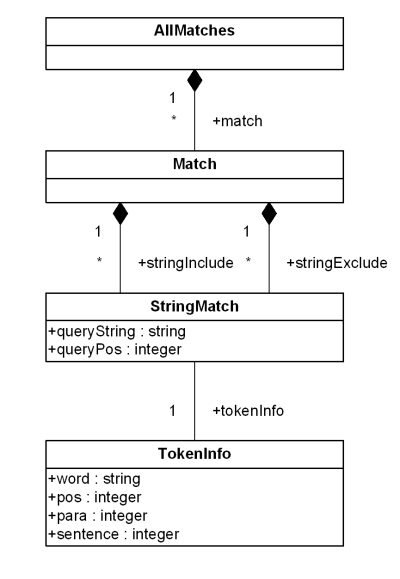
Data model incorporates new names - TokenInfo, Match, AllMatches.
Resolution:
CLOSED.
All occurrences of FullMatch, SimpleMatch, and Position in the text, in the schemas, and in the XQuery implementations of the semantics have been replaced with AllMatches, Match, and TokenInfo respectively.
Issue: ftcontains-grammar, priority: , status: closed
FTContains Grammar (Cluster K, Issue 4)
Expr "ftcontains" FTSelection FTIgnoreCtxMod?. One production for FTSelection which includes FTIgnoreCtxMod?
Resolution:
CLOSED.
We replaced the previous grammar production Expr "ftcontains" FTSelection that allowed FTIgnoreCtxMod to be combined with any FTSelection with the new one that restricts the application of FTIgnoreCtxMod to the highest level.
Issue: ftcontextmodifiers, priority: , status: closed
FTContextModifiers (Cluster K, Issue 5)
Paul C.: Change the name of the FTContextModifer production which modify the operational semantics of the FTSelections they are applied to. Abandon the use of "ContextModifier" as in FTCaseCtxMod, FTStemCtxMod, FTIgnoreCtxMod. Issue raised at FTTF Feb 5-6, 2004 meeting. Find in the minutes at: http://lists.w3.org/Archives/Member/member-query-fttf/2004Feb/0010.html (Cntl-F on FTContextModifiers)
Resolution:
CLOSED.
Replaced FTContextModfiers with FTMatchOptions as in FTCaseOption, FTStemOption, FTIgnoreOption in the Feburary 26, 2004 Editor's Draft.
CLOSED February 26, 2004.
Issue: grammar, priority: , status: closed
Grammar (Cluster K, Issue 6)
Grammar: Where does the ftcontains expression belong in the XQuery grammar: Boolean expression or comparison expression?
Resolution:
CLOSED.
The ftcontains expression plugs in to the XQuery grammar in the "FTComparisonExpr" production. This seems to give ftcontains the correct precedence among other XQuery operations, and it makes intuitive sense.
Issue: wildcards, priority: , status: closed
Wildcards (Cluster C, Issue 7)
Pat Case: There are a few inconsistencies between this document and the Use Cases Working Draft.
This document and the Use Cases Working Draft present different syntax in regex examples. I can find no syntax provided in this document for the starts-with and exact match functionality. Should we rename the Wildcard section in the Use Cases to Regex Section and possibly rethink the use cases?
Resolution:
CLOSED.
We dropped regular expression support in favor of wildcard support. Closed at Meeting 67: http://lists.w3.org/Archives/Member/member-query-fttf/2005Jan/0051.html
Issue: thesaurus, priority: , status: closed
Thesaurus (Cluster D, Issue 8)
Thesaurus names: "synonyms", "narrower terms", "soundex", "spellcheck" and "wordnet". We need to define Thesaurus operators. We need more options when specifying thesaurs: Name, URI, Depth, Dimension. Standards. ISO 2788/ANSI Z39.19.
We need to discuss what the grammar of ThesaurusMatchOption is. Current grammar is:
FTThesaurusOption ::= ("with"? "thesaurus" Expr) | "without thesaurus".
Proposed grammar is:
FTThesaurusOption ::= ("with"? "thesaurus" Expr "operation" Expr) | "without thesaurus".
Resolution:
CLOSED.
Changed the syntax and semantics of thesaurus according to http://lists.w3.org/Archives/Member/member-query-fttf/2005Jan/0111.html
Issue: window, priority: , status: closed
Window (VNext, Cluster H, Issue 9)
Currently, FTDistanceSpec only permits a single distance specification for all of the terms specified by an FTSelection.
For example:
("dog" && "cat" && "bird") with word distance at most 10
In this scenario above, the terms "dog", "cat", and "bird" must all occur within 10 words of one another.
However, if one would want to return documents where "dog" occurs within 10 words of "cat" and this SAME "cat" term occurs within 5 words of "bird", it is currently not possible with the current language specification. The best that could be done is the following:
(("dog" && "cat") with word distance at most 10) and (("cat" && "bird") with word distance at most 5)
But, this will not lead to the exact desired result because the "cat" and "bird' comparison will not use only those "cat" terms which occurred within 10 positions of "dog" ... it can use any "cat" term within the search context.
Resolution:
CLOSED.
The issue has been closed on April 25, 2005 <http://lists.w3.org/Archives/Member/member-query-fttf/2005Apr/0072.html >. No changes are made to the language. Although the current language can express a lot of the specified types in question, the group recognizes that the query expressions are clumsy and difficult to write. Therefore, this issue will be considered again for VNext.
Issue: mildnot, priority: , status: closed
MildNot (Cluster I, Issue 10)
Andrew E.: Should we remove the mild not? It has never been included in a query language before.
Pat Case has provided use cases to justify its inclusion at: http://lists.w3.org/Archives/Member/member-query-fttf/2003Dec/0034.html
Discussion followed. Michael Rys' reply: http://lists.w3.org/Archives/Member/member-query-fttf/2003Dec/0038.html
Pat Case's reply: http://lists.w3.org/Archives/Member/member-query-fttf/2003Dec/0043.html
Use case paraphrase (for non-members): Consider a collection of 3 documents:
-
The Delights of Mexico - a document that includes "Mexico" several times.
-
The Perils of New Mexico - a document that includes "New Mexico" several times.
-
Travel in North America - a document that includes both "Mexico" and "New Mexico" several times.
Suppose you are planning a trip to Mexico. You want documents 1 and 3, but not 2. You could search for "Mexico" and get documents 1, 2 and 3. Or you could search for "Mexico AND NOT 'New Mexico'" and get just document 1. But the "strong not" has ruled out document 3 - even though it contained the thing you were looking for - just because it contained the thing you were not looking for.
The "mild not" operator allows you to say "Mexico MILD NOT 'New Mexico'", which means "find me all the documents that contain 'Mexico'. Do not take any notice of occurrences of 'New Mexico', but do not rule out a document just because it contains 'New Mexico'".
There are many cases where you may want to search for a word, but NOT get documents just because they contain a common phrase that includes that word. e.g. "security" mildnot "social security", "house" mildnot "house of representatives", "estate tax" mildnot "real estate tax"
Resolution:
CLOSED.
Issues 10 and 41 are now closed. We add the mildnot functionality and FTMildNot is spelled as "not in". Closed at FTTF Meeting 80: http://lists.w3.org/Archives/Member/member-query-fttf/2005May/att-0030/fttf-20050503.txt
Issue: markup-vs-structure, priority: , status: closed
Markup vs Structure (Cluster J, Issue 11)
Some tags are "markup" - e.g. b - some are "structure" - e.g. title. We generally want to treat structure tags as word boundaries, but not markup tags. How do we distinguish between markup and structure?
Michael to provide reformulation.
Resolution:
CLOSED.
Closed on April 29, 2005 and updated Section 1.1 as in http://lists.w3.org/Archives/Member/member-query-fttf/2005Apr/0091.html.
Issue: matchoption-policy, priority: , status: open
MatchOption Policy (Cluster D, Issue 12)
We need some indirection to specify match context, defaults "Thesaurus name" gives us a way to define a thesaurus, then specify it in the query - an indirection. Steve Buxton proposes there are many classes of things that are needed for context-match (stoplist, special characters, etc.) that need an indirection. So we need an extra level of indirection - a named policy that refers to a set of named things.
Resolution:
None recorded.
Issue: loose-grammar, priority: , status: closed
Loose Grammar (Cluster I, Issue 13)
The grammar allows lots of queries that do not make sense. e.g. "(dog || cat) within word distance N", "dog within word distance N", "(dog || cat) ordered", "!dog 5 times" If the grammar does not provide a way of identifying these "nonsense queries", then the implementation still has to identify them - i.e. implementors will have to augment the grammar to identify nonsense queries, and augment the semantics to do something with them.
J. Doerre asks if we should allow nested FTNegations in the RHS of a FTMildNegation. From his email (http://lists.w3.org/Archives/Member/member-query-fttf/2004Apr/0019.html) point 3: "The ApplyFTSelection ignores all StringExcludes in the arguments of the FTMildNegation. I think, if we don't want to deal with StringExcludes in that function, we should explicitly forbid them to appear, i.e. require arguments of
FTMildNegation to not include any FTNegation."
Resolution:
CLOSED.
Leave the grammar as it is for a couple of reasons. 1. We cannot solve this problem with a (context-free) grammar without complicating it unnecessary. For example, apart from "(dog || cat) word distance N", the "no-op" rule can be also applied to "(dog with diacritics || cat) case-insensitive without stop words word distance N".
2. It is hard if not impossible to enumerate all "no-ops". Here are some additional ones: "a" && !"a", (dog && cat) distance at most 5 words distance at most 6 words, "To be or not to be" distance at least 10 words, etc. It should be left to the application to determine what constitutes a no-op and optimize if possible.
See F2F minutes in http://lists.w3.org/Archives/Member/member-query-fttf/2005Jul/0049.html
Issue: fttimesselection, priority: , status: closed
FTTimesSelection (Cluster G, Issue 14)
How do I count occurrences, where the query is NOT a single term?. How many occurrences of "!dog" are there in "very very big"? Zero or very many?
Resolution:
CLOSED.
Issue: regexp-escape, priority: , status: closed
RegExp Escape (Cluster C, Issue 15)
Need to define some escaping mechanism for regexp characters, and for (||, ...).
Resolution:
CLOSED.
Closed on Feb. 14, 2005 because regular expressions are not part of the language anymore.
Issue: ftscopeselection, priority: , status: closed
FTScopeSelection (Cluster I, Issue 16)
Is there a need for both FTScopeSelection and FTDistance ? For example, how is the 'same sentence' or 'same paragraph' really different than a FTDistance of 'with sentence exactly 1' or 'with paragraph exactly 1'?.
Resolution:
CLOSED.
We decided to keep both FTScopeSelection and FTDistance.
Issue: weighting, priority: , status: closed
Weighting (Cluster A, Issue 17)
Michael R.: What syntactic form should scoring take? How do we describe the constraints on the types of expressions that are allowed? Should scoring be expressed using a second-order function, a stand-alone operator, or as a clause in a FLWOR expression? Consider moving weighting to ftContains, something like the following: TreatExpr ("ftcontains" FTSelection ("weight" Expr)? )?
Options in presentation of full-text language proposal and some discussion at XQuery January meeting, Tampa at: http://www.w3.org/XML/Group/2004/01/xquery-minutes (Cntl-F on Report of Full-Text Task Force)
Resolution:
CLOSED.
Added weight to FTSelection inside a scoring expression.
Issue: weight-values, priority: , status: closed
Weight Values (Cluster A, Issue 18)
Valid values for weights must be defined.
Resolution:
CLOSED.
Weight values in scoring expressions are in the interval [0,1].
Issue: ftscopeselection-on-structure, priority: , status: closed
FTScopeSelection on structure (VNext, Cluster H, Issue 19)
Scoping based on structure (e.g. same node and different node) should be considered. Support for queries where distance is measured in terms of "number of intervening elements" where elements can be any markup including chapter, paragraph and sentence. Consider sentence/paragraph/node distance.
Resolution:
CLOSED.
Postponed to VNext.
Issue: languagematchoption, priority: , status: closed
LanguageMatchOption (Cluster E, Issue 20)
What is the default language? SA: Dana F.: does the language have to be a literal or an Expr that returns xs:string? Is there an implementation-defined list of valid languages ?
Resolution:
CLOSED.
1. Default language is "None".
The Working Draft states explicitly in Section 3.2.7 the possibility to have no language selected. I think this is a good choice for the default (and it is specified as the default in the Working Draft). A typical application that uses XQuery-FT will probably have logic in place to override the default by the language setting from the locale of the client, so the default is really unimportant.
2. The language is given by a UnionExpr that must return an xs:string, or an empty sequence. This is what the Working Draft specifies. Let us keep it like that.
3. Yes, there is an implementation-defined list of valid languages. We added a statement on this to Section 3.2.7. See http://lists.w3.org/Archives/Member/member-query-fttf/2005Jan/0083.html
Issue: casematchoption-specialcharmatchoption, priority: , status: closed
CaseMatchOption and SpecialCharMatchOption (Cluster E, Issue 21)
Paul C. pointed out whether "lowercase", "uppercase", "case sensitive" and "case insensitive" should be defined in the context of Unicode. J. Doerre provided this link to the Unicode standard is: http://www.unicode.org. The current version is 4.0.0. Case folding is described in Chapter 3.13. Please note that the case folding operations, like toUppercase(X), only depend on the characters to be folded, not on additional information, like language.
Resolution:
CLOSED.
There will be no syntax for special character handling in the current draft. Issues to consider for v. next are in this list of issues.
Issue: diacriticsmatchoption, priority: , status: closed
DiacriticsMatchOption (Cluster E, Issue 22)
Paul C.: We need to define what a diacritic is. Steve B. pointed out whether "with diacritics" and "without diacritics" are needed or not.
Resolution:
CLOSED.
We removed the special character match option as instructed in http://lists.w3.org/Archives/Member/member-query-fttf/2005Jan/0051.html
Issue: tokenizers, priority: , status: closed
Tokenizers (Cluster J, Issue 23)
Darin/Paul C.: What is the most general behavior for tokenizers?
Michael Kay: Can we define a set of rules that apply regardless of which tokenizer we are using in the same manner as the rues we defined for scoring? For example, we could impose constraints on words, sentences and paragraphs.
Resolution:
CLOSED.
Modified item 7 in Section 1.1 to reflect conditions on tokenizers.
Issue: specialcharmatchoption, priority: , status: closed
SpecialCharMatchOption (Cluster E, Issue 24)
We need to say more about special characters, what kind of special characters do we want to consider, what is their impact on the ability to use a given index, their impact on tokenization.
Resolution:
CLOSED.
We decided to remove this match option from the current WD and create new issues to be considered for v. next.
Issue: matchoption-syntax, priority: , status: closed
MatchOption Syntax (Cluster E, Issue 25)
Paul C.: It maybe that we should reconsider the syntax and allow to apply modifiers to individual words.
Resolution:
CLOSED.
Issue: stopwordsmatchoption, priority: , status: closed
StopWordsMatchOption (Cluster E, Issue 26)
We need to say more about stopwords, what kind of stop words do we want to consider, what is their impact on the ability to use a given index, their impact on tokenization. Should we allow to specify the URI of a StopWords list? Paul C.: What would a single search with a stop word return?
Resolution:
CLOSED.
We changed the syntax of stop words sepcification to allow for using a URI as a stop word list. The new syntax is given in: http://lists.w3.org/Archives/Member/member-query-fttf/2005Jan/0109.html
Issue: matchoptionstokenization, priority: , status: closed
MatchOption and Tokenization (Cluster C, Issue 27)
Does the language document clearly state the impact of match options on tokenization? Consider regex * when does it get applied? What effect does it have on word breaks? Example: expr ftcontains "brown .ox" with regex, expr ftcontains "brown .*ox" with regex.
Resolution:
CLOSED.
Closed, on Feb. 17, 2005, because no longer an issue.
The only impact of match options on tokenization that needs to be addressed in the specification is the impact of the wildcard match option. Other match options, like "language", are allowed to impact tokenization in an implementation-dependent way.
For the wildcard match option its implication on tokenization is now clearly stated in its description, namely that wildcards, i.e., the character sequences ".", ".*", ".+", etc., are to be interpreted as token-internal character sequences when within an FTWords that is inside the scope of the wildcard match option.
Issue: ignoresyntax, priority: , status: closed
IGNORE Syntax (Cluster B, Issue 28)
Do we need special syntax for IGNORE in case of level by level search?
Resolution:
CLOSED.
We already have a syntax for this.
Issue: scoping, priority: , status: closed
Scoping (Cluster I, Issue 29)
Do we need same sentence, same paragraph search? * in semantics, not in requirements.
Resolution:
CLOSED.
Closed by Pat Case in http://lists.w3.org/Archives/Member/member-query-fttf/2005Mar/0230.html
This recommendation should focus on functionality which serves all languages. It should also selectively include functionalities useful within families of languages. Searching within sentences and paragraphs is useful to many western languages and some non-western languages. They should remain in the recommendation.
Issue: precedencexqueryfulltext, priority: , status: closed
Precedence of XQuery and full-text (Cluster F, Issue 30)
We need to distinguish between XQuery expressions embedded in full-text expressions and FTSelections themselves. S. Buxton suggests that we use different kinds of parentheses to distinguish between these two expressions. See his message in http://lists.w3.org/Archives/Member/member-query-fttf/2004Apr/0042.html and subsequent messages. A simple example is to distinguish between ("cat") as an XQuery expression that
builds an XQuery sequence and ("cat") as an FTSelection.
In the current draft of the document, we are using lookahead
Other possibilities include the use of "{}" to switch from full-text to XQuery when XQuery expressions are embedded in full-text expressions. This is similar to element construction in XQuery and has been pointed out by Mary H in her email at http://lists.w3.org/Archives/Member/member-query-fttf/2004May/0163.html
Resolution:
CLOSED.
We decided to use {} to delimit XQuery expressions inside XQuery Full-Text ones according to the discussion in http://lists.w3.org/Archives/Member/member-query-fttf/2005Mar/0019.html
Issue: ftdistancewith, priority: , status: closed
Optional Keyword "with" in FTDistance (Cluster F, Issue 31)
In 3.1.9 FTDistance: Do we need "with" in FTDistance?
Raised by Pat Case by email April 28, 2004
Resolution:
CLOSED.
We removed the optional keyword "with" from FTDistance. Closed at FTTF Meeting 69, by accepting text at http://lists.w3.org/Archives/Member/member-query-fttf/2005Jan/0112.html as amended.
Issue: ftwindowwithin, priority: , status: closed
Optional Keyword "within" in FTWindow (Cluster F, Issue 32)
In 3.1.20 FTWindow: Do we need "within" in FTWindow?
Raised by Pat Case by email April 28, 2004
Resolution:
CLOSED.
We removed the optional keyword "within" from FTWindow. Closed at FTTF Meeting 69, by accepting text at http://lists.w3.org/Archives/Member/member-query-fttf/2005Jan/0112.html as amended.
Issue: ftspecialcharoption-issue, priority: , status: closed
FTSpecialCharOption (Cluster E, Issue 33)
In 3.2.3 FTSpecialCharOption: Should we have to or be able to specify which special characters are to be matched or not? Should the following syntax be allowed "without special characters "-" or "with special characters "-"?
Raised by Pat Case by email April 28, 2004
Resolution:
CLOSED.
Closed on 14 Feb. 2005 because special character match options is not part of the language anymore.
Issue: ftnegationunarynot, priority: , status: closed
FTNegation Includes Unary Not (Cluster F, Issue 34)
In 3.1.5 FTNegation: If we are supporting the unary not which is shown in the production, please add text and examples to show that both the "unary not" and the "and not" are supported.
Raised by Pat Case by email April 28, 2004
Resolution:
CLOSED.
Closed by Pat Case in http://lists.w3.org/Archives/Member/member-query-fttf/2005Mar/0230.html
Issue: ftorderunordered, priority: , status: closed
FTOrder Unordered Option (Cluster F, Issue 35)
In 3.1.7 FTOrder: [30] FTOrder ::= FTSelection "ordered" should we have an explicit "unordered" for the default?
Raised by Pat Case by email April 28, 2004
Resolution:
CLOSED.
We don't introduce an explicit "unordered" operator. This would necessitate the semantics to deal with partial orders inside ALLMATCHES. There are no use cases warranting such complications in the semantics. Closed at FTTF Meeting 68: http://lists.w3.org/Archives/Member/member-query-fttf/2005Feb/0020.html
Issue: ftignoreoptionnaming, priority: , status: closed
FTIgnoreOption Naming (Cluster F, Issue 36)
Would FTFilterOption be a better name than FTIgnoreOption?
Raised by Pat Case by email April 28, 2004
Resolution:
CLOSED.
Closed by Pat Case in http://lists.w3.org/Archives/Member/member-query-fttf/2005Mar/0208.html
Since filter and skip are already used in the XQuery recommendation, the name of this functionality should remain FTIgnore.
Issue: ftrangespecsyntax, priority: , status: closed
FTRangeSpec Syntax for 1 to 4 (Cluster F, Issue 37)
We should consider aligning the syntax for the FTRangeSpec with an upper and lower boundary in 3.1.9 FTDistance (from 1 to 4) with the syntax for using range expressions to construct sequences in XQuery and XPath (1 to 4), See the XQuery/XPath language document Section 3.3.1 Constructing Sequences.
Raised by Pat Case by email April 28, 2004
Resolution:
CLOSED.
Closed by Pat Case in http://lists.w3.org/Archives/Member/member-query-fttf/2005Mar/0227.html
The document will continue to use the syntax (from 1 to 4) for number ranges in FTRange. This syntax for number ranges is the most user-friendly. There is no need to align this syntax with the XML Schema/XQuery regular expression syntax for number ranges.
Issue: booleannaming, priority: , status: closed
Boolean (&& || !) Naming (Cluster F, Issue 38)
Is it not possible and maybe preferable to use ftand ftor ftnot instead of && || ! following the lead of ftcontains?
Raised by Pat Case by email April 28, 2004
Resolution:
CLOSED.
Issue: exactelementcontent, priority: , status: closed
Exact Element Content (Cluster C, Issue 39)
We have a use case for an exact element content query which finds the exact words or phrases being queried, no more and no less in an element and allows variations on case, diacritics, and special characters. Should this functionality be in XQuery full-text? If so, should we use the keywords "exact content"?
Raised by Pat Case by email April 28, 2004
Resolution:
CLOSED.
We added an FTSelection in Section 3.1.12 to express exact content.
Issue: startswith, priority: , status: closed
Starts With (Cluster C, Issue 40)
We have a use case for a starts with query which finds the words or phrases being queried as the first content of an element. Should this functionality be in XQuery full-text? If so, should we use the keywords "starts with"?
Raised by Pat Case by email April 28, 2004
Resolution:
CLOSED.
We added an FTSelection in Section 3.1.12 to express start with.
Issue: mild-not-naming, priority: , status: closed
What should we call the mild not (Cluster F, Issue 41)
The name "mild not" or "mild negation" is not really helpful in understanding what we want it to denote. We should try hard to find a better name for this construct. Since it is used to exclude certain matches, why not call it "FTMatchExclude" or just "FTExclude"? Keeping "mild not" as the name makes it recognizable as a form of "not". If it remains as "mild not" and the ! continues as the syntax for "not", consider using mild! as the syntax for "mild not".
Raised by Jochen by email April 21, 2004; Additional comments by Pat Case May 4, 2004
Resolution:
CLOSED.
Issues 10 and 41 are now closed. We add the mildnot functionality and FTMildNot is spelled as "not in". Closed at FTTF Meeting 80: http://lists.w3.org/Archives/Member/member-query-fttf/2005May/att-0030/fttf-20050503.txt
Issue: multi-word-phrases-thesauri-lookup, priority: , status: closed
Thesauri lookup for multi-word phrases (Cluster D, Issue 42)
It should be decided whether thesauri lookups can be performed only on single words or whether it is possible to apply it on multi-word phrases. For example, should we allow the thesaurus to replace "bells and whistles" with "frills"?
In the latter case, should thesauri lookup be applied only to the FTWord "bells andwhistles", or should it applied also on ("bells" "and" "whistles") phrase? Another question is if the thesauri expansion can be applied on phrase and on a word in the phrase, which one takes precedence.
Resolution:
CLOSED.
The semantics has been modified so that thesauri lookups can be performed on multi-token phrases. They are applied only on phrases that are explictly specified by the user; e.g., they will be applied in FTWord selections "('bells', 'and', 'whistles') phrase" or "'bells and whistles' any/all/phrase". Multi-token phrase lookup for "bells and whistles" will no be performed for "('bells', 'and', 'whistles') all word" or "'various bells and whistles' phrase". Multi-token phrase lookups take precedence over
single-token lookups: once a multi-token phrase lookup is performed no more thesauri lookups will be performed.
Issue: exactly, priority: , status: closed
Exactly in FTRangeSpec (Cluster F, Issue 43)
Should "exactly" be optional? Should we allow both "word distance 6" and "word distance exactly 6"? Raised at Redmond May 2004 by Steve Buxton and Pat Case.
Resolution:
CLOSED.
Exactly is required and is not optional.
Issue: matchoptions-defaults, priority: , status: open
MatchOptions Default (Cluster D, Issue 45)
We need to specify defaults for MatchOptions. We should align this default with the static content for XQuery/XPath and add to the XQuery prolog corresponding declarations to set query-wide defaults.
Resolution:
None recorded.
Issue: zero-length-phrase, priority: , status: closed
Zero-length phrase (Cluster G, Issue 47)
If Expr in FTWords results in the empty sequence or the tokenization results in a zero-length phrase, the result is? Always a match, never a match? Depending on the keyword?
Resolution:
CLOSED.
As agreed by the FTTF, an FTWords with an empty list of search tokens returns an empty AllMatches. This applies for both the search tokens supplied directly by the user (as an XQuery expression) and the final search tokens after the application of all match options. Closed at FTTF Meeting 70: http://lists.w3.org/Archives/Member/member-query-fttf/2005Feb/0105.html
Issue: stopwordsoptions, priority: , status: closed
Stop words option (Cluster E, Issue 48)
The syntax and semantics of stop words are still under discussion.
3.2.5 FTStopwordOption is inconsistent with the grammar and semantics.
-
the second example includes "without stop words" NOT followed by an expression, which is not valid according to the EBNF (see also the default options query in 3.2 FTMatchOptions)
-
the keyword "additional" is not part of the current grammar
-
the text and examples in 3.2.5 FTStopwordOption imply that queries work as though stop words were removed from documents before positions are calculated, which is inconsistent with the description in 4.2.4 FTStopWordOption
Resolution:
CLOSED.
We changed the syntax of stop words sepcification to allow for using a URI as a stop word list. The new syntax is given in: http://lists.w3.org/Archives/Member/member-query-fttf/2005Jan/0109.html
Issue: grammar-precedence, priority: , status: closed
Grammar Precedence and Lookahead (Cluster F, Issue 49)
When integrating the XQuery Full-Text grammar with the XQuery 1.0 grammar, there were a number of challenges. Challenges include (using pseudo-code for examples):
-
The Full-Text operators must have the correct precedence (binding order) with respect to XQuery operators
-
It must be possible to override the default precedence of the Full-text operators - e.g. you must be able to express "(cat and dog) or mouse" as well as "cat and (dog or mouse)"
-
You must be able to embed XQuery expressions in the Full-Text expression, e.g. "cat and $i"
-
You must be able to embed the XQuery Full-Text expression in an arbitrarily-complex XQuery expression, e.g. "where title ftcontains ('dog' and 'cat') and price/dollars < 3 or disclaimer ftcontains 'buy this'"
The Working Groups discussed a number of ways of achieving this. The current grammar satisfies these requirements at the cost of introducing ambiguity in one place. The current XQuery 1.0 grammar is LL(1) - i.e. it is possible to write a parser that reads a query from left to right and only looks 1 token ahead. But the XQuery Full-Text grammar is NOT LL(1). At [PROD: 149] the parser must lookahead a full non-terminal - it must try to expand FTWords, and
if that fails it must try to expand (FTSelection).
This is still under discussion - the Working Groups may remove the requirement for lookahead in a future publication.
Resolution:
CLOSED.
We decided to use {} to delimit XQuery expressions inside XQuery Full-Text ones accroding to the discussion in http://lists.w3.org/Archives/Member/member-query-fttf/2005Mar/0019.html
Issue: ignore-queries, priority: , status: closed
IGNORE Queries (VNext, Cluster B, Issue 50)
There are 3 main issues with IGNORE queries:
-
Do we need to specify the UnionExpr that follows IGNORE in the grammar?
Yes, we do.
This issue has been resolved in http://lists.w3.org/Archives/Member/member-query-fttf/2004Aug/0059.html
-
Should IGNORE be made composable with other FTSelections or should it be kept at the top level in the grammar?
-
Does the semantics of level-by-level IGNORE (used in the Use Cases document) differ from the semantics of IGNORE in the language document?
Resolution:
CLOSED.
Point 1. We are using UnionExpr in the current syntax. Point 2. Composing FTIgnore at any level of FTSelections is too complex at this stage and should be postponed to VNext after we have some implementation experience. See examples where semantics of composing ignore with FTSelection is not clear. Point 3. No, the semantics of FTIgnore is now the level by level semantics. See minutes in http://lists.w3.org/Archives/Member/member-query-fttf/2005May/0007.html
Issue: ftwindow-alternative-semantics, priority: , status: open
Alternative Semantics for FTWindow (Cluster I, Issue 51)
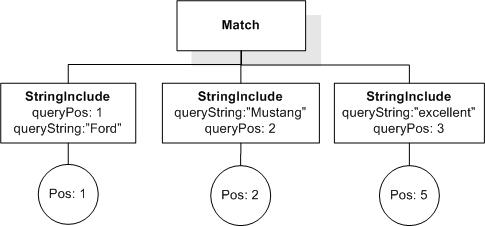
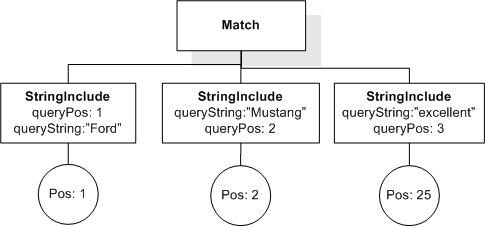
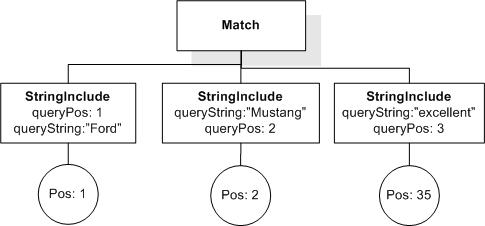
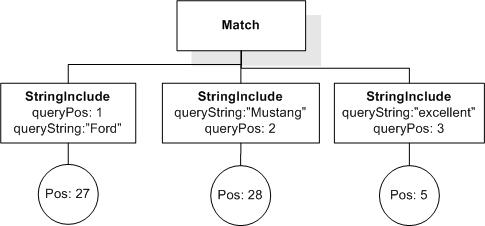
The current semantics of FTWindow does not capture the most intuitive notion of window as a matching constraint. Suppose we have a simple query like:
"Internet" && "Cafe",
and we want to restrict a match to say, a window of 5. The interpretation I think is most natural for this query, is that it restricts each match, such that it is required to "lie" within a "window of 5 (word) positions" (but we could also use sentence or paragraph as position unit). Note that this does not imply that the search terms have to be a certain distance apart in any way. The window in which a match can be found exists independently of the match. In our current semantics, however, the "window"
is defined by the first and last stringInclude (matching term) position. This allows us to constrain the window size using "exactly", "at most" and "at least". I find this notion of window counter-intuitive and confusing. Finding a match in a larger window should always be a weaker condition than finding a match in a smaller window!
The difference in the notion of window also comes to bear when looking at queries with negative parts. A query like:
"Internet" && ! "Cafe" within window 5,
has the very intuitive meaning of searching for any occurrence of "Internet" such that inside some window of 5 positions that includes that occurrence there is not an occurrence of "Cafe". With our current notion of window, such a query simply cannot be expressed.
Here is the formalization of the proposed window semantics.
define function fts:ApplyFTWordWindow(
      $matchOptions as element(matchOptions, fts:FTMatchOptions),
      $allMatches as element(allMatches, fts:AllMatches),
      $n as xs:integer
      ) as element(allMatches, fts:AllMatches) {
  <allMatches>
   {
    for $match in $allMatches/match
    let $minpos := fn:min($match/*/tokenInfo/@pos),
        $maxpos := fn:max($match/*/tokenInfo/@pos)
     for $windowStartPos in ($minpos to $maxpos-n+1)
     let $windowEndPos := $windowStartPos+n-1
     where fn:min($match/stringInclude/tokenInfo/@pos) >= $windowStartPos
           and fn:max($match/stringInclude/tokenInfo/@pos) <= $windowEndPos
     return
       <match>
         {$match/stringInclude}
         {
          for $stringExclude in $match/stringExclude
          where $stringExclude/tokenInfo/@pos >= $windowStartPos
                and $stringExclude/tokenInfo/@pos <= $windowEndPos
          return $stringExclude
         }
       </match>
    }
  </allMatches>
}
Raised by Jochen.
Resolution:
CLOSED.
The proposed new semantics has been accepted. Closed at F2F Meeting 84: http://lists.w3.org/Archives/Member/member-query-fttf/2005Jul/0061.html.
Issue: with-stop-words-UnionExpr, priority: , status: open
UnionExpr in StopWords(Cluster D, Issue 52)
The change from "UnionExpr" to "some complicated rewrite of UnionExpr that only includes literals" makes the grammar more complex, makes the language less clear and comprehensible, and adds only some questionable optimization possibilities (the query may be optimizable statically instead of at runtime).
Raised by Steve Buxton in http://lists.w3.org/Archives/Member/member-query-fttf/2004Dec/0065.html
Resolution:
None recorded.
Issue: matchoptions-default-functions, priority: , status: closed
Functions returning defaults for match options (VNext, Cluster D, Issue 53)
We would like to create functions that return the defaults for match options. Each implementation may choose different default values for match options. The purpose of these functions is to query and return those defaults.
This issue was raised at the Dec. 2004 F2F in http://lists.w3.org/Archives/Member/member-query-fttf/2004Dec/0072.html
Resolution:
CLOSED.
If we decide to pursue this functionality, we decided to do it in VNext and it will most likely be pursued in XQuery instead of XQuery and XPath Full-Text because if users want to query for defaults, they will be interested in those for both XQuery and XQuery and XPath Full-Text.
See F2F minutes in http://lists.w3.org/Archives/Member/member-query-fttf/2005Jul/0049.html
Issue: weight-granularity, priority: , status: closed
Weight Granularity in Scoring (Cluster A, Issue 54)
Michael Rys: Should we permit weights to be expressed at the level of FTContainsExpr and FTSelection or should we only permit them at the level of individual terms (FTWords)?
Resolution:
CLOSED.
Resolved by Cluster A, Issue 17
Issue: collations-match-option, priority: , status: closed
Collations Match Option (VNext, Cluster D, Issue 57)
Currently, XQuery 1.0 and XPath 2.0 Full-Text depends on the collation chosen in XQuery. It can be modified by the FTCaseOption and the FTDiacriticsOption match options. We need to explore the interaction of the collation with FTLanguageOption. Presumably, the latter will change the collation. What if there are more than one collations available for a given language? Moreover, if we decide to introduce back the FTSpecialCharsOption (see Issue 24), there might be different collations that treat special
characters differently.
One approach is to have a FTCollationOption:
FTCollationOption ::= "using"? "collation" CollationUri
Another option is to have a collation only associated with FTLanguageOption (and possibly a future version of FTSpecialCharsOption)
FTLanguageOption := "language" UnionExpr ("collation" CollationUri)?
Resolution:
CLOSED.
Postponed to VNext.
Issue: ft-about-operator, priority: , status: closed
Free-text search operator ft-about (VNext, Cluster H, Issue 58)
While 'ftcontains' is aimed at supporting full text queries for XPath/XQuery still it lacks internet-style IR searches where the user can't express precisely her needs and would like to let the search engine return also close matches. For example a user need like "+cat dog" which request to find documents that contain a 'cat' but rank those that contain also a 'dog' higher is hard to express with 'ftcontains'. With 'ftcontains' one can express either ftcontains(cat and dog) which will return only
documents that have both cat and dog or ftcontains(cat or dog) which will return documents containing cat or dog. None is what the user needs.
In order to express the above user need in XQuery-FT one needs to separate the user need into a filtering part and a scoring part. For example, the XQuery syntax to find all books with a title that contains a 'cat', but give those that contain also a 'dog' a higher ranking is shown below.
for $book in /books/book
where $book/title ftcontains "cat"
let $score := ft:score($book/title ftcontains "cat" || "dog")
where $score > 0
order by $score
return $book
The first 'ftcontains' is needed for filtering while the second 'ftcontains' is for scoring. We see that the search arguments of the two 'ftcontains' predicates are quite similar with the difference that the first contains 'cat' while the second contains also 'dog'. In general, this results in rather complex queries that redundantly have to repeat the same query terms in different query parts, even for simple user needs.
A proposal to overcome this problem has been put forward by Yosi Mass (IBM Research) and Jochen Doerre by introducing a free-text operator 'ft-about' that allows to specify Internet-style searches directly. For instance, the query above could be expressed without duplication as:
for $book in /books/book
let $score := ft:score($book/title ft-about "+cat dog")
where $score > 0
order by $score
return $book
For more details see http://lists.w3.org/Archives/Member/member-query-fttf/2004Nov/0019.html
Open question: how can ft-about be integrated more tightly with ftcontains?
Raised by Jochen.
Resolution:
CLOSED.
No change to the document with resolution that it is to be considered for VNext, because it is not clear how it will fit with the grammar and the data model and it is not clear what the ftabout search would do and how tightly we could define it.
See F2F minutes in http://lists.w3.org/Archives/Member/member-query-fttf/2005Jul/0049.html
Issue: error-codes, priority: , status: open
Error Codes(Cluster J, Issue 59)
XPath 2.0, XQuery 1.0, and associated documents use 8-character error codes. The Full-Text spec uses 6-character error codes. Full-Text must be brought up to date and use 8-character error codes.
Resolution:
None recorded.
Issue: extended-scoring, priority: , status: closed
Extended Scoring (Cluster A, Issue 60)
Motivation:
The proposal extends the previous (SCORE AS) scoring proposal in two ways.
-
It provides a iterator that can iterate over an item *and* its score in a single construct.
-
It allows users to relax the semantics of XPath/XQuery expressions so that users can obtain "fuzzy" results along with their scores.
The benefit of (1) is that it makes queries easier to write since the score is directly attached to an item in a single construct. This is in contrast to the original scoring proposal, where a FOR clause is required to iterate over items and a separate SCORE AS clause is required to score the items.
The benefit of (2) is that it generalizes traditional Information Retrieval (IR) and can capture the class of queries used by the XML IR community (notably INEX). In traditional IR, end-users who ask keyword queries are perfectly happy when the system returns documents that contains those keywords or stemmed versions of those keywords or synonyms. By analogy, XQuery FT (like INEX) should allow the possibility of interpreting XQuery expressions (i.e., queries on both content and structure) in a fuzzy way
on behalf of users. This should make the query specification less cumbersome for users since they do not have to (and may not be able to) explicitly specify all the query variants.
The proposal can be divided into three separate parts that can be decided upon independently.
-
Extend FOR clause with a score binding option.
Proposed syntax:
for $res scored $score in EXPR
Semantics:
Let S be the result of evaluating the XQuery expression EXPR.
As a normal FOR clause this clause iterates over each item in S and binds $res to the item, but also binds $s to the score of the item.
Like in the SCORE AS clause we need to assume a second-order function for the evaluation of EXPR. E.g., it makes a difference, whether EXPR is a just a function call which evaluates to some sequence, or is the equivalent body of the function. Only in the latter case the scoring can take the evaluation of the function body into account.
We might want to restrict the kinds of expressions allowed in EXPR as discussed below in 3.
-
Add FUZZY keyword to scoring constructs.
Proposed syntax (when combined with extended for):
for $res scored $score in fuzzy EXPR
(when combined with SCORE AS):
Motivation: allow for query relaxation based on relevance; find also items relevant to the query that are near matches.
Semantics: Based on super-sequence (as specified in http://lists.w3.org/Archives/Member/member-query-fttf/2005Mar/0152.html) Any result to the non-scoring variant of the expression is a result, but there may be more.
-
Should we restrict expressions over which scoring is done to, say, Boolean combinations of FTContainsExpr?
This applies to both the proposed new FOR syntax, as well as the SCORE AS clause.
Note: Because scoring semantics is completely implementation-dependent, implementations are free to simply ignore the embedding of search expression inside XPaths, for instance.
-
In combination with 1., extend LET clauses with a score binding option, just as 1. extends FOR clauses.
This syntax replaces the SCORE AS clause.
Proposed syntax:
let $v := EXPR scored $score
In contrast to the SCORE AS clause where EXPR is evaluated to only calculate a score, but not a result, this syntax allows to calculate a pair (result, score), as it is done in the FOR clause extension above.
Benefits of extended scoring:
-
Can score over all of XQuery (note that Expr can be an arbitrary XQuery expression).
-
Can support query relaxation using the FUZZY keyword.
-
Makes the syntax of queries simpler (illustrated below).
-
Can be integrated with XPath.
-
Can be combined with the ORDERBY clause of FLWOR to sort results based on their scores.
Examples:
One of the main motivations for the scoring FOR proposal is the ability to express XML information retrieval queries such as the INEX queries (see http://inex.is.informatik.uni-duisburg.de:2004/). INEX is an effort that collects XML documents to assess scoring methods for XML in the same way as TREC was defined for assessing keyword search.
We give some examples below and explain the syntax/semantics of the new scoring construct.
Query 1: Find articles on "Usability"
Expressed using scoring FOR:
for $result scored $score in //article[. ftcontains "Usability"]
return <result score="{$score}">{$result}</result>
The above query returns all articles and their score, where the score is computed with respect to the predicate: $a ftcontains "Usability".
Expressed using SCORE AS:
for $result in //article
score $score as $result ftcontains "Usability"
return <result score="{$score}">{$result}</result>
This illustrates how "scoring FOR" has a more compact syntax than SCORE AS when scoring over Boolean expressions such as ftcontains.
Query 2: Find articles and other documents on "Usability".
Expressed using scoring FOR:
for $result scored $score in fuzzy //article [. ftcontains "Usability"]
order by $score
return <result score = "{$score}">{$result}</result>
The above query returns articles and other documents along with their scores, ordered by score. Note that //article can be interpreted in a fuzzy way since scoring FOR can return a super-sequence of the corresponding XQuery sequence.
Expressed using SCORE AS (Version 1):
for $result in //article
score $score as $result ftcontains "Usability"
order by $score
return <result score = "{$score}">{$result}</result>
The above query only returns articles (and not other documents) that are relevant to "Usability". In this sense, this SCORE AS query is not semantically the same as the above scoring FOR query.
Expressed using SCORE AS (Version 2):
for $result in //*
score $score as tagname($result) = "article" and $result ftcontains "Usability"
order by $score
return <result score = "{$score}">{$result}</result>
The above query returns all elements (not just articles) ordered by the score of how well the element's tag name matches "article" and how relevant it is to "Usability". However, this syntax has two disadvantages compared to the scoring FOR. First, it is more clumsy to write compared to the scoring FOR syntax. Second, the system has to return *all* elements (not just those closely related to article) unless the user performs some explicit filtering based on scores; in contrast, the scoring FOR query
only returns elements that are related to articles.
Query 3 (topic 128 in INEX): Find discussions about on-board route planning or navigation systems which are in publications about intelligent transport systems for automobiles.
Expressed using scoring FOR:
for $result scored $score
  in fuzzy //article[. ftcontains "intelligent transport systems"]
             /sec[. ftcontains
                  "on-board route planning navigation system for automobiles"]
return <result score = "{$score}">{$result}</result>
Since scoring FOR interprets the entire expression in a fuzzy way, it can relax the tag names of //article and /sec. In addition, it can relax /sec to //sec to find sections that may be indirectly contained in article.
Expressed using SCORE AS (Version 1):
for $a in //article, $s in $a/sec
score $score as $a ftcontains "intelligent transport systems"
      and $s ftcontains "on-board route planning navigation system for automobiles"
return <result score = "{$score}">{$s}</result>
Using this version of SCORE AS, we cannot support relaxations of the tag names of //article and /sec. Further, SCORE AS cannot explicitly support the relaxation of /sec to //sec. Note that simply replacing $a/sec with $a//sec is not semantically equivalent because, in this case, $a/sec will *not* be ranked higher than $a//sec (which it will be in the case of scoring FOR).
Expressed using SCORE AS (Version 2):
for $a in //*, $s in $a/*
score $score as tagname($a) = "article" and tagname($s) = "section"
      and $a ftcontains "intelligent transport systems"
      and $s ftcontains "on-board route planning navigation system for automobiles"
return <result score = "{$score}">{$s}</result>
This version of SCORE AS is less readable than the version using scoring FOR. Also, it is not possible to relax $a/* to $a//* (as in the Version 1) without losing some scoring semantics.
Raised by Sihem and Jai in http://lists.w3.org/Archives/Member/member-query-fttf/2005Mar/0152.html
Resolution:
CLOSED.
1. Use in definition of score: Score is between 0 and 1 regardless of whether the ftcontains expression returns true or false. Score is inherently fuzzy. Can compute a score independently of computing the Boolean value.
2. Use two syntaxes for score, replacing the current syntax: 1) Use to return exactly what the Boolean returns. for $b score $s in //books[. ftcontains "dog"] return <r>{$b, $s}</r> 2.a) Use to return more or less than the Boolean returns. To use fuzzy within score. Must have one let clause, could have more than one. for $b in //books let score $s := $b ftcontains "dog" let $t := $b ftcontains "dog" return <r>{$b, $s}</r> 2.b) Use to return more or less than the Boolean returns.
To use fuzzy within score. for $b in //books let $t score $s := $b ftcontains "dog" return <r>{$b, $s}</r>.
3. Use this semantics: for $res score $s in Expr has the semantics of for $scoreSeq := fts:scoreSequence (Expr) for $res at $i in Expr let $s := $scoreSeq [$i]
See F2F minutes in http://lists.w3.org/Archives/Member/member-query-fttf/2005Jul/0049.html
Issue: desired-fttimes-semantics, priority: , status: open
Desired semantics of FTTimes (Cluster G, Issue 61)
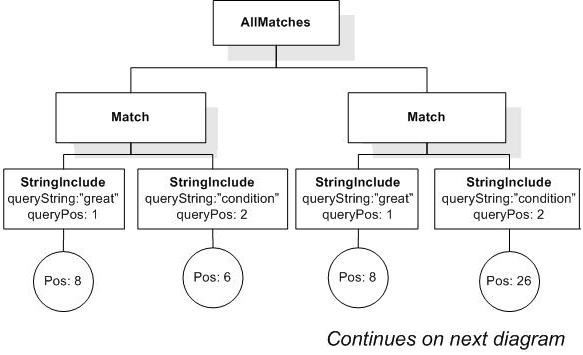
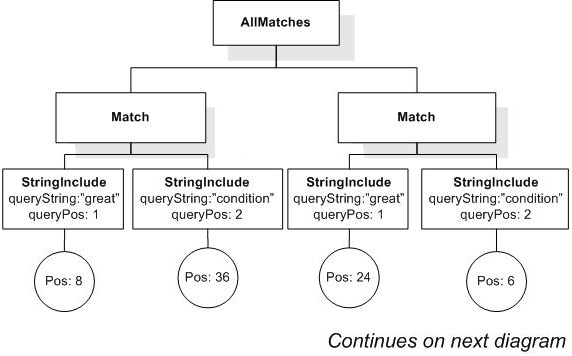
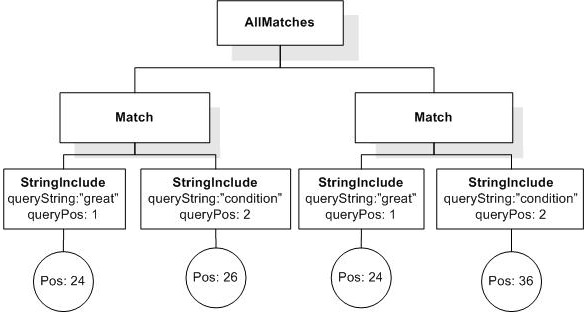
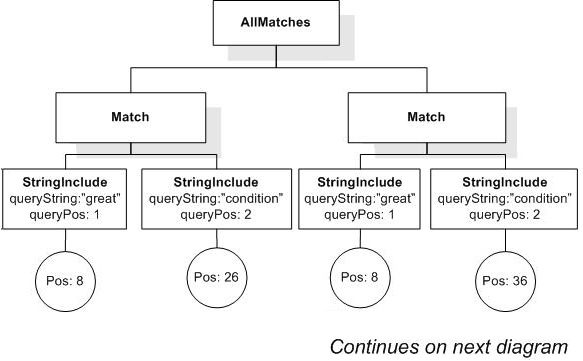
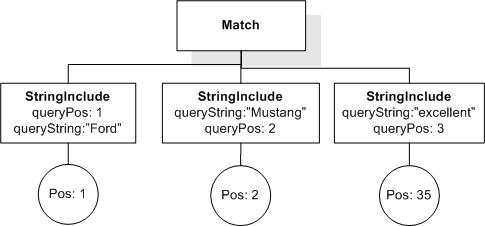
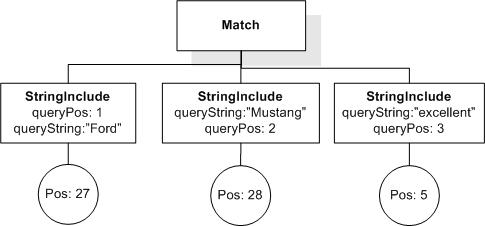
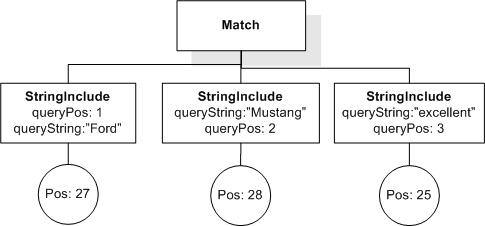
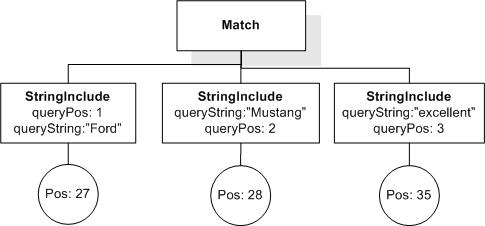
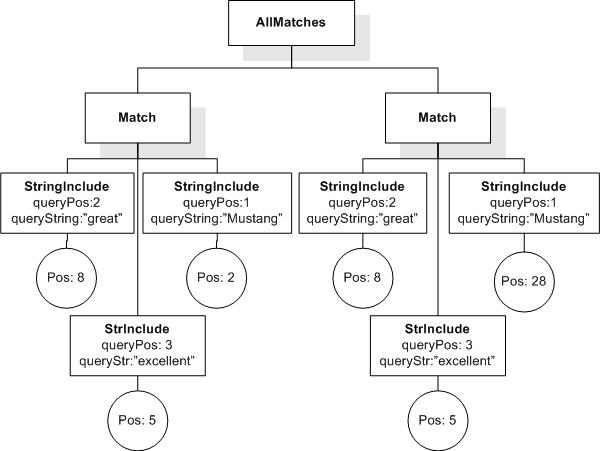
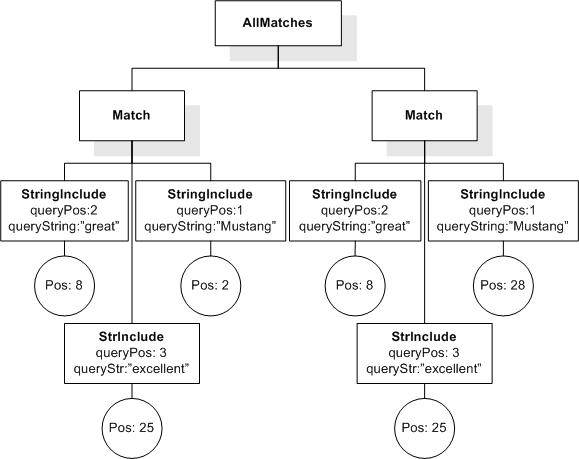
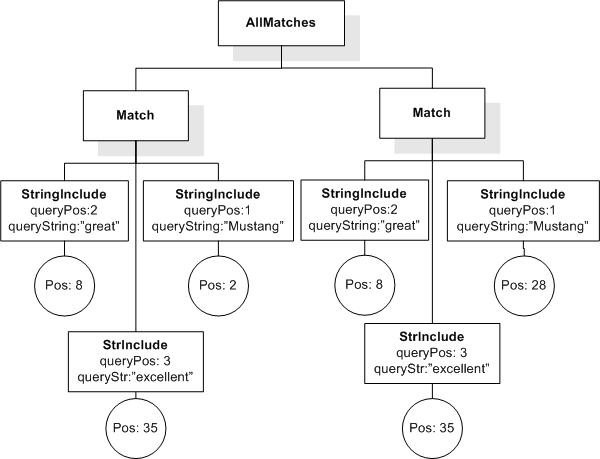
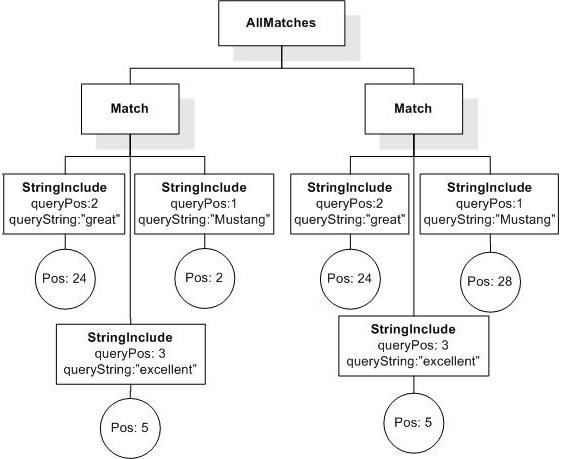
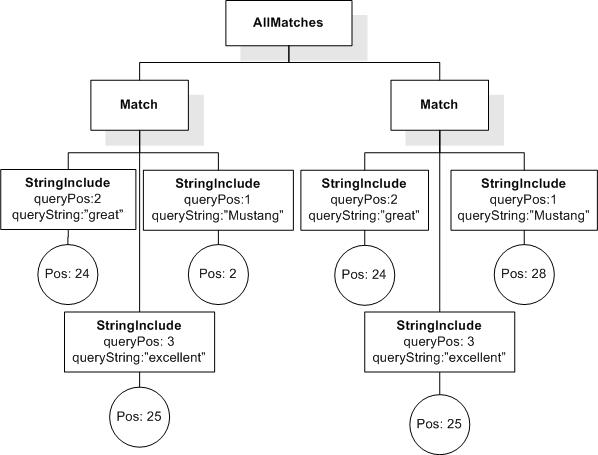
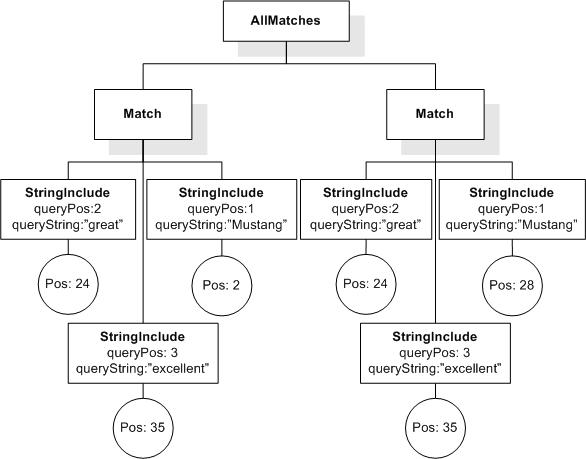
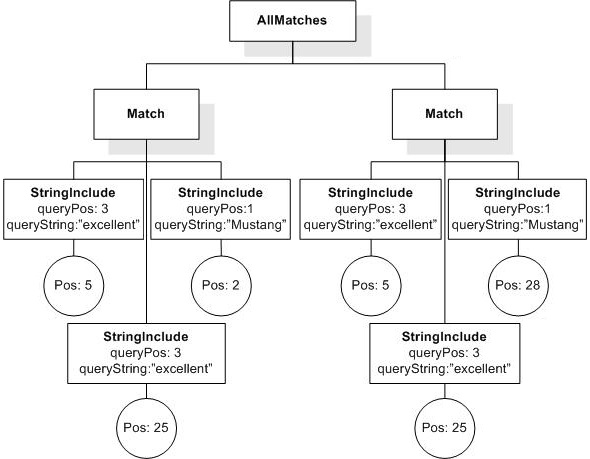
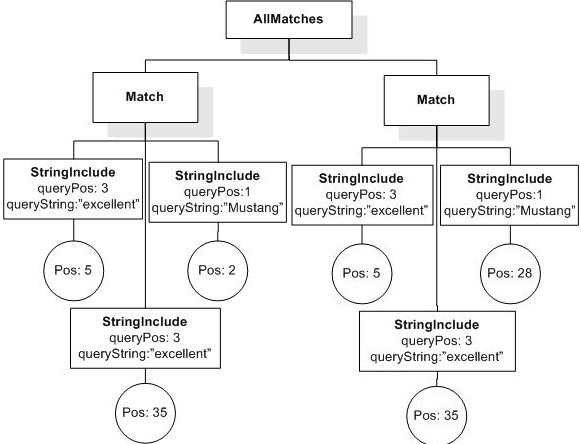
Consider the document
and the query
("cat" && "cat") occurrences exactly 4
Currently, it returns true. Is this the desired semantics for FTTimes? If yes, how do we explain it in the language document?
Resolution:
None recorded.
Issue: doublenegation-semantics, priority: , status: open
Precise semantics of double negation (Cluster G, Issue 62)
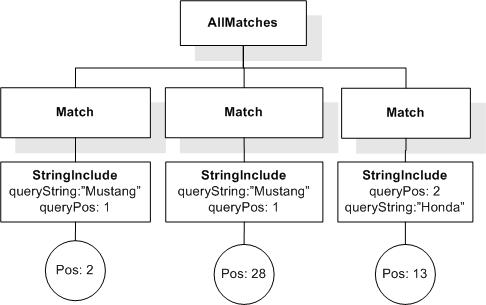
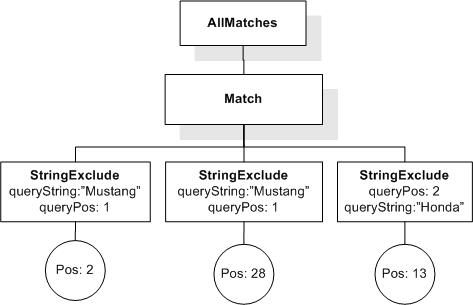
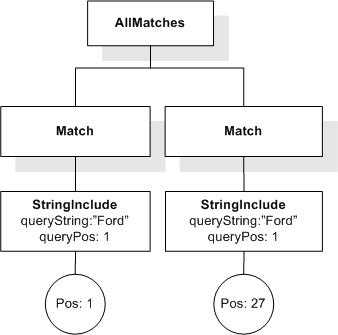
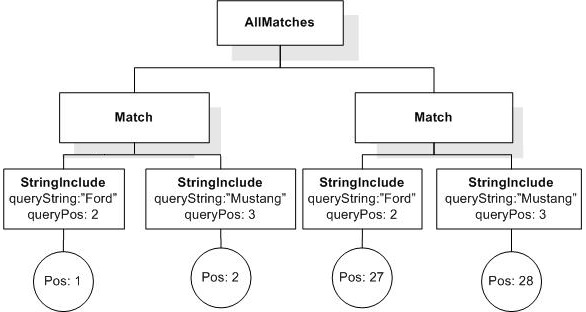
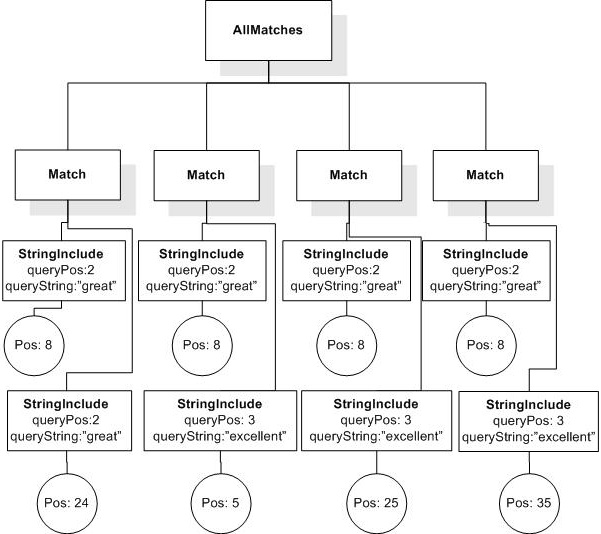
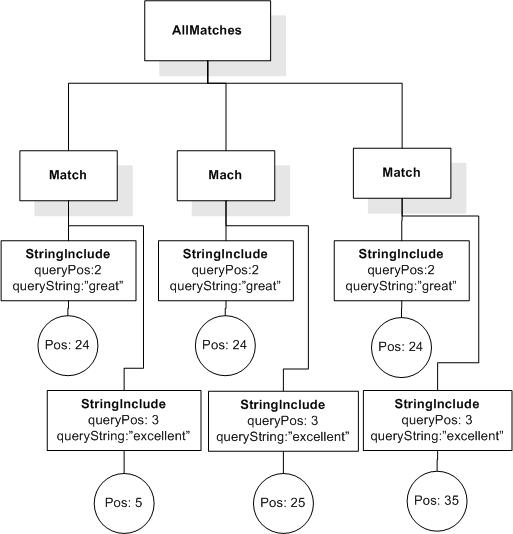
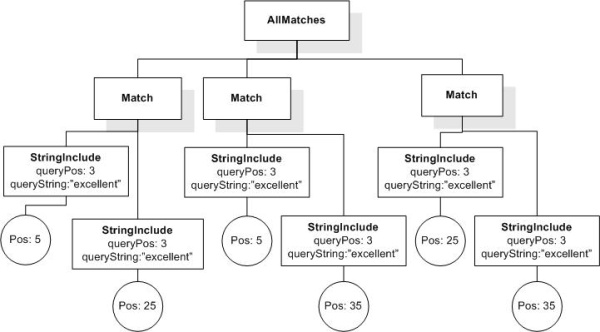
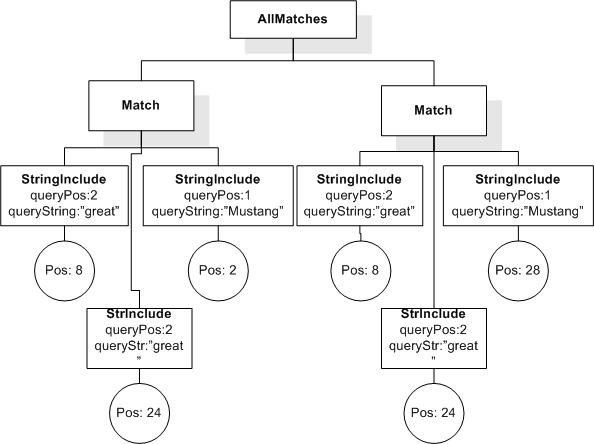
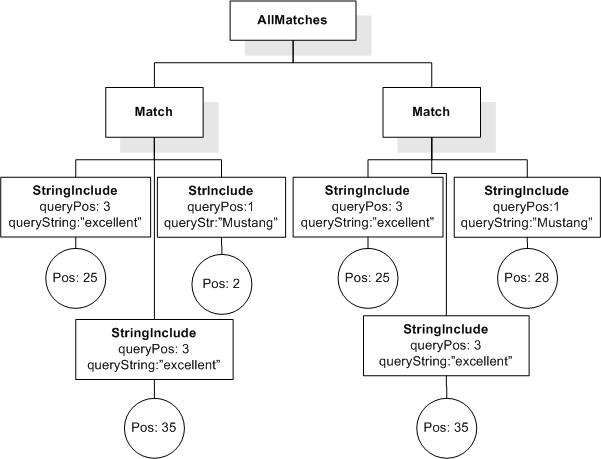
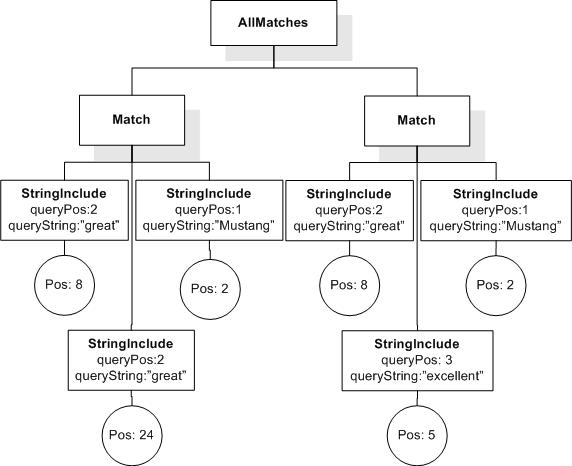
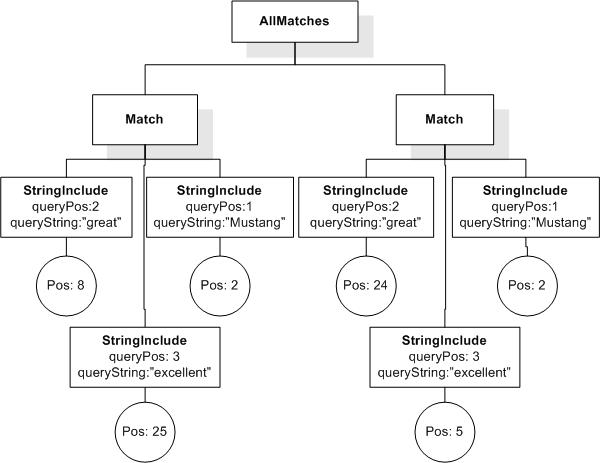
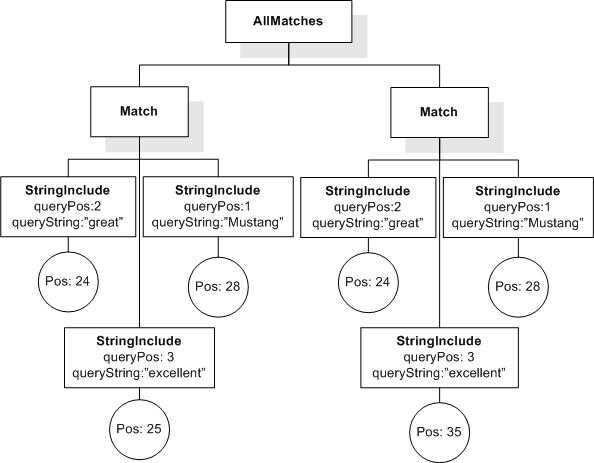
Currently, (! ! Q) does not produce the same AllMatches as (Q). There seem to be two reasons for that. First, there are duplicate StringIncludes, StringExcludes, and Matches. Second, there are Matches that are subsumed by other Matches (i.e. the former are a logical consequence of the latter). How do we handle these situations? It seems reasonable to expect that !!Q produces the same result as Q.
Resolution:
None recorded.
Issue: phrases-with-distance, priority: , status: open
Distance constraints do not work on phrases (Cluster G, Issue 63)
It is not possible to combine the distance operation with searching for phrases.
Example:
[. ftcontains "Redmond-based" && "company" distance at least 2]
The problem is that a phrase is internally resolved into a distance operation itself, which can impose a contradicting requirement to the explicit distance operation used in the query. Here it is (with some assumptions on tokenization):
[. ftcontains ("Redmond" && "-" && "based" ordered with distance 0) && "company" distance at least 2]
The second distance constraint is then imposed to all individual tokens (including those from the phrase) and hence cannot be satisfied. The query will also return false.
Resolution:
None recorded.
Issue: relativedefaults, priority: , status: open
System Relative Operator Defaults (Cluster E, Issue 64)
Do we want to add system relative operator defaults? Do we want to add "closer and "farther" to FTDistance for novice users who do not want to enter specific numbers of intervening words, sentences, and paragraphs? Similar relative defaults might also be added to other operators which call FTRange and score weighting.
Raised by Dana Florescu at Redmond Face to Face Meeting on July 15, 2005.
Resolution:
None recorded.
Issue: nested-ftnegations-right-side-ftmildnegation, priority: , status: closed
Nested FTNegations on Right Side of FTMildNegation (VNext, Cluster I, Issue 65)
Resolution:
CLOSED.
Raise a dynamic error semantically if there is a StringExclude on the right side of an FTMildNegation. Users can replace "&& not" with FTMildNegation. Possibly reconsider for VNext.
No changes required. Closed at F2F Meeting 84: http://lists.w3.org/Archives/Member/member-query-fttf/2005Jul/0061.html