This section describes the status of this
document at the time of its publication. A list of current W3C
publications and the latest revision of this technical report can be found
in the
W3C standards and drafts index.
Publication as
a First Public Working Draft does not imply endorsement
by W3C and its Members.
This is a draft document and may be updated, replaced, or obsoleted by other
documents at any time. It is inappropriate to cite this document as other
than a work in progress.
This document was produced by a group
operating under the
W3C Patent
Policy.
W3C maintains a
public list of any patent disclosures
made in connection with the deliverables of
the group; that page also includes
instructions for disclosing a patent. An individual who has actual
knowledge of a patent that the individual believes contains
Essential Claim(s)
must disclose the information in accordance with
section 6 of the W3C Patent Policy.
defines the use of SHACL for profiling data, including SHACL data
Note
Implementers can partially check their level of conformance with the above specifications by successfully passing
the test cases of the SHACL 1.2 test suite.
Note, however, that passing all the tests in the test suite does not imply complete conformance to the specifications.
It only implies that the implementation conforms to the aspects tested by the test suite.
Document Outline
Content.
1. Introduction
This section is non-normative.
RDF applications commonly provide user interfaces that allow users to view and edit RDF resources.
SHACL Core, together with vocabularies such as DASH, has often been used for this purpose by
describing the structure, constraints, labels, and presentation-relevant metadata associated with
RDF data.
SHACL User Interfaces are defined by this specification as a complementary vocabulary and rendering model for
generating forms from SHACL shapes. It introduces UI-specific concepts and processing rules for
determining widgets, resolving labels, and grouping and ordering the form components used to manage
RDF resources.
Existing SHACL shapes and RDF data can be used to generate functional forms without additional
SHACL UI annotations. SHACL UI annotations allow authors to provide more specific rendering
information, enabling implementations to generate more tailored and consistent forms.
The goal is to improve interoperability between SHACL-based form generation systems
by defining common behavior across implementations.
This specification is intended for RDF application developers, RDF data editors, and authors of SHACL
shapes who wish to generate forms for their data.
1.1 Scope
This section is non-normative.
The scope of this specification is limited to form rendering for viewing and editing RDF resources
using SHACL Core concepts such as shapes, constraints, and property paths. It defines processing
behavior for label and language resolution, field grouping and ordering, and widget determination
for value nodes.
This specification does not define the visual styling of the user interface, including the styling of individual widgets or the form as a whole.
Although it addresses some presentation-adjacent aspects, such as field grouping through sh:PropertyGroup and label handling, it defines how these are processed rather than how they are displayed.
This specification also does not define broader application-level user interface features such as search, filtering, or navigation.
It does not define a protocol for updating data stores, nor does it define form submission handling, validation behavior, or error handling.
Accessibility requirements for implementations and rendered interfaces are also out of scope, though implementations are encouraged to follow relevant accessibility guidelines.
1.2 Terminology
Editor's note
Link to definitions and concepts from other docs, such as SHACL Core, RDF 1.2, etc.
Terminology used throughout this specification is taken from several
sources:
Language Resolution is the process of determining and ordering the
values associated with a given subject-predicate pair, prioritizing the preferred or most relevant language
value for display.
Label Resolution
Label Resolution is the process of selecting the most appropriate
display label for an RDF resource, or generating a fallback value when no suitable value exists. It
applies to both value nodes and properties identified by sh:path, the latter of which is commonly used to label form elements.
The process includes language resolution and considers labeling-related annotations from the
shapes graph, data graph, application environment, and user preferences, to determine the best label for UI presentation.
1.3 Document Conventions
Within this specification, the following namespace prefix definitions
are used:
Prefix
Namespace
rdf:
http://www.w3.org/1999/02/22-rdf-syntax-ns#
rdfs:
http://www.w3.org/2000/01/rdf-schema#
sh:
http://www.w3.org/ns/shacl#
shui:
http://www.w3.org/ns/shacl-ui#
xsd:
http://www.w3.org/2001/XMLSchema#
ex:
http://example.com/ns#
dct:
http://purl.org/dc/terms/
Within this specification, the following JSON-LD context is used:
Note that the URI of the graph defining the SHACL vocabulary itself is
equivalent to the namespace above, i.e., it includes the
#. References to the SHACL vocabulary, e.g., via
owl:imports should include the #.
Throughout the specification, color-coded boxes containing RDF graphs
in Turtle and JSON-LD will appear. The color and title of a box
indicate whether it is a Shapes graph, a Data graph, or something
else. The Turtle specification fragments use the prefix bindings given
above. The JSON-LD specification fragments use the context given
above. Only the Turtle specifications will have parts highlighted.
Grey boxes such as this include syntax rules that apply to the
shapes graph.
true denotes the RDF term
"true"^^xsd:boolean. false denotes the RDF
term "false"^^xsd:boolean.
1.4 Conformance
As well as sections marked as non-normative, all authoring guidelines, diagrams, examples, and notes in this specification are non-normative. Everything else in this specification is normative.
The key words MAY, MUST, and SHOULD in this document
are to be interpreted as described in
BCP 14
[RFC2119] [RFC8174]
when, and only when, they appear in all
capitals, as shown here.
TODO: define conformance criteria for SHACL UI implementations.
1.5 RDF Abstract Model Compatibility
Editor's note
At the time of writing, RDF 1.2 is a Working Draft. This section will be reviewed and updated when RDF 1.2 becomes a W3C Recommendation.
SHACL Renderers implementing this specification MUST support RDF 1.1 and SHOULD support RDF 1.2. When RDF 1.2 is supported, and unless
stated otherwise in this document, implementations SHOULD prefer RDF 1.2 syntax and data model features over their RDF 1.1 counterparts.
2. SHACL UI
This section is non-normative.
Editor's note
TODO: provide an introduction, use cases, and examples on SHACL UI basics.
Note
Add conceptual model diagram and UI mockups to illustrate the concepts.
This section explains the UI concepts and how they work together.
2.1 SHACL Renderer
A SHACL Renderer
is software that processes SHACL
shapes and data and dynamically generates a user-interface using one
or more node UI components. Implementations may add supplementary UI elements, such as a submit
button to save changes, controls to toggle between edit and view modes, selectors for focus node and
node shape, or visualizations of validation report messages.
They may also provide:
State management for editing, viewing, and tracking data changes
Widget management, including widget selection strategies
Logic for determining the initial focus node (target) and the best suited node shape
An interface to interact with the data layer
A SHACL Renderer operates on a data graph and a shapes graph, and may also take a
focus node and a node shape. When all four inputs are provided, the renderer
operates in manual mode. When the focus node or node shape is not provided,
the renderer may operate in automatic mode, in which case the application determines
appropriate values for the missing inputs.
Editor's note
TODO: review SHACL Renderer definition, particularly the manual and automatic mode, now that we have the scoring system defined.
SHACL UI may operate in different modes - such as search or query - to support various UI use cases. Each may require different inputs to the traditional form use case.
This section focuses specifically on the form mode.
At a minimum, a SHACL UI processor requires the following inputs:
data graph
shapes graph
focus node
node shape
In form mode, SHACL UI uses the focus node as the primary resource to render, and the node shape as the root definition, applying its own constraints - as well as any other connected shapes - to generate the form.
In some scenarios, an application may allow the user to choose which node shape to apply to a form. To support this, the system needs a function that determines which node shapes are valid for, or targets a given focus node, based on the data and shapes graphs. This process may occur before supplying the required inputs to the SHACL UI processor.
Another possible input combination is to provide a data graph, a shapes graph, and a focus node, and let the SHACL UI processor determine the most suitable root node shape to apply to the form. However, this approach might not be feasible in practice, as it introduces significant complexity and places additional burden on UI implementors.
TODO: Describe the constraint collection/aggregation behaviour here for both Node and Property UI Component.
3. Scoring System
3.1 Introduction
When generating user interfaces, it is often necessary to determine the most suitable user interface widget
(e.g., a text input, a date picker, a checkbox) for a given value or SHACL constraint.
To achieve this, SHACL UI defines a scoring system built on top of SHACL's validation process,
providing a flexible and extensible mechanism that implementers and applications can use to determine which widgets are applicable.
Common use cases for the scoring system include:
Selecting widgets based on the types of value nodes — for
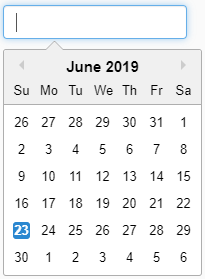
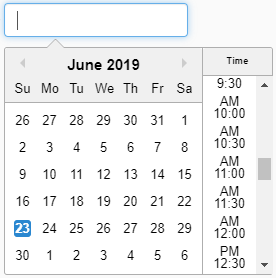
example, preferring a Date Picker widget when the value is a literal
of type xsd:date.
Selecting widgets based on the shape's constraints — for
example, prefer a Boolean Select widget when the shape requires a
boolean value via a sh:datatype constraint.
3.2 Select Function
The Select function determines which widget should be used for a given combination of a focus node and a property shape.
Inputs:
Focus node — The node to validate, may also be undefined.
Data graph — The data graph containing the focus node.
Shape node — The SHACL shape IRI.
Shapes graph — RDF graph containing the SHACL shapes.
Scoring graph — The RDF graph containing shui:WidgetScore instances that define how widgets are scored.
Widget predicate — The predicate used to specify the widget in the Shape node, typically shui:editor or shui:viewer.
Output:
A Widget IRI — The IRI of the widget to use, typically a subclass of shui:Widget.
Steps:
If the Shape node has a Widget IRI defined via Widget predicate:
Find the shui:WidgetAcceptMatcher instance AM with a matching shui:widget value.
If there is no Accept Matcher defined for the widget, return the Widget IRI.
Call the matcher function with the following inputs:
Focus node — The focus node or undefined if there are no focus nodes.
Data graph — The data graph containing the focus node.
Shape node — The shape node associated with the property shape.
Shapes graph — The shapes graph containing the shape node.
Matcher node — The Accept MatcherAM.
Scoring graph — The RDF graph containing shui:WidgetScore instances that define how widgets are scored.
If the return value is true, return the Widget IRI.
If the return value is false, continue with the next step. When a widget is not accepted it falls through to scoring.
Call the score function with the following inputs and store the return value in an array matches:
Best — A boolean flag; must be false.
Focus node — The focus node or undefined if there is no focus node.
Data graph — The data graph containing the focus node.
Shape node — The shape node associated with the property shape.
Shapes graph — The shapes graph containing the shape node.
Scoring graph — The RDF graph containing shui:WidgetScore instances that define how widgets are scored.
For each score result in array matches
Get the Widget IRI from the score result as WI.
Find the shui:WidgetAcceptMatcher instance AM with a matching shui:widget value.
If there is no Accept Matcher defined for the widget, return WI.
Call the matcher function with the following inputs:
Focus node — The focus node or undefined if there is no focus node.
Data graph — The data graph containing the focus node.
Shape node — The shape node associated with the property shape.
Shapes graph — The shapes graph containing the shape node.
Matcher node — The Accept MatcherAM.
Scoring graph — The RDF graph containing shui:WidgetScore instances that define how widgets are scored.
If the return value is true, return WI.
If the return value is false, continue with the next iteration.
If there are no more score results in array matches, return undefined.
3.2.1 Processing
The Select function MUST raise an error and terminate the algorithm in the following scenarios:
Any mandatory inputs are missing.
Widget Score instances are malformed.
3.3 Validation Function
The validation function used by the matcher function
to validate the focus node against a list of shape nodes.
Inputs:
Focus node — The node to validate.
Target graph — The RDF graph containing the focus node.
Shape node — The SHACL shape IRI.
Shapes graph — RDF graph containing the list of SHACL shapes.
Steps:
If shape node is empty, return true.
If the focus node is not a subject in the target graph, return false.
Validate the focus node according to standard SHACL validation with the following:
Focus node as focus node.
Target graph as data graph.
Shape node as shape node.
Shapes graph as shapes graph.
If the validation produces violations, return false.
If the validation conforms, return true.
If any SHACL validation fails due to malformed shapes, the validation function should log a warning and return false.
Shape validation errors should not cause the Matcher function to fail.
3.4 Matcher Function
The matcher function used by the score function and
the accept function to validate whether a widget score
applies to a given focus node and shape node.
Inputs:
Focus node — The node to validate.
Data graph — The RDF graph containing the focus node.
Shape node — The SHACL shape IRI.
Shapes graph — The RDF graph containing the list of SHACL shapes.
Scoring graph — The RDF graph containing the Widget Score definitions.
Matcher node — The RDF node containing the widget score definition, an instance of shui:WidgetAcceptMatcher.
Steps:
If no focus node is given, a value for the shui:dataGraphShape property
is present, and no value for the shui:shapesGraphShape is present, return false.
Call the validation function with the following:
Shape node as focus node.
Shapes graph as target graph.
The value of the shui:shapesGraphShape property of matcher node as shape node.
Scoring graph as shapes graph.
If the function returns false, return false.
If no focus node is given, return true.
Call the validation function with the following:
Focus node as focus node.
Data graph as target graph.
The value of the shui:dataGraphShape property of matcher node as shape node.
Shapes graph as shapes graph.
If the function returns false, return false.
Otherwise, return true.
3.5 Score Function
The score function used to find the best widget or an ordered list of matches.
Inputs:
Best — A boolean flag; if true, return only the first matching result.
Focus node — The node to validate.
Data graph — The RDF graph containing the focus node.
Shape node — The SHACL shape IRI.
Shapes graph — The RDF graph containing the list of SHACL shapes.
Scoring graph — The RDF graph containing the Widget Score definitions.
Steps:
Initialize an empty list results.
Collect instances of shui:WidgetScore in the scoring graph, sorted by shui:score
in descending order and then lexicographically by the Unicode codepoint values of shui:widget.
For each instance S of type shui:WidgetScore
Find the shui:WidgetAcceptMatcher instance M with a matching shui:widget value.
Call the matcher function with the following:
Focus node as focus node.
Data graph as data graph.
Shape node as shape node.
Shapes graph as shapes graph.
M as matcher node.
Scoring graph as scoring graph.
If the matcher function returns true, and best is true, return the object with the following:
The shui:widget of S.
The IRI of S.
The shui:score of S.
If the matcher function returns true, record widget score by appending the object to results.
Return results.
3.6 Accept Function
The accept function used to check if a widget is applicable.
Inputs:
Focus node — The node to validate.
Data graph — The RDF graph containing the focus node.
Shape node — The SHACL shape IRI.
Shapes graph — The RDF graph containing the list of SHACL shapes.
Widget node — The IRI of the widget to check acceptance for.
Scoring graph — The RDF graph containing the Widget Score definitions.
Steps:
Find the shui:WidgetAcceptMatcher instance M with a matching shui:widget value.
If no such instance M exists, return true.
Call the matcher function with the following:
Focus node as focus node.
Data graph as data graph.
Shape node as shape node.
Shapes graph as shapes graph.
M as matcher node.
Scoring graph as scoring graph.
Return the return value of the matcher function.
3.7 Widget Selection
The widget with the highest score SHOULD be selected as the default widget from the Scoring Algorithm results.
Implementations MAY allow users to switch to any widget included in the results.
Since multiple score entries may reference the same widget,
a post-processing step SHOULD be performed to normalize the score results (for example,
by aggregating or de-duplicating entries by widget) before presenting the widget choices to the user.
TODO: consider moving this section under "SHACL UI Concepts".
4.1 Editors
The following sub-sections enumerate the currently defined instances of shui:Editor from the SHACL UI namespace.
Property shapes can explicitly specify the preferred editor for its values using shui:editor.
If no such value has been specified, the system should pick a suitable default viewer based on the
scoring system outlined for each widget.
4.2 Viewers
The following sub-sections enumerate the currently defined instances of shui:Viewer from the SHACL UI namespace.
A property shape can have an explicitly specified preferred viewer for its values in shui:viewer.
If no such value has been specified, the system should pick a suitable default viewer based on the
scoring system outlined for each widget.
Most viewers render a single RDF value on the screen, typically as a single widget.
Form editors offer buttons to edit individual values and to add or delete values.
However, some viewers need to take more complete control over how multiple values of a property at a focus node are rendered.
The only example of such a viewer in SHACL UI is shui:ValueTableViewer, which displays
all values of a property as an HTML table.
In such cases, the notions of generic add and delete buttons do not apply.
Such viewers are called Multi Viewers and are declared instances of shui:MultiViewer instead of shui:SingleViewer.
The equivalent classes for editors are shui:MultiEditor and shui:SingleEditor.
5. Core Constraints
Editor's note
TODO: This section may not be needed if we decide to fold in the use of different constraints for common form scenarios under the Patterns section.
6. Property Paths
SHACL Property Paths can be used to render a SHACL shape as a
user interface.
Property paths define how data values are accessed or modified relative to a focus node.
The following subsections outline the scenarios in which SHACL UI implementations are expected to
support different kinds of property paths for viewing and editing operations.
6.1 View Mode
In view mode, property paths are used to retrieve and display data values associated with a shape.
A SHACL UI implementation must provide mechanisms to resolve these paths for visualization.
6.1.1 Predicate and Inverse Paths
SHACL UI implementations MUST support both
predicate paths and
inverse paths in view mode.
This ensures that values reachable via simple forward or inverse relationships can be displayed to
the user.
The following example illustrates how predicate and inverse paths are used in view mode to access
and display values, either directly from the focus node or through incoming relationships from other
nodes.
Support for complex paths is recommended, but can be left out in cases where the implementation aims
to provide symmetry between view and edit modes, and complex paths are not supported in edit mode.
The following examples illustrate a sequence path and an alternative path, both of which may be used
for richer data traversal in view mode.
6.2 Edit Mode
In edit mode, property paths determine how changes to data and the creation of new data are applied
through the user interface.
6.2.1 Predicate and Inverse Paths
SHACL UI implementations MUST support
predicate paths and
inverse paths in edit mode.
This allows users to modify data linked by simple properties or inverse properties.
The following example illustrates how predicate and inverse paths can be used in edit mode to modify
a person’s name and manage their membership in departments.
6.2.2 Alternative Paths
SHACL UI implementations SHOULD support
alternative paths in edit mode.
This enables editing where a shape can constrain multiple potential properties, and the UI can allow
users to choose which alternative to use when entering or modifying data.
When editing existing or newly created statements, the UI SHOULD provide a mechanism to update the
predicate to one of the enumerated paths in the sh:alternativePath list, but only if
those paths are either predicate paths or inverse paths. This restriction is necessary
because the object of sh:alternativePath is a SHACL list that may contain any valid
property path expression, including complex path types that are not generally feasible to edit
directly through a user interface.
Note
Although redundant, SHACL permits nesting of sh:alternativePath expressions.
Such nesting simply flattens to a single list of predicate or inverse paths and does not alter the
effective set of alternatives available for editing.
The following example illustrates how an alternative path can be used in edit mode to allow a book's
title to be provided through either dct:title or rdfs:label.
Implementers are encouraged to support these when their use cases require advanced
data navigation or editing patterns, but such support is not mandatory as the complexity of editing
through these paths may not be feasible in all user interface contexts.
Note
Supporting complex property paths in edit mode introduces challenges related to ambiguity and the
generation of intermediate data structures. Even when a path is used for view-only purposes,
implementations must ensure that restrictions are in place to prevent ambiguous traversal results.
SHACL property paths allow navigation across multiple steps in a graph, which can lead to
situations where a single value is reachable through multiple distinct paths.
7. Label and Language Resolution
UI literals — such as labels, descriptions, and other human-readable strings required for
rendering a user interface — are selected based on language tags. This section defines how
an application determines which language to use when multiple language-tagged literals are
available for a given property.
7.1 Language Resolution
When selecting a UI literal, the preferred language is determined according to the following order of
priority. Each option itself provides an ordered list of languages where earlier entries are preferred over
later ones:
The values of sh:languageIn, when present in the applicable shapes graph context. This
specification extends the semantics of sh:languageIn giving the order of language tags in the
list a meaning. Implementations MUST prefer literals according to the order of the
sh:languageIn values.
A list of languages selected in the application. How this language preference list is configured or
expressed is up to the implementation. Possible approaches include but are not limited to:
A UI feature that allows the user to select a preferred display language or languages priorities.
A predefined language configuration in the application settings.
The list of preferred languages declared in the user's browser, as expressed through the
Accept-Language HTTP header or the navigator.languages Web API. These SHOULD be
used as the default values when no application-level language preference has been configured.
Language tags are matched according to the basic filtering scheme defined in [RFC4647] section 3.3.1.
In particular, a language tag such as en-USSHOULD be considered a match for a preferred
language of en.
If no literal matching the preferred language is available, implementations MAY fall back to a literal in
another available language (or without a declared language) or apply the label resolution
fallback strategy as defined for the relevant context.
7.2 Label Resolution
Label resolution determines the most appropriate human-readable string to display for an
RDF resource in a user interface. This section defines the algorithm for determining that
label, considering annotations in the shapes graph, values in the data graph,
and fallback strategies when no suitable label is found.
Label resolution is applied in two contexts:
Property labels: the label used for the field or column heading of a
property UI component, derived from the property shape or from the predicate
identified by sh:path.
Value node labels: the label used to represent a value node (e.g.,
an IRI or blank node) when it appears in a UI form or list.
7.2.1 Property Labels
To determine the label for a property UI component whose property shape has
sh:path pointing to a property pathP, implementations MUST
apply the following steps in order, stopping at the first step that yields a result:
If the property shape has one or more values for the configured property path for
the property label resolution (defaulting to sh:name), select the best
matching value using language resolution. If a match is found, use that literal
as the label.
If P is a predicate IRI and the data graph
contains one or more rdfs:label triples with subject P, select
the best matching value using language resolution. If a match is found, use
that literal as the label.
If P is a predicate IRI and the shapes graph
contains one or more rdfs:label triples with subject P, select
the best matching value using language resolution. If a match is found, use
that literal as the label.
Otherwise, an implementation-specific translation algorithm should be applied to convert the complex property path
P into a human-readable string representation.
7.2.2 Value Node Labels
To determine the label for a single value nodeV, implementations MUST
apply the following steps in order, stopping at the first step that yields a result:
If V is a literal, use its lexical form as the label.
If the applicable node shape for V contains a property shape
whose sh:path is annotated with
shui:propertyRole shui:LabelRole, retrieve the values of that path from
the data graph for subject V. Select the best matching value using
language resolution. If a match is found, use that literal as the label.
If the data graph contains one or more values for the configured property path for
the value node label resolution (defaulting to rdfs:label) for V,
select the best matching value using language resolution. If a match is found, use
that literal as the label.
If the shapes graph contains one or more values for the configured property path for
the value node label resolution (defaulting to rdfs:label) for V,
select the best matching value using language resolution. If a match is found, use
that literal as the label.
If V is a blank node, use an implementation-specific placeholder string
(e.g., an empty string or an identifier derived from the blank node identifier) as
the label.
7.2.3 Local Name Resolution
To determine the label for an IRI, the local nameL of the IRI SHOULD be
used; this process is called local name resolution. Implementations SHOULD transform
the local name into a human-friendly form, for example, by splitting camel case identifiers into words.
8. Patterns
Note
Add common UI form patterns here, e.g., error handling and validation, conditional rendering, etc. For each section, clearly state whether it's normative or informative and describe its use case.
Editor's note
TODO: consider removing the explicit "patterns" section and move these topics under SHACL UI
8.1 Root Shapes and Entry-Point Forms
Editor's note
TODO: Add a pattern describing how applications choose the initial node shape and focus node for rendering.
This pattern should explain that applications may nominate one or more root node shapes for entry-point forms.
8.2 Conditional Shape Selection
Editor's note
Add a pattern for conditional or dynamic sub-forms. Consider how the following constraints would work here. sh:class, sh:node, sh:or, sh:qualifiedValueShape.
8.3 Enumerations, Select Lists, and Autocomplete
Editor's note
Add a pattern for select widgets. This should cover common sources for option lists: sh:in, class-based instance selection,
SKOS concepts, node expressions, and implementation-provided query services. It should distinguish static enumerations from dynamic lookups.
Some of the UI meetings have discussed using node expressions, dynamic SHACL, and SPARQL with the SERVICE clause.
Issue 846: [Core & UI] Referencing external dynamic IRIs in sh:in for federated SHACL validation and UI option lists. CoreUI
This proposal allows someone to have federated references in their dataset and select/view those in a rich user interface.
The SERVICE clause limitation has been made less strict
We have:
ex:propertyCity
  sh:path ex:city ;
  sh:in [
	  sh:select """
		select ?city where {
			SERVICE <http://example.org/sparql> {
				?city a ex:City .
			}
		}
		""" ;
  ] .
Notice:
This query returns all valid items. When validating, the one allowed binding ?city can be bound with the selected value, if nothing returns we have a validation error.
Ingredient 2, Proposal for shui:DisplayProvider
A mechanism to fetch labels and possibly other properties of a resource.
$value will be pre-bound with the value node of which the SHACL renderer needs to if it should be shown.
$searchTerm will be bound with the search term the user is entering.
This concept can be used with the shui:AutocompleteEditor and other places where it might apply.
If no shui:resourceFilter is given the SHACL renderer may fall back to it's own resource filter. Which in turn can use the display provider if defined or the fallback label resolution algorithm.
Implementations can choose to combine the queries all together, see this PoC.
Implementations are free to optimize these queries however they like, for example by batching, as long as the outcome matches as described by the spec.
When an endpoint has support for something like: bif:contains the end user could use that mechanism inside the shui:ResourceFilter select query.
8.3.1 Fetching values from named graphs
Issue 672: [UI] Use case - UI widgets and data updates with named graphs UIUCR
Currently, DASH forms provide ways to populate widgets such as the AutoCompleteEditor and ValueTableViewer by declaring shapes and constraints to describe the shape of the data. This works well, and SHACL UI should adopt this. However, this approach assumes all data resides in the data graph when in practice, most datasets are compartmentalised into named graphs for data management purposes. We could build on the work established in DASH forms by adding support for targeting named graphs when populating data for widgets.
SHACL UI could also enable data updates across multiple named graphs through a single form. Without named graph support in SHACL Core, however, this would be difficult to implement and may feel inconsistent. That said, widget-level named graph support could still function effectively. Because data retrieval for widgets is read-only (fetching data to populate them), any updates involving widget data would continue to be written only to the data graph.
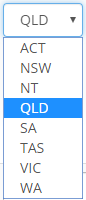
Example: When a user is updating an address form, the drop-down list of Australian states and territories (code list) could be retrieved from a named graph separate from the main data graph. Selecting a state or territory from the drop-down would then write the chosen value to the data graph.
Is this a sensible proposal to support named graphs for widgets? And should we explore further on the idea of data updates working across multiple named graphs?
Add a pattern explaining how renderers can use sh:group, sh:order, and possibly implementation-specific layout annotations to organize property UI components.
It would be nice to allow sh:group inside sh:PropertyGroup
Issue 824: [UI] Could `sh:order` and / or `sh:group` be moved to the `shui` namespace? CoreUI
In the SHACL 1.0 spec we have the chapter "2.3.2 Non-Validating Property Shape Characteristics" which contains sh:order and sh:group. I wonder if it would make sense to move these two to the shui namespace and deprecate them. Meanwhile we should recommend or require implementers of a spec compliant SHACL renderer to still support sh:order and sh:group. However going forward shui:order and shui:group would be the standard way to go.
Pro's
UI concerns are in the UI namespace
Core spec is cleaned up from these UI properties
Cons
We need to think of who used these predicates and how they have been used.
Are there uses of sh:order and sh:group besides UI work?
Are they both used only in UI or is sh:group easier to move?
8.5 Role-Based Shapes
Editor's note
The section should explain that a single shapes graph may contain shapes used for different purposes, and implementations may need to
distinguish validation shapes and UI rendering shapes.
8.6 Default Namespace and Local Name Generation
Editor's note
We may need a more broader set of patterns documented for creating, updating, and deleting data via SHACL UI.
In our platform we have a property xy:defaultNS which stores the suggested default namespace for new resources in a given graph. It is attached to the home resource of the named graph (often an owl:Ontology). It is used whenever the user creates new instances which typically starts with entering the display label, from which the system will derive a suitable URI consisting of the label as local name, and the default namespace.
It would be great if such a property shui:defaultNamespace (datatype xsd:anyURI) could be added.
8.7 Form Messages and Error Handling
Editor's note
The pattern should describe how renderers may handle and display form errors, including validation errors and submission errors.
The task force discussed this topic and agreed that the SHACL UI document would benefit from a dedicated guidance section on form error handling for SHACL constraint violations, specifically on how implementations might map SHACL validation reports back to form fields.
This section should cover both client-side and server-side form validation, weighing the trade-offs of each approach. For instance, not all shapes are suitable for client-side validation: those containing SPARQL-based constraints require access to the full dataset, rather than the subset rendered in the form. For server-side validation, when either the data graph or the shapes graph contains blank nodes, implementations must use skolemisation whenever data crosses document boundaries, so that constraint violations in the validation report can be reliably traced back to the originating form field.
Below are some of the areas we intend to explore for the section:
Mapping validation results to the form: How validation results from the report are linked back to nodes and fields in the data graph.
Normative vs. guidance status: This content is likely better framed as non-normative guidance rather than a formal requirement.
Client-side vs. server-side validation: The relative merits of each, including which classes of shapes are unsuitable for client-side evaluation (e.g. SPARQL-based constraints) and when skolemisation becomes necessary on the server side.
Validation timing: Whether validation should be triggered on form submission, on field blur, or both.
Shape categorisation: Whether shapes should be classified by their suitability for client-side or server-side validation.
Field-level vs. focus-node-level errors: Not all validation errors map cleanly to a single field; some must be surfaced at the focus node level instead.
SHACL UI should support a way to display alerts and messages in the form. These messages can be both positive and negative and potentially sourced via the validation report and provide a vocabulary to customise icons, styling, and colour of the message.
Discussion:
Clarify where these alerts and messages are displayed in the form
Are they tied to the validation report directly?
Can this be reused outside of form editing?
8.7.1 Displaying Validation Results
Editor's note
This sub-section should address the "Mapping validation results to the form" mentioned in ISSUE 823.
Editor's note
The pattern should describe how renderers may associate sh:ValidationResult entries with property UI components or node UI components,
using sh:focusNode, sh:resultPath, sh:value, sh:sourceShape, sh:resultSeverity, and sh:resultMessage. It should avoid defining when validation
runs or how an applications prevents malformed submissions.
9. Built-in Widgets
9.1 Editors
The following subsections enumerate the currently built-in instances of shui:Editor from the
SHACL UI namespace.
9.1.1 shui:AutoCompleteEditor
Score:
40 if the property indicates its preference for shui:AutoCompleteEditor using a shui:editor statement and has a sh:class constraint, and the value is an IRI.
10 if the property has a sh:nodeKind sh:IRI and a sh:class constraint.
Rendering:
An auto-complete field to enter the label of instances of the class specified for the property.
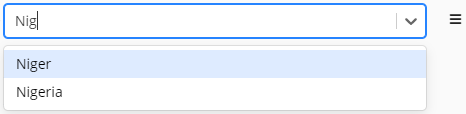
For example, if the sh:class of the property is ex:Country and the user starts
typing "Nig", then "Niger" and "Nigeria" would show up as possible choices.
Implementations may want to also support the combination of sh:class with sh:node
constraints to further narrow the set of valid values.
In this case, the component would filter out any instances of the class that do not conform to the specified node shape.
In the following example, the auto-complete would only show countries that have true as their value
for ex:sovereign.
40 if the property indicates its preference for shui:BlankNodeEditor using a shui:editor statement, and the value is a blank node.
1 if the value is a blank node.
Rendering:
A read-only editor that displays the blank node, similar to shui:BlankNodeViewer,
yet allows the surrounding user interface to at least provide a delete button.
9.1.3 shui:BooleanEditor
Score:
40 if the property indicates its preference for shui:BooleanEditor using a shui:editor
statement, and the value is an xsd:boolean literal.
20 if the value is an xsd:boolean literal.
10 if the property has a sh:datatype xsd:boolean constraint.
Rendering:
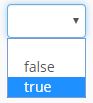
A widget for editing boolean values, typically rendered as a checkbox, toggle switch, or select dropdown
offering true and false, and, where the property is optional, optionally an additional control state
representing the absence of a value.
Note
The exact rendering of the BooleanEditor may vary between implementations depending on the complexity and
requirements of the use case. In particular, implementations should carefully distinguish between optional
and required boolean properties: for optional properties, the absence of a value is semantically different
from the value false, and an implementation may therefore render a select dropdown with three choices
(e.g., true, false, and none) where none represents no value; for required properties, where a value
must always be present, a checkbox or toggle switch may be appropriate. Implementations may choose the most
suitable rendering approach, provided this semantic distinction is preserved.
40 if the property indicates its preference for shui:DetailsEditor using a shui:editor statement, and the value is an IRI or a blank node.
0 if the value is an IRI or a blank node.
Rendering:
Typically rendered as a nested form that allows editing the properties of the value node inline within the surrounding form.
The fields of the nested form are determined by the shape that applies to the value node.
This shape may be specified explicitly (e.g., via sh:node or other mechanisms that associate a shape with the value),
or implicitly via constraints such as sh:class.
Alternatively, nested fields may be defined directly on the surrounding property shape using sh:property.
When rendered as a nested form, the implementation recursively evaluates the applicable shape of the value node
and renders its declared property shapes as sub-fields.
Implementations may alternatively render the details in a separate dialog or dedicated view,
provided that the editing semantics remain equivalent.
This editor is particularly useful for blank nodes or tightly coupled resources
that are typically created and edited only in the context of their parent resource.
However, it may also be used for IRIs referencing other resources.
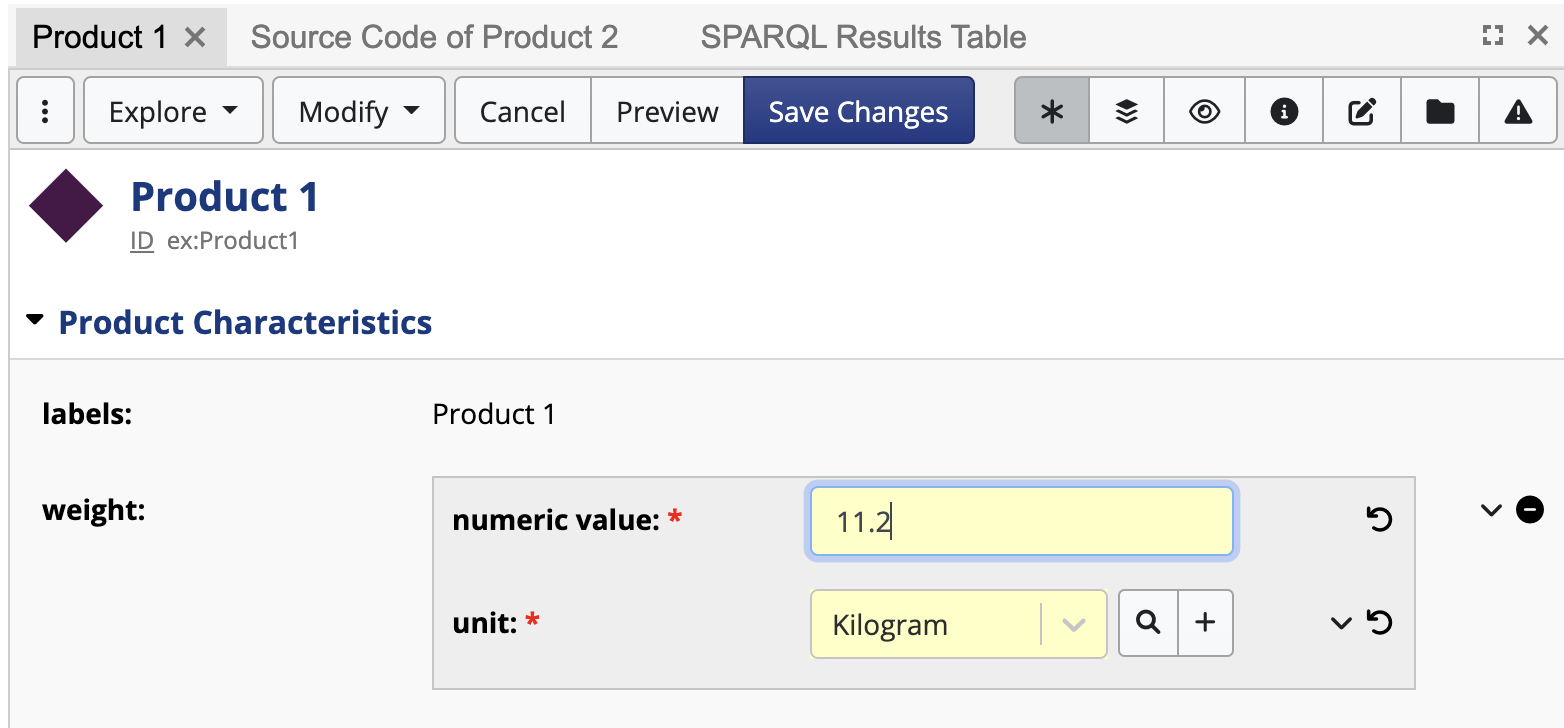
ex:Product
	a owl:Class ;
	a sh:NodeShape ;
	rdfs:label "Product" ;
	rdfs:subClassOf owl:Thing ;
	sh:property ex:Product-weight .

ex:Product-weight
	a sh:PropertyShape ;
	sh:path ex:weight ;
	shui:editor shui:DetailsEditor ;
	shui:viewer shui:DetailsViewer ;
	sh:description "A blank node with a numeric field and a unit which is one of the QUDT mass units." ;
	sh:maxCount 1 ;
	sh:name "weight" ;
	sh:node ex:ValueWithWeight ;
	sh:nodeKind sh:BlankNode .

ex:ValueWithWeight
	a sh:NodeShape ;
	rdfs:label "Value with weight" ;
	sh:property ex:ValueWithWeight-numericValue ;
	sh:property ex:ValueWithWeight-unit .

ex:ValueWithWeight-numericValue
	a sh:PropertyShape ;
	sh:path ex:numericValue ;
	sh:datatype xsd:decimal ;
	sh:maxCount 1 ;
	sh:minCount 1 ;
	sh:name "numeric value" .

ex:ValueWithWeight-unit
	a sh:PropertyShape ;
	sh:path ex:unit ;
	sh:class <http://qudt.org/schema/qudt/Unit> ;
	sh:maxCount 1 ;
	sh:minCount 1 ;
	sh:name "unit" ;
	sh:node [
		rdfs:label "Permissible values must have quantity kind Mass." ;
		sh:property [
			sh:path <http://qudt.org/schema/qudt/hasQuantityKind> ;
			sh:hasValue <http://qudt.org/vocab/quantitykind/Mass> ;
		] ;
	] .
This widget requires that the surrounding property (ex:weight, above) declares sh:nodeKind sh:BlankNode
and also has a sh:node constraint that points at a node shape that declares the properties that shall be editable.
9.1.7 shui:EnumSelectEditor
Score:
40 if the property indicates its preference for shui:EnumSelectEditor using a shui:editor statement and has a sh:in constraint.
30 if the property has a sh:in constraint.
Rendering:
A drop-down editor for enum fields (based on the sh:in list, in that order).
40 if the property indicates its preference for shui:InstancesSelectEditor using a shui:editor statement and has a sh:class constraint, and the value is an IRI.
0 if the property has a sh:class constraint.
Rendering:
A drop-down editor for all instances of the target class (based on sh:class of the property).
Typically only used for classes that have few instances.
40 if the property indicates its preference for shui:NumberFieldEditor using a shui:editor
statement, and the value is an xsd:decimal, xsd:integer, xsd:double, or xsd:float literal.
20 if the value is an xsd:decimal, xsd:integer, xsd:double, or xsd:float literal.
10 if the property has a sh:datatype xsd:decimal, xsd:integer, xsd:double, or xsd:float
constraint.
Rendering:
An input field to enter numeric values. The field should only allow entering valid numeric values according
to the specified datatype. If no sh:datatype constraint is specified, xsd:decimal is assumed to be the
default numeric datatype.
40 if the property indicates its preference for shui:RichTextEditor using a shui:editor statement, and the value is an rdf:HTML literal.
20 if the value is an rdf:HTML literal.
10 if the property has a sh:datatype rdf:HTML constraint.
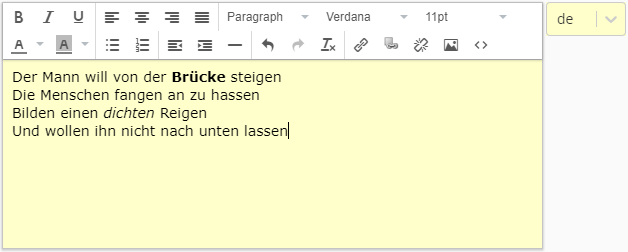
Rendering:
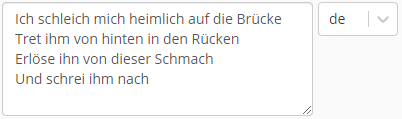
A rich text editor to enter the lexical value of a literal and a drop-down to select language.
The selected language is stored in the HTML lang attribute of the root node in the HTML DOM tree.
40 if the property indicates its preference for shui:SubClassEditor using a shui:editor statement and has a sh:rootClass constraint, and the value is an IRI.
Rendering:
This can be an auto-complete widget to select a class, a class hierarchy widget, or a combination thereof.
The permissible values are a given class or its subclasses, defaulting to rdfs:Resource.
This is typically used with sh:rootClass to allow the user to select a subclass of the given root class.
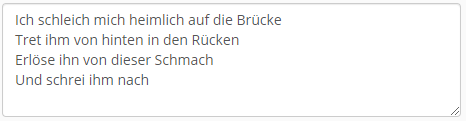
-1 if the property has a sh:singleLine false constraint.
40 if the property indicates its preference for shui:TextFieldWithLangEditor using a shui:editor statement.
30 if the value is an rdf:langString literal.
10 if the property has rdf:langString among the permissible datatypes.
1 if the property has xsd:string among the permissible datatypes.
Rendering:
A single-line input field to enter the value of a literal and a drop-down to select language,
which is mandatory unless xsd:string is among the permissible datatypes.
The following subsections enumerate the currently built-in instances of shui:Viewer from the SHACL UI namespace.
9.2.1 shui:BlankNodeViewer
Score:
30 if the property indicates its preference for shui:BlankNodeViewer using a shui:viewer statement, and the value is a blank node.
1 if the value is a blank node.
Rendering:
A human-readable label of the blank node.
For example, if the blank node is an OWL restriction, then Manchester Syntax could be used.
If the blank node is a SPIN RDF expression, then a SPARQL string could be produced.
This rendering may include hyperlinks to other resources that can be reached from the blank node.
9.2.2 shui:DetailsViewer
Score:
30 if the property indicates its preference for shui:DetailsViewer using a shui:viewer statement, and the value is an IRI or a blank node.
0 if the value is an IRI or a blank node.
Rendering:
Displays the details of the value node as a nested, form-like structure within the surrounding view.
The properties shown are determined by the shape that applies to the value node.
This may be specified explicitly (e.g., via sh:node or other mechanisms that associate a shape with the value),
inferred via constraints such as sh:class,
or defined directly as nested sh:property declarations on the property shape.
When rendered as a nested display, the implementation recursively evaluates the applicable shape
and presents its property shapes as structured subsections of the parent form.
Implementations may vary in layout and visual styling,
but the logical grouping and recursive traversal of the applicable shape SHOULD be preserved.
9.2.3 shui:HTMLViewer
Score:
30 if the property indicates its preference for shui:HTMLViewer using a shui:viewer statement, and the value is an rdf:HTML or xsd:string literal.
20 if the value is an rdf:HTML literal.
Rendering:
The literal parsed into HTML DOM elements.
Hyperlinks in the HTML may get redirected to select resources within the same application.
Also displays the language if the HTML has a lang attribute on its root DOM element.
9.2.4 shui:HyperlinkViewer
Score:
30 if the property indicates its preference for shui:HyperlinkViewer using a shui:viewer statement, and the value is an xsd:anyURI or xsd:string literal.
20 if the value is an xsd:anyURI literal.
0 if the value is an xsd:string literal.
Rendering:
A clickable hyperlink to the specified URI/URL.
9.2.5 shui:ImageViewer
Score:
30 if the property indicates its preference for shui:ImageViewer using a shui:viewer statement.
20 if the value is an IRI or a literal that has a case-insensitive recognized image file extension ending such as .png, .jpg, .jpeg, .gif, or .svg.
Rendering:
The image at the given URL, using <img> in HTML.
9.2.6 shui:IRIViewer
Score:
30 if the property indicates its preference for shui:IRIViewer using a shui:viewer statement, and the value is an IRI.
1 if the value is an IRI.
Rendering:
As a hyperlink to that IRI.
Also includes other ways of interacting with the IRI, such as opening a nested summary display.
9.2.7 shui:LabelViewer
Score:
30 if the property indicates its preference for shui:LabelViewer using a shui:viewer statement, and the value is an IRI.
10 if the value is an IRI.
Rendering:
As a hyperlink to that URI based on the display label of the resource.
The display label is typically based on the most suitable rdfs:label or
skos:prefLabel for the current user, based on their language preferences.
Also includes other ways of interacting with the URI, such as opening a nested summary display.
9.2.8 shui:LangStringViewer
Score:
30 if the property indicates its preference for shui:LangStringViewer using a shui:viewer statement.
20 if the value is an rdf:langString literal.
Rendering:
As the text plus a language indicator (flag or language tag).
9.2.9 shui:LiteralViewer
Score:
30 if the property indicates its preference for shui:LiteralViewer using a shui:viewer statement.
30 if the property indicates its preference for shui:ValueTableViewer using a shui:viewer statement.
Rendering:
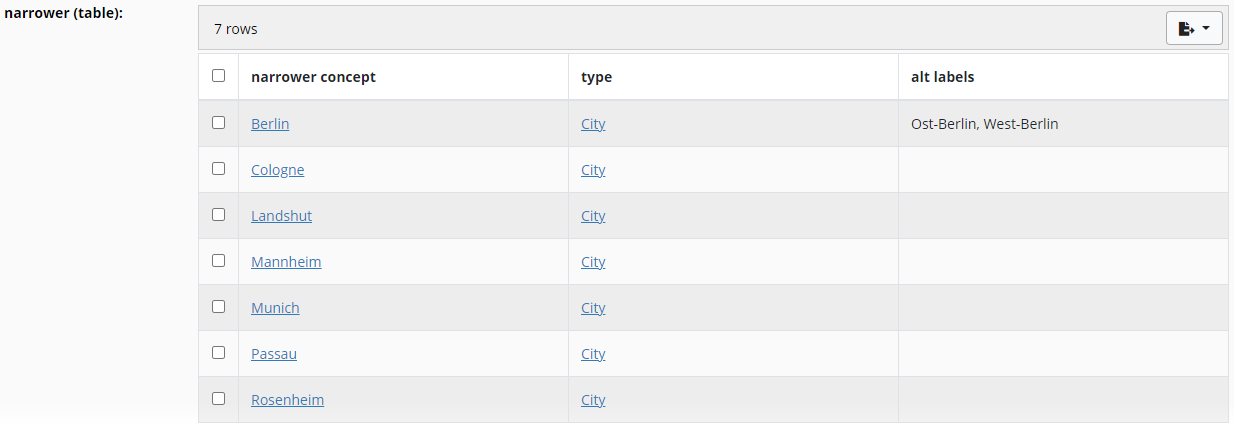
All values of the property at the focus node are rendered into a single (HTML) table that can be scrolled
and paged independently of the rest of the form.
Each value becomes one row.
The columns of the table are derived from the node shape specified using sh:node for the property,
in the order specified using sh:order.
In this example, we have used a sh:values rule to infer the values of the first column.
In this case, the values are simply pointing back to the focus node of each row, using sh:this.
Note that sh:targetClass is needed to get this inference correctly.
skos:Concept
    sh:property ex:Concept-broader-inverse .

ex:Concept-broader-inverse
    a sh:PropertyShape ;
    sh:path [ sh:inversePath skos:broader ] ;
    sh:group skos:HierarchicalRelationships ;
    sh:name "narrower (table)" ;
    shui:viewer shui:ValueTableViewer ;
    sh:node ex:ConceptTableShape .

ex:ConceptTableShape
    a sh:NodeShape ;
    sh:targetClass skos:Concept ;
    rdfs:comment "A node shape defining the columns for a shui:ValueTableViewer." ;
    rdfs:label "Concept table shape" ;
    sh:property ex:ConceptTableShape-self ;
    sh:property ex:ConceptTableShape-type ;
    sh:property ex:ConceptTableShape-altLabel .

ex:ConceptTableShape-self
    a sh:PropertyShape ;
    sh:path ex:self ;
    sh:description "This column is used to render the (narrower) concept itself." ;
    sh:name "narrower concept" ;
    sh:nodeKind sh:IRI ;
    sh:order "0"^^xsd:decimal ;
    sh:values sh:this .

ex:ConceptTableShape-type
    a sh:PropertyShape ;
    sh:path rdf:type ;
    sh:description "The second column shows the type of each value." ;
    sh:name "type" ;
    sh:nodeKind sh:IRI ;
    sh:order "1"^^xsd:decimal .

ex:ConceptTableShape-altLabel
    a sh:PropertyShape ;
    sh:path skos:altLabel ;
    sh:description "The third column shows the alternative labels." ;
    sh:name "alt labels" ;
    sh:or ( [ sh:datatype xsd:string ] [ sh:datatype rdf:langString ] ) ;
    sh:order "2"^^xsd:decimal .
10. Property Roles
RDF resources commonly use properties to specify labels, descriptions, and other information needed for rendering, which user-interface engines depend on to render structured content.
However, the vocabularies defining these properties vary across domains and communities. To ensure consistent interpretation, property shapes can
be annotated with explicit roles for elements such as labels, descriptions, and other rendering properties.
This section introduces Property Roles for annotating SHACL property shapes, along with several built-in property roles defined in the SHUI namespace.
Property Roles are defined in the SHUI namespace and define the class shui:PropertyRole and the property shui:propertyRole.
10.1 Direct Role Annotation
Property roles can be annotated on property shapes by using the shui:propertyRole predicate and linking directly to a property role instance.
SHACL renderers may use such direct annotations to drive the way specific user-interface elements are displayed.
It is possible but not recommended to assign the same property role to multiple property shapes that apply to the same focus node using the direct role annotation form.
When this is done, the resulting behavior is undefined.
The example below illustrates the common case where a property shape is directly annotated with shui:LabelRole. This informs user-interfaces that the shape's value nodes
represent human-readable labels for resources.
10.2 Qualified Role Annotation
When multiple predicates serve the same role in the data but require a defined precedence, the qualified role annotation should be used.
For property shapes annotated with the same role, user interfaces should prefer the shape with the smallest sh:order value. If multiple shapes
share the same role, they must be sorted and processed in ascending order of their sh:order values. In addition, any property shape
using a qualified role annotation is always preferred over a shape using a direct, unqualified role annotation.
The qualified role annotation can also be expressed using triple annotations. SHACL Renderers that support RDF 1.2
should support the triple annotation syntax in addition to the RDF 1.1-compatible qualified role annotation syntax.
10.3 Built-in Property Roles
The following sections define the instances of shui:PropertyRole in the SHUI namespace. These property roles MUST be supported
by SHACL Renderers. Additional property roles may be defined in other namespaces.
10.3.1 shui:LabelRole
The shui:LabelRole is used to identify properties whose values serve as human-readable display labels.
Common examples of display label predicates include rdfs:label, skos:prefLabel, and schema:name.
10.4 Definitions
10.4.1 shui:PropertyRole Class
The class of roles that a property shape may take with respect to its focus nodes. It is not required, but recommended, that roles
defined in other namespaces subclass shui:PropertyRole.
10.4.2 shui:propertyRole Property
The property used to annotate property shapes with roles. Its value is expected to be either an instance of shui:PropertyRole or a
resource that itself declares a shui:propertyRole and an associated sh:order value.
A. Summary of Syntax Rules from this Specification
B. Security Considerations
This section is non-normative.
TODO
C. Privacy Considerations
This section is non-normative.
TODO
D. Internationalization Considerations
This section is non-normative.
TODO
E. Acknowledgements
This section is non-normative.
Many people contributed to this document, including members of the RDF
Data Shapes Working Group.
F. Summary of SHACL Core Syntax to SHACL UI Index
This section enumerates the SHACL Core syntax elements and links to their corresponding SHACL UI representations.
Section used
Shapes
sh:NodeShape
sh:PropertyShape
Constraint Components
Value Type Constraint Components
sh:class
sh:datatype
sh:nodeKind
Cardinality Constraint Components
sh:minCount
sh:maxCount
Value Range Constraint Components
sh:minExclusive
sh:minInclusive
sh:maxExclusive
sh:maxInclusive
String-based Constraint Components
sh:minLength
sh:maxLength
sh:pattern
sh:singleLine
sh:languageIn
sh:uniqueLang
List Constraint Components
sh:memberShape
sh:minListLength
sh:maxListLength
sh:uniqueMembers
Property Pair Constraint Components
sh:equals
sh:disjoint
sh:subsetOf
sh:lessThan
sh:lessThanOrEquals
Logical Constraint Components
sh:not
sh:and
sh:or
sh:xone
Shape-based Constraint Components
sh:node
sh:property
sh:someValue
sh:qualifiedValueShape
sh:qualifiedMinCount
sh:qualifiedMaxCount
sh:reifierShape
sh:reificationRequired
Other Constraint Components
sh:closed
sh:ignoredProperties
sh:hasValue
sh:in
sh:rootClass
G. Issue summary
Issue 609: [UI] Possible input combinations to SHACL UI processor
Issue 846: [Core & UI] Referencing external dynamic IRIs in sh:in for federated SHACL validation and UI option lists.
Issue 672: [UI] Use case - UI widgets and data updates with named graphs