1. Document Object Model Core
- Editors:
- Arnaud Le Hors, IBM
- Philippe Le Hégaret, W3C
- Gavin Nicol, Inso EPS (for DOM Level 1)
- Lauren Wood, SoftQuad, Inc. (for DOM Level 1)
- Mike Champion, Arbortext and Software AG (for DOM Level 1 from November 20, 1997)
- Steve Byrne, JavaSoft (for DOM Level 1 until November 19, 1997)
This specification defines a set of objects and interfaces for
accessing and manipulating document objects. The functionality
specified (the Core functionality) is sufficient to
allow software developers and Web script authors to access and
manipulate parsed HTML [HTML 4.01] and
XML [XML 1.0] content inside conforming
products. The DOM Core API also
allows creation and population of a Document object
using only DOM API calls. A solution for loading a
Document and saving it persistently is proposed in
[DOM Level 3 Load and Save].
1.1 Overview of the DOM Core Interfaces
1.1.1 The DOM Structure Model
The DOM presents documents as a hierarchy of Node objects
that also implement other, more specialized interfaces. Some types of
nodes may have child nodes of various
types, and others are leaf nodes that cannot have anything below them
in the document structure. For XML and HTML, the node types, and which
node types they may have as children, are as follows:
-
Document--Element(maximum of one),ProcessingInstruction,Comment,DocumentType(maximum of one) -
DocumentFragment--Element,ProcessingInstruction,Comment,Text,CDATASection,EntityReference -
DocumentType-- no children -
EntityReference--Element,ProcessingInstruction,Comment,Text,CDATASection,EntityReference -
Element--Element,Text,Comment,ProcessingInstruction,CDATASection,EntityReference -
Attr--Text,EntityReference -
ProcessingInstruction-- no children -
Comment-- no children -
Text-- no children -
CDATASection-- no children -
Entity--Element,ProcessingInstruction,Comment,Text,CDATASection,EntityReference -
Notation-- no children
The DOM also specifies a NodeList interface to handle
ordered lists of Nodes, such as the children of a
Node, or the elements
returned by the
Element.getElementsByTagNameNS(namespaceURI, localName) method, and also a NamedNodeMap
interface to handle unordered sets of nodes referenced by their name
attribute, such as the attributes of an Element.
NodeList and
NamedNodeMap objects in the DOM are live;
that is, changes to the underlying document structure are reflected
in all relevant NodeList and NamedNodeMap
objects. For example, if a DOM user gets a NodeList
object containing the children of an Element, then
subsequently adds more children to that
element (or removes children, or
modifies them), those changes are automatically reflected in the
NodeList, without further action on the user's
part. Likewise, changes to a Node in the tree are
reflected in all references to that Node in
NodeList and NamedNodeMap
objects.
Finally, the interfaces Text,
Comment, and CDATASection all inherit from
the CharacterData interface.
1.1.2 Memory Management
Most of the APIs defined by this specification are
interfaces rather than classes. That means that an
implementation need only expose methods with the defined names and
specified operation, not implement classes that correspond directly to
the interfaces. This allows the DOM APIs to be implemented as a thin
veneer on top of legacy applications with their own data structures, or
on top of newer applications with different class hierarchies. This
also means that ordinary constructors (in the Java or C++ sense) cannot
be used to create DOM objects, since the underlying objects to be
constructed may have little relationship to the DOM interfaces. The
conventional solution to this in object-oriented design is to define
factory methods that create instances of objects that
implement the various interfaces. Objects implementing some interface
"X" are created by a "createX()" method on the Document
interface; this is because all DOM objects live in the context of a
specific Document.
The Core DOM APIs are designed to be compatible with a wide range of languages, including both general-user scripting languages and the more challenging languages used mostly by professional programmers. Thus, the DOM APIs need to operate across a variety of memory management philosophies, from language bindings that do not expose memory management to the user at all, through those (notably Java) that provide explicit constructors but provide an automatic garbage collection mechanism to automatically reclaim unused memory, to those (especially C/C++) that generally require the programmer to explicitly allocate object memory, track where it is used, and explicitly free it for re-use. To ensure a consistent API across these platforms, the DOM does not address memory management issues at all, but instead leaves these for the implementation. Neither of the explicit language bindings defined by the DOM API (for ECMAScript and Java) require any memory management methods, but DOM bindings for other languages (especially C or C++) may require such support. These extensions will be the responsibility of those adapting the DOM API to a specific language, not the DOM Working Group.
1.1.3 Naming Conventions
While it would be nice to have attribute and method names that are short, informative, internally consistent, and familiar to users of similar APIs, the names also should not clash with the names in legacy APIs supported by DOM implementations. Furthermore, both OMG IDL [OMG IDL] and ECMAScript [ECMAScript] have significant limitations in their ability to disambiguate names from different namespaces that make it difficult to avoid naming conflicts with short, familiar names. So, DOM names tend to be long and descriptive in order to be unique across all environments.
The Working Group has also attempted to be internally consistent in its use of various terms, even though these may not be common distinctions in other APIs. For example, the DOM API uses the method name "remove" when the method changes the structural model, and the method name "delete" when the method gets rid of something inside the structure model. The thing that is deleted is not returned. The thing that is removed may be returned, when it makes sense to return it.
1.1.4 Inheritance vs. Flattened Views of the API
The DOM Core APIs present two somewhat
different sets of interfaces to an XML/HTML document: one presenting an
"object oriented" approach with a hierarchy of
inheritance, and a "simplified"
view that allows all manipulation to be done via the Node
interface without requiring casts (in Java and other C-like languages)
or query interface calls in COM
environments. These operations are fairly expensive in Java and COM,
and the DOM may be used in performance-critical environments, so we
allow significant functionality using just the Node
interface. Because many other users will find the
inheritance hierarchy easier to
understand than the "everything is a Node" approach to the
DOM, we also support the full higher-level interfaces for those who
prefer a more object-oriented API.
In practice, this means that there is a certain amount of redundancy
in the API. The Working Group considers
the "inheritance" approach the
primary view of the API, and the full set of functionality on
Node to be "extra" functionality that users may employ,
but that does not eliminate the need for methods on other interfaces
that an object-oriented analysis would dictate. (Of course, when the
O-O analysis yields an attribute or method that is identical to one on
the Node interface, we don't specify a completely
redundant one.) Thus, even though there is a generic
Node.nodeName attribute on the Node interface,
there is still a Element.tagName attribute on the
Element interface; these two attributes must contain the
same value, but the it is worthwhile to support both, given the
different constituencies the DOM API
must satisfy.
1.2 Basic types
To ensure interoperability, this specification specifies the following basic types used in various DOM modules. Even though the DOM uses the basic types in the interfaces, bindings may use different types and normative bindings are only given for Java and ECMAScript in this specification.
1.2.1
The DOMString type
The DOMString type is used to store [Unicode] characters as a code unit string as
defined in section 3.4 of [CharModel]. Applications
must encode the characters using UTF-16 as defined in [Unicode] and Amendment 1 of [ISO/IEC 10646].
Characters are fully-normalized according to the rules defined in [CharModel] supplemented by the definitions of relevant constructs from Section 2.13 of [XML 1.1] if:
-
the parameter "normalize-characters"
was set to
truewhile loading the document or the document was certified as defined in [XML 1.1]; -
the parameter "normalize-characters"
was st to
truewhile using the methodDocument.normalizeDocument(), or while using the methodNode.normalize();
Note that, with the exceptions of
Document.normalizeDocument() and
Node.normalize(), manipulating characters using DOM
methods does not guarantee to preserve a
fully-normalized text.
- Type Definition DOMString
-
A
DOMStringis a sequence of 16-bit units.
IDL Definition-
valuetype DOMString sequence<unsigned short>;
The UTF-16 encoding was chosen because of its widespread industry
practice. Note that for both HTML and XML, the document character set
(and therefore the notation of numeric character references) is based on
UCS [ISO/IEC 10646]. A single numeric character reference in a
source document may therefore in some cases correspond to two 16-bit
units in a DOMString (a high surrogate and a low
surrogate). For issues related to string comparisons, refer to
String comparisons in the DOM.
For Java and ECMAScript, DOMString is bound to the
String type because both languages also use UTF-16
as their encoding.
Note: As of August 2000, the OMG IDL specification
([OMG IDL]) included a wstring
type. However, that definition did not meet the interoperability
criteria of the DOM API since it
relied on negotiation to decide the width and encoding of a
character.
1.2.2
The DOMTimeStamp type
The DOMTimeStamp type is used to store an absolute
or relative time.
- Type Definition DOMTimeStamp
-
A
DOMTimeStamprepresents a number of milliseconds.
IDL Definition-
typedef unsigned long long DOMTimeStamp;
For Java, DOMTimeStamp is bound to the
long type. For ECMAScript, DOMTimeStamp
is bound to the Date type because the range of the
integer type is too small.
1.2.3
The DOMUserData type
The DOMUserData type is used to store
application data.
- Type Definition DOMUserData
-
A
DOMUserDatarepresents a reference to application data.
IDL Definition-
typedef any DOMUserData;
For Java, DOMUserData is bound to the
Object type. For ECMAScript,
DOMUserData is bound to any type.
1.3 General considerations
1.3.1 String comparisons in the DOM
The DOM has many interfaces that imply string matching. For
XML, string comparisons are case-sensitive and performed with a
binary comparison of
the 16-bit units of the
DOMStrings. However, for case-insensitive markup
languages, such as HTML 4.01 or earlier, these comparisons are
case-insensitive where appropriate.
Note that HTML processors often perform specific case normalizations (canonicalization) of the markup before the DOM structures are built. This is typically using uppercase for element names and lowercase for attribute names. For this reason, applications should also compare element and attribute names returned by the DOM implementation in a case-insensitive manner.
The character normalization, as defined in [CharModel], is assumed to happen at serialization time. The
DOM Level 3 Load and Save module [DOM Level 3 Load and Save] provides a serialization mechanism (see the
DOMSerializer interface, section 2.3.1) and uses
the DOMConfiguration parameters "normalize-characters"
and "check-character-normalization"
to assure that text is fully-normalized (see
[CharModel], section 4.2.3). Other serialization
mechanisms built on top of the DOM Level 3 Core also have to
assure that text is fully-normalized.
1.3.2 DOM URIs
The DOM specification relies on DOMString values as
resource identifiers, such that the following conditions are
met:
- An absolute identifier absolutely identifies a resource on the Web;
- Simple string equality establishes equality of absolute resource identifiers, and no other equivalence of resource identifiers is considered significant to the DOM specification;
- A relative identifier is easily detected and made absolute relative to an absolute identifier;
- Retrieval of content of a resource may be accomplished where required.
The term "absolute URI" refers to a complete resource identifier and the term "relative URI" refers to an incomplete resource identifier.
Within the DOM specifications, these identifiers are called URIs, "Uniform Resource Identifiers", but this is meant abstractly. The DOM implementation does not necessarily process its URIs according to the URI specification [IETF RFC 2396]. Generally the particular form of these identifiers must be ignored.
When is not possible to completely ignore the type of a DOM URI, either because a relative identifier must be made absolute or because content must be retrieved, the DOM implementation must at least support identifier types appropriate to the content being processed. [HTML 4.01], [XML 1.0], and associated namespace specification [XML Namespaces] rely on [IETF RFC 2396] to determine permissable characters and resolving relative URIs. Other specifications such as namespaces in XML 1.1 [XML Namespaces 1.1] may rely on alternative resource identifier types that may, for example, include non-ASCII characters, necessitating support for alternative resource identifier types where required by applicable specifications.
1.3.3 XML Namespaces
DOM Level 2 and 3 support XML namespaces [XML Namespaces] by augmenting several interfaces of the DOM
Level 1 Core to allow creating and manipulating elements and attributes associated to
a namespace. When [XML 1.1] is in use (see
Document.xmlVersion), DOM Level 3 also supports
[XML Namespaces 1.1].
As far as the DOM is concerned, special attributes used for declaring XML namespaces are still exposed and can be manipulated just like any other attribute. However, nodes are permanently bound to namespace URIs as they get created. Consequently, moving a node within a document, using the DOM, in no case results in a change of its namespace prefix or namespace URI. Similarly, creating a node with a namespace prefix and namespace URI, or changing the namespace prefix of a node, does not result in any addition, removal, or modification of any special attributes for declaring the appropriate XML namespaces. Namespace validation is not enforced; the DOM application is responsible. In particular, since the mapping between prefixes and namespace URIs is not enforced, in general, the resulting document cannot be serialized naively. For example, applications may have to declare every namespace in use when serializing a document.
In general, the DOM implementation (and higher) doesn't perform any
URI normalization or canonicalization. The URIs given to the DOM are
assumed to be valid (e.g., characters such as white spaces are properly
escaped), and no lexical checking is performed. Absolute URI references
are treated as strings and compared
literally. How relative namespace URI references are
treated is undefined. To ensure interoperability only absolute
namespace URI references (i.e., URI references beginning with a scheme
name and a colon) should be used. Applications should use the
value null as the namespaceURI
parameter
for methods if they wish to have no namespace. In programming
languages where empty strings can be differentiated from null,
empty strings, when given as a namespace URI, are converted to
null.
This is
true even though the DOM does no lexical checking of URIs.
Note:
Element.setAttributeNS(null, ...) puts the attribute in
the per-element-type partitions as defined in
XML Namespace
Partitions in [XML Namespaces].
Note: In the DOM, all namespace declaration attributes are by definition bound to the namespace URI: "http://www.w3.org/2000/xmlns/". These are the attributes whose namespace prefix or qualified name is "xmlns" as introduced in [XML Namespaces 1.1].
In a document with no namespaces, the
child list of an
EntityReference node is always the same as that of the
corresponding Entity. This is not true in a document where
an entity contains unbound namespace
prefixes. In such a case, the
descendants of the corresponding
EntityReference nodes may be bound to different
namespace URIs, depending on
where the entity references are. Also, because, in the DOM, nodes
always remain bound to the same namespace URI, moving such
EntityReference nodes can lead to documents that cannot be
serialized. This is also true when the DOM Level 1 method
Document.createEntityReference(name) is used to create
entity references that correspond to such
entities, since the descendants
of the returned EntityReference are unbound. The DOM Level
2 does not support any mechanism to resolve namespace prefixes. For all
of these reasons, use of such entities and entity references should be
avoided or used with extreme care. A future Level of the DOM may
include some additional support for handling these.
The "NS" methods, such as
Document.createElementNS(namespaceURI, qualifiedName) and
Document.createAttributeNS(namespaceURI, qualifiedName),
are meant to be used by namespace aware applications. Simple
applications that do not use namespaces can use the DOM Level 1
methods, such as Document.createElement(tagName) and
Document.createAttribute(name). Elements and attributes created in this
way do not have any namespace prefix, namespace URI, or local name.
Note: DOM Level 1 methods are namespace ignorant. Therefore, while it is
safe to use these methods when not dealing with namespaces, using
them and the new ones at the same time should be avoided. DOM Level 1
methods solely identify attribute nodes by their
Node.nodeName. On the contrary, the DOM Level 2 methods
related to namespaces, identify attribute nodes by their
Node.namespaceURI and Node.localName. Because of this
fundamental difference, mixing both sets of methods can lead to
unpredictable results. In particular, using
Element.setAttributeNS(namespaceURI, qualifiedName, value), an
element may have two attributes
(or more) that have the same Node.nodeName, but different
Node.namespaceURIs. Calling Element.getAttribute(name) with
that nodeName could then return any of those
attributes. The result depends on the implementation. Similarly,
using Element.setAttributeNode(newAttr), one can set two attributes (or
more) that have different Node.nodeNames but the same
Node.prefix and Node.namespaceURI. In this case
Element.getAttributeNodeNS(namespaceURI, localName) will return either attribute, in an
implementation dependent manner. The only guarantee in such cases is
that all methods that access a named item by its
nodeName will access the same item, and all methods
which access a node by its URI and local name will access the same
node. For instance, Element.setAttribute(name, value) and
Element.setAttributeNS(namespaceURI, qualifiedName, value) affect the node that
Element.getAttribute(name) and
Element.getAttributeNS(namespaceURI, localName),
respectively, return.
1.3.4 Base URIs
The DOM Level 3 adds support for the [base URI] property
defined in
[XML Information Set] by providing a new attribute on the
Node interface that exposes this information. However,
unlike the Node.namespaceURI attribute, the
Node.baseURI attribute is not a static piece of information
that every node carries. Instead, it is a value that is dynamically
computed according to [XML Base]. This means its value
depends on the location of the node in the tree and moving the node
from one place to another in the tree may affect its value. Other
changes, such as adding or changing an xml:base attribute on the node
being queried or one of its ancestors may also affect its value.
One consequence of this it that when external entity references are
expanded while building a Document one may need to add, or
change, an xml:base attribute to the
Element nodes originally contained in the entity being
expanded so that the Node.baseURI returns the correct value. In
the case of ProcessingInstruction nodes originally
contained in the entity being expanded the information is lost.
[DOM Level 3 Load and Save] handles elements as described
here and generates a warning in the latter case.
1.3.5 Mixed DOM implementations
As new XML vocabularies are developed, those defining the vocabularies are also beginning to define specialized APIs for manipulating XML instances of those vocabularies. This is usually done by extending the DOM to provide interfaces and methods that perform operations frequently needed their users. For example, the MathML [MathML 2.0] and SVG [SVG 1.0] specifications have developed DOM extensions to allow users to manipulate instances of these vocabularies using semantics appropriate to images and mathematics, respectively, as well as the generic DOM XML semantics. Instances of SVG or MathML are often embedded in XML documents conforming to a different schema such as XHTML.
While the Namespaces in XML specification [XML Namespaces] provides a mechanism for integrating these documents at the syntax level, it has become clear that the DOM Level 2 Recommendation [DOM Level 2 Core] is not rich enough to cover all the issues that have been encountered in having these different DOM implementations be used together in a single application. DOM Level 3 deals with the requirements brought about by embedding fragments written according to a specific markup language (the embedded component) in a document where the rest of the markup is not written according to that specific markup language (the host document). It does not deal with fragments embedded by reference or linking.
A DOM implementation supporting DOM Level 3 Core should be able to collaborate with subcomponents implementing specific DOMs to assemble a compound document that can be traversed and manipulated via DOM interfaces as if it were a seamless whole.
The normal typecast operation on an object should support the
interfaces expected by legacy code for a given document type.
Typecasting techniques may not be adequate for selecting between
multiple DOM specializations of an object which were combined at run
time, because they may not all be part of the same object as defined by
the binding's object model. Conflicts are most obvious with the
Document object, since it is shared as owner by the rest
of the document. In a homogeneous document, elements rely on the
Document for specialized services and construction of specialized
nodes. In a heterogeneous document, elements from different modules
expect different services and APIs from the same Document
object, since there can only be one owner and root of the document
hierarchy.
1.3.6 DOM Features
Each DOM module defines one or more features, as listed in the
conformance section (Conformance). Features
are case-insensitive and are also defined for a specific set of
versions. For example, this specification defines the features
"Core" and "XML", for the
version "3.0". Versions "1.0" and
"2.0" can also be used for features defined in the corresponding DOM
Levels. To avoid possible conflicts, as a convention, names
referring to features defined outside the DOM specification
should be made unique. Applications could then request for
features to be supported by a DOM implementation using the
methods
DOMImplementationSource.getDOMImplementation(features)
or
DOMImplementationSource.getDOMImplementationList(features),
check the features supported by a DOM implementation using the
method DOMImplementation.hasFeature(feature, version), or by a specific node using
Node.isSupported(feature, version). Note that when
using the methods that take a feature and a version as
parameters, applications can use null or empty
string for the version parameter if they don't wish to specify a
particular version for the specified feature.
Up to the DOM Level 2 modules, all interfaces, that were an
extension of existing ones, were accessible using
binding-specific casting mechanisms if the feature associated to
the extension was supported. For example, an instance of the
EventTarget interface could be obtained from an
instance of the Node interface if the feature
"Events" was supported by the node.
As discussed Mixed DOM implementations, DOM Level 3 Core
should be able to collaborate with subcomponents implementing
specific DOMs. For that effect, the methods
DOMImplementation.getFeature(feature, version) and
Node.getFeature(feature, version) were
introduced. In the case of
DOMImplementation.hasFeature(feature, version) and
Node.isSupported(feature, version), if a plus sign
"+" is prepended to any feature name, implementations are
considered in which the specified feature may not be directly
castable but would require discovery through
DOMImplementation.getFeature(feature, version) and
Node.getFeature(feature, version). Without a plus,
only features whose interfaces are directly castable are
considered.
// example 1, without prepending the "+"
if (myNode.isSupported("Events", "3.0")) {
    EventTarget evt = (EventTarget) myNode;
    // ...
}
// example 2, with the "+"
if (myNode.isSupported("+Events", "3.0")) {
    // (the plus sign "+" is irrelevant for the getFeature method itself
    // and is ignored by this method anyway)
    EventTarget evt = (EventTarget) myNode.getFeature("Events", "3.0");
    // ...
}
1.3.7 Bootstrapping
Because previous versions of the DOM specification only defined a set of interfaces, applications had to rely on some implementation dependent code to start from. However, hard-coding the application to a specific implementation prevents the application from running on other implementations and from using the most-suitable implementation of the environment. At the same time, implementations may also need to load modules or perform other setup to efficiently adapt to different and sometimes mutually-exclusive feature sets.
To solve these problems this specification introduces a
DOMImplementationRegistry object with a function that lets
an application find implementations, based on the specific features
it requires. How this object is found and what it exactly looks like is
not defined here, because this cannot be done in a language-independent
manner. Instead, each language binding defines its own way of doing
this. See Java Language Binding and
ECMAScript Language Binding for specifics.
In all cases, though, the DOMImplementationRegistry
provides a getDOMImplementation method accepting a
features string, which is passed to every known
DOMImplementationSource until a suitable
DOMImplementation is found and returned.
The DOMImplementationRegistry
also provides a getDOMImplementationList method accepting a
features string, which is passed to every known
DOMImplementationSource, and returns a list of suitable
DOMImplementations. Those two methods are
the same as the ones found on the DOMImplementationSource
interface.
Any number of DOMImplementationSource objects can be
registered. A source may return one or more
DOMImplementation singletons or construct new
DOMImplementation objects, depending upon whether the
requested features require specialized state in the
DOMImplementation object.
1.4 Fundamental Interfaces: Core module
The interfaces within this section are considered fundamental, and must be fully implemented by all conforming implementations of the DOM, including all HTML DOM implementations [DOM Level 2 HTML], unless otherwise specified.
A DOM application may use the
DOMImplementation.hasFeature(feature, version) method
with parameter values "Core" and "3.0" (respectively) to determine
whether or not this module is supported by the implementation. Any
implementation that conforms to DOM Level 3 or a DOM Level 3 module
must conform to the Core module. Please refer to additional
information about conformance in this specification. The DOM Level 3 Core
module is backward compatible with the DOM Level 2 Core [DOM Level 2 Core] module, i.e. a DOM Level 3 Core
implementation who returns true for "Core" with the
version number "3.0" must also return
true for this feature when the
version number is "2.0", ""
or, null.
- Exception DOMException
-
DOM operations only raise exceptions in "exceptional" circumstances, i.e., when an operation is impossible to perform (either for logical reasons, because data is lost, or because the implementation has become unstable). In general, DOM methods return specific error values in ordinary processing situations, such as out-of-bound errors when using
NodeList.Implementations should raise other exceptions under other circumstances. For example, implementations should raise an implementation-dependent exception if a
nullargument is passed whennullwas not expected.Some languages and object systems do not support the concept of exceptions. For such systems, error conditions may be indicated using native error reporting mechanisms. For some bindings, for example, methods may return error codes similar to those listed in the corresponding method descriptions.
IDL Definition-
exception DOMException {
  unsigned short   code;
};
// ExceptionCode
const unsigned short      INDEX_SIZE_ERR                 = 1;
const unsigned short      DOMSTRING_SIZE_ERR             = 2;
const unsigned short      HIERARCHY_REQUEST_ERR          = 3;
const unsigned short      WRONG_DOCUMENT_ERR             = 4;
const unsigned short      INVALID_CHARACTER_ERR          = 5;
const unsigned short      NO_DATA_ALLOWED_ERR            = 6;
const unsigned short      NO_MODIFICATION_ALLOWED_ERR    = 7;
const unsigned short      NOT_FOUND_ERR                  = 8;
const unsigned short      NOT_SUPPORTED_ERR              = 9;
const unsigned short      INUSE_ATTRIBUTE_ERR            = 10;
// Introduced in DOM Level 2:
const unsigned short      INVALID_STATE_ERR              = 11;
// Introduced in DOM Level 2:
const unsigned short      SYNTAX_ERR                     = 12;
// Introduced in DOM Level 2:
const unsigned short      INVALID_MODIFICATION_ERR       = 13;
// Introduced in DOM Level 2:
const unsigned short      NAMESPACE_ERR                  = 14;
// Introduced in DOM Level 2:
const unsigned short      INVALID_ACCESS_ERR             = 15;
// Introduced in DOM Level 3:
const unsigned short      VALIDATION_ERR                 = 16;
// Introduced in DOM Level 3:
const unsigned short      TYPE_MISMATCH_ERR              = 17;
- Definition group ExceptionCode
An integer indicating the type of error generated.
Note: Other numeric codes are reserved for W3C for possible future use.
- Defined Constants
DOMSTRING_SIZE_ERR-
If the specified range of text does not fit into a
DOMString. HIERARCHY_REQUEST_ERR-
If any
Nodeis inserted somewhere it doesn't belong. INDEX_SIZE_ERR- If index or size is negative, or greater than the allowed value.
INUSE_ATTRIBUTE_ERR- If an attempt is made to add an attribute that is already in use elsewhere/
INVALID_ACCESS_ERR, introduced in DOM Level 2.- If a parameter or an operation is not supported by the underlying object.
INVALID_CHARACTER_ERR- If an invalid or illegal character is specified, such as in a name.
INVALID_MODIFICATION_ERR, introduced in DOM Level 2.- If an attempt is made to modify the type of the underlying object.
INVALID_STATE_ERR, introduced in DOM Level 2.- If an attempt is made to use an object that is not, or is no longer, usable.
NAMESPACE_ERR, introduced in DOM Level 2.- If an attempt is made to create or change an object in a way which is incorrect with regard to namespaces.
NOT_FOUND_ERR-
If an attempt is made to reference a
Nodein a context where it does not exist. NOT_SUPPORTED_ERR- If the implementation does not support the requested type of object or operation.
NO_DATA_ALLOWED_ERR-
If data is specified for a
Nodewhich does not support data. NO_MODIFICATION_ALLOWED_ERR- If an attempt is made to modify an object where modifications are not allowed.
SYNTAX_ERR, introduced in DOM Level 2.- If an invalid or illegal string is specified.
TYPE_MISMATCH_ERR, introduced in DOM Level 3.- If the type of an object is incompatible with the expected type of the parameter associated to the object.
VALIDATION_ERR, introduced in DOM Level 3.-
If a call to a method such as
insertBeforeorremoveChildwould make theNodeinvalid with respect to "partial validity", this exception would be raised and the operation would not be done. This code is used in [DOM Level 3 Validation]. Refer to this specification for further information. WRONG_DOCUMENT_ERR-
If a
Nodeis used in a different document than the one that created it (that doesn't support it).
- Interface DOMStringList (introduced in DOM Level 3)
-
The
DOMStringListinterface provides the abstraction of an ordered collection ofDOMStringvalues, without defining or constraining how this collection is implemented. The items in theDOMStringListare accessible via an integral index, starting from 0.
IDL Definition-
// Introduced in DOM Level 3:
interface DOMStringList {
  DOMString          item(in unsigned long index);
  readonly attribute unsigned long   length;
  boolean            contains(in DOMString str);
};
- Attributes
- Methods
contains-
Test if a string is part of this
DOMStringList.Parametersstrof typeDOMString-
The string to look for.
Return Valuebooleantrueif the string has been found,falseotherwise.No Exceptions item-
Returns the
indexth item in the collection. Ifindexis greater than or equal to the number ofDOMStrings in the list, this returnsnull.Parametersindexof typeunsigned long-
Index into the collection.
Return ValueNo Exceptions
- Interface NameList (introduced in DOM Level 3)
-
The
NameListinterface provides the abstraction of an ordered collection of parallel pairs of name and namespace values (which could be null values), without defining or constraining how this collection is implemented. The items in theNameListare accessible via an integral index, starting from 0.
IDL Definition-
// Introduced in DOM Level 3:
interface NameList {
  DOMString          getName(in unsigned long index);
  DOMString          getNamespaceURI(in unsigned long index);
  readonly attribute unsigned long   length;
  boolean            contains(in DOMString name);
  boolean            containsNS(in DOMString namespaceURI,
                                in DOMString name);
};
- Attributes
lengthof typeunsigned long, readonly-
The number of pairs (name and namespaceURI) in the list. The
range of valid child node indices is 0 to
length-1inclusive.
- Methods
contains-
Test if a name is part of this
NameList.Parametersnameof typeDOMString-
The name to look for.
Return Valuebooleantrueif the name has been found,falseotherwise.No Exceptions containsNSgetName-
Returns the
indexth name item in the collection.Parametersindexof typeunsigned long-
Index into the collection.
Return ValueThe name at the
indexth position in theNameList, ornullif there is no name for the specified index or if the index is out of range.No Exceptions getNamespaceURI-
Returns the
indexth namespaceURI item in the collection.Parametersindexof typeunsigned long-
Index into the collection.
Return ValueThe namespace URI at the
indexth position in theNameList, ornullif there is no name for the specified index or if the index is out of range.No Exceptions
- Interface DOMImplementationList (introduced in DOM Level 3)
-
The
DOMImplementationListinterface provides the abstraction of an ordered collection of DOM implementations, without defining or constraining how this collection is implemented. The items in theDOMImplementationListare accessible via an integral index, starting from 0.
IDL Definition-
// Introduced in DOM Level 3:
interface DOMImplementationList {
  DOMImplementation  item(in unsigned long index);
  readonly attribute unsigned long   length;
};
- Attributes
lengthof typeunsigned long, readonly-
The number of
DOMImplementations in the list. The range of valid child node indices is 0 tolength-1inclusive.
- Methods
item-
Returns the
indexth item in the collection. Ifindexis greater than or equal to the number ofDOMImplementations in the list, this returnsnull.Parametersindexof typeunsigned long-
Index into the collection.
Return ValueThe
DOMImplementationat theindexth position in theDOMImplementationList, ornullif that is not a valid index.No Exceptions
- Interface DOMImplementationSource (introduced in DOM Level 3)
-
This interface permits a DOM implementer to supply one or more implementations, based upon requested features and versions, as specified in DOM Features. Each implemented
DOMImplementationSourceobject is listed in the binding-specific list of available sources so that itsDOMImplementationobjects are made available.
IDL Definition-
// Introduced in DOM Level 3:
interface DOMImplementationSource {
  DOMImplementation  getDOMImplementation(in DOMString features);
  DOMImplementationList getDOMImplementationList(in DOMString features);
};
- Methods
getDOMImplementation-
A method to request the first DOM implementation that supports the specified features.Parameters
featuresof typeDOMString-
A string that specifies which features and versions are
required. This is a space separated list in which each
feature is specified by its name optionally followed by a
space and a version number.
This method returns the first item of the list returned bygetDOMImplementationList.
As an example, the string"XML 3.0 Traversal +Events 2.0"will request a DOM implementation that supports the module "XML" for its 3.0 version, a module that support of the "Traversal" module for any version, and the module "Events" for its 2.0 version. The module "Events" must be accessible using the methodNode.getFeature()andDOMImplementation.getFeature().
Return ValueThe first DOM implementation that support the desired features, or
nullif this source has none.No Exceptions getDOMImplementationList-
A method to request a list of DOM implementations that support the specified features and versions, as specified in DOM Features.Parameters
featuresof typeDOMString-
A string that specifies which features and versions are
required. This is a space separated list in which each feature
is specified by its name optionally followed by a space and a
version number. This is something like: "XML 3.0 Traversal
+Events 2.0"
Return ValueA list of DOM implementations that support the desired features.
No Exceptions
- Interface DOMImplementation
-
The
DOMImplementationinterface provides a number of methods for performing operations that are independent of any particular instance of the document object model.
IDL Definition-
interface DOMImplementation {
  boolean            hasFeature(in DOMString feature,
                                in DOMString version);
  // Introduced in DOM Level 2:
  DocumentType       createDocumentType(in DOMString qualifiedName,
                                        in DOMString publicId,
                                        in DOMString systemId)
                                        raises(DOMException);
  // Introduced in DOM Level 2:
  Document           createDocument(in DOMString namespaceURI,
                                    in DOMString qualifiedName,
                                    in DocumentType doctype)
                                        raises(DOMException);
  // Introduced in DOM Level 3:
  DOMObject          getFeature(in DOMString feature,
                                in DOMString version);
};
- Methods
createDocumentintroduced in DOM Level 2-
Creates a DOM Document object of the specified type with its document element.
Note that based on theDocumentTypegiven to create the document, the implementation may instantiate specializedDocumentobjects that support additional features than the "Core", such as "HTML" [DOM Level 2 HTML]. On the other hand, setting theDocumentTypeafter the document was created makes this very unlikely to happen. Alternatively, specializedDocumentcreation methods, such ascreateHTMLDocument[DOM Level 2 HTML], can be used to obtain specific types ofDocumentobjects.ParametersnamespaceURIof typeDOMString-
The namespace URI of the
document element to create or
null.
qualifiedNameof typeDOMString-
The qualified name of
the document element to be created or
null.
doctypeof typeDocumentType-
The type of document to be created or
null.
Whendoctypeis notnull, itsNode.ownerDocumentattribute is set to the document being created.
Return ValueExceptionsINVALID_CHARACTER_ERR: Raised if the specified qualified name contains an illegal character according to [XML 1.0].
NAMESPACE_ERR: Raised if the
qualifiedNameis malformed, if thequalifiedNamehas a prefix and thenamespaceURIisnull, or if thequalifiedNameisnulland thenamespaceURIis different fromnull, or if thequalifiedNamehas a prefix that is "xml" and thenamespaceURIis different from "http://www.w3.org/XML/1998/namespace" [XML Namespaces], or if the DOM implementation does not support the"XML"feature but a non-null namespace URI was provided, since namespaces were defined by XML.WRONG_DOCUMENT_ERR: Raised if
doctypehas already been used with a different document or was created from a different implementation.NOT_SUPPORTED_ERR: May be raised if the implementation does not support the feature "XML" and the language exposed through the Document does not support XML Namespaces (such as [HTML 4.01]).
createDocumentTypeintroduced in DOM Level 2-
Creates an empty
DocumentTypenode. Entity declarations and notations are not made available. Entity reference expansions and default attribute additions do not occur..ParametersqualifiedNameof typeDOMString-
The qualified name
of the document type to be created.
publicIdof typeDOMString-
The external subset public identifier.
systemIdof typeDOMString-
The external subset system identifier.
Return ValueA new
DocumentTypenode withNode.ownerDocumentset tonull.ExceptionsINVALID_CHARACTER_ERR: Raised if the specified qualified name contains an illegal character according to [XML 1.0].
NAMESPACE_ERR: Raised if the
qualifiedNameis malformed.NOT_SUPPORTED_ERR: May be raised if the implementation does not support the feature "XML" and the language exposed through the Document does not support XML Namespaces (such as [HTML 4.01]).
getFeatureintroduced in DOM Level 3-
This method returns a specialized object which implements the specialized APIs of the specified feature and version, as specified in DOM Features. The specialized object may also be obtained by using binding-specific casting methods but is not necessarily expected to, as discussed in Mixed DOM implementations. This method also allow the implementation to provide specialized objects which do not support the
DOMImplementationinterface.ParametersReturn ValueReturns an object which implements the specialized APIs of the specified feature and version, if any, or
nullif there is no object which implements interfaces associated with that feature. If theDOMObjectreturned by this method implements theDOMImplementationinterface, it must delegate to the primary coreDOMImplementationand not return results inconsistent with the primary coreDOMImplementationsuch ashasFeature,getFeature, etc.No Exceptions hasFeature-
Test if the DOM implementation implements a specific feature and version, as specified in DOM Features.ParametersReturn Value
booleantrueif the feature is implemented in the specified version,falseotherwise.No Exceptions
- Interface DocumentFragment
-
DocumentFragmentis a "lightweight" or "minimal"Documentobject. It is very common to want to be able to extract a portion of a document's tree or to create a new fragment of a document. Imagine implementing a user command like cut or rearranging a document by moving fragments around. It is desirable to have an object which can hold such fragments and it is quite natural to use a Node for this purpose. While it is true that aDocumentobject could fulfill this role, aDocumentobject can potentially be a heavyweight object, depending on the underlying implementation. What is really needed for this is a very lightweight object.DocumentFragmentis such an object.Furthermore, various operations -- such as inserting nodes as children of another
Node-- may takeDocumentFragmentobjects as arguments; this results in all the child nodes of theDocumentFragmentbeing moved to the child list of this node.The children of a
DocumentFragmentnode are zero or more nodes representing the tops of any sub-trees defining the structure of the document.DocumentFragmentnodes do not need to be well-formed XML documents (although they do need to follow the rules imposed upon well-formed XML parsed entities, which can have multiple top nodes). For example, aDocumentFragmentmight have only one child and that child node could be aTextnode. Such a structure model represents neither an HTML document nor a well-formed XML document.When a
DocumentFragmentis inserted into aDocument(or indeed any otherNodethat may take children) the children of theDocumentFragmentand not theDocumentFragmentitself are inserted into theNode. This makes theDocumentFragmentvery useful when the user wishes to create nodes that are siblings; theDocumentFragmentacts as the parent of these nodes so that the user can use the standard methods from theNodeinterface, such asNode.insertBeforeandNode.appendChild.
IDL Definition-
interface DocumentFragment : Node {
};
- Interface Document
-
The
Documentinterface represents the entire HTML or XML document. Conceptually, it is the root of the document tree, and provides the primary access to the document's data.Since elements, text nodes, comments, processing instructions, etc. cannot exist outside the context of a
Document, theDocumentinterface also contains the factory methods needed to create these objects. TheNodeobjects created have aownerDocumentattribute which associates them with theDocumentwithin whose context they were created.
IDL Definition-
interface Document : Node {
  // Modified in DOM Level 3:
  readonly attribute DocumentType    doctype;
  readonly attribute DOMImplementation implementation;
  readonly attribute Element         documentElement;
  Element            createElement(in DOMString tagName)
                                        raises(DOMException);
  DocumentFragment   createDocumentFragment();
  Text               createTextNode(in DOMString data);
  Comment            createComment(in DOMString data);
  CDATASection       createCDATASection(in DOMString data)
                                        raises(DOMException);
  ProcessingInstruction createProcessingInstruction(in DOMString target,
                                                    in DOMString data)
                                        raises(DOMException);
  Attr               createAttribute(in DOMString name)
                                        raises(DOMException);
  EntityReference    createEntityReference(in DOMString name)
                                        raises(DOMException);
  NodeList           getElementsByTagName(in DOMString tagname);
  // Introduced in DOM Level 2:
  Node               importNode(in Node importedNode,
                                in boolean deep)
                                        raises(DOMException);
  // Introduced in DOM Level 2:
  Element            createElementNS(in DOMString namespaceURI,
                                     in DOMString qualifiedName)
                                        raises(DOMException);
  // Introduced in DOM Level 2:
  Attr               createAttributeNS(in DOMString namespaceURI,
                                       in DOMString qualifiedName)
                                        raises(DOMException);
  // Introduced in DOM Level 2:
  NodeList           getElementsByTagNameNS(in DOMString namespaceURI,
                                            in DOMString localName);
  // Introduced in DOM Level 2:
  Element            getElementById(in DOMString elementId);
  // Introduced in DOM Level 3:
  readonly attribute DOMString       inputEncoding;
  // Introduced in DOM Level 3:
  readonly attribute DOMString       xmlEncoding;
  // Introduced in DOM Level 3:
           attribute boolean         xmlStandalone;
                                        // raises(DOMException) on setting

  // Introduced in DOM Level 3:
           attribute DOMString       xmlVersion;
                                        // raises(DOMException) on setting

  // Introduced in DOM Level 3:
           attribute boolean         strictErrorChecking;
  // Introduced in DOM Level 3:
           attribute DOMString       documentURI;
  // Introduced in DOM Level 3:
  Node               adoptNode(in Node source)
                                        raises(DOMException);
  // Introduced in DOM Level 3:
  readonly attribute DOMConfiguration domConfig;
  // Introduced in DOM Level 3:
  void               normalizeDocument();
  // Introduced in DOM Level 3:
  Node               renameNode(in Node n,
                                in DOMString namespaceURI,
                                in DOMString qualifiedName)
                                        raises(DOMException);
};
- Attributes
doctypeof typeDocumentType, readonly, modified in DOM Level 3- The Document Type Declaration (see
DocumentType) associated with this document. For HTML documents as well as XML documents without a document type declaration this returnsnull.
This provides direct access to theDocumentTypenode, child node of thisDocument. This node can be set at document creation time and later changed through the use of child nodes manipulation methods, such asNode.insertBefore, orNode.replaceChild. Note, however, that while some implementations may instantiate different types ofDocumentobjects supporting additional features than the "Core", such as "HTML" [DOM Level 2 HTML], based on theDocumentTypespecified at creation time, changing it afterwards is very unlikely to result in a change of the features supported.
documentElementof typeElement, readonly- This is a convenience
attribute that allows direct access to the child node that is the
document element of the
document.
documentURIof typeDOMString, introduced in DOM Level 3-
The location of the document or
nullif undefined or if theDocumentwas created usingDOMImplementation.createDocument. No lexical checking is performed when setting this attribute; this could result in anullvalue returned when usingNode.baseURI.
Beware that when theDocumentsupports the feature "HTML" [DOM Level 2 HTML], the href attribute of the HTML BASE element takes precedence over this attribute when computingNode.baseURI.
domConfigof typeDOMConfiguration, readonly, introduced in DOM Level 3-
The configuration used when
Document.normalizeDocument()is invoked.
implementationof typeDOMImplementation, readonly- The
DOMImplementationobject that handles this document. A DOM application may use objects from multiple implementations.
inputEncodingof typeDOMString, readonly, introduced in DOM Level 3- An attribute specifying the encoding used for this
document at the time of the parsing. This is
nullwhen it is not known, such as when theDocumentwas created in memory.
strictErrorCheckingof typeboolean, introduced in DOM Level 3- An attribute specifying whether error checking is enforced or
not. When set to
false, the implementation is free to not test every possible error case normally defined on DOM operations, and not raise anyDOMExceptionon DOM operations or report errors while usingDocument.normalizeDocument(). In case of error, the behavior is undefined. This attribute istrueby default.
xmlEncodingof typeDOMString, readonly, introduced in DOM Level 3- An attribute specifying, as part of the XML declaration, the
encoding of this document. This is
nullwhen unspecified.
xmlStandaloneof typeboolean, introduced in DOM Level 3- An attribute specifying, as part of the XML declaration, whether this
document is standalone. This is
falsewhen unspecified.Note: No verification is done on the value when setting this attribute. Applications should use
Document.normalizeDocument()with the "validate" parameter to verify if the value matches the validity constraint for standalone document declaration as defined in [XML 1.0].Exceptions on settingNOT_SUPPORTED_ERR: Raised if this document does not support the "XML" feature.
xmlVersionof typeDOMString, introduced in DOM Level 3-
An attribute specifying, as part of the XML declaration, the
version number of this document. If there is no declaration and
if this document supports the "XML" feature, the value is
"1.0". If this document does not support the "XML" feature, the value is alwaysnull. Changing this attribute will affect methods that check for illegal characters in XML names. Application should invokeDocument.normalizeDocument()in order to check for illegal characters in theNodes that are already part of thisDocument.
DOM applications may use theDOMImplementation.hasFeature(feature, version)method with parameter values "XMLVersion" and "1.0" (respectively) to determine if an implementation supports [XML 1.0]. DOM applications may use the same method with parameter values "XMLVersion" and "1.1" (respectively) to determine if an implementation supports [XML 1.1]. In both cases, in order to support XML, an implementation must also support the "XML" feature defined in this specification.Documentobjects supporting a version of the "XMLVersion" feature must not raise aNOT_SUPPORTED_ERRexception for the same version number when usingDocument.xmlVersion.
Exceptions on settingNOT_SUPPORTED_ERR: Raised if the version is set to a value that is not supported by this
Documentor if this document does not support the "XML" feature.
- Methods
adoptNodeintroduced in DOM Level 3-
Attempts to adopt a node from another document to this document. If supported, it changes the
ownerDocumentof the source node, its children, as well as the attached attribute nodes if there are any. If the source node has a parent it is first removed from the child list of its parent. This effectively allows moving a subtree from one document to another (unlikeimportNode()which create a copy of the source node instead of moving it). When it fails, applications should useDocument.importNode()instead. The following list describes the specifics for each type of node.- ATTRIBUTE_NODE
- The
ownerElementattribute is set tonulland thespecifiedflag is set totrueon the adoptedAttr. The descendants of the sourceAttrare recursively adopted. - DOCUMENT_FRAGMENT_NODE
- The descendants of the source node are recursively adopted.
- DOCUMENT_NODE
Documentnodes cannot be adopted.- DOCUMENT_TYPE_NODE
DocumentTypenodes cannot be adopted.- ELEMENT_NODE
- Specified attribute nodes of the source element are adopted. Default attributes are discarded, though if the document being adopted into defines default attributes for this element name, those are assigned. The descendants of the source element are recursively adopted.
- ENTITY_NODE
Entitynodes cannot be adopted.- ENTITY_REFERENCE_NODE
- Only the
EntityReferencenode itself is adopted, the descendants are discarded, since the source and destination documents might have defined the entity differently. If the document being imported into provides a definition for this entity name, its value is assigned. - NOTATION_NODE
Notationnodes cannot be adopted.- PROCESSING_INSTRUCTION_NODE, TEXT_NODE, CDATA_SECTION_NODE, COMMENT_NODE
- These nodes can all be adopted. No specifics.
Note: Since it does not create new nodes unlike the
Document.importNode()method, this method does not raise anINVALID_CHARACTER_ERRexception, and applications should use theDocument.normalizeDocument()method to check if an imported name contain an illegal character according to the XML version in use.Parameterssourceof typeNode-
The node to move into this document.
Return ValueThe adopted node, or
nullif this operation fails, such as when the source node comes from a different implementation.ExceptionsNOT_SUPPORTED_ERR: Raised if the source node is of type
DOCUMENT,DOCUMENT_TYPE.NO_MODIFICATION_ALLOWED_ERR: Raised when the source node is readonly.
createAttribute-
Creates an
Attrof the given name. Note that theAttrinstance can then be set on anElementusing thesetAttributeNodemethod.
To create an attribute with a qualified name and namespace URI, use thecreateAttributeNSmethod.Parametersnameof typeDOMString-
The name of the attribute.
Return ValueExceptionsINVALID_CHARACTER_ERR: Raised if the specified name contains an illegal character according to the XML version in use specified in the
Document.xmlVersionattribute. createAttributeNSintroduced in DOM Level 2-
Creates an attribute of the given qualified name and namespace URI.
Per [XML Namespaces], applications must use the valuenullas thenamespaceURIparameter for methods if they wish to have no namespace.ParametersnamespaceURIof typeDOMString-
The namespace URI of the
attribute to create.
qualifiedNameof typeDOMString-
The qualified name of
the attribute to instantiate.
Return ValueA new
Attrobject with the following attributes:Attribute Value Node.nodeNamequalifiedName Node.namespaceURInamespaceURINode.prefixprefix, extracted from qualifiedName, ornullif there is no prefixNode.localNamelocal name, extracted from qualifiedNameAttr.namequalifiedNameNode.nodeValuethe empty string ExceptionsINVALID_CHARACTER_ERR: Raised if the specified
qualifiedNamecontains an illegal character according to the XML version in use specified in theDocument.xmlVersionattribute.NAMESPACE_ERR: Raised if the
qualifiedNameis a malformed qualified name, if thequalifiedNamehas a prefix and thenamespaceURIisnull, if thequalifiedNamehas a prefix that is "xml" and thenamespaceURIis different from "http://www.w3.org/XML/1998/namespace", if thequalifiedNameor its prefix is "xmlns" and thenamespaceURIis different from "http://www.w3.org/2000/xmlns/", or if thenamespaceURIis "http://www.w3.org/2000/xmlns/" and neither thequalifiedNamenor its prefix is "xmlns".NOT_SUPPORTED_ERR: Always thrown if the current document does not support the
"XML"feature, since namespaces were defined by XML. createCDATASection-
Creates a
CDATASectionnode whose value is the specified string.Parametersdataof typeDOMString-
The data for the
CDATASectioncontents.
Return ValueThe new
CDATASectionobject.ExceptionsNOT_SUPPORTED_ERR: Raised if this document is an HTML document.
createCommentcreateDocumentFragment-
Creates an empty
DocumentFragmentobject.Return ValueA new
DocumentFragment.No ParametersNo Exceptions createElement-
Creates an element of the type specified. Note that the instance returned implements the
Elementinterface, so attributes can be specified directly on the returned object.
In addition, if there are known attributes with default values,Attrnodes representing them are automatically created and attached to the element.
To create an element with a qualified name and namespace URI, use thecreateElementNSmethod.ParameterstagNameof typeDOMString-
The name of the element type to instantiate. For XML, this is
case-sensitive, otherwise it depends on the case-sensitivity of the
markup language in use. In that case, the name is mapped to the
canonical form of that markup by the DOM implementation.
Return ValueExceptionsINVALID_CHARACTER_ERR: Raised if the specified name contains an illegal character according to the XML version in use specified in the
Document.xmlVersionattribute. createElementNSintroduced in DOM Level 2-
Creates an element of the given qualified name and namespace URI.
Per [XML Namespaces], applications must use the valuenullas the namespaceURI parameter for methods if they wish to have no namespace.ParametersnamespaceURIof typeDOMString-
The namespace URI of the
element to create.
qualifiedNameof typeDOMString-
The qualified name of
the element type to instantiate.
Return ValueA new
Elementobject with the following attributes:Attribute Value Node.nodeNamequalifiedNameNode.namespaceURInamespaceURINode.prefixprefix, extracted from qualifiedName, ornullif there is no prefixNode.localNamelocal name, extracted from qualifiedNameElement.tagNamequalifiedNameExceptionsINVALID_CHARACTER_ERR: Raised if the specified
qualifiedNamecontains an illegal character according to the XML version in use specified in theDocument.xmlVersionattribute.NAMESPACE_ERR: Raised if the
qualifiedNameis a malformed qualified name, if thequalifiedNamehas a prefix and thenamespaceURIisnull, or if thequalifiedNamehas a prefix that is "xml" and thenamespaceURIis different from "http://www.w3.org/XML/1998/namespace" [XML Namespaces], or if thequalifiedNameor its prefix is "xmlns" and thenamespaceURIis different from "http://www.w3.org/2000/xmlns/", or if thenamespaceURIis "http://www.w3.org/2000/xmlns/" and neither thequalifiedNamenor its prefix is "xmlns".NOT_SUPPORTED_ERR: Always thrown if the current document does not support the
"XML"feature, since namespaces were defined by XML. createEntityReference-
Creates an
EntityReferenceobject. In addition, if the referenced entity is known, the child list of theEntityReferencenode is made the same as that of the correspondingEntitynode.Note: If any descendant of the
Entitynode has an unbound namespace prefix, the corresponding descendant of the createdEntityReferencenode is also unbound; (itsnamespaceURIisnull). The DOM Level 2 and 3 do not support any mechanism to resolve namespace prefixes in this case.Parametersnameof typeDOMString-
The name of the entity to reference.
UnlikeDocument.createElementNSorDocument.createAttributeNS, no namespace well-formed checking is done on the entity name. Applications should invokeDocument.normalizeDocument()with the parameter "namespaces" set totruein order to ensure that the entity name is namespace well-formed.
Return ValueThe new
EntityReferenceobject.ExceptionsINVALID_CHARACTER_ERR: Raised if the specified name contains an illegal character according to the XML version in use specified in the
Document.xmlVersionattribute.NOT_SUPPORTED_ERR: Raised if this document is an HTML document.
createProcessingInstruction-
Creates a
ProcessingInstructionnode given the specified name and data strings.Parameterstargetof typeDOMString-
The target part of the processing instruction.
UnlikeDocument.createElementNSorDocument.createAttributeNS, no namespace well-formed checking is done on the target name. Applications should invokeDocument.normalizeDocument()with the parameter "namespaces" set totruein order to ensure that the target name is namespace well-formed.
dataof typeDOMString-
The data for the node.
Return ValueThe new
ProcessingInstructionobject.ExceptionsINVALID_CHARACTER_ERR: Raised if the specified target contains an illegal character according to the XML version in use specified in the
Document.xmlVersionattribute.NOT_SUPPORTED_ERR: Raised if this document is an HTML document.
createTextNodegetElementByIdintroduced in DOM Level 2-
Returns the
Elementthat has an ID attribute with the given value. If no such element exists, this returnsnull. If more than one element has an ID attribute with that value, what is returned is undefined.
The DOM implementation is expected to use the attributeAttr.isIdto determine if an attribute is of type ID.Note: Attributes with the name "ID" or "id" are not of type ID unless so defined.
ParameterselementIdof typeDOMString-
The unique
idvalue for an element.
Return ValueThe matching element or
nullif there is none.No Exceptions getElementsByTagName-
Returns a
NodeListof all theElementsin document order with a given tag name and are contained in the document.Parameterstagnameof typeDOMString-
The name of the tag to match on. The special value "*"
matches all tags. For XML, the
tagnameparameter is case-sensitive, otherwise it depends on the case-sensitivity of the markup language in use.
No Exceptions getElementsByTagNameNSintroduced in DOM Level 2-
Returns a
NodeListof all theElementswith a given local name and namespace URI in document order.ParametersnamespaceURIof typeDOMString-
The namespace URI of the
elements to match on. The special value
"*"matches all namespaces.
localNameof typeDOMString-
The local name of the
elements to match on. The special value "*" matches all local
names.
No Exceptions importNodeintroduced in DOM Level 2-
Imports a node from another document to this document, without altering or removing the source node from the original document; this method creates a new copy of the source node. The returned node has no parent; (
parentNodeisnull).
For all nodes, importing a node creates a node object owned by the importing document, with attribute values identical to the source node'snodeNameandnodeType, plus the attributes related to namespaces (prefix,localName, andnamespaceURI). As in thecloneNodeoperation, the source node is not altered. User data associated to the imported node is not carried over. However, if anyUserDataHandlershas been specified along with the associated data these handlers will be called with the appropriate parameters before this method returns.
Additional information is copied as appropriate to thenodeType, attempting to mirror the behavior expected if a fragment of XML or HTML source was copied from one document to another, recognizing that the two documents may have different DTDs in the XML case. The following list describes the specifics for each type of node.- ATTRIBUTE_NODE
- The
ownerElementattribute is set tonulland thespecifiedflag is set totrueon the generatedAttr. The descendants of the sourceAttrare recursively imported and the resulting nodes reassembled to form the corresponding subtree.
Note that thedeepparameter has no effect onAttrnodes; they always carry their children with them when imported. - DOCUMENT_FRAGMENT_NODE
- If the
deepoption was set totrue, the descendants of the sourceDocumentFragmentare recursively imported and the resulting nodes reassembled under the importedDocumentFragmentto form the corresponding subtree. Otherwise, this simply generates an emptyDocumentFragment. - DOCUMENT_NODE
Documentnodes cannot be imported.- DOCUMENT_TYPE_NODE
DocumentTypenodes cannot be imported.- ELEMENT_NODE
- Specified attribute nodes of the source element
are imported, and the generated
Attrnodes are attached to the generatedElement. Default attributes are not copied, though if the document being imported into defines default attributes for this element name, those are assigned. If theimportNodedeepparameter was set totrue, the descendants of the source element are recursively imported and the resulting nodes reassembled to form the corresponding subtree. - ENTITY_NODE
Entitynodes can be imported, however in the current release of the DOM theDocumentTypeis readonly. Ability to add these imported nodes to aDocumentTypewill be considered for addition to a future release of the DOM.
On import, thepublicId,systemId, andnotationNameattributes are copied. If adeepimport is requested, the descendants of the the sourceEntityare recursively imported and the resulting nodes reassembled to form the corresponding subtree.- ENTITY_REFERENCE_NODE
- Only the
EntityReferenceitself is copied, even if adeepimport is requested, since the source and destination documents might have defined the entity differently. If the document being imported into provides a definition for this entity name, its value is assigned. - NOTATION_NODE
Notationnodes can be imported, however in the current release of the DOM theDocumentTypeis readonly. Ability to add these imported nodes to aDocumentTypewill be considered for addition to a future release of the DOM.
On import, thepublicIdandsystemIdattributes are copied.
Note that thedeepparameter has no effect on this type of nodes since they cannot have any children.- PROCESSING_INSTRUCTION_NODE
- The imported node copies its
targetanddatavalues from those of the source node.
Note that thedeepparameter has no effect on this type of nodes since they cannot have any children. - TEXT_NODE, CDATA_SECTION_NODE, COMMENT_NODE
- These three types of nodes inheriting from
CharacterDatacopy theirdataandlengthattributes from those of the source node.
Note that thedeepparameter has no effect on these types of nodes since they cannot have any children.
ParametersimportedNodeof typeNode-
The node to import.
deepof typeboolean-
If
true, recursively import the subtree under the specified node; iffalse, import only the node itself, as explained above. This has no effect on nodes that cannot have any children, and onAttr, andEntityReferencenodes.
Return ValueThe imported node that belongs to this
Document.ExceptionsNOT_SUPPORTED_ERR: Raised if the type of node being imported is not supported.
INVALID_CHARACTER_ERR: Raised if one the imported names contain an illegal character according to the XML version in use specified in the
Document.xmlVersionattribute. This may happen when importing an XML 1.1 [XML 1.1] element into an XML 1.0 document, for instance. normalizeDocumentintroduced in DOM Level 3-
This method acts as if the document was going through a save and load cycle, putting the document in a "normal" form. As a consequence, this method updates the replacement tree of
EntityReferencenodes and normalizesTextnodes, as defined in the methodNode.normalize().
Otherwise, the actual result depends on the features being set on theDocument.xmlConfigobject and governing what operations actually take place. Noticeably this method could also make the document namespace well-formed according to the algorithm described in Namespace normalization, check the character normalization, remove theCDATASectionnodes, etc. SeeDOMConfigurationfor details.// Keep in the document the information defined // in the XML Information Set (Java example) DOMConfiguration docConfig = myDocument.getDomConfig(); docConfig.setParameter("infoset", Boolean.TRUE); myDocument.normalizeDocument();
Mutation events, when supported, are generated to reflect the changes occurring on the document.
If errors occur during the invocation of this method, such as an attempt to update a read-only node or aNode.nodeNamecontains an invalid character according to the XML version in use, errors or warnings (DOMError.SEVERITY_ERRORorDOMError.SEVERITY_WARNING) will be reported using theDOMErrorHandlerobject associated with the "error-handler" parameter. Note this method might also report fatal errors (DOMError.SEVERITY_FATAL_ERROR) if an implementation cannot recover from an error.No ParametersNo Return ValueNo Exceptions renameNodeintroduced in DOM Level 3-
Rename an existing node of type
ELEMENT_NODEorATTRIBUTE_NODE.
When possible this simply changes the name of the given node, otherwise this creates a new node with the specified name and replaces the existing node with the new node as described below.
If simply changing the name of the given node is not possible, the following operations are performed: a new node is created, any registered event listener is registered on the new node, any user data attached to the old node is removed from that node, the old node is removed from its parent if it has one, the children are moved to the new node, if the renamed node is anElementits attributes are moved to the new node, the new node is inserted at the position the old node used to have in its parent's child nodes list if it has one, the user data that was attached to the old node is attached to the new node.
When the node being renamed is anElementonly the specified attributes are moved, default attributes originated from the DTD are updated according to the new element name. In addition, the implementation may update default attributes from other schemas. Applications should useDocument.normalizeDocument()to guarantee these attributes are up-to-date.
When the node being renamed is anAttrthat is attached to anElement, the node is first removed from theElementattributes map. Then, once renamed, either by modifying the existing node or creating a new one as described above, it is put back.
In addition,-
a user data event
NODE_RENAMEDis fired, -
when the implementation supports the feature
"MutationNameEvents", each mutation operation involved in
this method fires the appropriate event, and in the end the
event {
http://www.w3.org/2001/xml-events,DOMElementNameChanged} or {http://www.w3.org/2001/xml-events,DOMAttributeNameChanged} is fired.
Parametersnof typeNode-
The node to rename.
namespaceURIof typeDOMString-
The new namespace URI.
qualifiedNameof typeDOMString-
The new qualified name.
Return ValueThe renamed node. This is either the specified node or the new node that was created to replace the specified node.
ExceptionsNOT_SUPPORTED_ERR: Raised when the type of the specified node is neither
ELEMENT_NODEnorATTRIBUTE_NODE, or if the implementation does not support the renaming of the document element.INVALID_CHARACTER_ERR: Raised if the new qualified name contains an illegal character according to the XML version in use specified in the
Document.xmlVersionattribute.WRONG_DOCUMENT_ERR: Raised when the specified node was created from a different document than this document.
NAMESPACE_ERR: Raised if the
qualifiedNameis a malformed qualified name, if thequalifiedNamehas a prefix and thenamespaceURIisnull, or if thequalifiedNamehas a prefix that is "xml" and thenamespaceURIis different from "http://www.w3.org/XML/1998/namespace" [XML Namespaces]. Also raised, when the node being renamed is an attribute, if thequalifiedName, or its prefix, is "xmlns" and thenamespaceURIis different from "http://www.w3.org/2000/xmlns/".INVALID_CHARACTER_ERR: Raised if the specified name contains an illegal character according to the XML version in use specified in the
Document.xmlVersionattribute. -
a user data event
- Interface Node
-
The
Nodeinterface is the primary datatype for the entire Document Object Model. It represents a single node in the document tree. While all objects implementing theNodeinterface expose methods for dealing with children, not all objects implementing theNodeinterface may have children. For example,Textnodes may not have children, and adding children to such nodes results in aDOMExceptionbeing raised.The attributes
nodeName,nodeValueandattributesare included as a mechanism to get at node information without casting down to the specific derived interface. In cases where there is no obvious mapping of these attributes for a specificnodeType(e.g.,nodeValuefor anElementorattributesfor aComment), this returnsnull. Note that the specialized interfaces may contain additional and more convenient mechanisms to get and set the relevant information.
IDL Definition-
interface Node {

  // NodeType
  const unsigned short      ELEMENT_NODE                   = 1;
  const unsigned short      ATTRIBUTE_NODE                 = 2;
  const unsigned short      TEXT_NODE                      = 3;
  const unsigned short      CDATA_SECTION_NODE             = 4;
  const unsigned short      ENTITY_REFERENCE_NODE          = 5;
  const unsigned short      ENTITY_NODE                    = 6;
  const unsigned short      PROCESSING_INSTRUCTION_NODE    = 7;
  const unsigned short      COMMENT_NODE                   = 8;
  const unsigned short      DOCUMENT_NODE                  = 9;
  const unsigned short      DOCUMENT_TYPE_NODE             = 10;
  const unsigned short      DOCUMENT_FRAGMENT_NODE         = 11;
  const unsigned short      NOTATION_NODE                  = 12;

  readonly attribute DOMString       nodeName;
           attribute DOMString       nodeValue;
                                        // raises(DOMException) on setting
                                        // raises(DOMException) on retrieval

  readonly attribute unsigned short  nodeType;
  readonly attribute Node            parentNode;
  readonly attribute NodeList        childNodes;
  readonly attribute Node            firstChild;
  readonly attribute Node            lastChild;
  readonly attribute Node            previousSibling;
  readonly attribute Node            nextSibling;
  readonly attribute NamedNodeMap    attributes;
  // Modified in DOM Level 2:
  readonly attribute Document        ownerDocument;
  // Modified in DOM Level 3:
  Node               insertBefore(in Node newChild,
                                  in Node refChild)
                                        raises(DOMException);
  // Modified in DOM Level 3:
  Node               replaceChild(in Node newChild,
                                  in Node oldChild)
                                        raises(DOMException);
  // Modified in DOM Level 3:
  Node               removeChild(in Node oldChild)
                                        raises(DOMException);
  Node               appendChild(in Node newChild)
                                        raises(DOMException);
  boolean            hasChildNodes();
  Node               cloneNode(in boolean deep);
  // Modified in DOM Level 3:
  void               normalize();
  // Introduced in DOM Level 2:
  boolean            isSupported(in DOMString feature,
                                 in DOMString version);
  // Introduced in DOM Level 2:
  readonly attribute DOMString       namespaceURI;
  // Introduced in DOM Level 2:
           attribute DOMString       prefix;
                                        // raises(DOMException) on setting

  // Introduced in DOM Level 2:
  readonly attribute DOMString       localName;
  // Introduced in DOM Level 2:
  boolean            hasAttributes();
  // Introduced in DOM Level 3:
  readonly attribute DOMString       baseURI;

  // DocumentPosition
  const unsigned short      DOCUMENT_POSITION_DISCONNECTED = 0x01;
  const unsigned short      DOCUMENT_POSITION_PRECEDING    = 0x02;
  const unsigned short      DOCUMENT_POSITION_FOLLOWING    = 0x04;
  const unsigned short      DOCUMENT_POSITION_CONTAINS     = 0x08;
  const unsigned short      DOCUMENT_POSITION_CONTAINED_BY = 0x10;
  const unsigned short      DOCUMENT_POSITION_IMPLEMENTATION_SPECIFIC = 0x20;

  // Introduced in DOM Level 3:
  unsigned short     compareDocumentPosition(in Node other)
                                        raises(DOMException);
  // Introduced in DOM Level 3:
           attribute DOMString       textContent;
                                        // raises(DOMException) on setting
                                        // raises(DOMException) on retrieval

  // Introduced in DOM Level 3:
  boolean            isSameNode(in Node other);
  // Introduced in DOM Level 3:
  DOMString          lookupPrefix(in DOMString namespaceURI);
  // Introduced in DOM Level 3:
  boolean            isDefaultNamespace(in DOMString namespaceURI);
  // Introduced in DOM Level 3:
  DOMString          lookupNamespaceURI(in DOMString prefix);
  // Introduced in DOM Level 3:
  boolean            isEqualNode(in Node arg);
  // Introduced in DOM Level 3:
  DOMObject          getFeature(in DOMString feature,
                                in DOMString version);
  // Introduced in DOM Level 3:
  DOMUserData        setUserData(in DOMString key,
                                 in DOMUserData data,
                                 in UserDataHandler handler);
  // Introduced in DOM Level 3:
  DOMUserData        getUserData(in DOMString key);
};
- Definition group NodeType
An integer indicating which type of node this is.
Note: Numeric codes up to 200 are reserved to W3C for possible future use.
- Defined Constants
ATTRIBUTE_NODE-
The node is an
Attr. CDATA_SECTION_NODE-
The node is a
CDATASection. COMMENT_NODE-
The node is a
Comment. DOCUMENT_FRAGMENT_NODE-
The node is a
DocumentFragment. DOCUMENT_NODE-
The node is a
Document. DOCUMENT_TYPE_NODE-
The node is a
DocumentType. ELEMENT_NODE-
The node is an
Element. ENTITY_NODE-
The node is an
Entity. ENTITY_REFERENCE_NODE-
The node is an
EntityReference. NOTATION_NODE-
The node is a
Notation. PROCESSING_INSTRUCTION_NODE-
The node is a
ProcessingInstruction. TEXT_NODE-
The node is a
Textnode.
The values of
nodeName,nodeValue, andattributesvary according to the node type as follows:Interface nodeName nodeValue attributes Attrsame as Attr.namesame as Attr.valuenullCDATASection"#cdata-section"same as CharacterData.data, the content of the CDATA SectionnullComment"#comment"same as CharacterData.data, the content of the commentnullDocument"#document"nullnullDocumentFragment"#document-fragment"nullnullDocumentTypesame as DocumentType.namenullnullElementsame as Element.tagNamenullNamedNodeMapEntityentity name nullnullEntityReferencename of entity referenced nullnullNotationnotation name nullnullProcessingInstructionsame as ProcessingInstruction.targetsame as ProcessingInstruction.datanullText"#text"same as CharacterData.data, the content of the text nodenull- Definition group DocumentPosition
A bitmask indicating the relative document position of a node with respect to another node.
If the two nodes being compared are the same node, then no flags are set on the return.
Otherwise, the order of two nodes is determined by looking for common containers -- containers which contain both. A node directly contains any child nodes. A node also directly contains any other nodes attached to it such as attributes contained in an element or entities and notations contained in a document type. Nodes contained in contained nodes are also contained, but less-directly as the number of intervening containers increases.
If there is no common container node, then the order is based upon order between the root container of each node that is in no container. In this case, the result is disconnected and implementation-specific. This result is stable as long as these outer-most containing nodes remain in memory and are not inserted into some other containing node. This would be the case when the nodes belong to different documents or fragments, and cloning the document or inserting a fragment might change the order.
If one of the nodes being compared contains the other node, then the container precedes the contained node, and reversely the contained node follows the container. For example, when comparing an element against its own attribute or child, the element node precedes its attribute node and its child node, which both follow it.
If neither of the previous cases apply, then there exists a most-direct container common to both nodes being compared. In this case, the order is determined based upon the two determining nodes directly contained in this most-direct common container that either are or contain the corresponding nodes being compared.
If these two determining nodes are both child nodes, then the natural DOM order of these determining nodes within the containing node is returned as the order of the corresponding nodes. This would be the case, for example, when comparing two child elements of the same element.
If one of the two determining nodes is a child node and the other is not, then the corresponding node of the child node follows the corresponding node of the non-child node. This would be the case, for example, when comparing an attribute of an element with a child element of the same element.
If neither of the two determining node is a child node and one determining node has a greater value of
nodeTypethan the other, then the corresponding node precedes the other. This would be the case, for example, when comparing an entity of a document type against a notation of the same document type.If neither of the two determining node is a child node and
nodeTypeis the same for both determining nodes, then an implementation-dependent order between the determining nodes is returned. This order is stable as long as no nodes of the same nodeType are inserted into or removed from the direct container. This would be the case, for example, when comparing two attributes of the same element, and inserting or removing additional attributes might change the order between existing attributes.- Defined Constants
DOCUMENT_POSITION_CONTAINED_BY- The node is contained by the reference node. A node which is contained is always following, too.
DOCUMENT_POSITION_CONTAINS- The node contains the reference node. A node which contains is always preceding, too.
DOCUMENT_POSITION_DISCONNECTED- The two nodes are disconnected. Order between disconnected nodes is always implementation-specific.
DOCUMENT_POSITION_FOLLOWING- The node follows the reference node.
DOCUMENT_POSITION_IMPLEMENTATION_SPECIFIC- The determination of preceding versus following is implementation-specific.
DOCUMENT_POSITION_PRECEDING- The node precedes the reference node.
- Attributes
attributesof typeNamedNodeMap, readonly- A
NamedNodeMapcontaining the attributes of this node (if it is anElement) ornullotherwise.
baseURIof typeDOMString, readonly, introduced in DOM Level 3- The absolute base URI of this node or
nullif the implementation wasn't able to obtain an absolute URI. This value is computed according to [XML Base]. However, when theDocumentsupports the feature "HTML" [DOM Level 2 HTML], the base URI is computed using first the value of the href attribute of the HTML BASE element if any, and the value of thedocumentURIattribute from theDocumentinterface otherwise.
childNodesof typeNodeList, readonly- A
NodeListthat contains all children of this node. If there are no children, this is aNodeListcontaining no nodes.
firstChildof typeNode, readonly- The first child of this node. If there is no such node, this returns
null.
lastChildof typeNode, readonly- The last child of this node. If there is no such node, this returns
null.
localNameof typeDOMString, readonly, introduced in DOM Level 2- Returns the local part of the
qualified name of this
node.
For nodes of any type other thanELEMENT_NODEandATTRIBUTE_NODEand nodes created with a DOM Level 1 method, such asDocument.createElement(), this is alwaysnull.
namespaceURIof typeDOMString, readonly, introduced in DOM Level 2- The namespace URI of this
node, or
nullif it is unspecified (see XML Namespaces).
This is not a computed value that is the result of a namespace lookup based on an examination of the namespace declarations in scope. It is merely the namespace URI given at creation time.
For nodes of any type other thanELEMENT_NODEandATTRIBUTE_NODEand nodes created with a DOM Level 1 method, such asDocument.createElement(), this is alwaysnull.Note: Per the Namespaces in XML Specification [XML Namespaces] an attribute does not inherit its namespace from the element it is attached to. If an attribute is not explicitly given a namespace, it simply has no namespace.
nextSiblingof typeNode, readonly- The node immediately following this node. If there is no such node,
this returns
null.
nodeNameof typeDOMString, readonly- The name of this node, depending on its type; see the table above.
nodeTypeof typeunsigned short, readonly- A code representing the type of the underlying object, as defined
above.
nodeValueof typeDOMString- The value of this node, depending on its type; see the table
above. When it is defined to be
null, setting it has no effect, including if the node is read-only.
Exceptions on settingNO_MODIFICATION_ALLOWED_ERR: Raised when the node is readonly and if it is not defined to be
null.Exceptions on retrievalDOMSTRING_SIZE_ERR: Raised when it would return more characters than fit in a
DOMStringvariable on the implementation platform. ownerDocumentof typeDocument, readonly, modified in DOM Level 2- The
Documentobject associated with this node. This is also theDocumentobject used to create new nodes. When this node is aDocumentor aDocumentTypewhich is not used with anyDocumentyet, this isnull.
parentNodeof typeNode, readonly- The parent of this node. All nodes,
except
Attr,Document,DocumentFragment,Entity, andNotationmay have a parent. However, if a node has just been created and not yet added to the tree, or if it has been removed from the tree, this isnull.
prefixof typeDOMString, introduced in DOM Level 2- The namespace
prefix of this node, or
nullif it is unspecified. When it is defined to benull, setting it has no effect, including if the node is read-only.
Note that setting this attribute, when permitted, changes thenodeNameattribute, which holds the qualified name, as well as thetagNameandnameattributes of theElementandAttrinterfaces, when applicable.
Setting the prefix tonullmakes it unspecified, setting it to an empty string is implementation dependent.
Note also that changing the prefix of an attribute that is known to have a default value, does not make a new attribute with the default value and the original prefix appear, since thenamespaceURIandlocalNamedo not change.
For nodes of any type other thanELEMENT_NODEandATTRIBUTE_NODEand nodes created with a DOM Level 1 method, such ascreateElementfrom theDocumentinterface, this is alwaysnull.
Exceptions on settingINVALID_CHARACTER_ERR: Raised if the specified prefix contains an illegal character according to the XML version in use specified in the
Document.xmlVersionattribute.NO_MODIFICATION_ALLOWED_ERR: Raised if this node is readonly.
NAMESPACE_ERR: Raised if the specified
prefixis malformed per the Namespaces in XML specification, if thenamespaceURIof this node isnull, if the specified prefix is "xml" and thenamespaceURIof this node is different from "http://www.w3.org/XML/1998/namespace", if this node is an attribute and the specified prefix is "xmlns" and thenamespaceURIof this node is different from "http://www.w3.org/2000/xmlns/", or if this node is an attribute and thequalifiedNameof this node is "xmlns" [XML Namespaces]. previousSiblingof typeNode, readonly- The node immediately preceding this node. If there is no such node,
this returns
null.
textContentof typeDOMString, introduced in DOM Level 3- This attribute returns the text content of this node and its
descendants. When it is defined to be
null, setting it has no effect. On setting, any possible children this node may have are removed and, if it the new string is not empty ornull, replaced by a singleTextnode containing the string this attribute is set to.
On getting, no serialization is performed, the returned string does not contain any markup. No whitespace normalization is performed and the returned string does not contain the white spaces in element content (see the attributeText.isElementContentWhitespace). Similarly, on setting, no parsing is performed either, the input string is taken as pure textual content.
The string returned is made of the text content of this node depending on its type, as defined below:Node type Content ELEMENT_NODE, ATTRIBUTE_NODE, ENTITY_NODE, ENTITY_REFERENCE_NODE, DOCUMENT_FRAGMENT_NODE concatenation of the textContentattribute value of every child node, excluding COMMENT_NODE and PROCESSING_INSTRUCTION_NODE nodes. This is the empty string if the node has no children.TEXT_NODE, CDATA_SECTION_NODE, COMMENT_NODE, PROCESSING_INSTRUCTION_NODE nodeValueDOCUMENT_NODE, DOCUMENT_TYPE_NODE, NOTATION_NODE null Exceptions on settingNO_MODIFICATION_ALLOWED_ERR: Raised when the node is readonly.
Exceptions on retrievalDOMSTRING_SIZE_ERR: Raised when it would return more characters than fit in a
DOMStringvariable on the implementation platform.
- Methods
appendChild-
Adds the node
newChildto the end of the list of children of this node. If thenewChildis already in the tree, it is first removed.ParametersnewChildof typeNode-
The node to add.
If it is aDocumentFragmentobject, the entire contents of the document fragment are moved into the child list of this node
Return ValueThe node added.
ExceptionsHIERARCHY_REQUEST_ERR: Raised if this node is of a type that does not allow children of the type of the
newChildnode, or if the node to append is one of this node's ancestors or this node itself.WRONG_DOCUMENT_ERR: Raised if
newChildwas created from a different document than the one that created this node.NO_MODIFICATION_ALLOWED_ERR: Raised if this node is readonly or if the previous parent of the node being inserted is readonly.
cloneNode-
Returns a duplicate of this node, i.e., serves as a generic copy constructor for nodes. The duplicate node has no parent; (
parentNodeisnull.) and no user data. User data associated to the imported node is not carried over. However, if anyUserDataHandlershas been specified along with the associated data these handlers will be called with the appropriate parameters before this method returns.
Cloning anElementcopies all attributes and their values, including those generated by the XML processor to represent defaulted attributes, but this method does not copy any children it contains unless it is a deep clone. This includes text contained in an theElementsince the text is contained in a childTextnode. Cloning anAttrdirectly, as opposed to be cloned as part of anElementcloning operation, returns a specified attribute (specifiedistrue). Cloning anAttralways clones its children, since they represent its value, no matter whether this is a deep clone or not. Cloning anEntityReferenceautomatically constructs its subtree if a correspondingEntityis available, no matter whether this is a deep clone or not. Cloning any other type of node simply returns a copy of this node.
Note that cloning an immutable subtree results in a mutable copy, but the children of anEntityReferenceclone are readonly. In addition, clones of unspecifiedAttrnodes are specified. And, cloningDocument,DocumentType,Entity, andNotationnodes is implementation dependent.Parametersdeepof typeboolean-
If
true, recursively clone the subtree under the specified node; iffalse, clone only the node itself (and its attributes, if it is anElement).
Return ValueThe duplicate node.
No Exceptions compareDocumentPositionintroduced in DOM Level 3-
Compares a node with this node with regard to their position in the document and according to the document order.Parameters
otherof typeNode-
The node to compare against this node.
Return Valueunsigned shortReturns how the given node is positioned relatively to this node (i.e., "the reference node").
ExceptionsNOT_SUPPORTED_ERR: when the compared nodes are from different DOM implementations that do not coordinate to return consistent implementation-specific results.
getFeatureintroduced in DOM Level 3-
This method returns a specialized object which implements the specialized APIs of the specified feature and version, as specified in DOM Features. The specialized object may also be obtained by using binding-specific casting methods but is not necessarily expected to, as discussed in Mixed DOM implementations. This method also allow the implementation to provide specialized objects which do not support the
Nodeinterface.ParametersReturn ValueReturns an object which implements the specialized APIs of the specified feature and version, if any, or
nullif there is no object which implements interfaces associated with that feature. If theDOMObjectreturned by this method implements theNodeinterface, it must delegate to the primary coreNodeand not return results inconsistent with the primary coreNodesuch as attributes, childNodes, etc.No Exceptions getUserDataintroduced in DOM Level 3-
Retrieves the object associated to a key on a this node. The object must first have been set to this node by calling
setUserDatawith the same key.Parameterskeyof typeDOMString-
The key the object is associated to.
Return ValueReturns the
DOMUserDataassociated to the given key on this node, ornullif there was none.No Exceptions hasAttributesintroduced in DOM Level 2-
Returns whether this node (if it is an element) has any attributes.Return Value
booleanReturns
trueif this node has any attributes,falseotherwise.No ParametersNo Exceptions hasChildNodes-
Returns whether this node has any children.Return Value
booleanReturns
trueif this node has any children,falseotherwise.No ParametersNo Exceptions insertBeforemodified in DOM Level 3-
Inserts the node
newChildbefore the existing child noderefChild. IfrefChildisnull, insertnewChildat the end of the list of children.
IfnewChildis aDocumentFragmentobject, all of its children are inserted, in the same order, beforerefChild. If thenewChildis already in the tree, it is first removed.ParametersReturn ValueThe node being inserted.
ExceptionsHIERARCHY_REQUEST_ERR: Raised if this node is of a type that does not allow children of the type of the
newChildnode, or if the node to insert is one of this node's ancestors or this node itself, or if this node if of typeDocumentand the DOM application attempts to insert a secondDocumentTypeorElementnode.WRONG_DOCUMENT_ERR: Raised if
newChildwas created from a different document than the one that created this node.NO_MODIFICATION_ALLOWED_ERR: Raised if this node is readonly or if the parent of the node being inserted is readonly.
NOT_FOUND_ERR: Raised if
refChildis not a child of this node.NOT_SUPPORTED_ERR: if this node if of type
Document, this exception might be raised if the DOM implementation doesn't support the insertion of aDocumentTypeorElementnode. isDefaultNamespaceintroduced in DOM Level 3-
This method checks if the specified
namespaceURIis the default namespace or not.ParametersnamespaceURIof typeDOMString-
The namespace URI to look for.
Return ValuebooleanReturns
trueif the specifiednamespaceURIis the default namespace,falseotherwise.No Exceptions isEqualNodeintroduced in DOM Level 3-
Tests whether two nodes are equal.
This method tests for equality of nodes, not sameness (i.e., whether the two nodes are references to the same object) which can be tested withNode.isSameNode(). All nodes that are the same will also be equal, though the reverse may not be true.
Two nodes are equal if and only if the following conditions are satisfied:- The two nodes are of the same type.
-
The following string attributes are equal:
nodeName,localName,namespaceURI,prefix,nodeValue. This is: they are bothnull, or they have the same length and are character for character identical. -
The
attributesNamedNodeMapsare equal. This is: they are bothnull, or they have the same length and for each node that exists in one map there is a node that exists in the other map and is equal, although not necessarily at the same index. -
The
childNodesNodeListsare equal. This is: they are bothnull, or they have the same length and contain equal nodes at the same index. Note that normalization can affect equality; to avoid this, nodes should be normalized before being compared.
For twoDocumentTypenodes to be equal, the following conditions must also be satisfied:-
The following string attributes are equal:
publicId,systemId,internalSubset. -
The
entitiesNamedNodeMapsare equal. -
The
notationsNamedNodeMapsare equal.
On the other hand, the following do not affect equality: theownerDocument,baseURI, andparentNodeattributes, thespecifiedattribute forAttrnodes, theschemaTypeInfoattribute forAttrandElementnodes, theText.isElementContentWhitespaceattribute forTextnodes, as well as any user data or event listeners registered on the nodes.Note: As a general rule, anything not mentioned in the description above is not significant in consideration of equality checking. Note that future versions of this specification may take into account more attributes and implementations conform to this specification are expected to be updated accordingly.
Parametersargof typeNode-
The node to compare equality with.
Return ValuebooleanReturns
trueif the nodes are equal,falseotherwise.No Exceptions isSameNodeintroduced in DOM Level 3-
Returns whether this node is the same node as the given one.
This method provides a way to determine whether twoNodereferences returned by the implementation reference the same object. When twoNodereferences are references to the same object, even if through a proxy, the references may be used completely interchangeably, such that all attributes have the same values and calling the same DOM method on either reference always has exactly the same effect.Parametersotherof typeNode-
The node to test against.
Return ValuebooleanReturns
trueif the nodes are the same,falseotherwise.No Exceptions isSupportedintroduced in DOM Level 2-
Tests whether the DOM implementation implements a specific feature and that feature is supported by this node, as specified in DOM Features.ParametersReturn Value
booleanReturns
trueif the specified feature is supported on this node,falseotherwise.No Exceptions lookupNamespaceURIintroduced in DOM Level 3-
Look up the namespace URI associated to the given prefix, starting from this node.
See Namespace URI Lookup for details on the algorithm used by this method.Parametersprefixof typeDOMString-
The prefix to look for. If this parameter is
null, the method will return the default namespace URI if any.
Return ValueReturns the associated namespace URI or
nullif none is found.No Exceptions lookupPrefixintroduced in DOM Level 3-
Look up the prefix associated to the given namespace URI, starting from this node. The default namespace declarations are ignored by this method.
See Namespace Prefix Lookup for details on the algorithm used by this method.ParametersnamespaceURIof typeDOMString-
The namespace URI to look for.
Return ValueReturns an associated namespace prefix if found or
nullif none is found. If more than one prefix are associated to the namespace prefix, the returned namespace prefix is implementation dependent.No Exceptions normalizemodified in DOM Level 3-
Puts all
Textnodes in the full depth of the sub-tree underneath thisNode, including attribute nodes, into a "normal" form where only structure (e.g., elements, comments, processing instructions, CDATA sections, and entity references) separatesTextnodes, i.e., there are neither adjacentTextnodes nor emptyTextnodes. This can be used to ensure that the DOM view of a document is the same as if it were saved and re-loaded, and is useful when operations (such as XPointer [XPointer] lookups) that depend on a particular document tree structure are to be used. If the parameter "normalize-characters" of theDOMConfigurationobject attached to theNode.ownerDocumentistrue, this method will also fully normalize the characters of theTextnodes.Note: In cases where the document contains
CDATASections, the normalize operation alone may not be sufficient, since XPointers do not differentiate betweenTextnodes andCDATASectionnodes.No ParametersNo Return ValueNo Exceptions removeChildmodified in DOM Level 3-
Removes the child node indicated by
oldChildfrom the list of children, and returns it.ParametersoldChildof typeNode-
The node being removed.
Return ValueThe node removed.
ExceptionsNO_MODIFICATION_ALLOWED_ERR: Raised if this node is readonly.
NOT_FOUND_ERR: Raised if
oldChildis not a child of this node.NOT_SUPPORTED_ERR: if this node is of type
Document, this exception might be raised if the DOM implementation doesn't support the removal of theDocumentTypechild or theElementchild. replaceChildmodified in DOM Level 3-
Replaces the child node
oldChildwithnewChildin the list of children, and returns theoldChildnode.
IfnewChildis aDocumentFragmentobject,oldChildis replaced by all of theDocumentFragmentchildren, which are inserted in the same order. If thenewChildis already in the tree, it is first removed.ParametersReturn ValueThe node replaced.
ExceptionsHIERARCHY_REQUEST_ERR: Raised if this node is of a type that does not allow children of the type of the
newChildnode, or if the node to put in is one of this node's ancestors or this node itself.WRONG_DOCUMENT_ERR: Raised if
newChildwas created from a different document than the one that created this node.NO_MODIFICATION_ALLOWED_ERR: Raised if this node or the parent of the new node is readonly.
NOT_FOUND_ERR: Raised if
oldChildis not a child of this node.NOT_SUPPORTED_ERR: if this node is of type
Document, this exception might be raised if the DOM implementation doesn't support the replacement of theDocumentTypechild orElementchild. setUserDataintroduced in DOM Level 3-
Associate an object to a key on this node. The object can later be retrieved from this node by calling
getUserDatawith the same key.Parameterskeyof typeDOMString-
The key to associate the object to.
dataof typeDOMUserData-
The object to associate to the given key, or
nullto remove any existing association to that key.
handlerof typeUserDataHandler-
The handler to associate to that key, or
null.
Return ValueReturns the
DOMUserDatapreviously associated to the given key on this node, ornullif there was none.No Exceptions
- Interface NodeList
-
The
NodeListinterface provides the abstraction of an ordered collection of nodes, without defining or constraining how this collection is implemented.NodeListobjects in the DOM are live.The items in the
NodeListare accessible via an integral index, starting from 0.
IDL Definition-
- Attributes
lengthof typeunsigned long, readonly- The number of nodes in the list. The range of valid child node indices
is 0 to
length-1inclusive.
- Methods
item-
Returns the
indexth item in the collection. Ifindexis greater than or equal to the number of nodes in the list, this returnsnull.Parametersindexof typeunsigned long-
Index into the collection.
Return ValueThe node at the
indexth position in theNodeList, ornullif that is not a valid index.No Exceptions
- Interface NamedNodeMap
-
Objects implementing the
NamedNodeMapinterface are used to represent collections of nodes that can be accessed by name. Note thatNamedNodeMapdoes not inherit fromNodeList;NamedNodeMapsare not maintained in any particular order. Objects contained in an object implementingNamedNodeMapmay also be accessed by an ordinal index, but this is simply to allow convenient enumeration of the contents of aNamedNodeMap, and does not imply that the DOM specifies an order to these Nodes.NamedNodeMapobjects in the DOM are live.
IDL Definition-
interface NamedNodeMap {
  Node               getNamedItem(in DOMString name);
  Node               setNamedItem(in Node arg)
                                        raises(DOMException);
  Node               removeNamedItem(in DOMString name)
                                        raises(DOMException);
  Node               item(in unsigned long index);
  readonly attribute unsigned long   length;
  // Introduced in DOM Level 2:
  Node               getNamedItemNS(in DOMString namespaceURI,
                                    in DOMString localName)
                                        raises(DOMException);
  // Introduced in DOM Level 2:
  Node               setNamedItemNS(in Node arg)
                                        raises(DOMException);
  // Introduced in DOM Level 2:
  Node               removeNamedItemNS(in DOMString namespaceURI,
                                       in DOMString localName)
                                        raises(DOMException);
};
- Attributes
lengthof typeunsigned long, readonly- The number of nodes in this map. The range of valid child node indices
is
0tolength-1inclusive.
- Methods
getNamedItemgetNamedItemNSintroduced in DOM Level 2-
Retrieves a node specified by local name and namespace URI.
Per [XML Namespaces], applications must use the value null as the namespaceURI parameter for methods if they wish to have no namespace.ParametersnamespaceURIof typeDOMString-
The namespace URI of the
node to retrieve.
localNameof typeDOMString-
The local name of the node
to retrieve.
Return ValueExceptionsNOT_SUPPORTED_ERR: May be raised if the implementation does not support the feature "XML" and the language exposed through the Document does not support XML Namespaces (such as [HTML 4.01]).
item-
Returns the
indexth item in the map. Ifindexis greater than or equal to the number of nodes in this map, this returnsnull.Parametersindexof typeunsigned long-
Index into this map.
Return ValueThe node at the
indexth position in the map, ornullif that is not a valid index.No Exceptions removeNamedItem-
Removes a node specified by name. When this map contains the attributes attached to an element, if the removed attribute is known to have a default value, an attribute immediately appears containing the default value as well as the corresponding namespace URI, local name, and prefix when applicable.Parameters
nameof typeDOMString-
The
nodeNameof the node to remove.
Return ValueThe node removed from this map if a node with such a name exists.
ExceptionsNOT_FOUND_ERR: Raised if there is no node named
namein this map.NO_MODIFICATION_ALLOWED_ERR: Raised if this map is readonly.
removeNamedItemNSintroduced in DOM Level 2-
Removes a node specified by local name and namespace URI. A removed attribute may be known to have a default value when this map contains the attributes attached to an element, as returned by the attributes attribute of the
Nodeinterface. If so, an attribute immediately appears containing the default value as well as the corresponding namespace URI, local name, and prefix when applicable.
Per [XML Namespaces], applications must use the value null as the namespaceURI parameter for methods if they wish to have no namespace.ParametersnamespaceURIof typeDOMString-
The namespace URI of the
node to remove.
localNameof typeDOMString-
The local name of the node
to remove.
Return ValueThe node removed from this map if a node with such a local name and namespace URI exists.
ExceptionsNOT_FOUND_ERR: Raised if there is no node with the specified
namespaceURIandlocalNamein this map.NO_MODIFICATION_ALLOWED_ERR: Raised if this map is readonly.
NOT_SUPPORTED_ERR: May be raised if the implementation does not support the feature "XML" and the language exposed through the Document does not support XML Namespaces (such as [HTML 4.01]).
setNamedItem-
Adds a node using its
nodeNameattribute. If a node with that name is already present in this map, it is replaced by the new one. Replacing a node by itself has no effect.
As thenodeNameattribute is used to derive the name which the node must be stored under, multiple nodes of certain types (those that have a "special" string value) cannot be stored as the names would clash. This is seen as preferable to allowing nodes to be aliased.Parametersargof typeNode-
A node to store in this map. The node will later be accessible
using the value of its
nodeNameattribute.
Return ValueExceptionsWRONG_DOCUMENT_ERR: Raised if
argwas created from a different document than the one that created this map.NO_MODIFICATION_ALLOWED_ERR: Raised if this map is readonly.
INUSE_ATTRIBUTE_ERR: Raised if
argis anAttrthat is already an attribute of anotherElementobject. The DOM user must explicitly cloneAttrnodes to re-use them in other elements.HIERARCHY_REQUEST_ERR: Raised if an attempt is made to add a node doesn't belong in this NamedNodeMap. Examples would include trying to insert something other than an Attr node into an Element's map of attributes, or a non-Entity node into the DocumentType's map of Entities.
setNamedItemNSintroduced in DOM Level 2-
Adds a node using its
namespaceURIandlocalName. If a node with that namespace URI and that local name is already present in this map, it is replaced by the new one. Replacing a node by itself has no effect.
Per [XML Namespaces], applications must use the value null as the namespaceURI parameter for methods if they wish to have no namespace.Parametersargof typeNode-
A node to store in this map. The node will later be accessible
using the value of its
namespaceURIandlocalNameattributes.
Return ValueExceptionsWRONG_DOCUMENT_ERR: Raised if
argwas created from a different document than the one that created this map.NO_MODIFICATION_ALLOWED_ERR: Raised if this map is readonly.
INUSE_ATTRIBUTE_ERR: Raised if
argis anAttrthat is already an attribute of anotherElementobject. The DOM user must explicitly cloneAttrnodes to re-use them in other elements.HIERARCHY_REQUEST_ERR: Raised if an attempt is made to add a node doesn't belong in this NamedNodeMap. Examples would include trying to insert something other than an Attr node into an Element's map of attributes, or a non-Entity node into the DocumentType's map of Entities.
NOT_SUPPORTED_ERR: May be raised if the implementation does not support the feature "XML" and the language exposed through the Document does not support XML Namespaces (such as [HTML 4.01]).
- Interface CharacterData
-
The
CharacterDatainterface extends Node with a set of attributes and methods for accessing character data in the DOM. For clarity this set is defined here rather than on each object that uses these attributes and methods. No DOM objects correspond directly toCharacterData, thoughTextand others do inherit the interface from it. Alloffsetsin this interface start from0.As explained in the
DOMStringinterface, text strings in the DOM are represented in UTF-16, i.e. as a sequence of 16-bit units. In the following, the term 16-bit units is used whenever necessary to indicate that indexing on CharacterData is done in 16-bit units.
IDL Definition-
interface CharacterData : Node {
           attribute DOMString       data;
                                        // raises(DOMException) on setting
                                        // raises(DOMException) on retrieval

  readonly attribute unsigned long   length;
  DOMString          substringData(in unsigned long offset,
                                   in unsigned long count)
                                        raises(DOMException);
  void               appendData(in DOMString arg)
                                        raises(DOMException);
  void               insertData(in unsigned long offset,
                                in DOMString arg)
                                        raises(DOMException);
  void               deleteData(in unsigned long offset,
                                in unsigned long count)
                                        raises(DOMException);
  void               replaceData(in unsigned long offset,
                                 in unsigned long count,
                                 in DOMString arg)
                                        raises(DOMException);
};
- Attributes
dataof typeDOMString- The character data of the node that implements this interface. The DOM
implementation may not put arbitrary limits on the amount of data that
may be stored in a
CharacterDatanode. However, implementation limits may mean that the entirety of a node's data may not fit into a singleDOMString. In such cases, the user may callsubstringDatato retrieve the data in appropriately sized pieces.
Exceptions on settingNO_MODIFICATION_ALLOWED_ERR: Raised when the node is readonly.
Exceptions on retrievalDOMSTRING_SIZE_ERR: Raised when it would return more characters than fit in a
DOMStringvariable on the implementation platform. lengthof typeunsigned long, readonly- The number of 16-bit units
that are available through
dataand thesubstringDatamethod below. This may have the value zero, i.e.,CharacterDatanodes may be empty.
- Methods
appendData-
Append the string to the end of the character data of the node. Upon success,
dataprovides access to the concatenation ofdataand theDOMStringspecified.ExceptionsNO_MODIFICATION_ALLOWED_ERR: Raised if this node is readonly.
No Return Value deleteData-
Remove a range of 16-bit units from the node. Upon success,
dataandlengthreflect the change.Parametersoffsetof typeunsigned long-
The offset from which to start removing.
countof typeunsigned long-
The number of 16-bit units to delete. If the sum of
offsetandcountexceedslengththen all 16-bit units fromoffsetto the end of the data are deleted.
ExceptionsINDEX_SIZE_ERR: Raised if the specified
offsetis negative or greater than the number of 16-bit units indata, or if the specifiedcountis negative.NO_MODIFICATION_ALLOWED_ERR: Raised if this node is readonly.
No Return Value insertData-
Insert a string at the specified 16-bit unit offset.ParametersExceptions
INDEX_SIZE_ERR: Raised if the specified
offsetis negative or greater than the number of 16-bit units indata.NO_MODIFICATION_ALLOWED_ERR: Raised if this node is readonly.
No Return Value replaceData-
Replace the characters starting at the specified 16-bit unit offset with the specified string.Parameters
offsetof typeunsigned long-
The offset from which to start replacing.
countof typeunsigned long-
The number of 16-bit units to replace. If the sum of
offsetandcountexceedslength, then all 16-bit units to the end of the data are replaced; (i.e., the effect is the same as aremovemethod call with the same range, followed by anappendmethod invocation).
argof typeDOMString-
The
DOMStringwith which the range must be replaced.
ExceptionsINDEX_SIZE_ERR: Raised if the specified
offsetis negative or greater than the number of 16-bit units indata, or if the specifiedcountis negative.NO_MODIFICATION_ALLOWED_ERR: Raised if this node is readonly.
No Return Value substringData-
Extracts a range of data from the node.Parameters
offsetof typeunsigned long-
Start offset of substring to extract.
countof typeunsigned long-
The number of 16-bit units to extract.
Return ValueThe specified substring. If the sum of
offsetandcountexceeds thelength, then all 16-bit units to the end of the data are returned.ExceptionsINDEX_SIZE_ERR: Raised if the specified
offsetis negative or greater than the number of 16-bit units indata, or if the specifiedcountis negative.DOMSTRING_SIZE_ERR: Raised if the specified range of text does not fit into a
DOMString.
- Interface Attr
-
The
Attrinterface represents an attribute in anElementobject. Typically the allowable values for the attribute are defined in a schema associated with the document.Attrobjects inherit theNodeinterface, but since they are not actually child nodes of the element they describe, the DOM does not consider them part of the document tree. Thus, theNodeattributesparentNode,previousSibling, andnextSiblinghave anullvalue forAttrobjects. The DOM takes the view that attributes are properties of elements rather than having a separate identity from the elements they are associated with; this should make it more efficient to implement such features as default attributes associated with all elements of a given type. Furthermore,Attrnodes may not be immediate children of aDocumentFragment. However, they can be associated withElementnodes contained within aDocumentFragment. In short, users and implementors of the DOM need to be aware thatAttrnodes have some things in common with other objects inheriting theNodeinterface, but they also are quite distinct.The attribute's effective value is determined as follows: if this attribute has been explicitly assigned any value, that value is the attribute's effective value; otherwise, if there is a declaration for this attribute, and that declaration includes a default value, then that default value is the attribute's effective value; otherwise, the attribute does not exist on this element in the structure model until it has been explicitly added. Note that the
Node.nodeValueattribute on theAttrinstance can also be used to retrieve the string version of the attribute's value(s).If the attribute was not explicitly given a value in the instance document but has a default value provided by the schema associated with the document, an attribute node will be created with
specifiedset tofalse. Removing attribute nodes for which a default value is defined in the schema generates a new attribute node with the default value andspecifiedset tofalse. If validation occurred while invokingDocument.normalizeDocument(), attribute nodes withspecifiedequals tofalseare recomputed according to the default attribute values provided by the schema. If no default value is associate with this attribute in the schema, the attribute node is discarded.In XML, where the value of an attribute can contain entity references, the child nodes of the
Attrnode may be eitherTextorEntityReferencenodes (when these are in use; see the description ofEntityReferencefor discussion).The DOM Core represents all attribute values as simple strings, even if the DTD or schema associated with the document declares them of some specific type such as tokenized.
The way attribute value normalization is performed by the DOM implementation depends on how much the implementation knows about the schema in use. Typically, the
valueandnodeValueattributes of anAttrnode initially returns the normalized value given by the parser. It is also the case afterDocument.normalizeDocument()is called (assuming the right options have been set). But this may not be the case after mutation, independently of whether the mutation is performed by setting the string value directly or by changing theAttrchild nodes. In particular, this is true when character references are involved, given that they are not represented in the DOM and they impact attribute value normalization. On the other hand, if the implementation knows about the schema in use when the attribute value is changed, and it is of a different type than CDATA, it may normalize it again at that time. This is especially true of specialized DOM implementations, such as SVG DOM implementations, which store attribute values in an internal form different from a string.The following table gives some examples of the relations between the attribute value in the original document (parsed attribute), the value as exposed in the DOM, and the serialization of the value:
Examples Parsed attribute value Initial Attr.valueSerialized attribute value Character reference "x²=5"
"x²=5"
"x²=5"
Built-in character entity "y<6"
"y<6"
"y<6"
Literal newline between "x=5 y=6"
"x=5
y=6"
"x=5
y=6"
Normalized newline between "x=5 y=6"
"x=5 y=6"
"x=5 y=6"
Entity ewith literal newline<!ENTITY e '... ...'> [...]> "x=5&e;y=6"
Dependent on Implementation and Load Options Dependent on Implementation and Load/Save Options
IDL Definition-
interface Attr : Node {
  readonly attribute DOMString       name;
  readonly attribute boolean         specified;
           attribute DOMString       value;
                                        // raises(DOMException) on setting

  // Introduced in DOM Level 2:
  readonly attribute Element         ownerElement;
  // Introduced in DOM Level 3:
  readonly attribute TypeInfo        schemaTypeInfo;
  // Introduced in DOM Level 3:
  readonly attribute boolean         isId;
};
- Attributes
isIdof typeboolean, readonly, introduced in DOM Level 3-
Returns whether this attribute is known to be of type ID
(i.e. to contain an identifier for its owner element) or not.
When it is and its value is unique, the
ownerElementof this attribute can be retrieved using the methodDocument.getElementById. The implementation could use several ways to determine if an attribute node is known to contain an identifier:-
If validation occurred using an XML Schema [XML Schema Part 1] while loading the document or while
invoking
Document.normalizeDocument(), the post-schema-validation infoset contributions (PSVI contributions) values are used to determine if this attribute is a schema-determined ID attribute using the schema-determined ID definition in [XPointer]. -
If validation occurred using a DTD while loading the document
or while invoking
Document.normalizeDocument(), the infoset [type definition] value is used to determine if this attribute is a DTD-determined ID attribute using the DTD-determined ID definition in [XPointer]. -
from the use of the methods
Element.setIdAttribute(),Element.setIdAttributeNS(), orElement.setIdAttributeNode(), i.e. it is an user-determined ID attribute;Note: XPointer framework (see section 3.2 in [XPointer]) consider the DOM user-determined ID attribute as being part of the XPointer externally-determined ID definition.
- using mechanisms that are outside the scope of this specification, it is then an externally-determined ID attribute. This includes using schema languages different from XML schema and DTD.
If validation occurred while invokingDocument.normalizeDocument(), all user-determined ID attributes are reset and all attribute nodes ID information are then reevaluated in accordance to the schema used. As a consequence, if theAttr.schemaTypeInfoattribute contains an ID type,isIdwill always return true.
-
If validation occurred using an XML Schema [XML Schema Part 1] while loading the document or while
invoking
nameof typeDOMString, readonly- Returns the name of this attribute. If
Node.localNameis different fromnull, this attribute is a qualified name.
ownerElementof typeElement, readonly, introduced in DOM Level 2- The
Elementnode this attribute is attached to ornullif this attribute is not in use.
schemaTypeInfoof typeTypeInfo, readonly, introduced in DOM Level 3-
The type information associated with this attribute. While the
type information contained in this attribute is guarantee to be
correct after loading the document or invoking
Document.normalizeDocument(),schemaTypeInfomay not be reliable if the node was moved.
specifiedof typeboolean, readonly-
Trueif this attribute was explicitly given a value in the instance document,falseotherwise. If the application changed the value of this attribute node (even if it ends up having the same value as the default value) then it is set totrue. The implementation may handle attributes with default values from other schemas similarly but applications should useDocument.normalizeDocument()to guarantee this information is up-to-date.
valueof typeDOMString- On retrieval, the value of the attribute is returned as a
string. Character and general entity references are replaced with their
values. See also the method
getAttributeon theElementinterface.
On setting, this creates aTextnode with the unparsed contents of the string, i.e. any characters that an XML processor would recognize as markup are instead treated as literal text. See also the methodElement.setAttribute().
Some specialized implementations, such as some [SVG 1.0] implementations, may do normalization automatically, even after mutation; in such case, the value on retrieval may differ from the value on setting.
Exceptions on settingNO_MODIFICATION_ALLOWED_ERR: Raised when the node is readonly.
- Interface Element
-
The
Elementinterface represents an element in an HTML or XML document. Elements may have attributes associated with them; since theElementinterface inherits fromNode, the genericNodeinterface attributeattributesmay be used to retrieve the set of all attributes for an element. There are methods on theElementinterface to retrieve either anAttrobject by name or an attribute value by name. In XML, where an attribute value may contain entity references, anAttrobject should be retrieved to examine the possibly fairly complex sub-tree representing the attribute value. On the other hand, in HTML, where all attributes have simple string values, methods to directly access an attribute value can safely be used as a convenience.Note: In DOM Level 2, the method
normalizeis inherited from theNodeinterface where it was moved.
IDL Definition-
interface Element : Node {
  readonly attribute DOMString       tagName;
  DOMString          getAttribute(in DOMString name);
  void               setAttribute(in DOMString name,
                                  in DOMString value)
                                        raises(DOMException);
  void               removeAttribute(in DOMString name)
                                        raises(DOMException);
  Attr               getAttributeNode(in DOMString name);
  Attr               setAttributeNode(in Attr newAttr)
                                        raises(DOMException);
  Attr               removeAttributeNode(in Attr oldAttr)
                                        raises(DOMException);
  NodeList           getElementsByTagName(in DOMString name);
  // Introduced in DOM Level 2:
  DOMString          getAttributeNS(in DOMString namespaceURI,
                                    in DOMString localName)
                                        raises(DOMException);
  // Introduced in DOM Level 2:
  void               setAttributeNS(in DOMString namespaceURI,
                                    in DOMString qualifiedName,
                                    in DOMString value)
                                        raises(DOMException);
  // Introduced in DOM Level 2:
  void               removeAttributeNS(in DOMString namespaceURI,
                                       in DOMString localName)
                                        raises(DOMException);
  // Introduced in DOM Level 2:
  Attr               getAttributeNodeNS(in DOMString namespaceURI,
                                        in DOMString localName)
                                        raises(DOMException);
  // Introduced in DOM Level 2:
  Attr               setAttributeNodeNS(in Attr newAttr)
                                        raises(DOMException);
  // Introduced in DOM Level 2:
  NodeList           getElementsByTagNameNS(in DOMString namespaceURI,
                                            in DOMString localName)
                                        raises(DOMException);
  // Introduced in DOM Level 2:
  boolean            hasAttribute(in DOMString name);
  // Introduced in DOM Level 2:
  boolean            hasAttributeNS(in DOMString namespaceURI,
                                    in DOMString localName)
                                        raises(DOMException);
  // Introduced in DOM Level 3:
  readonly attribute TypeInfo        schemaTypeInfo;
  // Introduced in DOM Level 3:
  void               setIdAttribute(in DOMString name,
                                    in boolean isId)
                                        raises(DOMException);
  // Introduced in DOM Level 3:
  void               setIdAttributeNS(in DOMString namespaceURI,
                                      in DOMString localName,
                                      in boolean isId)
                                        raises(DOMException);
  // Introduced in DOM Level 3:
  void               setIdAttributeNode(in Attr idAttr,
                                        in boolean isId)
                                        raises(DOMException);
};
- Attributes
schemaTypeInfoof typeTypeInfo, readonly, introduced in DOM Level 3-
The type information associated with this element.
tagNameof typeDOMString, readonly- The name of the element. If
Node.localNameis different fromnull, this attribute is a qualified name. For example, in:<elementExample id="demo"> ... </elementExample> ,tagNamehas the value"elementExample". Note that this is case-preserving in XML, as are all of the operations of the DOM. The HTML DOM returns thetagNameof an HTML element in the canonical uppercase form, regardless of the case in the source HTML document.
- Methods
getAttributegetAttributeNSintroduced in DOM Level 2-
Retrieves an attribute value by local name and namespace URI.
Per [XML Namespaces], applications must use the valuenullas thenamespaceURIparameter for methods if they wish to have no namespace.ParametersnamespaceURIof typeDOMString-
The namespace URI of the
attribute to retrieve.
localNameof typeDOMString-
The local name of the
attribute to retrieve.
Return ValueExceptionsNOT_SUPPORTED_ERR: May be raised if the implementation does not support the feature
"XML"and the language exposed through the Document does not support XML Namespaces (such as [HTML 4.01]). getAttributeNode-
Retrieves an attribute node by name.
To retrieve an attribute node by qualified name and namespace URI, use thegetAttributeNodeNSmethod.Parametersnameof typeDOMString-
The name (
nodeName) of the attribute to retrieve.
Return ValueNo Exceptions getAttributeNodeNSintroduced in DOM Level 2-
Retrieves an
Attrnode by local name and namespace URI.
Per [XML Namespaces], applications must use the valuenullas thenamespaceURIparameter for methods if they wish to have no namespace.ParametersnamespaceURIof typeDOMString-
The namespace URI of the
attribute to retrieve.
localNameof typeDOMString-
The local name of the
attribute to retrieve.
Return ValueExceptionsNOT_SUPPORTED_ERR: May be raised if the implementation does not support the feature
"XML"and the language exposed through the Document does not support XML Namespaces (such as [HTML 4.01]). getElementsByTagName-
Returns a
NodeListof all descendantElementswith a given tag name, in document order.Parametersnameof typeDOMString-
The name of the tag to match on. The special value "*" matches all
tags.
Return ValueA list of matching
Elementnodes.No Exceptions getElementsByTagNameNSintroduced in DOM Level 2-
Returns a
NodeListof all the descendantElementswith a given local name and namespace URI in document order.ParametersnamespaceURIof typeDOMString-
The namespace URI of the
elements to match on. The special value "*" matches all
namespaces.
localNameof typeDOMString-
The local name of the
elements to match on. The special value "*" matches all local
names.
ExceptionsNOT_SUPPORTED_ERR: May be raised if the implementation does not support the feature
"XML"and the language exposed through the Document does not support XML Namespaces (such as [HTML 4.01]). hasAttributeintroduced in DOM Level 2-
Returns
truewhen an attribute with a given name is specified on this element or has a default value,falseotherwise.Parametersnameof typeDOMString-
The name of the attribute to look for.
Return Valuebooleantrueif an attribute with the given name is specified on this element or has a default value,falseotherwise.No Exceptions hasAttributeNSintroduced in DOM Level 2-
Returns
truewhen an attribute with a given local name and namespace URI is specified on this element or has a default value,falseotherwise.
Per [XML Namespaces], applications must use the valuenullas thenamespaceURIparameter for methods if they wish to have no namespace.ParametersnamespaceURIof typeDOMString-
The namespace URI of the
attribute to look for.
localNameof typeDOMString-
The local name of the
attribute to look for.
Return Valuebooleantrueif an attribute with the given local name and namespace URI is specified or has a default value on this element,falseotherwise.ExceptionsNOT_SUPPORTED_ERR: May be raised if the implementation does not support the feature
"XML"and the language exposed through the Document does not support XML Namespaces (such as [HTML 4.01]). removeAttribute-
Removes an attribute by name. If a default value for the removed attribute is defined in the DTD, a new attribute immediately appears with the default value as well as the corresponding namespace URI, local name, and prefix when applicable. The implementation may handle default values from other schemas similarly but applications should use
Document.normalizeDocument()to guarantee this information is up-to-date.
If no attribute with this name is found, this method has no effect.
To remove an attribute by local name and namespace URI, use theremoveAttributeNSmethod.Parametersnameof typeDOMString-
The name of the attribute to remove.
ExceptionsNO_MODIFICATION_ALLOWED_ERR: Raised if this node is readonly.
No Return Value removeAttributeNSintroduced in DOM Level 2-
Removes an attribute by local name and namespace URI. If a default value for the removed attribute is defined in the DTD, a new attribute immediately appears with the default value as well as the corresponding namespace URI, local name, and prefix when applicable. The implementation may handle default values from other schemas similarly but applications should use
Document.normalizeDocument()to guarantee this information is up-to-date.
If no attribute with this local name and namespace URI is found, this method has no effect.
Per [XML Namespaces], applications must use the valuenullas thenamespaceURIparameter for methods if they wish to have no namespace.ParametersnamespaceURIof typeDOMString-
The namespace URI of the
attribute to remove.
localNameof typeDOMString-
The local name of the
attribute to remove.
ExceptionsNO_MODIFICATION_ALLOWED_ERR: Raised if this node is readonly.
NOT_SUPPORTED_ERR: May be raised if the implementation does not support the feature
"XML"and the language exposed through the Document does not support XML Namespaces (such as [HTML 4.01]).No Return Value removeAttributeNode-
Removes the specified attribute node. If a default value for the removed
Attrnode is defined in the DTD, a new node immediately appears with the default value as well as the corresponding namespace URI, local name, and prefix when applicable. The implementation may handle default values from other schemas similarly but applications should useDocument.normalizeDocument()to guarantee this information is up-to-date.ExceptionsNO_MODIFICATION_ALLOWED_ERR: Raised if this node is readonly.
NOT_FOUND_ERR: Raised if
oldAttris not an attribute of the element. setAttribute-
Adds a new attribute. If an attribute with that name is already present in the element, its value is changed to be that of the value parameter. This value is a simple string; it is not parsed as it is being set. So any markup (such as syntax to be recognized as an entity reference) is treated as literal text, and needs to be appropriately escaped by the implementation when it is written out. In order to assign an attribute value that contains entity references, the user must create an
Attrnode plus anyTextandEntityReferencenodes, build the appropriate subtree, and usesetAttributeNodeto assign it as the value of an attribute.
To set an attribute with a qualified name and namespace URI, use thesetAttributeNSmethod.ParametersExceptionsINVALID_CHARACTER_ERR: Raised if the specified name contains an illegal character according to the XML version in use specified in the
Document.xmlVersionattribute.NO_MODIFICATION_ALLOWED_ERR: Raised if this node is readonly.
No Return Value setAttributeNSintroduced in DOM Level 2-
Adds a new attribute. If an attribute with the same local name and namespace URI is already present on the element, its prefix is changed to be the prefix part of the
qualifiedName, and its value is changed to be thevalueparameter. This value is a simple string; it is not parsed as it is being set. So any markup (such as syntax to be recognized as an entity reference) is treated as literal text, and needs to be appropriately escaped by the implementation when it is written out. In order to assign an attribute value that contains entity references, the user must create anAttrnode plus anyTextandEntityReferencenodes, build the appropriate subtree, and usesetAttributeNodeNSorsetAttributeNodeto assign it as the value of an attribute.
Per [XML Namespaces], applications must use the valuenullas thenamespaceURIparameter for methods if they wish to have no namespace.ParametersnamespaceURIof typeDOMString-
The namespace URI of the
attribute to create or alter.
qualifiedNameof typeDOMString-
The qualified name of
the attribute to create or alter.
valueof typeDOMString-
The value to set in string form.
ExceptionsINVALID_CHARACTER_ERR: Raised if the specified qualified name contains an illegal character according to the XML version in use specified in the
Document.xmlVersionattribute.NO_MODIFICATION_ALLOWED_ERR: Raised if this node is readonly.
NAMESPACE_ERR: Raised if the
qualifiedNameis malformed per the Namespaces in XML specification, if thequalifiedNamehas a prefix and thenamespaceURIisnull, if thequalifiedNamehas a prefix that is "xml" and thenamespaceURIis different from "http://www.w3.org/XML/1998/namespace", if thequalifiedNameor its prefix is "xmlns" and thenamespaceURIis different from "http://www.w3.org/2000/xmlns/", or if thenamespaceURIis "http://www.w3.org/2000/xmlns/" and neither thequalifiedNamenor its prefix is "xmlns".NOT_SUPPORTED_ERR: May be raised if the implementation does not support the feature
"XML"and the language exposed through the Document does not support XML Namespaces (such as [HTML 4.01]).No Return Value setAttributeNode-
Adds a new attribute node. If an attribute with that name (
nodeName) is already present in the element, it is replaced by the new one. Replacing an attribute node by itself has no effect.
To add a new attribute node with a qualified name and namespace URI, use thesetAttributeNodeNSmethod.Return ValueExceptionsWRONG_DOCUMENT_ERR: Raised if
newAttrwas created from a different document than the one that created the element.NO_MODIFICATION_ALLOWED_ERR: Raised if this node is readonly.
INUSE_ATTRIBUTE_ERR: Raised if
newAttris already an attribute of anotherElementobject. The DOM user must explicitly cloneAttrnodes to re-use them in other elements. setAttributeNodeNSintroduced in DOM Level 2-
Adds a new attribute. If an attribute with that local name and that namespace URI is already present in the element, it is replaced by the new one. Replacing an attribute node by itself has no effect.
Per [XML Namespaces], applications must use the valuenullas thenamespaceURIparameter for methods if they wish to have no namespace.Return ValueIf the
newAttrattribute replaces an existing attribute with the same local name and namespace URI, the replacedAttrnode is returned, otherwisenullis returned.ExceptionsWRONG_DOCUMENT_ERR: Raised if
newAttrwas created from a different document than the one that created the element.NO_MODIFICATION_ALLOWED_ERR: Raised if this node is readonly.
INUSE_ATTRIBUTE_ERR: Raised if
newAttris already an attribute of anotherElementobject. The DOM user must explicitly cloneAttrnodes to re-use them in other elements.NOT_SUPPORTED_ERR: May be raised if the implementation does not support the feature
"XML"and the language exposed through the Document does not support XML Namespaces (such as [HTML 4.01]). setIdAttributeintroduced in DOM Level 3-
Declares the attribute specified by name to be of type ID, i.e. the
Attrnode becomes a user-determined ID attribute and its attributeAttr.isIdwill betrue. Note, however, that this simply affects the attributeAttr.isIdof theAttrnode and does not change any schema that may be in use, in particular this does not affect theAttr.schemaTypeInfoof the specifiedAttrnode.
To specify an attribute by local name and namespace URI, use thesetIdAttributeNSmethod.Parametersnameof typeDOMString-
The name of the attribute.
isIdof typeboolean-
Whether the attribute is a of type ID.
ExceptionsNO_MODIFICATION_ALLOWED_ERR: Raised if this node is readonly.
NOT_FOUND_ERR: Raised if the specified node is not an attribute of this element.
No Return Value setIdAttributeNSintroduced in DOM Level 3-
Declares the attribute specified by local name and namespace URI to be of type ID, i.e. the
Attrnode becomes a user-determined ID attribute and its attributeAttr.isIdwill betrue. Note, however, that this simply affects the attributeAttr.isIdof theAttrnode and does not change any schema that may be in use, in particular this does not affect theAttr.schemaTypeInfoof the specifiedAttrnode.ParametersnamespaceURIof typeDOMString-
The namespace URI of the
attribute.
localNameof typeDOMString-
The local name of the
attribute.
isIdof typeboolean-
Whether the attribute is a of type ID.
ExceptionsNO_MODIFICATION_ALLOWED_ERR: Raised if this node is readonly.
NOT_FOUND_ERR: Raised if the specified node is not an attribute of this element.
No Return Value setIdAttributeNodeintroduced in DOM Level 3-
Declares the attribute specified by node to be of type ID, i.e. the
Attrnode becomes a user-determined ID attribute and its attributeAttr.isIdwill betrue. Note, however, that this simply affects the attributeAttr.isIdof theAttrnode and does not change any schema that may be in use, in particular this does not affect theAttr.schemaTypeInfoof the specifiedAttrnode.ParametersidAttrof typeAttr-
The attribute node.
isIdof typeboolean-
Whether the attribute is a of type ID.
ExceptionsNO_MODIFICATION_ALLOWED_ERR: Raised if this node is readonly.
NOT_FOUND_ERR: Raised if the specified node is not an attribute of this element.
No Return Value
- Interface Text
-
The
Textinterface inherits fromCharacterDataand represents the textual content (termed character data in XML) of anElementorAttr. If there is no markup inside an element's content, the text is contained in a single object implementing theTextinterface that is the only child of the element. If there is markup, it is parsed into the information items (elements, comments, etc.) andTextnodes that form the list of children of the element.When a document is first made available via the DOM, there is only one
Textnode for each block of text. Users may create adjacentTextnodes that represent the contents of a given element without any intervening markup, but should be aware that there is no way to represent the separations between these nodes in XML or HTML, so they will not (in general) persist between DOM editing sessions. TheNode.normalize()method merges any such adjacentTextobjects into a single node for each block of text.No lexical check is done on the content of a
Textnode and, depending on its position in the document, some characters must be escaped during serialization using character references; e.g. the characters "<&" if the textual content is part of an element or of an attribute, the character sequence "]]>" when part of an element, the quotation mark character " or the apostrophe character ' when part of an attribute.
IDL Definition-
interface Text : CharacterData {
  Text               splitText(in unsigned long offset)
                                        raises(DOMException);
  // Introduced in DOM Level 3:
  readonly attribute boolean         isElementContentWhitespace;
  // Introduced in DOM Level 3:
  readonly attribute DOMString       wholeText;
  // Introduced in DOM Level 3:
  Text               replaceWholeText(in DOMString content)
                                        raises(DOMException);
};
- Attributes
isElementContentWhitespaceof typeboolean, readonly, introduced in DOM Level 3- Returns whether this text node contains element
content whitespace,
often abusively called "ignorable whitespace". The text node is
determined to contain whitespace in element content during the
load of the document or if validation occurs while using
Document.normalizeDocument().
wholeTextof typeDOMString, readonly, introduced in DOM Level 3- Returns all text of
Textnodes logically-adjacent text nodes to this node, concatenated in document order.
For instance, in the example belowwholeTexton theTextnode that contains "bar" returns "barfoo", while on theTextnode that contains "foo" it returns "barfoo".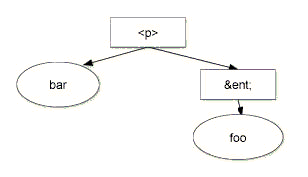
Figure: barTextNode.wholeText value is "barfoo" [SVG 1.0 version]
- Methods
replaceWholeTextintroduced in DOM Level 3-
Replaces the text of the current node and all logically-adjacent text nodes with the specified text. All logically-adjacent text nodes are removed including the current node unless it was the recipient of the replacement text.
This method returns the node which received the replacement text. The returned node is:-
null, when the replacement text is the empty string; - the current node, except when the current node is read-only;
-
a new
Textnode of the same type (TextorCDATASection) as the current node inserted at the location of the replacement.
For instance, in the above example callingreplaceWholeTexton theTextnode that contains "bar" with "yo" in argument results in the following:
Figure: barTextNode.replaceWholeText("yo") modifies the textual content of barTextNode with "yo" [SVG 1.0 version]
Where the nodes to be removed are read-only descendants of anEntityReference, theEntityReferencemust be removed instead of the read-only nodes. If anyEntityReferenceto be removed has descendants that are notEntityReference,Text, orCDATASectionnodes, thereplaceWholeTextmethod must fail before performing any modification of the document, raising aDOMExceptionwith the codeNO_MODIFICATION_ALLOWED_ERR.
For instance, in the example below callingreplaceWholeTexton theTextnode that contains "bar" fails, because theEntityReferencenode "ent" contains anElementnode which cannot be removed.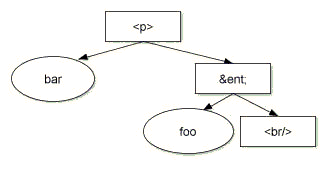
Figure: barTextNode.replaceWholeText("yo") raises a NO_MODIFICATION_ALLOWED_ERR DOMException [SVG 1.0 version]
Parameterscontentof typeDOMString-
The content of the replacing
Textnode.
Return ValueThe
Textnode created with the specified content.ExceptionsNO_MODIFICATION_ALLOWED_ERR: Raised if one of the
Textnodes being replaced is readonly. -
splitText-
Breaks this node into two nodes at the specified
offset, keeping both in the tree as siblings. After being split, this node will contain all the content up to theoffsetpoint. A new node of the same type, which contains all the content at and after theoffsetpoint, is returned. If the original node had a parent node, the new node is inserted as the next sibling of the original node. When theoffsetis equal to the length of this node, the new node has no data.Parametersoffsetof typeunsigned long-
The 16-bit unit offset at
which to split, starting from
0.
Return ValueThe new node, of the same type as this node.
ExceptionsINDEX_SIZE_ERR: Raised if the specified offset is negative or greater than the number of 16-bit units in
data.NO_MODIFICATION_ALLOWED_ERR: Raised if this node is readonly.
- Interface Comment
-
This interface inherits from
CharacterDataand represents the content of a comment, i.e., all the characters between the starting '<!--' and ending '-->'. Note that this is the definition of a comment in XML, and, in practice, HTML, although some HTML tools may implement the full SGML comment structure.No lexical check is done on the content of a comment and it is therefore possible to have the character sequence
"--"(double-hyphen) in the content, which is illegal in a comment per section 2.5 of [XML 1.0]. The presence of this character sequence must generate a fatal error during serialization.
IDL Definition-
interface Comment : CharacterData {
};
- Interface TypeInfo (introduced in DOM Level 3)
-
The
TypeInfointerface represent a type referenced fromElementorAttrnodes, specified in the schemas associated with the document. The type is a pair of a namespace URI and name properties, and depends on the document's schema.If the document's schema is an XML DTD [XML 1.0], the values are computed as follows:
-
If this type is referenced from an
Attrnode,typeNamespaceisnullandtypeNamerepresents the [attribute type] property in the [XML Information Set]. If there is no declaration for the attribute,typeNameisnull. -
If this type is referenced from an
Elementnode, thetypeNamespaceandtypeNamearenull.
If the document's schema is an XML Schema [XML Schema Part 1], the values are computed as follows using the post-schema-validation infoset contributions (also called PSVI contributions):
-
If the [validity] property exists AND is
"invalid" or "notKnown": the {target
namespace} and {name} properties of the declared type if
available, otherwise
null.Note: At the time of writing, the XML Schema specification does not require exposing the declared type. Thus, DOM implementations might choose not to provide type information if validity is not valid.
-
If the [validity] property exists and is "valid":
-
If [member type definition] exists:
- If {name} is not absent, then expose {name} and {target namespace} properties of the [member type definition] property;
- Otherwise, expose the namespace and local name of the corresponding anonymous type name.
-
If the [type definition] property exists:
- If {name} is not absent, then expose {name} and {target namespace} properties of the [type definition] property;
- Otherwise, expose the namespace and local name of the corresponding anonymous type name.
-
If the [member type definition anonymous] exists:
- If it is false, then expose [member type definition name] and [member type definition namespace] properties;
- Otherwise, expose the namespace and local name of the corresponding anonymous type name.
-
If the [type definition anonymous] exists:
- If it is false, then expose [type definition name] and [type definition namespace] properties;
- Otherwise, expose the namespace and local name of the corresponding anonymous type name.
-
If [member type definition] exists:
Note: Other schema languages are outside the scope of the W3C and therefore should define how to represent their type systems using
TypeInfo.
IDL Definition-
// Introduced in DOM Level 3:
interface TypeInfo {
  readonly attribute DOMString       typeName;
  readonly attribute DOMString       typeNamespace;

  // DerivationMethods
  const unsigned long       DERIVATION_RESTRICTION         = 0x00000001;
  const unsigned long       DERIVATION_EXTENSION           = 0x00000002;
  const unsigned long       DERIVATION_UNION               = 0x00000004;
  const unsigned long       DERIVATION_LIST                = 0x00000008;

  boolean            isDerivedFrom(in DOMString typeNamespaceArg,
                                   in DOMString typeNameArg,
                                   in unsigned long derivationMethod);
};
- Definition group DerivationMethods
The type of derivation, used by the method
TypeInfo.isDerivedFrom().- Defined Constants
DERIVATION_EXTENSION- If the document's schema is an XML Schema [XML Schema Part 1], this constant represents the derivation by extension if complex types are involved.
DERIVATION_LIST- If the document's schema is an XML Schema [XML Schema Part 1], this constant represents the list if simple types are involved.
DERIVATION_RESTRICTION- If the document's schema is an XML Schema [XML Schema Part 1], this constant represents the derivation by restriction if complex types are involved, or a restriction if simple types are involved.
DERIVATION_UNION- If the document's schema is an XML Schema [XML Schema Part 1], this constant represents the union if simple types are involved.
- Attributes
typeNameof typeDOMString, readonly-
The name of a type declared for the associated element or
attribute, or
nullif unknown.
typeNamespaceof typeDOMString, readonly-
The namespace of the type declared for the associated element or
attribute or
nullif the element does not have declaration or if no namespace information is available.
- Methods
isDerivedFrom-
The method checks if this
TypeInfoderives from the specified ancestor type.ParameterstypeNamespaceArgof typeDOMString-
the namespace of the ancestor type.
typeNameArgof typeDOMString-
the name of the ancestor type.
derivationMethodof typeunsigned long-
the type of derivation and conditions applied between two
types, as described in the list of constants provided in
this interface. Note that those constants:
- are only defined if the document's schema is an XML Schema;
- could be combined if XML Schema types are involved.
-
TypeInfo.DERIVATION_EXTENSIONonly applies to XML Schema complex types.
The value0x00000000represents any kind of derivation method.
Return Valuebooleantrueif the specified type is an ancestor according to the derivation parameter,falseotherwise. If the document's schema is a DTD or no schema is associated with the document, this method will always returnfalse.No Exceptions
-
If this type is referenced from an
- Interface UserDataHandler (introduced in DOM Level 3)
-
When associating an object to a key on a node using
Node.setUserData()the application can provide a handler that gets called when the node the object is associated to is being cloned, imported, or renamed. This can be used by the application to implement various behaviors regarding the data it associates to the DOM nodes. This interface defines that handler.
IDL Definition-
// Introduced in DOM Level 3:
interface UserDataHandler {

  // OperationType
  const unsigned short      NODE_CLONED                    = 1;
  const unsigned short      NODE_IMPORTED                  = 2;
  const unsigned short      NODE_DELETED                   = 3;
  const unsigned short      NODE_RENAMED                   = 4;
  const unsigned short      NODE_ADOPTED                   = 5;

  void               handle(in unsigned short operation,
                            in DOMString key,
                            in DOMUserData data,
                            in Node src,
                            in Node dst);
};
- Definition group OperationType
An integer indicating the type of operation being performed on a node.
- Defined Constants
NODE_ADOPTED-
The node is adopted, using
Node.adoptNode(). NODE_CLONED-
The node is cloned, using
Node.cloneNode(). NODE_DELETED-
The node is deleted.
Note: This may not be supported or may not be reliable in certain environments, such as Java, where the implementation has no real control over when objects are actually deleted.
NODE_IMPORTED-
The node is imported, using
Node.importNode(). NODE_RENAMED-
The node is renamed, using
Node.renameNode().
- Methods
handle-
This method is called whenever the node for which this handler is registered is imported or cloned.
Any exceptions thrown inside aUserDataHandlerwill be ignored.Parametersoperationof typeunsigned short-
Specifies the type of operation that is being performed on the
node.
keyof typeDOMString-
Specifies the key for which this handler is being called.
dataof typeDOMUserData-
Specifies the data for which this handler is being called.
srcof typeNode-
Specifies the node being cloned, adopted, imported, or
renamed. This is
nullwhen the node is being deleted.
dstof typeNode-
Specifies the node newly created if any, or
null.
No Return ValueNo Exceptions
- Interface DOMError (introduced in DOM Level 3)
-
DOMErroris an interface that describes an error.
IDL Definition-
// Introduced in DOM Level 3:
interface DOMError {

  // ErrorSeverity
  const unsigned short      SEVERITY_WARNING               = 1;
  const unsigned short      SEVERITY_ERROR                 = 2;
  const unsigned short      SEVERITY_FATAL_ERROR           = 3;

  readonly attribute unsigned short  severity;
  readonly attribute DOMString       message;
  readonly attribute DOMString       type;
  readonly attribute Object          relatedException;
  readonly attribute DOMObject       relatedData;
  readonly attribute DOMLocator      location;
};
- Definition group ErrorSeverity
An integer indicating the severity of the error.
- Defined Constants
SEVERITY_ERROR-
The severity of the error described by the
DOMErroris error. ASEVERITY_ERRORmay not cause the processing to stop if the error can be recovered, unlessDOMErrorHandler.handleError()returnsfalse. SEVERITY_FATAL_ERROR-
The severity of the error described by the
DOMErroris fatal error. ASEVERITY_FATAL_ERRORwill cause the normal processing to stop and the return value ofDOMErrorHandler.handleError()is ignored. If the implementation chooses to continue, the behavior is undefined. SEVERITY_WARNING-
The severity of the error described by the
DOMErroris warning. ASEVERITY_WARNINGwill not cause the processing to stop, unlessDOMErrorHandler.handleError()returnsfalse.
- Attributes
locationof typeDOMLocator, readonly- The location of the error.
messageof typeDOMString, readonly- An implementation specific string describing the error that
occurred.
relatedDataof typeDOMObject, readonly-
The related
DOMError.typedependent data if any.
relatedExceptionof typeObject, readonly- The related platform dependent exception if any.
severityof typeunsigned short, readonly- The severity of the error, either
SEVERITY_WARNING,SEVERITY_ERROR, orSEVERITY_FATAL_ERROR.
typeof typeDOMString, readonly-
A
DOMStringindicating which related data is expected inrelatedData. Users should refer to the specification of the error in order to find itsDOMStringtype andrelatedDatadefinitions if any.Note: As an example,
Document.normalizeDocument()does generate warnings when the "split-cdata-sections" parameter is in use. Therefore, the method generates aSEVERITY_WARNINGwithtype"cdata-section-splitted"and the firstCDATASectionnode in document order resulting from the split is returned by therelatedDataattribute.
- Interface DOMErrorHandler (introduced in DOM Level 3)
-
DOMErrorHandleris a callback interface that the DOM implementation can call when reporting errors that happens while processing XML data, or when doing some other processing (e.g. validating a document). ADOMErrorHandlerobject can be attached to aDocumentusing the "error-handler" on theDOMConfigurationinterface. If more than one error needs to be reported during an operation, the sequence and numbers of the errors passed to the error handler are implementation dependent.The application that is using the DOM implementation is expected to implement this interface.
IDL Definition-
// Introduced in DOM Level 3:
interface DOMErrorHandler {
  boolean            handleError(in DOMError error);
};
- Methods
handleError-
This method is called on the error handler when an error occurs.
If an exception is thrown from this method, it is considered to be equivalent of returningtrue.Parameterserrorof typeDOMError-
The error object that describes the error. This object may
be reused by the DOM implementation across multiple calls to
the
handleErrormethod.
Return ValuebooleanIf the
handleErrormethod returnsfalse, the DOM implementation should stop the current processing when possible. If the method returnstrue, the processing may continue depending onDOMError.severity.No Exceptions
- Interface DOMLocator (introduced in DOM Level 3)
-
DOMLocatoris an interface that describes a location (e.g. where an error occurred).
IDL Definition-
// Introduced in DOM Level 3:
interface DOMLocator {
  readonly attribute long            lineNumber;
  readonly attribute long            columnNumber;
  readonly attribute long            byteOffset;
  readonly attribute long            utf16Offset;
  readonly attribute Node            relatedNode;
  readonly attribute DOMString       uri;
};
- Attributes
byteOffsetof typelong, readonly- The byte offset into the input source this locator is pointing
to or
-1if there is no byte offset available.
columnNumberof typelong, readonly- The column number this locator is pointing to, or
-1if there is no column number available.
lineNumberof typelong, readonly- The line number this locator is pointing to, or
-1if there is no column number available.
relatedNodeof typeNode, readonly- The node this locator is pointing to, or
nullif no node is available.
uriof typeDOMString, readonly- The URI this locator is pointing to, or
nullif no URI is available.
utf16Offsetof typelong, readonly- The UTF-16, as defined in [Unicode] and Amendment
1 of [ISO/IEC 10646], offset into the input source this
locator is pointing to or
-1if there is no UTF-16 offset available.
- Interface DOMConfiguration (introduced in DOM Level 3)
-
The
DOMConfigurationinterface represents the configuration of a document and maintains a table of recognized parameters. Using the configuration, it is possible to changeDocument.normalizeDocument()behavior, such as replacing theCDATASectionnodes withTextnodes or specifying the type of the schema that must be used when the validation of theDocumentis requested.DOMConfigurationobjects are also used in [DOM Level 3 Load and Save] in theDOMParserandDOMSerializerinterfaces.The parameter names used by the
DOMConfigurationobject are defined throughout the DOM Level 3 specifications. Names are case-insensitives. To avoid possible conflicts, as a convention, names referring to parameters defined outside the DOM specification should be made unique. Because parameters are exposed as properties in the ECMAScript Language Binding, names are recommended to follow the section "5.16 Identifiers" of [Unicode] with the addition of the character '-' (HYPHEN-MINUS) but it is not enforced by the DOM implementation. DOM Level 3 Core Implementations are required to recognize all parameters defined in this specification. Some parameter values may also be required to be supported by the implementation. Refer to the definition of the parameter to know if a value must be supported or not.Note: Parameters are similar to features and properties used in SAX2 [SAX].
The following list of parameters defined in the DOM:
"canonical-form"true- [optional]
Canonicalize the document according to the rules specified in [Canonical XML]. Note that this is limited to what can be represented in the DOM. In particular, there is no way to specify the order of the attributes in the DOM.
This forces the following parameters tofalse: "entities", "normalize-characters", "cdata-sections".
This forces the following parameters totrue: "namespaces", "namespace-declarations", "well-formed", "element-content-whitespace".
Other parameters are not changed unless explicitly specified in the description of the parameters.
In addition, theDocumentTypenode is removed from the tree if any and superfluous namespace declarations are removed from each element.
Note that querying this parameter withgetParametercannot returntrueunless it has been set totrueand the parameters described above are appropriately set. false- [required] (default)
Do not canonicalize the document.
"cdata-sections"true- [required] (default)
KeepCDATASectionnodes in the document. false- [required]
TransformCDATASectionnodes in the document intoTextnodes. The newTextnode is then combined with any adjacentTextnode.
"check-character-normalization"true- [optional]
Check if the characters in the document are fully normalized according to the rules defined in [CharModel] supplemented by the definitions of relevant constructs from Section 2.13 of [XML 1.1]. false- [required] (default)
Do not check if characters are normalized.
"comments""datatype-normalization"true- [optional]
Exposed schema-normalized values in the tree. Since this parameter requires to have schema information, the "validate" parameter will also be set totrue. Having this parameter activated when "validate" isfalsehas no effect and no schema-normalization will happen.Note: Since the document contains the result of the XML 1.0 processing, this parameter does not apply to attribute value normalization as defined in section 3.3.3 of [XML 1.0] and is only meant for schema languages other than Document Type Definition (DTD).
false- [required] (default)
Do not perform schema normalization on the tree.
"entities"true- [required] (default)
KeepEntityReferenceandEntitynodes in the document. false- [required]
Remove allEntityReferenceandEntitynodes from the document, putting the entity expansions directly in their place.Textnodes are normalized, as defined inNode.normalize. OnlyEntityReferencenodes to non-defined entities are kept in the document, with their associatedEntitynodes if any.
"error-handler"- [required]
Contains aDOMErrorHandlerobject. If an error is encountered in the document, the implementation will call back theDOMErrorHandlerregistered using this parameter. The implementation may provide a defaultDOMErrorHandlerobject.
When called,DOMError.relatedDatawill contain the closest node to where the error occurred. If the implementation is unable to determine the node where the error occurs,DOMError.relatedDatawill contain theDocumentnode. Mutations to the document from within an error handler will result in implementation dependent behavior. "infoset"true- [required]
Keep in the document the information defined in the XML Information Set [XML Information Set].
This forces the following parameters tofalse: "validate-if-schema", "entities", "datatype-normalization", "cdata-sections".
This forces the following parameters totrue: "namespace-declarations", "well-formed", "element-content-whitespace", "comments", "namespaces".
Other parameters are not changed unless explicitly specified in the description of the parameters.
Note that querying this parameter withgetParameterreturnstrueonly if the individual parameters specified above are appropriately set. false- Setting
infosettofalsehas no effect.
"namespaces"true- [required] (default)
Perform the namespace processing as defined in Namespace normalization. false- [optional]
Do not perform the namespace processing.
"namespace-declarations"true- [required] (default)
Include namespace declaration attributes, specified or defaulted from the schema, in the document. See also the sections "Declaring Namespaces" in [XML Namespaces] and [XML Namespaces 1.1]. false- [required]
Discard all namespace declaration attributes. The namespace prefixes (Node.prefix) are retained even if this parameter is set tofalse.
"normalize-characters"true- [optional]
Fully normalize the characters in the document according to the rules defined in [CharModel] supplemented by the definitions of relevant constructs from Section 2.13 of [XML 1.1]. false- [required] (default)
Do not perform character normalization.
"schema-location"- [optional]
Represent aDOMStringobject containing a list of URIs, separated by whitespaces (characters matching the nonterminal production S defined in section 2.3 [XML 1.0]), that represents the schemas against which validation should occur, i.e. the current schema. The types of schemas referenced in this list must match the type specified withschema-type, otherwise the behavior of an implementation is undefined.
The schemas specified using this property take precedence to the schema information specified in the document itself. For namespace aware schema, if a schema specified using this property and a schema specified in the document instance (i.e. using theschemaLocationattribute) in a schema document (i.e. using schemaimportmechanisms) share the sametargetNamespace, the schema specified by the user using this property will be used. If two schemas specified using this property share the sametargetNamespaceor have no namespace, the behavior is implementation dependent.
If no location has been provided, this parameter isnull.Note: The
"schema-location"parameter is ignored unless the "schema-type" parameter value is set. It is strongly recommended thatDocument.documentURIwill be set so that an implementation can successfully resolve any external entities referenced. "schema-type"- [optional]
Represent aDOMStringobject containing an absolute URI and representing the type of the schema language used to validate a document against. Note that no lexical checking is done on the absolute URI.
If this parameter is not set, a default value may be provided by the implementation, based on the schema languages supported and on the schema language used at load time. If no value is provided, this parameter isnull.Note: For XML Schema [XML Schema Part 1], applications must use the value
"http://www.w3.org/2001/XMLSchema". For XML DTD [XML 1.0], applications must use the value"http://www.w3.org/TR/REC-xml". Other schema languages are outside the scope of the W3C and therefore should recommend an absolute URI in order to use this method. "split-cdata-sections"true- [required] (default)
Split CDATA sections containing the CDATA section termination marker ']]>'. When a CDATA section is split a warning is issued with aDOMError.typeequals to"cdata-sections-splitted"andDOMError.relatedDataequals to the firstCDATASectionnode in document order resulting from the split. false- [required]
Signal an error if aCDATASectioncontains an unrepresentable character.
"validate"true- [optional]
Require the validation against a schema (i.e. XML schema, DTD, any other type or representation of schema) of the document as it is being normalized as defined by [XML 1.0]. If validation errors are found, or no schema was found, the error handler is notified. Schema-normalized values will not be exposed according to the schema in used unless the parameter "datatype-normalization" istrue.
This parameter will reevaluate:-
Attribute nodes with
Attr.specifiedequals tofalse, as specified in the description of theAttrinterface; -
The value of the attribute
Text.isElementContentWhitespacefor allTextnodes; -
The value of the attribute
Attr.isIdfor allAttrnodes; -
The attributes
Element.schemaTypeInfoandAttr.schemaTypeInfo.
Note: "validate-if-schema" and "validate" are mutually exclusive, setting one of them to
truewill set the other one tofalse. Applications should also consider setting the parameter "well-formed" totrue, which is the default for that option, when validating the document. -
Attribute nodes with
false- [required] (default)
Do not accomplish schema processing, including the internal subset processing. Note that validation might still happen if ""validate-if-schema" istrue.
"validate-if-schema"true- [optional]
Enable validation only if a declaration for the document element can be found in a schema (independently of where it is found, i.e. XML schema, DTD, or any other type or representation of schema). If validation is enabled, this parameter has the same behavior as the parameter "validate" set totrue.Note: "validate-if-schema" and "validate" are mutually exclusive, setting one of them to
truewill set the other one tofalse. false- [required] (default)
No schema processing should be performed if the document has a schema, including internal subset processing. Note that validation must still happen if "validate" istrue.
"well-formed"true- [required] (default)
Check if all nodes are XML well formed according to the XML version in use inDocument.xmlVersion:-
check if the attribute
Node.nodeNamecontains invalid characters according to its node type and generate aDOMErrorof type"wf-invalid-character-in-node-name", with aDOMError.SEVERITY_ERRORseverity, if necessary; -
check if the text content inside
Attr,Element,Comment,Text,CDATASectionnodes for invalid characters and generate aDOMErrorof type"wf-invalid-character", with aDOMError.SEVERITY_ERRORseverity, if necessary; -
check if the data inside
ProcessingInstructionnodes for invalid characters and generate aDOMErrorof type"wf-invalid-character", with aDOMError.SEVERITY_ERRORseverity, if necessary;
-
check if the attribute
false- [optional]
Do not check for XML well-formedness.
"element-content-whitespace"true- [required] (default)
Keep all whitespaces in the document. false- [optional]
Discard allTextnodes that contain whitespaces in element content, as described in [element content whitespace]. The implementation is expected to use the attributeText.isElementContentWhitespaceto determine if aTextnode should be discarded or not.
The resolution of the system identifiers associated with entities is done using
Document.documentURI. However, when the feature "LS" defined in [DOM Level 3 Load and Save] is supported by the DOM implementation, the parameter "resource-resolver" can also be used onDOMConfigurationobjects attached toDocumentnodes. If this parameter is set,Document.normalizeDocument()will invoke the resource resolver instead of usingDocument.documentURI.
IDL Definition-
// Introduced in DOM Level 3:
interface DOMConfiguration {
  void               setParameter(in DOMString name,
                                  in DOMUserData value)
                                        raises(DOMException);
  DOMUserData        getParameter(in DOMString name)
                                        raises(DOMException);
  boolean            canSetParameter(in DOMString name,
                                     in DOMUserData value);
  readonly attribute DOMStringList   parameterNames;
};
- Attributes
parameterNamesof typeDOMStringList, readonly-
The list of the parameters supported by this
DOMConfigurationobject and for which at least one value can be set by the application. Note that this list can also contain parameter names defined outside this specification.
- Methods
canSetParameter-
Check if setting a parameter to a specific value is supported.Parameters
nameof typeDOMString-
The name of the parameter to check.
valueof typeDOMUserData-
An object. if
null, the returned value istrue.
Return Valuebooleantrueif the parameter could be successfully set to the specified value, orfalseif the parameter is not recognized or the requested value is not supported. This does not change the current value of the parameter itself.No Exceptions getParameter-
Return the value of a parameter if known.Parameters
nameof typeDOMString-
The name of the parameter.
Return ValueThe current object associated with the specified parameter or
nullif no object has been associated or if the parameter is not supported.ExceptionsNOT_FOUND_ERR: Raised when the parameter name is not recognized.
setParameter-
Set the value of a parameter.Parameters
nameof typeDOMString-
The name of the parameter to set.
valueof typeDOMUserData-
The new value or
nullif the user wishes to unset the parameter. While the type of the value parameter is defined asDOMUserData, the object type must match the type defined by the definition of the parameter. For example, if the parameter is "error-handler", the value must be of typeDOMErrorHandler.
ExceptionsNOT_FOUND_ERR: Raised when the parameter name is not recognized.
NOT_SUPPORTED_ERR: Raised when the parameter name is recognized but the requested value cannot be set.
TYPE_MISMATCH_ERR: Raised if the value type for this parameter name is incompatible with the expected value type.
No Return Value
1.5 Extended Interfaces: XML module
The interfaces defined here form part of the DOM Core specification, but objects that expose these interfaces will never be encountered in a DOM implementation that deals only with HTML.
The interfaces found within this section are not mandatory. A DOM
application may use the
DOMImplementation.hasFeature(feature, version) method
with parameter values "XML" and "3.0" (respectively) to determine
whether or not this module is supported by the implementation. In
order to fully support this module, an implementation must also
support the "Core" feature defined in Fundamental Interfaces: Core module
and the feature "XMLVersion" with version "1.0" defined in
Document.xmlVersion. Please refer to additional
information about Conformance in this
specification. The DOM Level 3 XML module is backward compatible
with the DOM Level 2 XML [DOM Level 2 Core] and DOM Level 1 XML [DOM Level 1] modules, i.e. a DOM Level 3 XML implementation
who returns true for "XML" with the
version number "3.0" must also return
true for this feature when the
version number is "2.0",
"1.0", "" or, null.
- Interface CDATASection
-
CDATA sections are used to escape blocks of text containing characters that would otherwise be regarded as markup. The only delimiter that is recognized in a CDATA section is the "]]>" string that ends the CDATA section. CDATA sections cannot be nested. Their primary purpose is for including material such as XML fragments, without needing to escape all the delimiters.
The
CharacterData.dataattribute holds the text that is contained by the CDATA section. Note that this may contain characters that need to be escaped outside of CDATA sections and that, depending on the character encoding ("charset") chosen for serialization, it may be impossible to write out some characters as part of a CDATA section.The
CDATASectioninterface inherits from theCharacterDatainterface through theTextinterface. AdjacentCDATASectionnodes are not merged by use of thenormalizemethod of theNodeinterface.No lexical check is done on the content of a CDATA section and it is therefore possible to have the character sequence
"]]>"in the content, which is illegal in a CDATA section per section 2.7 of [XML 1.0]. The presence of this character sequence must generate a fatal error during serialization or the cdata section must be splitted before the serialization (see also the parameter"split-cdata-sections"in theDOMConfigurationinterface).Note: Because no markup is recognized within a
CDATASection, character numeric references cannot be used as an escape mechanism when serializing. Therefore, action needs to be taken when serializing aCDATASectionwith a character encoding where some of the contained characters cannot be represented. Failure to do so would not produce well-formed XML.
One potential solution in the serialization process is to end the CDATA section before the character, output the character using a character reference or entity reference, and open a new CDATA section for any further characters in the text node. Note, however, that some code conversion libraries at the time of writing do not return an error or exception when a character is missing from the encoding, making the task of ensuring that data is not corrupted on serialization more difficult.
IDL Definition-
interface CDATASection : Text {
};
- Interface DocumentType
-
Each
Documenthas adoctypeattribute whose value is eithernullor aDocumentTypeobject. TheDocumentTypeinterface in the DOM Core provides an interface to the list of entities that are defined for the document, and little else because the effect of namespaces and the various XML schema efforts on DTD representation are not clearly understood as of this writing.The DOM Level 2 doesn't support editing
DocumentTypenodes.DocumentTypenodes are read-only.
IDL Definition-
interface DocumentType : Node {
  readonly attribute DOMString       name;
  readonly attribute NamedNodeMap    entities;
  readonly attribute NamedNodeMap    notations;
  // Introduced in DOM Level 2:
  readonly attribute DOMString       publicId;
  // Introduced in DOM Level 2:
  readonly attribute DOMString       systemId;
  // Introduced in DOM Level 2:
  readonly attribute DOMString       internalSubset;
};
- Attributes
entitiesof typeNamedNodeMap, readonly- A
NamedNodeMapcontaining the general entities, both external and internal, declared in the DTD. Parameter entities are not contained. Duplicates are discarded. For example in:the interface provides access to<!DOCTYPE ex SYSTEM "ex.dtd" [ <!ENTITY foo "foo"> <!ENTITY bar "bar"> <!ENTITY bar "bar2"> <!ENTITY % baz "baz"> ]> <ex/>
fooand the first declaration ofbarbut not the second declaration ofbarorbaz. Every node in this map also implements theEntityinterface.
The DOM Level 2 does not support editing entities, thereforeentitiescannot be altered in any way.
internalSubsetof typeDOMString, readonly, introduced in DOM Level 2- The internal subset as a string, or
nullif there is none. This is does not contain the delimiting square brackets.Note: The actual content returned depends on how much information is available to the implementation. This may vary depending on various parameters, including the XML processor used to build the document.
nameof typeDOMString, readonly- The name of DTD; i.e., the name immediately following the
DOCTYPEkeyword.
notationsof typeNamedNodeMap, readonly- A
NamedNodeMapcontaining the notations declared in the DTD. Duplicates are discarded. Every node in this map also implements theNotationinterface.
The DOM Level 2 does not support editing notations, thereforenotationscannot be altered in any way.
publicIdof typeDOMString, readonly, introduced in DOM Level 2- The public identifier of the external subset.
systemIdof typeDOMString, readonly, introduced in DOM Level 2- The system identifier of the external subset. This may be an absolute
URI or not.
- Interface Notation
-
This interface represents a notation declared in the DTD. A notation either declares, by name, the format of an unparsed entity (see section 4.7 of the XML 1.0 specification [XML 1.0]), or is used for formal declaration of processing instruction targets (see section 2.6 of the XML 1.0 specification [XML 1.0]). The
nodeNameattribute inherited fromNodeis set to the declared name of the notation.The DOM Core does not support editing
Notationnodes; they are therefore readonly.A
Notationnode does not have any parent.
IDL Definition-
interface Notation : Node {
  readonly attribute DOMString       publicId;
  readonly attribute DOMString       systemId;
};
- Attributes
publicIdof typeDOMString, readonly- The public identifier of this notation. If the
public identifier was not specified, this is
null.
systemIdof typeDOMString, readonly- The system identifier of this notation. If the system identifier
was not specified, this is
null. This may be an absolute URI or not.
- Interface Entity
-
This interface represents a known entity, either parsed or unparsed, in an XML document. Note that this models the entity itself not the entity declaration.
The
nodeNameattribute that is inherited fromNodecontains the name of the entity.An XML processor may choose to completely expand entities before the structure model is passed to the DOM; in this case there will be no
EntityReferencenodes in the document tree.XML does not mandate that a non-validating XML processor read and process entity declarations made in the external subset or declared in parameter entities. This means that parsed entities declared in the external subset need not be expanded by some classes of applications, and that the replacement text of the entity may not be available. When the replacement text is available, the corresponding
Entitynode's child list represents the structure of that replacement value. Otherwise, the child list is empty.The DOM Level 2 does not support editing
Entitynodes; if a user wants to make changes to the contents of anEntity, every relatedEntityReferencenode has to be replaced in the structure model by a clone of theEntity's contents, and then the desired changes must be made to each of those clones instead.Entitynodes and all their descendants are readonly.An
Entitynode does not have any parent.Note: If the entity contains an unbound namespace prefix, the
namespaceURIof the corresponding node in theEntitynode subtree isnull. The same is true forEntityReferencenodes that refer to this entity, when they are created using thecreateEntityReferencemethod of theDocumentinterface. The DOM Level 2 does not support any mechanism to resolve namespace prefixes.
IDL Definition-
interface Entity : Node {
  readonly attribute DOMString       publicId;
  readonly attribute DOMString       systemId;
  readonly attribute DOMString       notationName;
  // Introduced in DOM Level 3:
  readonly attribute DOMString       inputEncoding;
  // Introduced in DOM Level 3:
  readonly attribute DOMString       xmlEncoding;
  // Introduced in DOM Level 3:
  readonly attribute DOMString       xmlVersion;
};
- Attributes
inputEncodingof typeDOMString, readonly, introduced in DOM Level 3- An attribute specifying the encoding used for this entity at
the time of parsing, when it is
an external parsed entity. This is
nullif it an entity from the internal subset or if it is not known.
notationNameof typeDOMString, readonly- For unparsed entities, the name of the notation for the entity. For
parsed entities, this is
null.
publicIdof typeDOMString, readonly- The public identifier associated with the entity if specified, and
nullotherwise.
systemIdof typeDOMString, readonly- The system identifier associated with the entity if specified, and
nullotherwise. This may be an absolute URI or not.
xmlEncodingof typeDOMString, readonly, introduced in DOM Level 3- An attribute specifying, as part of the text declaration, the encoding
of this entity, when it is an external parsed entity. This is
nullotherwise.
xmlVersionof typeDOMString, readonly, introduced in DOM Level 3- An attribute specifying, as part of the text declaration, the version
number of this entity, when it is an external parsed entity. This is
nullotherwise.
- Interface EntityReference
-
EntityReferencenodes may be used to represent an entity reference in the tree. Note that character references and references to predefined entities are considered to be expanded by the HTML or XML processor so that characters are represented by their Unicode equivalent rather than by an entity reference. Moreover, the XML processor may completely expand references to entities while building theDocument, instead of providingEntityReferencenodes. If it does provide such nodes, then for anEntityReferencenode that represents a reference to a known entity anEntityexists, and the subtree of theEntityReferencenode is a copy of theEntitynode subtree. However, the latter may not be true when an entity contains an unbound namespace prefix. In such a case, because the namespace prefix resolution depends on where the entity reference is, the descendants of theEntityReferencenode may be bound to different namespace URIs. When anEntityReferencenode represents a reference to an unknown entity, the node has no children and its replacement value, when used byAttr.valuefor example, is empty.As for
Entitynodes,EntityReferencenodes and all their descendants are readonly.Note:
EntityReferencenodes may cause element content and attribute value normalization problems when, such as in XML 1.0 and XML Schema, the normalization is performed after entity reference are expanded.
IDL Definition-
interface EntityReference : Node {
};
- Interface ProcessingInstruction
-
The
ProcessingInstructioninterface represents a "processing instruction", used in XML as a way to keep processor-specific information in the text of the document.No lexical check is done on the content of a processing instruction and it is therefore possible to have the character sequence
"?>"in the content, which is illegal a processing instruction per section 2.6 of [XML 1.0]. The presence of this character sequence must generate a fatal error during serialization.
IDL Definition-
interface ProcessingInstruction : Node {
  readonly attribute DOMString       target;
           attribute DOMString       data;
                                        // raises(DOMException) on setting

};
- Attributes
dataof typeDOMString- The content of this processing instruction. This is from the first non
white space character after the target to the character immediately
preceding the
?>.
Exceptions on settingNO_MODIFICATION_ALLOWED_ERR: Raised when the node is readonly.
targetof typeDOMString, readonly- The target of this processing instruction. XML defines this as being
the first token following the markup
that begins the processing instruction.