
Copyright © 1999
W3C
® (
MIT,
INRIA,
Keio), All Rights Reserved. W3C
liability,
trademark,
document
use and
software
licensing rules apply.
This document specifies the "Boston" version of the Synchronized Multimedia Integration Language (SMIL, pronounced "smile"). SMIL Boston has the following two design goals:
This section describes the status of this document at the time of its publication. Other documents may supersede this document. The latest status of this document series is maintained at the W3C.
This document is the first working draft of the specification for the next version of SMIL code-named "Boston". It has been produced as part of the W3C Synchronized Multimedia Activity. The document has been written by the SYMM Working Group (members only). The goals of this group are discussed in the SYMM Working Group charter (members only).
Many parts of the document are still preliminary, and do not constitute full consensus within the Working Group. Also, some of the functionality planned for SMIL Boston is not contained in this draft. Many parts are not yet detailed enough for implementation, and other parts are only suitable for highly experimental implementation work.
At this point, the W3C SYMM WG seeks input by the public on the concepts and directions described in this specification. Please send your comments to www-smil@w3.org. Since it is difficult to anticipate the number of comments that come in, the WG cannot guarantee an individual response to all comments. However, we will study each comment carefully, and try to be as responsive as time permits.
The only difference between this working draft and the version from August 3 1999 is that the draft is also provide as a single HTML document.
This working draft may be updated, replaced or rendered obsolete by other W3C documents at any time. It is inappropriate to use W3C Working Drafts as reference material or to cite them as other than "work in progress". This document is work in progress and does not imply endorsement by the W3C membership.
B. Synchronized Multimedia Integration Language (SMIL) Modules
D. Content Control Module (detailed specification not yet available)
E. Event Module (detailed specification not yet available)
F. Integration Module (detailed specification not yet available)
G. Layout Module (detailed specification not yet available)
ref, animation, audio, img, video, text
and textstream elements
rtpmap element
J. Metainformation Module (detailed specification not yet available)
K. Structure Module (detailed specification not yet available)
L. SMIL Timing and Synchronization
M. Integrating SMIL Timing into other XML-Based Languages
O. Synchronized Multimedia Integration Language (SMIL) Document Object Model
This document specifies the "Boston" version of the Synchronized Multimedia Integration Language (SMIL, pronounced "smile"). SMIL Boston has the following two design goals:
SMIL Boston is defined as a set of markup modules, which define the semantics and an XML syntax for certain areas of SMIL functionality. All modules have an associated Document Object Model (DOM).
SMIL Boston deprecates some SMIL 1.0 syntax in favor of more DOM friendly syntax. Most notable is the change from hyphenated attribute names to mixed case (camel case) attribute names, e.g., clipBegin is introduced in favor of clip-begin. The SMIL Boston modules do not contain these SMIL 1.0 attributes so that integration applications are not burdened with supporting them. SMIL document players, those applications that support playback of "application/smil" documents (or <smil></smil> documents (or however we denote SMIL documents vs. integration documents)) must support the SMIL 1.0 attribute names.
This specification is structured as follows: Section B presents the individual modules in more detail, and gives example profiles. Section 2 defines the animation module. Section C defines the animation module. Section D defines control elements such as the switch element. Section E defines the SMIL event model. Section F defines syntax that is only used when SMIL modules are integrated into other XML-based languages. Section G defines the elements that can be used to define the layout of a SMIL presentation. Section H provides for XML linking into SMIL documents. Section I defines elements and attributes allowing to describe media objects. Section J defines the meta element functionality. Section K defines the elements that form the sceleton of a SMIL document (head, body etc.). Section L defines the Timing and Synchronization elements. In particular, this Section defines the time model used in SMIL. Section M explains how SMIL timing can be integrated into other XML-based languages.
This document has been prepared by the Synchronized Multimedia Working Group (WG) of the World Wide Web Consortium. The WG includes the following individuals:
In addition to the working group members, the following people contributed to the SMIL effort: Dan Austin (CNET), Rob Glidden (Web3D), Mark Hakkinen (The Productivity Works), Jonathan Hui (Canon), Rob Lanphier (RealNetworks), Tony Parisi (Web3D), Dave Raggett (W3C).
This is a working draft of a specification of synchronized multimedia integration language (SMIL) modules. These modules may be used to provide multimedia features to other XML based languages, such as the Extensible Hypertext Markup Language (XHTML). To demonstrate how these modules may be used, this specification outlines a set of sample profiles based on common use cases.
The first W3C Working Group on Synchronized Multimedia (SYMM) developed SMIL, the Synchronized Multimedia Integration Language [SMIL]. This XML-based language [XML] is used to express timing relationships among media elements such as audio and video files. SMIL 1.0 documents describe multimedia presentations that can be played in a SMIL-conformant viewer.
Since the publication of SMIL 1.0, interest in the integration of SMIL concepts with the HTML, the Hypertext Markup Language [HTML], and other XML languages, has grown. Likewise, the W3C HTML Working Group is exploring how the XHTML, the Extensible Markup Language [XHTML], can be integrated with other languages. Both Working Groups are considering modularization as a strategy for integrating their respective functionality with each other and other XML languages.
Modularization is a solution in which a language's functionality is partitioned into sets of semantically-related elements. Profiling is the combination of these feature sets to solve a particular problem. For the purposes of this specification we define:
SMIL functionality is partitioned into modules based on the following design requirements:
The first requirement is that modules are specified such that a collection of modules can be "recombined" in such a way as to be backward compatible with SMIL (it will properly play SMIL conforming content).
The second requirement is that the semantics of SMIL must not change when they are embodied in a module. Fundamentally, this ensures the integrity of the SMIL content and timing models. This is particularly relevant when a different syntax is required to integrate SMIL functionality with other languages.
The third requirement is that modules be isomorphic with other modules from other W3C recommendations. This will assist designers when sharing modules across profiles.
The fourth requirement is that specific attention be payed to providing multimedia functionality to the XHTML language. XHTML is the reformulation of HTML in XML.
The fifth requirement is that the modules should adopt new W3C recommendations when they are appropriate and when they do not conflict with other requirements (such as complementing the XHTML language).
The sixth requirement is to ensure that modules have integrated support for the document object model. This facilitates additional control through scripting and user agents.
These requirements, and the ongoing work by the SYMM Working Group, led to a partitioning of SMIL functionality into nine modules.
SMIL functionality is partitioned into nine (9) modules :
Each of these modules introduces a set of semantically-related elements, properties, and attributes.
The Animation Module provides a framework for incorporating animation onto a timeline (a timing model) and a mechanism for composing the effects of multiple animations (a composition model). The Animation Module defines semantics for the animate, set, move, and colorAnim elements.
The Content Control Module provides a framework for selecting content based on a set of test attributes. The Content Control Module defines semantics for the switch element.
The Event Module provides a framework for realizing the event model specified in the W3C Document Object Model Level 2. The Event Module defines semantics for the eventhandler and event elements.
The Layout Module provides a framework for spatial layout of visual components. The Layout Module defines semantics for the layout, root-layout, and region elements.
The Linking Module provides a framework for relating documents to content, documents and document fragments. The Linking Module defines semantics for the a and anchor elements.
The Media Object Module provides a framework for declaring media. The Media Object Module defines semantics for the ref, animation, audio, img, video, text, textstream, xref, xanimation, xaudio, ximg, xvideo, xtext, xtextstream elements.
The Metainformation Module provides a framework for describing a document, either to inform the human user or to assist in automation. The Metainformation Module defines semantics for the meta element.
The Structure Module provides a framework for structuring a SMIL document. The Structure Module defines semantics for the smil, head, and body elements.
The Timing and Synchronization Module provides a framework for describing timing structure, timing control properties, and temporal relationships between elements. The Timing and Synchronization Module defines semantics for par, seq, excl, and choice elements. In addition, this module defines semantics for properties such as begin, beginAfter, beginWith, beginEvent, dur, end, endEvent, endWith, eventRestart, repeat, repeatDur, timeAction, and timeline. These elements and attributes are subject to change.
A requirement for SMIL modularization is that the modules be isomorphic with other modules from other W3C recommendations. Isomorphism will assist designers when sharing modules across profiles.
SMIL modules
|
HTML modules
|
||
| Animation | animate | - | - |
| Content Control | switch | - | - |
| Event | event, eventhandler | Intrinsic Events | onevent |
| Event | event, eventhandler | ||
| Layout | layout, region, root-layout | Stylesheet | style |
| Linking | a, anchor | Hypertext | a |
| Link | link | ||
| Base | base | ||
| Image Map | map, area | ||
| Media Object | ref, audio, video, text, img, animation, textstream | Object | object, param |
| Image | img | ||
| Applet | applet, param | ||
| Metainformation | meta | Metainformation | meta |
| Structure | smil, head, body | Structure | html, head, body, title |
| ??? | div and span | ||
| Timing and Synchronization | par, seq | - | - |
As can be seen in the table, there are two modules that appear in both SMIL and HTML: Event and Metainformation. Work is underway to define a single module that can be shared by both SMIL and HTML.
There are a range of possible profiles that may be built using SMIL modules. Four profiles are defined to inform the reader of how profiles may be constructed to solve particular problems:
These example profiles are non-normative.
The Lightweight Presentations Profile handles simple presentations, supporting timing of text content. The simplest version of this could be used to sequence stock quotes or headlines on constrained devices such as a palmtop device or a smart phone. This example profile might include the following SMIL modules:
This profile may be based on XHTML modules [XMOD] with the addition of Timing and Synchronization Module. Transitions might be accomplished using the Animation Module.
The SMIL-Boston Profile supports the timeline-centric multimedia features found in SMIL language. This profile might include the following SMIL modules:
The XHTML Presentations Profile integrates multimedia, XHTML layout, and CSS positioning. This profile might include the following SMIL modules:
This profile would use XHTML modules for structure and layout and SMIL modules for multimedia and timing. The linking functionality may come from the XHTML modules [XMOD] or from the SMIL modules.
The Web Enhanced Media Profile supports the integration of multimedia presentations with broadcast or on-demand streaming media. The primary media will often define the main timeline. This profile might include the following SMIL modules:
This profile is similar to the XHTML Presentations Profile with additional support to manage stream events and synchronization of the document's clock to the primary media.
[SMIL] "Synchronized Multimedia Integration Language (SMIL) 1.0 Specification", P. Hoschka, 15 Jun 98. This is available at http://www.w3.org/TR/REC-smil.
[XML] "Extensible Markup Language (XML) 1.0", T. Bray, J. Paoli, C. M. Sperberg-McQueen, 10 Feb 98. This is available at http://www.w3.org/TR/REC-xml.
[HTML] "HTML 4.0 Specification", D. Raggett, A. Le Hors, I. Jacobs, 24 Apr 98. This is available at http://www.w3.org/TR/REC-html40.
[XHTML] "Extensible Markup Language (XHTML) 1.0 Specification"
[XMOD] "Modularization of XHTML Working Draft"
We will probably want to follow the HTML WG's lead on architecting module DTDs and the drivers for combining these DTDs automatically. We might want to consider our schedule in light of the XML Schema schedule.
The modules defined in this WD need to clearly align with the interfaces defined in the SMIL DOM WD and the existing DOM Level 1 and DOM Level 2 interfaces.
This is a working draft of a specification of animation functionality for XML documents. It is part of work in the Synchronized Multimedia Working Group (SYMM) towards a next version of the SMIL language and modules. It describes an animation framework as well as a set of base XML animation elements, included in SMIL and suitable for integration with other XML documents.
The first W3C Working Group on Synchronized Multimedia (SYMM) developed SMIL - Synchronized Multimedia Integration Language. This XML-based language is used to express synchronization relationships among media elements. SMIL 1.0 documents describe multimedia presentations that can be played in SMIL-conformant viewers.
SMIL 1.0 was focused primarily on linear presentations, and did not include support for animation. Other working groups (especially Graphics) are exploring animation support for things like vector graphics languages. As the timing model is at the heart of animation support, it is appropriate for the SYMM working group to define a framework for animation support, and to define a base set of widely applicable animation structures. This document describes that support.
Where SMIL 1.0 defined a document type and the associated semantics, the next version modularizes the functionality. The modularization facilitates integration with other languages, and the development of profiles suited to a wider variety of playback environments. See also "Synchronized Multimedia Modules based upon SMIL 1.0" (W3C members only). The Animation Module described herein is designed with the same goals in mind, and in particular to satisfy requirements such as those of the Graphics Working Group.
This document describes a framework for incorporating animation onto a time line and a mechanism for composing the effects of multiple animations. A set of basic animation elements are also described that can be applied to any XML-based language that supports a Document Object Model. A language in which this module is embedded is referred to as a host language.
Animation is inherently time-based. SMIL animation is defined in terms of the SMIL timing model, and is dependent upon the support described in the SMIL Timing and Synchronization Module. The capabilities are described by new elements with associated attributes and associated semantics, as well as the SMIL timing attributes. Animation is modeled as a local time line. An animation element is typically a child of the target element, the element that is to be animated.
While this document defines a base set of animation capabilities, it is assumed that host languages will build upon the support to define additional and/or more specialized animation elements. In order to ensure a consistent model for document authors and runtime implementors, we introduce a framework for integrating animation with the SMIL timing model. Animation only manipulates attributes of the target elements, and so does not require any specific knowledge of the target element semantics.
An overview of the fundamentals of SMIL animation is given in Animation Framework. The syntax of the animation elements and attributes is specified in Animation Syntax. The semantics of animation is specified in Animation Semantics. The normative definition of syntax is entirely contained in Animation Syntax, and the normative definition of precise semantics is entirely contained in Animation Semantics. All other text in this specification is informative. In cases of conflicts, the normative form sections take precedence. Anyone having a detailed question should refer to the Animation Syntax and Animation Semantics, as appropriate.
This section is informative. Readers who need to resolve detailed questions of syntax or semantics should refer to Animation Syntax and Animation Semantics, respectively, which are the only normative forms.
Animation is inherently time-based, changing the values of element attributes over time. The SYMM Working Group defines a generalized model for timing and synchronization that applies to SMIL documents, and is intended to be included in other XML-based host languages. While this document defines a base set of animation elements, it is assumed that other host languages will build upon the support to define additional and/or more specialized elements. In order to ensure a consistent model for both document authors and runtime implementors, we introduce a framework for integrating animation with the SMIL timing model.
[@@Ed: We intend that this section be a useful discussion of our central animation concepts, using simple examples. Feedback on its usefulness and clarity will be appreciated. In particular, the syntax elements used are not introduced prior to their use. It is hoped that the examples are sufficiently simple that an intuitive understanding of from/to/by will be sufficient. Details are in Section 3, Animation Syntax.]
@@@[Issue] This draft is written in terms of XML attribute animation. However, there is a need to animate DOM attributes which are not exposed as XML attributes. This applies in particular to structured attributes. A mechanism for naming these attributes is needed.
Animation is defined as a time-based manipulation of a target element (or more specifically of some attribute of the target element, the target attribute). The definition expresses a function, the animation function, of time from 0 to the simple duration of the animation element. The definition is evaluated as needed over time by the runtime engine, and the resulting values are applied to the target attribute. The functional representation of the animation's definition is independent of this model, and may be expressed as a sequence of discrete values, a keyframe based function, a spline function, etc. In all cases, the animation exposes this as a function of time.
For example, the following defines the linear animation of a bitmap. The bitmap appears at the top of the region, moves 100 pixels down over 10 seconds, and disappears.
<par>
   <img dur="10s" ...>
      <animate attribute="top" from="0" to="100" dur="10s"/>
   </img>
</par>
Animation has a very simple model for time. It just uses the animation element's local time line, with time varying from 0 to the duration. All other timing functions, including synchronization and time manipulations such as repeat, time scaling, etc. are provided (transparently) by the timing model. This makes it very simple to define animations, and properly modularizes the respective functionality.
Other features of the SMIL Timing and Synchronization module may be used to create more complex animations. For example, an accelerated straight-line motion can be created by applying an acceleration time filter to a straight-line, constant-velocity motion. There are many other examples.
It is frequently useful to define animation as a change in an attribute's value. Motion, for example, is often best expressed as an increment, such as moving an image from it's initial position to a point 100 pixels down:
<par>
   <img dur="10s" ...>
      <animate attribute="top" by="100"
               dur="10s" additive="true"/>
   </img>
</par>
Many complex animations are best expressed as combinations of simpler animations. A corkscrew path, for example, can be described as a circular motion added to a straight-line motion. Or, as a simpler example, the example immediately above can be slowed to move only 40 pixels over the same period of time by inserting a second additive <animate> which by itself would animate 60 pixels the other direction:
<par>
   <img dur="10s" ...>
      <animate attribute="top" by="100"
               dur="10s" additive="true"/>
      <animate attribute="top" by="-60"
               dur="10s" additive="true"/>
   </img>
</par>
When there are multiple animations active for an element at a given moment, they are said to be composed, and the resulting animation is composite. The active animations are applied to the current underlying value of the target attribute in activation order (first begun is first applied), with later additive animations being applied to the result of the earlier-activated animations. When two animations start at the same moment, the first in lexical order is applied first.
A non-additive animation masks all animations which began before it, until the non-additive animation ends.
Numeric attributes generally can have additive animations applied, though it may not make sense for some. Types such as strings and booleans, for which addition is not defined, cannot.
As long as the host language defines addition of the target attribute type and the value of the animation function, additive animation is possible. For example, if the language defines date arithmetic, date attributes can have additive animations applied, perhaps as a number of days to be added to the date. Such attributes are said to support composite animation.
The author may also select whether a repeating animation should repeat the original behavior for each iteration, or whether it should build upon the previous results, accumulating with each iteration. For example, a motion path that describes an arc can repeat by drawing the same arc over and over again, or it can begin each repeat iteration where the last left off, making the animated element bounce across the window. This is called cumulative animation.
Repeating our 100-pixel-move-down example, we can move 1,000 pixels in 100 seconds.
<par>
   <img dur="100s" ...>
      <animate dur="10s" repeat="indefinite" accumulate="true"
               attribute="top" by="100"/>
   </img>
</par>
This example can, of course, be coded as a single 100-second, 1000-pixel motion. With more complex paths, additive animation is much more valuable. For example, if one created a motion path for a single sine wave, a repeated sine wave animation could easily be created by cumulatively repeating the single wave.
Typically, authors expect cumulative animations to be additive (as in the example directly above), but this is not required. The following example is not additive. It starts at the absolute position given, 20. It moves down by 10 pixels to 30, then repeats. It is cumulative, so the second iteration starts at 30 and moves down by another 10 to 40. Etc.
<par>
   <img dur="100s" ...>
      <animate dur="10s" repeat="indefinite"
               attribute="top" from="20" by="10"
               additive="false" accumulate="true"/>
   </img>
</par>
Cumulative animations are possible for any attribute which supports animation composition. When the animation is also additive, as composite animations typically are, they compose just as straight additive animations do (using the cumulative value).
When an animation element ends, its affect is normally removed from the target. For example, if an animation moves an image and the animation element ends, the image will jump back to its original position. For example:
<par>
   <img dur="20s" ...>
      <animate begin="5s" dur="10s" attribute="top" by="100"/>
   </img>
</par>
The image will appear stationary for 5 seconds (begin="5s" in the <animate>), then move 100 pixels down in 10 seconds (dur="10s", by="100"). At the end of the movement the animation element ends, so it's effect ends and the image jumps back where it started (to the underlying value of the top attribute). The image lasts for 20 seconds, so it will remain back at the original position for 5 seconds then disappear.
The standard timing attribute fill can be used to maintain the value of the animation after the simple duration of the animation element ends:
<par>
   <img dur="20s" ...>
      <animate begin="5s" dur="10s" fill="freeze"
               attribute="top" by="100"/>
   </img>
</par>
The <animate> ends after 10 seconds, but fill="freeze" keeps its final effect active until it is ended by the ending of its parent element, the image.
However, it is frequently useful to define an animation as a sequence of additive steps, one building on the other. For example, the author might wish to move an image rapidly for 2 seconds, slowly for another 2, then rapidly for 1, ending 100 pixels down. It is natural to express this as a <seq>, but each element of a <seq> ends before the next begins.
The attribute hold keeps final effect applied until ended by target element itself, the image, ends:
<par>
   <img dur="100s" ...>
      <seq>
         <animate dur="2s" attribute="top" by="50" hold="true"/>
         <animate dur="2s" attribute="top" by="10" hold="true"/>
         <animate dur="1s" attribute="top" by="40" hold="true"/>
      </seq>
   </img>
</par>
The effect of the held animations are essentially attached to the target to achieve the desired result. In this example, it will have moved 50 pixels after 2 seconds and 60 after 4. At 5 seconds it will reach 100 pixels and stay there. Note that not only does each <animate> end before the image, but the <seq> containing the animation elements also ends (when the last <animate> ends). The effect of the held animations is retained until the image ends.
The difference between hold="true" and fill="freeze" is that hold causes the animation to "stick" to the target element until the target element ends, while the duration of the fill is determined by the parent of the animation element.
The above example is equivalent to both of the following examples, but easier to visualize and maintain:
<!-- Equivalent animation using a <seq> -->
<img dur="100s" ...>
   <seq>
      <animate dur="2s" attribute="top" by="50"/>
      <animate dur="2s" attribute="top" values="50 60"
               additive="true"/>
      <animate dur="1s" attribute="top" values="60 100"
               additive="true" fill="freeze"/>
   </seq>
</img>
<!-- Equivalent animation using a <par> -->
<img dur="100s" ...>
   <par>
      <animate dur="2s"
               attribute="top" by="50" fill="freeze"/>
      <animate begin="prev.end" dur="2s"
               attribute="top" by="10" fill="freeze"/>
      <animate begin="prev.end" dur="1s"
               attribute="top" by="40" fill="freeze"/>
   </par>
</img>
The trick here is that fill="freeze" causes the animation elements to last until the end of the <seq> or <par>, respectively, which in turn lasts until the image ends. With more complex paths, the arithmetic would be impractical and difficult to maintain.
@@@Issue If animation elements were allowed to animate the parameters of other animation elements, certain use cases become very easy. For example, a dying oscillation could be created by placing an undamped oscillation animation, then animating the length of the oscillation's path (decreasing it over time). The SYMM WG is uncertain whether the complexity of this feature is worth its benefit.
@@@ Issue We need to define what it means to animate an attribute that has been changed by scripting or by another DOM client while the <animate> is active. This involves some implementation issues. Some alternatives: changing an attribute with script cancels the animation, changing an attribute simply changes the "initial state" of that attribute and the animation proceeds as if the attribute started out with that values.
By default, the target of an animation element will be the closest ancestor for which the manipulated attribute is defined. However, the target may be any (@@@??) element in the <body> of the document, identified by its element id. [@@@Should be limited to elements which are known when the animation begins, or perhaps to those known when the animation is encountered in the text -- should be similar to other limitations on idrefs. Probably no forward references past the point in document loading at which playback starts.]
An animation element affects its target only if both are active at the same time. The calculation of the target attribute at a given moment in time uses the animation element's timeline (current position on its timeline and simple duration) to compute the new value of the animated attribute of the target.
For example, in the following animation the image repeatedly moves 100 pixels down, from 0 to 100, and jumps back to the top. The 10 second animation begins 5 seconds before the target element. So, the target appears at 50, moves down for 5 seconds to 100, jumps back to the top, and goes into a series of 10-second motions from 0 to 100.
<par>
   <img id="a"         begin="5s" .../>
   <animate target="a" begin="0s" dur="10s" repeat="indefinite"
                       attribute="top" from="0" to="100"/>
</par>
Note that in this example, the animation is running before the target exists, so it cannot be a child of the target. It must explicitly identify the target.
This is very useful for starting part of the way into spline-based paths, as splines are hard to split.
The definitions in this module could be used to animate any attribute. However, it is expected that host languages will constrain what elements and attributes animation may be applied to. For example, we do not expect that most host languages will support animation of the src attribute of a media element. A host language which included a DOM might limit animation to the attributes which may be modified through the DOM.
Any attribute of any element not specifically excluded from animation by the host language may be animated, as long as the underlying datatype supports discrete values (for discrete animation) or addition (for additive animation).
This section defines the XML animation elements and attributes. It is the normative form for syntax questions. See Animation Semantics for semantic definitions; all discussion of semantics in this section is informative.
All animation elements use the common timing markup described in the SMIL Timing and Synchronization module. In addition, animation elements share attributes to control composition, and to describe the calculation mechanism.
The <animate> element introduces a generic attribute animation that requires no semantic understanding of the attribute being animated. It can animate numeric scalars as well as numeric vectors. It can also animate discrete sets of non-numeric attributes.
The basic form is to provide a list of values:
The values array and calcMode together define the animation function. For discrete animation, the duration is divided into even time periods, one per value. The animation function takes on the values in order, one value for each time period. For linear animation, the duration is divided into n-1 even periods, and the animation function is a linear interpolation between the values at the associated times. Note that a linear animation will be a nicely closed loop if the first value is repeated as the last.
from/to/by specification of animation function
For convenience, the values for a simple discrete or linear animation may be specified using a from/to/by notation, replacing the values and additive attributes. From is optional in all cases. To or by (but not both) must be specified. If a values attribute or an additive attribute is specified, none of these three attributes may be specified. [@@@Issue] Need to specify behavior in error cases.
Animations expressed using from/to/by are equivalent to the same animation with from and to or by replaced by values. Examples of equivalent <animate> elements:
from/to/by form
|
values form
|
<animate ... by="10"/>
|
<animate ... values="0 10" additive="true"/>
|
<animate ... from="5" by="10"/>
|
<animate ... values="5 15" additive="true"/>
|
<animate ... from="10" to="20"/>
|
<animate ... values="10 20" additive="false"/>
|
<animate ... to="10"/>
|
<animate ... values="b 10" additive="false"/>,
where b is the base value for the animation. |
The <set> element is a convenience form of the <animate> element. It supports all attribute types, including those that cannot reasonably by interpolated, and that more sensibly support semantics of setting a value over the specified duration (e.g. strings and boolean values). The <set> element is non-additive. While this supports the general set of timing attributes, the effect of the "repeat" attribute is just to extend the defined duration. In addition, using "fill=freeze" will have largely the same effect as an indefinite duration.
<Set> takes the "attribute" and "target" attributes from the generic attribute list described above, as well as the following:
Formally, <set ... to=z .../> is defined as <animate ... calcMode="discrete" additive="false" values=z .../>.
[@@@ Issue] The WG does not agree on the inclusion of this element in SMIL. This would be a very reasonable extension in other host languages, and there is value in a standardized motion animation element. We are interested in feedback from others who are defining potential host languages.
In order to abstract the notion of motion paths across a variety of layout mechanisms, we introduce the <move> element. This takes all the attributes of <animate> described above, as well as two additional attributes:
The following is one such possible definition:
In order to abstract the notion of color animation, we introduce the <colorAnim> element. This takes all the generic attributes described above, supporting string values as well as RGB values for the individual argument values. The animation of the color is defined to be in HSL space. [@@@ need to explain why & interaction with RGB values -- examples. Might want rgb-space animation for improved performance when it's "good enough" for the author]. This element takes one additional attribute as well:
- direction
- This specifies the direction to run through the colors, relative to the standard color wheel. If the to and from are the same values and clockwise or cclockwise were specified, the animation will cycle full circle through the color wheel.
- Legal values are:
- clockwise
- Animate colors between the from and to values in the clockwise direction on the color wheel. This is the default
- cclockwise
- Animate colors between the from and to values in the counter-clockwise direction on the color wheel.
- nohue
- Do not animate the hue, but only the saturation and level. This allows for simple saturation animations, ignoring the hue and ensuring that it does not cycle.
We may need to support extensions to the path specification to allow the direction to be specified between each pair of color values in a path specification. This would allow for more complex color animations specified as a path.
@@@ Need a section with precise mathematical definitions of animation semantics
Need to mention and point to DOM Core and SMIL DOM specs. May want to discuss issues which host languages must specify: Interaction between animation and DOM manipulations, the mechanism for determining property type, definition of addition. Animation of DOM attributes not exposed as XML attributes discussion may belong here.
Related section: Interaction with DOM Manipulations
In no particular order:
The SMIL linking module defines the user-initiated hyperlink elements that can be used in a SMIL document. It describes
XPointer [XPTR] allows components of XML documents to be addressed in terms of their placement in the XML structure rather than on their unique identifiers. This allows referencing of any portion of an XML document without having to modify that document. Without XPointer, pointing within a document may require adding unique identifiers to it, or inserting specific elements into the document, such as a named anchor in HTML. XPointers are put within the fragment identifier part of a URI.
XLink (XML Linking Language) [XLINK] defines a set of generic attributes that can be used when defining linking elements in an XML-encoded language. Using these generic XLink attributes has the advantage that users find the same syntactic constructs with the same semantics in many XML-based languages, resulting in a faster learning curve. It also enables generic link processors to process the hyperlinking semantics in XLink documents without understanding the details of the DTD. For example, it allows users of a generic XML browser to follow SMIL links.
Both XLink and XPointer are subject to change. At the time of this document's writing, neither is a full W3C recommendation. This document is based on the public Working Drafts ([XLINK], [XPTR]). It will change when these two formats change.
SMIL 1.0 allowed authors to playing back a SMIL presentation at a particular element rather than at the beginning by using a URI with a fragment identifier, e.g. "doc#test", where "test" was the value of an element identifier in the SMIL document "doc". This meant that only elements with an "id" attribute could be the target of a link.
The SMIL Linking module defined in this specification allows using any element in a SMIL document as target of a link. SMIL software must fully support the use of XPointers for fragment identifiers in URIs pointing into SMIL documents.
Example:
The following URI selects the 4th par element of an element called "bar":
http://www.w3.org/foo.smil#id("bar").child(4,par)
Note that XPointer only allows navigating in the XML document tree, i.e. it does not actually understand the time structure of a SMIL document.
Error handling
When a link into a SMIL document contains an unresolvable XPointer ("dangling link") because it identifies an element that is not actually part of the document, SMIL software should ignore the XPointer, and start playback from the beginning of the document.
When a link into a SMIL document contains an XPointer which identifies an element that is the content of a "switch" element, SMIL software should interpret this link as going to the parent "switch" element instead. The result of the link traversal is thus to play the "switch" element child that passes the usual switch child selection process.
The use of XPointer is not restricted to XLink attributes. Any attribute specifying a URI can use an XPointer (unless, of course, prohibited for that attributes document set).
XPointer can be used in various SMIL attributes which refer to XML components in the same SMIL document or in external XML documents. These include
a Element
The "a" element has the same syntax and semantics as the SMIL 1.0 "a" element. All SMIL 1.0 attributes can still be used. The following lists attributes that are newly introduced by this specification, and attributes that are extended with respect to SMIL 1.0:
All XLink attributes not mentioned in the list above are not allowed in SMIL.
Element Content
No changes to SMIL 1.0.
area Element
This element extends the syntax and semantics of the HTML 4.0 "area" element with constructs required for timing. The SMIL 1.0 "anchor" element is deprecated in favor of "area".
The "area" element can have the attributes listed below, with the same syntax and semantics as in HTML 4.0:
The following lists attributes that are newly introduced by this specification, and attributes that are extended with respect to HTML 4.0:
Element Content
An "area" elements can contain "seq" and "par" elements for scheduling other "area" elements over time.
Examples
1) Decomposing a video into temporal segments
In the following example, the temporal structure of an interview in a newscast (camera shot on interviewer asking a question followed by shot on interviewed person answering ) is exposed by fragmentation:
<smil>
  <body>
    <video src="video" title="Tom Cruise interview 1995" >
      <seq>
        <area dur="20s" title="first question" />
        <area dur="50s" title="first answer" />
      </seq>
    </video>
  </body>
</smil>
2) Associating links with spatial segments In the following example, the screen space taken up by a video clip is split into two sections. A different link is associated with each of these sections.
<smil>
  <body>
    <video src="video" title="Tom Cruise interview 1995" >
      <area shape="rect" coords="5,5,50,50"
              title="Journalist" href="http://www.cnn.com" xml:link="simple" />
      <area shape="rect" coords="5,60,50,50"
              title="Tom Cruise" href="http://www.brando.com" xml:link="simple" />
   </video>
  </body>
</smil>
3) Associating links with temporal segments
In the following example, the duration of a video clip is split into two sub-intervals. A different link is associated with each of these sub-intervals.
<smil>
  <body>
    <video src="video" title="Tom Cruise interview 1995" >
      <seq>
        <area dur="20s" title="first question"
              href="http://www.cnn.com" xml:link="simple" />
        <area dur="50s" title="first answer"
              href="http://www.brando.com" xml:link="simple" />
      </seq>
   </video>
  </body>
</smil>
ref, animation, audio, img, video, text
and textstream elements
rtpmap element
This Section defines the SMIL media object module. This module contains elements and attributes allowing to describe media objects. Since these elements and attributes are defined in a module, designers of other markup languages can reuse the SMIL media module when they need to include media objects into their language.
Changes with respect to the media object elements in SMIL 1.0 include changes required by basing SMIL on XLink [XLINK], and changes that provide additional functionality that was brought up as Requirements in the Working Group.
ref, animation, audio, img, video, text
and textstream elements
These elements can contain all attributes defined for media object elements in SMIL 1.0 with the changes described below, and the additional attributes described below.
clipBegin, clipEnd, clip-begin, clip-end
Using attribute names with hyphens such as "clip-begin" and "clip-end" is problematic when using a scripting language and the DOM to manipulate these attributes. Therefore, this specification adds the attribute names "clipBegin" and "clipEnd" as an equivalent alternative to the SMIL 1.0 "clip-begin" and "clip-end" attributes. The attribute names with hyphens are deprecated. Software supporting SMIL Boston must be able to handle all four attribute names, whereas software supporting only the SMIL media object module does not have to support the attribute names with hyphens. If an element contains both the old and the new version of a clipping attribute, the the attribute that occurs later in the text is ignored.
Example:
<audio src="radio.wav" clip-begin="5s" clipBegin="10s" />
The clip begins at second 5 of the audio, and not at second 10, since the "clipBegin" attribute is ignored.
The syntax of legal values for these attributes is defined by the following BNF:
Clip-value        ::= [ Metric ] "=" ( Clock-val | Smpte-val ) |
                      "name" "=" name-val
Metric            ::= Smpte-type | "npt"
Smpte-type        ::= "smpte" | "smpte-30-drop" | "smpte-25"
Smpte-val         ::= Hours ":" Minutes ":" Seconds
                      [ ":" Frames [ "." Subframes ]]
Hours             ::= Digit Digit
                  /* see XML 1.0 for a definition of ´Digit´*/
Minutes           ::= Digit Digit
Seconds           ::= Digit Digit
Frames            ::= Digit Digit
Subframes         ::= Digit Digit
name-val          ::= ([^<&"] | [^<&´])*
                  /* Derived from BNF rule [10] in [XML]
                     Whether single or double quotes are
                     allowed in a name value depends on which
                     type of quotes is used to quote the
                     clip attribute value */
This implies the following changes to the syntax defined in SMIL 1.0:
<audio clipBegin="name=song1" clipEnd="name=dj1" />
Handling of new syntax in SMIL 1.0 software
Authors can use two approaches for writing SMIL Boston presentations that use the new clipping syntax and functionality ("name", default metric) defined in this specification, but can still can be handled by SMIL 1.0 software.
First, authors can use non-hyphenated versions of the new attributes that use the new functionality, and add SMIL 1.0 conformant clipping attributes later in the text.
Example:
<audio src="radio.wav" clipBegin="name=song1" clipEnd="name=moderator1"
       clip-begin="0s" clip-end="3:50" />
SMIL 1.0 players implementing the recommended extensibility rules of SMIL 1.0 [SMIL] will ignore the clip attributes using the new functionality, since they are not part of SMIL 1.0. SMIL Boston players, in contrast, will ignore the clip attributes using SMIL 1.0 syntax, since they occur later in the text.
The second approach is to use the following steps:
Example:
<switch>
  <audio src="radio.wav" clipBegin="name=song1" clipEnd="name=moderator1"
   system-required=
     "@@http://www.w3.org/AudioVideo/Group/Media/extended-media-object19990707" />
  <audio src="radio.wav" clip-begin="0s" clip-end="3:50" />
</switch>
alt, longdesc
If the content of these attributes is read by a screen-reader, the presentation should be paused while the text is read out, and resumed afterwards.
New Accessibility Attributes
longdesc and alt text are read out by
a screen reader for the current document. This value must be a number between
0 and 32767. User agents should ignore leading zeros. The default value is
0.alt or longdesc attributes
are read by a screen reader according to the following rules:
To make SMIL 1.0 media objects elements XLink-conformant, the attributes defined in the XLink specification are added as described below.
Note: Due to a limitation in the current XLink draft, only the "src" attribute is treated as an Xlink locator, the "longdesc" attribute is treated as non-XLink linking mechanism (as allowed in Section 8 of the XLink draft). See Appendix for an XLink-conformant equivalent of SMIL 1.0 elements that contain a "longdesc" attribute.
<smil>
  <body>
    <audio src="audio.wav" xml:attributes="href src" />
  </body>
</smil>
When using SMIL in conjunction with the Real Time Transport Protocol (RTP, [RFC1889]), which is designed for real-time delivery of media streams, a media client is required to have initialization parameters in order to interpret the RTP data. These are typically described in the Session Description Protocol (SDP, [RFC2327]). This can be delivered in the DESCRIBE portion of the Real Time Streaming Protocol (RTSP, [RFC2326]), or can be delivered as a file via HTTP.
Since SMIL provides a media description language which often references SDP via RTSP and can also reference SDP files via HTTP, a very useful optimization can be realized by merging parameters typically delivered via SDP into the SMIL document. Since retrieving a SMIL document constitutes one round trip, and retrieving the SDP descriptions referenced in the SMIL document constitutes another round trip, merging the media description into the SMIL document itself can save a round trip in a typical media exchange. This round-trip savings can result in a noticeably faster start-up over a slow network link.
This applies particularly well to two primary usage scenarios:
(see also "The rtpmap element" below)
SDP-related Attributes
Example
<audio src="rtsp://www.w3.org/test.rtp" port="49170-49171"
       transport="RTP/AVP" fmt-list="96,97,98" />
Element Content
Media object elements can contain the following elements:
rtpmap element
If the media object is transferred using the RTP protocol, and uses a dynamic payload type, SDP requires the use of the "rtpmap" attribute field. In this specification, this is mapped onto the "rtpmap" element, which is contained in the content of the media object element. If the media object is not transferred using RTP, this element is ignored.
Attributes
encoding-val    ::= encoding-name "/" clock-rate "/" encoding-params
encoding-name   ::= name-val
clock-rate      ::= +Digit
encoding-params ::= ??
Element Content
"rtpmap" is an empty element
Example
<audio src="rtsp://www.w3.org/foo.rtp" port="49170"
       transport="RTP/AVP" fmt-list="96,97,98">
  <rtpmap payload="96" encoding="L8/8000" />
  <rtpmap payload="97" encoding="L16/8000" />
  <rtpmap payload="98" encoding="L16/11025/2" />
</audio>
A media object referenced by a media object element is often rendered by software modules referred to as media players that are separate from the software module providing the synchronization between different media objects in a presentation (referred to as synchronization engine).
Media players generally support varying levels of control, depending on the constraints of the underlying renderer as well as media delivery, streaming etc. This specification defines 4 levels of support, allowing for increasingly tight integration, and broader functionality. The details of the interface will be presented in a separate document.
This is a working draft specification of timing and synchronization functionality for SMIL and other XML documents that incorporate SMIL Timing and Synchronization. It is part of the work in the Synchronized Multimedia Working Group (SYMM) towards a next version of the SMIL language (SMIL Boston) and associated modules. This version extends the Timing and Synchronization support available in the SMIL 1.0 specification.
SMIL 1.0 solved fundamental media synchronization problems and defined a powerful way of choreographing multimedia content. SMIL Boston extends the timing and synchronization support, adding capabilities to the timing model and associated syntax. This section of the document specifies the Timing and Synchronization module.
There are two intended audiences for this module: implementers of SMIL Boston document viewers or authoring tools, and authors of other XML languages who wish to integrate timing and synchronization support.
In the process of extending SMIL 1.0 for modularization and use in other XML languages, some alternate syntaxes have been defined. If a document would otherwise be SMIL 1.0 compatible except for use of alternate syntax, the use of the SMIL 1.0 syntax is recommended so the document will be playable by SMIL 1.0 as well as later document players.
As this module is used in different profiles, the associated syntax requirements may vary. Differences in syntax should be minimized as much as is practical. The semantics of the timing model and of the associated markup must remain consistent across all profiles. Any document type that includes SMIL Boston Timing and Synchronization markup (either via a hybrid DTD or via namespace qualified extensions) must preserve the semantics of the model defined in this specification.
The specification of timing and synchronization is organized in the following way. Time model concepts are introduced first, followed by a normative description of the time model and time graph construction. Clarification is provided for aspects of the model that were insufficiently documented in SMIL 1.0. The associated SMIL-DOM interfaces are described next. Open issues and examples are separated into appendices for readability purposes.
There are several important terms and concepts that must be introduced to
describe the time model. This section first describes general terms and then
defines basic timing concepts used throughout the document. This section
ends with a discussion of how the SMIL timing model is being extended to
support not only scheduled but also interactive presentations.
Note that certain areas of the model are still under discussion. A future draft will more precisely define the complete model, and interactions among the new functionality.
The following concepts are the basic terms used to describe the timing model.
A time graph is used to represent the temporal relations of elements in a document with SMIL timing. Nodes of the time graph represent elements in the document. Parent nodes can "contain" children, and children have a single parent. Siblings are elements that have a common parent. The links or "arcs" of the time graph represent synchronization relationships between the nodes of the graph.
Note that this definition is preliminary.
The time model description uses a set of adjectives to describe particular concepts of timing:
More information on the supported events and the underlying mechanism is described in the DOM section of this draft [SMIL-DOM].
In scheduled timing, elements are timed relative to other elements. The timebase for an element A is the other element B to which element A is relative. More precisely, it is the begin or end of the other element. The timebase is not simply a scheduled point in time, but rather a point in the time graph.
Note that this definition is preliminary. The name may also change.
"Sync-arc" is an abbreviation for "synchronization arc". Sync-arcs are used to relate nodes in the time graph, and define the timing relationship between the nodes. A sync-arc relates an element to its timebase. The sync-arc may be defined implicitly by context, explicitly by id-ref or event name, or logically with special syntax.
Note that this definition is preliminary.
A Clock is a particular timeline reference that can be used for synchronization. A common example that uses real-world local time is referred to as wall-clock timing (e.g. specifying 10:30 local time). Other clocks may also be supported by a given presentation environment.
During playback, an element may be activated automatically
by the progression of time, via a hyperlink, or in response to an event.
When an element is activated, playback of the element begins.
SMIL includes support for declaring media, using element syntax defined in [SMIL-MEDIA]. The media that is described by these elements is described as either discrete or continuous:
Using simple, scheduled timing, a time graph can be described in which all the times have a known, defined sync relationship to the document timeline. We describe this as determinate timing.
When timing is specified relative to events or external clocks, the sync relationship is not initially defined. We describe this as indeterminate timing.
A time is resolved when the sync relationship is defined, and the time can actually be scheduled on the document time graph.
Indeterminate times that are event-based are resolved when the associated event occurs at runtime - this is described more completely below. Indeterminate times that are defined relative to external clocks are usually resolved when the document playback begins, and the relationship of the document timeline to the external clock reference is defined.
A determinate time may initially be unresolved, e.g. if it is relative to an unknown end such as the end of a streaming MPEG movie (the duration of an MPEG movie is not known until the entire file is downloaded). When the movie finishes, determinate times defined relative to the end of the movie are resolved.
While a document is playing, network congestion and other factors will sometimes interfere with normal playback of media. In a SMIL 1.0 hard sync environment, this will affect the behavior of the entire document. In order to provide greater control to authors, SMIL Boston extends the hard and soft sync model to individual elements. This support allows authors to define which elements and time containers must remain in strict or "hard" sync, and which elements and time containers can have a "soft" or slip sync relationship to the parent time container.
A significant motivation for SMIL Boston is the desire to integrate declarative, determinate scheduling with interactive, indeterminate scheduling. The goal is to provide a common, consistent model and a simple syntax.
Note that "interactive" content does not refer simply to hypermedia with support for linking between documents, but specifically to content within a presentation (i.e. a document) that is activated by some interactive mechanism (often user-input events, but including local hyperlinking as well).
SMIL Boston represents an evolution from earlier multimedia runtimes. These were typically either pure, static schedulers or pure event-based systems. Scheduler models present a linear timeline that integrates both discrete and continuous media. Scheduler models tend to be good for storytelling, but have limited support for user-interaction. Event-based systems, on the other hand, model multimedia as a graph of event bindings. Event-based systems provide flexible support for user-interaction, but generally have poor scheduling facilities; they are best applied to highly interactive and experiential multimedia.
The SMIL 1.0 model is primarily a scheduling model, but with some flexibility to support continuous media with unknown duration. User interaction is supported in the form of timed hyperlinking semantics, but there was no support for activating individual elements via interaction.
To integrate interactive content into SMIL timing, the SMIL 1.0 scheduler model is extended to support several new concepts: indeterminate timing and event-activation.
With indeterminate timing, an element is described as a child of a time container, but with an undefined begin or end time. The element still exists within the constraints of the time container, but the begin or end time is determined by some external activation (such as a user-input event). From a scheduling perspective, the time can be thought of as unresolved.
The event-activation support provides a means of associating an event with the begin or end time for an element. When the event is raised (e.g. when the user clicks on something), the associated time is resolved to a determinate time. For event-based begin times, the element becomes active (begins to play) at the time that the event is raised. The element plays from the beginning of the media (subject to any explicit clipBegin). For event-based end times, the element becomes inactive (stops playing) when the associated event is raised.
The constraints imposed on an element by its time container are an important aspect of the event-activation model. In particular, when a time container is itself inactive (e.g. before it begins or after it ends), no events are passed to the children. No event-activation takes place unless the time container of an element is active. For example:
<par begin="10s" end="15s">
   <audio src="song1.au" beginEvent="btn1.onClick" />
</par>
If the user clicks on the "btn1" element before 10 seconds, or after 15 seconds, the audio element will not play. In addition, if the audio element begins but would extend beyond the specified end of the <par> container, it is effectively cut off by the end of the <par> container. Finally, an endEvent cannot happen until an element has already begun (any specified endEvent is ignored before the element begins).
Related to event-activation is link-activation. Hyperlinking
has defined semantics in SMIL 1.0, and when combined with indeterminate timing,
yields a variant on interactive content. In particular, hyperlinking is not
constrained by the time container as event-activation is. This is because
a hyperlink will seek the document timeline as needed to ensure that the
time container is active.
SMIL 1.0 defines the model for timing, including markup to define element timing, and elements to define parallel and sequence time containers. This version introduces some syntax variations and additional functionality, including:
The complete syntax is described here, including syntax that is unchanged from SMIL 1.0.
SMIL Boston specifies three time containers: <par>, <seq>, and <excl>.
The <par> element supports all element timing.
Reviewers - Note the proposed semantics above that constrain the child elements of a seq to not use timebase specification. This simplifies the model for seq. This proposal is still under discussion.
The <seq> element supports all element timing.
The new time container, <excl>, is defined here. A normative description is given first, followed by an informative discussion of the container's behavior.
SMIL 1.0 does not allow optional content to be defined nor does it permit playback of a subsection of a presentation in isolation. All content defined in a SMIL 1.0 document is played back unless the current presentation is stopped or replaced with a different presentation. To simulate the above use cases, the author would have to hyperlink to another SMIL document containing the shared parts of the presentation plus the new content.
<par>
    <excl>
        <par id="TopStory">
            <video src="video1.mpg" .../>
            <text src="captions.html" .../>
        </par>
        <par id="Weather">
            <img src="weather.jpg" .../>
            <audio src="weather_rpt.mp3" .../>
        </par>
    </excl>

    <a HREF="#L-TopStory">
        <img src="button1.jpg"  .../>
    </a>
    <a HREF="#L-Weather">
        <img src="button2.jpg"  .../>
    </a>
</par>
Because the optional content is played back within the context of the presentation, the same layout regions can be reused by the children of the <excl> container.
Children of the <excl> can be activated by hyperlinks or by events. When using events, the <excl> time container must be active for child elements of the <excl> to be activated by an event. When using hyperlinks, if the <excl> is not active, a seek will occur to the begin time of the <excl> and the children of the element will be activated. If the <excl> is currently active when the hyperlink is selected, a seek does not occur and playback of the child element begins. Playback of other active elements outside the scope of the <excl> is unaffected.
In the example above, an external link to the "Weather" child of the <excl> would activate the <par> containing the <excl>, as well as the target of the hyperlink. The two images would display, and weather.jpg and weather_rpt.mp3 would play back in parallel.
A pause functionality has been proposed as an option on exclusive time containers. With this, instead of stopping an element when another begins, the first element would be paused while the new element plays. When the new element completes, the previously playing element would resume. Open issues are:
endSync
The implicit duration of a time container is defined in terms of the children of the container. The children can be thought of as the "media" that is "played" by the time container element. The semantics are specific to each of the defined time container variants.
By default, a <par> will play until all the contained children have completed. More formally, the implicit duration of a <par> element is defined by the maximum extent of the children. The extent of an element is the sum of any begin offset and the active duration. The begin offset is the computed offset relative to the begin of the <par> container (this may be different from the delay value, if the timebase for a child is not the par container).
If any child of a <par>is defined with an indefinite active duration (e.g. it repeats indefinitely), then the default duration of the <par> container is also indefinite. If any child of a par container has an interactive (event-based) begin or end, the default duration of the <par> container is indefinite. Reviewers: This entire paragraph is under scrutiny for compliance with SMIL 1.0.
The duration of a <par> container can also be controlled using the endSync attribute. The end of the <par> can be tied to the end of a particular child element, or to the end of the first child that finishes, or to the end of the last child to finish (which corresponds to the default behavior using maximum extent). Reviewers: What if the referenced child has an indefinite duration?
By default, a <seq> will play until the desired end of the last child of the <seq>. If any child of a sequence has an indefinite desired end and the child refers to continuous media, the implicit end of the sequence is also indefinite.
The implicit duration of an <excl> container is defined much the same as for a <par> container. Since the default timing for children is interactive, the typical case will define an indefinite implicit duration for <excl>. This is consistent with the common use-cases for interaction having open-ended durations.
SMIL 1.0 defined constraints on sync-arc definition (e.g., begin="id(image1)(begin)"), allowing references only to qualified siblings. SMIL Boston explicitly removes this constraint. SMIL Boston also adds event-based timing. Both sync-arcs and event-timing are constrained by the parent time container of the associated element as described above.
While a sync-arc is explicitly defined relative to a particular element, if this element is not a sibling element, then the sync is resolved as a sync-relationship to the parent. If the defined sync would place the element effective begin before the parent time container begin, part of the element will simply be cut off when it first plays. This is not unlike the behavior obtained using clipBegin. However unlike with clipBegin, if the sync-arc defined child element also has repeat specified, only the first iteration will be cut off, and subsequent repeat iterations will play normally.
Note that in particular, an element defined with a sync-arc begin will not automatically force the parent or any ancestor time container to begin.
For the case that an element with a sync-arc is in a parent (or ancestor) time container that repeats: for each iteration of the parent or ancestor, the element is played as though it were the first time the parent timeline was playing. This may require a reset of some sort in the implementation to ensure that the sync relationship to the parent time container is recalculated.
The parent time container must be active for the child element to receive
events.
This section defines the set of timing attributes that are common to all of the SMIL synchronization elements.
For continuous media, the implicit duration is typically a function of the media itself - e.g. video and audio files have a defined duration. For all discrete media, the implicit duration is defined to be 0. Note the related example.
If the author specifies an explicit duration (using either end or dur) that is longer than the intrinsic duration for a continuous media element, the ending state of the media (e.g. the last frame of video) will be shown for the remainder of the explicit duration. This only applies to visual media - aural media will simply stop playing. See also the discussion of the fill attribute, below.
Elements can be specified to begin and/or end in response to an event. The event is specified with a new attribute, to clearly distinguish the form of timing being used. In this example, the audio element begins when the event is received (in this case, when the element "btn1" is clicked by the user):
<audio src="song1.au" beginEvent="btn1.onClick" />
It is possible to combine scheduled and interactive timing, e.g.:
<par dur="30s">
   <img id="mutebutton" src="mute.jpg"/>
   <text  src="description.html" />
   <audio src="audio.wav" endEvent="mutebutton.onClick"/>
</par>
The image and the text appear for the specified duration of the <par> (30 seconds). The audio will stop early if the image is clicked; otherwise it will play normally. Note that if the audio is stopped, the <par> still appears until the specified duration completes.
While an element can only have one defined begin (e.g. a defined time, or a beginEvent), it is possible to define both a determinate end or duration, as well as an endEvent. This facilitates what are sometimes called "lazy interaction" use-cases, such as a slideshow that will advance on its own, or in response to user clicks:
<seq>
   <img src="slide1.jpg" dur="10s" endEvent="onClick" />
   <img src="slide2.jpg" dur="10s" endEvent="onClick" />
   <img src="slide3.jpg" dur="10s" endEvent="onClick" />
   <!-- etc., etc. -->
</seq>
In this case, the end of each element is defined to be the earlier of the specified duration, or a click on the element. This lets the viewer sit back and watch, or advance the slides at a faster pace.
If an event-timed element has begun and then receives a second begin event before it completes, it can either ignore the second event or restart, as though it had not received the first event. This behavior is controlled with the eventRestart attribute. Note that if an event timed element receives an event and then completes its duration, it can be restarted by another event (independent of eventRestart). This came up in many user scenarios where authors tied an element beginEvent to a button, but did not want to restart (e.g. music) on every click. It is particularly useful when the beginEvent is mouseOver, which has a tendency to fire continuously...
The specific syntax used is still under review. Current proposals are:
SMIL 1.0 introduced the repeat attribute, which is used to repeat a media
element or an entire time container. SMIL Boston introduces two new controls
for repeat functionality that supercede the SMIL 1.0 repeat attribute.
The new attributes, repeatCount and repeatDur, provide a semantic that more
closely matches typical use-cases, and the new attributes provide more control
over the duration of the repeating behavior. The SMIL 1.0 repeat attribute
is deprecated in SMIL Boston (it must be supported in SMIL document players
for backwards compatibility).
The repeatCount and repeatDur attributes are used to cause an element to
copy or loop the contents of the element media (or an entire timeline in
the case of a time container). Using repeatCount causes the element
to repeat the simple duration of the element, effectively multiplying the
simple duration by the value of the repeatCount attribute. In this
example, the first 3 seconds of the "snd1" audio will play three times in
succession for a total of 9 seconds:
<audio src="snd1.au" dur="3s" repeatCount="3" />
The repeatDur attribute is used to specify that an element should repeat just as with repeatCount, but for a specified total duration. This can be useful when matching a repeat duration the duration of other elements. In this simple example, the "snd2" audio will repeat for a total of 10 seconds:
<audio src="snd2.au" dur="3.456s" repeatDur="10s" />
The repeatCount and repeatDur attributes can also be used to repeat an entire timeline, e.g.:
<seq begin="5s" repeat="indefinite" >
<img src="img.jpg" end="5s" />
<img src="img2.jpg" dur="4s" />
<img src="img3.jpg" dur="4s" />
</seq>
The sequence has an implicit duration of 13 seconds. It will begin to play after 5 seconds, and then will repeat indefinitely (i.e. subject to the constraints of the parent time container of the <seq>).
The repeatCount and repeatDur attributes modify the active duration of an element. If repeatCount is specified, the active duration is the simple duration multiplied by the repetition count. If a repeatDur is specified, the active duration is equal to the specified repeat duration.
Need to create normative examples that demonstrate new the controls, and the interaction with implicit and explicit simple durations. Examples must also demonstrate the interaction of repeating behavior and time container constraints.
For both attributes, "indefinite" may be specified to indicate that the element
should repeat indefinitely (subject to the time container semantics).
At most one of repeatCount or
repeatDur should be specified (if both are
specified, the repeat duration is defined as the minimum of the specified
repeatDur, and the simple duration multiplied by repeatCount.
In the model for time manipulations, the element's local time can be filtered or modified. The filtered time affects all descendents. Any filter that changes the effective play speed of element time may conflict with the basic capabilities of some media players. The use of these filters is not recommended with linear media players, or with time containers that contain linear media elements.
The proposed extensions support use-cases commonly associated with graphic animation.
There are a number of unresolved issues with this kind of time manipulation, including issues related to event-based timing and negative play speeds, as well as many media-related issues.
Proposed new support in SMIL Boston introduces finer grained control over the runtime synchronization behavior of a document. The syncBehavior attribute allows an author to describe for each element whether it must remain in a hard sync relationship to the parent time container, or whether it can be allowed slip with respect to the time container. Thus, if network congestion delays or interrupts the delivery of media for an element, the syncBehavior attribute controls whether the media element can slip while the rest of the document continues to play, or whether the time container must also wait until the media delivery catches up.
The syncBehavior attribute can also be applied to time containers. This controls the sync relationship of the entire timeline defined by the time container. In this example, the audio and video elements are defined with hard or "locked" sync to maintain lip sync, but the "speech" <par> time container is allowed to slip:
<par>
<animation src="..." />
...
<par id="speech" syncBehavior="canSlip" >
<video src="speech.mpg"
syncBehavior="locked" />
<audio src="speech.au"
syncBehavior="locked" />
</par>
...
</par>
If either the video or audio must pause due to delivery problems, the entire "speech" par will pause, to keep the entire timeline in sync. However, the rest of the document, including the animation element will continue to play normally. Using the syncBehavior attribute on elements and time containers, the author can effectively describe the "scope" of runtime sync behavior, defining some portions of the document to play in hard sync without requiring that the entire document use hard synchronization.
This functionality also applies when an element first begins, and the media must begin to play. If the media is not yet ready (e.g. if an image file has not yet downloaded), the syncBehavior attribute controls whether the time container must wait until the element media is ready, or whether the element begin can slip until the media is downloaded.
The syncBehavior can affect the effective begin and effective end of an element, but the use of the syncBehavior attribute does not introduce any other semantics with respect to duration.
When the syncBehavior attribute is combined with interactive begin timing
for an element, the syncBehavior only applies once the sync relationship
of the element is resolved (e.g. when the specified event is raised). If
at that point the media is not ready and syncBehavior is specified as "locked",
then the parent time container must wait until the media is ready. Once an
element with an interactive begin time has begun playing, the syncBehavior
semantics described above apply as thought the element were defined with
scheduled timing.
Note that the semantics of syncBehavior do not describe or require a particular
approach to maintaining sync; the approach will be implementation dependent.
Possible means of resolving a sync conflict may include:
Additional control is provided over the hard sync model using the syncTolerance attribute. This specifes the amount of slip that can be ignored for an element. Small variance in media playback (e.g. due to hardware innaccuracies) can often be ignored, and allow the overall performance to appear smoother.
The syncMaster attribute only applies when an element is active. If more than one element within the syncBehavior scope has the syncMaster attribute set to true, and the elements are both active at any moment in time, the behavior will be implementation dependent.
Clock-val             ::= Full-clock-val | Partial-clock-val | Timecount-val
Full-clock-val        ::= Hours ":" Minutes ":" Seconds ("." Fraction)?
Partial-clock-val     ::= Minutes ":" Seconds ("." Fraction)?
Timecount-val         ::= Timecount ("." Fraction)?
                          ("h" | "min" | "s" | "ms")? ; default is "s"
Hours                 ::= DIGIT+; any positive number
Minutes               ::= 2DIGIT; range from 00 to 59
Seconds               ::= 2DIGIT; range from 00 to 59
Fraction              ::= DIGIT+
Timecount             ::= DIGIT+
2DIGIT                ::= DIGIT DIGIT
DIGIT                 ::= [0-9]
We may want to add an additional informative document that is more of an authoring guide.
Consider inclusion of algorithm to support normative description.
A document with SMIL timing is parsed incrementally and during that process a graph structure is built.
More to come here, explaining precisely how syntax is translated to formal semantics and graph structure.
When an element is parsed, it is introduced into the graph according to the temporal relation where it appears. In order to clarify the process of graph creation and graph consistency, we must consider the way the graph is built. When an element is parsed, the insertion into the graph follows these operations:
Arc creation is a source of potential inconsistencies. These must be detected and resolved according to a set of fixed rules, to ensure consistent performance across implementations.
More to come here.
This section includes a set of examples that illustrate both the usage of the SMIL syntax, as well as the semantics of specific constructs. This section is informative.
Note: In the examples below, the additional syntax related to layout and other issues specific to individual document types is omitted for simplicity.
All the children of a <par> begin by default when the <par> begins. For example:
Elements "i1" and "i2" both begin immediately when the par begins, which is the default begin time. "i1" ends at 5 seconds into the <par>. "i2" ends at 10 seconds into the <par>. The last element "i3" begins at 2 seconds since it has an explicit begin offset, and has a duration of 5 seconds which means it ends 7 seconds after the <par> begins.
Each child of a <seq> begins by default when the previous element ends. For example:
The element "i1" begins immediately, with the start of the <seq>, and ends 5 seconds later. Note: specifying a begin time of 0 seconds is optional since the default begin offset is always 0 seconds. The second element "i2" begins, by default, 0 seconds after the previous element "i1" ends, which is 5 seconds into the <seq>. Element "i2" ends 10 seconds later, at 15 seconds into the <seq>. The last element, "i3", has a begin offset of 1 second specified, so it begins 1 second after the previous element "i2" ends, and has a duration of 5 seconds, so it ends at 21 seconds into the <seq>.
  <par>
    <excl>
      <par id="p1">
         ...
      </par>
      <par id="p2">
         ...
      </par>
    </excl>
    <a href="p1"><img src="Button1.jpg"/></a>
    <a href="p2"><img src="Button2.jpg"/></a>
  </par>
Shouldn't we say, here, exactly where the elements of the selected par in the excl should begin when a click happens, e.g., if we are 10 seconds into the outer par and we click on button 2, does the MPG video in p2 start 10 seconds into its stream (in-sync), or does it start at its time 0?
  <par>
    <excl>
      <par beginEvent="btn1.onclick">
         ...
      </par>
      <par beginEvent="btn2.onclick">
         ...
      </par>
    </excl>
    <img id="btn1" src=... />
    <img id="btn2" src=... />
  </par>
In these two examples event-based and anchor-based activation look almost identical, maybe we should come up with examples showing the difference and the relative power of each.
  <excl>
    <ref id="a" begin="0s" ... />
    <ref id="b" begin="5s" ... />
  </excl>
Issue - should we preclude the use of determinate timing on children of
excl? Other proposals would declare one child (possibly the first)
to begin playing by default. Proposals include an attribute on the
<excl> container that indicate one child to begin playing by default.
For all discrete media, the implicit duration is defined to be 0. This can lead to surprising results, as in this example:
<seq>
<img src="img1.jpg" />
<video src="vid2.mpg" />
<video src="vid3.mpg" />
</seq>
This will not show the image at all, as it defaults to a duration of 0, and so the second element will begin immediately. Authors will generally specify an explicit duration for any discrete media elements.
There is an important difference between the semantics
of endEvent and end/dur.
The end and dur attributes, in conjunction with the
begin time, specify the simple duration for an element.
This is the duration that is repeated when the element also has a repeat specified. The attribute endEvent on the other hand overrides the active duration of the element. If the element does not have repeat specified, the active duration is the same as the simple duration. However, if the element has repeat specified, then the endEvent will override the repeat, but will not affect the simple duration. For example:
<seq repeat="10" endEvent="stopBtn.onClick">
   <img src="img1.jpg" dur="2s" />
   <img src="img2.jpg" dur="2s" />
   <img src="img3.jpg" dur="2s" />
</seq>
The sequence will play for 6 seconds on each repeat iteration. It will play through 10 times, unless the user clicks on a "stopBtn" element before 60 seconds have elapsed.
When an implementation supports the SMIL-DOM, it will be possible to make an element begin or end using script or some other browser extension. When an author wishes to describe an element as interactive in this manner, the following syntax can be used:
<audio src="song1.au" beginEvent="none" />
The element will not begin until the SMIL-DOM beginElement() method is called.
SMIL 1.0 supported a means of defining one element to begin relative to the begin or end of another element. This was referred to as "event" timing in SMIL 1.0, however the syntax described a determinate synchronization relationship, and did not require an implementation to use events. To reduce confusion with more traditional events such as user-input events, the SMIL 1.0 description and syntax for this has been deprecated (although conforming SMIL Boston players will support the SMIL 1.0 syntax).
We have not yet formally agreed upon this, but there seemed to be some growing consensus on the mailing list for the need to disambiguate event-based timing in the sense of interactive content, and SMIL 1.0 "event" based timing (which is really just a terminology for describing sync-arcs).
B.4 - preface to examples - resolved
When the same event is specified for both the beginEvent and the endEvent, the semantics of the "active" state define the behavior. If the element is not active, then the beginEvent is sensitive, and responds to the event, making the element active. Since the endEvent is not sensitive when the element is not active, it does not respond to this initial event. When the element is active, the endEvent is sensitive and responds to a second event, making the element inactive. This supports the common use-case of clicking an element to turn it on, and clicking it again to turn it off.
Linking to children of an <excl> actually violates the notion
that the children of the <excl> can have any determined
relationship with the parent.
What happens when child #2 has a determined start time of 15s (w.r.t. the
parent) and then the user follows a link at time 14s (w.r.t.the parent) to
child #3. Does child #3 get replaced by child #2 when 15s is reached? Highly
annoying if you've just followed a link to it. Does child #3 continue playing,
thus violating the determined start time of child #2.
We may require some extra information in the link specification (e.g. multiple
source link ends) to allow the author to specify the wished-for behavior.
It may only require that authors are aware that they may sometimes have to
introduce an extra layer of structure to obtain the behavior they want.
Again, there is the choice of whether we implement pausing, and how we model it, that will influence this.
B.8 - Precise definition of timing relative to another node Resolved.
B.9 - Alternative syntax for begin and end - Described in section on Alternative begin/end syntax.
The proposal partially described above is that we support the same notion
that the linking introduces, but for children of the excl. This is,
if an element is playing when another begins (or is begun), that the playing
element can optionally be made to stop and then resume when the new element
completes. This is useful for situations where you define a primary
program and some potential interruptions (like commercials). You want
to pause the primary timeline and then resume it when the insertion
completes. This is useful for the same reasons that the linking behavior
is useful, but supports the control over a specific timeline segment rather
than on an entire document. The requirement came from someone who wants
to use the time syntax for another XML application, rather than in a SMIL-like
scenario. We are still discussing where this behavior should be described
(on the element that is interrupted, or on the inserted element). There
are arguments and use-cases for both.
This segment of the working draft specifies an architecture for applying timing information to XML documents. It specifies the syntax and semantics of the constructs that provide timing information. This approach builds on SMIL by preserving SMIL's timing model and maintaining the semantics of SMIL constructs.
This part of the working draft does not attempt to describe the exact syntax required to apply timing to XML documents as multiple options are still under consideration by the W3C SYMM Working Group. There are examples containing several possible syntaxes throughout this segment of the working draft, but these are for illustration purposes only and are likely to change.
Currently there exists no standardized method for adding timing to elements in any arbitrary XML document. This segment of the working draft defines the mechanisms for doing so.
Prior to SMIL 1.0 becoming a W3C recommendation, a significant number of W3C members expressed interest in integrating SMIL timing functionality with XHTML and other XML-based languages.
SMIL 1.0 describes timing relationships between objects, including complete XML documents. SMIL 1.0 can not control the timing of individual elements contained within these documents, e.g., the display of a single XHTML heading before the bulk body text appears, or the sequential display of the items in a list. When using SMIL 1.0 for this, a content author is forced to contain each temporal element set in a separate document, leading to very small documents in some cases. For example, consider the split up of text that must occur when creating closed captioning from a subtitle track using SMIL 1.0.
The SMIL 1.0 architecture assumes that SMIL documents will be played by a SMIL-based presentation environment. It does not treat the case where timing is an auxiliary component, and the presentation environment is defined by another language, like XHTML, a vector-graphics language, or any user-defined XML-based language and stylesheet.
This segment of the working draft specifies how SMIL timing can be used in other XML languages, providing a solution to the above cases. The work is driven by the following goals:
The following cases require the application of timing. These use cases are not listed in any particular order:
<H1> element of an HTML document to schedule
the display of that header's text. <P>...</P> container. Such a document could be turned
into a textual performance of the play by adding the timing necessary to
sequentially present each of the child <P> elements of
the <BODY> of the document. <SPAN> elements containing unique IDs. An external timing
document could then be used to apply unique timing to each of these
<SPAN> elements.
This section outlines the conceptual approach to adding timing to XML applications. The Specification section specifies the constructs used. There are three proposed methods of adding this timing:
How to ensure that in-line timing cooperates uniformly with CSS Timing or Timesheets is still under consideration.
In cases where SMIL timing is placed within an XML document, a hybrid DTD may be needed containing the DTD for the SMIL Timing and Synchronization module as well as the DTD for the XML language in which the original content document was written.
Reminder: the various syntaxes specified in this segment of the working draft are likely to change prior to the finalization of the working draft.
In some cases in-line timing will make authoring easier, especially in cases where the author wants the timing to flow with the structure of the content. In other cases, CSS Timing or Timesheets may be needed.
The semantics of in-line timing are the same as that of SMIL 1.0 timing, but the syntax is different. SYMM is currently considering two ways to add in-line timing to XML content.
<par>...</par> and
<seq>...</seq> elements to create time blocks that
apply timing to all child elements. For instance, an author could place a
seq element as a parent of a list of items and consequently make those list
items display one after the other.
par or
seq (or other time container types under consideration, e.g.,
<excl>), along with optional SMIL timing attributes like
duration, begin time (relative to that of any parent element), and end time,
to name a few. In order to declare that an element
should act as a time container, a new attribute is needed, possibly named
"timeLine" or "timeContainer". This attribute is only legal within grouping
elements in XML documents, and specifically cannot be applied to any of the
time container elements including par, seq and
excl. timeLine="t", or
timeContainer="t", where "t" is par,
seq, or some other time container under consideration. par
seq
excl
none
<DIV> element so
that it acts as a "par" SMIL time container and has a duration of display
of 10 seconds, the syntax might be: <DIV timeLine="par" dur="10s">.
<P begin="5s" style="color: red" timeAction="style">
Here is an example of in-line timing being used to schedule the application of color style attributes as specified in the document's style sheet: Consider the playback of a music album where the audio track plays in concert with a list of the songs. Timing is added to the list so that the song that is currently playing is colored differently from the others. "timeAction" in this example means that the style of the class "playing" should be applied (only) to the text during the duration specified. Note that, in this example, "song 1", "song 2", and "song 3" all appear throughout the entire presentation; it is only their color that has been modified over time using (in-line) timing:
<head>
  <style>
     body { color: black; }
    .playing { color: red; }
  </style>
</head>
<body>
  <audio ...>
  <p dur="227s" timeAction="class:playing"> song 1 </p>
  <p begin="228s" dur="210s" timeAction="class:playing"> song 2 </p>
  <p begin="439s" dur="317s" timeAction="class:playing"> song 3 </p>
</body>
Reminder: the various syntaxes specified in this segment of the working draft are likely to change prior to the finalization of the working draft.
CSS Timing is the use of SMIL timing within a style sheet, where timing is a style attribute, just like, for example, color and font-weight in CSS, that is applied to elements in the content document. The resultant timing structure is based on and depends on the structure of the content document. In some cases, in-line timing may be inefficient, difficult, or impossible to add particular timing. In these cases, either CSS Timing or Timesheets may be needed. Some possible cases where CSS Timing will provide a better solution than in-line timing are:
The same two attributes mentioned in the In-Line Timing Framework section, above, will be needed. The first (possibly "timeContainer" or "timeline") is needed to be able to declare that an element should act as a time container. The second (possibly "timeAction") is needed to be able to specify how the timing should be applied, e.g., to the visibility of the object(s) or alternatively to a style applied to the object(s).
How to ensure that CSS timing and in-line timing cooperate uniformly is still under consideration.
Here is a simple example containing one possible syntax for integrating timing using CSS. In this example, the list will play in sequence as dictated by the style sheet in the HEAD section of the document. Note: the style sheet, like any CSS, could alternatively exist as a separate document.
  </HEAD>
    <STYLE>
      UL { timeLine: seq; }
      LI { font-weight: bold; duration: 5s; }
    </STYLE>
  </HEAD>
  <BODY>
    <UL>
      <LI>This list item will appear at 0 seconds
	  and last until 5 seconds.
      </LI>
      <LI>This list item will appear after the prior
	  one ends and last until 10 seconds.
      </LI>
    <UL>
  </BODY>
Timesheets refer to both the conceptual model along which timing, including the structure of the timing, is integrated into an XML document, as well as one possible syntax implementation. This approach provides a solution where time can be brought to any XML document regardless of its syntax and semantics.
A Timesheet uses SMIL timing within a separate document or separate section of the content document and imposes that timing onto elements within the content document. The resultant timing structure is not necessarily related to the structure of the content document. Some possible cases where a Timesheet will provide a better solution than in-line timing are a superset of such CSS Timing cases (which are included in the list below):
Timesheets assume an XML document conceptually composed of three presentation related sections:
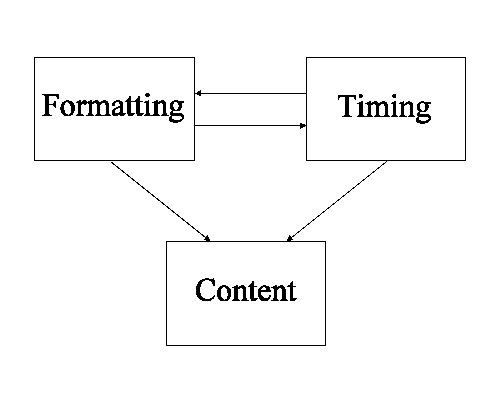
The first section, content, relates to the particular XML document. It conforms to a DTD written for an XML language. The content part describes the media and its structure.
The second section, formatting, provides control of the properties of the elements in the content section. It conforms to a style language, which, for the purpose of this discussion, we assume to be CSS. The style section describes the style and (spatial) layout of presenting the content. "Formatting" might include matters like routing of audio signals to loudspeakers.
The third section, timing, provides control of the temporal relations between the elements in the content section. It conforms to SMIL's timing model. The time section describes the time at which content is presented as well as the time at which style is applied. The time section contains the information to prepare a presentation schedule.
Sections two and three provide presentation information to the content: the stylesheet on style and positional layout, the timesheet on temporal layout. The stylesheet and timesheet may influence each other, but there should be no circular dependencies.
The idea is that each section operates independent from and compliant with the others.
Here is a simple example where a timesheet exists, but in-line timing is also specified and overrides the timing imposed by the timesheet:
This example has a timesheet that specifies that each "li" element
will have a begin time of 10 seconds and a duration of 15 seconds. However,
the in-line timing in the second "li" element has presidence
over the timesheet and thus the second line item ends up having a begin time
of 0 seconds and a duration of 5 seconds. Note: this example could
have been done just as easily using CSS
Timing; the added power of Timesheets will be made clearer in the next
example.
<time>
 <par>
  li { begin=10s dur=15s }
 </par>
</time>
<body>
 <ul>
  <li>This first line will begin at 10 sec and run for 15 sec.</li>
  <li begin="0s" dur="5s">This second line's timing is dictated
     by the in-line timing which overrides the timesheet timing
	 for each child "<li>" element.  It will thus
	 begin at 0 seconds and last 5 seconds.</li>
 </ul>
</body>
Following is an example showing
some HTML extended with timing via a Timesheet. As with the
CSS example, the Timesheet could just as
well have been contained in a separate document and applied externally.
CSS selector
syntax [CSS-selectors] has been used. The
use of CSS selectors here should not be confused with CSS Timing, proposed
in the prior section of this segment of the working draft.
The expected presentation of this would be to have the two Headings appear
together followed by the first list item in each list, namely Point A1 and
Point B1, appearing at 3 seconds followed thereafter by the second list item
in each list, namely Points A2 and B2, appearing at 6 seconds. All items
would disappear at 10 seconds which is the duration of the outer
<par>.
  <html>
    <head>
      <time>
        <par dur="10">
          <par>
            h1 {}
          </par>
          <par begin="3">
            <!-- Selects the first LI in each list:	-->
            OL > LI:first-child { }
          </par>
          <par begin="6">
            <!-- Selects the second LI in each list:	-->
            OL > LI:first-child + LI { }
          </par>
        </par>
      </time>
    </head>
    <body>
      <h1>Heading A</h1>
      <ol>
        <li id="PA1">Point A1</li>
        <li id="PA2">Point A2</li>
      </ol>
      <h1>Heading B</h1>
      <ol>
        <li id="PB1">Point B1</li>
        <li id="PB2">Point B2</li>
      </ol>
    </body>
  </html>
Note: the property fields {.} could contain duration and syncarc relations if the author wished to add more complex timing.
Here is another example as mentioned in Use Case 2C. Assume a human body display language. In this example different parts appear and disappear in different combinations at different times regardless of the content structuring, i.e., regardless of the order of the data in the document body. The document DTD uses the human structure: human = { face, torso, 2 arms, 2 legs }. A leg has a thigh, knee, calf and foot. Etc. The document merely describes the structure of the human form. Here is an example of such a document:
     <human>
         <face id="face" ...>
            <eye id="leftEye" color="green" .../>
            <eye id="rightEye" color="blue" .../>
            ...
         </face>
         ...
         <torso>
            ...
         </torso>
         <arm id="leftArm" ...>
            ...
            <hand id="leftHand" .../>
         </arm>
         ...
         <leg id="leftLeg" ...>
            <thigh id="leftThigh" .../>
            <knee id="leftKnee" .../>
            <calf id="leftCalf" .../>
            <foot id="leftFoot" .../>
         </leg>
         ...
     </human>
Both of the following examples are possible by applying a different timesheet in each case to the same XML document. For these examples, we use the XML "human" document, above. Note: these examples demonstrate the timesheet's ability to allow a content element to be displayed as if its parent were but with the parent not displayed, in other words the child element is displayed in the same place, spatially, as if the parent was displayed. "These examples presume that the XML language allows a content element to be displayed as if the full document was, but with some parents not displayed. In other words the child element is displayed in the same place, spatially, as if the entire document was displayed. Not all XML languages support this."
<time>
  <par dur="60s">
    <par>
	  #leftHand { }
	  #rightHand { }
    </par>
    <par begin="10s">
	  #leftFoot { }
	  #rightFoot { }
    </par>
    <par begin="20s">
	  #leftCalf { }
	  #rightCalf { }
	  #leftForearm { }
	  #righForearm { }
    </par>
    ...
  </par>
</time>
<time>
  <par dur="60s">
    <par>
      #rightIndexFinger { }
      #face { begin: 5s }
      #rightThigh { begin: 10s }
    </par>
    <par>
      #rightFoot { }
      #rightCalf { begin: 5s }
      #rightKnee { begin: 10s }
    </seq>
  </par>
</time>
Once SYMM has settled on the approach to integrating timing into XML-based documents, this section will precisely define the syntax and semantics of each. To reiterate: the exact syntax and the respective semantics are still being debated. The sample syntax in this part of the working draft currently serve as only a hint as to what is being considered as well as to what issues are in the process of being resolved.
In-line timing syntax has not been specified, but several possibilities are under consideration. The In-line Timing Framework section contains an example using SMIL timing.
CSS timing syntax has not been specified, but several possibilities are under consideration.
The exact specification of CSS Timing selectors is still being considered. Selector algebra will most likely be that defined by CSS2 [CSS Selectors].
The CSS Timing Framework section contains an example using SMIL timing.
Timesheet syntax has not been specified, but several possibilities are under consideration. The Timesheets Framework section contains several examples (1, 2) using SMIL timing.
The structure of the body may be used to impose temporal semantics, where a time property is assigned to an element. It is important to realize that time relations are imposed between the elements selected. For instance, when selecting a <ol> in a <seq> relation, it means that the ordered list is going to be displayed after or before some other element. It does not mean that the list items contained by the ordered list are to be presented in a sequence.
In order to provide a syntax for denoting temporal relations in line with the body structure, a new type of selectors is added to those already available from CSS.
CSS has the notion of class selectors. These selectors imply that the rule (time relation) they are part of should be applied for each element in the body that is a member of that class.
Timesheets add a new type of class selectors, henceforth to be called structure selectors. These selectors imply that the time relation they are part of applies to the result of expanding the structure selector into id selectors of all elements in the body that are members of that structure class. The id selectors have to appear in the order in which the elements lexically appear in the body. In this way, by selecting the class of descendants, the structure of the body section can be copied into the time section, such that the copied structure receives the temporal semantics required.
Another form of using the structure in the XML body is called ownership. Ownership dictates whether a temporal relationship imposed on an element applies to all of its descendants or only on the element itself. Ownership applies for example in the sequenced <ol> case when child <li> element(s) contain further markup. By specifying that ownership is on, the children of <li> element(s) will also take on the same temporal relationship as their parents.
As discussed earlier, in timesheets there are two ways to expand class selectors:
<seq> of
<li> without identifying all these <li> individually.
The exact specification of timesheet selectors is still being considered. Selector algebra will most likely be that defined by CSS2 [CSS Selectors] with some additional algebra defined as necessary.
In addition to selecting elements, style rules should be selectable. This enables changing style properties over time, just as we saw in the In-Line Timing color style example.
In the case where in-line timing and another method are active simultaneously, in-line timing always takes precedence if a conflict arises. This enables the creation of CSS Timing or Timesheets to be used as templates whose rules can be easily modified locally by in-line constructs.
This section provides the formal specification which has not yet been specified.
<imagelist timeLine="seq" end="28s">
  <image dur="5s" src="image1.jpg" />
  <image dur="3s" src="image2.jpg" />
  <image dur="12s" src="image3.jpg" />
  <image dur="10s" src="image4.jpg" />
</imagelist>
/* style sheet document "growlist.css": */
.seqtimecontainer { timeLine: seq; dur: 30s}
LI { dur: 10s; }


<!-- HTML document (which happens to be well-formed XML): -->
<HTML>
  <HEAD>
   <LINK rel="stylesheet" type="text/css" href="growlist.css" />>
  </HEAD>
  <BODY>
    <UL class="seqtimecontainer">
	  <LI>This is item 1.  It appears from 0 to 30 seconds.
	  </LI>
	  <LI>This is item 2.  It appears from 10 to 30 seconds.
	  </LI>
	  <LI>This is item 3.  It appears from 20 to 30 seconds.
	  </LI>
	</UL>
  </BODY>
</HTML>
<rectangle id="window" geometry="..." fill="...">
  <square id="b1" ... >
    <square id="s1" ... / >
  </square>
  <square id="b2" ... >
    <square id="s2" ... / >
  </square>
  <square id="b3" ... >
    <square id="s3" ... / >
  </square>
</rectangle>
<time>
  <seq>
    <par>
      #b1 { dur: 2s }
      #b2 { dur: 2s; begin: 2s; }
      #b3 { dur: 2s; begin: 4s; }
    </par>
    <par>
      #s1 { }
      #s2 { }
      #s3 { }
    </seq>
  </seq>
</time>
This is a working draft of a Document Object Model (DOM) specification for synchronized multimedia functionality. It is part of work in the Synchronized Multimedia Working Group (SYMM) towards a next version of the SMIL language and SMIL modules. Related documents describe the specific application of this SMIL DOM for SMIL documents and for HTML and XML documents that integrate SMIL functionality. The SMIL DOM builds upon the Core DOM functionality, adding support for timing and synchronization, media integration and other extensions to support synchronized multimedia documents.
The first W3C Working Group on Synchronized Multimedia (SYMM) developed SMIL - Synchronized Multimedia Integration Language. This XML-based language is used to express synchronization relationships among media elements. SMIL 1.0 documents describe multimedia presentations that can be played in SMIL-conformant viewers.
SMIL 1.0 did not define a Document Object Model. Because SMIL is XML based, the basic functionality defined by the Core DOM is available. However, just as HTML and CSS have defined DOM interfaces to make it easier to manipulate these document types, there is a need to define a specific DOM interface for SMIL functionality. The current SYMM charter includes a deliverable for a SMIL-specific DOM to address this need, and this document specifies the SMIL DOM interfaces.
Broadly defined, the SMIL DOM is an Application Programming Interface (API) for SMIL documents and XML/HTML documents that integrate SMIL functionality. It defines the logical structure of documents and the way a document is accessed and manipulated. This is described more completely in "What is the Document Object Model".
The SMIL DOM will be based upon the DOM Level 1 Core functionality. This describes a set of objects and interfaces for accessing and manipulating document objects. The SMIL DOM will also include the additional event interfaces described in the DOM Level 2 Events specification. The SMIL DOM extends these interfaces to describe elements, attributes, methods and events specific to SMIL functionality. Note that the SMIL DOM does not include support for DOM Level 2 Namespaces, Stylesheets, CSS, Filters and Iterators, and Model Range specifications.
The SYMM Working Group is also working towards a modularization of SMIL functionality, to better support integration with HTML and XML applications. Accordingly, the SMIL DOM is defined in terms of the SMIL modules.
The design and specification of the SMIL DOM must meet the following set of requirements.
General requirements:
SMIL specific requirements
It is not yet clear what all the requirements on the SMIL DOM will be related to the modularization of SMIL functionality. While the HTML Working Group is also working on modularization of XHTML, a modularized HTML DOM is yet to be defined. In addition, there is no general mechanism yet defined for combining DOM modules for a particular profile.
The SMIL DOM has as its foundation the Core DOM. The SMIL DOM includes the support defined in the DOM Level 1 Core API, and the DOM Level 2 Events API.
The DOM Level 1 Core API describes the general functionality needed to manipulate hierarchical document structures, elements and attributes. The SMIL DOM describes functionality that is associated with or depends upon SMIL elements and attributes. Where practical, we would like to simply inherit functionality that is already defined in the DOM Level 1 Core. Nevertheless, we want to present an API that is easy to use, and familiar to script authors that work with the HTML and CSS DOM definitions.
Following the pattern of the HTML DOM, the SMIL DOM follows a naming convention for properties, methods, events, collections and data types. All names are defined as one or more English words concatenated together to form a single string. The property or method name starts with the initial keyword in lowercase, and each subsequent word starts with a capital letter. For example, a method that converts a time on an element local timeline to global document time might be called "localToGlobalTime".
In the ECMAScript binding, properties are exposed as properties of a given object. In Java, properties are exposed with get and set methods.
Most of the properties are directly associated with attributes defined in the SMIL syntax. By the same token, most (or all?) of the attributes defined in the SMIL syntax are reflected as properties in the SMIL DOM. There are also additional properties in the DOM that present aspects of SMIL semantics (such as the current position on a timeline).
The SMIL DOM methods support functionality that is directly associated with SMIL functionality (such as control of an element timeline).
Note that the naming follows the DOM standard for XML, HTML and CSS DOM. This matches the HTML attribute naming scheme, but is on conflict with the SMIL 1.0 (and CSS) attribute naming conventions (all-lower with dashes between words). Given that the DOM Level 2 CSS API follows the primary DOM naming conventions, I think we should as well. Although this presents a naming conflict with the SMIL attributes (unless we reconsider attribute naming in the next version of SMIL), it presents a consistent DOM API.
In some instances, the SMIL DOM defines constraints on the Level 1 Core interfaces. These are introduced to simplify the SMIL associated runtime engines. The constraints include:
These constraints are defined in detail below.
This section will need to be reworked once we have a better handle on the approach we take (w.r.t. modality, etc.) and the details of the interfaces.
We probably also want to include notes on the recent discussion of a presentation or runtime object model as distinct from the DOM.
One of the goals of DOM Level 2 Event Model is the design of a generic event system which allows registration of event handlers, describes event flow through a tree structure, and provides basic contextual information for each event. The SMIL event model includes the definition of a standard set of events for synchronization control and presentation change notifications, a means of defining new events dynamically, and the defined contextual information for these events.
The DOM Level 2 Events specification currently defines a base Event interface and three broad event classifications:
In HTML documents, elements generally behave in a passive (or sometimes reactive) manner, with most events being user-driven (mouse and keyboard events). In SMIL, all timed elements behave in a more active manner, with many events being content-driven. Events are generated for key points or state on the element timeline (at the beginning, at the end and when the element repeats). Media elements generate additional events associated with the synchronization management of the media itself.
The SMIL DOM makes use of the general UI and mutation events, and also defines new event types, including:
Some runtime platforms will also define new UI events, e.g. associated with a control unit for web-enhanced television (e.g. channel change and simple focus navigation events). In addition, media players within a runtime may also define specific events related to the media player (e.g. low memory).
The SMIL events are grouped into four classifications:
In addition to defining the basic event types, the DOM Level 2 Events specification describes event flow and mechanisms to manipulate the event flow, including:
The SMIL DOM defines the behavior of Event capture, bubbling and cancellation in the context of SMIL and SMIL-integrated Documents.
In the HTML DOM, events originate from within the DOM implementation, in response to user interaction (e.g. mouse actions), to document changes or to some runtime state (e.g. document parsing). The DOM provides methods to register interest in an event, and to control event capture and bubbling. In particular, events can be handled locally at the target node or centrally at a particular node. This support is included in the SMIL DOM. Thus, for example, synchronization or media events can be handled locally on an element, or re-routed (via the bubbling mechanisms) to a parent element or even the document root. Event registrants can handle events locally or centrally.
Note: It is currently not resolved precisely how event flow (dispatch, bubbling, etc.) will be defined for SMIL timing events. Especially when the timing containment graph is orthogonal to the content structure (e.g. in XML/SMIL integrated documents), it may make more sense to define timing event flow relative to the timing containment graph, rather than the content containment graph. This may also cause problems, as different event types will behave in very different ways within the same document.
Note: It is currently not resolved precisely how certain user interface events (e.g. onmouseover, onmouseout) will be defined and will behave for SMIL documents. It may make more sense to define these events relative to the regions and layout model, rather than the timing graph.
We have found that the DOM has utility in a number of scenarios, and that these scenarios have differing requirements and constraints. In particular, we find that editing application scenarios require specific support that the browser or runtime environment typically does not require. We have identified the following requirements that are directly associated with support for editing application scenarios as distinct from runtime or playback scenarios:
Due to the time-varying behavior of SMIL and SMIL-integrated document types, we need to be able to impose different constraints upon the model depending upon whether the environment is editing or browsing/playing back. As such, we need to introduce the notion of modality to the DOM (and perhaps more generally to XML documents). We need a means of defining modes, of associating a mode with a document, and of querying the current document mode.
We are still considering the details, but it has been proposed to specify an active mode that is most commonly associated with browsers, and a non-active or editing mode that would be associated with an editing tool when the author is manipulating the document structure.
Associated with the requirement for modality is a need to represent a lock or read-only qualification on various elements and attributes, dependent upon the current document mode.
For an example that illustrates this need within the SMIL DOM: To simplify runtime engines, we want to disallow certain changes to the timing structure in an active document mode (e.g. to preclude certain structural changes or to make some properties read-only). However when editing the document, we do not want to impose these restrictions. It is a natural requirement of editing that the document structure and properties be mutable. We would like to represent this explicitly in the DOM specification.
There is currently some precedent for this in HTML browsers. E.g. within Microsoft Internet Explorer, some element structures (such as tables) cannot be manipulated while they are being parsed. Also, many script authors implicitly define a "loading" modality by associating script with the document.onLoad event. While this mechanism serves authors well, it nevertheless underscores the need for a generalized model for document modality.
A related requirement to modality support is the need for a simplified transaction model for the DOM. This would allow us to make a set of logically grouped manipulations to the DOM, deferring all mutation events and related notification until the atomic group is completed. We specifically do not foresee the need for a DBMS-style transaction model that includes rollback and advanced transaction functionality. We are prepared to specify a simplified model for the atomic changes. For example, if any error occurs at a step in an atomic change group, the atomicity can be broken at that point.
As an example of our related requirements, we will require support to optimize the propagation of changes to the time-graph modeled by the DOM. A typical operation when editing a timeline shortens one element of a timeline by trimming material from the beginning of the element. The associated changes to the DOM require two steps:
Typically, a timing engine will maintain a cache of the global begin and end times for the elements in the timeline. These caches are updated when a time that they depend on changes. In the above scenario, if the timeline represents a long sequence of elements, the first change will propagate to the whole chain of time-dependents and recalculate the cache times for all these elements. The second change will then propagate, recalculating the cache times again, and restoring them to the previous value. If the two operations could be grouped as an atomic change, deferring the change notice, the cache mechanism will see no effective change to the end time of the original element, and so no cache update will be required. This can have a significant impact on the performance of an application.
When manipulating the DOM for a timed multimedia presentation, the efficiency and robustness of the model will be greatly enhanced if there is a means of grouping related changes and the resulting event propagation into an atomic change.
The IDL interfaces will be moved to specific module documents once they are ready.
Cover document timing, document locking?, linking modality and any other document level issues. Are there issues with nested SMIL files?
Is it worth talking about different document scenarios, corresponding to differing profiles? E.g. Standalone SMIL, HTML integration, etc.
A separate document should describe the integrated DOM associated with SMIL documents, and documents for other document profiles (like HTML and SMIL integrations).
The SMILElement interface is the base for all SMIL element types. It follows the model of the HTMLElement in the HTML DOM, extending the base Element class to denote SMIL-specific elements.
Note that the SMILElement interface overlaps with the HTMLElement interface. In practice, an integrated document profile that include HTML and SMIL modules will effectively implement both interfaces (see also the DOM documentation discussion of Inheritance vs Flattened Views of the API).
Base interface for all SMIL elements.
interface SMILElement : Element {
        attribute  DOMString            id;
        // etc. This needs attention
}
This module includes the SMIL, HEAD and BODY elements. These elements are all represented by the core SMIL element interface.
This module includes the META element.
interface SMILMetaElement : SMILElement {
        attribute  DOMString            content;
        attribute  DOMString            name;
        attribute  DOMString            skipContent;
        // Types may be wrong - review

}
This module includes the LAYOUT, ROOT_LAYOUT and REGION elements, and associated attributes.
Declares layout type for the document. See the LAYOUT element definition in SMIL 1.0
interface SMILLayoutElement : SMILElement {
        attribute  DOMString            type;
        // Types may be wrong - review
}
Declares layout properties for the root element. See the ROOT-LAYOUT element definition in SMIL 1.0
interface SMILRootLayoutElement : SMILElement {
        attribute  DOMString            backgroundColor;
        attribute  long                 height;
        attribute  DOMString            skipContent;
        attribute  DOMString            title;
        attribute  long                 width;
        // Types may be wrong - review
}
Controls the position, size and scaling of media object elements. See the REGION element definition in SMIL 1.0
interface SMILRegionElement : SMILElement {
        attribute  DOMString            backgroundColor;
        attribute  DOMString            fit;
        attribute  long                 height;
        attribute  DOMString            skipContent;
        attribute  DOMString            title;
        attribute  DOMString            top;
        attribute  long                 width;
        attribute  long                 zIndex;
        // Types may be wrong - review
}
The layout module also includes the region attribute, used in SMIL layout to associate layout with content elements. This is represented as an individual interface, that is supported by content elements in SMIL documents (i.e. in profiles that use SMIL layout).
Declares rendering surface for an element. See the region attribute definition in SMIL 1.0
interface SMILRegionInterface {
        attribute  SMILRegionElement    region;
}
This module includes the PAR and SEQ elements, and associated attributes.
This will be fleshed out as we work on the timing module. For now, we will define a time leaf interface as a placeholder for media elements. This is just an indication of one possibility - this is subject to discussion and review.
Declares timing information for timed elements.
interface SMILTimeInterface {
        attribute  InstantType          begin;
        attribute  InstantType          end;
        attribute  DurationType         dur;
        attribute  DOMString            repeat;
        // etc. Types may be wrong - review

            // Presentation methods
        void                            beginElement();
        void                            endElement();
        void                            pauseElement();
        void                            resumeElement();
        void                            seekElement(in InstantType seekTo);
}
Attributes
Presentation Methods
Events
This is a placeholder - subject to change. This represents generic timelines.
interface SMILTimelineInterface : SMILTimeInterface {
        attribute NodeList        timeChildren;

        // Presentation methods
        NodeList                  getActiveChildrenAt();
        NodeList                  getActiveChildrenAt(
                                       in instant InstantType instant);
}
Attributes
Presentation Methods
interface SMILParElement : SMILTimelineInterface, SMILElement {
        attribute DOMString       endsync;
}
interface SMILSeqElement : SMILTimelineInterface, SMILElement {

}
This module includes the media elements, and associated attributes. They are all currently represented by a single interface, as there are no specific attributes for individual media elements.
Declares media content.
interface SMILMediaInterface : SMILTimeInterface {
        attribute  DOMString            abstract;
        attribute  DOMString            alt;
        attribute  DOMString            author;
        attribute  ClipTime             clipBegin;
        attribute  ClipTime             clipEnd;
        attribute  DOMString            copyright;
        attribute  DOMString            fill;
        attribute  DOMString            longdesc;
        attribute  DOMString            src;
        attribute  DOMString            title;
        attribute  DOMString            type;
        // Types may be wrong - review
}
interface SMILRefElement : SMILMediaInterface, SMILElement {
}
// audio, video, ...
This module will include interfaces associated with transition markup. This is yet to be defined.
This module will include interfaces associated with animation behaviors and markup. This is yet to be defined.
This module includes interfaces for hyperlinking elements.
Declares a hyperlink anchor. See the A element definition in SMIL 1.0.
interface SMILAElement : SMILElement {
            attribute  DOMString            title;
            attribute  DOMString            href;
            attribute  DOMString            show;
        // needs attention from the linking folks
}
This module includes interfaces for content control markup.
Defines a block of content control. See the SWITCH element definition in SMIL 1.0
interface SMILSwitchElement : SMILElement {
        attribute  DOMString            title;
        // and...?
}
Defines the test attributes interface. See the Test attributes definition in SMIL 1.0
interface SMILTestInterface {
        attribute  DOMString            systemBitrate;
        attribute  DOMString            systemCaptions;
        attribute  DOMString            systemLanguage;
        attribute  DOMString            systemOverdubOrCaption;
        attribute  DOMString            systemRequired;
        attribute  DOMString            systemScreenSize;
        attribute  DOMString            systemScreenDepth;
        // and...?
}