Chinese MiniApps as a worldwide reference
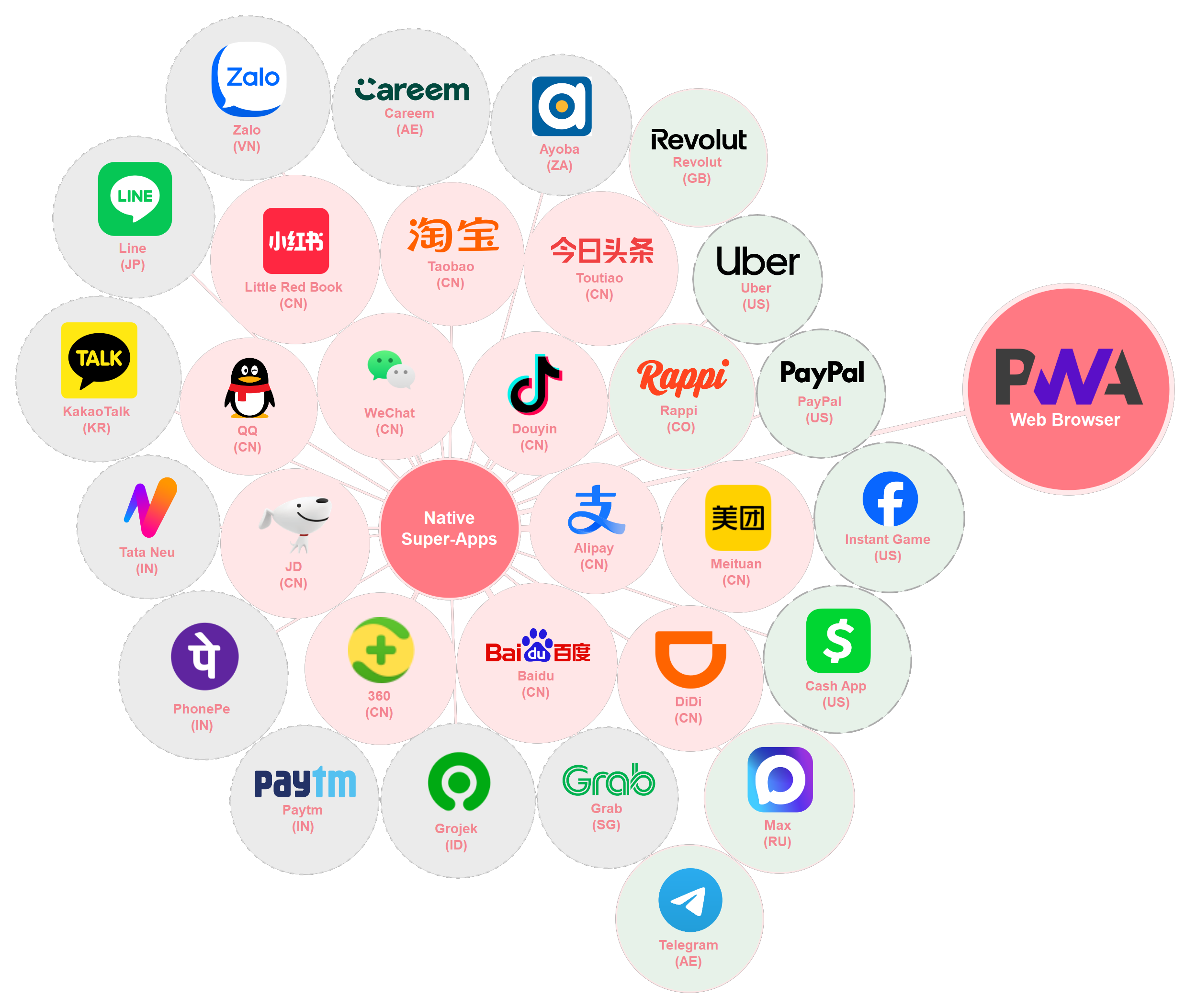
Example of native super-apps with mini-app-like apps: WeChat (CN), Douyin (CN) Alipay (CN), Baidu (CN), 360 (CN), JD (CN), QQ (CN), Little Red Book (CN), Taobao (CN), Toutiao (CN), Rappi (CO), Meituan (CN), DiDi (CN), Grab (SG), Grojek (ID), Paytm (IN), PhonePe (IN), Tata Neu (IN), KakaoTalk (KR), Line (JP), Zalo (VN), Careem (AE), Ayoba (ZA), Revolut (GB), Uber (US), PayPal (US), Instant Game (US), Cash App (US), Max (RU), Telegram (AE). Also PWA and browser as a reference.
Notes.
Notes.
Notes.
Notes.
Notes.
Notes.
Notes.
Notes.
Reader(s): To start the slide show, press ‘A’. Return to the index with ‘A’ or ‘Esc’. On a touch screen, use a 3-finger touch. Double click to open a specific slide. In slide mode, press ‘?’ (question mark) to get a list of available commands. To start the slide show, press Shift+F5 (Command+Enter on Mac). Return to the index by pressing ‘Esc’. You can also click to open a specific slide.
If it doesn't work: Slide mode requires a recent browser with JavaScript. If you are using the ‘NoScript’ add-on (Firefox or the Tor Browser), or changed the ‘site settings’ (Chrome, Vivaldi, Opera, Brave and some other browsers), or the ‘permissions for this site’ (Edge), you may have to explicitly allow JavaScript on these slides. Internet Explorer is not supported.