<?xml version="1.0"?>
<feed xmlns="http://www.w3.org/2005/Atom" xmlns:planet="http://planet.intertwingly.net/" xmlns:indexing="urn:atom-extension:indexing" indexing:index="no"><access:restriction xmlns:access="http://www.bloglines.com/about/specs/fac-1.0" relationship="deny"/>
  <title>Planet HTML5</title>
  <subtitle>HTML5 News &amp; Views</subtitle>
  <updated>2013-05-25T02:34:52Z</updated>
  <generator uri="http://intertwingly.net/code/venus/">Venus</generator>
  <author>
    <name>Michael(tm) Smith</name>
    <email>mike@w3.org</email>
  </author>
  <id>http://www.w3.org/html/planet/atom.xml</id>
  <link href="http://www.w3.org/html/planet/atom.xml" rel="self" type="application/atom+xml"/>
  <link href="http://www.w3.org/html/planet/" rel="alternate"/>

  <entry xml:lang="en-US">
    <id>http://www.brucelawson.co.uk/?p=6243</id>
    <link href="http://www.brucelawson.co.uk/2013/reading-list-51/" rel="alternate" type="text/html"/>
    <link href="http://www.brucelawson.co.uk/2013/reading-list-51/#comments" rel="replies" type="text/html"/>
    <link href="http://www.brucelawson.co.uk/2013/reading-list-51/feed/atom/" rel="replies" type="application/atom+xml"/>
    <title>Bruce: Reading List</title>
    <summary xml:lang="en-US">This week’s reading list comes to you with a renewed vigour, and a zesty swagger in its stride, as several people sought me out at Google I/O to tell me how useful it is. Thanks for the feedback. This is simply a list of stuff I’ve read this week, and posted links to over Twitter. [...]</summary>
    <content type="xhtml" xml:lang="en-US"><div xmlns="http://www.w3.org/1999/xhtml"><p>This week’s reading list comes to you with a renewed vigour, and a zesty swagger in its stride, as several people sought me out at Google I/O to tell me how useful it is. Thanks for the feedback.</p>
<p>This is simply a list of stuff I’ve read this week, and posted links to over Twitter. However, I know that lots of real people don’t read Twitter all day, or it’s blocked at work, so this is an amalgamated list. Note that these links interested me, but I neither endorse them  nor vouch for their accuracy.</p>
<h3>Standards</h3>
<ul>
<li><a href="http://my.opera.com/ODIN/blog/opera-14-for-android-is-out">Opera 14 for Android 2.3+ released</a> – spanking the Android stock browser and sending it to bed, with Chrome 26, @supports, webGL</li>
<li><a href="http://coding.smashingmagazine.com/2013/05/23/building-the-new-financial-times-web-app/">Building The New Financial Times Web App: A Case Study</a>  – loads of good stuff in here, including a look at performance of Flexbox layouts</li>
<li><a href="http://tools.ietf.org/html/draft-grigorik-http-client-hints-00">Client Hints</a> – Google proposal to send a header with device resolution, viewport size, touch-enabled flag etc. <a href="https://docs.google.com/presentation/d/1y_A6VOZy9bD2i0VLHv9ZWr0W3hZJvlTNCDA0itjI0yM/edit#slide=id.p19">Explanatory presentation</a></li>
<li><a href="http://mounir.lamouri.fr/2013/05/the-web-manifest.html">The Web Manifest</a> – Mozilla’s Mounir Lamouri on the Moz proposal to make AppCache better, and Google’s proposal <a href="https://github.com/slightlyoff/NavigationController/blob/master/explainer.md">Navigation Controller</a></li>
<li><a href="http://www.iheni.com/accessu-mobile-accessibility-workshop/">Mobile Accessibility Workshop</a> by Henny Swan (BBC)</li>
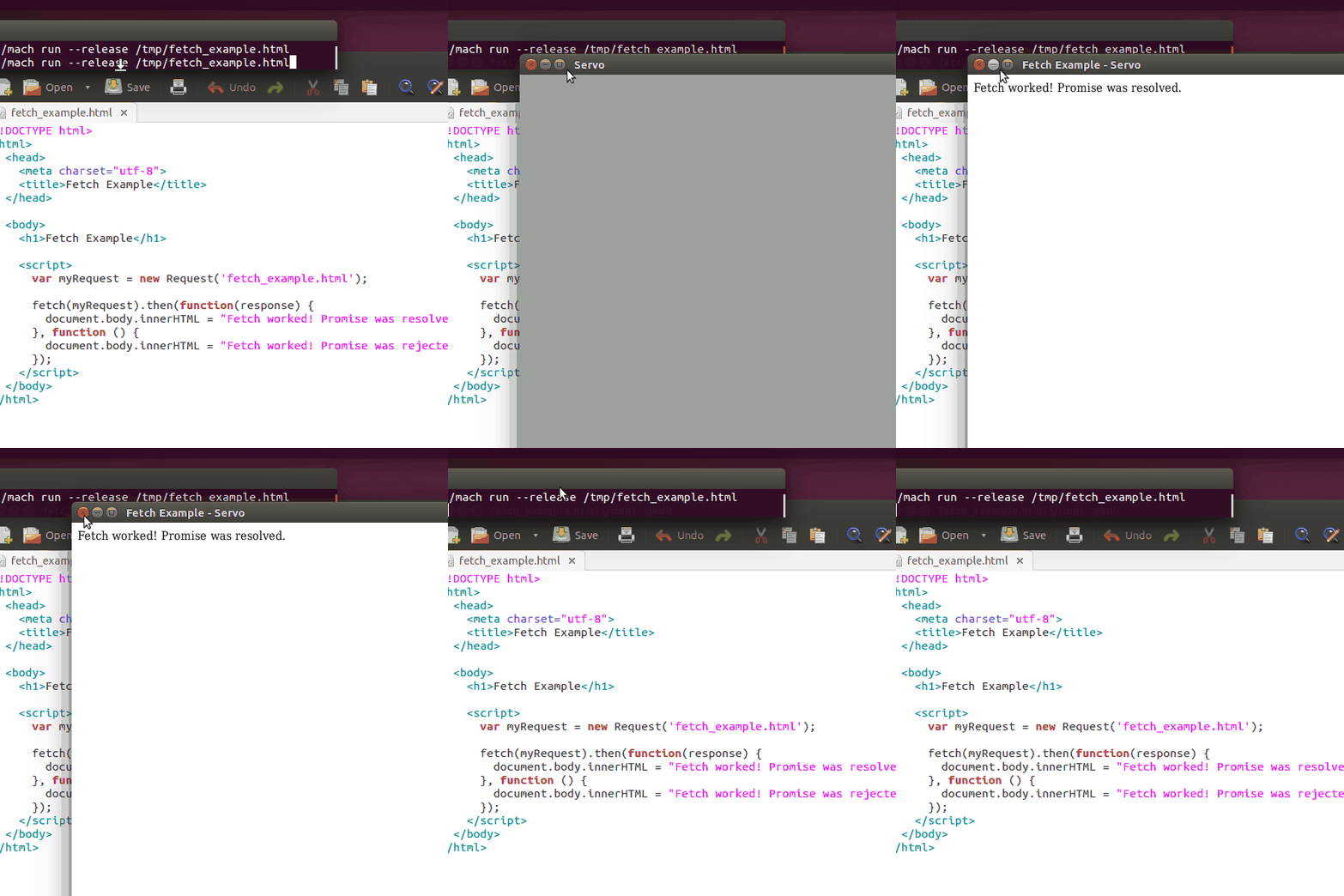
<li><a href="http://fetch.spec.whatwg.org/">Fetch</a> – “The Fetch standard defines the overall architecture for obtaining resources given a URL and a set of parameters.”</li>
<li><a href="http://blog.adrianroselli.com/2013/05/ie10-metro-and-media-queries.html">IE10, Metro, and Media Queries</a> – by Adrian Roselli</li>
<li><a href="http://www.slideshare.net/redux/sudweb-17052013">Getting touchy – an introduction to touch events</a> – Patrick Lauke’s excellent talk at Sud Web / Avignon 17.05.2013</li>
<li><a href="http://yehudakatz.com/2013/05/21/extend-the-web-forward/">Extend the Web Forward</a> by Yehuda Katz</li>
<li><a href="http://breakthepage.com/">Break the page</a> – “an online periodical about the future and philosophy of the web”</li>
<li><a href="http://blogs.msdn.com/b/ie/archive/2013/05/21/web-performance-apis-rapidly-become-w3c-recommendations.aspx">Web Performance APIs Rapidly Become W3C Recommendations</a></li>
<li><a href="http://www.w3.org/TR/html-imports/">HTML Imports</a> – draft of one of the Web Component suite, allowing import of HTML blocks to facilitate code re-use</li>
<li><a href="http://freedomhtml.org/">FreedomHTML</a> is a profile of HTML without the DRM-enabling Encrypted Media Extension, because ignoring it makes it go away</li>
<li><a href="https://medium.com/tech-talk/dff3e0ffdead">Gathering the Web tribes together for the common good</a> – Dion Almaer</li>
<li><a href="http://coding.smashingmagazine.com/2013/05/22/centering-elements-with-flexbox/">Designing CSS Layouts With Flexbox Is As Easy As Pie</a> by web cleverchap/ international love machine David Storey</li>
</ul>
<h3>Industry</h3>
<ul>
<li><a href="http://www.digitimes.com/news/a20130517PR202.html">10% of notebooks sold in first quarter of 2013 have touchscreens</a></li>
<li><a href="https://plus.google.com/114457961627178656743/posts/LqccmH3n1jd">Why is Facebook losing active users in Nigeria?</a></li>
<li><a href="http://news.yahoo.com/teens-turning-away-facebook-because-tumblr-real-parent-005618545.html?utm_content=buffer64751&amp;utm_source=buffer&amp;utm_medium=twitter&amp;utm_campaign=Buffer">Teens Are Turning Away from Facebook Because Tumblr Is Real, and Parent-Free</a></li>
<li><a href="http://www.techhive.com/article/2039414/the-new-flickr-goodbye-customers-hello-ads.html">The new Flickr: Goodbye customers, hello ads</a> – Change, eh? Always bad, especially on a static medium like the Web</li>
<li><a href="https://posthaven.com/ourpledge">Posthaven</a> is a new blogging platform from co-founders of Posterous: “We’re not going to show ads. We’re not looking for investors. We’re going to make money the best way we know how: charging for it.”</li>
<li>Meanwhile, outside our Web hipster bubble, “<a href="http://www.prnewswire.com/news-releases/ibm-unveils-new-software-to-enable-mainframe-applications-on-cloud-mobile-devices-207910361.html">nearly 15% of all new enterprise app functionality is written in COBOL</a>“</li>
</ul>
<h3>Misc</h3>
<ul>
<li><a href="https://www.smore.com/clippy-js">Clippy.js</a> – “Clippy.js is a full Javascript implementation of Microsoft Agent (AKA Clippy and friends), ready to be embedded in any website.”</li>
</ul></div>
    </content>
    <updated>2013-05-24T08:18:25Z</updated>
    <published>2013-05-24T08:18:25Z</published>
    <category scheme="http://www.brucelawson.co.uk" term="reading list"/>
    <author>
      <name>Bruce</name>
      <uri>http://www.brucelawson.co.uk</uri>
    </author>
    <source>
      <id>http://www.brucelawson.co.uk/feed/atom/</id>
      <link href="http://www.brucelawson.co.uk" rel="alternate" type="text/html"/>
      <link href="http://www.brucelawson.co.uk/feed/atom/" rel="self" type="application/atom+xml"/>
      <title xml:lang="en-US">Bruce Lawson's  personal site</title>
      <updated>2013-05-24T08:18:25Z</updated>
    </source>
  </entry>

  <entry>
    <id>tag:blogger.com,1999:blog-2471378914199150966.post-3620617617447565454</id>
    <link href="http://blog.chromium.org/2013/05/chrome-28-beta-more-immersive-web.html" rel="alternate" type="text/html"/>
    <title>Google Chrome Blog: Chrome 28 Beta: A more immersive web, everywhere</title>
    <content type="xhtml"><div xmlns="http://www.w3.org/1999/xhtml">Today’s <a href="https://www.google.com/landing/chrome/beta/">Beta channel</a> release introduces several new developer features and a major under-the-hood performance improvement. Unless otherwise noted, changes apply to desktop versions of Chrome and Chrome for Android. We’ll be rolling out the update over the next few hours.<br/><br/><b>Fullscreen API on Chrome for Android</b><br/><br/>The <a href="http://davidwalsh.name/fullscreen">Fullscreen API</a> on Chrome for Android allows you to programmatically hide the browser UI and OS status bar. Just like on desktop, you can tell any piece of content to enter fullscreen mode by calling its <span>webkitRequestFullScreen()</span> function. The prefixed version will eventually be replaced by <span>requestFullscreen()</span>. Here you can see the Fullscreen API used in a <a href="http://zmb.io/">zombie-inspired Chrome Experiment</a>:<br/><br/><div class="separator"><a href="http://3.bp.blogspot.com/-1A5Vu5QTf-s/UZ2qyYQfutI/AAAAAAAAAzc/c4krQ-7-LxY/s1600/Screen+Shot+2013-05-22+at+10.35.31+PM.png"><img border="0" src="http://3.bp.blogspot.com/-1A5Vu5QTf-s/UZ2qyYQfutI/AAAAAAAAAzc/c4krQ-7-LxY/s1600/Screen+Shot+2013-05-22+at+10.35.31+PM.png"/></a></div><br/><b>Faster page loads</b><br/><br/>Starting in today’s Beta, your apps get a free speed boost from Blink’s new <a href="https://groups.google.com/a/chromium.org/forum/#!topic/chromium-dev/hBUVtg7gacE">threaded HTML parser</a>. It has two under-the-hood performance benefits: (1) reduced jankiness by moving work off the main JavaScript thread, and (2) improved page loading speed through pipelining. Compared to the normal HTML parser, it loads DOM content about 10% faster and reduces the maximum stop time due to parsing by 40%.<br/><br/><b>Experimental new media features in Chrome for Android</b><br/><br/>In today's Beta, <a href="http://www.html5rocks.com/en/tutorials/webgl/webgl_fundamentals/">WebGL</a> joins <a href="http://www.html5rocks.com/en/tutorials/webaudio/intro/">Web Audio</a> and <a href="http://www.html5rocks.com/en/tutorials/webrtc/basics/">WebRTC</a> as an option in <span><a href="http://blogs.adobe.com/cantrell/archives/2012/07/all-about-chrome-flags.html">about:flags</a></span> in Chrome for Android. Used together or independently, these three features will allow you to create rich, powerful web experiences that work across device form factors. We’re still actively improving the implementations, but we invite you to start experimenting. To see them in action, watch the <a href="http://www.youtube.com/watch?v=9pmPa_KxsAM&amp;t=54m20s">mobile web demo in the Google I/O 2013 keynote</a>.<br/><br/><b>Deprecated features</b><br/><br/>The prefixed version of the <a href="http://www.html5rocks.com/en/tutorials/security/content-security-policy/">Content Security Policy</a> HTTP header is <a href="https://code.google.com/p/chromium/issues/detail?id=231211">now</a> <a href="http://www.chromium.org/blink#TOC-Launch-Process:-Deprecation">deprecated</a>, so please use <span>Content-Security-Policy</span> instead of <span>X-WebKit-CSP</span>. The prefixed version will still work for now, but future releases <a href="https://groups.google.com/a/chromium.org/forum/#!topic/blink-dev/3AaCbkdGSPs">may not support it</a>.<br/><br/>For <a href="http://developer.chrome.com/extensions">Chrome Extensions</a>, HTML-based notifications have been <a href="https://plus.google.com/+JoeMarini/posts/PvkAKbn24ZN">deprecated</a> in favor of the new <a href="http://developer.chrome.com/dev/extensions/notifications.html">Rich Notifications Chrome API</a>. Extensions developers who are using HTML notifications in their apps or extensions should migrate to the newer Rich Notifications API, as support for the existing <span>createHTMLNotification()</span> feature will stop working in a future release of Chrome.<br/><br/><b>Other developer features in this release</b><br/><ul><li>You can now use <a href="http://docs.webplatform.org/wiki/css/atrules/@supports">CSS <span>@supports</span> conditional blocks</a> to test whether Chromium supports certain property:value pairs.</li><li>The <a href="https://plus.google.com/+EricBidelman/posts/bbK5scDoPnc"><span>:unresolved</span> CSS pseudoclass</a> lets you style a <a href="https://dvcs.w3.org/hg/webcomponents/raw-file/tip/explainer/index.html#custom-element-section">Custom Element</a> that hasn’t been registered in the browser yet. Custom Elements are part of <a href="https://dvcs.w3.org/hg/webcomponents/raw-file/tip/explainer/index.html#introduction">Web Components</a>.</li><li>As part of V8's continuing quest to make all JavaScript as fast as possible, <a href="https://code.google.com/p/v8/source/detail?r=14306">recent</a> <a href="https://code.google.com/p/v8/source/detail?r=14448">optimizations</a> <a href="https://code.google.com/p/v8/source/detail?r=14534">have</a> made the asm.js benchmarks more than twice as fast as prior versions of Chrome.</li><li>Chrome <a href="http://developer.chrome.com/apps/about_apps.html">Apps</a> and <a href="http://developer.chrome.com/extensions/index.html">Extensions</a> developers can now use <a href="http://blog.chromium.org/2013/05/rich-notifications-in-chrome.html">rich notifications</a> to proactively engage with users.</li></ul>Visit <a href="http://chromestatus.com/">chromestatus.com</a> for a complete overview of Chrome’s developer features, and circle <a href="https://plus.google.com/+GoogleChromeDevelopers">+Google Chrome Developers</a> for more frequent updates.<br/><br/>For general information about what’s going on in Chromium and Blink, watch the recordings of the fireside chats with the <a href="https://www.youtube.com/watch?v=WEBeNZ8khS4">Blink team</a> and the <a href="http://www.youtube.com/watch?v=GPjlubm32DM">Chrome team</a> at Google I/O 2013.<br/><br/>Posted by Alexandre Elias, Software Engineer and Screen Space Conservationist</div>
    </content>
    <updated>2013-05-23T17:00:00Z</updated>
    <author>
      <name>Google Chrome Blog</name>
      <email>noreply@blogger.com</email>
      <uri>http://blog.chromium.org/</uri>
    </author>
    <source>
      <id>tag:blogger.com,1999:blog-2471378914199150966</id>
      <link href="http://blog.chromium.org/feeds/posts/default?alt=rss" rel="self" type="application/atom+xml"/>
      <title>Chromium Blog</title>
      <updated>2013-05-23T17:53:11Z</updated>
    </source>
  </entry>

  <entry xml:lang="en-US">
    <id>http://www.brucelawson.co.uk/?p=6259</id>
    <link href="http://www.brucelawson.co.uk/2013/responsive-images-intrerim-report/" rel="alternate" type="text/html"/>
    <link href="http://www.brucelawson.co.uk/2013/responsive-images-intrerim-report/#comments" rel="replies" type="text/html"/>
    <link href="http://www.brucelawson.co.uk/2013/responsive-images-intrerim-report/feed/atom/" rel="replies" type="application/atom+xml"/>
    <title>Bruce: Responsive images – interim report</title>
    <summary xml:lang="en-US">At Google I/O last week, I was hoping to hear Google’s thoughts on responsive images. Every developer I speak to wonders how to send the right image size to browsers, Google is obsessed with performance, Peter Beverloo and Paul Kinlan were explicit in their talk Mobile HTML: The Future of Your Sites that web sites [...]</summary>
    <content type="xhtml" xml:lang="en-US"><div xmlns="http://www.w3.org/1999/xhtml"><p>At Google I/O last week, I was hoping to hear Google’s thoughts on responsive images. Every developer I speak to wonders how to send the right image size to browsers, Google is obsessed with performance, Peter Beverloo and Paul Kinlan were explicit in their talk <a href="https://developers.google.com/events/io/sessions/325586817">Mobile HTML: The Future of Your Sites</a> that web sites should request the correctly-sized images. But how?</p>
<p>The &lt;picture&gt; element seems to be at an impasse; no-one from Google showed any enthusiasm (nor does any other browser vendor, seemingly). That’s OK; when <a href="http://www.brucelawson.co.uk/2011/notes-on-adaptive-images-yet-again/">I dreamed it up 18 months ago</a> it was a strawman to get the conversation going in standards groups (I’d previously been told that there was no need for any standard, as everyone would have huge devices on reliable, fast wifi in the future).</p>
<p>We have the <a href="http://www.whatwg.org/specs/web-apps/current-work/multipage/embedded-content-1.html#adaptive-images"><code>srcset</code> attribute</a>, with its wildly unintutive syntax, “ready for first implementation”, so supported nowhere yet. It’s <a href="https://docs.google.com/forms/d/1LIbd9wiM7M_m-rUB85WAiGT-h8QUY-PRJwjiBRiuY4Y/viewanalytics">disliked by oiks who actually make web sites</a> and fails to satisfy the <a href="http://usecases.responsiveimages.org/#art-direction">art direction use case</a> that 27% of those oiks currently polyfill<a href="http://blog.yoav.ws/2013/05/How-Big-Is-Art-Direction"> to address.</a></p><a href="http://blog.yoav.ws/2013/05/How-Big-Is-Art-Direction">
</a><p><a href="http://blog.yoav.ws/2013/05/How-Big-Is-Art-Direction">Google has proposed a </a><a href="http://tools.ietf.org/html/draft-grigorik-http-client-hints-00">Client Hints header</a> with device resolution, viewport size, touch-enabled flag etc. The idea is that the server generates lots of different sizes of foo.png, and when a request comes for foo.png, the server looks at the Client Hints and sends the most appropriate size. Opera (and soon, Chrome) announces that it <a href="http://www.igvita.com/2013/05/01/deploying-webp-via-accept-content-negotiation/">accepts webP images</a>, so the server could intercept requests for foo.png and send foo.webp in its place for conforming browsers, thereby reducing bandwidth.</p>
<p>This server-side negotiation will be great for legacy pages as it means source code doesn’t need to be touched. I’ve heard it also touted as being much simpler to author, but I wonder about that; HTML isn’t hard to write, while implementing server-side image resizing and transcoding, intercepting headers, doing the negotiation and setting cache control is much harder for an HTML wrangler than writing HTML is. It also assumes everyone has full access to the server. Don’t forget that some uses of HTML (for example, ebooks) have no server.</p>
<p>But those are all for the future. What can you do now? Clever, but ultimately unsatisfying workarounds.</p>
<p>Firstly, have &lt;img&gt; with a dummy source, then replace the <code>src</code> with JavaScript once you know the dimensions and resolution of your device. This makes images dependent on JavaScript.</p>
<p>Alternatively, make your images into single-frame <code>&lt;video&gt;</code>s, and take advantage of media queries on the child <code>&lt;source&gt;</code> element to send differently sized images. <a href="http://www.iandevlin.com/blog/2012/11/html5/responsive-images-using-the-video-element">Ian Devlin dreamed this up</a>, and it’s evil genius – except that file sizes increase and <code>&lt;video&gt;</code> doesn’t have an alt attribute, so the “images” are therefore inaccessible.</p>
<p>A similarly inaccessible technique for webkit browsers is simply to use a <code>&lt;div&gt;</code> element instead of <code>&lt;img&gt;</code> and set an <a href="http://blog.cloudfour.com/safari-6-and-chrome-21-add-image-set-to-support-retina-images/">image-set</a> background-image in CSS. Don’t do this; it’s inaccessible, and is single-engine.</p>
<p>The current best way is brilliant albeit somewhat hacky:  <a href="http://twitter.com/estellevw">Estelle Weyl</a>‘s <a href="http://estelle.github.io/clowncar/index2.html">clown car technique</a>. This uses a data-encoded SVG file, embedded using an &lt;object&gt; element. Unfortunately,  there’s nowhere to hang alt text, and right-clicking to “save as” doesn’t behave as expected.</p>
<p>So that’s the interim report. Inaccessible and/ or single-engine, or JavaScript-dependant, or relying on server-side shenanigans which don’t address the important art-direction use-case.</p>
<p>Images are central to the web; we need a declarative HTML method to achieve them in our multi-device world.</p>
<p>I’ve done my part in suggesting a strawman, and although cleverer minds than mine tell me it’s a bad solution, in a year and a half no-one has told me what a good one looks like.</p>
<p>Fingers crossed.</p></div>
    </content>
    <updated>2013-05-23T09:19:42Z</updated>
    <published>2013-05-22T12:20:34Z</published>
    <category scheme="http://www.brucelawson.co.uk" term="accessibility  web standards"/>
    <author>
      <name>Bruce</name>
      <uri>http://www.brucelawson.co.uk</uri>
    </author>
    <source>
      <id>http://www.brucelawson.co.uk/feed/atom/</id>
      <link href="http://www.brucelawson.co.uk" rel="alternate" type="text/html"/>
      <link href="http://www.brucelawson.co.uk/feed/atom/" rel="self" type="application/atom+xml"/>
      <title xml:lang="en-US">Bruce Lawson's  personal site</title>
      <updated>2013-05-24T08:18:25Z</updated>
    </source>
  </entry>

  <entry xml:lang="en">
    <author>
      <name>Anne van Kesteren</name>
    </author>
    <id>tag:annevankesteren.nl,2013-05-23:/062741/fetching-urls</id>
    <link href="http://annevankesteren.nl/2013/05/fetching-urls" rel="alternate" type="text/html"/>
    <title>Anne van Kesteren: Fetching URLs</title>
    <content type="xhtml" xml:lang="en"><div xmlns="http://www.w3.org/1999/xhtml"><p>There are a ton of features in the web platform that take a URL. (As the platform is build around URLs, that makes a ton of sense, too.) <code>XMLHttpRequest</code>, <code>&lt;img&gt;</code>, <code>background-image</code>, <code>&lt;script&gt;</code>, <code>@font-face</code>, … The semantics around obtaining a resource from such a URL however are not very well defined. Are redirects followed? What if the server uses HTTP authentication? What if the server returns 700 as status code for the resource? Does a <code>data</code> URL work? Does <code>about:blank</code> work? Is the request synchronous? What if I use a <code>skype</code> URL? Or <code>mailto</code>? Is CORS used? What value will the <code>Referer</code> header have? Can I read data from the resource returned (e.g. via the <code>canvas</code> element)? Can I display it?</p>
<p>For what seems rather trivial, is actually rather complicated.</p>
<p>At the moment Ian Hickson has defined some of this in the HTML Standard. In an algorithm named fetch. Then CORS came about (for sharing cross-origin resources) and the idea was that it would neatly layer on top, but it ended up rather intertwined. And now there is another layer controlling fetching, named CSP. To reduce some of this intertwinedness and simplify defining new features that take a URL, I wrote the <a href="http://fetch.spec.whatwg.org/">Fetch Standard</a>. It supersedes HTML fetch and CORS and should be quite a bit clearer about the actual model as well as fix a number of edge cases.</p>
<p>It is not entirely done, but it is at the point where review would be much appreciated.</p></div>
    </content>
    <updated>2013-05-23T06:27:41Z</updated>
    <published>2013-05-23T06:27:41Z</published>
    <source>
      <id>tag:annevankesteren.nl,2003:/weblog</id>
      <author>
        <name>Anne van Kesteren</name>
        <uri>http://annevankesteren.nl/about</uri>
      </author>
      <link href="http://annevankesteren.nl/feeds/weblog" rel="self" type="application/atom+xml"/>
      <link href="http://annevankesteren.nl/" rel="alternate" type="text/html"/>
      <rights xml:lang="en">Copyright © 2003-2013 Anne van Kesteren. All rights reserved.</rights>
      <title xml:lang="en">Anne’s Blog</title>
      <updated>2013-05-23T06:27:41Z</updated>
    </source>
  </entry>

  <entry>
    <id>tag:blogger.com,1999:blog-564396784419613484.post-361158258957951519</id>
    <link href="http://asurkov.blogspot.com/feeds/361158258957951519/comments/default" rel="replies" type="application/atom+xml"/>
    <link href="http://asurkov.blogspot.com/2013/05/iaccessible2-new-features-and.html#comment-form" rel="replies" type="text/html"/>
    <link href="http://www.blogger.com/feeds/564396784419613484/posts/default/361158258957951519" rel="edit" type="application/atom+xml"/>
    <link href="http://www.blogger.com/feeds/564396784419613484/posts/default/361158258957951519" rel="self" type="application/atom+xml"/>
    <link href="http://asurkov.blogspot.com/2013/05/iaccessible2-new-features-and.html" rel="alternate" type="text/html"/>
    <title>Alexander Surkov: IAccessible2. New features and performance.</title>
    <content type="xhtml"><div xmlns="http://www.w3.org/1999/xhtml"><div dir="ltr" style="text-align: left;">After months of long discussions the IAccessible2 group released <a href="http://accessibility.linuxfoundation.org/a11yspecs/ia2/docs/html/">1.3 version</a>. It was probably most disputable release after the initial shipping. A number of assistive technology vendors requested a number of changes for better integration with the browser. So it took a time to find a common multiplier for all ideas. <br/><br/>So updated IAccessible2 API require some engineering love and thus it will be implemented in Firefox by parts. It'd be helpful to know which features are most crucial and needed for you as AT developer so we can give them a priority. To let us know please leave a comment in <a href="https://bugzilla.mozilla.org/show_bug.cgi?id=368873">the bug</a> or just ping me saying that. Alternatively you can vote for or comment right into the interesting bug (see sections below).<br/><br/><h3>Roles</h3><br/><a href="http://accessibility.linuxfoundation.org/a11yspecs/ia2/docs/html/_accessible_role_8idl.html#ae37ff81431ee3762a5d41a2cb909108d"><span><span style="font-size: x-small;">IA2_ROLE_COMPLEMENTARY_CONTENT</span></span></a> is supposed for HTML5 aside element and WAI ARIA complementray role (see <a href="https://bugzilla.mozilla.org/show_bug.cgi?id=614572">Mozilla bug</a>).<br/><br/><h3>States</h3><br/>A new <span><span style="font-size: x-small;"><a href="http://accessibility.linuxfoundation.org/a11yspecs/ia2/docs/html/_accessible_states_8idl.html#aafecbfb195aaf7050dc8f75a7833bd5f">IA2_STATE_PINNED</a></span></span> state will be exposed on pinned tabs in Firefox UI (see <a href="https://bugzilla.mozilla.org/show_bug.cgi?id=614571">Mozilla bug</a>).<br/><br/>Technically speaking <a href="http://accessibility.linuxfoundation.org/a11yspecs/ia2/docs/html/_accessible_states_8idl.html#aafecbfb195aaf7050dc8f75a7833bd5f"><span><span style="font-size: x-small;">IA2_STATE_CHECKABLE</span></span></a> was introduced in place of hacks used to workaround a lack of this state. For example Firefox exposes <span><span style="font-size: x-small;">checkable</span></span> object attribute (IAccessible2 hack) and <span><span style="font-size: x-small;">STATE_SYSTEM_MARQUEED</span></span> (pure MSAA approach). See <a href="https://bugzilla.mozilla.org/show_bug.cgi?id=873447">Mozilla bug</a>.<br/><br/><h3>Relations</h3><br/>There is a bunch of new relations introduced to simplify a navigation through the hierarchy. Now you can quickly move to <br/><br/><ul style="text-align: left;"><li>nearest containing document, instance of IAccessibleDocument (<span><span style="font-size: x-small;"><a class="el" href="http://accessibility.linuxfoundation.org/a11yspecs/ia2/docs/html/group__grp_relations.html#ga7000a39e5c96d26c231fe02a454c5cf8">IA2_RELATION_CONTAINING_DOCUMENT</a></span></span>)</li><li>a containing tab pane, instance of IAccessible2_2 (<span><span style="font-size: x-small;"><a class="el" href="http://accessibility.linuxfoundation.org/a11yspecs/ia2/docs/html/group__grp_relations.html#ga6f38739babf97aeaf7067cae81aeee04">IA2_RELATION_CONTAINING_TAB_PANE</a></span></span>)</li><li>a containing window document, instance of IAccessibleDocument (<span><span style="font-size: x-small;"><a class="el" href="http://accessibility.linuxfoundation.org/a11yspecs/ia2/docs/html/group__grp_relations.html#gaa2def8d6f178d9b02fab3c3b7b1fc165">IA2_RELATION_CONTAINING_WINDOW</a></span></span>)</li><li>an application accessible, instance of IAccessibleApplication (<span><span style="font-size: x-small;"><a class="el" href="http://accessibility.linuxfoundation.org/a11yspecs/ia2/docs/html/group__grp_relations.html#ga3ccdae02c143ee7ba57997dbaeecbcf7">IA2_RELATION_CONTAINING_APPLICATION</a></span></span>)</li></ul>Note, <a href="http://asurkov.blogspot.ru/2012/12/iserverprovider-implementation-in.html">IServiceProvider</a> is an alternative to described relations (strictly speaking a subsest of described relations). See <a href="https://bugzilla.mozilla.org/show_bug.cgi?id=873450">Mozilla bug</a>.<br/><br/>Also now you can get a next and previous elements in tab order (<span><span style="font-size: x-small;"><a class="el" href="http://accessibility.linuxfoundation.org/a11yspecs/ia2/docs/html/group__grp_relations.html#gaaddecc44007454dee8d554008a351231">IA2_RELATION_NEXT_TABBABLE</a></span></span> and <span><span style="font-size: x-small;"><a class="el" href="http://accessibility.linuxfoundation.org/a11yspecs/ia2/docs/html/group__grp_relations.html#gaaded0fdf43b20afd46be51811d49f089">IA2_RELATION_PREVIOUS_TABBABLE</a></span></span>). It's useful for AT that implement own in-page navigation (see <a href="https://bugzilla.mozilla.org/show_bug.cgi?id=873451">Mozilla bug</a>).<br/><br/>New <span><span style="font-size: x-small;"><a class="el" href="http://accessibility.linuxfoundation.org/a11yspecs/ia2/docs/html/group__grp_relations.html#gab69aaebdc9110c296a10211dfa1da4d2">IA2_RELATION_NODE_PARENT_OF</a></span></span> is a dual relation to <span><span style="font-size: x-small;"><a class="el" href="http://accessibility.linuxfoundation.org/a11yspecs/ia2/docs/html/group__grp_relations.html#ga2c0cecaf4accc079f9a78a6c413d040a">IA2_RELATION_NODE_CHILD_OF</a></span></span>. It's useful to get all logical children of the accessible (as you know a logical parent-child relation may be different from parent-child relation defined by accessible tree). Example is aria-owns (like <a href="http://test.cita.illinois.edu/aria/tree/tree2.php">aria-owns tree</a>) and flat structured hierarchies like XUL tree (used for message list in Thunderbird) or ARIA tree where the hierarchy is supplied by aria-level like:<br/><br/>  <span><span style="font-size: x-small;">&lt;ul role="tree"&gt;</span></span><br/><span><span style="font-size: x-small;">    &lt;li role="treeitem" aria-level="1"&gt;Item 1&lt;/li&gt;</span></span><br/><span><span style="font-size: x-small;">    &lt;li role="treeitem" aria-level="2"&gt;Item 1.1&lt;/li&gt;</span></span><br/><span><span style="font-size: x-small;">  &lt;/ul&gt;</span></span><br/><br/>See <a href="https://bugzilla.mozilla.org/show_bug.cgi?id=873453">Mozilla bug</a>.<br/><h3> </h3><h3>IAccessibleDocument</h3><br/><a href="http://accessibility.linuxfoundation.org/a11yspecs/ia2/docs/html/interface_i_accessible_document.html">IAccessibleDocument</a> is a new interface that allows you to get an anchor target, i.e. an element that the page was scrolled to after the page was loaded. Also an object of this interface is returned by relations like <span><span style="font-size: x-small;"><a class="el" href="http://accessibility.linuxfoundation.org/a11yspecs/ia2/docs/html/group__grp_relations.html#ga7000a39e5c96d26c231fe02a454c5cf8">IA2_RELATION_CONTAINING_DOCUMENT</a> </span></span>and <span><span style="font-size: x-small;"><a class="el" href="http://accessibility.linuxfoundation.org/a11yspecs/ia2/docs/html/group__grp_relations.html#gaa2def8d6f178d9b02fab3c3b7b1fc165">IA2_RELATION_CONTAINING_WINDOW</a></span></span>. See <a href="https://bugzilla.mozilla.org/show_bug.cgi?id=873441">Mozilla bug</a>.<br/><h3> </h3><h3>Manage the media content</h3><br/>The idea was to manage the media content by <a href="http://accessibility.linuxfoundation.org/a11yspecs/ia2/docs/html/interface_i_accessible_action.html">accessible actions</a> (IA2 group got parsimonious for a new interface so the existing mechanism was reused).<br/><br/>If a screen reader starts, say, a subtitled video then it invokes <span><span style="font-size: x-small;"><a class="el" href="http://accessibility.linuxfoundation.org/a11yspecs/ia2/docs/html/_accessible_action_8idl.html#a5d4bcf62fb8b6772bd5eefb5ec24c666af176430f8581002b4c1977a181074276">IA2_ACTION_OPEN</a></span></span> action. The browsers plays a portion of subtitled video and stops it until a screen reader invokes <span><span style="font-size: x-small;"><a class="el" href="http://accessibility.linuxfoundation.org/a11yspecs/ia2/docs/html/_accessible_action_8idl.html#a5d4bcf62fb8b6772bd5eefb5ec24c666a28f560ad5e57ae71f8df380a9140c75d">IA2_ACTION_COMPLETE</a></span></span> action. This action is used to notify the browser that screen reader consumed the portion of played video subtitles, for example, it finished reading of them. If screen reader is no longer interesting to manage the media playback then it invokes <span><span style="font-size: x-small;"><a class="el" href="http://accessibility.linuxfoundation.org/a11yspecs/ia2/docs/html/_accessible_action_8idl.html#a5d4bcf62fb8b6772bd5eefb5ec24c666afca64c8978766d88a37a7201ea0cb827">IA2_ACTION_CLOSE</a></span></span> action.<br/><br/>If more than one AT tries to manage the same media (i.e. AT that invoked '<span><span style="font-size: x-small;">open</span></span>' action) then the browser holds on the video playback until all AT invoke '<span><span style="font-size: x-small;">complete</span></span>' action. See <a href="https://bugzilla.mozilla.org/show_bug.cgi?id=873440">Mozilla bug</a>.<br/><br/><h3>Performance</h3><br/>After IAccessible2 implementation by Firefox and AT it got clear that IAccessible2 API can be improved in certain ways to make the intercommunication between the browser and AT faster. So number of changes was introduced for performance matter.<br/><br/><h4>Object attribute by name</h4><br/>Now you can obtain <a href="http://accessibility.linuxfoundation.org/a11yspecs/ia2/docs/html/interface_i_accessible2__2.html#a6cda836322d18e6206e10291b395aa55">object attributes by name</a> rather than get them all together and then parse the string (see <a href="https://bugzilla.mozilla.org/show_bug.cgi?id=873437">Mozilla bug</a>).<br/><br/><h4>Relation by type</h4><br/>Now you have a method to get <a href="http://accessibility.linuxfoundation.org/a11yspecs/ia2/docs/html/interface_i_accessible2__2.html#a63f214b322c663caf01d4bb67277f5af">relation targets by type</a>. You don't need to get all relations when you need a single one (see <a href="https://bugzilla.mozilla.org/show_bug.cgi?id=873439">Mozilla bug</a>). <br/><br/><h4>Accessible containing the caret</h4><br/>You have a fast way to get <a href="http://accessibility.linuxfoundation.org/a11yspecs/ia2/docs/html/interface_i_accessible2__2.html#aa6d7cb283d692afc3a1810934e5ad3a8">a text accessible containing a caret</a> in the subtree and the caret offset in  the text accessible. Previously <a href="http://accessibility.linuxfoundation.org/a11yspecs/ia2/docs/html/interface_i_accessible_text.html#ab02c838409659f949a3ca02620ffd77a">the algorithm</a> to find an accessible containing the  caret failed on some cases. The idea of that approach was that a  screen reader should crawl down the hierarchy asking for caret position  until it reaches a deepest text accessible having the caret. It failed if you meet non text  accessible on the way. As a workaround the screen readers navigated children. While the workaround worked well but it was really slow  (<a href="https://bugzilla.mozilla.org/show_bug.cgi?id=873438">see Mozilla bug</a>).<br/><br/><h4>Text attributes</h4><br/>The change is similar to object attributes. A light alternative to the method used to get all text attributes was added.  Now you can specify a string filter and <a href="http://accessibility.linuxfoundation.org/a11yspecs/ia2/docs/html/interface_i_accessible_text2.html#af874892234df265e00541d8013edd5d0">get attributes you need</a> (see <a href="https://bugzilla.mozilla.org/show_bug.cgi?id=873445">Mozilla bug</a>).<br/><br/><h4>Get all hyperlinks</h4><br/>Usually AT needs all hyperlinks at once. Getting them one by one is unperformant (especially for out of process AT) and requires a cache implementation on the browser side. So a new method to get <a href="http://accessibility.linuxfoundation.org/a11yspecs/ia2/docs/html/interface_i_accessible_hypertext2.html#afcbef3818d0bdd99d84fc26be86f0dee">all hyperlinks</a> has been introduced (see <a href="https://bugzilla.mozilla.org/show_bug.cgi?id=873444">Mozilla bug</a>).</div></div>
    </content>
    <updated>2013-05-22T06:40:52Z</updated>
    <published>2013-05-22T06:40:00Z</published>
    <category scheme="http://www.blogger.com/atom/ns#" term="IAccessible2"/>
    <category scheme="http://www.blogger.com/atom/ns#" term="a11y"/>
    <category scheme="http://www.blogger.com/atom/ns#" term="firefox-for-AT"/>
    <category scheme="http://www.blogger.com/atom/ns#" term="mozilla"/>
    <author>
      <name>Alexander Surkov</name>
      <email>noreply@blogger.com</email>
      <uri>https://plus.google.com/106900441778726730981</uri>
    </author>
    <source>
      <id>tag:blogger.com,1999:blog-564396784419613484</id>
      <category term="traveling"/>
      <category term="me"/>
      <category term="tech"/>
      <category term="aria"/>
      <category term="russia"/>
      <category term="a11y"/>
      <category term="squabbles"/>
      <category term="web"/>
      <category term="IAccessible2"/>
      <category term="AT"/>
      <category term="firefox-for-AT"/>
      <category term="mozilla"/>
      <category term="code"/>
      <category term="DOMi"/>
      <category term="UIA"/>
      <category term="atk"/>
      <category term="engagement"/>
      <author>
        <name>Alexander Surkov</name>
        <email>noreply@blogger.com</email>
        <uri>https://plus.google.com/106900441778726730981</uri>
      </author>
      <link href="http://asurkov.blogspot.com/feeds/posts/default" rel="http://schemas.google.com/g/2005#feed" type="application/atom+xml"/>
      <link href="http://www.blogger.com/feeds/564396784419613484/posts/default" rel="self" type="application/atom+xml"/>
      <link href="http://asurkov.blogspot.com/" rel="alternate" type="text/html"/>
      <link href="http://pubsubhubbub.appspot.com/" rel="hub" type="text/html"/>
      <link href="http://www.blogger.com/feeds/564396784419613484/posts/default?start-index=26&amp;max-results=25" rel="next" type="application/atom+xml"/>
      <title>Alex's blog</title>
      <updated>2013-05-23T05:26:07Z</updated>
    </source>
  </entry>

  <entry xml:lang="en-US">
    <id>http://blogs.msdn.com/b/ie/archive/2013/05/21/web-performance-apis-rapidly-become-w3c-recommendations.aspx</id>
    <link href="http://blogs.msdn.com/b/ie/archive/2013/05/21/web-performance-apis-rapidly-become-w3c-recommendations.aspx" rel="alternate" type="text/html"/>
    <title>ieblog: Web Performance APIs Rapidly Become W3C Recommendations</title>
    <content type="xhtml" xml:lang="en-US"><div xmlns="http://www.w3.org/1999/xhtml"><p>The W3C Web <a href="http://www.w3.org/2010/webperf/">Performance</a> Working Group recently published three specifications as W3C Recommendations with full implementations from all major browser vendors, advancing developers’ ability to accurately measure the performance of Web applications and make the Web faster.  Over the last three years, companies including Microsoft, Google, Mozilla, Intel, Facebook, and others have been working towards standardizing the <a href="http://www.w3.org/TR/2012/REC-navigation-timing-20121217/">Navigation Timing</a>, <a href="http://www.w3.org/TR/2012/REC-hr-time-20121217/">High Resolution Time</a>, and <a href="http://www.w3.org/TR/2013/REC-page-visibility-20130514/">Page Visibility</a> interfaces in the Working Group. Rapid adoption of these recommendations demonstrates what’s possible when the industry and community come together through the W3C.</p>
<p>To make the Web faster, developers need the ability to accurately measure the performance characteristics of Web applications and the ability to effectively use the underlying hardware to improve the performance of their applications. To solve these problems, the Web Performance Working Group worked on 15 different specifications that address those issues. The table below shows the maturity level of all the specifications currently edited by the Working Group.</p>
<div style="text-align: center;"><div style="">
<table border="1" cellpadding="4" cellspacing="0" style="border-collapse: collapse; width: 100%;">
<tbody><tr><th style="text-align: center; font-weight: 600; width: 23%;">Specification</th>
<th style="text-align: center; font-weight: 600; width: 11%;">Editor’s Draft</th>
<th style="text-align: center; font-weight: 600; width: 11%;">First Public Working Draft</th>
<th style="text-align: center; font-weight: 600; width: 11%;">Last Call</th>
<th style="text-align: center; font-weight: 600; width: 11%;">Candidate Rec</th>
<th style="text-align: center; font-weight: 600; width: 11%;">Proposed Rec</th>
<th style="text-align: center; font-weight: 600; width: 11%;">Rec</th>
</tr>
<tr><td style="font-weight: 600;">Navigation Timing</td>
<td style="text-align: center; background-color: rgb(153,255,153);">Sept 2010</td>
<td style="text-align: center; background-color: rgb(153,255,153);">Oct 2010</td>
<td style="text-align: center; background-color: rgb(153,255,153);">Jan 2011</td>
<td style="text-align: center; background-color: rgb(153,255,153);">Mar 2011</td>
<td style="text-align: center; background-color: rgb(153,255,153);">July 2012</td>
<td style="text-align: center; background-color: rgb(153,255,153);">Dec 2012</td>
</tr>
<tr><td style="font-weight: 600;">Resource Timing</td>
<td style="text-align: center; background-color: rgb(153,255,153);">Sept 2010</td>
<td style="text-align: center; background-color: rgb(153,255,153);">May 2011</td>
<td style="text-align: center; background-color: rgb(153,255,153);">Aug 2011</td>
<td style="text-align: center; background-color: rgb(153,255,153);">May 2012</td>
<td style="text-align: center; background-color: white;"/>
</tr>
<tr><td style="font-weight: 600;">User Timing</td>
<td style="text-align: center; background-color: rgb(153,255,153);">Oct 2010</td>
<td style="text-align: center; background-color: rgb(153,255,153);">Aug 2011</td>
<td style="text-align: center; background-color: rgb(153,255,153);">Sept 2011</td>
<td style="text-align: center; background-color: rgb(153,255,153);">July 2012</td>
<td style="text-align: center; background-color: white;"/>
</tr>
<tr><td style="font-weight: 600;">Performance Timeline</td>
<td style="text-align: center; background-color: rgb(153,255,153);">July 2011</td>
<td style="text-align: center; background-color: rgb(153,255,153);">Aug 2011</td>
<td style="text-align: center; background-color: rgb(153,255,153);">Sept 2011</td>
<td style="text-align: center; background-color: rgb(153,255,153);">July 2012</td>
<td style="text-align: center; background-color: white;"/>
</tr>
<tr><td style="font-weight: 600;">High Resolution Time</td>
<td style="text-align: center; background-color: rgb(153,255,153);">Feb 2012</td>
<td style="text-align: center; background-color: rgb(153,255,153);">Mar 2012</td>
<td style="text-align: center; background-color: rgb(153,255,153);">May 2012</td>
<td style="text-align: center; background-color: rgb(153,255,153);">Oct 2012</td>
<td style="text-align: center; background-color: rgb(153,255,153);">Dec 2012</td>
</tr>
<tr><td style="font-weight: 600;">Page Visibility</td>
<td style="text-align: center; background-color: rgb(153,255,153);">Apr 2011</td>
<td style="text-align: center; background-color: rgb(153,255,153);">June 2011</td>
<td style="text-align: center; background-color: rgb(153,255,153);">July 2011</td>
<td style="text-align: center; background-color: rgb(153,255,153);">July 2012</td>
<td style="text-align: center; background-color: rgb(153,255,153);">Feb 2013</td>
<td style="text-align: center; background-color: rgb(153,255,153);">May 2013</td>
</tr>
<tr><td style="font-weight: 600;">Display Paint Notifications</td>
<td style="text-align: center; background-color: rgb(153,255,153);">May 2011</td>
<td style="text-align: center; background-color: rgb(153,255,153);">June 2011</td>
<td style="text-align: center; background-color: rgb(153,255,153);">Feb 2012</td>
<td style="text-align: center; background-color: white;"/>
</tr>
<tr><td style="font-weight: 600;">Navigation Timing L2 <i>(NEW)</i></td>
<td style="text-align: center; background-color: rgb(153,255,153);">Jan 2013</td>
<td style="text-align: center; background-color: white;"/>
</tr>
<tr><td style="font-weight: 600;">Efficient Script Yielding</td>
<td style="text-align: center; background-color: rgb(153,255,153);">June 2011</td>
<td style="text-align: center; background-color: white;"/>
</tr>
<tr><td style="font-weight: 600;">High Resolution Time L2 <i>(NEW)</i></td>
<td style="text-align: center; background-color: rgb(153,255,153);">Apr 2013</td>
<td style="text-align: center; background-color: white;"/>
</tr>
<tr><td style="font-weight: 600;">Beacon <i>(NEW)</i></td>
<td style="text-align: center; background-color: rgb(153,255,153);">Mar 2013</td>
<td style="text-align: center; background-color: white;"/>
</tr>
<tr><td style="font-weight: 600;">Resource Priorities <i>(NEW)</i></td>
<td style="text-align: center; background-color: rgb(153,255,153);">Apr 2013</td>
<td style="text-align: center; background-color: white;"/>
</tr>
<tr><td style="font-weight: 600;">Navigation Error Logging <i>(NEW)</i></td>
<td style="text-align: center; background-color: rgb(153,255,153);">Apr 2013</td>
<td style="text-align: center; background-color: white;"/>
</tr>
<tr><td style="font-weight: 600;">Resource Error Logging <i>(NEW)</i></td>
<td style="text-align: center; background-color: rgb(153,255,153);">Apr 2013</td>
<td style="text-align: center; background-color: white;"/>
</tr>
<tr><td style="font-weight: 600;">Prerender <i>(NEW)</i></td>
<td style="text-align: center; background-color: white;"/>
</tr>
</tbody></table></div></div>
<p>The <a href="http://www.w3.org/TR/2012/REC-navigation-timing-20121217/">Navigation Timing</a>, <a href="http://www.w3.org/TR/2012/CR-resource-timing-20120522/">Resource Timing</a>, <a href="http://www.w3.org/TR/2012/CR-user-timing-20120726/">User Timing</a>, and <a href="http://www.w3.org/TR/2012/CR-performance-timeline-20120726/">Performance Timeline</a> specifications help developers accurately measure the timing of the navigation of the document, fetching of resources on the page, and developer script execution. Prior to these APIs, this data wasn’t easily obtainable. Navigation Timing was published as a W3C Recommendation, and all major browser vendors support it.  The other three interfaces are currently at the Candidate Recommendation stage awaiting two full implementations from browser vendors. IE10 is currently the only browser that implements all of these interfaces, however, other vendors are working on implementations. </p>
<p>To ensure these performance metrics are measured in the most accurate way possible, the <a href="http://www.w3.org/TR/2012/WD-hr-time-20120313/">High Resolution Time</a> specification allows developers to measure operations with sub-millisecond accuracy.  This interface not only benefits accurate measurements of performance metrics, but also allows better frame rate calculations and synchronization of animations or audio cues. This interface has been published as a W3C Recommendation, with all major browser vendors implementing the performance.now() method defined in the specification. </p>
<p>The <a href="http://www.w3.org/TR/page-visibility/">Page Visibility</a> API allows for programmatically determining the current visibility state of the page. Developers can use this data to make better CPU- and power-efficiency decisions, e.g., throttling down activity when the page is in the background tab. This specification has also been published as a W3C Recommendation, with all major browser vendors implementing it.</p>
<p>The <a href="http://www.w3.org/TR/animation-timing/">Timing Control for Script-Based Animations</a>, and <a href="http://dvcs.w3.org/hg/webperf/raw-file/tip/specs/setImmediate/Overview.html">Efficient Script Yielding</a> specifications help developers write more CPU- and power-efficient Web applications. The requestAnimationFrame API, from the Timing Control for Script-Based Animations specification, allows for creating more efficient JavaScript animations. All browser vendors fully support this interface, with the Working Group actively working on publishing this specification as a Candidate Recommendation. The setImmediate API, from the Efficient Script Yielding specification, allows developers to efficiently yield control flow to the user agent and receive an immediate callback, efficiently leveraging the CPU. IE10 is the first browser to implement this interface.</p>
<p>This year the Working Group also started to look at new ideas, with editor’s drafts of those ideas currently being discussed in the Working Group. The <a href="https://dvcs.w3.org/hg/webperf/raw-file/tip/specs/Beacon/Overview.html">Beacon</a> API is intended to help scripts asynchronously transfer data to a Web server without blocking the unload event, which can negatively impact the perceived performance of the next navigation. The <a href="https://dvcs.w3.org/hg/webperf/raw-file/tip/specs/ResourcePriorities/Overview.html">Resource Priorities</a> API defines a means for Web developers to give the browser hints on the download priority of resources to help improve the page load time. As a corollary to the Timing specs, the <a href="https://dvcs.w3.org/hg/webperf/raw-file/tip/specs/NavigationErrorLogging/Overview.html">Navigation Error Logging</a> and <a href="https://dvcs.w3.org/hg/webperf/raw-file/tip/specs/ResourceErrorLogging/Overview.html">Resource Error Logging</a> specifications help developers understand the errors and availability of their applications. The <a href="https://dvcs.w3.org/hg/webperf/raw-file/tip/specs/NavigationTiming2/Overview.html">Navigation Timing Level L2</a> specification adds High Resolution Time and Performance Timeline support to Navigation Timing, and <a href="https://dvcs.w3.org/hg/webperf/raw-file/tip/specs/HighResolutionTime2/Overview.html">High Resolution Time L2</a> specification adds Web Worker support. These are just some of the drafts the Working Group is currently defining, with more specification drafts on Prerender and other diagnostics areas forthcoming.</p>
<p>The W3C Web Performance Working Group is a great example of how quickly new ideas can become interoperable standards that developers can depend on in modern HTML5-enabled browsers. Together with industry and community leaders who participate in the Working Group, we hope to continue to make rapid progress on interoperable standards that will help developers make the Web faster.  </p>
<p>Thanks,<br/>Jatinder Mann<br/>Internet Explorer Program Manager</p>
<div style="clear: both;"/><img height="1" src="http://blogs.msdn.com/aggbug.aspx?PostID=10420475" width="1"/></div>
    </content>
    <updated>2013-05-22T02:12:12Z</updated>
    <published>2013-05-22T02:12:12Z</published>
    <category scheme="http://blogs.msdn.com/b/ie/archive/tags/Developers/" term="Developers"/>
    <category scheme="http://blogs.msdn.com/b/ie/archive/tags/W3C/" term="W3C"/>
    <category scheme="http://blogs.msdn.com/b/ie/archive/tags/Performance/" term="Performance"/>
    <author>
      <name>ieblog</name>
      <uri>http://blogs.msdn.com/ieblog/ProfileUrlRedirect.ashx</uri>
    </author>
    <source>
      <id>http://blogs.msdn.com/b/ie/atom.aspx</id>
      <link href="http://blogs.msdn.com/b/ie/" rel="alternate" type="text/html"/>
      <link href="http://blogs.msdn.com/b/ie/atom.aspx" rel="self" type="application/atom+xml"/>
      <subtitle xml:lang="en-US">Windows Internet Explorer Engineering Team Blog</subtitle>
      <title xml:lang="en-US">IEBlog</title>
      <updated>2013-03-22T11:11:30Z</updated>
    </source>
  </entry>

  <entry>
    <id>http://dbaron.org/log/20130522-w3c-licensing</id>
    <link href="http://dbaron.org/log/20130522-w3c-licensing" rel="alternate" type="text/html"/>
    <title>David Baron: Open licensing at the W3C</title>
    <content type="xhtml" xml:lang="en-US"><div xmlns="http://www.w3.org/1999/xhtml"><div>

<p>In response to the objection I made on behalf of Mozilla to
the <a href="http://lists.w3.org/Archives/Public/public-new-work/2013Feb/0009.html">previous proposed charter</a>
of the HTML Working Group,
the W3C has
<a href="http://lists.w3.org/Archives/Public/public-new-work/2013May/0000.html">proposed a new charter</a>
that allows the group to experiment with
an open document license for <em>extension specifications</em> to HTML.
If you work for a member company of W3C, I'd encourage you to encourage your
AC representative to support the open licensing experiment.  Here's why:</p>

<p>W3C publishes specifications,
generally written by members of the W3C's working groups,
under W3C's copyright ownership <a href="http://planet.mozilla.org/rss1.rss#fn-1">[1]</a>
and licensed under the <a href="http://www.w3.org/Consortium/Legal/2002/copyright-documents-20021231">W3C
Document License</a>,
which does not allow other parties to modify the documents.
This means that if, for some reason,
W3C is no longer the right place to standardize something,
those who want to work on that standard elsewhere
have to start over rather than starting from the W3C document.</p>

<p>I'm one of several people who would prefer that
the W3C license its specifications
in a way that allows others to modify and republish the documents
(a license that allows forking).
I want this to be possible so that
if the W3C stops being the right venue for standardizing something,
the work can continue elsewhere.
I don't want this to be a regular occurrence,
nor do I want those who do it to do it
without appropriate credit to the specification's original authors.
But I want it to be possible to do when it's necessary,
so I don't want legal restrictions that prevent forking, only social ones.</p>

<p>I also want it to be possible so that the W3C can collaborate
effectively with other venues (such as the WHATWG) that do publish
documents under a forking license.  Currently this sort of collaboration
isn't possible because the W3C can and does take documents from
elsewhere that allow modification (often with little credit), but the
movement can't happen in the other direction.</p>

<p>For example, when Ian Hickson set out to write what has become
HTML5, he had to start over from scratch because previous HTML
specifications were not licensed in a way that they can be modified.
Ian wrote a new HTML specification at the WHATWG under a license that
does allow modifications, and the W3C is using this specification as
the bulk of their HTML5 specification (often with little credit to
its original author).</p>

<p>Having licenses that allow modification and forking is also a useful
governance mechanism.  Without such licenses, once W3C has become the
place for a particular specification, it is under relatively little
pressure to continue to be a good forum.  Allowing modification puts a
little more competitive pressure on W3C to remain a good forum for
standardization.  This will reduce the chance of the history of HTML
standardization from around 1999-2006 repeating itself.</p>

<p>Some might counter that this lessens the point of standards.
I disagree.
Standards are useful where there is benefit from a common agreement on how things work.
If that agreement still has more value than changing it, then the
party modifying the specification won't change it.
When the value of sharing a common standard isn't large enough to
motivate people to make and keep an agreement,
that probably means it isn't worthwhile to do so.</p>

<p>For these reasons,
I (as Mozilla's representative to the W3C's Advisory Committee)
objected to the previous draft charter of the HTML Working Group.
While we'd like to see all the documents of the group
published under a liberal license, our objection didn't ask for this.
We asked only that the charter allow the group to experiment with liberal
licensing on extension specifications.
We hope this experiment will give other members of the W3C
more experience in working in an environment with liberal licensing
and make them more comfortable with extending the experiment
to other documents in the future.</p>

<p>The new proposed charter is under review by the W3C's Advisory
Committee (the committee consisting of one representative per W3C member
company) through May 29.  If you are a member of the Advisory Committee
or know your company's representative on the Advisory Committee, I'd
encourage you to support liberal licensing.</p>

<div class="footnotes">
<p class="footnote" id="fn-1">[1] Ownership is transferred through the <a href="http://www.w3.org/Consortium/Agreement/">membership agreement</a>,
the clause on "should the Submission be used as a contribution towards a
W3C Activity" in the <a href="http://www.w3.org/Submission/1996/Template/">submission
request</a>,
or the
<a href="http://www.w3.org/Consortium/Legal/2007/06-invited-expert">invited
expert agreement</a>.</p>
</div>

</div></div>
    </content>
    <updated>2013-05-22T01:46:00Z</updated>
    <author>
      <name>David Baron</name>
    </author>
    <source>
      <id>http://dbaron.org/log/</id>
      <author>
        <name>David Baron</name>
      </author>
      <link href="http://dbaron.org/log/" rel="alternate" type="text/html"/>
      <link href="http://dbaron.org/log/rss1" rel="self" type="application/rdf+xml"/>
      <subtitle xml:lang="en-US">David Baron's weblog</subtitle>
      <title xml:lang="en-US">David Baron's Weblog</title>
      <updated>2013-05-22T02:00:15Z</updated>
    </source>
  </entry>

  <entry>
    <id>http://www.oxymoronical.com/?p=1422</id>
    <link href="http://www.oxymoronical.com/blog/2013/05/Six-years-revisited" rel="alternate" type="text/html"/>
    <link href="http://www.oxymoronical.com/blog/2013/05/Six-years-revisited#comments" rel="replies" type="text/html"/>
    <link href="http://www.oxymoronical.com/blog/2013/05/Six-years-revisited/feed/atom" rel="replies" type="application/atom+xml"/>
    <title>Dave Townsend: Six years revisited</title>
    <summary type="xhtml" xml:lang="en-US"><div xmlns="http://www.w3.org/1999/xhtml">Two years ago I blogged about how it had been six years since I wrote my first patch for Firefox. Today I get to say that it’s been six years since I started getting paid to do what I love, … <a href="http://www.oxymoronical.com/blog/2013/05/Six-years-revisited">Continue reading <span class="meta-nav">→</span></a></div>
    </summary>
    <content type="xhtml" xml:lang="en-US"><div xmlns="http://www.w3.org/1999/xhtml"><p>Two years ago <a href="https://www.oxymoronical.com/blog/2011/04/6-years-ago">I blogged</a> about how it had been six years since I wrote my first patch for Firefox. Today I get to say that it’s been six years since I started getting paid to do what I love, working for Mozilla. In that time I’ve moved to a new continent, found a wife (through Mozilla no less!), progressed from coder to module owner to manager, seen good friends leave for other opportunities and others join and watched (dare I say helped?) Mozilla, and the Firefox team in particular, grow from the small group that I joined in 2007 to the large company that will soon surpass 1000 employees.</p>
<p>One of the things I’ve always appreciated about Mozilla is how flexible they can be about where you work. Recently my wife and I decided to move away from the bay area to be closer to family. It was a hard choice to make as it meant leaving a lot of friends behind but one thing that made it easier was knowing that I wouldn’t have to factor work into that choice. Unlike many other companies I know there is no strict requirement that everyone work from the office. True it is encouraged and it sometimes makes sense to require it for some employees, particularly when starting out, but I knew that when it came time to talk to my manager about it he wouldn’t have a problem with me switching to working remote. Of course six years ago when I started I was living in the UK and remained so for my first two years at Mozilla so he had a pretty good idea that I could handle it, and at least this time I’m only separated from the main office by a short distance and no time-zones.</p>
<p>The web has changed a lot in the last six years. Back then we were working on Firefox 3, the first release to contain the awesomebar and a built-in way to download extensions from <a href="https://addons.mozilla.org">AMO</a>. Twitter and Facebook had only been generally available for about a year. The ideas for CSS3 and HTML5 were barely written, let alone implemented. If you had told me back then that you’d be able to play a <a href="http://www.unrealengine.com/en/news/epic_games_releases_epic_citadel_on_the_web/">3D game in your browser</a> with no additional plugins, or <a href="http://www.w3.org/2010/05/video/mediaevents.html">watch videos without flash</a> I’d have probably thought they were crazy pipe-dreams. We weren’t even Jitting our JS code back then. Mozilla, along with other browser makers, are continuing to prove that HTML, CSS and JS are winning combinations that we can build on to make the future of the web open, performant and powerful. I can’t wait to see what things will be like in another six years.</p></div>
    </content>
    <updated>2013-05-21T16:00:09Z</updated>
    <published>2013-05-21T16:00:09Z</published>
    <category scheme="http://www.oxymoronical.com" term="mozilla"/>
    <category scheme="http://www.oxymoronical.com" term="firefox"/>
    <category scheme="http://www.oxymoronical.com" term="work"/>
    <author>
      <name>Dave Townsend</name>
    </author>
    <source>
      <id>http://www.oxymoronical.com/blog/feed/atom</id>
      <link href="http://www.oxymoronical.com" rel="alternate" type="text/html"/>
      <link href="http://www.oxymoronical.com/blog/category/technical/feed/atom" rel="self" type="application/atom+xml"/>
      <subtitle xml:lang="en-US">The humble opinions of Dave Townsend</subtitle>
      <title xml:lang="en-US">Oxymoronical » technical</title>
      <updated>2013-05-24T17:25:43Z</updated>
    </source>
  </entry>

  <entry>
    <author>
      <name>Reddit: Browsers</name>
    </author>
    <id>http://www.reddit.com/r/browsers/comments/1epram/chrome_developers_upcoming_features_lists_drm/</id>
    <link href="http://www.reddit.com/r/browsers/comments/1epram/chrome_developers_upcoming_features_lists_drm/" rel="alternate" type="text/html"/>
    <title>Reddit: Browsers: Chrome developers' upcoming features lists DRM feature "Encrypted Media Extensions" as having "Mixed signals" from developers. Isn't it pretty much universally hated? (X from /r/html5)</title>
    <summary type="xhtml"><div xmlns="http://www.w3.org/1999/xhtml">submitted by <a href="http://www.reddit.com/user/TMaster"> TMaster </a> <br/> <a href="http://www.chromestatus.com/features">[link]</a> <a href="http://www.reddit.com/r/browsers/comments/1epram/chrome_developers_upcoming_features_lists_drm/">[1 comment]</a></div>
    </summary>
    <updated>2013-05-20T20:12:21Z</updated>
    <source>
      <id>http://www.reddit.com/r/browsers/</id>
      <logo>http://thumbs.reddit.com/t5_2qh5r.png?v=ac2222c5990eb474100fb8ad5a34015c</logo>
      <author>
        <name>Reddit: Browsers</name>
      </author>
      <link href="http://www.reddit.com/r/browsers/" rel="alternate" type="text/html"/>
      <link href="http://www.reddit.com/r/browsers/.rss" rel="self" type="application/atom+xml"/>
      <title>Browsers &amp; Browser technology</title>
      <updated>2013-05-25T02:34:09Z</updated>
    </source>
  </entry>

  <entry>
    <id>http://christianheilmann.com/?p=3460</id>
    <link href="http://christianheilmann.com/2013/05/17/giving-image-swivel-the-vanilla-web-diet-treatment/" rel="alternate" type="text/html"/>
    <title>Chris Heilmann: Giving “image swivel” the vanilla web diet treatment</title>
    <summary xml:lang="en-US">With my chapter for the upcoming Smashing Book 4 done and talking about “The Vanilla Web Diet” and some workshops in the making I thought it is a good idea to show in an example how to make a seemingly good solution better by rethinking it with the principles of the vanilla web diet in [...]</summary>
    <content type="xhtml" xml:lang="en-US"><div xmlns="http://www.w3.org/1999/xhtml"><p>With my chapter for the upcoming Smashing Book 4 done and talking about “The Vanilla Web Diet” and some workshops in the making I thought it is a good idea to show in an example how to make a seemingly good solution better by rethinking it with the <a href="http://vanillawebdiet.com/">principles of the vanilla web diet</a> in mind.</p>

	<p>The solution I am targeting is the <a href="http://codepen.io/AlexanderY/pen/IJGxk">image swivel effect</a> that was <a href="http://css-tricks.com/photo-swivel/">posted a few days ago on <span class="caps">CSS</span> tricks</a>. I sent <a href="http://vanillawebdiet.com/demos/imageswivel/index.html">my solution</a> to the author and he was very interested in getting more information as to the why. The effect as it stands works and does the job to inspire people to play with it. The comments showed that where lots of developers had a go at creating their own solutions fixing some of the issues I am about to cover here. My favourite probably is <a href="http://comakai.com/">Eduardo García Sanz</a>’s <a href="http://jsfiddle.net/coma/BZajk/11/">Pure <span class="caps">CSS</span> solution</a> which to me is a good plan to achieve an effect like that if you don’t need touch support or keyboard access.</p>

	<p/><div class="codepen"><code/><a href="http://codepen.io/AlexanderY/pen/IJGxk">Check out this Pen!</a></div><br/>
<p/>

	<p>Before I get accused of “hating” – the code is OK as a demo to get creative juices flowing but it has many issues that would show up when used in production. It is also mouse-dependent and doesn’t work on touch devices. Therefore I’ll start by stating what I find troublesome about the published solution and then explain how to approach the problem to make it as simple and maintainable as possible. I also add support for mouse, keyboard and touch access and try to achieve the effect whilst not blocking people out.</p>

	<p>If you prefer to <a href="http://www.youtube.com/watch?v=OYIZnwP7vCQ">see this as a screencast</a>, here is one I recorded explaining the ideas, the issues I found with the original code and how my solution works. This is live and unscripted.</p>

	<p/>

	<p/><h3>How much markup do we need?</h3><p/>

	<p>Let’s start by looking at the solution that is shown in the <span class="caps">CSS</span> tricks article.<br/>
The <span class="caps">HTML</span> is the following:</p>

	<p>
</p><div class="wp_syntax"><table><tbody><tr><td class="code"><pre class="xml" style="font-family: monospace;"><span style="color: #009900;"><span style="color: #000000; font-weight: bold;">&lt;div</span> <span style="color: #000066;">id</span>=<span style="color: #ff0000;">"faces"</span><span style="color: #000000; font-weight: bold;">&gt;</span></span>
  <span style="color: #009900;"><span style="color: #000000; font-weight: bold;">&lt;div</span> <span style="color: #000066;">id</span>=<span style="color: #ff0000;">"face-area"</span><span style="color: #000000; font-weight: bold;">&gt;</span></span>
    <span style="color: #009900;"><span style="color: #000000; font-weight: bold;">&lt;div</span> <span style="color: #000066;">id</span>=<span style="color: #ff0000;">"image-1"</span> <span style="color: #000066;">style</span>=<span style="color: #ff0000;">"display: none;"</span><span style="color: #000000; font-weight: bold;">&gt;</span></span>
      <span style="color: #009900;"><span style="color: #000000; font-weight: bold;">&lt;img</span> <span style="color: #000066;">src</span>=<span style="color: #ff0000;">"/images/look-left-3.jpg"</span><span style="color: #000000; font-weight: bold;">&gt;</span></span>
    <span style="color: #009900;"><span style="color: #000000; font-weight: bold;">&lt;/div<span style="color: #000000; font-weight: bold;">&gt;</span></span></span>
    <span style="color: #009900;"><span style="color: #000000; font-weight: bold;">&lt;div</span> <span style="color: #000066;">id</span>=<span style="color: #ff0000;">"image-2"</span> <span style="color: #000066;">style</span>=<span style="color: #ff0000;">"display: none;"</span><span style="color: #000000; font-weight: bold;">&gt;</span></span>
      <span style="color: #009900;"><span style="color: #000000; font-weight: bold;">&lt;img</span> <span style="color: #000066;">src</span>=<span style="color: #ff0000;">"/images/look-left-2.jpg"</span><span style="color: #000000; font-weight: bold;">&gt;</span></span>
    <span style="color: #009900;"><span style="color: #000000; font-weight: bold;">&lt;/div<span style="color: #000000; font-weight: bold;">&gt;</span></span></span>
    <span style="color: #009900;"><span style="color: #000000; font-weight: bold;">&lt;div</span> <span style="color: #000066;">id</span>=<span style="color: #ff0000;">"image-3"</span> <span style="color: #000066;">style</span>=<span style="color: #ff0000;">"display: none;"</span><span style="color: #000000; font-weight: bold;">&gt;</span></span>
      <span style="color: #009900;"><span style="color: #000000; font-weight: bold;">&lt;img</span> <span style="color: #000066;">src</span>=<span style="color: #ff0000;">"/images/look-left-1.jpg"</span><span style="color: #000000; font-weight: bold;">&gt;</span></span>
    <span style="color: #009900;"><span style="color: #000000; font-weight: bold;">&lt;/div<span style="color: #000000; font-weight: bold;">&gt;</span></span></span>
    <span style="color: #009900;"><span style="color: #000000; font-weight: bold;">&lt;div</span> <span style="color: #000066;">id</span>=<span style="color: #ff0000;">"image-4"</span> <span style="color: #000066;">style</span>=<span style="color: #ff0000;">"display: none;"</span><span style="color: #000000; font-weight: bold;">&gt;</span></span>
      <span style="color: #009900;"><span style="color: #000000; font-weight: bold;">&lt;img</span> <span style="color: #000066;">src</span>=<span style="color: #ff0000;">"/images/look-center.jpg"</span><span style="color: #000000; font-weight: bold;">&gt;</span></span>
    <span style="color: #009900;"><span style="color: #000000; font-weight: bold;">&lt;/div<span style="color: #000000; font-weight: bold;">&gt;</span></span></span>
    <span style="color: #009900;"><span style="color: #000000; font-weight: bold;">&lt;div</span> <span style="color: #000066;">id</span>=<span style="color: #ff0000;">"image-5"</span> <span style="color: #000066;">style</span>=<span style="color: #ff0000;">"display: none;"</span><span style="color: #000000; font-weight: bold;">&gt;</span></span>
      <span style="color: #009900;"><span style="color: #000000; font-weight: bold;">&lt;img</span> <span style="color: #000066;">src</span>=<span style="color: #ff0000;">"/images/look-right-1.jpg"</span><span style="color: #000000; font-weight: bold;">&gt;</span></span>
    <span style="color: #009900;"><span style="color: #000000; font-weight: bold;">&lt;/div<span style="color: #000000; font-weight: bold;">&gt;</span></span></span>
    <span style="color: #009900;"><span style="color: #000000; font-weight: bold;">&lt;div</span> <span style="color: #000066;">id</span>=<span style="color: #ff0000;">"image-6"</span> <span style="color: #000066;">style</span>=<span style="color: #ff0000;">"display: none;"</span><span style="color: #000000; font-weight: bold;">&gt;</span></span>
      <span style="color: #009900;"><span style="color: #000000; font-weight: bold;">&lt;img</span> <span style="color: #000066;">src</span>=<span style="color: #ff0000;">"/images/look-right-2.jpg"</span><span style="color: #000000; font-weight: bold;">&gt;</span></span>
    <span style="color: #009900;"><span style="color: #000000; font-weight: bold;">&lt;/div<span style="color: #000000; font-weight: bold;">&gt;</span></span></span>
    <span style="color: #009900;"><span style="color: #000000; font-weight: bold;">&lt;div</span> <span style="color: #000066;">id</span>=<span style="color: #ff0000;">"image-7"</span> <span style="color: #000066;">style</span>=<span style="color: #ff0000;">"display: none;"</span><span style="color: #000000; font-weight: bold;">&gt;</span></span>
      <span style="color: #009900;"><span style="color: #000000; font-weight: bold;">&lt;img</span> <span style="color: #000066;">src</span>=<span style="color: #ff0000;">"/images/look-right-3.jpg"</span><span style="color: #000000; font-weight: bold;">&gt;</span></span>
    <span style="color: #009900;"><span style="color: #000000; font-weight: bold;">&lt;/div<span style="color: #000000; font-weight: bold;">&gt;</span></span></span>
    <span style="color: #009900;"><span style="color: #000000; font-weight: bold;">&lt;div</span> <span style="color: #000066;">id</span>=<span style="color: #ff0000;">"the_faces_overlay"</span><span style="color: #000000; font-weight: bold;">&gt;</span></span>
      <span style="color: #009900;"><span style="color: #000000; font-weight: bold;">&lt;div</span> <span style="color: #000066;">class</span>=<span style="color: #ff0000;">"the_faces"</span> <span style="color: #000066;">data-number</span>=<span style="color: #ff0000;">"1"</span><span style="color: #000000; font-weight: bold;">&gt;</span><span style="color: #000000; font-weight: bold;">&lt;/div<span style="color: #000000; font-weight: bold;">&gt;</span></span></span>
      <span style="color: #009900;"><span style="color: #000000; font-weight: bold;">&lt;div</span> <span style="color: #000066;">class</span>=<span style="color: #ff0000;">"the_faces"</span> <span style="color: #000066;">data-number</span>=<span style="color: #ff0000;">"2"</span><span style="color: #000000; font-weight: bold;">&gt;</span></span> <span style="color: #009900;"><span style="color: #000000; font-weight: bold;">&lt;/div<span style="color: #000000; font-weight: bold;">&gt;</span></span></span>
      <span style="color: #009900;"><span style="color: #000000; font-weight: bold;">&lt;div</span> <span style="color: #000066;">class</span>=<span style="color: #ff0000;">"the_faces"</span> <span style="color: #000066;">data-number</span>=<span style="color: #ff0000;">"3"</span><span style="color: #000000; font-weight: bold;">&gt;</span><span style="color: #000000; font-weight: bold;">&lt;/div<span style="color: #000000; font-weight: bold;">&gt;</span></span></span>
      <span style="color: #009900;"><span style="color: #000000; font-weight: bold;">&lt;div</span> <span style="color: #000066;">class</span>=<span style="color: #ff0000;">"the_faces"</span> <span style="color: #000066;">data-number</span>=<span style="color: #ff0000;">"4"</span><span style="color: #000000; font-weight: bold;">&gt;</span><span style="color: #000000; font-weight: bold;">&lt;/div<span style="color: #000000; font-weight: bold;">&gt;</span></span></span>
      <span style="color: #009900;"><span style="color: #000000; font-weight: bold;">&lt;div</span> <span style="color: #000066;">class</span>=<span style="color: #ff0000;">"the_faces"</span> <span style="color: #000066;">data-number</span>=<span style="color: #ff0000;">"5"</span><span style="color: #000000; font-weight: bold;">&gt;</span><span style="color: #000000; font-weight: bold;">&lt;/div<span style="color: #000000; font-weight: bold;">&gt;</span></span></span>
      <span style="color: #009900;"><span style="color: #000000; font-weight: bold;">&lt;div</span> <span style="color: #000066;">class</span>=<span style="color: #ff0000;">"the_faces"</span> <span style="color: #000066;">data-number</span>=<span style="color: #ff0000;">"6"</span><span style="color: #000000; font-weight: bold;">&gt;</span><span style="color: #000000; font-weight: bold;">&lt;/div<span style="color: #000000; font-weight: bold;">&gt;</span></span></span>
      <span style="color: #009900;"><span style="color: #000000; font-weight: bold;">&lt;div</span> <span style="color: #000066;">class</span>=<span style="color: #ff0000;">"the_faces"</span> <span style="color: #000066;">data-number</span>=<span style="color: #ff0000;">"7"</span><span style="color: #000000; font-weight: bold;">&gt;</span><span style="color: #000000; font-weight: bold;">&lt;/div<span style="color: #000000; font-weight: bold;">&gt;</span></span></span>
    <span style="color: #009900;"><span style="color: #000000; font-weight: bold;">&lt;/div<span style="color: #000000; font-weight: bold;">&gt;</span></span></span> 
  <span style="color: #009900;"><span style="color: #000000; font-weight: bold;">&lt;/div<span style="color: #000000; font-weight: bold;">&gt;</span></span></span><span style="color: #808080; font-style: italic;">&lt;!-- END #face-area --&gt;</span>
<span style="color: #009900;"><span style="color: #000000; font-weight: bold;">&lt;/div<span style="color: #000000; font-weight: bold;">&gt;</span></span></span> <span style="color: #808080; font-style: italic;">&lt;!-- END #faces --&gt;</span></pre></td></tr></tbody></table></div>
<p/>


	<p/><h4>Warning sign #1: Repeated <span class="caps">HTML</span> structures without logical connections</h4><p/>

	<p>This is a very common mistake I see when starting an effect like that. We create something that contains the content and then something that gets acted upon to show the effect. Thus we lose the benefit of already interacting with the parent element and using event handling to find out where we are. I guess historically this is based on “CSS only solutions” that needed that kind of separation as you could not calculate or detect mouse position in <span class="caps">CSS</span>.</p>

	<p>As we create two separate sets of markup for an effect we need to find a way to connect the element that was interacted with to the one we want to show. This means adding IDs to all the elements, classes to all the elements we interact with and a data attribute to tell which of the images to show. This is bad for maintainability. If we add an image, we need to also add an element to interact with. Great code is catered to making maintenance as easy as possible. Here we have a lot of dependencies to deal with when adding or removing an image.</p>

	<p/><h4>Warning sign #2: Lack of semantic markup</h4><br/>
The other gripe I have with this <span class="caps">HTML</span> is that it means nothing at all. As the order of the images is important, the right <span class="caps">HTML</span> construct to use here is an ordered list.<p/>

	<p/><h4>Warning sign #3: Lack of alternative content</h4><br/>
Another big <span class="caps">HTML</span> mistake is adding images without an alt attribute. This means that screenreader users would get the file path of the images read out to them. Either provide a sensible alternative text or add a alt=”” to hide the image from screenreaders.<p/>

	<p/><h4>Warning sign #4: Dependency on the number of elements</h4><br/>
One big warning sign to me here is that our effect is dependent on the number of images in the widget and that we need to have the data attributes and the IDs maintained together although they are on different elements.<p/>

	<p>The more elements we add means the more IDs we need to maintain. This is not what coding is about. Computers are good at calculating things for us.</p>

	<p/><h4>Warning sign #5: Empty elements and inline styles</h4><p/>

	<p>Whenever I see inline styles I know something went wrong. There is no point in them and if ever they should only be generated by code, not by humans. The same with empty <span class="caps">HTML</span> elements: you probably did some extra work that is not needed. <span class="caps">HTML</span> is there to contain content or provide interaction. If you have a lot of empty DIVs without an obvious templating use case, something went wrong.</p>

	<p/><h3>Giving no power to <span class="caps">CSS</span></h3><p/>

	<p>The <span class="caps">CSS</span> of the solution is not much, and it doesn’t do much either. This is a shame seeing how much easier it is for a visual maintainer to change <span class="caps">CSS</span> rather than changing JavaScript.</p>

	<p>
</p><div class="wp_syntax"><table><tbody><tr><td class="code"><pre class="css" style="font-family: monospace;">body <span style="color: #00AA00;">{</span>
  <span style="color: #000000; font-weight: bold;">background</span><span style="color: #00AA00;">:</span> <span style="color: #cc00cc;">#333</span> 
<span style="color: #00AA00;">}</span>
<span style="color: #cc00cc;">#faces</span> <span style="color: #00AA00;">{</span>
  <span style="color: #000000; font-weight: bold;">height</span><span style="color: #00AA00;">:</span> <span style="color: #933;">333px</span><span style="color: #00AA00;">;</span>
  <span style="color: #000000; font-weight: bold;">width</span><span style="color: #00AA00;">:</span> <span style="color: #933;">500px</span><span style="color: #00AA00;">;</span>
  <span style="color: #000000; font-weight: bold;">margin</span><span style="color: #00AA00;">:</span> <span style="color: #cc66cc;">0</span> <span style="color: #993333;">auto</span><span style="color: #00AA00;">;</span>
  <span style="color: #000000; font-weight: bold;">border</span><span style="color: #00AA00;">:</span> <span style="color: #933;">8px</span> <span style="color: #993333;">solid</span> <span style="color: #993333;">white</span><span style="color: #00AA00;">;</span>
<span style="color: #00AA00;">}</span>
<span style="color: #cc00cc;">#face-area</span> <span style="color: #00AA00;">{</span>
  <span style="color: #000000; font-weight: bold;">height</span><span style="color: #00AA00;">:</span> <span style="color: #933;">500px</span><span style="color: #00AA00;">;</span>
  <span style="color: #000000; font-weight: bold;">width</span><span style="color: #00AA00;">:</span> <span style="color: #933;">333px</span><span style="color: #00AA00;">;</span>
  <span style="color: #000000; font-weight: bold;">position</span><span style="color: #00AA00;">:</span> <span style="color: #993333;">relative</span><span style="color: #00AA00;">;</span>
<span style="color: #00AA00;">}</span>
<span style="color: #cc00cc;">#the_faces_overlay</span> <span style="color: #00AA00;">{</span>
  <span style="color: #000000; font-weight: bold;">position</span><span style="color: #00AA00;">:</span> <span style="color: #993333;">absolute</span><span style="color: #00AA00;">;</span>
  <span style="color: #000000; font-weight: bold;">width</span><span style="color: #00AA00;">:</span> <span style="color: #933;">500px</span><span style="color: #00AA00;">;</span>
  <span style="color: #000000; font-weight: bold;">top</span><span style="color: #00AA00;">:</span> <span style="color: #cc66cc;">0</span><span style="color: #00AA00;">;</span>
  <span style="color: #000000; font-weight: bold;">left</span><span style="color: #00AA00;">:</span> <span style="color: #cc66cc;">0</span><span style="color: #00AA00;">;</span>
<span style="color: #00AA00;">}</span>
<span style="color: #cc00cc;">#faces</span> <span style="color: #6666ff;">.the_faces</span> <span style="color: #00AA00;">{</span>
  <span style="color: #000000; font-weight: bold;">height</span><span style="color: #00AA00;">:</span> <span style="color: #933;">333px</span><span style="color: #00AA00;">;</span>
  <span style="color: #000000; font-weight: bold;">width</span><span style="color: #00AA00;">:</span> <span style="color: #933;">14.2857143%</span><span style="color: #00AA00;">;</span>
  <span style="color: #000000; font-weight: bold;">float</span><span style="color: #00AA00;">:</span> <span style="color: #000000; font-weight: bold;">left</span><span style="color: #00AA00;">;</span>
  <span style="color: #000000; font-weight: bold;">margin</span><span style="color: #00AA00;">:</span> <span style="color: #cc66cc;">0</span><span style="color: #00AA00;">;</span>
  <span style="color: #000000; font-weight: bold;">padding</span><span style="color: #00AA00;">:</span> <span style="color: #cc66cc;">0</span><span style="color: #00AA00;">;</span>
<span style="color: #00AA00;">}</span></pre></td></tr></tbody></table></div>
<p/>


	<p/><h4>Warning sign #6: <span class="caps">CSS</span> dependent on the amount of elements</h4><p/>

	<p>The glaring issue here is the “width: 14.2857143%;” which is calculated by dividing 100% into seven parts. This means that if you delete an image from the <span class="caps">HTML</span>, you also need to change the <span class="caps">CSS</span> width here. You should never be dependent on the amount of elements in your <span class="caps">CSS</span>, as those are prone to change. In this case especially there is no logical way to find out why this is the width. <span class="caps">CSS</span> calc() can at least make that obvious but in general it is a bad idea to create look and feel that is tied to a certain amount of elements.</p>

	<p/><h3>Goldfish jQuery</h3><p/>

	<p>The jQuery code to make the effect work is very short:</p>

	<p>
</p><div class="wp_syntax"><table><tbody><tr><td class="code"><pre class="javascript" style="font-family: monospace;"><span style="color: #006600; font-style: italic;">// Reveal the "center" image</span>
<span style="color: #000066; font-weight: bold;">var</span> centerImage <span style="color: #339933;">=</span> $<span style="color: #009900;">(</span><span style="color: #3366CC;">"#image-4"</span><span style="color: #009900;">)</span>.<span style="color: #660066;">show</span><span style="color: #009900;">(</span><span style="color: #009900;">)</span><span style="color: #339933;">;</span>
<span style="color: #006600; font-style: italic;">// Bind hovers to each column</span>
$<span style="color: #009900;">(</span><span style="color: #3366CC;">".the_faces"</span><span style="color: #009900;">)</span>.<span style="color: #660066;">each</span><span style="color: #009900;">(</span><span style="color: #000066; font-weight: bold;">function</span><span style="color: #009900;">(</span><span style="color: #009900;">)</span> <span style="color: #009900;">{</span>
  $<span style="color: #009900;">(</span><span style="color: #000066; font-weight: bold;">this</span><span style="color: #009900;">)</span>.<span style="color: #660066;">on</span><span style="color: #009900;">(</span><span style="color: #3366CC;">"mouseover"</span><span style="color: #339933;">,</span> <span style="color: #000066; font-weight: bold;">function</span><span style="color: #009900;">(</span><span style="color: #009900;">)</span> <span style="color: #009900;">{</span>
    $<span style="color: #009900;">(</span><span style="color: #3366CC;">"#image-"</span> <span style="color: #339933;">+</span> $<span style="color: #009900;">(</span><span style="color: #000066; font-weight: bold;">this</span><span style="color: #009900;">)</span>.<span style="color: #660066;">attr</span><span style="color: #009900;">(</span><span style="color: #3366CC;">"data-number"</span><span style="color: #009900;">)</span><span style="color: #009900;">)</span>.<span style="color: #660066;">show</span><span style="color: #009900;">(</span><span style="color: #009900;">)</span><span style="color: #339933;">;</span>
  <span style="color: #009900;">}</span><span style="color: #009900;">)</span>.<span style="color: #660066;">on</span><span style="color: #009900;">(</span><span style="color: #3366CC;">"mouseout"</span><span style="color: #339933;">,</span><span style="color: #000066; font-weight: bold;">function</span><span style="color: #009900;">(</span><span style="color: #009900;">)</span> <span style="color: #009900;">{</span>
    $<span style="color: #009900;">(</span><span style="color: #3366CC;">"#image-"</span> <span style="color: #339933;">+</span> $<span style="color: #009900;">(</span><span style="color: #000066; font-weight: bold;">this</span><span style="color: #009900;">)</span>.<span style="color: #660066;">attr</span><span style="color: #009900;">(</span><span style="color: #3366CC;">"data-number"</span><span style="color: #009900;">)</span><span style="color: #009900;">)</span>.<span style="color: #660066;">hide</span><span style="color: #009900;">(</span><span style="color: #009900;">)</span><span style="color: #339933;">;</span>
  <span style="color: #009900;">}</span><span style="color: #009900;">)</span><span style="color: #339933;">;</span>
<span style="color: #009900;">}</span><span style="color: #009900;">)</span><span style="color: #339933;">;</span>
<span style="color: #006600; font-style: italic;">// Reset center image</span>
$<span style="color: #009900;">(</span><span style="color: #3366CC;">"#face-area"</span><span style="color: #009900;">)</span>.<span style="color: #660066;">on</span><span style="color: #009900;">(</span><span style="color: #3366CC;">"mouseleave"</span><span style="color: #339933;">,</span> <span style="color: #000066; font-weight: bold;">function</span><span style="color: #009900;">(</span><span style="color: #009900;">)</span> <span style="color: #009900;">{</span>
  centerImage.<span style="color: #660066;">show</span><span style="color: #009900;">(</span><span style="color: #009900;">)</span><span style="color: #339933;">;</span>
<span style="color: #009900;">}</span><span style="color: #009900;">)</span>.<span style="color: #660066;">on</span><span style="color: #009900;">(</span><span style="color: #3366CC;">"mouseenter"</span><span style="color: #339933;">,</span> <span style="color: #000066; font-weight: bold;">function</span><span style="color: #009900;">(</span><span style="color: #009900;">)</span> <span style="color: #009900;">{</span>
  centerImage.<span style="color: #660066;">hide</span><span style="color: #009900;">(</span><span style="color: #009900;">)</span><span style="color: #339933;">;</span>
<span style="color: #009900;">}</span><span style="color: #009900;">)</span><span style="color: #339933;">;</span></pre></td></tr></tbody></table></div>
<p/>


	<p>It is, however, very demanding to the browser. Slowing down a browser can be done in many ways – the most damaging ones are heavy computation, accessing the <span class="caps">DOM</span> and lots and lots of event handling. The latter two is what we do here.</p>

	<p/><h4>Warning sign #7: lack of data caching</h4><p/>

	<p>We loop over all the elements with the class “.the_faces” and add a mouseover and mouseout handler to each of them. Every time these get fired, we read an attribute, create a string with it and access an element that has the ID of the string and show or hide it. Showing and hiding using the jQuery methods is another access to the <span class="caps">DOM</span> as it manipulates the display style property. We show and hide the “center image” upfront and also on another event hander on the overall parent element.</p>

	<p>If we were to add touch and keyboard handlers we’d triple the amount of assigned event handlers as we apply them on each image.</p>

	<p>I call this Goldfish code – we keep asking the browser for things we should already know. The widget interface we have here is static <span class="caps">HTML </span>- there is no loading of content, no changes in it. Therefore there is no point in continuously reading out what the data-number attribute is and ask the browser to find the element with a certain ID. Caching results is a very simple thing to do and the performance benefits are amazing.</p>

	<p/><h3>Rethinking the solution the vanilla web diet way</h3><p/>

	<p>I approached the solution by looking at what we need to do here:</p>

	<p/><ul><li>We have a widget of a certain size with images in it</li><li>We have an unknown amount of images – it should be dead easy to remove or add one or replace them all</li><li>Moving the mouse over the widget should loop through the images, also touching the widget should do so and it would be nice to be able to flip forward and backward with the keyboard</li><li>Should things not work out it would be nice to have an display that still makes sense</li></ul><p/>

	<p/><h4>The <span class="caps">HTML </span>- we don’t need IDs or data attributes</h4><p/>

	<p>
</p><div class="wp_syntax"><table><tbody><tr><td class="code"><pre class="xml" style="font-family: monospace;"><span style="color: #009900;"><span style="color: #000000; font-weight: bold;">&lt;a</span> <span style="color: #000066;">href</span>=<span style="color: #ff0000;">"/productpage"</span> <span style="color: #000066;">id</span>=<span style="color: #ff0000;">"rollover"</span><span style="color: #000000; font-weight: bold;">&gt;</span></span>
<span style="color: #009900;"><span style="color: #000000; font-weight: bold;">&lt;ol<span style="color: #000000; font-weight: bold;">&gt;</span></span></span>
  <span style="color: #009900;"><span style="color: #000000; font-weight: bold;">&lt;li<span style="color: #000000; font-weight: bold;">&gt;</span></span><span style="color: #000000; font-weight: bold;">&lt;img</span> <span style="color: #000066;">src</span>=<span style="color: #ff0000;">"pics/IMG_0518.jpg"</span> alt<span style="color: #ff0000;">""</span><span style="color: #000000; font-weight: bold;">&gt;</span><span style="color: #000000; font-weight: bold;">&lt;/li<span style="color: #000000; font-weight: bold;">&gt;</span></span></span>
  <span style="color: #009900;"><span style="color: #000000; font-weight: bold;">&lt;li<span style="color: #000000; font-weight: bold;">&gt;</span></span><span style="color: #000000; font-weight: bold;">&lt;img</span> <span style="color: #000066;">src</span>=<span style="color: #ff0000;">"pics/IMG_0517.jpg"</span> <span style="color: #000066;">alt</span>=<span style="color: #ff0000;">""</span><span style="color: #000000; font-weight: bold;">&gt;</span><span style="color: #000000; font-weight: bold;">&lt;/li<span style="color: #000000; font-weight: bold;">&gt;</span></span></span>
  <span style="color: #009900;"><span style="color: #000000; font-weight: bold;">&lt;li<span style="color: #000000; font-weight: bold;">&gt;</span></span><span style="color: #000000; font-weight: bold;">&lt;img</span> <span style="color: #000066;">src</span>=<span style="color: #ff0000;">"pics/IMG_0516.jpg"</span> <span style="color: #000066;">alt</span>=<span style="color: #ff0000;">""</span><span style="color: #000000; font-weight: bold;">&gt;</span><span style="color: #000000; font-weight: bold;">&lt;/li<span style="color: #000000; font-weight: bold;">&gt;</span></span></span>
  <span style="color: #009900;"><span style="color: #000000; font-weight: bold;">&lt;li<span style="color: #000000; font-weight: bold;">&gt;</span></span><span style="color: #000000; font-weight: bold;">&lt;img</span> <span style="color: #000066;">class</span>=<span style="color: #ff0000;">"current"</span> <span style="color: #000066;">src</span>=<span style="color: #ff0000;">"pics/IMG_0515.jpg"</span> <span style="color: #000066;">alt</span>=<span style="color: #ff0000;">""</span><span style="color: #000000; font-weight: bold;">&gt;</span><span style="color: #000000; font-weight: bold;">&lt;/li<span style="color: #000000; font-weight: bold;">&gt;</span></span></span>
  <span style="color: #009900;"><span style="color: #000000; font-weight: bold;">&lt;li<span style="color: #000000; font-weight: bold;">&gt;</span></span><span style="color: #000000; font-weight: bold;">&lt;img</span> <span style="color: #000066;">src</span>=<span style="color: #ff0000;">"pics/IMG_0519.jpg"</span> <span style="color: #000066;">alt</span>=<span style="color: #ff0000;">""</span><span style="color: #000000; font-weight: bold;">&gt;</span><span style="color: #000000; font-weight: bold;">&lt;/li<span style="color: #000000; font-weight: bold;">&gt;</span></span></span>
  <span style="color: #009900;"><span style="color: #000000; font-weight: bold;">&lt;li<span style="color: #000000; font-weight: bold;">&gt;</span></span><span style="color: #000000; font-weight: bold;">&lt;img</span> <span style="color: #000066;">src</span>=<span style="color: #ff0000;">"pics/IMG_0520.jpg"</span> <span style="color: #000066;">alt</span>=<span style="color: #ff0000;">""</span><span style="color: #000000; font-weight: bold;">&gt;</span><span style="color: #000000; font-weight: bold;">&lt;/li<span style="color: #000000; font-weight: bold;">&gt;</span></span></span>
  <span style="color: #009900;"><span style="color: #000000; font-weight: bold;">&lt;li<span style="color: #000000; font-weight: bold;">&gt;</span></span><span style="color: #000000; font-weight: bold;">&lt;img</span> <span style="color: #000066;">src</span>=<span style="color: #ff0000;">"pics/IMG_0521.jpg"</span> <span style="color: #000066;">alt</span>=<span style="color: #ff0000;">""</span><span style="color: #000000; font-weight: bold;">&gt;</span><span style="color: #000000; font-weight: bold;">&lt;/li<span style="color: #000000; font-weight: bold;">&gt;</span></span></span>
<span style="color: #009900;"><span style="color: #000000; font-weight: bold;">&lt;/ol<span style="color: #000000; font-weight: bold;">&gt;</span></span></span>
<span style="color: #009900;"><span style="color: #000000; font-weight: bold;">&lt;/a<span style="color: #000000; font-weight: bold;">&gt;</span></span></span></pre></td></tr></tbody></table></div>
<p/>


	<p>We should link this to something – after all a beautiful effect like that should react in some sale or deep-dive, right? Good thing is that in <span class="caps">HTML5</span> links can contain other elements. So all we add is a link. This automatically gives us keyboard access to the widget – something otherwise we’d have to create by using <a href="http://www.yuiblog.com/blog/2009/02/23/managing-focus/">roaming tabIndex</a>.</p>

	<p>As the order of the images is important, an OL is the right element to use. Each image has an empty alt attribute to ensure there is no hassle with screenreaders. Instead of defining which image to show as the first one in our JavaScript we keep this maintained in <span class="caps">HTML</span>, too, by adding a class of “current” to the image.</p>

	<p/><h3>Showing and hiding with <span class="caps">CSS</span></h3><p/>

	<p>
</p><div class="wp_syntax"><table><tbody><tr><td class="code"><pre class="css" style="font-family: monospace;">body <span style="color: #00AA00;">{</span>
  <span style="color: #000000; font-weight: bold;">font-family</span><span style="color: #00AA00;">:</span> arial<span style="color: #00AA00;">,</span> <span style="color: #993333;">sans-serif</span><span style="color: #00AA00;">;</span>
<span style="color: #00AA00;">}</span>
<span style="color: #cc00cc;">#rollover</span><span style="color: #6666ff;">.js</span> <span style="color: #00AA00;">{</span>
  <span style="color: #000000; font-weight: bold;">display</span><span style="color: #00AA00;">:</span> <span style="color: #993333;">block</span><span style="color: #00AA00;">;</span>
  <span style="color: #000000; font-weight: bold;">margin</span><span style="color: #00AA00;">:</span> <span style="color: #933;">2em</span><span style="color: #00AA00;">;</span>
  <span style="color: #000000; font-weight: bold;">z-index</span><span style="color: #00AA00;">:</span> <span style="color: #cc66cc;">3</span><span style="color: #00AA00;">;</span>
  <span style="color: #000000; font-weight: bold;">position</span><span style="color: #00AA00;">:</span> <span style="color: #993333;">relative</span><span style="color: #00AA00;">;</span>
  <span style="color: #000000; font-weight: bold;">height</span><span style="color: #00AA00;">:</span> <span style="color: #933;">270px</span><span style="color: #00AA00;">;</span>
  <span style="color: #000000; font-weight: bold;">width</span><span style="color: #00AA00;">:</span> <span style="color: #933;">200px</span><span style="color: #00AA00;">;</span>
  <span style="color: #000000; font-weight: bold;">cursor</span><span style="color: #00AA00;">:</span> <span style="color: #993333;">none</span><span style="color: #00AA00;">;</span>
<span style="color: #00AA00;">}</span>
<span style="color: #cc00cc;">#rollover</span><span style="color: #6666ff;">.js</span> img <span style="color: #00AA00;">{</span>
  <span style="color: #000000; font-weight: bold;">width</span><span style="color: #00AA00;">:</span> <span style="color: #933;">100%</span><span style="color: #00AA00;">;</span>
  <span style="color: #000000; font-weight: bold;">position</span><span style="color: #00AA00;">:</span> <span style="color: #993333;">absolute</span><span style="color: #00AA00;">;</span>
  <span style="color: #000000; font-weight: bold;">top</span><span style="color: #00AA00;">:</span> <span style="color: #cc66cc;">0</span><span style="color: #00AA00;">;</span>
  <span style="color: #000000; font-weight: bold;">left</span><span style="color: #00AA00;">:</span> <span style="color: #cc66cc;">0</span><span style="color: #00AA00;">;</span>
  <span style="color: #000000; font-weight: bold;">visibility</span><span style="color: #00AA00;">:</span> <span style="color: #993333;">hidden</span><span style="color: #00AA00;">;</span>
<span style="color: #00AA00;">}</span>
<span style="color: #cc00cc;">#rollover</span><span style="color: #6666ff;">.js</span> img<span style="color: #6666ff;">.current</span> <span style="color: #00AA00;">{</span>
  <span style="color: #000000; font-weight: bold;">visibility</span><span style="color: #00AA00;">:</span> <span style="color: #993333;">visible</span><span style="color: #00AA00;">;</span>
<span style="color: #00AA00;">}</span></pre></td></tr></tbody></table></div>
<p/>


	<p>As our functionality is dependent on JavaScript, our styling should be, too. This we can achieve by adding a “js” class to the element when JavaScript is available and only apply the styles when needed. This <span class="caps">CSS</span> gives the widget a fixed size and positions all the images stacked inside it.</p>

	<p>Instead of doing a hide() and show() in JavaScript, all we need to do is to apply a class of “current” to the element we need to show. All the hiding and showing is thus done in <span class="caps">CSS</span> which means that in the future we’d want to do other visual things with the “shown” and “hidden” images, all we need to change is the <span class="caps">CSS</span>.</p>

	<p>
</p><div class="wp_syntax"><table><tbody><tr><td class="code"><pre class="javascript" style="font-family: monospace;"><span style="color: #009900;">(</span><span style="color: #000066; font-weight: bold;">function</span><span style="color: #009900;">(</span><span style="color: #009900;">)</span><span style="color: #009900;">{</span>
 
  <span style="color: #000066; font-weight: bold;">if</span> <span style="color: #009900;">(</span>document.<span style="color: #660066;">querySelector</span><span style="color: #009900;">)</span> <span style="color: #009900;">{</span>
 
    <span style="color: #000066; font-weight: bold;">var</span> rollover <span style="color: #339933;">=</span> document.<span style="color: #660066;">querySelector</span><span style="color: #009900;">(</span><span style="color: #3366CC;">'#rollover'</span><span style="color: #009900;">)</span><span style="color: #339933;">;</span>
    rollover.<span style="color: #660066;">className</span> <span style="color: #339933;">=</span> <span style="color: #3366CC;">'js'</span><span style="color: #339933;">;</span>
 
    <span style="color: #000066; font-weight: bold;">var</span> images <span style="color: #339933;">=</span> rollover.<span style="color: #660066;">querySelectorAll</span><span style="color: #009900;">(</span><span style="color: #3366CC;">'img'</span><span style="color: #009900;">)</span><span style="color: #339933;">;</span>
    <span style="color: #000066; font-weight: bold;">var</span> all <span style="color: #339933;">=</span> images.<span style="color: #660066;">length</span><span style="color: #339933;">;</span>
    <span style="color: #000066; font-weight: bold;">var</span> width <span style="color: #339933;">=</span> rollover.<span style="color: #660066;">offsetWidth</span><span style="color: #339933;">;</span>
    <span style="color: #000066; font-weight: bold;">var</span> ox <span style="color: #339933;">=</span> rollover.<span style="color: #660066;">offsetLeft</span><span style="color: #339933;">;</span>
    <span style="color: #000066; font-weight: bold;">var</span> boundarywidth <span style="color: #339933;">=</span> width <span style="color: #339933;">/</span> all<span style="color: #339933;">;</span>
    <span style="color: #000066; font-weight: bold;">var</span> current <span style="color: #339933;">=</span> <span style="color: #CC0000;">0</span><span style="color: #339933;">;</span>
    <span style="color: #000066; font-weight: bold;">var</span> x <span style="color: #339933;">=</span> <span style="color: #CC0000;">0</span><span style="color: #339933;">;</span>
    <span style="color: #000066; font-weight: bold;">var</span> index <span style="color: #339933;">=</span> <span style="color: #CC0000;">0</span><span style="color: #339933;">;</span>
    <span style="color: #000066; font-weight: bold;">var</span> touched <span style="color: #339933;">=</span> <span style="color: #003366; font-weight: bold;">false</span><span style="color: #339933;">;</span>
 
    <span style="color: #000066; font-weight: bold;">var</span> setcurrent <span style="color: #339933;">=</span> <span style="color: #000066; font-weight: bold;">function</span><span style="color: #009900;">(</span>index<span style="color: #009900;">)</span> <span style="color: #009900;">{</span>
      <span style="color: #000066; font-weight: bold;">if</span> <span style="color: #009900;">(</span>images<span style="color: #009900;">[</span>index<span style="color: #009900;">]</span><span style="color: #009900;">)</span> <span style="color: #009900;">{</span>
        images<span style="color: #009900;">[</span>current<span style="color: #009900;">]</span>.<span style="color: #660066;">className</span> <span style="color: #339933;">=</span> <span style="color: #3366CC;">''</span><span style="color: #339933;">;</span>
        images<span style="color: #009900;">[</span>index<span style="color: #009900;">]</span>.<span style="color: #660066;">className</span> <span style="color: #339933;">=</span> <span style="color: #3366CC;">'current'</span><span style="color: #339933;">;</span>
        current <span style="color: #339933;">=</span> index<span style="color: #339933;">;</span>
      <span style="color: #009900;">}</span>
    <span style="color: #009900;">}</span><span style="color: #339933;">;</span>
 
    <span style="color: #000066; font-weight: bold;">var</span> findindex <span style="color: #339933;">=</span> <span style="color: #000066; font-weight: bold;">function</span><span style="color: #009900;">(</span>x<span style="color: #009900;">)</span> <span style="color: #009900;">{</span>
      index <span style="color: #339933;">=</span> parseInt<span style="color: #009900;">(</span><span style="color: #009900;">(</span>x <span style="color: #339933;">-</span> ox<span style="color: #009900;">)</span> <span style="color: #339933;">/</span> boundarywidth<span style="color: #339933;">,</span> <span style="color: #CC0000;">10</span><span style="color: #009900;">)</span><span style="color: #339933;">;</span>
      <span style="color: #000066; font-weight: bold;">if</span> <span style="color: #009900;">(</span>index <span style="color: #339933;">!==</span> current<span style="color: #009900;">)</span> <span style="color: #009900;">{</span>
        setcurrent<span style="color: #009900;">(</span>index<span style="color: #009900;">)</span><span style="color: #339933;">;</span>
      <span style="color: #009900;">}</span>
    <span style="color: #009900;">}</span><span style="color: #339933;">;</span>
 
    rollover.<span style="color: #660066;">addEventListener</span><span style="color: #009900;">(</span><span style="color: #3366CC;">'mousemove'</span><span style="color: #339933;">,</span> <span style="color: #000066; font-weight: bold;">function</span><span style="color: #009900;">(</span>ev<span style="color: #009900;">)</span> <span style="color: #009900;">{</span>
      <span style="color: #000066; font-weight: bold;">if</span> <span style="color: #009900;">(</span><span style="color: #339933;">!</span>touched<span style="color: #009900;">)</span> <span style="color: #009900;">{</span>
        findindex<span style="color: #009900;">(</span>ev.<span style="color: #660066;">clientX</span><span style="color: #009900;">)</span><span style="color: #339933;">;</span>
      <span style="color: #009900;">}</span>
    <span style="color: #009900;">}</span><span style="color: #339933;">,</span> <span style="color: #003366; font-weight: bold;">false</span><span style="color: #009900;">)</span><span style="color: #339933;">;</span>
 
    rollover.<span style="color: #660066;">addEventListener</span><span style="color: #009900;">(</span><span style="color: #3366CC;">'touchstart'</span><span style="color: #339933;">,</span> <span style="color: #000066; font-weight: bold;">function</span><span style="color: #009900;">(</span>ev<span style="color: #009900;">)</span> <span style="color: #009900;">{</span>
      touched <span style="color: #339933;">=</span> <span style="color: #003366; font-weight: bold;">true</span><span style="color: #339933;">;</span>
    <span style="color: #009900;">}</span><span style="color: #339933;">,</span> <span style="color: #003366; font-weight: bold;">false</span><span style="color: #009900;">)</span><span style="color: #339933;">;</span>
 
    rollover.<span style="color: #660066;">addEventListener</span><span style="color: #009900;">(</span><span style="color: #3366CC;">'touchend'</span><span style="color: #339933;">,</span> <span style="color: #000066; font-weight: bold;">function</span><span style="color: #009900;">(</span>ev<span style="color: #009900;">)</span> <span style="color: #009900;">{</span>
      touched <span style="color: #339933;">=</span> <span style="color: #003366; font-weight: bold;">false</span><span style="color: #339933;">;</span>
    <span style="color: #009900;">}</span><span style="color: #339933;">,</span> <span style="color: #003366; font-weight: bold;">false</span><span style="color: #009900;">)</span><span style="color: #339933;">;</span>
 
    rollover.<span style="color: #660066;">addEventListener</span><span style="color: #009900;">(</span><span style="color: #3366CC;">'touchmove'</span><span style="color: #339933;">,</span> <span style="color: #000066; font-weight: bold;">function</span><span style="color: #009900;">(</span>ev<span style="color: #009900;">)</span> <span style="color: #009900;">{</span>
      <span style="color: #000066; font-weight: bold;">if</span> <span style="color: #009900;">(</span>touched<span style="color: #009900;">)</span> <span style="color: #009900;">{</span>
        findindex<span style="color: #009900;">(</span>ev.<span style="color: #660066;">changedTouches</span><span style="color: #009900;">[</span><span style="color: #CC0000;">0</span><span style="color: #009900;">]</span>.<span style="color: #660066;">clientX</span><span style="color: #009900;">)</span><span style="color: #339933;">;</span>
        ev.<span style="color: #660066;">preventDefault</span><span style="color: #009900;">(</span><span style="color: #009900;">)</span><span style="color: #339933;">;</span>
      <span style="color: #009900;">}</span>
    <span style="color: #009900;">}</span><span style="color: #339933;">,</span> <span style="color: #003366; font-weight: bold;">false</span><span style="color: #009900;">)</span><span style="color: #339933;">;</span>
 
    rollover.<span style="color: #660066;">addEventListener</span><span style="color: #009900;">(</span><span style="color: #3366CC;">'keydown'</span><span style="color: #339933;">,</span> <span style="color: #000066; font-weight: bold;">function</span><span style="color: #009900;">(</span>ev<span style="color: #009900;">)</span> <span style="color: #009900;">{</span>
      <span style="color: #000066; font-weight: bold;">var</span> key <span style="color: #339933;">=</span> ev.<span style="color: #FF0000;">char</span> <span style="color: #339933;">||</span> ev.<span style="color: #660066;">key</span> <span style="color: #339933;">||</span> ev.<span style="color: #660066;">which</span><span style="color: #339933;">;</span>
      <span style="color: #000066; font-weight: bold;">if</span> <span style="color: #009900;">(</span>key <span style="color: #339933;">===</span> <span style="color: #CC0000;">37</span><span style="color: #009900;">)</span> <span style="color: #009900;">{</span> index <span style="color: #339933;">=</span> index <span style="color: #339933;">-</span> <span style="color: #CC0000;">1</span><span style="color: #339933;">;</span><span style="color: #009900;">}</span>
      <span style="color: #000066; font-weight: bold;">if</span> <span style="color: #009900;">(</span>key <span style="color: #339933;">===</span> <span style="color: #CC0000;">39</span><span style="color: #009900;">)</span> <span style="color: #009900;">{</span> index <span style="color: #339933;">=</span> index <span style="color: #339933;">+</span> <span style="color: #CC0000;">1</span><span style="color: #339933;">;</span><span style="color: #009900;">}</span>
      <span style="color: #000066; font-weight: bold;">if</span> <span style="color: #009900;">(</span>index <span style="color: #339933;">&lt;</span> <span style="color: #CC0000;">0</span><span style="color: #009900;">)</span> <span style="color: #009900;">{</span>index <span style="color: #339933;">=</span> <span style="color: #CC0000;">0</span><span style="color: #339933;">;</span><span style="color: #009900;">}</span>
      <span style="color: #000066; font-weight: bold;">if</span> <span style="color: #009900;">(</span>index <span style="color: #339933;">&gt;</span> all <span style="color: #339933;">-</span> <span style="color: #CC0000;">1</span><span style="color: #009900;">)</span> <span style="color: #009900;">{</span>index <span style="color: #339933;">=</span> all <span style="color: #339933;">-</span> <span style="color: #CC0000;">1</span><span style="color: #339933;">;</span><span style="color: #009900;">}</span>
      setcurrent<span style="color: #009900;">(</span>index<span style="color: #009900;">)</span><span style="color: #339933;">;</span>
    <span style="color: #009900;">}</span><span style="color: #339933;">,</span> <span style="color: #003366; font-weight: bold;">false</span><span style="color: #009900;">)</span><span style="color: #339933;">;</span>
 
    <span style="color: #000066; font-weight: bold;">if</span> <span style="color: #009900;">(</span>rollover.<span style="color: #660066;">querySelector</span><span style="color: #009900;">(</span><span style="color: #3366CC;">'.current'</span><span style="color: #009900;">)</span><span style="color: #009900;">)</span> <span style="color: #009900;">{</span>
      <span style="color: #000066; font-weight: bold;">for</span> <span style="color: #009900;">(</span><span style="color: #000066; font-weight: bold;">var</span> i <span style="color: #339933;">=</span> <span style="color: #CC0000;">0</span><span style="color: #339933;">;</span> i <span style="color: #339933;">&lt;</span> all<span style="color: #339933;">;</span> i<span style="color: #339933;">++</span><span style="color: #009900;">)</span> <span style="color: #009900;">{</span>
        <span style="color: #000066; font-weight: bold;">if</span> <span style="color: #009900;">(</span>images<span style="color: #009900;">[</span>i<span style="color: #009900;">]</span>.<span style="color: #660066;">className</span> <span style="color: #339933;">===</span> <span style="color: #3366CC;">'current'</span><span style="color: #009900;">)</span> <span style="color: #009900;">{</span>
          current <span style="color: #339933;">=</span> i<span style="color: #339933;">;</span>
          <span style="color: #000066; font-weight: bold;">break</span><span style="color: #339933;">;</span>
        <span style="color: #009900;">}</span>
      <span style="color: #009900;">}</span>
    <span style="color: #009900;">}</span> <span style="color: #000066; font-weight: bold;">else</span> <span style="color: #009900;">{</span>
      setcurrent<span style="color: #009900;">(</span>current<span style="color: #009900;">)</span><span style="color: #339933;">;</span>
    <span style="color: #009900;">}</span>
  <span style="color: #009900;">}</span>
<span style="color: #009900;">}</span><span style="color: #009900;">)</span><span style="color: #009900;">(</span><span style="color: #009900;">)</span><span style="color: #339933;">;</span></pre></td></tr></tbody></table></div>
<p/>


	<p>Quite longer than the jQuery, but bear with me as this does a lot more and in a much less demanding fashion. We wrap our code in a closure to makes sure we don’t leave any nasty globals behind. That should always be the first step.</p>

	<p>Then we test if the browser supports document.querySelector. This is the standard answer to jQuery’s $() and is supported by lots and lots of great browsers. It is not supported by old and outdated browsers, which is why it is a good idea to test for it. This means that old Internet Explorer versions will not get the effect but instead they get the images as a numbered list (as we made the <span class="caps">CSS</span> dependent on a class applied with JavaScript). This is good, as it means we don’t need to test on these old browsers, which is hard to do and frankly a waste of our time.</p>

	<p>We get a reference to our rollover widget using <code>document.querySelector()</code> and add the “js” class to it. This hides all the images and sets up the look and feel of the widget – all maintained in <span class="caps">CSS</span>. No need to loop through a lot of elements or use inline styles to hide them.</p>

	<p>Next we get references to all the <span class="caps">DOM</span> elements we need and calculate what we need to find out what to show when the mouse cursor or the finger is on a certain part of the widget.</p>

	<p>First we get all the images and store them in <code>images</code>. This will not change while the page is open, and <code>querySelectorAll()</code> gives us references to all of them. We store the amount of images in <code>all</code> to compare against later on.</p>

	<p>Next we do the thing dynamically that the original solution did by hand – calculate the width of the different strips of the interaction that shows and hides images. We do this by reading out the <code>offsetWidth</code> of the widget as it is defined in <span class="caps">CSS</span>, so we don’t know and don’t want to hard-wire any widths in our JavaScript. We find out how far left the widget is in the browser by reading the <code>offsetLeft</code> property and store that in <code>ox</code>. Then we calculate the width of the interaction boundaries by dividing the width of the widget by the amount of images and store that in <code>boundarywidth</code>.</p>

	<p>This makes the widget flexible to change any time the <span class="caps">CSS</span> changes or the amount of images does. If you remove or add an image, the width of the boundaries is calculated newly. No need to change the <span class="caps">CSS</span> to reflect that width. We made this now maintainable simply by adding or removing list items.</p>

	<p>We define the current shown image index as 0, preset an <code>x</code> variable as 0, define the current <code>index</code> of the detected movement as 0 and set <code>touched</code> to false.</p>

	<p>The <code>index</code> will be the index of the image to be shown at a certain point in the interaction. The index of the currently shown one is be stored in <code>current</code>, <code>x</code> will be detected position of the mouse or finger on the screen and <code>touched</code> defines if the screen is currently being touched or not.</p>

	<p>The <code>setcurrent()</code> function hides the last shown image and shows a new one by shifting the “current” class from one to the other. It then stores the new image index in current. This is a very simple way to show a new state in a collection of things that can only show one at a time. No need to ask the browser which one is visible when we can store this in a variable like <code>current</code>.</p>

	<p>The <code>findindex()</code> function converts the detected horizontal position of the mouse cursor or the finger of the user into an index of our image array. All you need to do is to subtract the left position of the widget itself and divide the value by the boundarywidth. Convert it to an integer and compare it to the current index and if it differs, call <code>setcurrent()</code>.</p>

	<p>All that is left is to assign the event handlers to make the magic happen. The first is a mousemove listener on the widget that calls <code>findindex()</code> when no touch happened. The current horizontal mouse position is stored in <code>clientX</code> of the <code>mousemove</code> event.</p>

	<p>Touch interaction needs to be initiated (at least in Chrome in my testing here) so we set the Boolean of <code>touched</code> to true when a <code>touchstart</code> happened and to false when <code>touchend</code> was detected.</p>

	<p>When a user moves a finger over the widget the browser fires the <code>touchmove</code> event and the current horizontal position is stored in the <code>clientX</code> property of the <code>changedTouches</code> array. We only detect the first finger in this case.</p>

	<p>Keyboard detection doesn’t give us a position on the screen, so all we do is manipulate the image index directly. We listen for a <code>keydown</code> event and check the code of the key that was pressed. If it is the left arrow we subtract one from the current index and in the case of the right arrow we add one to it. We ensure that the index stays in the allowed limits and call <code>setcurrent()</code>.</p>

	<p>The last thing to do is to show the current image. If there is one with the right class in the <span class="caps">HTML</span> we need to find out its index and we do that by looping over them until we find the right one. If there isn’t any we just apply the current class to the first image (as defined at the start of the script).</p>

	<p/><h3>Many solutions to the same idea</h3><p/>

	<p>I hope this gives you an idea of how to approach an effect like that when you want to put it in production. There are of course other ways of doing it, but I wanted to ensure a few things that get very often forgotten:</p>

	<p/><ul><li>The whole effect is now generated from the <span class="caps">HTML</span>, so all you need to do to create a new swivel is add other images</li><li>The whole look and feel is defined in <span class="caps">CSS</span> and you can resize the widget without having to worry about the size of the different boundaries</li><li>It can be used with a keyboard, the mouse or on touch devices</li><li>The <span class="caps">DOM</span> interaction is kept to an absolute minimum which means the performance on low spec devices is much, much better</li><li>There is no jQuery dependency</li></ul><p/>


 <img height="1" src="http://feeds.feedburner.com/~r/chrisheilmann/~4/8LZYwBkp6kI" width="1"/></div>
    </content>
    <updated>2013-05-16T23:05:05Z</updated>
    <category term="General"/>
    <author>
      <name>Chris Heilmann</name>
    </author>
    <source>
      <id>http://christianheilmann.com</id>
      <link href="http://christianheilmann.com" rel="alternate" type="text/html"/>
      <link href="http://feeds.feedburner.com/chrisheilmann" rel="self" type="application/rss+xml"/>
      <link href="http://pubsubhubbub.appspot.com/" rel="hub" type="text/html"/>
      <subtitle xml:lang="en-US">For a better web with more professional jobs - can talk, will travel</subtitle>
      <title xml:lang="en-US">Christian Heilmann</title>
      <updated>2013-05-24T10:31:11Z</updated>
    </source>
  </entry>

  <entry>
    <id>tag:blogger.com,1999:blog-564396784419613484.post-173205603505247325</id>
    <link href="http://asurkov.blogspot.com/feeds/173205603505247325/comments/default" rel="replies" type="application/atom+xml"/>
    <link href="http://asurkov.blogspot.com/2013/05/accessible-mozilla-tech-overview-of.html#comment-form" rel="replies" type="text/html"/>
    <link href="http://www.blogger.com/feeds/564396784419613484/posts/default/173205603505247325" rel="edit" type="application/atom+xml"/>
    <link href="http://www.blogger.com/feeds/564396784419613484/posts/default/173205603505247325" rel="self" type="application/atom+xml"/>
    <link href="http://asurkov.blogspot.com/2013/05/accessible-mozilla-tech-overview-of.html" rel="alternate" type="text/html"/>
    <title>Alexander Surkov: Accessible Mozilla: Tech overview of Firefox 22</title>
    <content type="xhtml"><div xmlns="http://www.w3.org/1999/xhtml"><div dir="ltr" style="text-align: left;">Firefox 22 reached beta status (it will be released June 24). It's time to list accessibility improvements we made for this version. <br/><br/><h3 style="text-align: left;">ARIA</h3><br/>ARIA <span><span style="font-size: x-small;"><a href="http://www.w3.org/TR/wai-aria/roles#note">role="note"</a></span></span> doesn't allow name from subtree (<a href="https://bugzilla.mozilla.org/show_bug.cgi?id=833256">bug</a>) anymore. The bug caused JAWS, for example, to announce <span><span style="font-size: x-small;">role="note"</span></span> content twice.<br/><br/><h3 style="text-align: left;">HTML</h3><br/>* HTML <span><span style="font-size: x-small;">radio</span></span> group position doesn't count hidden <span><span style="font-size: x-small;">radio</span></span> elements (<a href="https://bugzilla.mozilla.org/show_bug.cgi?id=794620">bug</a>). So if the page contains hidden <span><span style="font-size: x-small;">input@type="radio"</span></span> then a screen reader doesn't take them into account announcing the number of radios.<br/><br/>* HTML <span><span style="font-size: x-small;">input@type="file"</span></span> changed its hierachy. Now it contains a push button and a label. Be careful if you have dependences on this hierarchy (see <a href="https://bugzilla.mozilla.org/show_bug.cgi?id=345195">bug</a>).<br/><br/>* HTML5 <span><span style="font-size: x-small;">header</span></span> and <span><span style="font-size: x-small;">footer</span></span> has <a href="https://bugzilla.mozilla.org/show_bug.cgi?id=849624">changed</a> their mapping according to <a href="http://www.w3.org/html/wg/drafts/html/master/dom.html#sec-strong-native-semantics">HTML spec</a>:<br/><blockquote class="tr_bq"><code><a href="http://www.w3.org/html/wg/drafts/html/master/sections.html#the-footer-element">footer</a></code> element that is not a descendant of an <code><a href="http://www.w3.org/html/wg/drafts/html/master/sections.html#the-article-element">article</a></code> or <code><a href="http://www.w3.org/html/wg/drafts/html/master/sections.html#the-section-element">section</a></code> element.      <code title="attr-aria-role-contentinfo">contentinfo</code> role;<br/><br/><code><a href="http://www.w3.org/html/wg/drafts/html/master/sections.html#the-header-element">header</a></code> element that is not a descendant of an <code><a href="http://www.w3.org/html/wg/drafts/html/master/sections.html#the-article-element">article</a></code> or <code><a href="http://www.w3.org/html/wg/drafts/html/master/sections.html#the-section-element">section</a></code> element.       <code title="attr-aria-role-banner">banner</code> role.</blockquote><br/><h3 style="text-align: left;">XUL</h3><br/>XUL <span><span style="font-size: x-small;">label@value</span></span> element now implements text interface (partially). You can obtain a text between offsets but you can't get it by words for example (refer to <a href="https://bugzilla.mozilla.org/show_bug.cgi?id=396166">bug</a>). XUL <span><span style="font-size: x-small;">label</span></span> is used wide in Firefox user interface (for example, in Options dialog). Let us know if you have problems with new implementation.<br/><br/><h3 style="text-align: left;">ATK</h3><br/><span><span style="font-size: x-small;">RELATION_NODE_PARENT_OF</span></span> has been <a href="https://bugzilla.mozilla.org/show_bug.cgi?id=527461">implemented</a>. It's exposed for <a href="http://www.w3.org/TR/wai-aria/states_and_properties#aria-owns"><span><span style="font-size: x-small;">aria-owns</span></span></a> markup and XUL trees (used in Thunderbird and Firefox bookmarks).<br/><br/><h3 style="text-align: left;">Text interface</h3><br/>As I <a href="http://asurkov.blogspot.ru/2013/04/accessible-text-support-in-firefox.html">wrote before</a> we started text interface reimplementation. Firefox 22 got improved <a href="https://bugzilla.mozilla.org/show_bug.cgi?id=853340">getTextAt</a> and <a href="https://bugzilla.mozilla.org/show_bug.cgi?id=855732">getTextBefore</a> offsets at word boundaries. Note, in case of getTextAt we had to mimic WebKit behavior rather than follow the ATK spec to keep <a href="https://bugzilla.mozilla.org/show_bug.cgi?id=860013">Orca working</a>.<br/><br/><h3 style="text-align: left;">Attention. It might be important</h3><br/>* <span><span style="font-size: x-small;">Document load</span></span> event may be fired a bit later than we used to do that, it will be fired right after all events contained in the queue at the time when document got loaded (see <a href="https://bugzilla.mozilla.org/show_bug.cgi?id=852044">bug</a>).<br/><br/>* <a href="http://asurkov.blogspot.ru/2012/12/iserverprovider-implementation-in.html">IServiceProvider</a> interface is implemented as a tear off (<a href="https://bugzilla.mozilla.org/show_bug.cgi?id=832158">bug</a>).</div></div>
    </content>
    <updated>2013-05-16T05:45:40Z</updated>
    <published>2013-05-16T05:45:00Z</published>
    <category scheme="http://www.blogger.com/atom/ns#" term="a11y"/>
    <category scheme="http://www.blogger.com/atom/ns#" term="firefox-for-AT"/>
    <category scheme="http://www.blogger.com/atom/ns#" term="mozilla"/>
    <author>
      <name>Alexander Surkov</name>
      <email>noreply@blogger.com</email>
      <uri>https://plus.google.com/106900441778726730981</uri>
    </author>
    <source>
      <id>tag:blogger.com,1999:blog-564396784419613484</id>
      <category term="traveling"/>
      <category term="me"/>
      <category term="tech"/>
      <category term="aria"/>
      <category term="russia"/>
      <category term="a11y"/>
      <category term="squabbles"/>
      <category term="web"/>
      <category term="IAccessible2"/>
      <category term="AT"/>
      <category term="firefox-for-AT"/>
      <category term="mozilla"/>
      <category term="code"/>
      <category term="DOMi"/>
      <category term="UIA"/>
      <category term="atk"/>
      <category term="engagement"/>
      <author>
        <name>Alexander Surkov</name>
        <email>noreply@blogger.com</email>
        <uri>https://plus.google.com/106900441778726730981</uri>
      </author>
      <link href="http://asurkov.blogspot.com/feeds/posts/default" rel="http://schemas.google.com/g/2005#feed" type="application/atom+xml"/>
      <link href="http://www.blogger.com/feeds/564396784419613484/posts/default" rel="self" type="application/atom+xml"/>
      <link href="http://asurkov.blogspot.com/" rel="alternate" type="text/html"/>
      <link href="http://pubsubhubbub.appspot.com/" rel="hub" type="text/html"/>
      <link href="http://www.blogger.com/feeds/564396784419613484/posts/default?start-index=26&amp;max-results=25" rel="next" type="application/atom+xml"/>
      <title>Alex's blog</title>
      <updated>2013-05-23T05:26:07Z</updated>
    </source>
  </entry>

  <entry>
    <id>tag:www.w3.org,2013:/QA//1.9810</id>
    <link href="http://www.w3.org/QA/2013/05/perspectives_on_encrypted_medi.html" rel="alternate" type="text/html"/>
    <title>Jeff Jaffe: Perspectives on Encrypted Media Extension Reaching First Public Working Draft</title>
    <summary>The HTML Working Group has announced their decision to release a First Public Working Draft of the Encrypted Media Extension (EME) specification. A preliminary version of the document has been public for some time, prompting the Free Software Foundation...</summary>
    <content type="xhtml" xml:lang="en"><div xmlns="http://www.w3.org/1999/xhtml"><p>The HTML Working Group has <a href="http://lists.w3.org/Archives/Public/public-html-admin/2013May/0030.html">announced</a> 
their decision to release a First
Public Working Draft of the Encrypted Media Extension (EME)
specification. A preliminary version of the document has been public
for some time, prompting the Free Software Foundation and others to
petition W3C not to publish this draft.</p>

<p>The purpose of this post is to inform the community that, while we
welcome and value input from all parties, we intend to continue to
work on content protection, and publish this draft.</p>

<h3>The Requirement from our Community</h3>

<p>I intentionally refer to "content protection."  Different
publishers use the Web differently, some choosing to make content
available free of charge, others preferring to control access. Most
people would agree that individuals and institutions in general should
have the right to limit access to proprietary information, or charge
for access to content they own.  Against this backdrop, the W3C
Director has <a href="http://lists.w3.org/Archives/Public/public-html-admin/2013Feb/0122.html">established</a>
that work on content protection for the Web is in scope for the HTML
Working Group. This would address a specific set of <a href="https://dvcs.w3.org/hg/webtv/raw-file/tip/mpreq/cpreq.html">requirements</a> on
HTML that came to the HTML Working Group from the Web and TV Interest
Group.</p>

<h3>How W3C Develops Web Standards</h3>

<p>It is useful to review the W3C process to develop Web standards.
It is a consensus process whereby we bring together vast and diverse
interested parties to collaborate and achieve consensus to address the
never-ending ways in which the Web drives increased value to society.
The key objective is to maximize interoperability and openness -
values that have served us well.  Once we receive requirements for
enhanced functionality, we address those requirements in W3C Working
Groups.  Once a Working Group has been chartered with a particular
scope, the group has autonomy in how it satisfies requirements within
that scope. It is thus up to the HTML Working Group to do their best
to address identified content-protection requirements with the
ultimate goal of enhancing interoperability on the Web. At the current
time, the only content-protection proposal put forth within the HTML
Working Group is the EME specification. Other discussions about
content protection and alternative solutions to the requirements are
taking place in the <a href="http://www.w3.org/community/restrictedmedia/">Restricted Media
Community Group</a>, which could feed into the HTML Working Group
standards effort.</p>

<p>It is typical at this early stage of development for there to be
issues; EME is an early draft not a final Recommendation.  The HTML
Working Group will publish revisions, seek comment, respond to issues,
and pursue consensus decisions, all part of the usual W3C process.
All W3C specifications are developed under the W3C Patent Policy, with
a goal of assuring that the final standards can be implemented on a
Royalty-Free (RF) basis. The Working Group expects to see open source
implementations of the EME specification.</p>

<h3>The DRM Debate and How it Relates to Web Standards</h3>

<p>Here is our understanding of why EME is a contentious specification,
despite broad agreement that some form of content protection is needed for
the Web. The EME specification defines Application Programming
Interfaces (APIs) that would provide access to content decryption
modules (CDMs), part of Digital Rights Management (DRM) systems. W3C
is not standardizing CDM technology, but there is a concern that
standardizing APIs could encourage CDM usage - which some view as
being in opposition to open Web principles.</p>

<p>While this viewpoint is important to consider as part of the debate,
we have heard multiple principled and practical arguments on both
sides of the issue.</p>

<p>We all aspire for a rich Web experience. Principled arguments
<strong>for</strong> content protection begin by pointing out that the
Web should be capable of hosting all kinds of content and that it must
be possible to compensate creative work. Without content protection,
owners of premium video content - driven by both their economic goals
and their responsibilities to others - will simply deprive the Open
Web of key content. Therefore, while the actual DRM schemes are
clearly not open, the Open Web must accommodate them as best possible,
as long as we don't cross the boundary of standards with patent
encumbrances; or standards that cannot be implemented in open
source. It has also been noted that a number of widely deployed
proprietary technologies are used with the Web, including some video
codecs and technologies accessed through plug-in APIs. We are not
supportive of <a href="http://www.ietf.org/mail-archive/web/rtcweb/current/msg05660.html">proprietary video codecs</a> but recognize that to have
far-reaching standards that support interoperability it is essential
to include connections to such proprietary elements, some of which may
be replaced in time with open standards.</p>

<p>Some have argued that we should not standardize interfaces to CDMs
which would have the effect of cordoning off protected content into
its own walled garden. This would be a mistake. It is W3C's
overwhelming responsibility to pursue broad interoperability, so that
people can share information, whether content is protected or available
at no charge. A situation where premium content is relegated to
applications inaccessible to the Open Web or completely locked
down devices would be far worse for all.</p>

<p>There have also been critiques about EME regarding its impact on
open source software development, specifically the question as to
whether it can be implemented in open source. It is worth noting that
the proposed (non-proprietary) APIs would work equally well with
proprietary CDMs as with non-proprietary content protection schemes
that could be implemented in open source software. The latter might
not offer the same degree of content protection - they could be
breakable - and would rely more on social convention than on
impenetrability.  Candidly, we don't see these solutions as being
acceptable to content owners for premium video today, but that could
change in time, or it could be acceptable to others in the community
with different content requirements.</p>

<h3>Next Steps</h3>

<p>W3C as an organization will weigh a variety of complex
considerations to determine the right balance for the Open Web
Platform.  There are principles and practical arguments on both sides
of the debate. If we engage with all, I believe we have a much better
chance of success than if we do not. We invite the community to review
the <a href="http://www.w3.org/TR/2013/WD-encrypted-media-20130510/">First Public Working Draft</a> of the EME
specification. We also invite those with alternate proposals for
addressing the requirements to consider joining the HTML Working
Group, or to discuss them in the <a href="http://www.w3.org/community/restrictedmedia/">Restricted Media
Community Group</a>.</p></div>
    </content>
    <updated>2013-05-15T09:03:11Z</updated>
    <published>2013-05-09T15:00:00Z</published>
    <category term="CEO"/>
    <category term="Open Web"/>
    <author>
      <name>Jeff Jaffe</name>
      <uri>http://www.w3.org/People/Jeff/</uri>
    </author>
    <source>
      <id>tag:www.w3.org,2013:/QA//1</id>
      <link href="http://www.w3.org/QA/" rel="alternate" type="text/html"/>
      <link href="http://www.w3.org/QA/atom.xml" rel="self" type="application/atom+xml"/>
      <title>W3C Blog</title>
      <updated>2013-05-22T10:21:31Z</updated>
    </source>
  </entry>

  <entry>
    <id>http://christianheilmann.com/?p=3456</id>
    <link href="http://christianheilmann.com/2013/05/15/a-few-questions-and-answers-about-mobile-web-and-sites-vs-apps/" rel="alternate" type="text/html"/>
    <title>Chris Heilmann: A few questions and answers about “mobile web” and sites vs. apps</title>
    <summary xml:lang="en-US">I just got asked to provide a few answers for a survey amongst “mobile web experts” and thought it’d be good to re-use those here. So here goes: What is the difference between a web site and a web application? There are a few differences. On a very basic level applications are catered for doing [...]</summary>
    <content type="xhtml" xml:lang="en-US"><div xmlns="http://www.w3.org/1999/xhtml"><p>I just got asked to provide a few answers for a survey amongst “mobile web experts” and thought it’d be good to re-use those here. So here goes:</p>

	<p/><h3>What is the difference between a web site and a web application?</h3><br/>
There are a few differences. On a very basic level applications are catered for doing things whereas web sites are more catered for offering content for consumption. Web sites started as structured, interlinked academical documents. Later on we added multimedia content to make them much more engaging but all in all they are fixed in their state.<br/>
Applications are more dynamic. They allow for customisation of the interface and store the state of what happens so that when you get back to it you can go on from where you left off.<p/>

	<p>The use case of an app should always be to do something with it. This could be as simple as voting on a how much you like a kitten photo and go as far as editing video content live in your browser or on your device. Basic examples would be a webmail client as an application and a pure image gallery to click through as a web site.</p>

	<p>Web sites are static whereas web applications have atomic updates and in of themselves have a very small footprint as most of the content gets loaded subsequently and changes every time you use it.</p>

	<p>All in all it is a sliding scale though as for example an image gallery can easily become an application if it allows you to upload your own images or edit and remix the existing ones in your browser. That is one of the main benefits of web technology – it is very flexible and allows for quick and simple changes to the final product without being hindered by a complex compilation, packaging and deployment process.</p>

	<p/><h3>What kind of features should a web site have to be qualified as a web application?</h3><br/>
Again, there are many things to consider. One main thing is that an app does one thing and one thing well. It is there to help you do something.<p/>

	<p>Technically it should behave like the fat client apps of old: it should retain my state and settings, allow me to customise the interface to my needs and it needs to work offline. The latter is not a technical necessity in terms of definition but to me crucial usability. Seeing how flaky our connections are – I am writing this on a plane – our apps should make people as effective as possible and this means we shouldn’t be dependent on a connection. The interface should be usable whilst we are off the grid and sync as soon as we go online.</p>

	<p>Customisation and personalisation of the interface and interactivity to me make an application. This could just mean a game where I can change my character and get extras the more I play. A proper “web” application to me also should use the web whenever it can. For example I am very frustrated with playing a game on my phone and when I go to my tablet playing the same game my score and achievements aren’t synced although the device knows who I am. Why be online then?</p>

	<p>A lot of badly designed web apps are just wrappers for content like a news feed. For example turning a blog into an app is a pointless exercise. It just adds the overhead of having to install the wrapper, update and uninstall it when I am fed up with the blog but doesn’t give me the “do something” part that defines an app.</p>

	<p>If I don’t interact with it other than reading there is no point in making it an app. You lose a lot of the flexibility of the web when packaging <span class="caps">HTML</span> as native apps with the most important thing being opaque updates. An app that is hosted on the web can be patched and upgraded without the end user having to download megabytes of data. That is incredibly useful on slow or flaky connections. Instead of the whole app you only download the changes.</p>

	<p/><h3>What is the difference between a mobile-friendly site and a mobile web app?</h3><br/>
A mobile-friendly site is a web site that detects the capabilities of the device it is displayed on and doesn’t make assumptions about how big my screen is and that I have a mouse and keyboard or not. It runs in the browser of the device and is thus hindered by its limitations – which in the case of older Android devices are quite limited indeed. It caters to the mobile space in terms of display changes – single column display, larger fonts, larger buttons.<p/>

	<p>A mobile web app is an application built with web technologies running in an own, full-screen wrapper and not inside a browser. It takes advantage of all the things the current environment allows for. For example it stores content and itself locally instead of having to be online and requesting everything new every time you open it. It can access the special features of certain environments like swipe gestures, accelerometer for interaction or accessing the camera to get content in. Its purpose is for me to do things with it and not just visit it like I visit a web site.</p>

	<p/><h3>What would you consider is the key feature that made <span class="caps">HTML5 </span>(as opposed to Flash and Java) the number 1 choice for developing mobile web apps?</h3><br/>
Flexibility is the super power of <span class="caps">HTML5</span>. It is easy to make an <span class="caps">HTML5</span> app adapt to a new environment and to make an interface that shows and hides content and functionality dependent on the capability of the device or environment. Both Java and Flash are not “web native”, meaning you need to initiate and execute an own code environment inside a browser before you see the results. This hinders interactivity of the containing document and the content of the Flash movie or Java Applet. Whilst both Java and Flash have incredibly good development tools and capabilities once they are available they are very demanding to the hardware they run on. That’s why iOS devices don’t have Flash. There is already a fully capable environment available – the browser – and executing another one inside it means using a lot of resources. On mobile devices this means shorter battery life and the device heating up quickly.<p/>

	<p>With <span class="caps">HTML5</span> we have the opportunity to improve what mobile, web enabled devices already have to have – a browsing environment. These are available open source and for free (Firefox, Chromium and others) and developers can build apps without needing to sign up for one company and get their <span class="caps">SDK</span> to get started.</p>

	<p>All environments have their uses and there are things that are better done in Flash than in <span class="caps">HTML5</span>. Betting on open technologies and browsers means though that you are very likely to be flexible enough to cater to the next environment around the corner. The web has always evolved and mutated around the needs of the market. That’s why multimedia in <span class="caps">HTML5</span> is just another element of the document and not a black hole that can not interact with the rest of the browser or the document.</p>

	<p/><h3>Where would you say the mobile web is heading? Do you see a future for the mobile web?</h3><br/>
There is no mobile web. There is the web. Right now we start consuming it more and more on mobile devices. That is cool. And the web is totally ready for that as it is flexible enough to adapt.<p/>

	<p>If you use web standard technologies to build applications that expect a certain device, a fixed size of a screen, a special way of user interaction or expect a fast connection you are building a very limited and very quickly outdated piece of software.</p>

	<p>Over the last years we should have learned that hardware is a commodity and susceptible to very sudden change. An amazing piece of hardware that is the hot new thing now can tomorrow be embarrassingly outdated.</p>

	<p>When you build your web apps to only cater for that you try to be native code and that is a race you can not win. A lot of native apps are built to promote a new piece of hardware and to get people to upgrade. That is a very old technique of selling more products called in-built obsolescence.</p>

	<p>Web apps should be beyond this. Our job is to give end users the best possible experience on the current devices but not make them a necessity. We did this mistake in the past which is why you see web applications that tell you that you need a “modern browser like Internet Explorer 6” and “at least 800×600 resolution”.</p>

	<p>Native apps on high-end devices are doing really well right now, but I can foresee that people will get bored of having to buy a new phone every year just to get new functionality that is not that important when you consider the cost. The web will stay and always be the open alternative for those who want to consume and create on their own terms instead of being dependent on the success or goals of a certain company.</p>
 <img height="1" src="http://feeds.feedburner.com/~r/chrisheilmann/~4/sFxTlNSMCa4" width="1"/></div>
    </content>
    <updated>2013-05-14T23:00:28Z</updated>
    <category term="General"/>
    <author>
      <name>Chris Heilmann</name>
    </author>
    <source>
      <id>http://christianheilmann.com</id>
      <link href="http://christianheilmann.com" rel="alternate" type="text/html"/>
      <link href="http://feeds.feedburner.com/chrisheilmann" rel="self" type="application/rss+xml"/>
      <link href="http://pubsubhubbub.appspot.com/" rel="hub" type="text/html"/>
      <subtitle xml:lang="en-US">For a better web with more professional jobs - can talk, will travel</subtitle>
      <title xml:lang="en-US">Christian Heilmann</title>
      <updated>2013-05-24T10:31:11Z</updated>
    </source>
  </entry>

  <entry>
    <id>tag:blogger.com,1999:blog-2681864008001569004.post-8107853398310775644</id>
    <link href="http://mozakai.blogspot.com/feeds/8107853398310775644/comments/default" rel="replies" type="application/atom+xml"/>
    <link href="http://mozakai.blogspot.com/2013/05/the-elusive-universal-web-bytecode.html#comment-form" rel="replies" type="text/html"/>
    <link href="http://www.blogger.com/feeds/2681864008001569004/posts/default/8107853398310775644" rel="edit" type="application/atom+xml"/>
    <link href="http://www.blogger.com/feeds/2681864008001569004/posts/default/8107853398310775644" rel="self" type="application/atom+xml"/>
    <link href="http://mozakai.blogspot.com/2013/05/the-elusive-universal-web-bytecode.html" rel="alternate" type="text/html"/>
    <title>azakai: The Elusive Universal Web Bytecode</title>
    <content type="xhtml"><div xmlns="http://www.w3.org/1999/xhtml">It's often said that the web needs a bytecode. For example, <a href="http://arstechnica.com/information-technology/2013/05/are-video-codecs-written-in-javascript-really-the-future/?comments=1&amp;post=24430209#comment-24430209">the very first comment in a very recent article on video codecs on the web</a> says<br/><blockquote class="tr_bq">A proper standardized bytecode for browsers would (most likely) allow  developers a broader range of languages to choose from as well as hiding  the source code from the browser/viewer (if that's good or not is  subjective of course).</blockquote> And other comments continue with<br/><blockquote class="tr_bq">Just to throw a random idea out there: LLVM bytecode. That  infrastructure already exists, and you get to use the ton of languages  that already have a frontend for it (and more in the future, I'm sure).<br/>[..]<br/>I also despise javascript as a language and wish someone would hurry up  replacing it with a bytecode so we can use decent languages again.<br/>[..]<br/>Put a proper bytecode engine in the browser instead, and those people  that love javascript for some unknowable reason could still use it, and  the rest of us that use serious languages could use them too.<br/>[..]<br/>Honestly, .Net/Mono would probably be the best bet. It's mature, there  are tons of languages targeting it, and it runs pretty much everywhere  already as fast as native code</blockquote>Ignoring the nonproductive JS-hating comments, basically the point is that people want to use various languages on the web, and they want those languages to run fast. Bytecode VMs have been very popular since Java in the 90's, and they show that multiple languages can run in a single VM while maintaining good performance, so asking for a bytecode for the web seems to make sense at first glance.<br/><br/>But already in the quotes above we see the first problem: Some people want one bytecode, others want another, for various reasons. Some people just like the languages on one VM more than another. Some bytecode VMs are proprietary or patented or tightly controlled by a single corporation, and some people don't like some of those things. So we don't actually have a <b>candidate</b> for a single universal bytecode for the web. What we have is a hope for an ideal bytecode - and multiple potential candidates.<br/><br/>Perhaps though not all of the candidates are relevant? We need to pin down the criteria for determining what is a "web bytecode". The requirements as mentioned by those requesting it include<br/><ul><li><b>Support all the languages</b></li><b/><li><b>Run code at high speed </b></li></ul>To those we can add two additional requirements that are not mentioned in the above quotations, but are often heard: <br/><ul><li><b>Be a convenient compiler target</b></li><li><b>Have a compact format for transfer</b> </li></ul>In addition we must add the requirements that anything that runs on the web must fulfill,<br/><ul><li><b>Be standardized</b></li><b/><li><b>Be platform-independent</b></li><b/><li><b>Be secure</b></li></ul>JavaScript can already do the last three (it's already on the web, so it has to). Can it do the first four? I would say yes:<br/><ul><li><b>Support all the languages: </b>A <a href="https://github.com/jashkenas/coffee-script/wiki/List-of-languages-that-compile-to-JS">huge list of languages</a> can compile into JavaScript, and that includes major ones like C, C++, Java, C#, LLVM bytecode, and so forth. There are some rough edges - often porting an app requires changing some amount of code - but nothing that can't be improved on with more work, if the relevant communities focus on it. C++ compilers into JavaScript like <a href="http://emscripten.org/">Emscripten</a> and <a href="http://mandreel.com/">Mandreel</a> have years of work put into them and are fairly mature (for example see the <a href="https://github.com/kripken/emscripten/wiki">Emscripten list of demos</a>). <a href="https://developers.google.com/web-toolkit/">GWT</a> (for Java) has likewise been used in production for many years; the situation for C# is perhaps not quite as good, but improving, and even things like <a href="http://vps2.etotheipiplusone.com:30176/redmine/projects/emscripten-qt/wiki/Demos">Qt</a> can be compiled into JavaScript. For C#, Qt, etc., it really just depends on the relevant community being focused on the web as one of its targets: We know how to do this stuff, and we know it can work.</li><li><b>Run code at high speed: </b>It turns out that C++ compiled to JavaScript can run at <a href="http://kripken.github.io/mloc_emscripten_talk/#/27">about half the speed of native code</a>, which in some cases <a href="http://j15r.com/blog/2013/04/25/Box2d_Revisited">outperforms Java</a>, and is <a href="https://blog.mozilla.org/luke/2013/03/21/asm-js-in-firefox-nightly/">expected to get better still</a>. Those numbers are when using the <a href="http://asmjs.org/">asm.js</a> subset of JavaScript, which basically structures the compiler output into something that is easier for a JS engine to optimize. It's still JavaScript, so it runs everywhere and has full backwards compatibility, but it can be run at near-native speed already today.</li><li><b>Be a convenient compiler target:</b> First of all, the long list of languages from before shows that many people have successfully targeted JavaScript. That's the best proof that JavaScript is a practical compiler target. Also, there are many languages that compile into either C or LLVM bytecode, and we have more than one compiler capable of compiling those to the web, and one of them is open source, so all those languages have an easy path. Finally, while compiling into a "high-level" language like JavaScript is quite convenient, there are downsides, in particular the lack of support for low-level control flow primitives like goto; however, this is addressed by reusable open source libraries like the <a href="https://github.com/kripken/emscripten/tree/master/src/relooper">Relooper</a>.</li><li><b>Have a compact format for transfer:</b> It seems intuitive that a high-level language like JavaScript cannot be compact - it's human-readable, after all. But it turns out though that JS as a compiler target is<a href="http://mozakai.blogspot.com/2011/11/code-size-when-compiling-to-javascript.html"> already quite small</a>, in fact comparable to native code when both are gzipped. Also, even in the largest and most challenging examples, like <a href="http://www.unrealengine.com/html5/">Unreal Engine 3</a>, the time spent to parse JS into an AST does not need to be high. For example, in that demo it takes just 10 seconds on my machine to both parse <b>and</b> fully optimize the output of over 1 million lines of C++ (remember that much of that optimization time would need to be done no matter what format the code is in, because it has to be a portable one). </li></ul>So arguably <b>JavaScript is already very close to providing what a bytecode VM is supposed to offer</b>, as listed in the 7 requirements above. And of course this is not the first time that has been said, see <a href="http://www.aminutewithbrendan.com/pages/20101122">here</a> for a previous discussion from November 2010. In the 2.5 years since that link, the case for that approach has gotten significantly stronger, for example, JavaScript's performance on compiled code has improved substantially, and compilers to JavaScript can compile very large C++ applications like Unreal Engine 3, both as mentioned before. At this point the main missing pieces are, first (as already mentioned) improving language support for ones not yet fully mature, and second, a few platform limitations that affect performance, notably lack of SIMD and threads with shared state.<br/><br/>Can JavaScript fill the gaps of SIMD and mutable-memory threads? Time will tell, and I think these things would take significant effort, but I believe it is clear that to standardize them would be orders of magnitude simpler and more realistic than to standardize a completely new bytecode. So a bytecode has no advantage there.<br/><br/>Some of the motivation for a new bytecode appears to come from an <b>elegance</b> standpoint: "JavaScript is hackish", "asm.js is a hack", and so forth, but a new from-scratch bytecode would be (presumably) a thing of perfection. That's an understandable sentiment, but technology has plenty of such things, witness the persistence of x86, C++, and so forth (some would add imperative programming to that list). It's not only true of technology but human civilization as well, for example no natural language has the elegance of Esperanto, and our currently-standing legal and political systems are far from what a from-scratch redesign would arrive at. But large long-standing institutions are easier to improve continuously rather than to completely replace. I think it's not surprising that that's true for the web as well.<br/><br/>(Note that I'm not saying we shouldn't try. We should. But we shouldn't stop trying at the same time to also improve the current situation in a gradual way. My point is that the latter is more likely to succeed.)<br/><br/>Elegance aside, could a from-scratch VM be better than JavaScript? In some ways of course it could, like any redesign from scratch of anything. But I'm not sure that it could fundamentally be better in substantial ways. The main problem is that we just don't know how to create a <b>perfect</b> "one bytecode to rule them all<b>"</b> that is<br/><ul><li><b>Fast</b> - runs all languages at their <b>maximal</b> speed</li><li><b>Portable</b> - runs on all CPUs and OSes</li><li><b>Safe</b> - sandboxable so it cannot be used to get control of users' machines</li></ul>The elusive perfect universal bytecode would need to do all three, but it seems to me that we can only pick two.<br/><br/>Why is this so, when supposedly the CLR and JVM show that the trifecta is possible? The fact is that they do not, if you really take "fast" to mean what I wrote above, which is "runs all languages at their maximal speed" - that's what I mean by "perfect" in the context of the last paragraph. For example, you can run JavaScript on the JVM, but it won't come close to the speed of a modern JS VM. (There are examples of promising work like <a href="http://research.microsoft.com/pubs/121449/techreport2.pdf">SPUR</a>, but that was done before the leaps in JS performance that came with CrankShaft, TypeInference, IonMonkey, DFG, etc.).<br/><br/>The basic problem is that to run a dynamic language at full speed, you need to do the things that JavaScript engines, LuaJIT, etc. do, which includes self-modifying code (architecture-specific PICs), or even things like entire interpreters in handwritten optimized assembly. Making those things portable and safe is quite hard - when you make them portable and safe, you make them more generic pretty much by definition. But CPUs have significant-enough differences that doing generic things can lead to slower performance.<br/><br/>The problems don't stop there. A single "bytecode to rule them all" must make some decisions as to its basic types. LuaJIT and several JavaScript VMs represent numbers using a form of NaNboxing, which uses invalid values in doubles to store other types of values. Deciding to NaNbox (and in what way) or not NaNbox is typically a design desicion for an entire VM. NaNboxing might be well and good for JS and Lua, but it might slow down other languages. Another example is how strings are implemented: IronPython, Python on .NET, ran into issues with how Python expects strings to work as opposed to .NET.<br/><br/>Yet another area where decisions must be made is garbage collection. Different languages have different patterns of usage, both determined by the language itself and the culture around the language. For example, <a href="http://wiki.luajit.org/New-Garbage-Collector">the new garbage collector planned for LuaJIT 3.0</a>, a complete redesign from scratch, is not going to be a copying GC, but in other VMs there are copying GCs. Another concern is finalization: Some languages allow hooking into object destruction, either before or after the object is GC'd, while others disallow such things entirely. A design decision on that matter has implications for performance. So it is doubtful that a single GC could be truly optimal for all languages, in the sense of being "perfect" and letting everything run at maximal speed.<br/><br/>So any VM must make decisions and tradeoffs about fundamental features. There is no obvious optimal solution that is right for everything. If there were, all VMs would look the same, but they very much do not. Even relatively similar VMs like the JVM and CLR (which are similar for obvious historic reasons) have fundamental differences.<br/><br/>Perhaps a single VM could include all the possible basic types - both "normal" doubles and ints, and NaNboxed doubles? Both Pascal-type strings and C-type strings? Both asynchronous and synchronous APIs for everything? Of course all these things are possible, but they make things much more complicated. If you really want to squeeze every last ounce of performance out of your VM, you should keep it simple - that's what LuaJIT does, and very well. Trying to support all the things will lead to compromises, which goes against the goal of a VM that "runs all languages at their maximal speed".<br/><br/>(Of course there is one way to support all the things at maximal speed: Use a native platform as your VM. x86 can run Java, LuaJIT and JS all at maximal speed almost by definition. It can even be sandboxed in various ways. But it has lost the third property of being platform-independent.)<br/><br/>Could we perhaps just add another VM like the CLR alongside JavaScript,  and get the best of both worlds that way, instead of putting everything we need in one VM? That sounds like an interesting idea at first, but <a href="https://lists.webkit.org/pipermail/webkit-dev/2011-December/018811.html">it has technical difficulties and downsides</a>, is complex, and would likely regress existing performance.<br/><br/><b>Do we actually need "maximal speed"?</b> How about just "reasonable speed"? Definitely, we can't hold out for some perfect VM that can do it all. In the last few paragraphs I've been talking about a "perfect" bytecode VM that can run everything at maximal speed. My point is that it's important to realize that there is no such VM. But, with some compromise we definitely can have a VM that runs many things at very high speeds. Examples of such VMs are the JVM, CLR, and as mentioned before JavaScript VMs as well, since they can run one very popular dynamic language at maximal speed, and they can run statically typed code compiled from C++ about as well or even better than some bytecode VMs (with the already-discussed caveats of SIMD and shared-mutable threads).<br/><br/>For that reason, switching from JavaScript to another VM would not be a strictly better solution in all respects, but instead just shift us to another compromise. For example, JavaScript itself would be slower on the CLR, but C# would be faster, and I'm not sure which of the two can run C++ faster, but my bet is that both can run it at about the same speed.<br/><br/>So I don't think there is much to gain, technically speaking, from considering a <b>new</b> bytecode for the web. The only clear advantage such an approach could give is perhaps a more elegant solution, if we started from scratch and designed a new solution with less baggage. That's an appealing idea, and <b>in general</b> elegance often leads to better results, but as argued earlier there would likely be no significant technical advantages to elegance in <b>this</b> particular case - so it would be elegance for elegance's sake.<br/><br/>I purposefully said we don't need a <i><b>new</b></i> bytecode in the last paragraph. We already have JavaScript, which I have claimed is quite close to providing all the advantages that a bytecode VM could. Note that this wasn't entirely expected - not any language can in a straightforward way be transformed into a more general target for other languages. It just so happens though that JavaScript did have just enough low-level support (bitwise operations being 32-bit, for example) to make it a practical C/C++/LLVM IR compiler target, which made it worth investing in projects like the Relooper that work around some of its other limitations. Combined with the already ongoing speed competition among JavaScript engines, the result is that we now have JavaScript VMs that can run multiple languages at high speed. <br/><br/>In summary, <b>we already have what practically amounts to a bytecode VM in our browsers. </b>Work is not complete, though: While we can port many languages very well right now, support for other languages is not quite there yet. If you like a language that is not yet supported on the web, and you want it to run on the web, please contribute to the relevant open source project working on doing that (or start one if there isn't one already). There is no silver bullet here - no other bytecode VM that if only we decided on it, we would have all the languages and libraries we want on the web, "for free" - there is work that needs to be done. But in recent years we have made huge amounts of progress in this area, both in infrastructure for compiling code to JavaScript and in improvements to JavaScript VMs themselves. Let's work together to finish that for all languages.</div>
    </content>
    <updated>2013-05-14T18:09:16Z</updated>
    <published>2013-05-14T18:09:00Z</published>
    <author>
      <name>azakai</name>
      <email>noreply@blogger.com</email>
      <uri>http://www.blogger.com/profile/00792138494525424175</uri>
    </author>
    <source>
      <id>tag:blogger.com,1999:blog-2681864008001569004</id>
      <category term="n900"/>
      <category term="meego"/>
      <category term="javascript"/>
      <category term="python"/>
      <category term="sqlite"/>
      <category term="power"/>
      <category term="performance"/>
      <category term="e10s"/>
      <category term="xpcom"/>
      <category term="box2d"/>
      <category term="ipc"/>
      <category term="emscripten"/>
      <category term="pypy"/>
      <author>
        <name>azakai</name>
        <email>noreply@blogger.com</email>
        <uri>http://www.blogger.com/profile/00792138494525424175</uri>
      </author>
      <link href="http://mozakai.blogspot.com/feeds/posts/default" rel="http://schemas.google.com/g/2005#feed" type="application/atom+xml"/>
      <link href="http://www.blogger.com/feeds/2681864008001569004/posts/default" rel="self" type="application/atom+xml"/>
      <link href="http://mozakai.blogspot.com/" rel="alternate" type="text/html"/>
      <link href="http://pubsubhubbub.appspot.com/" rel="hub" type="text/html"/>
      <link href="http://www.blogger.com/feeds/2681864008001569004/posts/default?start-index=26&amp;max-results=25" rel="next" type="application/atom+xml"/>
      <subtitle>Alon Zakai @ Mozilla | Emscripten, etc.</subtitle>
      <title>azakai</title>
      <updated>2013-05-22T22:02:50Z</updated>
    </source>
  </entry>

  <entry xml:lang="en">
    <author>
      <name>Jeremy Keith</name>
    </author>
    <id>http://adactio.com/journal/6246/</id>
    <link href="http://adactio.com/journal/6246/" rel="alternate" type="text/html"/>
    <title>Jeremy Keith: By any other name</title>
    <summary type="xhtml"><div xmlns="http://www.w3.org/1999/xhtml"><p>I’m not a fan of <a href="http://adactio.com/journal/1714/">false dichotomies</a>. Chief among them on the web is the dichotomy between documents and applications, or more broadly, “websites vs. web apps”:</p>

<blockquote>
  <p>Remember when we were all publishing documents on the web, but then there was that all-changing event and then we all started making web apps instead? No? Me neither. In fact, I have yet to hear a definition of what exactly constitutes a web app.</p>
</blockquote>

<p>I’ve heard plenty of <em>descriptions</em> of web apps; there are many, many facets that could be used to <em>describe</em> a web app …but no hard’n’fast definitions.</p>

<p>One pithy observation is that “a website has an RSS feed; a web app has an API.” I like that. It’s cute. But it’s also entirely inaccurate. And it doesn’t actually help nail down what a web app actually <em>is</em>.</p>

<p>Like obscenity and brunch, web apps can be described but not defined.</p>

<p>I think that <a href="http://jakearchibald.com/">Jake</a> gets close by <a href="http://alistapart.com/article/application-cache-is-a-douchebag">describing sites</a> as either “get stuff” (look stuff up) or “do stuff”. But even that distinction isn’t clear. Many sites morph from one into the other. Is Wikipedia a website up until the point that I start editing an article? Are Twitter and Pinterest websites while I’m browsing through them but then flip into being web apps the moment that I post something?</p>

<p>I think there’s a much more fundamental question here than simply “what’s the difference between a website and a web app?” That more fundamental question is…</p>

<p>Why?</p>

<p>Why do you want to make that distinction? What benefit do you gain by arbitrarily dividing the entire web into two classes?</p>

<p>I think this same fundamental question applies to the usage of the term “HTML5”. That term almost never means the fifth iteration of HTML. Instead it’s used to describe everything from CSS to WebGL. It fails as a descriptive term for the same reason that “web app” does: it fails to communicate the meaning intended by the person using the term. You might say “HTML5” and mean “requires JavaScript to work”, but I might hear “HTML5” and think you mean “has a short doctype.” I think the technical term for a word like this is “buzzword”: a word that is commonly used but without any shared understanding or agreement.</p>

<p>In the case of “web app”, I’m genuinely curious to find out why so many designers, developers, and product owners are so keen to use the label. Perhaps it’s simply fashion. Perhaps “website” just sounds old-fashioned, and “web app” lends your product a more up-to-date, zingy feeling on par with the native apps available from the carefully-curated walled gardens of app stores.</p>

<p>In <a href="https://speakerdeck.com/jackfranklin/port80-practical-javascripting">his recent talk</a> at <a href="http://port80events.co.uk/">Port 80</a>, <a href="http://jackfranklin.co.uk/">Jack Franklin</a> points to one of the dangers of the web app/site artificial split:</p>

<blockquote>
  <p>We’re all building sites that people visit, do something, and leave. Differentiating websites vs. web apps is no good to anyone. A lot of people ignore new JavaScript tools, methods or approaches because those are just for “web apps.”</p>
</blockquote>

<p>That’s a good point. A lot of tools, frameworks, and libraries pitch themselves as being intended for web apps even though they might be equally useful for good ol’-fashioned websites.</p>

<p>In my experience, there’s an all-too-common reason why designers, developers, and product owners are eager to self-identify as the builders of web apps. It gives them a “get out of jail free” card. All the best practices that they’d apply to websites get thrown by the wayside. Progressive enhancement? Accessibility? Semantic markup? “Oh, we’d love to that, but this is a <em>web app</em>, you see… that just doesn’t apply to us.”</p>

<p>I’m getting pretty fed up with it. I find myself grinding my teeth when I hear the term “web app” used without qualification.</p>

<p>We need a more inclusive term that covers both sites and apps on the web. I propose we use the word “thang.”</p>

<p>“Check out this web thang I’m working on.”</p>

<p>“Have you seen this great web thang?”</p>

<p>“What’s that?” “It’s a web thang.”</p>

<p>Now all I need is for someone to make a browser plugin (along the lines of the <a href="https://github.com/BenWard/cloud-to-moon">cloud-to-moon</a> and <a href="http://www.flickr.com/photos/flyingdogstudios/8560376410">cloud-to-butt</a> plugins) to convert every instance of “website” or “web app” to “web thang.”</p>

<hr/>
<p>
Tagged with
<a href="http://adactio.com/journal/tags/website" rel="tag">website</a>
<a href="http://adactio.com/journal/tags/webapp" rel="tag">webapp</a>
<a href="http://adactio.com/journal/tags/webthang" rel="tag">webthang</a>
<a href="http://adactio.com/journal/tags/language" rel="tag">language</a>
<a href="http://adactio.com/journal/tags/terminology" rel="tag">terminology</a>
</p></div>
    </summary>
    <updated>2013-05-14T17:42:42Z</updated>
    <category term="website"/>
    <category term="webapp"/>
    <category term="webthang"/>
    <category term="language"/>
    <category term="terminology"/>
    <source>
      <id>http://adactio.com/journal/</id>
      <logo>http://adactio.com/images/rssbutton.gif</logo>
      <author>
        <name>Jeremy Keith</name>
        <email>jeremy@adactio.com</email>
      </author>
      <link href="http://adactio.com/journal/" rel="alternate" type="text/html"/>
      <link href="http://adactio.com/journal/rss" rel="self" type="application/atom+xml"/>
      <subtitle>The online journal of Jeremy Keith, an author and web developer living and working in Brighton, England.</subtitle>
      <title>Adactio: Journal</title>
      <updated>2013-05-25T02:34:06Z</updated>
    </source>
  </entry>

  <entry xml:lang="en">
    <author>
      <name>Anne van Kesteren</name>
    </author>
    <id>tag:annevankesteren.nl,2013-05-13:/230434/applifying</id>
    <link href="http://annevankesteren.nl/2013/05/applifying" rel="alternate" type="text/html"/>
    <title>Anne van Kesteren: Making the web platform more suitable for “apps”</title>
    <content type="xhtml" xml:lang="en"><div xmlns="http://www.w3.org/1999/xhtml"><p>At Mozilla we’re trying to bring the web platform closer to what is taken for granted in the “walled gardens” of our time (Apple’s App Store, Google Play, and friends). A big thing we need to solve is offline. As applications, sites should just work without network connectivity. Some variant of “<a href="https://github.com/slightlyoff/NavigationController/">NavigationController</a>” (the name is bad) will give us that, but we need to iterate on it more. And in particular we need to test it to make sure performance is adequate and the API simple enough.</p>
<p>We have an API for <a href="http://notifications.spec.whatwg.org/">end-user notifications</a>, but after the site is closed clicking the notification from the notification center will fail (what should happen?) and if there are multiple browsing contexts with the same site open there is also some ambiguity as to which should receive focus. The permission grant is per-origin, but a single origin can host multiple sites. Push notifications face similar issues. The site is not open, but a push notification for it comes in, where should it be delivered?</p>
<p>The idea we have been toying around with is a worker that could be fired up whenever there is some external event that cannot be directly managed by the site (e.g. when the site is not open). This idea is not new, Google <a href="http://lists.w3.org/Archives/Public/public-whatwg-archive/2009Mar/0050.html" title="Persistent SharedWorkers">suggested it</a> long ago, but it did not take off. A change from their model would be to not make these workers persistent, but rather short-lived so they are not too wasteful. Part of the application logic would move to the server, and push notifications can be used to wake the worker (we have been using “event worker” as a name) to e.g. notify the user or synchronize state for when the user navigates to the relevant site next.</p></div>
    </content>
    <updated>2013-05-13T23:04:34Z</updated>
    <published>2013-05-13T23:04:34Z</published>
    <source>
      <id>tag:annevankesteren.nl,2003:/weblog</id>
      <author>
        <name>Anne van Kesteren</name>
        <uri>http://annevankesteren.nl/about</uri>
      </author>
      <link href="http://annevankesteren.nl/feeds/weblog" rel="self" type="application/atom+xml"/>
      <link href="http://annevankesteren.nl/" rel="alternate" type="text/html"/>
      <rights xml:lang="en">Copyright © 2003-2013 Anne van Kesteren. All rights reserved.</rights>
      <title xml:lang="en">Anne’s Blog</title>
      <updated>2013-05-23T06:27:41Z</updated>
    </source>
  </entry>

  <entry>
    <id>http://christianheilmann.com/?p=3447</id>
    <link href="http://christianheilmann.com/2013/05/13/just-use-technology-x-is-a-terrible-answer-to-a-question/" rel="alternate" type="text/html"/>
    <title>Chris Heilmann: “just use technology $x” is a terrible answer to a question</title>
    <summary xml:lang="en-US">A few days ago a vertical video went viral of the student Jeff Bliss telling his teacher off for being a bad teacher who just hands out materials without explaining anything. And we all applauded him for his gall and his eagerness to learn and to point out the obvious flaws in the education system. [...]</summary>
    <content type="xhtml" xml:lang="en-US"><div xmlns="http://www.w3.org/1999/xhtml"><p>A few days ago a <a href="http://www.youtube.com/watch?v=Bt9zSfinwFA">vertical video</a> went viral of <a href="http://www.youtube.com/watch?v=3bYv2AKPZOk">the student Jeff Bliss telling his teacher off for being a bad teacher</a> who just hands out materials without explaining anything.</p>

	<p/>

	<p>And we all applauded him for his gall and his eagerness to learn and to point out the obvious flaws in the education system. Teachers are not paid enough, are under more stress to be seen as someone who has students with good grades rather than understanding and have to deliver course materials they don’t believe in but are forced to go through as those are the ones that are easy to mark.</p>

	<p>Terrible, isn’t it? So why do people in our little world of web development constantly and voluntarily become this bad, bored and ineffective teacher?</p>

	<p>What am I talking about? The thing I mentioned in <a href="http://devslovebacon.com/conferences/bacon-2013/talks/helping-or-hurting">large detail in my talk at BaconConf this year</a> but here it is for the generation who wants things in 140 chars or as a cute image with large letters on it:</p>

	<p><strong>Whenever you answer a question of another developer with “just use $x” you breed an expert idiot.</strong> You did not teach them anything, you showed a way out of learning.</p>

	<p>In my ongoing task to de-clutter my life I just un-subscribed from several communities on Google+, namely the <span class="caps">HTML5</span> community and the JavaScript one. Not because I am not interested in these matters any more, quite the opposite: because I care much about these communities and all I found there is frustration and annoyance. Nearly every single question new developers have is answered in three ways:</p>

	<p/><ul><li>Use jQuery – here is a plugin</li><li>Just Google for it</li><li>You’ll need to use framework $x / JavaScript and/or <span class="caps">HTML5</span> is not good enough for that</li></ul><p/>

	<p>None of these answers are satisfactory if you really want to help someone who needs to solve a problem and learn how to repeat the solution in the future. The latter in most cases is a plain lie and shows that you are blaming a technology for your lack of interest in it.</p>

	<p>What gets answered far too quickly is the “how” – how to achieve a massively complex result (which yet has to be proven to be really necessary) without thinking about it or understanding the solution that you apply. We assume that is enough and that we are doing something good – we let a new developer have a positive experience of having something achieved very quickly and that will obviously entice him or her to learn more and go explore in more detail later on.</p>

	<p>That is not necessarily the case. We showed people a shortcut and how to focus on the outcome and hope the step where they understand what they are doing comes later. Sadly in a lot of cases this never comes but it fills people with fake confidence that gets shattered once they have their first job interview in a real company who cares about what they build.</p>

	<p><strong>If you want to teach people, make them understand the “why” and let them find their own “how”</strong>. That is much harder work, but also much more rewarding when you see them grow and explore.</p>

	<p>We do not teach people how to write by copying and pasting the style of other authors. We tell them about similes, metaphors, rhetoric devices, orthography and grammar rules. Why bother with that? We could just show them <span class="caps">TXTSPK</span> and explain that anyone who knows English will understand what they try to convey. The reason why we do it is that we teach the fun of playing with language and finding your own style.</p>

	<p/><blockquote>“But I don’t have time for that – I just want to help someone solving their problem”</blockquote><p/>

	<p>Is a very common, admirable, but misguided idea. What you do is advertise the solution that made most sense to you as you already solved the problem. You steal the learning experience away from the other person and the way we learn is our most personal asset and differs vastly from person to person.</p>

	<p>If you don’t want to really teach and see people grow and learn on their own terms, please stop spouting truisms and “best quick solutions” in places where people come to learn. If all they want is for you to solve their issue, they should hire you to do so for them.</p>

	<p>Don’t be the grumpy teacher you learned to first despise and later on pity. We can do better on the web.</p>
 <img height="1" src="http://feeds.feedburner.com/~r/chrisheilmann/~4/DaW3t2-Lk4k" width="1"/></div>
    </content>
    <updated>2013-05-12T23:55:51Z</updated>
    <category term="General"/>
    <author>
      <name>Chris Heilmann</name>
    </author>
    <source>
      <id>http://christianheilmann.com</id>
      <link href="http://christianheilmann.com" rel="alternate" type="text/html"/>
      <link href="http://feeds.feedburner.com/chrisheilmann" rel="self" type="application/rss+xml"/>
      <link href="http://pubsubhubbub.appspot.com/" rel="hub" type="text/html"/>
      <subtitle xml:lang="en-US">For a better web with more professional jobs - can talk, will travel</subtitle>
      <title xml:lang="en-US">Christian Heilmann</title>
      <updated>2013-05-16T23:16:24Z</updated>
    </source>
  </entry>

  <entry xml:lang="en-US">
    <id>http://www.brucelawson.co.uk/?p=6224</id>
    <link href="http://www.brucelawson.co.uk/2013/reading-list-50/" rel="alternate" type="text/html"/>
    <link href="http://www.brucelawson.co.uk/2013/reading-list-50/#comments" rel="replies" type="text/html"/>
    <link href="http://www.brucelawson.co.uk/2013/reading-list-50/feed/atom/" rel="replies" type="application/atom+xml"/>
    <title>Bruce: Reading List</title>
    <summary xml:lang="en-US">Here’s your reading list for the next 2 weeks – I’m off to Google i/o where I’ll be speaking at the “Web Platform Fireside Chat” 3pm (to 3.40pm) on the Friday, Room 5. Come and say hi if you’re going to San Francisco (be sure to wear some flowers in your hair). Standards’n'shit More than [...]</summary>
    <content type="xhtml" xml:lang="en-US"><div xmlns="http://www.w3.org/1999/xhtml"><p>Here’s your reading list for the next 2 weeks – I’m off to Google i/o where I’ll be speaking at the “Web Platform Fireside Chat” 3pm (to 3.40pm) on the Friday, Room 5. Come and say hi if you’re going to San Francisco (be sure to wear some flowers in your hair).</p>
<h3>Standards’n'shit</h3>
<ul>
<li><a href="http://www.washingtonpost.com/blogs/worldviews/wp/2013/05/07/map-more-than-half-of-humanity-lives-within-this-circle/">More than half of humanity lives within this circle</a> – see their mobile usage and stats in <a href="http://business.opera.com/smw/2012/07/">mobile web atlas of Asia Pacific</a> (July 2012)</li>
<li><a href="http://css-tricks.com/fighting-the-space-between-inline-block-elements/">Fighting the Space Between Inline Block Elements</a></li>
<li><a href="http://www.guardian.co.uk/media/appsblog/2013/apr/29/financial-times-html5-no-drawbacks?CMP=twt_gu">Financial Times: ‘There is no drawback to working in HTML5′</a> – also interesting concept of “finite read”</li>
<li><a href="http://www.youtube.com/watch?v=r2CbbBLVaPk">The User is Drunk</a> – design like the user is drunk. 5 min video.</li>
<li><a href="http://responsivenews.co.uk/post/50092458307/images">Notes on BBC News responsive images</a> by BBC devs</li>
<li><a href="http://www.stucox.com/blog/you-cant-detect-a-touchscreen/">You Can’t Detect A Touchscreen</a> – also see Modernizr issue <a href="https://github.com/Modernizr/Modernizr/issues/880">touch class placed on all browers on windows 8 on a regualr pc with no touch support</a></li>
<li><a href="http://juicystudio.com/article/html5-outline-algorithm-jaws.php">The HTML5 outline algorithm and JAWS</a> by Gez Lemon. So read it.</li>
<li><a href="http://www.netmagazine.com/features/hot-web-standards-marchapril-2013">Hot in web standards: March/April 2013</a> by Lea Verou</li>
<li><a href="http://darobin.github.io/web-wish/">Web Wishes – Unofficial Draft</a> – Web Intents/ Web Activities part #694</li>
<li><a href="http://mashable.com/2013/05/07/facebook-comes-to-google-glass/">Facebook Comes to Google Glass</a> – rejoice!</li>
<li><a href="http://www.noupe.com/webdev/ie10-and-beyond-unifying-touch-and-mouse-made-easy-with-pointer-events-75564.html">IE10 and Beyond: Unifying Touch and Mouse Made Easy with Pointer Events</a> also <code>-ms-touch-action: auto | none | manipulation | double-tap-zoom | inherit</code></li>
<li><a href="http://www.w3.org/community/webpayments/">Web Payments Community Group</a> at W3C</li>
<li><a href="http://www.sesameworkshop.org/assets/1191/src/Best%20Practices%20Document%2011-26-12.pdf">Best Practices: Designing Touch Tablet Experiences for Preschoolers (PDF)</a> – by Sesame Street</li>
<li><a href="http://news.cnet.com/8301-1023_3-57583609-93/facebook-to-firefox-please-add-webp-image-support/">Facebook to Firefox: Please add WebP image support</a> (<a href="http://www.brucelawson.co.uk/2013/save-bandwidth-webp-with-fallback/">More about WebP</a>)</li>
<li><a href="https://www.webkit.org/blog/2375/last-week-in-webkit-out-of-the-shadows/">Last week in WebKit: Out of the Shadows</a> – “Antti began ripping out parts of the Shadow DOM implementation.”</li>
<li><a href="http://www.w3.org/QA/2013/05/perspectives_on_encrypted_medi.html#c4842286">Perspectives on Encrypted Media Extension Reaching First Public Working Draft</a> – fight about DRM at W3C. There appear to be entrenched positions, surprisingly.</li>
</ul>
<h3>Misc</h3>
<ul>
<li><a href="http://theonion.github.io/fartscroll.js/">fartscroll.js</a> – You want fart noises as you scroll? We’ve got you covered.</li>
<li><a href="http://www.toplessrobot.com/2013/05/super_terrific_japanese_thing_cats_dressed_like_su.php">Super Terrific Japanese Thing: Cats Dressed Like Sushi</a></li>
</ul></div>
    </content>
    <updated>2013-05-10T15:39:54Z</updated>
    <published>2013-05-10T15:02:46Z</published>
    <category scheme="http://www.brucelawson.co.uk" term="reading list"/>
    <author>
      <name>Bruce</name>
      <uri>http://www.brucelawson.co.uk</uri>
    </author>
    <source>
      <id>http://www.brucelawson.co.uk/feed/atom/</id>
      <link href="http://www.brucelawson.co.uk" rel="alternate" type="text/html"/>
      <link href="http://www.brucelawson.co.uk/feed/atom/" rel="self" type="application/atom+xml"/>
      <title xml:lang="en-US">Bruce Lawson's  personal site</title>
      <updated>2013-05-24T08:18:25Z</updated>
    </source>
  </entry>

  <entry>
    <id>http://christianheilmann.com/?p=3440</id>
    <link href="http://christianheilmann.com/2013/05/10/justcode/" rel="alternate" type="text/html"/>
    <title>Chris Heilmann: #justcode</title>
    <summary xml:lang="en-US">As developers we are incredibly lucky. We work in a very growing and immensely well paid market, our companies shower us with benefits, companies offer us jobs rather than having to send out hundreds of CVs on the off-chance and even the mass media and politicians start talking about “coding” being a skill everybody needs. [...]</summary>
    <content type="xhtml" xml:lang="en-US"><div xmlns="http://www.w3.org/1999/xhtml"><p>As developers we are incredibly lucky. We work in a very growing and immensely well paid market, our companies shower us with benefits, companies offer us jobs rather than having to send out hundreds of CVs on the off-chance and even the mass media and politicians start talking about “coding” being a skill everybody needs.</p>

	<p>Quite some part of this success is based on the stubbornness we showed in the past. When we got a task to build something we didn’t give up on it and said it is impossible. Instead we went back in our corner and tried and failed and tried again with sparks flying and code explosions happening until we achieved what we wanted. Think <a href="https://en.wikipedia.org/wiki/Bunsen_Honeydew">Dr. Bunsen Honedew’s laboratory</a> instead of <a href="https://en.wikipedia.org/wiki/Statler_and_Waldorf">Statler and Waldorf</a>.</p>

	<p>This gave especially the web a strange “hack it together” reputation that many people keep bringing up when it comes to replacing JavaScript for example with “more organised and professional” languages. But you know what? I really think when it comes to the web, this is its main strength.</p>

	<p/><h3>The fun of coding</h3><img alt="whimsy" src="http://christianheilmann.com/wp-content/uploads/2013/05/whimsy.jpg"/><p/>

	<p>As explained earlier in my <a href="http://christianheilmann.com/2013/01/31/flash-is-not-the-enemy-our-lack-of-focus-on-what-is-important-is/">Flash is not the enemy</a> post, whimsy and spontaneous ideas is what made the web a larger media outlet than it was. It wasn’t the large sites that got non-technical people excited. It was the funny animation and short-lived game that you could mail to your friends.</p>

	<p>Therefore I think it is important to celebrate this for yourself from time to time. Personally I find myself extremely lucky to have been at the right time (and moving around to the right places) when the web exploded into an offering of amazingly cool things and while I am sure as hell not proud of the code I had to write to get things done in the past, I am happy that I did and that I didn’t give up or wait until someone else solves my problems for me.</p>

	<p>Having just taught <a href="http://industryconf.com/workshop/">a workshop on <span class="caps">HTML5</span> at Industryconf</a> I found that we are losing a bit on that. Attendees were worried that they need to learn a lot of libraries and find the right plugins to get started and once shown that they have the power to do most of what they want using the things browsers come with out of the box got quickly into enjoying themselves reaching new levels.</p>

	<p>One thing I did with the attendees is a <a href="https://www.youtube.com/watch?v=SwzH75_-3N4">To-Do List App in plain <span class="caps">HTML</span>/JS/CSS (No sound)</a>.</p>

	<p/>

	<p>This is what the <a href="https://webmaker.org/en-US/">Mozilla Webmaker Project</a> is about – to get non-programmers excited about building things for the web. And it is incredibly exciting to see some of these events as a “professional”.</p>

	<p>I think it is very important to never forget about the wonder we experienced the first time we made something show up on screen or wrote our first condition that printed out “is amazing” when you entered your name or “is boring” when it was another one.</p>

	<p/><h3>Be fearless</h3><p/>

	<p>A lot of times being creative means being fearless. Watching <a href="http://worrydream.com/">Bret Victor’s talks</a> and seeing his <a href="http://worrydream.com/LearnableProgramming/">Learnable programming course</a> and Seb Lee-Delisle’s <a href="http://seb.ly/training/">training courses</a> they consist of one main thing – play with things and worry about them breaking later. Amazing results happen when the outcome and the input get as close together as possible – not when things happen using dozens of abstractions.</p>

	<p>This does not have to be visual from the get-go though. The <a href="http://phoboslab.org/log/2013/05/mpeg1-video-decoder-in-javascript"><span class="caps">MPEG</span>-1 decoder in pure JavaScript</a> for example is pure byte-shifting but blew me away in its fearlessness of what could go wrong.</p>

	<p/><h3>Go, code!</h3><p/>

	<p>Why not have a go? Take 10 minutes, half and hour, an hour out of your life right now and use it to #justcode something, anything. Just play with an idea, put it on <a href="http://jsfiddle.net">JSFiddle</a>, <a href="http://codepen.io">Codepen</a>, <a href="http://jsbin.com">JSBin</a>, <a href="http://dabblet.com">Dabblet</a>, or whatever other amazing tool we have right now and share it.</p>

	<p>Don’t build a perfect plugin, don’t build a solution dependent on preprocessors and libraries. Go vanilla and just play with what we have in browsers today. <a href="https://developer.mozilla.org/en-US/docs/Web/Guide/CSS/Using_CSS_animations"><span class="caps">CSS </span>Animations</a> and <a href="https://developer.mozilla.org/en-US/docs/Web/Guide/CSS/Using_CSS_transitions">Transitions</a>, <a href="https://developer.mozilla.org/en-US/docs/HTML/Canvas/Tutorial">Canvas</a>, <a href="https://developer.mozilla.org/en-US/docs/HTML/Using_HTML5_audio_and_video">Audio and Video</a>, <a href="https://developer.mozilla.org/en-US/docs/Web/Guide/HTML/HTML5"><span class="caps">HTML5</span> and Friends</a> – we have so many cool toys to play with. Don’t explore the main use case either. Yes, Canvas is for putting things on the screen, but it is also about reading image data.</p>

	<p>We got were we are by playing with things. Never forget this and never stop playing.</p>
 <img height="1" src="http://feeds.feedburner.com/~r/chrisheilmann/~4/0ySPYgq14sk" width="1"/></div>
    </content>
    <updated>2013-05-10T09:50:29Z</updated>
    <category term="General"/>
    <author>
      <name>Chris Heilmann</name>
    </author>
    <source>
      <id>http://christianheilmann.com</id>
      <link href="http://christianheilmann.com" rel="alternate" type="text/html"/>
      <link href="http://feeds.feedburner.com/chrisheilmann" rel="self" type="application/rss+xml"/>
      <link href="http://pubsubhubbub.appspot.com/" rel="hub" type="text/html"/>
      <subtitle xml:lang="en-US">For a better web with more professional jobs - can talk, will travel</subtitle>
      <title xml:lang="en-US">Christian Heilmann</title>
      <updated>2013-05-16T23:16:24Z</updated>
    </source>
  </entry>

  <entry>
    <author>
      <name>Tantek</name>
    </author>
    <id>http://tantek.com/2013/128/b1/reforming-w3c-advisory-board</id>
    <link href="http://tantek.com/2013/128/b1/reforming-w3c-advisory-board" rel="alternate" type="text/html"/>
    <title>Tantek: 
Reforming the W3C Advisory Board

    </title>
    <content type="xhtml" xml:lang="en-US"><div xmlns="http://www.w3.org/1999/xhtml"><div class="e-content entry-content">
<p>
I am running for the <abbr title="World Wide Web Consortium">W3C</abbr> Advisory Board (AB) for one of four open seats on a reform and openness platform. If your company or organization is a <a href="http://www.w3.org/Consortium/Member/List">member of the W3C</a> (World Wide Web Consortium), please ask your <abbr title="Advisory Committee">AC</abbr> Representative <a href="https://www.w3.org/2002/09/wbs/33280/abelect2013/">to vote</a> (W3C member-only link) for myself and <a href="http://cwilso.com/">Chris Wilson</a> in support of more openness and reform.
</p><p>
In short, the <a class="h-card" href="http://www.w3.org/2002/ab/">W3C Advisory Board</a> keeps track of <a href="https://www.w3.org/Member/Board/track/">W3C process issues</a> (W3C member-only link) and <q>... manages the evolution of the [W3C] <a href="http://www.w3.org/Consortium/Process/organization.html#AB">Process Document</a>.</q> It also advises the W3C Team on topics like licensing.
</p><p>
I have participated in a couple of Advisory Board meetings by invitation in the past. I was asked to contribute experience and opinions related to more rapid and more open standards development practices. Though cautiously optimistic at the time, I have to admit that I have not seen as much progress as I'd hoped or expected. <a href="http://tantek.com/2011/240/b1/w3c-community-groups-opportunities-suggestions-challenges">Community Groups</a> with a more open license are nice but insufficient exception. The recently revised HTML Working Group Charter is another (more on that below).
</p><p>
So with that experience, why am I running? Two big reasons. 
</p><p>
First, in the <a href="http://www.w3.org/News/2013#entry-9677">recent W3C <abbr title="Technical Architecture Group">TAG</abbr> election</a>, <em>everyone</em> who was elected was <a href="http://marcosc.com/2012/12/w3c-tag-elections/">from</a> <a href="http://yehudakatz.com/2012/12/07/im-running-to-reform-the-w3cs-tag/">the</a> <a href="http://infrequently.org/2012/12/reforming-the-w3c-tag/">reform</a> <a href="http://annevankesteren.nl/2012/12/w3c-tag">slate</a>. The remaining unelected <a href="https://blog.linss.com/2012/12/12/changing-the-tag-an-unexpected-opportunity/">reformer</a> was subsequently <a href="http://lists.w3.org/Archives/Public/www-tag/2013May/0008.html">appointed</a>. Politically, it seems the W3C membership and leadership are now more supportive of reform than in the past, top down, starting with the Technical Architecture Group.
</p><p>
Second, there are additional reformers running for the AB who are dedicated to process simplification and more openness, in particular, more open licensing:
</p>
<ul>
<li class="h-card"><a class="p-name u-url" href="http://cwilso.com/">Chris Wilson</a> (<span class="p-org">Google</span>)</li>
<li> ... (awaiting confirmation) ... </li>
</ul>
<p>
If have you have W3C Member Access, you can read <a href="https://www.w3.org/2013/05/01-ab-nominations">all nominees' statements</a>. I'll update this list as I receive public confirmation from fellow reformers.
</p><p>
From my experience interacting with the other existing/continuing AB members, I know that some of them do express a desire for simplification and are supportive of more openness, both in process and in the specifications we produce (e.g. with more open licensing).
</p><p>
If we are able to elect a set of reformers to the AB, they plus the existing reform-friendly members have a good chance of effecting real change in the AB, and thus potentially the W3C as a whole.
</p><p>
My <a href="https://www.w3.org/2013/05/01-ab-nominations#tc">official nomination statement</a> is posted at W3C but as that link is member-only (no reason for it to be in my opinion), I'm republishing it here, openly since I wrote it. Pardon the third person perspective.
</p>
<blockquote>
<p class="h-card">
<span class="p-name">Tantek Çelik</span> is <span class="p-org h-card">Mozilla</span>'s <span class="p-job-title">web standards lead</span> and a 15 year participant in the W3C. Having contributed to working groups such as CSS and HTML, he has helped edit and produce several key Recommendations for the open web platform including: CSS 2.1, Selectors, and CSS3 Color.
</p><p>
Tantek's contribution to open web standards began with leading the implementation of the Tasman rendering engine in Microsoft Internet Explorer 5 for Macintosh, a watershed achievement of solid CSS1, HTML4, and PNG 1.0 support in the year 2000.
</p><p>
In addition to W3C activities, Tantek participated in the development of vCard4 at <span class="h-card">IETF</span>, contributes to the <span class="h-card">WHATWG</span>, and co-founded the <span class="h-card">microformats.org</span> standards community.
</p><p>
As a longstanding champion of pushing for increasing openness in the methods and means of open standards development, he has both helped working groups (like CSS) do so, and has written extensively on the topic, e.g.: <a href="http://tantek.com/2011/168/b1/practices-good-open-web-standards-development">http://tantek.com/2011/168/b1/practices-good-open-web-standards-development</a>
</p><p>
Tantek hopes to bring his practical experience working with (and helping evolve) a variety of standards organization models and processes to the W3C Advisory Board, to improve and modernize W3C's processes accordingly.
</p><p>
Tantek holds B.S. &amp; M.S. degrees in Computer Science from <span class="h-card">Stanford University</span> and shares his thoughts on his personal website: <a href="http://tantek.com/">http://tantek.com/</a>
</p>
</blockquote>
<p>
There are two big changes in particular that I'd like to help make happen:
</p>
<ul>
<li><strong>More open licensing.</strong> W3C Community Groups are allowed to publish with an open license (though a bespoke one W3C came up with). Official W3C Working Groups are not. My goal here is to have W3C adopt a standard open license (e.g. CC0 or CC-BY) for all specifications moving forward. Other modern standards organizations and communities like the WHATWG and microformats.org have already done so (with CC0) to great benefit (and no apparent downside). Just <a href="http://www.w3.org/QA/2013/05/proposed_permissive_copyright.html">last week</a> a new HTML Working Group charter was proposed that allows for the <a href="http://www.w3.org/html/wg/charter/2013/#documentlicense">possibility of publishing HTML Extension Specifications with CC-BY</a>. This is an excellent first step. W3C as a whole can benefit from more open licensing.
</li>
<li><strong>More open process.</strong> 15 years ago the CSS Working Group conducted the vast majority of its technical discussions behind closed doors, member-only mailing lists. Today the opposite is true, CSS is developed in the open, on open IRC channel, open wiki, and open email lists. I believe we can and should do the same for the process of running the W3C itself. Transparency in how we create standards is an end in its own right and the more we practice it, the more confidence, support, and trust we can build in a broader community of the work that we do.
</li>
</ul>
<p>
If you work for <a href="http://www.w3.org/Consortium/Member/List">a member of the W3C</a>, please consider asking your <a href="https://www.w3.org/Member/ACList">AC Representative</a> (W3C member-only link) to vote for myself and Chris Wilson <a href="https://www.w3.org/2002/09/wbs/33280/abelect2013/">for the W3C Advisory Board</a> (W3C member-only link). I'll update the list of reform candidates as I receive confirmation of their public positions, and link to their blog posts accordingly. Thanks for your consideration.
</p>
</div></div>
    </content>
    <updated>2013-05-09T01:32:00Z</updated>
    <published>2013-05-09T01:32:00Z</published>
    <source>
      <id>http://tantek.com/updates.atom?ot=article</id>
      <author>
        <name>Tantek</name>
        <uri>http://tantek.com/</uri>
      </author>
      <link href="http://tantek.com/" rel="alternate" type="text/html"/>
      <link href="http://tantek.com/updates.atom?ot=article" rel="self" type="application/atom+xml"/>
      <link href="http://pubsubhubbub.appspot.com/" rel="hub" type="text/html"/>
      <title xml:lang="en-US">Tantek Çelik</title>
      <updated>2013-05-17T22:13:00Z</updated>
    </source>
  </entry>
</feed>