1. Common Failures
F1: Failure of SC 1.3.2 due to changing the meaning of content by positioning information with CSS
Applicability
All technologies that support CSS.
This failure relates to:
Description
This describes the failure condition that results when CSS, rather than structural markup, is used to modify the visual layout of the content, and the modified layout changes the meaning of the content. Using the positioning properties of CSS2, content may be displayed at any position on the user's viewport. The order in which items appear on a screen may be different than the order they are found in the source document. Assistive technologies rely on the source code or other programmatically determined order to render the content in the correct sequence. Thus, it is important not to rely on CSS to visually position content in a specific sequence if this sequence results in a meaning that is different from the programmatically determined reading order.
Examples
Failure Example 1
The following example demonstrates how CSS has been improperly used to create a set of columns. In addition, the text appears visually in the browser in a different order than in the markup.
In this example a class is defined for each object that is being positioned. When style sheets are applied, the text appears in two columns. Elements of class "menu1" (Products) and "menu2" (Locations) appear as column headings. "Telephones, Computers, and Portable MP3 Players" are listed under Products and "Idaho" and "Wisconsin" are listed under Locations (note the different order for Idaho and Wisconsin in the source code order).
Since appropriate structural elements have not been used, when style sheets are not applied, all of the text appears in one line in the source order, "Products Locations Telephones Computers Portable MP3 Players Wisconsin Idaho."
Here is the HTML content:
<div class="box">
     <span class="menu1">Products</span>
     <span class="menu2">Locations</span>
     <span class="item1">Telephones</span>
     <span class="item2">Computers</span>
     <span class="item3">Portable MP3 Players</span>
     <span class="item5">Wisconsin</span>
     <span class="item4">Idaho</span>
</div>
Here are the styles for the above content:
.menu1 {
     position: absolute;
     top: 3em;
     left: 0em;
     margin: 0px;
     font-family: sans-serif;
     font-size: 120%;
     color: red;
     background-color: white
}
.menu2 {
     position: absolute;
     top: 3em;
     left: 10em;
     margin: 0px;
     font-family: sans-serif;
     font-size: 120%;
     color: red;
     background-color: white
}
.item1 {
     position: absolute;
     top: 7em;
     left: 0em;
     margin: 0px
}
.item2 {
     position: absolute;
     top: 8em;
     left: 0em;
     margin: 0px
}
.item3 {
     position: absolute;
     top: 9em;
     left: 0em;
     margin: 0px
}
.item4 {
     position: absolute;
     top: 7em;
     left: 14em;
     margin: 0px
}
.item5 {
     position: absolute;
     top: 8em; left: 14em;
     margin: 0px
}
#box {
     position: absolute;
     top: 5em;
     left: 5em
}
A better solution for this content would be to use more meaningful elements, such as a table or a definition list.
Resources
No resources available for this technique.
Related Techniques
Tests
Procedure
For content which uses CSS for positioning:
-
Remove the style information from the document or turn off use of style sheets in the user agent.
-
Check that the reading order of the content is correct and the meaning of the content is preserved.
Expected Results
-
If step #2 is false, then this failure condition applies and the content fails this success criterion.
F2: Failure of 1.3.1 due to using changes in text presentation to convey information without using the appropriate markup or text
Applicability
All technologies that support images or presentation markup.
This failure relates to:
Description
This document describes a failure that occurs when a change in the appearance of text conveys meaning without using appropriate semantic markup. This failure also applies to images of text that are not enclosed in the appropriate semantic markup.
Examples
Failure Example 1: Using CSS to style the p element to look like a heading
The author intended to make a heading but didn't want the look of the default HTML heading. So they used CSS to style the P element to look like a heading and they called it a heading. But they failed to use the proper HTML heading element. Therefore, the Assisitive Technology could not distinguish it as a heading.
 <style type="text/css">
 .heading1{
        font-family: Times, serif;
        font-size:200%;
        font-weight:bold;
 }
 </style>

 <p class="heading1">Introduction</p>
 <p>This introduction provides detailed information about how to use this
 ........
 </p>
Note: In this case, the proper approach would be to use CSS to style the H1 element in HTML.
Failure Example 2: Images of text used as headings where the images are not marked up with heading tags
Chapter1.gif is an image of the words, "Chapter One" in a Garamond font sized at 20 pixels. This is a failure because at a minimum the img element should be enclosed within a header element. A better solution would be eliminate the image and to enclose the text within a header element which has been styled using CSS.
<img src="Chapter1.gif" alt="Chapter One">

<p>Once upon a time in the land of the Web.....
</p>
Failure Example 3: Using CSS to visually emphasize a phrase or word without conveying that emphasis semantically
The following example fails because the information conveyed by using the CSS font-weight property to change to a bold font is not conveyed through semantic markup or stated explicitly in the text.
Here is a CSS class to specify bold:
.yell {
  font-weight:bold;
  text-transform: uppercase;
}
And here is the corresponding HTML:
<p>
 "I said, <span class="yell">no</span>, not before dinner!",
 was the exasperated response when Timmy asked his mother for the
 fourth time for an ice cream cone.
 </p>
Resources
No resources available for this technique.
Related Techniques
Tests
Procedure
-
For images of text:
-
Check if any images of text are used to convey structural information of the document.
-
Check that the proper semantic structure (e.g. HTML headings) is used with the text to convey the information.
-
-
For styled text that conveys information:
-
Check if there is any styled text that conveys structural information.
-
Check that in addition to styling, the proper semantic structure is used with the text to convey the information.
-
Expected Results
-
If check #1.1 is true, then #1.2 is true.
-
If check #2.1 is true, then #2.2 is true.
F3: Failure of SC 1.1.1 due to using CSS to include images that convey important information
Applicability
All technologies that support CSS.
This failure relates to:
Description
The CSS background-image property provides a way to include images in the document with CSS without any reference in the HTML code. The CSS background-image property was designed for decorative purposes and it is not possible to associate text alternatives with images that are included via CSS. Text alternatives are necessary for people who cannot see images that convey important information. Therefore, it is a failure to use this property to add images to convey important information.
Examples
Failure Example 1:
In the following example, part of the content is contained in an image that is presented by CSS alone. In this example, the image TopRate.png is a 180 by 200 pixel image that contains the text, "19.3% APR Typical Variable."
 The CSS contains:
p#bestinterest {
  padding-left: 200px;
  background: transparent url(/images/TopRate.png) no-repeat top left;
}
It is used in this excerpt:
<p id="bestinterest">
  Where else would you find a better interest rate?
</p>
Failure Example 2:
A book distributor uses background images to provide icons against a list of book titles to indicate whether they are new, limited, in-stock, or out of stock.
The CSS contains:
ul#booklist li {
  padding-left: 20px;
}

ul#booklist li.new {
  background: transparent url(new.png) no-repeat top left;
}

ul#booklist li.limited {
  background: transparent url(limited.png) no-repeat top left;
}

ul#booklist li.instock {
  background: transparent url(instock.png) no-repeat top left;
}

ul#booklist li.outstock {
  background: transparent url(outstock.png) no-repeat top left;
}
It is used in this excerpt:
<ul id="booklist">
  <li class="new">Some book</li>
  <li class="instock">Some other book</li>
  <li class="limited">A book we desperately want to get rid of</li>
  ...
  <li class="outstock">A book you actually want </li>
</ul>
Resources
No resources available for this technique.
Related Techniques
Tests
Procedure
-
Examine all images added to the content via CSS.
-
Check that the images do not convey important information.
Expected Results
-
Step #2. If it is true then this failure condition applies and content fails the success criterion.
F4: Failure of SC 2.2.2 due to using text-decoration:blink without a mechanism to stop it in less than three seconds
Applicability
Cascading Style Sheets.
This failure relates to:
User Agent and Assistive Technology Support Notes
The blink value of the text-decoration property
is not supported by Internet Explorer. It is supported in
Netscape/Mozilla family browsers. Not tested in others (e.g., Safari,
Opera).
Description
CSS defines the blink value for the text-decoration
property. When used, it causes any text in elements with this property to
blink at a predetermined rate. This cannot be interrupted by the user, nor
can it be disabled as a user agent preference. The blinking continues as
long as the page is displayed. Therefore, content that uses
text-decoration:blink fails the success criterion because
blinking can continue for more than three seconds.
Examples
Failure Example 1
A product list page uses the text-decoration:blink style
on an element to draw attention to sale prices. This fails the
success criterion because users cannot control the blink.
<p>My Great Product <span style="text-decoration:blink">Sale! $44,995!</span></p>
Resources
Resources are for information purposes only, no endorsement implied.
Related Techniques
Tests
Procedure
-
Examine inline styles, internal stylesheets, and external stylesheets for the
text-decorationproperty with a value of "blink". -
If the property is used, determine if the ID, class, or element identified by selectors on which this property is defined are used in the document.
Expected Results
-
If step #1 and step #2 are true, the content fails the success criterion.
F7: Failure of SC 2.2.2 due to an object or applet, such as Java or Flash, that has blinking content without a mechanism to pause the content that blinks for more than three seconds
Applicability
Technologies that support blinking content within an object, applet, or a plug-in.
This failure relates to:
Description
When content that is rendered by a plug-in or contained in an applet blinks, there may be no way for the user agent to pause the blinking. If neither the plug-in, applet, nor the content itself provides a mechanism to pause the content, the user may not have sufficient time to read the content between blinks or it may be so distracting that the user will not be able to read other content on the page.
Examples
-
An applet displays an advertisement on a news site. The applet blinks key words in the advertisement in order to call the user's attention to it. The blinking cannot be paused through any user agent settings and the applet does not provide a mechanism to stop it.
Related Techniques
Tests
Procedure
For each page that has blinking content in a plugin or applet:
-
Determine if the content continues to blink for longer than 3 seconds.
-
Determine if there is a means to pause the blinking content.
Expected Results
-
If step #1 is true and step #2 is false, the content fails the success criterion.
F8: Failure of SC 1.2.1 due to captions omitting some dialogue or important sound effects
Applicability
Applies to all technologies.
This failure relates to:
Description
This describes a failure condition for all techniques involving captions. If the "caption" does not include all of the dialog (either verbatim or in essence) as well as all important sounds then the 'Captions' are not real captions.
NOTE: Captions sometimes simplify the spoken text both to make it easier to read and to avoid forcing the viewer to read at very high speed. This is standard procedure and does not invalidate a caption.
Examples
Failure Example 1
Examples of text streams that are not captions include:
-
text that contains the dialog (possibly simplified dialog) but that does not describe important sounds
-
text that omits dialog during portions of the material
Resources
No resources available for this technique.
Related Techniques
(none currently listed)
Tests
Procedure
-
View the material with captioning turned on.
-
Check that all dialog is accompanied by a caption.
-
Check that all important sounds are captioned.
Expected Results
-
Step #2 and step #3 are true.
F9: Failure of SC 3.2.5 due to changing the context when the user removes focus from a form element
Applicability
General.
This failure relates to:
Description
This document describes a failure that occurs when removing focus from a form element, such as by moving to the next element, causes a change of context.
Examples
Failure Example 1:
The user is going through the form filling out the fields in order. When he moves from the third field to the forth, the form submits.
Resources
Resources are for information purposes only, no endorsement implied.
Related Techniques
Tests
Procedure
-
Find all form elements.
-
Go through them in order.
-
Check if the form submits when you move from one field to the next.
-
Check if moving from one field to the next launches any new windows.
-
Check if moving from one filed to the next navigates to another screen.
Expected Results
-
If step #3, step #4, or step #5 is true, then this failure condition applies and the content fails the success criterion.
F10: Failure of SC 2.1.1 and Conformance Requirement 6 due to combining multiple content formats in a way that traps users inside one format type
Applicability
Applies when content creates a situation where the user can enter the content using the keyboard, but can not exit the content using the keyboard.
This failure relates to:
- Success Criterion 2.1.1 (Keyboard)
- Understanding Success Criterion 2.1.1
- Conformance Requirement 6 (Non-Interference)
Description
When content includes multiple formats, one or more user agents or plug-ins are often needed in order to successfully present the content to users. For example, a page that includes (X)HTML, SVG, SMIL and XForms may require a browser to load as many as three different plug-ins in order for a user to successfully interact with the content. Some plug-ins create a common situation in which the keyboard focus can become "stuck" in inaccessible plug-ins, leaving a keyboard-only user with no way to return to the accessible content.
Examples
-
A plug-in traps the user A user tabs into a plug-in and is unable to return to content outside the plug-in content with the keyboard. The user has to restart their browser in order to regain control and navigate to a new page and is unable to access any content that appears beyond the plug-in content.
Resources
No resources available for this technique.
Related Techniques
Tests
Procedure
-
Using a keyboard, navigate through the content.
-
Check to see that the keyboard focus is not "trapped" and it is possible to move keyboard focus out of the plug-in content without closing the user agent or restarting the system.
Expected Results
-
If the keyboard focus becomes "trapped," then this failure condition applies and content fails the success criterion and conformance requirement.
F12: Failure of SC 2.2.6 due to having a session time limit without a mechanism for saving user's input and re-establishing that information upon re-authentication
Applicability
Sites that require user login to submit input and that terminate the session after a some period of inactivity.
This failure relates to:
Description
Web servers that require user authentication usually have a session mechanism in which a session times out after a period of inactivity from the user. This is sometimes done for security reasons, to protect users who are assumed to have left their computer exposed in a state where someone could do something harmful to them such as transfer bank funds or make an unauthorized purchase. A user with a disability may actually still be working to complete the form as it may take him or her longer to complete the form than would normally be expected. Upon re-authentication, if the state of the user's session is not restored, including all data that had been previously entered into the form, he or she will have to start over. And for these users, it is likely that the session will time out again before they can complete the form. This sets up a situation where a user who needs more time to complete the form can never complete it.
Examples
-
A user submits a form on an authenticated site after their login has expired. On submitting the form, they are prompted to log in again, and then taken to a general welcome page. The data is not processed and they must try again.
-
A user submits a form on an authenticated site after their login has expired. On submitting the form, they are prompted to log in again, and then taken back to the page they were on just before the login, which in this case contains the form they attempted to submit. However, the form is not populated with the data they just entered, and they must re-enter it.
Related Techniques
Tests
Procedure
On a site where authentication is required, user input is collected, and which ends the user's session after a known period of inactivity:
-
Provide user input as required but allow the session to time out, then submit the form.
-
When requested, re-authenticate with the server.
-
Determine if the function is performed using the previously submitted data.
Expected Results
-
If step #3 is false, the site fails the success criterion.
F13: Failure of SC 1.4.1 due to having a text alternative that does not include information that is conveyed by color differences in the image
Applicability
All technologies.
This failure relates to:
Description
This objective of this technique is to describe the failure that occurs when an image uses color to convey information, but the text alternative for the image does not convey that information. This can cause problems for people who are blind or colorblind because they will not be able to perceive the information conveyed by the color.
Examples
-
A bar chart of sales data is provided as an image. The chart includes yearly sales figures for four employees in the Sales Department. The text alternative for the image says, "The following bar chart displays the yearly sales figures for the Sales Department. Mary sold 3.1 Million; Fred, 2.6 Million; Bob, 2.2 Million; and Andrew, 3.4 Million. The red bars indicate sales that were below the yearly quota". This text alternative fails to provide the information which is conveyed by the color red in the image. The alternative should indicate which people did not meet the sales quota rather than relying on color.
Resources
No resources available for this technique.
Related Techniques
Tests
Procedure
For all images in the content that convey information by way of color :
-
Check that the information conveyed by color is not included in the text alternative for the image.
Expected Results
-
If step #1 is true, then this failure condition applies and content fails the success criterion.
F14: Failure of SC 1.3.3 due to identifying content only by its shape or location
Applicability
All technologies.
This failure relates to:
Description
The objective of this technique is to show how identifying content only by its shape or location makes content difficult to understand and operate. When only visual identification or location is used, users with visual disabilities may find it difficult to locate content since they cannot see the screen or may perceive only a small portion of the screen at one time. Also, location of content can vary if page layout varies due to variations in font, window, or screen size.
Examples
-
The navigation instructions for a site state, "To go to next page, press the button to the right. To go back to previous page, press the button to the left."
-
A user is reading a news article in an on-line newspaper. The article contains an illustration and additional links for more information. Within the text of the article is a statement, "Please see sidebar to the left of the illustration for links to additional information." An assistive technology user would have difficulty finding the illustration and the sidebar. Some alternatives would be to include the list of links within the text; to provide an in-page link within the text which links to the sidebar; to provide a heading for the sidebar which can be used for navigation and refer to the heading in the instructions.
-
A user is completing an on-line survey. There are three buttons at the bottom of the survey form. The instructions state, "Press the square button to exit the survey without saving, Press the triangle button to save in-progress survey results. You may return later to complete the survey. Press the round button to submit the survey results." A screen reader user cannot determine which button is square, triangular, or round. The buttons must have additional information to indicate their functions.
Resources
No resources available for this technique.
Related Techniques
Tests
Procedure
-
Examine the Web page for textual references to content within the Web page.
-
Check that the references do not rely on only the shape or location of the content.
Expected Results
-
If step #2 is false, then this failure condition applies and the content fails this success criterion.
F15: Failure of SC 4.1.2 due to implementing custom controls that do not use an accessibility API for the technology, or do so incompletely
Applicability
Applies to all technologies that support an accessibility API.
This failure relates to:
Description
When standard controls from accessible technologies are used, they usually are programmed in a way that uses and supports the accessibility API. If custom controls are created, however, then it is up to the programmer to be sure that the newly created control supports the accessibility API. If this is not done, then assistive technologies will not be able to understand what the control is or how to operate it or may not even know of its existence.
Examples
Failure Example 1
A music player is designed with custom controls that look like musical notes that are stretched for volume, tone etc. The programmer does not make the new control support the Accessibility API. As a result - the controls cannot be identified or controlled from AT.
Resources
Resources are for information purposes only, no endorsement implied.
Related Techniques
(none currently listed)
Tests
Procedure
-
Using the accessibility checker for the technology (or if that is not available, inspect the code or test with an assistive technology), check the controls to see if they support the accessibility API.
Expected Results
-
If step #1 is false, then this failure condition applies and the content fails this success criterion
F16: Failure of SC 2.2.3 due to including scrolling content where movement is not essential to the activity without also including a mechanism to pause and restart the content
Applicability
All technologies that support visual movement or scrolling.
This failure relates to:
Description
In this failure technique, there is moving or scrolling content that cannot be paused and resumed by users. In this case, some users with low vision or cognitive disabilities will not be able to perceive the content.
Examples
-
A page has a scrolling news ticker without a mechanism to pause it. Some users are unable to read the scrolling content.
Related Techniques
Tests
Procedure
On a page with moving or scrolling content,
-
Check that a mechanism is provided in the Web page or user agent to pause moving or scrolling content.
-
Use the pause mechanism to pause the moving or scrolling content.
-
Check that the moving or scrolling has stopped and does not restart by itself.
-
Check that a mechanism is provided in the Web page or user agent to restart the paused content.
-
Use the restart mechanism provided to restart the moving content.
-
Check that the movement or scrolling has resumed from the point where it was stopped.
Expected Results
-
If steps step #1, step #3, step #4, or step #6 are false, then the content fails the success criterion.
F17: Failure of SC 1.3.1 due to insufficient information in DOM to determine one-to-one relationships (e.g., between labels with same id) in HTML
Applicability
Applies to the Document Object Model (DOM) for HTML 4.01 and XHTML 1.x.
This failure relates to:
Description
The objective of this technique is to ensure that Web pages can be interpreted consistently by user agents, including assistive technology. If it is ambiguous, different user agents including assistive technologies could present different information to their users. Users of assistive technology for example may have different information presented to them than users of other mainstream user agents. Some elements and attributes in markup languages are required to have unique values, and if this requirement is not honored, the result can be irregular or not uniquely resolvable content. For example, when id attribute values are not unique, they are particularly problematic when referenced by labels, headers in data tables, or used as fragment identifiers, as user agents do not have enough information to provide determine essential relationships (i.e. to determine which label goes with which item).
Examples
Failure Example 1
-
A label element whose for attribute value is an idref that points to a non-existent id
-
An id attribute value that is not unique.
-
An accesskey attribute value that is not unique
Resources
No resources available for this technique.
Related Techniques
(none currently listed)
Tests
Procedure
-
Check for id and accesskey values which are not unique within the document.
-
Check that attribute values that have an idref value have a corresponding id value.
-
For tables that use the axis attribute, check that all values listed in the axis attribute have a corresponding id value in a table header cell in the same table.
-
For client-side image maps, check that the value of the usemap attribute has a corresponding id value if the usemap attribute is not a URL.
Expected Results
-
If step #1, step #3 or step #4 is true or step #2 is false, then this failure condition applies and the content fails the success criterion.
F19: Failure of Conformance Requirement 4 due to not providing a method for the user to find the alternative conforming version of a non-conforming Web page
Applicability
Sites that provide alternative, WCAG conforming versions of nonconforming primary content.
This failure relates to:
Description
This failure technique describes the situation in which an alternate, conforming version of the content is provided, but there is no direct way for a user to tell that it is available or where to find it. Such content fails the success criterion because the user cannot find the conforming version.
Examples
-
A link or a search takes a user directly to one of the nonconforming pages in the Web site. There is neither an indication that an alternate page is available, nor a path to the alternate page from the nonconforming page.
-
Nonconforming pages on the Web site inform the user that a conforming version is available and provide a link to the home page. However, the user must search the site for the conforming version of the page, so the functionality does not meet the requirements of the success criterion.
-
A user is able to use the nonconforming Web site for most pages. But when the user is not able to access a particular page, there is no way to find the conforming version of the page.
Related Techniques
Tests
Procedure
-
Identify a nonconforming page that has an alternative conforming version.
-
Determine if the nonconforming page provides a link to the conforming version.
Expected Results
-
If step #2 is false, the content fails the success criterion.
F20: Failure of SC 1.1.1 and 4.1.2 due to not updating text alternatives when changes to non-text content occur
Applicability
Applies to all technologies.
This failure relates to:
- Success Criterion 1.1.1 (Non-text Content)
- Success Criterion 4.1.2 (Name, Role, Value)
- Understanding Success Criterion 1.1.1
- Understanding Success Criterion 4.1.2
Description
The objective of this failure condition is to address situations where the non-text content is updated, but the text alternative is not updated at the same time. If the text in the text alternative can not still be used in place of the non-text content without losing information or function, then it fails because it is no longer a text alternative for the non-text content.
Examples
-
Failure Example 1: A Sales chart is updated to October results, but the text alternative still describes September results.
-
Failure Example 2: Pictures on a home page change daily, but text alternatives are not updated at the same time.
-
Failure Example 3: The source attribute of images on a page is updated periodically using script, but the text alternatives are not updated at the same time.
Resources
No resources available for this technique.
Related Techniques
(none currently listed)
Tests
Procedure
-
Check each text alternative to see if it is describing content other than the currently-displayed non-text content.
Expected Results
-
If step #1 is true then the text alternative is not up to date with current item, this failure condition applies, and content fails these success criteria.
F22: Failure of SC 3.2.5 due to opening windows that are not requested by the user
Applicability
General
This failure relates to:
Description
Failure due to opening new windows when the user does not expect them. New windows take the focus away from what the user is reading or doing. This is fine when the user has interacted with a piece of User Interface and expects to get a new window, such as an options dialog. The failure comes when pop-ups appear unexpectedly.
Examples
Failure Example 1:
When a user navigates to a page, a new window appears over the existing user agent window, and the focus is moved to the new window.
Failure Example 2:
A user clicks on a link, and a new window appears. The original link has no associated text saying that it will open a new window.
Failure Example 3:
A user clicks on the body of a page and a new window appears. No indication that the area that was clicked has functionality is present.
Failure Example 4:
A user clicks on undecorated text within the page and a new window appears. The page has no visible indication that the area is functional.
Resources
No resources available for this technique.
Related Techniques
Tests
Procedure
-
Load the Web page.
-
Check if new (additional) windows open.
-
Find every actionable element, such as links and buttons, in the Web page.
-
Activate each element.
-
Check if activating the element opens a new window.
-
Check if elements that open new windows have associated text saying that will happen. The text can be displayed in the link, or available through a hidden association such as an HTML title attribute.
Expected Results
-
If step #2 is true, the failure condition applies and the content fails the success criterion
-
If step #5 is true and step #6 is false, the failure condition applies and the content fails the success criterion
F23: Failure of SC 1.4.2 due to playing a sound longer than 3 seconds where there is no mechanism to turn it off
Applicability
Applies to all technologies except those for voice interaction.
This failure relates to:
Description
This describes a failure condition for SC involving sound. If sound does not turn off automatically within 3 seconds and there is no way to turn the sound off then SC 1.4.2 would not be met. Sounds that play over 3 seconds when there is no mechanism to turn off the sound included in the content would fall within this failure condition.
Examples
Example 1
-
a site that plays continuous background music
Example 2
-
a site with a narrator that lasts more than 3 seconds before stopping.
Resources
No resources available for this technique.
Related Techniques
(none currently listed)
Tests
Procedure
-
Check that there is a way in content to turn off any sound that plays automatically for more than three seconds.
Expected Results
-
If step #1 is not true then content fails Success Criterion 1.4.2
F24: Failure of SC 1.4.3 and 1.4.5 due to specifying foreground colors without specifying background colors or vice versa
Applicability
All technologies that allow user agents to control foreground and background colors through personal stylesheets or other means.
This failure relates to:
Description
Users with vision loss or cognitive challenges often require specific foreground and background color combinations. For instance, many people with low vision find it much easier to see a Web page that has white text on a black background, so they may have set their user agent to create this contrast. If the author specifies that the text must be black, then it may override the settings of the user agent and render a page that has black text (specified by the author) on black background (that was set in the user agent). This principle also works in reverse. If the Webmaster forces the background to be white, then the white background specified by the author would be the same color as the white text (which was set in the user agent) rendering the page unusable to the user. Therefore, if the author specifies a foreground text color then they should also specify a background color which has sufficient contrast (link) with the foreground and vice versa.
Note: All states of the text should be included. For example, text, link text, visited link text etc.
Examples
Failure Example 1: Specifying only background color with bgcolor in HTML
In the example below the background color is defined on the body element, however the foreground color is not defined. Therefore, the example fails the Success Criterion.
<!DOCTYPE html PUBLIC "-//W3C//DTD XHTML 1.0 Transitional//EN"
  "http://www.w3.org/TR/xhtml1/DTD/xhtml1-transitional.dtd">
  <html xmlns="http://www.w3.org/1999/xhtml">
      <html>
          <head>
              <title>A study of population dynamics</title>
          </head>
          <body bgcolor="white">
              <p> ... document body...</p>
          </body>
  </html>
Failure Example 2: Specifying only foreground color with color in HTML
In the example below the foreground color is defined on the body element, however the background color is not defined. Therefore, the example fails the Success Criterion.
 <!DOCTYPE html PUBLIC "-//W3C//DTD XHTML 1.0 Transitional//EN"
   "http://www.w3.org/TR/xhtml1/DTD/xhtml1-transitional.dtd">
<html xmlns="http://www.w3.org/1999/xhtml">
<html>
<head>
 <title>A study of population dynamics</title>

</head>
<body color="white">
  <p>... document body...</p>
</body>
</html>
Failure Example 3: Specifying only background color with CSS
In the example below the background color is defined on the CSS stylesheet, however the foreground color is not defined. Therefore, the example fails the Success Criterion.
  <!DOCTYPE html PUBLIC "-//W3C//DTD XHTML 1.0 Transitional//EN"
    "http://www.w3.org/TR/xhtml1/DTD/xhtml1-transitional.dtd">
<html xmlns="http://www.w3.org/1999/xhtml">
<html>
<head>
 <title>Setting the canvas background</title>
    <style type="text/css">

       body {background-color:white}
    </style>
  </head>
  <body>
    <p>My background is white.</p>
  </body>
</html>
Failure Example 4: Specifying only background color with CSS
In the example below the foreground color is defined on the CSS stylesheet, however the background color is not defined. Therefore, the example fails the Success Criterion.
 <!DOCTYPE html PUBLIC "-//W3C//DTD XHTML 1.0 Transitional//EN"
   "http://www.w3.org/TR/xhtml1/DTD/xhtml1-transitional.dtd">
<html xmlns="http://www.w3.org/1999/xhtml">
<html>
<head>
 <title>Setting the canvas background</title>
    <style type="text/css">
       body {color:white}
    </style>
  </head>

  <body>
    <p>My foreground is white.</p>
  </body>
</html>
Failure Example 5: Specifying foreground color of link text with CSS
In the example below the link text (foreground) color is defined on the body element. However, the background color is not defined. Therefore, the example fails the Success Criterion.
  <!DOCTYPE HTML PUBLIC "-//W3C//DTD HTML 4.01//EN"
    "http://www.w3.org/TR/html4/strict.dtd">
<html xmlns="http://www.w3.org/1999/xhtml">
<html>
<head>
 <title>A study of population dynamics</TITLE>
 <style type="text/css">
  a:link { color: red }
  a:visited { color: maroon }
  a:active { color: fuchsia }
 </style>

</head>
<body>
  <p>... document body... <a href="foo.htm">Foo</a></p>
</body>
</html>
Resources
Resources are for information purposes only, no endorsement implied.
Related Techniques
(none currently listed)
Tests
Procedure
-
Examine the code of the Web page.
-
Check to see if a foreground color is specified
-
Check to see if a background color is specified
Note 1: Color and background color may be specified at any level in the cascade of preceding selectors, by external stylesheets or through inheritance rules.
Note 2: Background color may also be specified using a background image with the CSS property 'background-image' or with the CSS property 'background' (with the URL of the image, e.g. 'background: url("images/bg.gif")'). With background images, it is still necessary to specify a background color, because users may have images turned off in their browser. But the background image and the background color need to be checked.
Expected Results
If step #2 is true but step #3 is false, OR if step #3 is true but step #2 is false then this failure condition applies and content fails these success criteria.
F25: Failure of SC 2.4.2 due to the title of a Web page not identifying the contents
Applicability
All technologies.
This failure relates to:
Description
This describes a failure condition when the Web page has a title, but the title does not identify the contents or purpose of the Web page.
Examples
Failure Example 1
Examples of text that are not titles include:
-
Authoring tool default titles, such as
-
"Enter the title of your HTML document here,"
-
"Untitled Document"
-
"No Title"
-
"Untitled Page"
-
"New Page 1"
-
-
Filenames that are not descriptive in their own right, such as "report.html" or "spk12.html"
-
Empty text
-
Filler or placeholder text
Failure Example 2
A site generated using templates includes the same title for each page on the site. So the title cannot be used to distinguish among the pages.
Resources
No resources available for this technique.
Related Techniques
Tests
Procedure
-
Check whether the title of each Web page identifies the contents or purpose of the Web page .
Expected Results
-
If step #1 is false, then this failure condition applies and the content fails this success criterion.
F26: Failure of SC 1.3.3 due to using a graphical symbol alone to convey information
Applicability
All technologies.
This failure relates to:
Description
The objective of this technique is to show how using a graphical symbol to convey information can make content difficult to comprehend. A graphical symbol may be an image, an image of text or a pictorial or decorative character symbol (glyph) which imparts information nonverbally. Examples of graphical symbols include an image of a red circle with a line through it, a "smiley" face, or a glyph which represents a check mark, arrow, or other symbol but is not the character with that meaning. Assistive technology users may have difficulty determining the meaning of the graphical symbol. If a graphical symbol is used to convey information, provide an alternative using features of the technology or use a different mechanism that can be marked with an alternative to represent the graphical symbol. For example, an image with a text alternative can be used instead of the glyph.
Examples
Failure Example 1: Glyphs Used to Indicate Status
A shopping cart uses two simple glyphs to indicate whether an item is available for immediate shipment. A check mark indicates that the item is in stock and ready to ship. An "x" mark indicates that the item is currently on back order and not available for immediate shipment. An assistive technology user could not determine the status of the current item.
Resources
No resources available for this technique.
Related Techniques
Tests
Procedure
-
Examine the page for non-text marks that convey information.
-
Check whether there are other means to determine the information conveyed by the non-text marks.
Expected Results
-
If step #2 is false, then this failure condition applies and the content fails this success criterion.
F30: Failure of SC 1.1.1 due to using text alternatives that are not alternatives (e.g. filenames or placeholder text)
Applicability
Applies to all technologies.
This failure relates to:
Description
This describes a failure condition for all techniques involving text alternatives. If the text in the "text alternative" cannot be used in place of the non-text content without losing information or function then it fails because it is not, in fact, an alternative to the non-text content.
Examples
Failure Example 1
Examples of text that are not text alternatives include:
-
placeholder text such as " " or "spacer" or "image" or "picture" etc that are put into the 'text alternative' location on images or pictures.
-
programming references that do not convey the information or function of the non-text content such as "picture 1", "picture 2" or "0001", "0002" or "Intro#1", "Intro#2".
-
filenames that are not valid text alternatives in their own right such as "Oct.jpg" or "Chart.jpg" or "sales\\oct\\top3.jpg"
Resources
No resources available for this technique.
Related Techniques
(none currently listed)
Tests
Procedure
-
Check each text alternative to see if it is not actually a text alternative for the non-text content.
Expected Results
-
If step #1 is true then this failure condition applies and content fails the success criterion.
F31: Failure of SC 3.2.4 due to using two different labels for the same function on different Web pages within a set of Web pages
Applicability
Applies to all technologies.
This failure relates to:
Description
Components that have the same function in different Web pages are more easily recognized if they are labeled consistently. If the naming is not consistent, some users may get confused.
Note: Text alternatives that are "consistent" are not always "identical." For instance, you may have an graphical arrow at the bottom of a Web page that links to the next Web page. The text alternative may say "Go to page 4." Naturally, it would not be appropriate to repeat this exact text alternative on the next Web page. It would be more appropriate to say "Go to page 5". Although these text alternatives would not be identical, they would be consistent, and therefore would not be failures for this success criterion.
Examples
Failure Example 1:
One of the most common examples of using inconsistent labels for components with the same function is to use a button that says "search" in one page and to use a button that says "find" on another page when they both serve the identical function.
Failure Example 2:
An online authoring tool that uses a button with "Save page" on one page and "Save" on another page, in both cases for the same function.
Resources
No resources available for this technique.
Related Techniques
(none currently listed)
Tests
Procedure
-
In a set of Web pages, find components with the same function that are repeated in multiple Web pages.
-
For each component with the same function found in step #1, check that the naming is consistent.
Expected Results
If step #2 is false then this failure condition applies and content fails the success criterion.
F32: Failure of SC 1.3.2 due to using white space characters to control spacing within a word
Applicability
All technologies.
This failure relates to:
Description
The objective of this technique is to describe how using white space characters, such as space, tab, line break, or carriage return, to format individual words visually can be a failure to present meaningful sequences properly. When blank characters are inserted to control letter spacing within a word, they may change the interpretation of the word or cause it not to be programmatically recognized as a single word.
Inserting white space characters into an initialism is not an example of this failure, since the white space does not change the interpretation of the initialism and may make it easier to understand.
The use of white space between words for visual formatting is not a failure, since it does not change the interpretation of the words.
Examples
Failure Example 1: Failure due to adding white space in the middle of a word
This example has white spaces within a word to space out the letters in a heading. Screen readers may read each letter individually instead of the word "Welcome."
<h1>W e l c o m e</h1>
can also be used to add white space, producing similar failures:
<h1>H E L L O</h1>
Failure Example 2: White space in the middle of a word changing its meaning
In Japanese, Han characters (Kanji) may have multiple readings that mean very different things. In this example, the word is read incorrectly because screen readers may not recognize these characters as a word because of the white space between the characters. The characters mean "Tokyo," but screen readers say "Higashi Kyo".
<h1>東 京</h1>
Failure Example 3: Using line break characters to format vertical text
In the row header cell of a data table containing Japanese text, authors often create vertical text by using line break characters. However screen readers are not able to read the words in vertical text correctly because the line breaks occur within the word. In the following example, "東京都"(Tokyo-to) will be read "Higashi Kyo Miyako".
<table>
<caption>表1. 都道府県別一覧表</caption>
<tr>
<td></td>
<th scope="col">(見出しセル 1.)</th>
<th scope="col">(見出しセル 2.)</th>
</tr>
<tr>
<th scope="row">東<br />京<br />都</th>
<td>(データセル 1.)</td>
<td>(データセル 2.)</td>
</tr>
・・・・・・
</table>
Resources
No resources available for this technique.
Related Techniques
Tests
Procedure
For each word that appears to have non-standard spacing between characters:
-
Check whether any words in the text of the content contain white space characters .
Expected Results
-
If step #1 is true, then this failure condition applies and the content fails this success criterion.
F33: Failure of SC 1.3.1 and 1.3.2 due to using white space characters to create multiple columns in plain text content
Applicability
All technologies.
This failure relates to:
- Success Criterion 1.3.1 (Info and Relationships)
- Success Criterion 1.3.2 (Meaningful Sequence)
- Understanding Success Criterion 1.3.1
- Understanding Success Criterion 1.3.2
Description
The objective of this technique is to describe how using white space characters, such as space, tab, line break, or carriage return, to format columns of data in text content is a failure to use structure properly. Assistive technologies will interpret content in the reading order of the current language. Using white space characters to create multiple columns does not provide the information in a natural reading order. Thus, the assistive technology user will not be presented with the information in an understandable manner.
Plain text is not suitable for displaying multiple columns of text. Modify the content to present the data in a different layout. Alternatively, use a technology that provides structural elements to represent columnar data.
Examples
Failure Example 1
The following example incorrectly uses white space characters to format a paragraph into a two column format.
Web Content Accessibility Guidelines      including blindness and low vision,
2.0 (WCAG 2.0) covers a wide range of     deafness and hearing loss, learning
issues and recommendations for making     difficulties, cognitive limitations, limited
Web content more accessible. This         movement, speech difficulties, and
document contains principles,             others. Following these guidelines will
guidelines, success criteria, benefits,   also make your Web content more
and examples that define and explain      accessible to the vast majority of users,
the requirements for making Web-based     including older users. It will also enable
information and applications accessible.  people to access Web content using
"Accessible" means usable to a wide       many different devices - including a
range of people with disabilities,        wide variety of assistive technologies.
If this table was to be interpreted and spoken by a screen reader it would speak the following lines:
-
Web Content Accessibility Guidelines including blindness and low vision,
-
2.0 (WCAG 2.0) covers a wide range of deafness and hearing loss, learning
-
issues and recommendations for making difficulties, cognitive limitations, limited
-
Web content more accessible. This movement, speech difficulties, and
-
(additional lines eliminated for brevity)
If the text were reflowed, or changed from a fixed to a variable font, or increased in size until lines no longer fit on the page, similar interpretation issues would arise in the visual presentation.
Resources
No resources available for this technique.
Related Techniques
(none currently listed)
Tests
Procedure
-
Examine the document for data or information presented in columnar format.
-
Check whether the columns are created using white space characters to lay out the information.
Expected Results
-
If step #2 is true, then this failure condition applies and the content fails these success criteria.
F34: Failure of SC 1.3.1 and 1.3.2 due to using white space characters to format tables in plain text content
Applicability
All technologies.
This failure relates to:
- Success Criterion 1.3.1 (Info and Relationships)
- Success Criterion 1.3.2 (Meaningful Sequence)
- Understanding Success Criterion 1.3.1
- Understanding Success Criterion 1.3.2
Description
The objective of this technique is to describe how using white space characters, such as space, tab, line break, or carriage return, to format tables in text content is a failure to use structure properly. When tables are created in this manner there is no way to indicate that a cell is intended to be a header cell, no way to associate the table header cells with the table data cells, or to navigate directly to a particular cell in a table.
In addition, assistive technologies will interpret content in the reading order of the current language. Using white space to organize data in a visual table does not provide the information in a natural reading order in the source of the document. Thus, the assistive technology user will not be presented with the information in a logical reading order.
Plain text is not suitable for displaying complex information like tables because the structure of the table cannot be perceived. Rather than using visual formatting to represent tabular relations, tabular information would need to be presented using a different technology or presented linearly. (See Presenting tabular information in plain text)
Examples
Failure Example 1
The following example incorrectly uses white space to format a Menu as a visual table.
Menu
         Breakfast        Lunch           Dinner

Monday   2 fried eggs    tomato soup     garden salad
         bacon           hamburger       Fried Chicken
         toast           onion rings     green beans
                         Oatmeal cookie  mashed potatoes

Tuesday   Pancakes       vegetable soup  Caesar salad
          sausage        hot dogs        Spaghetti with meatballs
          orange juice   potato salad    Italian bread
                         brownie         ice cream
If this table was to be interpreted and spoken by a screen reader it would speak the following lines:
-
Menu
-
Breakfast Lunch Dinner
-
Monday 2 fried eggs tomato soup garden salad
-
bacon hamburger Fried Chicken
-
toast onion rings green beans
-
Oatmeal cookie mashed potatoes
This reading order does not make sense since there is no structure in the table for the assistive technology to identify it as a table. If the text were reflowed, or changed from a fixed to a variable font, or increased in size until lines no longer fit on the page, similar issues would arise in the visual presentation.
Resources
No resources available for this technique.
Related Techniques
Tests
Procedure
-
Examine the document for visually formatted tables.
-
Check whether the tables are created using white space characters to layout the tabular data.
Expected Results
-
If step #2 is true, then this failure condition applies and the content fails these success criteria.
F36: Failure of SC 3.2.2 due to automatically submitting a form and presenting new content without prior warning when the last field in the form is given a value
Applicability
HTML 4.x and XHTML 1.x.
This failure relates to:
Description
Forms are frequently designed so that they submit automatically when the user has filled in all the fields, or when focus leaves the last field. There are two problems with this approach. First is that a disabled user who needs more context may move focus away from the field to the directions on how to fill in the form, or to other text, accidentally submitting the form. The other is that, with some form elements, the value of the field changes as each item is navigated with the keyboard, again accidentally submitting the form. It is better to rely on the standard form behavior of the submit button and enter key.
Examples
Failure Example 1:
This failure example submits a form when the user leaves the last field of a three-field telephone number form. The form will submit if the user leaves the field after editing it, even navigating backwards in the tab order. Developers should not use this method to submit a form, and should instead use a submit button, or rely on the form's default behavior of submitting when the user hits enter in a text field.
<form method="get" id="form1">
  <input type="text" name="text1" size="3" maxlength="3"> -
  <input type="text" name="text2" size="3" maxlength="3"> -
  <input type="text" name="text3" size="4" maxlength="4" onchange="form1.submit();">
</form>
Failure Example 2:
This is a example that submits a form when the user selects an option from the menu when there is no warning of this behavior in advance. The form will submit as soon as an item from the menu is selected. A user using a keyboard will not be able to navigate past the first item in the menu. Blind users and users with hand tremors can easily make a mistake on which item on the dropdown menu to choose and they are taken to the wrong destination before they can correct it.
<form method="get" id="form2">
 <input type="text" name="text1">
  <select name="select1" onchange="form2.submit();">
    <option>one</option>
    <option>two</option>
    <option>three</option>
    <option>four</option>
  </select>
</form>
Resources
Resources are for information purposes only, no endorsement implied.
Tests
Procedure
-
Enter data in all fields on page starting at top.
-
Enter data in last field and exit from it (tab out of it).
-
Check whether leaving the last field causes change of context.
Expected Results
-
If step #3 is true, then this failure condition applies and content fails the success criterion.
F37: Failure of SC 3.2.2 due to launching a new window without prior warning when the status of a radio button, check box or select list is changed
Applicability
HTML 4.x and XHTML 1.x.
This failure relates to:
User Agent and Assistive Technology Support Notes
Internet Explorer 6 also triggers the onclick event when a radio button with onclick receives focus; adding other event handlers (onxxx attributes) to prevent this does not work.
Description
This document describes a failure that occurs when changing the status of a
radio button, a check box or an item in a select list causes a new window to
open. It is possible to use scripting to create an input
element that causes a change of context (submit the form, open a new page, a
new window) when the element is selected. Developers can instead use a
submit button (see G80: Providing a submit button to initiate a change of context) or clearly indicate the
expected action.
Examples
Failure Example 1:
The example below fails the success criterion because it processes the form when a radio button is selected instead of using a submit button.
<script type="text/JavaScript">
  function goToMirror(theInput) {
   var mirrorSite = "http://download." + theInput.value + "/";
   window.open(mirrorSite);
  }
</script>
  …
<form name="mirror_form" id="mirror_form" action="" method="get">
       <p>Please select a mirror download site:</p>
       <p>
       <input type="radio" onclick="goToMirror(this);" name="mirror"
       id="mirror_belnet" value="belnet.be" />
       <label for="mirror_belnet">belnet (<abbr>BE</abbr>)</label><br />
       <input type="radio" onclick="goToMirror(this);" name="mirror"
       id="mirror_surfnet" value="surfnet.nl" />
       <label for="mirror_surfnet">surfnet (<abbr>NL</abbr>)</label><br />
       <input type="radio" onclick="goToMirror(this);" name="mirror"
       id="mirror_puzzle" value="puzzle.ch" />
       <label for="mirror_puzzle">puzzle (<abbr>CH</abbr>)</label><br />
       <input type="radio" onclick="goToMirror(this);" name="mirror"
       id="mirror_voxel" value="voxel.com" />
       <label for="mirror_voxel">voxel (<abbr>US</abbr>)</label><br />
       </p>
</form>
Resources
No resources available for this technique.
Related Techniques
(none currently listed)
Tests
Procedure
-
Find each form in a page.
-
For each form control that is a radio button, check box or an item in a select list, check if changing the status of the control launches a new window.
-
For each new window resulting from step 2, check if the user is warned in advance.
Expected Results
If step #3 is false, then this failure condition applies and content fails the success criterion.
F38: Failure of SC 1.1.1 due to omitting the alt-attribute for non-text content used for decorative purposes only in HTML
Applicability
Applies to HTML 4.x and XHTML 1.x.
This failure relates to:
Description
This describes a failure condition for text alternatives for images that
should be ignored by AT. If there is no alt attribute at all assistive
technologies are not able to ignore the non-text content. The alt attribute
must be proved and have a null value (i.e. alt="" or
alt=" ") to avoid a failure of this success criterion.
Note: Although alt=" " is valid, alt="" is
recommended.
Examples
-
Failure Example 1: Decorative images that have no
altattribute
Resources
No resources available for this technique.
Related Techniques
(none currently listed)
Tests
Procedure
-
Identify any
imgandappletelements that are used for purely decorative content; -
Check that the
altattribute for these elements exists. -
Check that the
altattribute for these elements is null.
Expected Results
-
if step #2 or step #3 is false, this failure condition applies and content fails the success criterion.
F39: Failure of SC 1.1.1 due to providing a text alternative that is not null. (e.g. alt="spacer" or alt="image") for images that should be ignored by assistive technology
Applicability
Applies to HTML 4.x and XHTML 1.x.
This failure relates to:
Description
This describes a failure condition for text alternatives for images that
should be ignored by AT. If there is no alt attribute at all assistive
technologies are not able to ignore the non-text content. The alt attribute
must be proved and have a null value (i.e. alt="" or
alt=" ") to avoid a failure of this success criterion.
Note: Although alt=" " is valid, alt="" is
recommended.
Examples
-
Failure Example 1: Decorative images that have no
altattribute
Resources
No resources available for this technique.
Related Techniques
(none currently listed)
Tests
Procedure
-
Identify any
imgandappletelements that are used for purely decorative content; -
Check that the
altattribute for these elements exists. -
Check that the
altattribute for these elements is null.
Expected Results
-
If step #2 or step #3 is false, this failure condition applies and content fails the success criterion.
F40: Failure of SC 2.2.1 due to using meta redirect with a time limit
Applicability
All pages
This failure relates to:
Description
meta
http-equiv of {time-out}; url=... is often used to
automatically redirect users. When this occurs after a time delay, it is an
unexpected change of context that may interrupt the user.
It is acceptable to use the meta element to create a redirect
when the time-out is set to zero, since the redirect is instant and will not
be perceived as a change of context. However, it is preferable to use
server-side methods to accomplish this. See SVR1: Implementing automatic redirects on the server side instead of on the
client side (SERVER)
.
Examples
Failure Example 1
The page below is a failure because it will redirect to the URL http://www.example.com/newpage after a time limit of 5 seconds.
<html xmlns="http://www.w3.org/1999/xhtml">
   <head>
      <title>Do not use this!</title>
      <meta http-equiv="refresh"
      content="5; url=http://www.example.com/newpage" />
   </head>
   <body>
      <p>
         If your browser supports Refresh, you'll be
         transported to our
         <a href="http://www.example.com/newpage">new site</a>
         in 5 seconds, otherwise, select the link manually.
      </p>
   </body>
</html>
Resources
Resources are for information purposes only, no endorsement implied.
Tests
Procedure
-
View a page.
-
Check that the page does not redirect after a time-out.
Expected Results
-
#2 is true.
F41: Failure of SC 2.2.1, 2.2.5, and 3.2.5 due to using meta refresh with a time-out
Applicability
HTML 4.x and XHTML 1.x.
This failure relates to:
- Success Criterion 2.2.1 (Timing)
- Success Criterion 2.2.5 (Interruptions)
- Success Criterion 3.2.5 (Change on Request)
- Understanding Success Criterion 2.2.1
- Understanding Success Criterion 2.2.5
- Understanding Success Criterion 3.2.5
Description
meta
http-equiv of refresh is often used to periodically refresh
pages or to redirect users to another page. If the time interval is too
short, people who are blind will not have enough time to make their screen
readers read the page before the page refreshes unexpectedly and causes the
screen reader to begin reading at the top. Sighted users may also be
disoriented by the unexpected refresh.
Examples
Failure Example 1
This is a deprecated example that changes the user's page at regular
intervals. Content developers should not use this technique to
simulate "push" technology. Developers cannot predict how much time
a user will require to read a page; premature refresh can disorient
users. Content developers should avoid periodic refresh and allow
users to choose when they want the latest information. (The number
in the content attribute is the refresh interval in
seconds.)
<html xmlns="http://www.w3.org/1999/xhtml">
  <head>
    <title>HTML Techniques for WCAG 2.0</title>
    <meta http-equiv="refresh" content="60" />
  </head>
  <body>
    ...
  </body>
</html>
Failure Example 2
This is a deprecated example that redirects the user to another page
after a number of seconds. Content developers are recommended to
user server-side redirects instead. (The number in the
content attribute is the refresh interval in
seconds.)
<html xmlns="http://www.w3.org/1999/xhtml">
  <head>
    <title>The Tudors</title>
    <meta http-equiv="refresh" content="10;URL='http://thetudors.example.com/'" />
  </head>
  <body>
    <p>This page has moved to a <a href="http://thetudors.example.com/">
    theTudors.example.com</a>. Please note that we now have our own
    domain name and will redirect you in a few seconds. Please update
    your links and bookmarks.</p>
  </body>
</html>
Related Techniques
Tests
Procedure
-
Find
metaelements in the document. -
For each
metaelement, check if it contains the attributehttp-equivwith value "refresh" (case-insensitive) and thecontentattribute with a number (representing seconds) greater than 0.
Expected Results
-
If step 2 is true then this failure condition applies and content fails these success criteria.
F42: Failure of SC 1.3.1 and 2.1.1 due to using scripting events to emulate links
Applicability
HTML 4.01 and XHTML 1.x with Scripting.
This failure relates to:
Description
This failure occurs when JavaScript event handlers are attached to elements to ''emulate links''. [begin add]A control or link created in this manner cannot be tabbed to from the keyboard and does not gain keyboard focus like other controls and/or links. [1993] [end add]If scripting events are used to emulate links, user agents including assistive technology may not be able to identify the links in the content as links. They may not be recognized as interactive controls by assistive technology, or they may be recognized as interactive controls but still not recognized as links. Such elements do not appear in the links list generated by user agents or assistive technology.
The <a href> and <area>
elements are intended to mark up links.
Attaching event handlers to elements that are not normally interactive, such
as span and div, can be quite disorienting to
users. Even if care is taken to provide keyboard access to such elements,
users may have a difficult time discovering that there are interactive
controls in the content or understanding what type of behavior to expect
from them. For example, users may not know which keystrokes are supported by
the script to activate the element. Additionally, these elements do not
generate the same operating system events as interactive elements, so
assistive technology may not be notified when the user activates them.
Examples
Failure Example 1: Scripting a <span> element
Scripted event handling is added to a span element so
that it functions as a link when clicked with a mouse. Assistive
technology does not recognize this element as a link.
<span onclick="this.location.href='newpage.html'">
    Fake link
</span>
Failure Example 2: Scripting an <img> element
Scripted event handling is added to an img element so
that it functions as a link when clicked with a mouse. Assistive
technology does not recognize this element as a link.
   src="go.gif"
   alt="go to the new page"
   onclick="this.location.href='newpage.html'"
Failure Example 3: Scripting an <img> element, with keyboard support
Scripted event handling is added to an img element so
that it functions as a link. In this example, the link functionality
can be invoked with the mouse or via the Enter key if the user agent
includes the element in the tab chain. Nevertheless, the element
will not be recognized as a link.
function doNav(url)
{
   window.location.href = url;
}

function doKeyPress(url)
{
   //if the enter key was pressed
   if (window.event.type == "keypress" &&
       window.event.keyCode == 13)
   {
      doNav(url);
   }
}
The markup for the image is:
<p>
	<img src="bargain.jpg"
		tabindex="0"
		alt="View Bargains"
		onclick="doNav('viewbargains.html');"
		onkeypress="doKeyPress('viewbargains.html');"
	>
</p>
Failure Example 4: Scripting a <div> element
This example uses script to make a div element behave
like a link. Although the author has provided complete keyboard
access and separated the event handlers from the markup to enable
repurposing of the content, the div element will not be
recognized as a link by assistive technology.
window.onload = init;

function init()
{
	var objAnchor = document.getElementById('linklike');

	objAnchor.onclick = function(event){return changeLocation(event,
'surveyresults.html');};
	objAnchor.onkeypress = function(event){return changeLocation(event,
'surveyresults.html');};
}

function changeLocation(objEvent, strLocation)
{
	var iKeyCode;

	if (objEvent && objEvent.type == 'keypress')
	{
		if (objEvent.keyCode)
			iKeyCode = objEvent.keyCode;
		else if (objEvent.which)
			iKeyCode = objEvent.which;

		if (iKeyCode != 13 && iKeyCode != 32)
			return true;
	}

	window.location.href = strLocation;
}
The markup for the div element is:
<div id="linklike">
View the results of the survey.
</div>
Resources
No resources available for this technique.
Related Techniques
Tests
Procedure
-
Check whether there are JavaScript event handlers on an element that emulates a link.
-
Check whether the programmatically determined role of the element is link.
Expected Results
-
If check #1 is true and check #2 is false, then this failure condition applies and content fails the success criterion.
F43: Failure of SC 1.3.1 due to using structural markup in a way that does not represent relationships in the content
Applicability
(X)HTML
This failure relates to:
Description
The objective of this technique is to describe a failure that occurs when
structural markup is used to achieve a presentational effect, but indicates
relationships that do not exist in the content. This is disorienting to
users who are depending on those relationships to navigate the content or to
understand the relationship of one piece of the content to another. Note
that the use of HTML tables for layout is not an example of this failure as
long as the layout table does not include improper structural markup such as
<th> or <caption>
elements.
Examples
Failure Example 1: A heading used only for visual effect
In this example, a heading element is used to display an address in a large, bold font. The address does not identify a new section of the document, however, so it should not be marked as a heading.
<p>Interested in learning more? Write to us at</p>
<h4>3333 Third Avenue, Suite 300 · New York City</h4>

<p>And we’ll send you the complete informational packet absolutely Free!</p>
Failure Example 2: Using heading elements for presentational effect
In this example, heading markup is used in two different ways: to
convey document structure and to create visual effects. The
h1 and h2 elements are used appropriately
to mark the beginning of the document as a whole and the beginning
of the abstract. However, the h3 and h4
elements between the title and the abstract are used only for visual
effect — to control the fonts used to display the authors’ names and
the date.
<h1>Study on the Use of Heading  Elements in Web Pages</h1>
<h3>Joe Jones and Mary Smith<h3>
<h4>March 14, 2006</h4>
<h2>Abstract</h2>
<p>A study was conducted in early 2006 ...
</p>
Failure Example 3: Using blockquote elements to provide additional indentation
The following example uses blockquote for text that is
not a quotation to give it prominence by indenting it when displayed
in graphical browsers.
<p>After extensive study of the company Web site, the task force
identified the following common problem.</p>

<blockquote>
<p>The use of markup for presentational effects made Web
pages confusing to screen reader users.</p>
</blockquote>

<p>The committee lists particular examples of the problems
introduced by this practice below.</p>
Failure Example 4: Using the fieldset and legend elements to give a border to text
<fieldset>
<legend>Bargain Corner</legend>
<p>Buy today, and save 20%</p>
</fieldset>
Resources
No resources available for this technique.
Related Techniques
- F46: Failure of SC 1.3.1 due to using th elements, caption elements, or non-empty summary attributes in layout tables
- G115: Using semantic elements to mark up structure
- H39: Using caption elements to associate data table captions with data tables
- H42: Using h1-h6 to identify headings
- H73: Using the summary attribute of the table element to give an overview of data tables
Tests
Procedure
-
Check that each element's semantic meaning is appropriate for the content of the element.
Expected Results
-
If check #1 is false, then this failure condition applies and the content fails the success criterion.
F44: Failure of SC 2.4.3 due to using tabindex to create a tab order that does not follow relationships and sequences in the content
Applicability
(X)HTML
This failure relates to:
Description
This document describes a failure that occurs when the tab order does not follow logical relationships and sequences in the content.
Focusable elements like links and form elements have a tabindex
attribute. The elements receive focus in ascending order of the value of the
tabindex attribute. When the values of the
tabindex attribute are assigned in a different order than the
relationships and sequences in the content, the tab order no longer follows
the relationships and sequences in the content.
One of the most common causes of this failure occurs when editing a page
where tabindex has been used. It is easy for the tab order and
the content order to fall out of correspondence when the content is edited
but the tabindex attributes are not updated to reflect the
changes to the content.
Examples
Failure Example 1
The following example incorrectly uses tabindex to specify an alternative tab order:
<ul>
   <li><a href="main.html" tabindex="1">Homepage</a></li>
   <li><a href="chapter1.html" tabindex="4">Chapter 1</a></li>
   <li><a href="chapter2.html" tabindex="3">Chapter 2</a></li>
   <li><a href="chapter3.html" tabindex="2">Chapter 3</a></li>
</ul>
If this list is navigated by the tab key, the list is navigated in the order Homepage, chapter 3, chapter 2, chapter 1, which does not follow the sequence in the content.
Failure Example 2
The tab order has been set explicitly in a Web page by providing
tabindex attributes for all fields. Later, the page
is modified to add a new field in the middle of the page, but the
author forgets to add a tabindex attribute to the new
field. As a result, the new field is at the end of the tab
order.
Resources
Resources are for information purposes only, no endorsement implied.
-
HTML 4.01 Tabbing navigation
Related Techniques
Tests
Procedure
-
If
tabindexis used, check that the tab order specified by thetabindexattributes follows relationships in the content.
Expected Results
-
If check #1 is false, then this failure condition applies and content fails the success criterion.
F46: Failure of SC 1.3.1 due to using th elements,
caption elements, or non-empty summary attributes in
layout tables
Applicability
(X)HTML
This failure relates to:
Description
The objective of this technique is to describe a failure that occurs when a
table used only for layout includes either th elements, a
summary attribute, or a caption element. This
is a failure because it uses structural (or semantic) markup only for
presentation. The intent of the HTML table element is to present data.
Although not commonly used in a layout table, the following structural markup would also be failures of Success Criterion 1.3.1 if used in a layout table:
-
headersattributes -
scopeattributes
Assistive technologies use the structure of an HTML table to present data to
the user in a logical manner. The th element is used to mark
the column and row headers of the table. A screen reader uses the
information in th elements to speak the header information that
changes as the user navigates the table. The summary attribute on the
table element provides a textual description of the table
that describes its purpose and function. Assistive technologies make the
summary attribute information available to users. The
caption element is part of the table and identifies the
table.
Although WCAG 2 does not prohibit the use of layout tables, CSS-based layouts are recommended in order to retain the defined semantic meaning of the HTML table elements and to conform to the coding practice of separating presentation from content.
When a table is used
for layout purposes the th element should not be used. Since
the table is not presenting data there is no need to mark any cells as
column or row headers. Likewise, there is no need for an additional
description of a table which is only used to layout content. Do not include
a summary attribute and do not use the summary
attribute to describe the table as, for instance, "layout table". When
spoken, this information does not provide value and will only distract users
navigating the content via a screen reader. Empty summary
attributes are acceptable on layout tables, but not recommended.
Examples
Failure Example 1
Here is a simple example that uses a table to layout content in a
three column format. The navigation bar is in the left column, the
main content in the middle column, and an additional sidebar is on
the right. At the top is a page title. The example marks the page
title as <th>, and provides a summary
attribute indicating that the table is a layout table.
 <table summary="layout table">
 <tr>
   <th colspan=3>Page Title</th>
 </tr>
 <tr>
   <td><div>navigation content</div></td>
   <td><div>main content</div></td>
   <td><div>right sidebar content</div></td>
 </tr>
 <tr>
   <td colspan=3>footer</td>
 </tr>
 </table>
Resources
No resources available for this technique.
Related Techniques
Tests
Procedure
-
Examine the source code of the HTML document for the
tableelement -
If the table is used only to visually lay out elements within the content
-
Check that the table does not contain any
thelements. -
Check that the
tableelement does not contain a non-empty summary attribute. -
Check that the
tableelement does not contain acaptionelement.
-
Expected Results
-
If any check above is false, then this failure condition applies and the content fails the success criterion.
F47: Failure of SC 2.2.2 due to using the blink element
Applicability
HTML and XHTML.
This failure relates to:
User Agent and Assistive Technology Support Notes
The blink element is not supported by Internet Explorer 6 on Windows. It is supported in Netscape/Mozilla family of user agents and Opera on Windows.
Description
The blink element, while not part of the official HTML
specification, is supported by many user agents. It causes any text inside
the element to blink at a predetermined rate. This cannot be interrupted by
the user, nor can it be disabled as a preference. The blinking continues as
long as the page is displayed. Therefore, content that uses
blink fails the success criterion because blinking can continue
for more than three seconds.
Examples
Failure Example 1
A product list page uses the blink element to draw
attention to sale prices. This fails the success criterion because
users cannot control the blink.
<p>My Great Product <blink>Sale! $44,995!</blink></p>
Tests
Procedure
-
Examine code for the presence of the
blinkelement.
Expected Results
-
If #1 is true, the content fails the success criterion.
F48: Failure of SC 1.3.1 due to using the pre element to markup
tabular information
Applicability
HTML 4.01, XHTML 1.x
This failure relates to:
Description
This document describes a failure caused by use of the HTML pre
element to markup tabular information. The pre element
preserves only visual formatting. If the pre element is used to
markup tabular information, the visually implied logical relationships
between the table cells and the headers are lost if the user cannot see the
screen or if the visual presentation changes significantly.
Instead, the HTML table element is intended to present tabular
data. Assistive technologies use the structure of an HTML table to present
data to the user in a logical manner. This structure is not available when
using the pre element.
Examples
Failure Example 1: A schedule formatted with tabs between columns
 <pre>
 	Monday	Tuesday	Wednesday	Thursday	Friday
 8:00-
 9:00	Meet with Sam
 9:00-
 10:00			Dr. Williams	Sam again	Leave for San Antonio
 </pre>
Failure Example 2: Election results displayed using preformatted text
 <pre>
   CIRCUIT COURT JUDGE BRANCH 3
                                                  W
                                                   R
                                          M R E     I
                                           A . L     T
                                     M L    R   B     E
                                      I A    Y   E     -
                                       K N        R     I
                                        E G        T     N
                                       -----   -----   -----
0001 TOWN OF ALBION WDS 1-2               22      99       0
0002 TOWN OF BERRY WDS 1-2                52     178       0
0003 TOWN OF BLACK EARTH                  16      49       0
0004 TOWN OF BLOOMING GROVE WDS 1-3       44     125       0
0005 TOWN OF BLUE MOUNDS                  33     117       0
0006 TOWN OF BRISTOL WDS 1-3             139     639       1
0007 TOWN OF BURKE WDS 1-4                80     300       0
0008 TOWN OF CHRISTIANA WDS 1-2           22      50       0

 </pre>
Resources
No resources available for this technique.
Related Techniques
Tests
Procedure
-
Check to see if the
preelement is used -
For each occurrence of the
preelement, check whether the enclosed information is tabular.
Expected Results
-
If check #2 is true, then this failure condition applies and the content fails the success criterion.
F49: Failure of SC 1.3.2 due to using an HTML layout table that does not make sense when linearized
Applicability
HTML, XHTML 1.x
This failure relates to:
User Agent and Assistive Technology Support Notes
Early screen readers literally read Web content from the screen, which lead to problems when tables were used for layout where one table cell was meant to be read in its entirety before reading the next table cell. Today's screen readers work with the underlying markup, which means that they do read a table cell in its entirety before moving on to the next cell, but layout tables may still inadvertently introduce problems with the natural reading order of the content.
Description
Although WCAG 2 does not prohibit the use of layout tables, CSS-based layouts are recommended in order to retain the defined semantic meaning of the HTML table elements and to conform to the coding practice of separating presentation from content. If a layout table is used, however, it is important that the content make sense when linearized.
This failure occurs when a meaningful sequence of content conveyed through presentation is lost because HTML tables used to control the visual placement of the content do not “linearize” correctly. Tables present content in two visual dimensions, horizontal and vertical. However, screen readers present this two-dimensional content in linear order of the content in the source, beginning with the first cell in the first row and ending with the last cell in the last row. The screen reader reads the table from top to bottom, reading the entire contents of each row before moving to the next row. The complete content of each cell in each row is spoken—including the complete content of any table nested within a cell. This is called linearization.
Suppose that a Web page is laid out using a table with 9 columns and 22 rows. The screen reader speaks the content of the cell at Column 1, Row 1 followed by the cells in columns 2, 3, 4 and so on to column 9. However, if any cell contains a nested table, the screen reader will read the entire nested table before it reads the next cell in the original (outer) table. For example, if the cell at column 3, row 6 contains a table with 6 columns and 5 rows, all of those cells will be read before Column 4, Row 6 of the original (outer) table. As a result, the meaningful sequence conveyed through visual presentation may not be perceivable when the content is spoken by a screen reader.
Examples
Failure Example 1: A layout table that does not linearize correctly
An advertisement makes clever use of visual positioning, but changes meaning when linearized.
<table>
<tr>
  <td ><img src="logo.gif" alt="XYZ mountaineering"></td>
  <td rowspan="2" valign="bottom">top!</td>
</tr>
<tr>
  <td>XYZ gets you to the</td>
</tr>
</table>
The reading order from this example would be:
-
XYZ mountaineering top!
-
XYZ gets you to the
Failure Example 2: A layout table that separates a meaningful sequence when linearized
A Web page from a museum exhibition positions a navigation bar containing a long list of links on the left side of the page. To the right of the navigation bar is an image of one of the pictures from the exhibition. To the right of the image is the kind of "placard" text you'd see on the wall next to the object if you were at the museum. Below that text is a heading that says "Description," and below that heading is a description of the image. The image, placard text, Description heading, and text of the description form a meaningful sequence.
A layout table is used to position the elements of the page. The links in the navigation bar are split into different cells in the leftmost column.
<table>
<tr>
	<td><a href="#">Link 1</a></td>
	<td rowspan="20"><img src="img.png" alt="Museum Picture"></td>
	<td rowspan="6"><img src="placard.png" alt="Placard text"></td>
</tr>
<tr>
	<td><a href="#">Link 2</a></td>
</tr>
<tr>
	<td><a href="#">Link 3</a></td>
</tr>
<tr>
	<td><a href="#">Link 4</a></td>
</tr>
<tr>
	<td><a href="#">Link 5</a></td>
</tr>
<tr>
	<td><a href="#">Link 6</a></td>
</tr>
<tr>
	<td><a href="#">Link 7</a></td>
	<td rowspan="2"><h2>Image Heading</h2></td>
</tr>
<tr>
	<td><a href="#">Link 8</a></td>
</tr>
<tr>
	<td><a href="#">Link 9</a></td>
	<td rowspan="12">Description of the image</td>
</tr>
<tr>
	<td><a href="#">Link 10</a></td>
</tr>
 ...
<tr>
	<td><a href="#">Link 20</a></td>
</tr>
</table>
The reading order from this example would be:
-
Link 1
-
Image
-
Placard Text
-
Link 2
-
Link 3
-
Link 4
-
Link 5
-
Link 6
-
Link 7
-
Image Heading
-
Link 8
-
Link 9
-
Link 10
-
...
-
Link 20
Because the navigation bar links are interleaved with the content describing the image, screen readers cannot present the content in a meaningful sequence corresponding to the sequence presented visually.
Resources
No resources available for this technique.
Related Techniques
Tests
Procedure
-
Linearize the content in either of the following ways:
-
Present the content in source code order
-
Remove the table markup from around the content
-
-
Check that the linear reading order matches any meaningful sequence conveyed through presentation.
Expected Results
-
If check #2 is false, then this failure condition applies and the content fails this success criterion.
F50: Failure of SC 2.2.2 due to a script that causes a blink effect without a mechanism to stop the blinking at 3 seconds or less
Applicability
Technologies that support script-controlled blinking of content.
This failure relates to:
Description
Scripts can be used to blink content by toggling the content's visibility on and off at regular intervals. It is a failure for the script not to include a mechanism to stop the blinking at 3 seconds or earlier. See SCR22: Using scripts to control blinking and stop it in three seconds or less (Scripting) for information about how to modify the technique to stop the blinking.
Examples
Failure Example 1
The following example uses script to blink content, but the blink continues indefinitely rather than stopping after three seconds.
...
<script type="text/javascript">
<!--
// blink "on" state
function show()
{
	if (document.getElementById)
	document.getElementById("blink1").style.visibility = "visible";
	settime-out("hide()", 450);
}
// blink "off" state
function hide()
{
	if (document.getElementById)
	document.getElementById("blink1").style.visibility = "hidden";
	settime-out("show()", 450);
}
// kick it off
show();
//-->
</script>
...
<span id="blink1">This content will blink</span>
Related Techniques
Tests
Procedure
For each instance of blinking content:
-
Determine if the blinking stops in 3 seconds or less.
Expected Results
If #1 is false, then the content fails the success criterion.
F52: Failure of SC 3.2.1 due to opening a new window as soon as a new page is loaded without prior warning
Applicability
Applies when scripting is used to open new windows.
This failure relates to:
Description
Some Web sites open a new window when a page is loaded, to advertise a product or service. The objective of this technique is to ensure that pages do not disorient users by opening up one or more new windows as soon as a page is loaded. Unless instructions that describe the behavior are provided before the request to open the new page is made, opening a new window as soon as a new page is loaded is a failure condition for this success criterion.
Examples
Note: There are multiple methods by which this failure may be triggered. Two common examples that are supported differently in various versions of user agents are listed as examples below.
Failure Example 1:
The following example is commonly used in HTML 4.01 to open new windows when pages are loaded.
window.onload = showAdvertisement;
 function showAdvertisement()
 {
  window.open('advert.html', '_blank', 'height=200,width=150');
 }
Failure Example 2:
The following example commonly used in XHTML to open new windows when pages are loaded.
if (window.addEventListener) {
    window.addEventListener("load", showAdvertisement, true);
}
if (window.attachEvent) {
    window.attachEvent("onload", showAdvertisement);
}
function showAdvertisement()
{
window.open('noscript.html', '_blank', 'height=200,width=150');
}
Resources
Resources are for information purposes only, no endorsement implied.
Related Techniques
Tests
Procedure
-
load a new page
-
check to see whether a new window has been opened as a result of loading the new page
Expected Results
-
If step 2 is true, then this failure condition applies and content fails the success criterion.
F54: Failure of SC 2.1.1 due to using only pointing-device-specific event handlers (including gesture) for a function
Applicability
Technologies that have event handlers specific to pointing devices.
User Agent and Assistive Technology Support Notes
-
None listed.
This failure relates to:
Description
When pointing device-specific event handlers are the only mechanism available to invoke a function of the content, users with no vision (who cannot use devices such as mice that require eye-hand coordination) as well as users who must use alternate keyboards or input devices that act as keyboard emulators will be unable to access the function of the content.
Examples
Failure Example 1
The following example is of an image that responds to a mouse click
to go to another page. This is a failure because the keyboard cannot
be used to move to the next page.
<p><img onmousedown="nextPage();" src="nextarrow.gif"
alt="Go to next page"></p>
Resources
Resources are for information purposes only, no endorsement implied.
Related Techniques
Tests
Procedure
-
Check to see whether pointing-device-specific event handlers are the only means to invoke scripting functions.
Expected Results
-
If any are found, then this failure condition applies and content fails the success criterion.
F55: Failure of SC 2.1.1 and 3.2.1 due to using script to remove focus when focus is received
Applicability
Applies to all content that supports script.
User Agent and Assistive Technology Support Notes
-
None listed.
This failure relates to:
- Success Criterion 2.1.1 (Keyboard)
- Success Criterion 3.2.2 (On Input)
- Understanding Success Criterion 2.1.1
- Understanding Success Criterion 3.2.2
Description
Content that normally receives focus when the content is accessed by keyboard may have this focus removed by scripting. While this is done to remove an undesired visual focus indicator, it removes the keyboard focus completely. This typically means the content can only be accessed by a pointer device, such as a mouse.
Examples
Failure Example 1
<input type="submit" onFocus="this.blur();">
Failure Example 2
<a onFocus="this.blur()" href="Page.html"><img src="myImage.gif"></a>
Failure Example 3
<a href="link.html" onfocus="if(this.blur)this.blur();">Link Phrase</a>
Resources
No resources available for this technique.
Related Techniques
(none currently listed)
Tests
Procedure
-
Use the keyboard to verify that you can get to all interactive elements using the keyboard.
-
Check that when focus is placed on each element, focus remains there until user moves it.
Expected Results
-
If #2 is false then this failure condition applies and content fails the success criterion.
F58: Failure of SC 2.2.1 due to using server-side techniques to automatically redirect pages after a time-out
Applicability
-
Any server-side scripting language
-
Content does not meet the exceptions in the success criterion for permitted time limits.
This failure relates to:
User Agent and Assistive Technology Support Notes
The Refresh header is not defined in HTTP/1.1 or HTTP/1.0, but it is widely supported by browsers (tested in Firefox 1.0 and IE 6 on Windows).
Description
Server-side scripting languages allow developers to set the non-standard HTTP header "Refresh" with a time-out (in seconds) and a URL to which the browser is redirected after the specified time-out. If the time interval is too short, people who are blind will not have enough time to make their screen readers read the page before the page refreshes unexpectedly and causes the screen reader to begin reading at the top. Sighted users may also be disoriented by the unexpected refresh.
The HTTP header that is set is Refresh: {time in seconds}; url={URI of
new location}. It is also possible to omit the URL and obtain a
periodically refreshing page, which causes the same problem. The HTTP header
that is set is Refresh: {time in seconds}.
Examples
Failure Example 1
The following example is a failure because a timed server-side redirect is implemented in Java Servlets or JavaServer Pages (JSP).
public void doGet (HttpServletRequest request, HttpServletResponse response)
      throws IOException, ServletException {
        response.setContentType("text/html");
	PrintWriter out = response.getWriter();
	response.setHeader("Refresh", "10; URL=TargetPage.html");
	out.println("<!DOCTYPE html PUBLIC \"-//W3C//DTD XHTML 1.0 Transitional//EN\"
	 \"http://www.w3.org/TR/xhtml1/DTD/xhtml1-transitional.dtd\">");
	out.println("<html><head><title>Redirect</title></head><body>");
	out.println("<p>This page will redirect you in 10 seconds.</p>");
	out.println("</body></html>");
  }
Failure Example 2
The following example is a failure because a timed server-side redirect is implemented in Active Server Pages (ASP) with VBScript.
 <% @Language = "VBScript" %>
 <% option explicit
 Response.Clear
 Response.AddHeader "Refresh", "5; URL=TargetPage.htm"
 %><!DOCTYPE html PUBLIC "-//W3C//DTD XHTML 1.0 Strict//EN"
 "http://www.w3.org/TR/xhtml1/DTD/xhtml1-strict.dtd">
 <html xmlns="http://www.w3.org/1999/xhtml" lang="en" xml:lang="en">
 …
 <!--HTML code for content that is shown before the redirect is triggered-->
Resources
Resources are for information purposes only, no endorsement implied.
-
Hypertext Transfer Protocol -- HTTP/1.0 (IETF Request for Comments 1945) (plain text)
-
Hypertext Transfer Protocol -- HTTP/1.1 (IETF Request for Comments 2616) (plain text)
-
An Exploration of Dynamic Documents by Netscape describes the nonstandard Refresh header that was introduced with Netscape Navigator 1.1.
Related Techniques
Tests
Procedure
-
When a Web page is rendered, check to see if it automatically redirects to another page after some period of time without the user taking any action.
Expected Results
-
If such a redirect is found then this failure condition applies and content fails the success criterion.
F59: Failure of SC 4.1.2 due to using script to make div or span a user interface control in HTML
Applicability
HTML and scripting
User Agent and Assistive Technology Support Notes
This failure relates to:
Description
This failure demonstrates how using generic HTML elements to create user
interface controls can make the controls inaccessible to assistive
technology. Assistive technologies rely on knowledge of the role and current
state of a component in order to provide that information to the user. Many
HTML elements have well defined roles, such as links, buttons, text fields,
etc. Generic elements such as div and span do not
have any predefined roles. When these generic elements are used to create
user interface controls in HTML the assistive technology may not have the
necessary information to describe and interact with the control.
See the resources section below for links to specifications which describe mechanisms to provide the necessary role and state information to create fully accessible user interface controls.
Examples
Example 1
The following example fails because it creates a checkbox using a span and an image.
  <p>
  <span  onclick="toggleCheckbox('chkbox')">
  <img src="unchecked.gif"  id="chkbox" alt=""> Include Signature
  </span>
  </p>
Example 2
Here is the scripting code which changes the image source when the
span is clicked with the mouse.
  var CHECKED = "check.gif";
  var UNCHECKED = "unchecked.gif";
  function toggleCheckbox(imgId) {
  var theImg = document.getElementById(imgId);
  if ( theImg.src.lastIndexOf(CHECKED)!= -1 ) {
  theImg.src = UNCHECKED;
  // additional code to implement unchecked action
  }
  else {
  theImg.src = CHECKED;
  // additional code to implement checked action
  }
  }
A checkbox created in this manner will not work with assistive technology since there is no information that identifies it as a checkbox. In addition, this example is also not operable from the keyboard and would fail guideline 2.1.
Resources
Resources are for information purposes only, no endorsement implied.
Related Techniques
Tests
Procedure
-
Examine the source code for elements which have event handlers assigned within the markup or via scripting.
-
If those elements are acting as user interface controls, check that the role of the control is defined.
Expected Results
If check #2 is false and the created user interface control does not have role information, this failure condition applies.
F60: Failure of SC 3.2.5 due to launching a new window when a user enters text into an input field
Applicability
General
This failure relates to:
Description
This document describes a failure that occurs when a new window is created in response to a user filling in a text field for other than error reporting.
Examples
Failure Example 1:
This is a deprecated example showing a failure: A user is filling in his mailing address. When he fills in his postal code, a new window opens containing advertisements for services available in his city.
Example 2:
This example is acceptable: A user is filling in his mailing address in a form. When he fills in the postal code field, a script runs to validate that it is a valid postal code. If the value is not valid, a window opens with instructions on how to fill in the field.
Resources
Resources are for information purposes only, no endorsement implied.
Related Techniques
Tests
Procedure
-
Find all text input form fields
-
Change the value in each form field
-
Check if new windows open
-
For any new windows that open, check if they contain an error message and a button that closes the window returning focus to the initiating form element.
Expected Results
-
If #3 is true and #4 is false then failure condition applies and the content fails this success criterion.
F61: Failure of SC 3.2.5 due to complete change of main content through an automatic update that the user cannot disable from within the content
Applicability
General
This failure relates to:
Description
This document describes a failure that occurs when the content filling the user's entire viewport is automatically updated, and the content does not contain options for disabling this behavior.
Examples
Failure Example 1:
A news site automatically refreshes itself to ensure that it has the newest headlines. There is no option to disable this behavior.
Failure Example 2:
A slideshow fills the entire viewport and advances to the next slide automatically. There is no stop button.
Resources
Resources are for information purposes only, no endorsement implied.
Related Techniques
(none currently listed)
Tests
Procedure
-
open the content
-
leave the content open for 24 hours
-
check if the content changed
-
[begin change]
confirm that the content does not contain any settings to disable automatic changes
[end change]
Expected Results
-
If both 3 and 4 are true, then this failure condition applies and the content fails this success criterion.
F62: Failure of SC 1.3.1 due to insufficient information in DOM to determine specific relationships in XML
Applicability
Applies to the Document Object Model (DOM) for XML.
This failure relates to:
Description
The objective of this technique is to ensure that Web pages can be interpreted consistently by user agents, including assistive technology. If specific relationships in a Web page are ambiguous, different user agents, including assistive technologies, could present different information to their users. Users of assistive technology, for example, may have different information presented to them than users of other mainstream user agents. Some elements and attributes in markup languages are required to have unique values, and if this requirement is not honored, the result can be irregular or not uniquely resolvable content.
Examples
Failure Example 1
-
An id attribute value that is not unique.
-
An SVG document uses
idattributes ontitleelements (for alternative text) in order to reuse in other locations in the document. However, one of thetitleelements has an id that is also used elsewhere in the document, so the document is ambiguous. -
A DAISY document uses the
imgrefattribute on thecaptionelement to link captions with images. However,imgrefattribute value does not refer to theidattribute of theimgelement to which it belongs, so the user agent cannot find the caption for that image.
Resources
Resources are for information purposes only, no endorsement implied.
Related Techniques
(none currently listed)
Tests
Procedure
-
Check that all id values within the document (as defined by the schema) are unique.
-
Check that elements or attributes that refer to unique identifiers inside the same document have a corresponding id value.
Note that for XML document types defined by a DTD, this refers to attributes of type ID, IDREF or IDREFS. For XML document types defined by a W3C XML Schema, this refers to elements or attributes of type ID, IDREF or IDREFS. (For compatibility, the types ID, IDREF and IDREFS should only be used on attributes, but using them for elements is possible, according to XML Schema Part 2: Datatypes Second Edition.) For other schema languages, check the corresponding mechanisms for specifying IDs and references to IDs.
Expected Results
-
If #1 or #2 is false, then this failure condition applies and the content fails the success criterion.
F63: Failure of SC 2.4.4 due to providing link context only in content that is not related to the link
Applicability
All technologies.
This failure relates to:
Description
This describes a failure condition when the context needed for understanding the purpose of a link is located in content that is not programmatically determined link context. If the context for the link is not in the same sentence, paragraph, list item, or table cell as the link, then the user will not be able to find out where the link is going with any ease. If the user must leave the link to search for the context, the context is not programmatically determined link context and this failure condition occurs.
Examples
Failure Example 1: A News Service
A news service lists the first few sentences of an article in a paragraph. The next paragraph contains the link "Read More...". Because the link is not in the same paragraph as the lead sentence, the user cannot easily discover what the link will let him read more about.
<p>A British businessman has racked up 2 million flyer miles and plans to
travel on the world's first commercial tourism flights to space.</p>

<p><a href="ff.html">Read More...</a></p>
Failure Example 2: Links to Census Data
An genealogy site contains links to census data for different years. The heading describes the kind of information (U.S. Census Data) found at the link for each year. However, since assistive technology does not provide a reliable way to ask for the heading for a paragraph, the heading is not programmatically determined context for the links.
<h3>U.S. Census Data</h3>
<ul>
    <li><a href="MyURL/1950">1950</a></li>
    <li><a href="MyURL/1940">1940</a></li>
    <li><a href="MyURL/1930">1930</a></li>
    <li><a href="MyURL/1920">1920</a></li>
    <li><a href="MyURL/1910">1910</a></li>
       ...
</ul>
Failure Example 3: Downloading a Free Player
An audio site provides links to where its player can be downloaded. The information about what would be downloaded by the link is in the preceding row of the layout table, which is not programmatically determined context for the link.
 <table>
   <tr>
       <td>Play music from your browser with Rhapsody.com</td>
   </tr>
   <tr>
       <td>
       <a href="http://www.mysite.com/download.htm">
       <img src="download.jpg" width="165" height="32" alt="Download now"></a>
       </td>
   </tr>
 </table>
Failure Example 4: Using a Definitions List
In HTML, definition lists provide a programmatic association between the term and its definition. So theoretically, a link provided in a definition could use the definition term as its context. However, support is particularly bad for definitions lists, and there would be no way for users of today's assistive technology to discover the context using a definition list alone. Definition lists are a useful mechanism for providing associative relationships, but at this moment in time could not be considered sufficient for Success Criterion 2.4.2.
<dl>
    <dt>Harry Potter and the Chamber of Secrets</dt>
    <dd>Story of a boy with magical powers who has to face Lord Voldemort.</dd>
    <dd><a href="potter.php?id=123">Buy now</a></dd>
    <dt>Harry Potter and the Goblet of Fire</dt>
    <dd>Harry finds himself selected as an underaged competitor in a dangerous multi-wizardry school competition.</dd>
    <dd><a href="potter.php?id=124">Buy now</a></dd>
    <dt>Harry Potter and the Prisoner of Azkaban</dt>
    <dd>
Something wicked this way comes. It's Harry's third year at Hogwarts;
not only does he have a new "Defense Against the Dark Arts" teacher,
but there is also trouble brewing. Convicted murderer Sirius Black has
escaped the Wizards' Prison and is coming after Harry.
    </dd>
    <dd><a href="potter.php?id=125">Buy now</a></dd>
</dl>
Resources
No resources available for this technique.
Related Techniques
(none currently listed)
Tests
Procedure
-
Locate content needed to understand how link text describes the purpose of the link.
-
Check whether the content is contained in the same sentence, paragraph, list item, or table cell.
Expected Results
-
If check 2 is false, the content fails the success criterion.
F64: Failure of SC 1.3.1 due to using changes in text presentation to convey information without using the appropriate markup or text
Applicability
All technologies that support images.
This failure relates to:
Description
Editorial Note: This failure was combined with F2.
The objective of this technique is to describe how using text shown with a presentation that gives that text special meaning without also including the semantic markup is a failure. This includes text within the HTML or text within images.
Examples
Failure Example 1: Text styled with increased font size and weight used as headings
This is a failure because the text is styled to look like a header but is just a styled div element. A better solution would be to use a header element and style it as desired using CSS.
<style type="text/css">
 .sectionTitle {
        font-family:"Century Schoolbook", Times, serif;
        font-size:200%;
        font-weight:bolder;
 }
 </style>

 <div class="sectionTitle">Introduction</div>
 <p>This introduction provides detailed information about how to use this
 ...
 </p>
Failure Example 2: Images of text used as Headers where the images are not marked up with heading tags
Chapter1.gif is an image of the words, "Chapter One" in a Garamond font sized at 20 pixels. This is a failure because at a minimum the img element should be enclosed within a header element. A better solution would be eliminate the image and to enclose the text within a header element which has been styled using CSS.
<img src="Chapter1.gif" alt="Chapter One">

<p>Once upon a time in the land of the Web.....
</p>
Failure Example 3: The p element styled as a heading
This is a failure for similar reason to Example 1. The text is styled to look like a header but is just a styled p element. A better solution would be to use a header element and style is as desired using CSS.
<style type="text/css">
 .Heading1 {
        font-family: Times, serif;
        font-size:200%;
        font-weight:bold;
 }
 </style>

 <p class="Heading1">Introduction</p>
 <p>This introduction provides detailed information about how to use this
 ........
 </p>
Related Techniques
Tests
Procedure
-
Find any images of text on the page and any styled text which conveys information.
-
Check that the images of text are not used to convey information which should be conveyed using markup.
-
Check that in addition to styling, the proper semantic structure is used with the text to convey the information.
-
Expected Results
-
Checks 1.1 and 1.2 are true.
F65: Failure of SC 1.1.1 due to omitting the alt attribute on img elements, area elements, and input elements of type "image"
Applicability
Applies to HTML 4.x and XHTML 1.x.
This failure relates to:
Description
This describes a failure condition for text alternatives on images. If there is no alt attribute, then assistive technologies are not able to identify the image or to convey its purpose to the user.
Some Assistive Technology might attempt to compensate for the missing alt text by reading the file name of the image. But it is insufficient to rely simply on the file name for many reasons. For example, file names may not be descriptive (e.g., images/nav01.gif), and technology specifications do not require descriptive file names. Some assistive technology may not read the file name if alt text is absent.
Examples
Example 1: Missing alt text
In the code example below, the person using a screen reader would not know the purpose of the image.
<img src="../images/animal.jpg" />
Resources
No resources available for this technique.
Related Techniques
Tests
Procedure
-
identify any
img,areaandinputelements of type "image" -
check that the
altattribute for these elements exists.
Expected Results
-
If check #2 is false, this failure condition applies and content fails the success criterion.
F66: Failure of SC 3.2.3 due to presenting navigation links in a different relative order on different pages
Applicability
Applies to all technologies
This failure relates to:
Description
This describes a failure condition for all techniques involving navigation mechanisms that are repeated on multiple Web pages within a set of Web pages (Success Criterion 3.2.3). If the mechanism presents the order of links in a different order on two or more pages, then the failure is triggered.
Examples
Example 1: An XHTML menu presenting a series of links that are in a different relative order on two different pages
Examples of a navigation mechanism that presents links in a different order.
Page 1 Menu
<div id="menu">
    <a href="Brazil.htm">Brazil</a><br />
    <a href="Canada.htm">Canada</a><br />
    <a href="Germany.htm">Germany</a><br />
    <a href="Poland.htm">Poland</a>
</div>
Page 2 Menu
<div id="menu">
    <a href="Canada.htm">Canada</a><br />
    <a href="Brazil.htm">Brazil</a><br />
    <a href="Germany.htm">Germany</a><br />
    <a href="Poland.htm">Poland</a>
</div>
Resources
No resources available for this technique.
Related Techniques
(none currently listed)
Tests
Procedure
-
Check to see if a navigation mechanism is being used on more than one Web page.
-
Check the default presentation of the navigation mechanism on each page to see if the list of links are in the same relative order on each Web page.
Note: "Same relative order" means that secondary navigation items may be in between the link items on some pages. They can be present without affecting the outcome of this test.
Expected Results
-
If #1 is true and #2 is false, then this failure condition applies and content fails the success criterion.
F67: Failure of SC 1.1.1 due to providing long description for non-text content that does not serve the same purpose or does not present the same information
Applicability
All technologies.
This failure relates to:
Description
The objective of this technique is to describe the failure that occurs when the long description for non-text content does not serve the same purpose or does not present the same information as the non-text content. This can cause problems for people who cannot interpret the non-text content because they rely on the long description to provide the necessary information conveyed by the non-text content. Without a long description that provides complete information, a person may not be able to comprehend or interact with the Web page.
Examples
-
An image showing the locations of venues for events at the Olympic Games displayed on a street map. The image also contains an icon for each type of sporting event held at each venue. The long description states, "Map showing the location of each Olympic venue. Skating, hockey and curling are held at the Winter Park Ice Arena, Downhill skiing and jumping are held at Snow Mountain, Gymnastics is held at the JumpUp Arena, Cross Country Skiing is held at the Kilometer Forest". While this description provides useful information, it does not convey the same information as the image because it provides no specific location information such as the address or the distance of each location from some fixed point. Note that long descriptions do not always need to be in prose form; sometimes the information may best be presented in a table or other alternate format.
Resources
No resources available for this technique.
Related Techniques
- G73: Providing a long description in another location with a link to it that is immediately adjacent to the non-text content
- G74: Providing a long description in text near the non-text content, with a reference to the location of the long description in the short description
- F13: Failure of SC 1.4.1 due to having a text alternative that does not include information that is conveyed by color differences in the image
Tests
Procedure
For all non-text content that requires a long description
-
Check that the long description serves the same purpose or presents the same information as the non-text content.
Expected Results
-
If step #1 is false, then this failure condition applies and the content fails this success criterion.
F68: Failure of SC 1.3.1 and 4.1.2 due to the association of label and user interface controls not being programmatically determinable
Applicability
HTML and XHTML controls that use visible labels
This failure relates to:
- Success Criterion 1.3.1 (Info and Relationships)
- Success Criterion 4.1.2 (Name, Role, Value)
- Understanding Success Criterion 1.3.1
- Understanding Success Criterion 4.1.2
Description
This failure describes a problem that occurs when no label element is used to explicitly associate a form control with a label where the visual design uses a label.
Note 1: Elements that use explicitly-associated labels are:
-
input type="text" -
input type="checkbox" -
input type="radio" -
input type="file" -
input type="password" -
textarea -
select
Note 2:
The label element is not used for the following because labels for these elements are provided via the value attribute (for Submit and Reset buttons), the alt attribute (for image buttons), or element content itself (button).
-
Submit and Reset buttons (
input type="submit"orinput type="reset") -
Image buttons (
input type="image") -
Hidden input fields (
input type="hidden") -
Script buttons (
buttonelements or<input type="button">)
Examples
Failure Example 1:
The following example demonstrates a form that visually presents labels for form controls, but does not use the label element to associate them with their controls. The code example below is a failure because assistive technology may not be able to determine which label goes with which control.
<form>
 First name:
 <input type="text" name="firstname">
 <br />
 Last name:
 <input type="text" name="lastname">
 <br />
 I have a dog <input type="checkbox" name="pet" value="dog" />
 I have a cat <input type="checkbox" name="pet" value="cat" />
</form>
Failure Example 2:
In the following code examples, the names associated with the text input controls are not properly determined by assistive technology. [1958]
<form action="..." method="post">
<p>
<label>
   First Name
   <input type="text" name="firstname">
</label>
<label>
   <input type="text" name="lastname">
   Last Name
</label>
</p>
</form>
<form action="..." method="post">
<p>
<label>First Name </label>
<input type="text" name="firstname">
<label>Last Name</label>
<input type="text" name="lastname">
</p>
</form>
Failure Example 3:
The search text box does in the following code example not have a name. The name can be supplied with either the title attribute or with a label element hidden with CSS. [1958]
<input type="text" value="Type your search here"><input type="submit" type="submit" value="Search">
Related Techniques
Tests
Procedure
For all input elements of type radio, checkbox, text, file or password, for all textareas, and for all select elements in the Web page:
-
Check that the visual design uses a text label that identifies the purpose of the control
-
Check that a label element associates the text with the input element
Expected Results
-
If check #1 is true and check #2 is false, then this failure condition applies and the content fails these success criteria.
F69: Failure of SC 1.4.4 and 1.4.7 when resizing visually rendered text up to 200 percent causes the text, image or controls to be clipped, truncated or obscured
Applicability
(X)HTML, CSS
This failure relates to:
- Success Criterion 1.4.4 (Resize text)
- Success Criterion 1.4.7 (Resize and Wrap)
- Understanding Success Criterion 1.4.4
- Understanding Success Criterion 1.4.7
Description
The objective of this failure condition is to describe a problem that occurs when changing the size of text causes text to be clipped, truncated, or obscured, so that it is no longer available to the user. In general, this failure occurs when there is no way for a user agent's layout engine to honor all the layout hints in the HTML at the new font size. Some of the ways in which this can occur include:
-
Setting the
overflowproperty of the enclosing element tohidden -
Using absolutely positioned content
-
Creating popups that aren't big enough for their content at the new font size
Examples
Failure Example 1:
The font size is set in a scalable way, but the container is set to a fixed pixel size. A gray border shows the boundaries of the text container. When the text is resized, it spills out of its container, and obsures the next paragraph.
<div style="font-size:100%; width:120px; height:100px; border: thin solid gray;>
  Now is the time for all good men to come to the aid of their country.
</div>
<p>Now is the time for all good men to come to the aid of their country.</p>
Illustration of example 1:
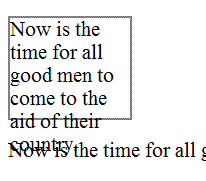
Failure Example 2:
This example is identical to the last one, except that the container is set to clip the text. The text is no longer bleeding into the next paragraph, but now it is truncated. This is also a failure.
<div style="font-size:100%; width:120px; height:100px; overflow: hidden; border: thin solid gray;>
 Now is the time for all good men to come to the aid of their country.
</div>
<p>Now is the time for all good men to come to the aid of their country.</p>
Illustration of example 2:
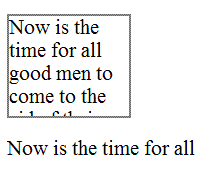
Related Techniques
(none currently listed)
Tests
Procedure
-
Increase the text size of the content by 200%.
-
Check that no text is clipped, truncated, or obscured.
Expected Results
-
If check #2 is false, then the failure condition applies and the content fails these success criteria.
F70: Failure of SC 4.1.1 due to incorrect use of start and end tags or attribute markup
Applicability
Markup languages: HTML, XHTML, and other SGML or XML-based technologies.
This failure relates to:
Description
The objective of this failure is to identify examples of markup errors in element tags that could cause assistive technology to be unable to generate a satisfactory model of the page. Different user agents may implement different heuristics to recover from errors, resulting in inconsistent presentations of the page between user agents.
Some common types of problems with start and end tags that lead to this failure condition (though this is not an exhaustive list):
-
Opening and closing tags that are missing the opening < and closing > brackets.
-
Closing tag missing the initial / to indicate it is a closing tag.
-
Attribute values that have an opening quote but not a closing quote. Attribute values must be either fully quoted or, in some markup languages, may be unquoted.
-
Lack of whitespace between attributes.
-
Unquoted attribute values that have whitespace in the value.
-
Failure to provide a closing element tag for elements that do not accept empty-element syntax.
Examples
Failure Example 1: Missing angle brackets in XHML
The following code fails because the opening tag is missing an angle bracket, and the intended boundary of the tag is unclear.
<p This is a paragraph</p>
Failure Example 2: Missing slash on closing tag in XHTML
The following code fails because the closing tag is missing the slash, making it look like it is in fact another opening tag.
<p>This is a paragraph<p>
Failure Example 3: Unbalanced attribute quoting
The following code fails because the attribute value is missing the closing quote, which makes the boundary of the attribute-value pair unclear.
<input title="name type="text">
Failure Example 4: Lack of whitespace between attributes
The following code fails because the there is not whitespace between attributes, which makes the boundary between attribute-value pairs unclear.
<input title="name"type="text">
Failure Example 5: Unquoted attribute with whitespace value
The following code fails because an attribute value is not quoted and contains whitespace, which makes the boundary of the attribute-value pair unclear.
<input title=Enter name here type=text>
Failure Example 6: Missing end tags in XHTML
The following code fails because the closing tag of the first paragraph is missing, making it unclear whether the second paragraph is a child or sibling of the first.
<p>This is a paragraph
<p>This is another paragraph</p>
Related Techniques
(none currently listed)
Tests
Procedure
-
Check the source code of pages implemented in markup languages.
-
Check whether any opening tags, closing tags or attributes are malformed.
Expected Results
-
If check #2 is true, then the failure condition applies and the content does not meet this success criterion.
F71: Failure of SC 1.1.1 due to using text look-alikes to represent text without providing a text alternative
Applicability
Any technology.
This failure relates to:
Description
The objective of this failure condition is to avoid substituting characters whose glyphs look similar to the intended character, for that intended character. The Unicode character set defines thousands of characters, covering dozens of writing systems. While the glyphs for some of these characters may look like the glyphs for other characters in visual presentation, they are not processed the same by text-to-speech tools.
For example, the characters U+0063 and U+03F2 both look like the letter "c", yet the first is from the Western alphabet and the second from the Greek alphabet and not used in Western languages. The characters U+0033 and U+04E0 both look like the number "3", yet the second is actually a letter from the Cyrillic alphabet.
Note: This failure also applies to the use of character entities. It is the incorrect character used because of its glyph representation that comprises a failure, not the mechanism by which that character is implemented.
Examples
Failure Example 1: Characters
The following word looks, in browsers with appropriate font support, like the English word "cook", yet is composed of the string U+03f2 U+043E U+03BF U+006B, only one of which is a letter from the Western alphabet. This word will not be processed meaningfully, and a text alternative is not provided.
ϲоοk
Failure Example 2: Character entities
The following example, like the one above, will look like the English word "cook" when rendered in browsers with appropriate font support. In this case, the characters are implemented with character entities, but the word will still not be processed meaningfully, and a text alternative is not provided.
ϲоοk
Working Example: "ϲоοk"
Related Techniques
(none currently listed)
Tests
Procedure
-
Check the characters or character entities used to represent text.
-
If the characters used do not match the appropriate characters for the displayed glyphs in the human language of the content, then look-alike glyphs are being used.
Expected Results
-
If look-alike glyphs are used, and there is not a text alternative for any range of text that uses look-alike glyphs, then the content does not meet the success criterion.
F72: Failure of SC 1.1.1 due to using ASCII art without providing a text alternative
Applicability
Any technology.
This failure relates to:
Description
The objective of this failure condition is to avoid the use of ASCII art when a text alternative is not provided. Although ASCII art is implemented as a character string, its meaning comes from the pattern of glyphs formed by a visual presentation of that string, not from the text itself. Therefore ASCII art is non-text content and requires a text alternative. Text alternatives, or links to them, should be placed near the ASCII art in order to be associated with it.
Examples
Failure Example 1: ASCII Art chart without a text alternative
The following ASCII art chart lacks a text alternative and therefore does not meet SC 1.1.1. Note this failure example does in fact cause this page to fail, but you may skip over the example.
<pre>
  %   __ __ __ __ __ __ __ __ __ __ __ __ __ __
100 |             *                             |
 90 |                *  *                       |
 80 |          *           *                    |
 70 |             @           *                 |
 60 |          @                 *              |
 50 |       *        @              *           |
 40 |                   @              *        |
 30 |    *  @              @  @           *     |
 20 |                                           |
 10 |    @                       @  @  @  @     |
      0  5 10 15 20 25 30 35 40 45 50 55 60 65 70
      Flash frequency (Hz)
</pre>
Related Techniques
(none currently listed)
Tests
Procedure
-
Access a page with ASCII art.
-
For each instance of ASCII art, check that it has a text alternative.
Expected Results
-
If check #2 is false, then this failure condition applies and the content fails this success criterion.
F73: Failure of SC 1.4.1 due to creating links that are not visually evident without color vision
Applicability
Any technology.
This failure relates to:
Description
This failure helps ensure that people who cannot perceive color can identify links. Link underlines or some other non-color visual distinction are required. While some links may be visually evident from page design and context, such as navigational links, links within text are often visually understood only from their own display attributes. Removing the underline and leaving only the color for such links would be a failure because there would be no other visual indication (besides color) that it is a link.
Note 1: If the non-color cue only happens when the mouse hovers over the link or when the link receives focus, it is still a failure.
Note 2: If the link is a different color and bold it would not fail because the boldness is not color dependent.
Examples
Failure Example 1:
A Web page includes a large number of links within the body text. The links are styled so that they do not have underlines and are very similar in color to the body text. This would be a failure because users would be unable to differentiate the links from the body text.
Failure Example 2:
The following code is an example of removing the underline from a link in a sentence or paragraph without providing another visual cue besides color.
<head>
<style type="text/css">
p a:link {text-decoration: none}
p a:visited {text-decoration: none}
p a:active {text-decoration: none}
p a:hover {text-decoration: underline; color: red;}
</style>
</head>

<body>

<p>To find out more about the <a href="rain_in_spain.htm">rain in spain</a>there are many resources.</p>

</body>
Note: If the visual clue is only provided on hover (as in the example above), it would still fail.
Related Techniques
(none currently listed)
Tests
Procedure
-
Check that each link within text that is part of a sentence or paragraph (or other area where they could be mistaken as non-linked text) in the page is underlined or otherwise visually identifiable (i.e. bolded, italicized) as a link without relying on on color.
Expected Results
-
If check #1 is false, then this failure condition applies and the content fails this success criterion.
F74: Failure of SC1.2.1 and 1.2.7 due to not labeling a multimedia alternative to text as an alternative
Applicability
Pages that provide multimedia alternatives to text.
This failure relates to:
- Success Criterion 1.2.1 (Captions (Prerecorded))
- Success Criterion 1.2.7 (Full Text Alternative)
- Understanding Success Criterion 1.2.1
- Understanding Success Criterion 1.2.7
Description
The objective of this failure is to avoid situations in which multimedia alternatives are not labeled with the text for which they are alternatives. Multimedia alternatives provide enhanced access to users for whom multimedia is a more effective format than text. Since they are alternatives to text, they do not need themselves to have redundant text alternatives. However, they need to be clearly labeled with the text for which they substitute, so users can find them and so users who normally expect text alternatives to multimedia know not to look for them.
Examples
Failure Example 1: Multimedia alternative provided elsewhere on page
A page with instructions to complete a tax form provides a prose description of the fields to complete, data to provide, etc. Additionally, a multimedia alternative provides spoken instructions, with video of a person completing the section being discussed in the audio. Although both versions are provided on the page, the multimedia version is provided elsewhere on the page and is not clearly labeled with the part of the text for which it is a substitute. This makes it difficult for users encountering the text to find it, and users encountering the video do not know where its text alternative is.
Related Techniques
(none currently listed)
Tests
Procedure
-
Check pages that provide multimedia alternatives to text.
-
Check that multimedia is clearly labeled with the text for which it is an alternative.
Expected Results
-
If check #2 is false, then this failure condition applies and the content fails these success criteria.
F75: Failure of SC 1.2.1 and 1.2.7 by providing multimedia without captions when the multimedia presents more information than is presented on the page
Applicability
Any technology.
This failure relates to:
- Success Criterion 1.2.1 (Captions (Prerecorded))
- Success Criterion 1.2.7 (Full Text Alternative)
- Understanding Success Criterion 1.2.1
- Understanding Success Criterion 1.2.7
Description
The objective of this failure is to avoid situations in which multimedia alternatives provide more information than the text for which they are alternatives, but do not provide their own text alternatives to provide access to the extra information. Multimedia alternatives provide enhanced access to users for whom multimedia is a more effective format than text. Since they are alternatives to text, they are do not need themselves to have redundant text alternatives in the form of captions, audio descriptions or full text alternatives. However, if they provide more information than the text for which they are an alternative, then they are more than simply alternatives but are multimedia content in their own right. In this case they are subject to the full requirements of Success Criterion 1.2.1 to provide captions and to Success Criterion 1.2.2 and 1.2.3.
Examples
Related Techniques
(none currently listed)
Tests
Procedure
-
Check for captions on multimedia alternatives.
-
Check that the multimedia alternative does not provide more information than is presented on the page in text.
Note: Multimedia alternatives often use different words to present what is on the page but it should not present new information on the topic of the page.
Expected Results
-
If check #2 is false, then this failure condition applies and the content fails these success criteria.
2. Client-side Scripting Techniques
SCR1: Allowing the user to extend the default time limit
Applicability
Time limits that are controlled by client-side scripting.
This technique relates to:
Description
The objective of this technique is to allow user to extend the default time limit by providing a mechanism to extend the time when scripts provide functionality that has default time limits. In order to allow the user to request a longer than default time limit, the script can provide a form (for example) allowing the user to enter a larger default time limit. Making this available as a preference setting allows users to indicate their requirements in advance. If warning the user a time limit is about to expire (see SCR16: Providing a script that warns the user a time limit is about to expire (Scripting) ), this form can be made available from the warning dialog.
Examples
-
A Web page contains current stock market statistics and is set to refresh periodically. When the user is warned prior to refreshing the first time, the user is provided with an option to extend the time period between refreshes.
-
In an online chess game, each player is given a time limit for completing each move. When the player is warned that time is almost up for this move, the user is provided with an option to increase the time.
Resources
Resources are for information purposes only, no endorsement implied.
Related Techniques
Tests
Procedure
-
On a Web page that uses scripts to enforce a time limit, wait until the time limit has expired.
-
Determine if an option was provided to extend the time limit.
Expected Results
-
#2 is true and more time is provided to complete the interaction.
SCR14: Using scripts to make nonessential alerts optional
Applicability
Scripting technologies which use scripting alerts for non-emergency communication.
This technique relates to:
User Agent and Assistive Technology Support Notes
This technique was tested successfully with JAWS 6.2
This technique was tested successfully with WindowEyes 5.5
This technique was tested successfully with HomePage Reader 3.04
Description
The objective of this technique is to display a dialog containing a message (alert) to the user. When the alert is displayed, it receives focus and the user must activate the OK button on the dialog to dismiss it. Since these alerts cause focus to change they may distract the user, especially when used for non-emergency information. Alerts for non-emergency purposes such as displaying a quote of the day, helpful usage tip, or count down to a particular event, are not presented unless the user enables them through an option provided in the Web page.
This technique assigns a global JavaScript variable to store the user preference for displaying alerts. The default value is false. A wrapper function is created to check the value of this variable before displaying an alert. All calls to display an alert are made to this wrapper function rather than calling the alert() function directly. Early in the page, a button is provided for the user to enable the display of alerts on the page. This technique works on a visit by visit basis. Each time the page is loaded, alerts will be disabled and the user must manually enable them. Alternatively, the author could use cookies to store user preferences across sessions.
Examples
Example 1
The script below will display a quote in an alert box every ten seconds, if the user selects the "Turn Alerts On" button. The user can turn the quotes off again by choosing "Turn Alerts Off".
<script type="text/javascript">
var bDoAlerts = false;  // global variable which specifies whether to
                                       // display alerts or not
/* function to enable/disable alerts.
 * param boolean bOn - true to enable alerts, false to disable them.
*/
function modifyAlerts(isEnabled) {
   bDoAlerts = isEnabled;
}
/* wrapper function for displaying alerts.  Checks the value of bDoAlerts
*and only calls the alert() function when bDoAlerts is true.
*/
function doAlert(aMessage) {
    if (bDoAlerts) {
       alert(aMessage);
    }
}
// example usage - a loop to display famous quotes.
var gCounter = -1;  // global to store counter
// quotes variable would be initialized with famous quotations
var quotes = new Array("quote 1", "quote 2", "quote 3", "quote 4", "quote 5");
function showQuotes() {
   if (++gCounter >= quotes.length) {
     gCounter = 0;
   }
   doAlert(quotes[gCounter]);
   setTimeout("showQuotes();", 10000);
}
showQuotes();
</script>
Within the body of the page, include a way to turn the alerts on and off. Below is one example:
<body>
<p>Press the button below to enable the display of famous quotes
using an alert box<br />
<button id="enableBtn" type="button" onclick="modifyAlerts(true);">
Turn Alerts On</button><br />
<button id="disableBtn" type="button" onclick="modifyAlerts(false);">
Turn Alerts Off</button></p>
Here is a working example of this code: Demonstration of Alerts.
Tests
Procedure
For a Web page that supports non-emergency interruptions using a JavaScript alert:
-
Load the Web page and verify that no non-emergency alerts are displayed.
-
Verify there is a mechanism to activate the non-emergency alerts.
-
Activate the non-emergency alerts and verify that the alerts are displayed.
Expected Results
-
For a Web page that supports non-emergency interruptions using a JavaScript alert, checks 1, 2, and 3 above are true.
SCR16: Providing a script that warns the user a time limit is about to expire
Applicability
Time limits exist that are controlled by script.
This technique relates to:
Description
The objective of this technique is to notify users that they are almost out of time to complete an interaction. When scripts provide functionality that has time limits, the script can include functionality to warn the user of imminent time limits and provide a mechanism to request more time. 20 seconds or more before the time limit occurs, the script provides a confirm dialog that states that a time limit is imminent and asks if the user needs more time. If the user answers "yes" then the time limit is reset. If the user answers "no" or does not respond, the time limit is allowed to expire.
This technique involves time limits set with the window.setTimeout() method. If, for example, the time limit is set to expire in 60 seconds, you can set the time limit for 40 seconds and provide the confirm dialog. When the confirm dialog appears, a new time limit is set for the remaining 20 seconds. Upon expiry of the "grace period time limit" the action that would have been taken at the expiry of the 60 second time limit in the original design is taken.
Examples
Example 1
A page of stock market quotes uses script to refresh the page every five minutes in order to ensure the latest statistics remain available. 20 seconds before the five minute period expires, a confirm dialog appears asking if the user needs more time before the page refreshes. This allows the user to be aware of the impending refresh and to avoid it if desired.
<!DOCTYPE HTML PUBLIC "-//W3C//DTD HTML 4.01 Transitional//EN"
"<url>http://www.w3.org/TR/html4/loose.dtd">http://www.w3.org/TR/html4/loose.dtd</title>">
<html lang="en">
<head>
<title>Stock Market Quotes</title>
<script type="text/javascript">
<!--
function timeControl() {
	// set timer for 4 min 40 sec, then ask user to confirm.
	setTimeout('userCheck()', 280000);
}
function userCheck() {
	// set page refresh for 20 sec
	var id=setTimeout('pageReload()', 20000);
	// If user selects "OK" the timer is reset
	// else the page will refresh from the server.
	if (confirm("This page is set to refresh in 20 seconds.
	Would you like more time?"))
	{
	clearTimeout(id);
	timeControl();
	}
}
function pageReload() {
	window.location.reload(true);
}
timeControl();
-->
</script>
</head>
<body>
<h1>Stock Market Quotes</h1>
...etc...
</body>
</html>
Related Techniques
Tests
Procedure
On a Web page that has a time limit controlled by a script:
-
load the page and start a timer that is 20 seconds less than the time limit.
-
when the timer expires, check that a confirmation dialog is displayed warning of the impending time limit.
Expected Results
-
#2 is true.
SCR18: Providing client-side validation and alert
Applicability
Content that validates user input.
This technique relates to:
- Success Criterion 3.3.1 (Error Identification)
- Success Criterion 3.3.2 (Error Suggestion)
- Success Criterion 3.3.3 (Error Prevention (Legal, Financial, Data))
- Understanding Success Criterion 3.3.1
- Understanding Success Criterion 3.3.2
- Understanding Success Criterion 3.3.3
Description
The objective of this technique is to validate user input as values are entered for each field, by means of client-side scripting. If errors are found, an alert dialog describes the nature of the error in text. Once the user dismisses the alert dialog, it is helpful if the script positions the keyboard focus on the field where the error occurred.
Examples
Example 1
The following script will check that a valid date has been entered in the form control.
<label for="date">Date:</label>
<input type="text" name="date" id="date"
onchange="if(isNaN(Date.parse(this.value)))
<pre>alert('This control is not a valid date.
Please re-enter the value.');" /></pre>
Related Techniques
Tests
Procedure
For form fields that require specific input:
-
enter invalid data
-
determine if an alert describing the error is provided.
Expected Results
-
#2 is true
SCR19: Using an onchange event on a select element without causing a change of context
Applicability
(X)HTML with support for scripting. This technique uses the try/catch construct of JavaScript 1.4.
User Agent and Assistive Technology Support Notes
This technique has been tested on Windows XP using JAWS 7.0 and WindowEyes 5.5 with both Firefox 1.5 and IE 6. This also works with Home Page Reader 3.04. Note that JavaScript must be enabled in the browser.
This technique relates to:
Description
The objective of this technique is to demonstrate how to correctly use an onchange event with a select element to update other elements on the Web page. This technique will not cause a change of context. When there are one or more select elements on the Web page, an onchange event on one, can update the options in another select element on the Web page. All of the data required by the select elements is included within the Web page.
It is important to note that the select item which is modified is after the trigger select element in the reading order of the Web page. This ensures that assistive technologies will pick up the change and users will encounter the new data when the modified element receives focus. This technique relies on JavaScript support in the user agent.
Examples
Example 1
This example contains two select elements. When an item is selected in the first select, the choices in the other select are updated appropriately. The first select element contains a list of continents. The second select element will contain a partial list of countries located in the selected continent. There is an onchange event associated with the continent select. When the continent selection changes, the items in the country select are modified using JavaScript via the Document Object Model (DOM). All of the data required, the list of countries and continents, is included within the Web page.
Overview of the code below
-
countryLists array variable which contains the list of countries for each continent in the trigger select element.
-
countryChange() function which is called by the onchange event of the continent select element.
-
The XHTML code to create the select elements in the body of the Web page.
<?xml version="1.0" encoding="UTF-8"?>
<!DOCTYPE html PUBLIC "-//W3C//DTD XHTML 1.0 Transitional//EN"
  "http://www.w3.org/TR/xhtml1/DTD/xhtml1-transitional.dtd">
<html xmlns="http://www.w3.org/1999/xhtml" xml:lang="en" lang="en">
  <head>
    <meta http-equiv="content-type" content="text/xhtml; charset=utf-8" />
    <title>Dynamic Select Statements</title>
<script type="text/javascript">
 //<![CDATA[
 // array of possible countries in the same order as they appear in the country selection list
 var countryLists = new Array(4)
 countryLists["empty"] = ["Select a Country"];
 countryLists["North America"] = ["Canada", "United States", "Mexico"];
 countryLists["South America"] = ["Brazil", "Argentina", "Chile", "Ecuador"];
 countryLists["Asia"] = ["Russia", "China", "Japan"];
 countryLists["Europe"]= ["Britain", "France", "Spain", "Germany"];
 /* CountryChange() is called from the onchange event of a select element.
 * param selectObj - the select object which fired the on change event.
 */
 function countryChange(selectObj) {
 // get the index of the selected option
 var idx = selectObj.selectedIndex;
 // get the value of the selected option
 var which = selectObj.options[idx].value;
 // use the selected option value to retrieve the list of items from the countryLists array
 cList = countryLists[which];
 // get the country select element via its known id
 var cSelect = document.getElementById("country");
 // remove the current options from the country select
 var len=cSelect.options.length;
 while (cSelect.options.length > 0) {
 cSelect.remove(0);
 }
 var newOption;
 // create new options
 for (var i=0; i<cList.length; i++) {
 newOption = document.createElement("option");
 newOption.value = cList[i];  // assumes option string and value are the same
 newOption.text=cList[i];
 // add the new option
 try {
 cSelect.add(newOption);  // this will fail in DOM browsers but is needed for IE
 }
 catch (e) {
 cSelect.appendChild(newOption);
 }
 }
 }
//]]>
</script>
</head>
<body>
  <noscript>This page requires JavaScript be available and enabled to function properly</noscript>
  <h1>Dynamic Select Statements</h1>
  <label for="continent">Select Continent</label>
  <select id="continent" onchange="countryChange(this);">
    <option value="empty">Select a Continent</option>
    <option value="North America">North America</option>
    <option value="South America">South America</option>
    <option value="Asia">Asia</option>
    <option value="Europe">Europe</option>
  </select>
  <br/>
  <label for="country">Select a country</label>
  <select id="country">
    <option value="0">Select a country</option>
  </select>
</body>
 </html>
Here is a working example: Dynamic Select
Resources
Resources are for information purposes only, no endorsement implied.
Related Techniques
(none currently listed)
Tests
Procedure
-
Navigate to the trigger select element (in this example, the one to select continents) and change the value of the select.
-
Navigate to the select element that is updated by the trigger (in this example, the one to select countries).
-
Check that the matching option values are displayed in the other select element.
-
Navigate to the trigger select element, navigate through the options but do not change the value.
-
Check that the matching option values are still displayed in the associated element.
It is recommended that the select elements are tested with an assistive technology to verify that the changes to the associated element are recognized.
Expected Results
-
Step #3 and #5 are true.
SCR20: Using both keyboard and other device-specific functions
Applicability
Applies to all content that uses Script to implement functionality.
This technique relates to:
Description
The objective of this technique is to illustrate the use of both keyboard-specific and mouse-specific events with code that has a scripting function associated with an event. Using both keyboard-specific and mouse-specific events together ensures that content can be operated by a wide range of devices. For example, a script may perform the same action when a keypress is detected that is performed when a mouse button is clicked. This technique goes beyond the SC requirement for keyboard access by including not only keyboard access but access using other devices as well.
In JavaScript, commonly used event handlers include, onblur, onchange, onclick, ondblclick, onfocus, onkeydown, onkeypress, onkeyup, onload, onmousedown, onmousemove, onmouseout, onmouseover, onmouseup, onreset, onselect, onsubmit, onunload. Some mouse-specific functions have a logical corresponding keyboard-specific function (such as 'onmouseover' and 'onfocus'). The keyboard event handler should be provided, that executes the same function as the mouse event handler.
The following table suggests keyboard event handlers to pair mouse event handlers.
| Use... | ...with |
|---|---|
mousedown
|
keydown
|
mouseup
|
keyup
|
click
[1]
|
keypress
[2]
|
mouseover
|
focus
|
mouseout
|
blur
|
1 Although click is in principle a mouse event handler, most HTML user agents process this event when the control is activated, regardless of whether it was activated with the mouse or the keyboard. In practice, therefore, it is not necessary to duplicate this event. It is included here for completeness since non-HTML user agents do have this issue.
2 Since the keypress event handler reacts to any key, the event handler function should check first to ensure the Enter key was pressed before proceeding to handle the event. Otherwise, the event handler will run each time the user presses any key, even the tab key to leave the control, and this is usually not desirable.
Some mouse-specific functions (such as dblclick and mousemove) do not have a corresponding keyboard-specific function. This means that some functions may need to be implemented differently for each device (for example, including a series of buttons to execute, via keyboard, the equivalent mouse-specific functions implemented).
Examples
Example 1
In this example of an image link, the image is changed when the user positions the pointer over the image. To provide keyboard users with a similar experience, the image is also changed when the user tabs to it.
<a href="menu.php" onmouseover="swapImageOn('menu')" onfocus="swapImageOn('menu')"
onmouseout="swapImageOff('menu')" onblur="swapImageOff('menu')">
<img id="menu" src="menu_off.gif" alt="Menu" />
</a>
Example 2
This example shows an image for which the keyboard can be used to activate the function. The mouse event onclick is duplicated by an appropriate keyboard event onkeypress. The tabindex attribute ensures that the keyboard will have a tab stop on the image. Note that in this example, the nextPage() function should check that the keyboard key pressed was Enter, otherwise it will respond to all keyboard actions while the image has focus, which is not the desired behavior.
<img onclick="nextPage();" onkeypress="nextPage();" tabindex="0" src="arrow.gif"
alt="Go to next page">
Note: This example uses tabindex on an img element. Even though this is currently invalid, it is provided as a transitional technique to make this function work.
Resources
Resources are for information purposes only, no endorsement implied.
Related Techniques
Tests
Procedure
-
Find all interactive functionality
-
Check that all interactive functionality can be accessed using the keyboard alone
Expected Results
-
#2 is true
SCR21: Using functions of the Document Object Model (DOM) to add content to a page
Applicability
ECMAScript used inside HTML 4.x or XHTML 1.x
This technique relates to:
- Success Criterion 1.3.1 (Info and Relationships)
- Success Criterion 4.1.2 (Name, Role, Value)
- Understanding Success Criterion 1.3.1
- Understanding Success Criterion 4.1.2
User Agent and Assistive Technology Support Notes
This example was successfully tested on Windows XP with IE 6 and Firefox 1.5.0.1 using both JAWS 7 and WindowEyes 5.5. This technique will not work with Home Page Reader. Note that when adding new content onto a page, the screen readers may not automatically speak the new content. In order to insure that new content is spoken, set focus to the new element or make certain that it is added below the current location and will be encountered as the user continues to traverse the page.
Description
The objective of this technique is to demonstrate how to use functions of the Document Object Model (DOM) to add content to a page instead of using document.write or object.innerHTML. The document.write() method does not work with XHTML when served with the correct MIME type (application/xhtml+xml), and the innerHTML property is not part of the DOM specification and thus should be avoided. If the DOM functions are used to add the content, user agents can access the DOM to retrieve the content. The createElement() function can be used to create elements within the DOM. The createTextNode() is used to create text associated with elements. The appendChild(), removeChild(), insertBefore() and replaceChild() functions are used to add and remove elements and nodes. Other DOM functions are used to assign attributes to the created elements.
Note: When adding focusable elements into the document, do not add tabindex attributes to explicitly set the tab order as this can cause problems when adding focusable elements into the middle of a document. Let the default tab order be assigned to the new element by not explicitly setting a tabindex attribute.
Examples
Example 1
This example demonstrates use of client-side scripting to validate a form. If errors are found appropriate error messages are displayed. The example uses the DOM functions to add error notification consisting of a title, a short paragraph explaining that an error has occurred, and a list of errors in an ordered list. The content of the title is written as a link so that it can be used to draw the user's attention to the error using the focus method. Each item in the list is also written as a link that places the focus onto the form field in error when the link is followed.
For simplicity, the example just validates two text fields, but can easily be extended to become a generic form handler. Client-side validation should not be the sole means of validation , and should be backed up with server-side validation. The benefit of client-side validation is that you can provide immediate feedback to the user to save them waiting for the errors to come back from the server, and it helps reduce unnecessary traffic to the server.
Here is the script that adds the event handlers to the form. If scripting is enabled, the validateNumbers() function will be called to perform client-side validation before the form is submitted to the server. If scripting is not enabled, the form will be immediately submitted to the server and validation will occur on the server.
 window.onload = initialise;
 function initialise()
 {
    // Ensure we're working with a relatively standards compliant user agent
    if (!document.getElementById || !document.createElement || !document.createTextNode)
        return;
    // Add an event handler for the number form
    var objForm = document.getElementById('numberform');
    objForm.onsubmit= function(){return validateNumbers(this);};
 }
Here is the validation function. Note the use of the createElement(), createTextNode(), and appendChild() DOM functions to create the error message elements.
function validateNumbers(objForm)
 {
   // Test whether fields are valid
   var bFirst = isNumber(document.getElementById('num1').value);
   var bSecond = isNumber(document.getElementById('num2').value);
   // If not valid, display errors
   if (!bFirst || !bSecond)
   {
      var objExisting = document.getElementById('validationerrors');
      var objNew = document.createElement('div');
      var objTitle = document.createElement('h2');
      var objParagraph = document.createElement('p');
      var objList = document.createElement('ol');
      var objAnchor = document.createElement('a');
      var strID = 'firsterror';
      var strError;
      // The heading element will contain a link so that screen readers
      // can use it to place focus - the destination for the link is
      // the first error contained in a list
      objAnchor.appendChild(document.createTextNode('Errors in Submission'));
      objAnchor.setAttribute('href', '#firsterror');
      objTitle.appendChild(objAnchor);
      objParagraph.appendChild(document.createTextNode('Please review the following'));
      objNew.setAttribute('id', 'validationerrors');
      objNew.appendChild(objTitle);
      objNew.appendChild(objParagraph);
      // Add each error found to the list of errors
      if (!bFirst)
      {
         strError = 'Please provide a numeric value for the first number';
         objList.appendChild(addError(strError, '#num1', objForm, strID));
         strID = '';
      }
      if (!bSecond)
      {
         strError = 'Please provide a numeric value for the second number';
         objList.appendChild(addError(strError, '#num2', objForm, strID));
         strID = '';
      }
      // Add the list to the error information
      objNew.appendChild(objList);
      // If there were existing errors, replace them with the new lot,
      // otherwise add the new errors to the start of the form
      if (objExisting)
         objExisting.parentNode.replaceChild(objNew, objExisting);
      else
      {
         var objPosition = objForm.firstChild;
         objForm.insertBefore(objNew, objPosition);
      }
      // Place focus on the anchor in the heading to alert
      // screen readers that the submission is in error
      objAnchor.focus();
      // Do not submit the form
      objForm.submitAllowed = false;
      return false;
   }
 }
 // Function to validate a number
 function isNumber(strValue)
 {
   return (!isNaN(strValue) && strValue.replace(/^\s+|\s+$/, '') !== '');
 }
Below are the helper functions to create the error message and to set focus to the associated form field.
  // Function to create a list item containing a link describing the error
 // that points to the appropriate form field
 function addError(strError, strFragment, objForm, strID)
 {
   var objAnchor = document.createElement('a');
   var objListItem = document.createElement('li');
   objAnchor.appendChild(document.createTextNode(strError));
   objAnchor.setAttribute('href', strFragment);
   objAnchor.onclick = function(event){return focusFormField(this, event, objForm);};
   objAnchor.onkeypress = function(event){return focusFormField(this, event, objForm);};
   // If strID has a value, this is the first error in the list
   if (strID.length > 0)
      objAnchor.setAttribute('id', strID);
      objListItem.appendChild(objAnchor);
      return objListItem;
   }
 }

 // Function to place focus to the form field in error
 function focusFormField(objAnchor, objEvent, objForm)
 {
   // Allow keyboard navigation over links
   if (objEvent && objEvent.type == 'keypress')
      if (objEvent.keyCode != 13 && objEvent.keyCode != 32)
         return true;
   // set focus to the form control
   var strFormField = objAnchor.href.match(/[^#]\w*$/);
   objForm[strFormField].focus();
   return false;
 }
Here is the HTML for the example form.
<h1>Form Validation</h1>
 <form id="numberform" method="post" action="form.php">
 <fieldset>
 <legend>Numeric Fields</legend>
 <p>
 <label for="num1">Enter first number</label>
 <input type="text" size="20" name="num1" id="num1">
 </p>
 <p>
 <label for="num2">Enter second number</label>
 <input type="text" size="20" name="num2" id="num2">
 </p>
 </fieldset>
 <p>
 <input type="submit" name="submit" value="Submit Form">
 </p>
 </form>
Note that the sample form will not submit. This example only demonstrates the creation of error messages when client side validation fails.
Resources
Resources are for information purposes only, no endorsement implied.
-
HTML 4.01 The Document Object Model, More methods from Webreference.com
Related Techniques
(none currently listed)
Tests
Procedure
For pages that dynamically create new content:
-
Examine the source code and check that the new content is not created using document.write(), innerHTML, outerHTML, innerText or outerText.
Expected Results
-
Check #1 is true.
SCR22: Using scripts to control blinking and stop it in three seconds or less
Applicability
Technologies that support script-controlled blinking of content.
This technique relates to:
Description
The objective of this technique is to control blinking with script so it can be set to stop in less than three seconds by the script. Script is used to start the blinking effect of content, control the toggle between visible and hidden states, and also stop the effect at three seconds or less. The setTimeout() function can be used to toggle blinking content between visible and hidden states, and stop when the number of iterations by the time between them adds up to nearly three seconds.
Examples
Example 1
This example uses JavaScript to control blinking of some (X)HTML content. JavaScript creates the blinking effect by changing the visibility status of the content. It controls the start of the effect and stops it within three seconds.
...
<div id="blink1" class="highlight">New item!</div>
<script type="text/javascript">
<!--
// blink "on" state
function show()
{
	if (document.getElementById)
	document.getElementById("blink1").style.visibility = "visible";
}
// blink "off" state
function hide()
{
	if (document.getElementById)
	document.getElementById("blink1").style.visibility = "hidden";
}
// toggle "on" and "off" states every 450 ms to achieve a blink effect
// end after 2700 ms (less than three seconds)
for(var i=900; i < 2700; i=i+900)
{
	setTimeout("hide()",i);
	setTimeout("show()",i+450);
}
-->
</script>
...
Tests
Procedure
For each instance of blinking content:
-
Start a timer for 3 seconds at the start of the blink effect.
-
When the timer expires, determine if the blinking has stopped.
Expected Results
-
For each instance of blinking content, #2 is true.
SCR24: Using script to open a new window on user request
Applicability
HTML 4.01 and XHTML 1.0
This technique relates to:
Description
The objective of this technique is to avoid confusion that may be caused by
the appearance of new windows that were not requested by the user. Suddenly
opening new windows can disorient or be missed completely by some users.
If the document type does not allow the target attribute (it
does not exist in HTML 4.01 Strict or XHTML 1.0 Strict) or if the developer
prefers not to use it, new windows can be opened with ECMAScript. The
example below demonstrates how to open new windows with script: it adds an
event handler to a link (a element) and warns the user that the
content will open in a new window.
Examples
Example 1:
Markup:
The script is included in the head of the document, and the link has an id that can be used as a hook by the script.
<script type="text/javascript" src="popup.js"></script>
…
<a href="help.html" id="newwin">Show Help</a
Script:
// Use traditional event model whilst support for event registration
// amongst browsers is poor.
window.onload = addHandlers;

function addHandlers()
{
  var objAnchor = document.getElementById('newwin');

  if (objAnchor)
  {
    objAnchor.firstChild.data = objAnchor.firstChild.data + ' (opens in a new window)';
    objAnchor.onclick = function(event){return launchWindow(this, event);}
    // UAAG requires that user agents handle events in a device-independent manner
    // but only some browsers do this, so add keyboard event to be sure
    objAnchor.onkeypress = function(event){return launchWindow(this, event);}
  }
}

function launchWindow(objAnchor, objEvent)
{
  var iKeyCode, bSuccess=false;

  // If the event is from a keyboard, we only want to open the
  // new window if the user requested the link (return or space)
  if (objEvent && objEvent.type == 'keypress')
  {
    if (objEvent.keyCode)
      iKeyCode = objEvent.keyCode;
    else if (objEvent.which)
      iKeyCode = objEvent.which;

    // If not carriage return or space, return true so that the user agent
    // continues to process the action
    if (iKeyCode != 13 && iKeyCode != 32)
      return true;
  }

  bSuccess = window.open(objAnchor.href);

  // If the window did not open, allow the browser to continue the default
  // action of opening in the same window
  if (!bSuccess)
    return true;

  // The window was opened, so stop the browser processing further
  return false;
}
Resources
Resources are for information purposes only, no endorsement implied.
Related Techniques
Tests
Procedure
-
Activate each link in the document to check if it opens a new window.
-
For each link that opens a new window, check that it uses script.
Expected Results
-
#2 is true.
SCR25: Using Dynamic Web Content Accessibility to programmatically identify form fields as required
Applicability
Editorial Note: Moved to ARIA Techniques and modified to remove references to "Dynamic Web Content Accessibility
HTML and XHTML with scripting and Dynamic Web Content Accessibility.
Editorial Note: This technique will be applicable when Dynamic Web Content Accessibility specifications reach W3C recommendation status.
This technique relates to:
- Success Criterion 1.3.1 (Info and Relationships)
- Success Criterion 3.3.4 (Labels or Instructions)
- Understanding Success Criterion 1.3.1
- Understanding Success Criterion 3.3.4
User Agent and Assistive Technology Support Notes
As of October, 2006, Dynamic Web Content Accessibility is fully supported in Firefox 1.5 or later on Windows and Window-Eyes version 5.5 or later. Support in other user agents and assistive technologies is in progress. Since this is not yet supported in all technologies, it is important to also use other sufficient techniques to mark a field as required. This particular technique relies on updates made to Firefox 2.0 to allow the use of the required attribute by itself without also defining a role for the element.
Description
The purpose of this technique is to demonstrate how to use Dynamic Web Content Accessibility to programmatically identify form components for which user input or selection are required. Dynamic Web Content Accessibility techniques provide the ability to add additional information about elements which can be programmatically determined. The user agent can provide this additional information to assistive technology for presentation to the user.
Examples
Example 1
This example uses scripting to add the required state to a form element. In user agents which support namepaces, the required state is assigned using the setAttributeNS() application programming interface (API). For other user agents the required state is assigned using the setAttribute() API and the namespace is simulated by adding a static text string to the front of the required attribute.
In the example below an array variable, requiredIds, is created with the ids of the elements which need to marked as required. The setRequired() function is called from the onload event of window object.
The setRequired() function loops through all of the ids provided, retrieves the element and assigns the required state of true using the setAttrNS() function.
The setAttrNS() function will call the setAttributeNS() API when it is available to set the required attribute. It uses the appropriate namespace URI, "http://www.w3.org/2005/07/aaa", for the Dynamic Web Content Accessibility States and Properties Module. If the setAttributeNS() API is not available in the user agent, a static, simulated namespace of, "aaa:" is added to the required attribute name and it is set using the setAttribute() API.
When this page is accessed using Firefox 2.0 or later or Window-Eyes 5.5 or later, Window-Eyes will speak "required" when reading the label for the input fields.
<head>
 <script type="text/javascript">
 //<![CDATA[

 // array or ids on the required fields on this page
 var requiredIds = new Array( "firstName", "lastName");

 // function that is run after the page has loaded to set the required role on each of the
 //elements in requiredIds array of id values
 function setRequired(){
 	if (requiredIds){
 		var field;
 		for (var i = 0; i< requiredIds.length; i++){
 			field = document.getElementById(requiredIds[i]);
 			setAttrNS(field, "required", "true");
 		}
 	}
 }

 // method to set the attribute values based on the capability of the browser.
 // Use setAttributeNS if it is available,
 // otherwise append a namespace indicator string to the attribute and set its value.
 function setAttrNS(elemObj, theAttr, theValue){
 	if (typeof document.documentElement.setAttributeNS != 'undefined') {
 		elemObj.setAttributeNS("http://www.w3.org/2005/07/aaa", theAttr, theValue);
 	}else{
 		elemObj.setAttribute("aaa:" + theAttr, theValue);
 	}
 }
 window.onload=setRequired;
//]]>
 </script>
 </head>
 <body>
 <p>Please enter the following data.  Required fields have been programmatically identified
 as required and  marked with an asterisk (*) following the field label.</p>
 <form action="submit.php">
 <p>
 <label for="firstName">First Name *: </label><input type="text" name="firstName"
    id="firstName" value="" />
 <label for="lastName">Last Name *: </label><input type="text" name="lastName"
    id="lastName"  value="" />
 </p>
 </form>
 </body>
Resources
Resources are for information purposes only, no endorsement implied.
-
Dynamic Web Content Accessibility Roadmap
-
Role Taxonomy for Accessible Adaptable Applications
-
States and Properties Module
Editorial Note: These URIs will need to be updated to the public drafts when they become available.
Related Techniques
(none currently listed)
Tests
Procedure
-
Load the page using an user agent and/or assistive technology that supports Dynamic Web Content Accessibility.
-
Navigate to each required form element and verify that "required" is spoken.
Expected Results
-
Check #2 is true
3. CSS Techniques
C6: Positioning content based on structural markup
Applicability
All technologies that support CSS
This technique relates to:
- Success Criterion 2.4.1 (Bypass Blocks)
- Success Criterion 1.3.2 (Meaningful Sequence)
- Understanding Success Criterion 2.4.1
- Understanding Success Criterion 1.3.2
Description
The objective of this technique is to demonstrate how visual appearance may be enhanced via style sheets while still maintaining a meaningful presentation when style sheets are not applied. Using the positioning properties of CSS2, content may be displayed at any position on the user's viewport. Using structural elements ensures that the meaning of the content can still be determined when styling is not available.
Examples
Example 1
In this example structural markup (definition lists) have been applied to the content. CSS has been used to style the content into columnar form. Each class absolutely positions the content into columns and the margins have been set to 0 to override the default behavior of user agents to display HTML definition lists with the DD element indented.
Here is the content to be displayed:
 <div class="box">
  <dl>
    <dt class="menu1">Products</dt>
    <dd class="item1">Telephones</dd>
    <dd class="item2">Computers</dd>
    <dd class="item3">Portable MP3 Players</dd>
    <dt class="menu2">Locations</dt>
    <dd class="item4">Idaho</dd>
    <dd class="item5">Wisconsin</dd>
    </dt>
  </dl>
 </div>
Here is the CSS which positions and styles the above elements:
 .item1 {
   left: 0em;
   margin: 0px;
   position: absolute;
   top: 7em;
 }
 .item2 {
   left: 0em;
   margin: 0px;
   position: absolute;
   top: 8em;
 }
 .item3 {
   left: 0em;
   margin: 0px;
   position: absolute;
   top: 9em;
 }
 .item4 {
   left: 14em;
   margin: 0px;
   position: absolute;
   top: 7em;
 }
 .item5 {
   left: 14em;
   margin: 0px;
   position: absolute;
   top: 8em;
 }
 .menu1 {
   background-color: #FFFFFF;
   color: #FF0000;
   font-family: sans-serif;
   font-size: 120%;
   left: 0em;
   margin: 0px;
   position: absolute;
   top: 3em;
 }
 .menu2 {
   background-color: #FFFFFF;
   color: #FF0000;
   font-family: sans-serif;
   font-size: 120%;
   left: 10em;
   margin: 0px;
   position: absolute;
   top: 3em;
 }
 #box {
   left: 5em;
   position: absolute;
   top: 5em;
 }
When style sheets are applied, the data are displayed in two columns of "Products" and "Locations." When the style sheets are not applied, the text appears in a definition list which maintains the structure and reading order.
Resources
Resources are for information purposes only, no endorsement implied.
Related Techniques
Tests
Procedure
For content which uses CSS for positioning
-
Remove the style information from the document or turn off use of style sheets in the user agent.
-
Check that the structural relations and the meaning of the content are preserved.
Expected Results
-
Check #2 is true.
C7: Using CSS to hide a portion of the link text
Applicability
All technologies that support CSS .
This technique relates to:
- Success Criterion 2.4.4 (Link Purpose (Context))
- Success Criterion 2.4.8 (Link Purpose (Link Text))
- Understanding Success Criterion 2.4.4
- Understanding Success Criterion 2.4.8
Description
The objective of this technique is to supplement the link text by adding additional text that describes the unique function of the link but styling the additional text so that it is not rendered on the screen by user agents that support CSS. When information in the surrounding context is needed to interpret the displayed link text, this technique provides a complete description of the link unique function while permitting the less complete text to be displayed.
This technique works by creating a CSS selector to target text that is to be hidden. The rule set for the selector places the text to be hidden in a 1-pixel box with overflow hidden, and positions the text outside of the viewport. This ensures the text does not display on screen but remains accessible to assistive technologies such as screen readers and braille displays. Note that the technique does not use visibility:hidden or display:none properties, since these can have the unintentional effect of hiding the text from assistive technology in addition to preventing on-screen display.
Examples
The following examples use the CSS selector and rule set below:
a span {
height: 1px;
width: 1px;
position: absolute;
overflow: hidden;
top: -10px;
}
Example 1
This example describes a news site that has a series of short synopsis of stories followed by a link that says "full story". Hidden link text describes the purpose of the link.
<?xml version="1.0" encoding="UTF-8"?>
<!DOCTYPE html PUBLIC "-//W3C//DTD XHTML 1.0 Strict//EN"
  "http://www.w3.org/TR/xhtml1/DTD/xhtml1-strict.dtd">
<html xmlns="http://www.w3.org/1999/xhtml" xml:lang="en" lang="en">
<head>
<meta http-equiv="Content-Type" content="text/xhtml; charset=UTF-8" />
<link href="access.css" rel="stylesheet" type="text/css" />
<title>Hidden Link Text</title>
</head>
<body>
<p>Washington has announced plans to stimulate economic growth.
  <a href="#"> <span>Washington stimulates economic growth </span>
  Full Story</a></p>
</body>
</html>
Example 2
This example describes a resource that has electronic books in different formats. The title of each book is followed by links that say "HTML" and "PDF." Hidden text describes the purpose of each link.
<?xml version="1.0" encoding="UTF-8"?>
<!DOCTYPE html PUBLIC "-//W3C//DTD XHTML 1.0 Strict//EN"
 "http://www.w3.org/TR/xhtml1/DTD/xhtml1-strict.dtd">
<html xmlns="http://www.w3.org/1999/xhtml" xml:lang="en" lang="en">
<head>
<meta http-equiv="Content-Type" content="text/xhtml; charset=UTF-8" />
<link href="access.css" rel="stylesheet" type="text/css" />
<title>Hidden Link Text </title>
</head>
<body>
<dl>
<dt>Winnie the Pooh </dt>
   <dd><a href="winnie_the_pooh.html">
      <span>Winnie the Pooh </span>HTML</a></dd>
   <dd><a href="winnie_the_pooh.pdf">
         <span>Winnie the Pooh </span>PDF</a></dd>
<dt>War and Peace</dt>
    <dd><a href="war_and_peace.html">
      <span>War and Peace </span>HTML</a></dd>
    <dd><a href="war_and_peace.pdf">
      <span>War and Peace </span>PDF</a></dd>
</dl>
</body>
</html>
Resources
No resources available for this technique.
Related Techniques
Tests
Procedure
For each anchor element using this technique:
-
Check that an element has been defined that confines its display to a pixel and positions text outside the display with overflow hidden
-
Check that the element of that class is included in the content of the
anchor -
Check that the combined content of the
anchordescribes the purpose of the link
Expected Results
-
All checks above are true.
C8: Using CSS letter-spacing to control spacing within a word
Applicability
All technologies that support CSS.
This technique relates to:
Description
The objective of this technique is to demonstrate how the visual appearance of spacing in text may be enhanced via style sheets while still maintaining meaningful text sequencing. The CSS letter-spacing property helps developers control the amount of white space between characters. This is recommended over adding blank characters to control the spacing, since the blank characters can change the meaning and pronunciation of the word.
Examples
Example 1: Separating characters in a word
The following CSS would add the equivalent of a space between each character in a level-2 heading:
h2
{
	letter-spacing: 1em;
}
So for the markup:
<h2>Museum</h2>
the rendered result might look something like:
M u s e u m
Resources
Resources are for information purposes only, no endorsement implied.
Related Techniques
Tests
Procedure
For each word that appears to have non-standard spacing between characters:
-
Check whether the CSS
letter-spacingproperty was used to control spacing.
Expected Results
-
Check #1 is true.
C9: Using CSS to include decorative images
Applicability
Any technology that can use CSS to include images.
This technique relates to:
Description
The objective of this technique is to provide a mechanism to add purely decorative images and images used for visual formatting to Web content without requiring additional markup within the content. This makes it possible for assistive technologies to ignore the non-text content. Some user agents can ignore or turn off CSS at the user's request, so that background images included with CSS simply "disappear" and do not interfere with display settings such as enlarged fonts or high contrast settings.
Background images can be included with the following CSS properties:
-
background, -
background-image, -
content, combined with the:beforeand:afterpseudo-elements, -
list-style-image.
Note: This technique is not appropriate for any image that conveys information or provides functionality, or for any image primarily intended to create a specific sensory experience.
Examples
Example 1: Background image for an HTML page
The stylesheet for a Web page specifies a background image for the whole page.
 …
<style type="text/css">
body { background: #ffe url('/images/home-bg.jpg') repeat; }
</style>
</head>
<body>
…
Example 2: Background image with CSS for image rollovers
The stylesheet for a Web page uses the CSS background
property to create a decorative rollover effects when a user hovers
the mouse pointer over a link.
a:hover { background: #ffe url('/images/hover.gif') repeat; color: #000;
   text-decoration: none;
}
Example 3: Background images with CSS to create rounded corners on tabs or other elements
The styleseet for a Web page uses the CSS background
property to create rounded corners on elements.
…
<style type="text/css">
 div#theComments { width:600px; }
 div.aComment { background: url('images/middle.gif') repeat-y left top;
 margin:0 0 30px 0; }
 div.aComment blockquote { background: url('images/top.gif') no-repeat left top;
 margin:0; padding:8px 16px; }
 div.aComment div.submitter { background:#fff url('images/bottom.gif') no-repeat left top;
 margin:0; padding-top:30px; }
</style>
</head>
<body>
<div id="theComments">
 <div class="aComment">
  <blockquote>
   <p>Hi John, I really like this technique and I'm gonna use it on my own website!</p>
  </blockquote>
  <div class="submitter">
   <p class="cite"><a href="http://example.com/">anonymous coward</a> from Elbonia</p>
  </div>
 </div>
 <div class="aComment">
 …
 </div>
</div>
…
Resources
Resources are for information purposes only, no endorsement implied.
-
The HTML 4.01 specification states that the
backgroundattribute of thebodyelement is deprecated
Related Techniques
Tests
Procedure
-
Check for the presence of decorative images
-
Check that they are included with CSS
Expected Results
-
If #1 is true, then #2 is true.
C12: Using percent for font sizes
Applicability
CSS
This technique relates to:
- Success Criterion 1.4.4 (Resize text)
- Success Criterion 1.4.7 (Resize and Wrap)
- Understanding Success Criterion 1.4.4
- Understanding Success Criterion 1.4.7
User Agent and Assistive Technology Support Notes
When font size is specified in any absolute units of measurement, such as points or pixels, the Text Size menu commands in Internet Explorer 7 and earlier do not resize the text.
When High Contrast Mode has been set from the Accessibility Control Panel on Windows, IE6 increases the size of the page text as if a percentage change had been set for the outermost window via CSS. Standard CSS layout behavior causes relative scaling to be multiplied, so the scaling of text within elements will be different in subtle ways. Firefox and IE7 do not change the scaling of the content based on the system settings in a way that affects CSS layout, so this effect does not occur in those browsers.
Description
The objective of this technique is to specify text font size proportionally so that user agents can scale content effectively. If a font-size is specified for the body element, all other elements inherit that value, unless overridden by a more specific selector.
Examples
Example 1: Percent font sizes in CSS
This example defines the font size for the strong element so that its text will always be larger than the surrounding text, in whatever context it is used. Assuming that headings and paragraphs use different font sizes, the emphasized words in this example will each be larger than their surrounding text.
strong {font-size: 120%}

...

<h1>Letting the <strong>user</strong> control text size</h1>
<p>Since only the user can know what size text works for him,
it is <strong>very</strong> important to let him configure the text size.
…
Resources
Resources are for information purposes only, no endorsement implied.
Related Techniques
Tests
Procedure
-
Examine all CSS properties that define font size for each rule set.
-
Check that the value is a percentage.
Expected Results
-
Check #2 is true
C13: Using named font sizes
Applicability
CSS
This technique relates to:
- Success Criterion 1.4.4 (Resize text)
- Success Criterion 1.4.7 (Resize and Wrap)
- Understanding Success Criterion 1.4.4
- Understanding Success Criterion 1.4.7
User Agent and Assistive Technology Support Notes
When font size is given in absolute units of measurement, such as points or pixels, the Text Size menu commands in Internet Explorer 7 and earlier do not resize the text.
Description
The objective of this technique is to specify a named font size that expresses the relative font size desired. These values provide hints so that the user agent can choose a font-size relative to the inherited font-size.
Examples
Example 1: Named font sizes in CSS
This example selects a larger font size for strong elements so that their text will always be larger than the surrounding text, in whatever context they are used. Assuming that headings and paragraphs use different font sizes, the emphasized words in this example will each be larger than their surrounding text.
strong {font-size: larger}

...

<h1>Letting the <strong>user</strong> control text size</h1>
<p>Since only the user can know what size text works for him,
it is <strong>very</strong> important to let him configure the text size.
…
Resources
Resources are for information purposes only, no endorsement implied.
Related Techniques
Tests
Procedure
-
Examine all CSS properties that define font size of the CSS rule set.
-
Check that the value is one of
xx-small,xx-small,x-small,small,medium,large,x-large,xx-large,xsmaller, orlarger.
Expected Results
-
Check #2 is true
C14: Using em units for font sizes
Applicability
CSS
This technique relates to:
- Success Criterion 1.4.4 (Resize text)
- Success Criterion 1.4.7 (Resize and Wrap)
- Understanding Success Criterion 1.4.4
- Understanding Success Criterion 1.4.7
User Agent and Assistive Technology Support Notes
In Internet Explorer 6, using ems for font sizes will cause the text to grow more than using % or named font sizes. So, text-size/largest, might cause the text to grow more than 200% and have clipping problems.
When font size is given in absolute units of measurement, such as points or pixels, the Text Size menu commands in Internet Explorer 7 and earlier do not resize the text.
Internet Explorer 7 only changes the text size when the CSS is defined in a style element, keyed off an element as in the examples. When using inline style with the "style" attribute, the text size change is not supported.
Description
The objective of this technique is to specify text font size in em units so that user agents can scale content effectively. Since the em is a property of the font, it scales as the font changes size. If a font-size is specified for the body element, all other elements inherit that value, unless overridden by a more specific selector.
Examples
Example 1: Em font sizes in CSS
This example defines the font size for strong element so that its text will always be larger than the surrounding text, in whatever context it is used. Assuming that headings and paragraphs use different font sizes, the strong words in this example will each be larger than their surrounding text.
strong {font-size: 1.6em}

...

<h1>Letting the <strong>user</strong> control text size</h1>
<p>Since only the user can know what size text works for him,
it is <strong>very</strong> important to let him configure the text size.  </p>
…
Resources
Resources are for information purposes only, no endorsement implied.
Related Techniques
Tests
Procedure
-
Examine all CSS properties that define font size for each rule set.
-
Check that the value is expressed in
emunits.
Expected Results
-
Check #2 is true
4. General Techniques
G1: Adding a link at the top of each page that goes directly to the main content area
Applicability
All technologies that contain links
This technique relates to:
Description
The objective of this technique is to provide a mechanism to bypass blocks of material that are repeated on multiple Web pages by skipping directly to the main content of the Web page. The first interactive item in the Web page is a link to the beginning of the main content. Activating the link sets focus beyond the other content to the main content. This technique is most useful when a Web page has one main content area, rather than a set of content areas that are equally important.
Examples
Example 1: An online newspaper
An on-line newspaper contains many sections of information: a search function, a corporate banner, sidebars, minor stories, how to contact the newspaper, etc. The lead story is located in the middle of the page. The first link that the user reaches when tabbing through the page is titled "Skip to Lead Story". Activating the link moves visual focus to the story. Pressing tab again takes the user to the first link in the main story.
Example 2: A "Skip to main content" link
A Web page includes a variety of navigation techniques on each page: a bread crumb trail, a search tool, a site map, and a list of related resources. The first link on the page is titled "Skip to Main Content". A user activates the link to skip over the navigation tools.
Note: When possible, a visible link is preferred over a hidden link. Visible links are necessary for those navigating with a keyboard including switch users, those using techniques that generate keyboard strokes slowly, screen magnification software users, screen reader users working with sighted colleagues, keyboard only users and those navigating using voice recognition software.
Resources
Resources are for information purposes only, no endorsement implied.
Related Techniques
(none currently listed)
Tests
Procedure
-
Check that a link is the first focusable control on the Web page.
-
Check that the description of the link communicates that it links to the main content.
-
Check that activating the link moves the focus to the main content.
-
Check that after activating the link, the keyboard focus has moved to the main content
Expected Results
-
All checks above are true.
G4: Allowing the content to be paused and restarted from where it was stopped
Applicability
Any technology that includes moving or scrolling content.
This technique relates to:
Description
The objective of this technique is to provide a way to pause movement or scrolling of content. If the user needs to pause the movement, to reduce distraction or to have time to read it, they can do so, and then restart it as needed. This mechanism can be provided either through interactive controls that conform to WCAG or through keyboard shortcuts. If keyboard shortcuts are used, they are documented.
Examples
-
A site contains a scrolling news banner at the top of the page. Users who need more time to read it can press the Escape key to pause the scrolling. Pressing Escape again restarts it.
-
A Web page contains a link labeled "How to tie a shoe" which links to a Flash animation. Text immediately preceding the link informs the user that pressing the spacebar will pause the animation and restart it again.
Tests
Procedure
On a page with moving or scrolling content,
-
Use the mechanism provided in the Web page or by the user agent to pause the moving or scrolling content.
-
Check that the moving or scrolling has stopped and does not restart by itself.
-
Use the mechanism provided to restart the moving content.
-
Check that the movement or scrolling has resumed from the point where it was stopped.
Expected Results
-
#2 and #4 are true.
G5: Allowing users to complete an activity without any time limit
Applicability
This technique applies to any technologies or methods supporting the implementation of an activity which does not require timed interaction for its functionality.
This technique relates to:
Description
The objective of this technique is to provide users with all the time they need to complete an activity. This technique involves providing a specified activity which does not require timed interaction. Users are allowed as much time as they need to interact with the activity.
Examples
-
An interactive exam for a course provides all questions on one Web page. Users can take as much time as they need to complete it.
-
In an interactive game, users can take as much time as they like on their turn instead of having to complete their move within a limited amount of time.
-
In an online auction, each bidder can submit only one bid rather than submitting multiple competitive bids based on timing. The bidding is open for a full day, providing enough time for anyone to complete the simple bid form. Once bidding is closed, the best bid wins.
Resources
Resources are for information purposes only, no endorsement implied.
Tests
Procedure
-
Determine if any timed interactions are present.
Expected Results
-
#1 is false.
G8: Creating an extended audio description for the multimedia content
Applicability
Any audio multimedia technology
This technique relates to:
Description
The objective of this technique is to all additional audio description to be inserted into a multimedia presentation when there is not enough time in the gaps int the dialog. This is done by simply freezing the image so that additional audio description of the video can be played. When the description is finished, the multimedia continues.
This technique provides people who are blind or who otherwise would miss information presented visually with additional audio description beyond that which can be provided by standard audio description. Often the gaps in dialog are insufficient to allow enough audio description to be inserted to cover all the important visual information being presented. This technique freezes the multimedia presentation to allow additional audio description to be played. The multimedia presentation is then resumed.
Because it disrupts viewing for those who do not need the additional description, techniques that allow you to turn the feature on and off are often provided. Alternately, versions with and without the additional description can be provided.
Examples
Example 1
Example 1: A Training film has narrative that runs almost continuously throughout. An alternate version is available for people who have difficulty viewing the video portion. The alternate version freezes the video and provides audio description of key information.
Resources
Resources are for information purposes only, no endorsement implied.
Related Techniques
Tests
Procedure
-
Play multimedia with extended audio description enabled
-
Check to see if multimedia freezes from time to time to allow audio description to convey important information regarding visual content
Expected Results
-
#2 is true
G9: Creating captions for live multimedia
Applicability
Applies to all technologies that present Audio Visual information
This technique relates to:
Description
The objective of this technique is to allow users who cannot hear to be able to access real-time multimedia broadcasts. It is more difficult to create accurate real-time captions because there is little time to correct mistakes or to listen a second time or consult someone to be sure the words are accurately reproduced. It is also harder to simplify or paraphrase information if it is flowing too quickly.
Real-time typing text entry techniques exist using stenographic and rapid typing technologies. Re-voicing speech-to-text (where a person listens to speech and then carefully re-voices it into a computer trained to their speech) is used today for telephone relay services and may be used in the future for captioning. Eventually speech-to-text with correction will be possible.
Examples
Example 1
Example 1: A television studio uses a real-time captioning service to create captions for its evening news online.
Resources
Resources are for information purposes only, no endorsement implied.
(none)
Related Techniques
Tests
Procedure
-
a procedure and policy are in place to ensure that captions are delivered in real-time
Expected Results
-
#1 is true
G10: Creating components using a technology that supports the accessibility API features of the platforms on which the user agents will be run to expose the names and roles, allow user-settable properties to be directly set, and provide notification of changes
Applicability
programming technologies that have standard components that are programmed to interface with accessibility APIs
This technique relates to:
Description
The objective of this technique is to allow assistive technology to understand Web content so that it can convey equivalent information to the user through an alternate user interface.
Sometimes content is not created using markup language but rather using a programming language or tools. In many cases, these technologies have interface components that are already programmed to interface with accessibility APIs. If and author uses these components and fills in the properties (e.g. name, etc) the resulting user interface components in the content will be accessible to assistive technology.
However, if an author wants to create a user interface component that is new and they cannot use standard components, then they need to be sure to add the accessibility provisions themselves - and implement them in a way that is compatible with the accessibility API.
Examples
Example 1
Example 1: A Web page uses java to create an applet. A group of authors wants to create an entirely new type of interface component so they can not use existing Java objects. They use Java swing classes to create their component because the Java swing classes already have provisions for connecting to different accessibility APIs. Using the Java swing classes they are able to create an interface component that exposes its name and role, is able to be set by AT and alerts AT to any updates.
Example 2: A Web page uses an original ActiveX control that is written in the C++ programming language. The control is written to explicitly support the Microsoft Active Accessibility (MSAA) API to expose information about accept commands. The control then interacts directly with assistive technology running the user agent on systems that support MSAA.
Resources
Resources are for information purposes only, no endorsement implied.
Related Techniques
(none currently listed)
Tests
Procedure
-
Render content using an accessible User Agent
-
Use an Accessibility Tool designed for the Accessibility API of the User agent to evaluate each user interface component
-
Check that name and role for each user interface component is found by the tool.
-
Change the values on the component
-
Check that the Accessibility tool is alerted.
Expected Results
-
Step #3 and #5 are true for each user interface component
G11: Creating content that blinks for less than 3 seconds
Applicability
Technologies that support blinking content.
This technique relates to:
Description
The objective of this technique is to minimize the distraction caused by blinking content and enable users to re-focus on the other content on the page.
Blinking content can be created using a variety of technologies, many of which include options to loop blinking content continuously or to otherwise specify the amount of time the blinking content is displayed. Limiting the blinking of content to three seconds minimizes the distraction that blinking can cause. This will benefit people with certain types of learning disabilities and people with low vision.
Examples
-
An animated image is used to highlight items on sale. Within a list of items for purchase, an image of a red tag followed by the phrase "On sale" is used to indicate items being offered at a reduced price. The image of the red tag blinks on loading of the page and stops within three seconds.
Tests
Procedure
-
Find all items that blink.
-
For each item that blinks, determine if the interval between the start and end of the blinking is less than three seconds.
Expected Results
-
#2 is true.
G13: Describing what will happen before a change to a form control is made
Applicability
Applies to content that includes forms.
User Agent and Assistive Technology Support Notes
(none listed)
This technique relates to:
- Success Criterion 3.2.2 (On Input)
- Success Criterion 3.3.4 (Labels or Instructions)
- Understanding Success Criterion 3.2.2
- Understanding Success Criterion 3.3.4
Description
The objective of this technique is to provide information to users about what will happen when a change to a form control results in a change of context. Because changing the value of a form control does not typically result in a change of context, it is important that authors provide instructions that make the user aware of the behavior in advance. Where possible, it is a good idea to programmatically associate the instructions describing the change with the form control itself.
Examples
Example 1
-
A series of radio buttons at the top of a page include options for German, French and Spanish. Instructions precede the buttons that instruct the user that the language will be changed upon selecting an option.
-
A 50 question online survey displays one question at a time. Instructions appear at the beginning of the survey that explain that users will be taken to the next question of the survey upon selecting an answer to each question.
Resources
Resources are for information purposes only, no endorsement implied.
Related Techniques
(none currently listed)
Tests
Procedure
-
Locate content where changing the setting of a form control results in a change of context
-
Check to see that an explanation of what will happen when the control is changed is available prior to the controls activation
Expected Results
-
Check #2 is true.
G14: Ensuring that color-encoded information is also available in text
Applicability
All technologies that support color.
This technique relates to:
Description
The objective of this technique is to ensure that when color is used to convey information, such as required form fields, the information conveyed by the color is also conveyed explicitly in text.
Examples
Example 1: A color-coded schedule
The schedule for sessions at a technology conference is organized into three tracks. Sessions for Track 1 are displayed over a blue background. Sessions in Track 2 are displayed over a yellow background. Sessions in Track 3 are displayed on a green background. After the name of each session is a code identifying the track in text: T1 for Track 1, T2 for Track 2, and T3 for Track 3.
Example 2: A color-coded schedule with icons
The schedule for sessions at a technology conference is organized into three tracks. Next to the title of each session is a colored icon showing what track it belongs to: blue icons represent track 1, yellow icons represent Track 2, and green icons represent Track 3. Each icon is associated with a text alternative reading "Track 1," "Track 2," or "Track 3," as appropriate.
Example 3: A table showing the conference schedule
The schedule for sessions at a technology conference is organized into three tracks. The schedule for each day is shown in a data table with headers for Time, Title, and Track. Sessions for Track 1 are displayed over a blue background. Sessions in Track 2 are displayed over a yellow background. Sessions in Track 3 are displayed on a green background.
Example 4: A form with required fields
A form contains several required fields. The labels for the required fields are displayed in red. In addition, at the end of each label is an asterisk character, *. The instructions for completing the form indicate that "all required fields are displayed in red and marked with an asterisk *", followed by an example.
Example 5: A form with a green submit button
An on-line loan application explains that green buttons advance in the process and red buttons cancel the process. A form contains a green button containing the text Go. The instructions say "Press the button labeled Go to submit your results and proceed to the next step."
Resources
No resources available for this technique.
Related Techniques
(none currently listed)
Tests
Procedure
For each item where color is used to convey information:
-
Check that the information conveyed is also available in text and that the text is not conditional content.
Expected Results
-
Check #1 is true.
G15: Ensuring that content does not violate the general flash threshold or red flash threshold
Applicability
Applies to any technology
This technique relates to:
Description
The purpose of this technique is to allow people who have photosensitive seizures to view Web sites without encountering material that is likely to cause a seizure. Warnings can be provided but people may miss them and children may not be able to read or understand them. With this technique all material is checked and if it violates flash or red flash thresholds it is either not put on the site or it is modified so that it does not violate the thresholds.
Examples
-
An animation of a thunderstorm shows six flashes of lightning. The flashes are so fast that the general flash threshold is violated. The animation is modified to create a short pause after each pair of lightning flashes. After the changes are made, the animation does not violate the general flash threshold.
Resources
Resources are for information purposes only, no endorsement implied.
Related Techniques
(none currently listed)
Tests
Procedure
-
Check to see if content violates the flash and/or red flash thresholds by either
-
visually checking that there are no more than 2 flashes of any kind in a row OR
-
using a tool that will check for General Flash or Red Flash thresholds automatically
-
Expected Results
-
Step 1 is false
G17: Ensuring that a contrast ratio of at least 7:1 exists between text and background behind the text
Applicability
Any technology that produces visual output.
This technique relates to:
Description
The objective of this technique is to make sure that users can read text that is presented over a background. This technique goes beyond the 5:1 contrast technique to provide a higher level of contrast to make it easier for people with low vision to read.
If the background is a solid color (or all black or all white) then the contrast ratio of the text can be maintained by making sure that each of the text letters have a 7:1 contrast ratio with the background.
If the background or the letters vary in relative luminance (or are patterned), then the background around the letters can be chosen or shaded so that the letters maintain a 7:1contrast ratio with the background behind them even if they do not have that contrast ratio with the entire background.
The contrast ratio can sometimes be maintained by changing the relative luminance of the letters as the relative luminance of the background changes across the page.
Another method is to provide a halo around the text that provides the necessary contrast ratio if the background image or color would not normally be sufficiently different in relative luminance.
Examples
-
A black background is chosen so that light colored letters that match the company’s logo can be used.
-
Text is placed over a picture of the college campus. Since a wide variety of colors and darknesses appear in the picture the area behind the text is fogged white so that the picture is very faint and the maximum darkness is still light enough to maintain a 7:1 contrast ratio with the black text written over the picture.
Resources
Resources are for information purposes only, no endorsement implied.
Related Techniques
(none currently listed)
Tests
Procedure
-
Measure the relative luminance of each letter (unless they are all uniform) using the formula:
-
L = 0.2126 * R + 0.7152 * G + 0.0722 * B where R, G and B are defined as:
-
if RsRGB <= 0.03928 then R = RsRGB/12.92 else R = ((RsRGB+0.055)/1.055) ^ 2.4
-
if GsRGB <= 0.03928 then G = GsRGB/12.92 else G = ((GsRGB+0.055)/1.055) ^ 2.4
-
if BsRGB <= 0.03928 then B = BsRGB/12.92 else B = ((BsRGB+0.055)/1.055) ^ 2.4
and RsRGB, GsRGB, and BsRGB are defined as:
-
RsRGB = R8bit/255
-
GsRGB = G8bit/255
-
BsRGB = B8bit/255
The "^" character is the exponentiation operator.
-
Note: For aliased letters, use the relative luminance value found two pixels in from the edge of the letter.
-
-
Measure the relative luminance of the background pixels immediately next to the letter using same formula.
-
Calculate the contrast ratio using the following formula.
-
(L1 + 0.05) / (L2 + 0.05), where
-
L1 is the relative luminance of the lighter of the foreground or background colors, and
-
L2 is the relative luminance of the darker of the foreground or background colors.
-
-
-
Check that the contrast ratio is equal to or greater than 7:1
Expected Results
-
#4 is true
G18: Ensuring that a contrast ratio of at least 5:1 exists between text and background behind the text
Applicability
Any technology that produces visual output.
This technique relates to:
- Success Criterion 1.4.3 (Contrast (Minimum))
- Success Criterion 1.4.5 (Contrast (Enhanced))
- Understanding Success Criterion 1.4.3
- Understanding Success Criterion 1.4.5
Description
The objective of this technique is to make sure that users can read text that is presented over a background. For Success Criterion 1.4.3, this technique describes the minimum contrast ratio for text that is less than 18 point (if not bold) and less than 14 point (if bold). For Success Criterion 1.4.5, this technique relaxes the 7:1 contrast ratio requirement for text that is at least 18 point (if not bold) or at least 14 point (if bold).
If the background is a solid color (or all black or all white) then the relative luminance of the text can be maintained by making sure that each of the text letters have 5:1 contrast ratio with the background.
If the background or the letters vary in relative luminance (or are patterned) then the background around the letters can be chosen or shaded so that the letters maintain 5:1 contrast ratio with the background behind them even if they do not have that contrast ratio with the entire background.
The contrast ratio can sometimes be maintained by changing the relative luminance of the letters as the relative luminance of the background changes across the page.
Another method is to provide a halo around the text that provides the necessary contrast ratio if the background image or color would not normally be sufficiently different in relative luminance.
Examples
-
A black background is chosen so that light colored letters that match the companies logo can be used.
-
Text is placed over a picture of the college campus. Since a wide variety of colors and darknesses appear in the picture, the area behind the text is fogged white so that the picture is very faint and the maximum darkness is still light enough to maintain a 5:1 contrast ratio with the black text written over the picture.
See also the contrast samples in related resources.
Resources
Resources are for information purposes only, no endorsement implied.
Related Techniques
(none currently listed)
Tests
Procedure
-
Measure the relative luminance of each letter (unless they are all uniform) using the formula:
-
L = 0.2126 * R + 0.7152 * G + 0.0722 * B where R, G and B are defined as:
-
if RsRGB <= 0.03928 then R = RsRGB/12.92 else R = ((RsRGB+0.055)/1.055) ^ 2.4
-
if GsRGB <= 0.03928 then G = GsRGB/12.92 else G = ((GsRGB+0.055)/1.055) ^ 2.4
-
if BsRGB <= 0.03928 then B = BsRGB/12.92 else B = ((BsRGB+0.055)/1.055) ^ 2.4
and RsRGB, GsRGB, and BsRGB are defined as:
-
RsRGB = R8bit/255
-
GsRGB = G8bit/255
-
BsRGB = B8bit/255
The "^" character is the exponentiation operator.
-
Note: For aliased letters, use the relative luminance value found two pixels in from the edge of the letter.
-
-
Measure the relative luminance of the background pixels immediately next to the letter using same formula.
-
Calculate the contrast ratio using the following formula.
-
(L1 + 0.05) / (L2 + 0.05), where
-
L1 is the relative luminance of the lighter of the foreground or background colors, and
-
L2 is the relative luminance of the darker of the foreground or background colors.
-
-
-
Check that the contrast ratio is equal to or greater than 5:1
Expected Results
The contrast ratio is equal to or greater than 5:1
-
#4 is true.
G19: Ensuring that no component of the content flashes more than three times in any 1-second period
Applicability
Applies to any technology
This technique relates to:
- Success Criterion 2.3.1 (Three Flashes or Below Threshold)
- Success Criterion 2.3.2 (Three Flashes)
- Understanding Success Criterion 2.3.1
- Understanding Success Criterion 2.3.2
Description
The objective of this technique is to avoid flashing at rates that are known to cause seizures if the flashes are bright and large enough. Since some users may be using screen enlargers, this technique limits the flashing of any size content to no more than three flashes in any 1-second period.
Note 1: This technique is stricter than the Level 1 success criterion but is easier to test and can be used to meet the Level 1 success criterion because all failure thresholds in the Level 1 success criterion involve flashing 3.5 flashes or more within one second. Most content does not flash at all and even content that blinks does not blink this fast except on rare occasions. Therefore, in order to avoid having to carry out the more complex testing specified by the success criterion, one could follow this technique to ensure that content only flashes one, two, or at most three times in any 1-second period.
Note 2: Regarding 3.5 Flashes; if there are seven transitions from dark to light or light to dark, it would be 3.5 flashes, which is more than the allowed three flashes (six transitions).
Examples of 3.5 flashes or seven transitions:
-
STARTING DARK-LIGHT-DARK-LIGHT-DARK-LIGHT-DARK-LIGHT or
-
STARTING LIGHT-DARK-LIGHT-DARK-LIGHT-DARK-LIGHT-DARK.
Examples
-
Content has lightning flashes. Content is designed so that lightning only flashes two or three times without a pause in flashing.
Resources
Resources are for information purposes only, no endorsement implied.
Related Techniques
Tests
Procedure
-
Check that there are no more than three flashes during any 1-second period.
-
If there are three flashes, check that the Light/Dark status at the end of the 1-second period is the same as at the start.
Expected Results
-
Both Step 1 and Step 2 are true.
G20: Ensuring that the only way to get to an inaccessible version is from a link from the accessible version
Applicability
Content where a nonconforming and conforming version are provided as alternatives to each other.
This technique relates to:
Description
The objective of this technique is to ensure that users can always access an accessible version of the content. When content is provided in a format that does not conform to WCAG, the site as a whole can still conform if alternate versions of the inaccessible content are provided. The conformance criterion requires that alternate versions are available "from the nonconforming content or its URI." It is the intent of that wording that it can be sufficient to provide a link to conforming content from the nonconforming content (see G136: Providing a link at the beginning of the nonconforming content that points to an alternate version that does meet WCAG 2.0 at the level claimed ).
In order for the link to alternate content to fulfill its intent, the link needs to conform to WCAG requirements, that is, be accessible. In some technologies, even though the content as a whole may not conform, a link can be provided that does conform. In other technologies, however, it is not even possible to provide a link to alternate content within that technology that conforms. Users may be unable to find the alternate content if the only pointer is in an inaccessible technology.
This technique describes how to provide alternate content in such a situation. In this technique, the WCAG conforming version contains a link to the nonconforming version. This way, users access the conforming content, and only access the nonconforming content if they wish, via a link. In order to ensure users do not accidentally get "stuck" in inaccessible content, the nonconforming version is excluded from search engine results, site maps (unless the conforming version is also included), etc.
Examples
-
An online physics course uses a proprietary modeling language to provide interactive demonstrations of physical processes. Because the technology is new and not widely used, it does not provide accessibility features supported by user agents. Students in the course access a WCAG conforming description of the processes and models, but that is not interactive. A link is provided to the nonconforming enhanced interactive version. Students may choose to access the interactive version, but those who do not are still able to learn about the process.
Related Techniques
Tests
Procedure
Where WCAG conforming alternatives are provided for nonconforming content:
-
Check that there is a link to the nonconforming content from the conforming content.
-
Check that the nonconforming content does not appear in search engine results, site maps, and the site's regular navigation.
Expected Results
-
#1 and #2 are true.
G21: Ensuring that users are not trapped in content
Applicability
All technologies which support interactive operation.
This technique relates to:
- Success Criterion 2.1.1 (Keyboard)
- Understanding Success Criterion 2.1.1
- Conformance Requirement 7 (Full pages)
Description
The objective of this technique is to ensure that keyboard users do not become trapped in a subset of the content that can only be exited using a mouse or pointing device. A common example is content rendered by plug-ins. Plug-ins are user agents that render content inside the user agent host window and respond to all user actions that takes place while the plug-in has the focus. If the plug-in does not provide a keyboard mechanism to return focus to the parent window, users who must use the keyboard may become trapped in the plug-in content.
This problem can be avoided by using one of the following mechanisms to provide a way for users to escape the subset of the content:
-
Ensuring that the keyboard function for advancing focus within content (commonly the tab key) exits the subset of the content after it reaches the final navigation location.
-
Providing a keyboard function to move the focus out of the subset of the content. Be sure to document the feature in an accessible manner within the subset.
-
If the subset of the content does natively provide a "move to parent" keyboard command, documenting that command before the user enters the plug-in so they know how to get out again.
Examples
-
Once a user tabs into an applet, further tabs are handled by the applet preventing the person from tabbing out. However, the applet is designed so that it returns keyboard focus back to the parent window when the person finishes tabbing through the tab sequence in the applet.
-
Content that is not accessibility-supported contains a link to information about how to move focus back to the accessibility-supported content via the keyboard.
-
The help information available from the content that is not accessibility supported technologies documents how to move focus back to the accessibility-supported content via the keyboard, and the help information can be accessed via the keyboard.
-
The help information available for the Web page documents how to move focus from the content that is not accessibility supported to the accessibility-supported content via the keyboard, and the help information can be accessed via the keyboard.
Resources
No resources available for this technique.
Related Techniques
(none currently listed)
Tests
Procedure
-
tab through content from start to finish.
-
check to see if keyboard focus is trapped in any of the content such that the person cannot move out of any part of the content and continue through the rest of the content.
Expected Results
-
#2 is false
G53: Identifying the purpose of a link using link text combined with the text of the enclosing sentence
Applicability
All technologies that contain links.
This technique relates to:
User Agent and Assistive Technology Support Notes
JAWS 5.0 and later includes the following keystrokes:
-
alt+leftArrow: read previous sentence
-
alt+rightArrow: read next sentence
-
alt+NumPad 5: read current sentence
-
Ctrl+NumPad5: read current paragraph
Window-Eyes 5.5 has hotkeys to read the current sentence and current paragraph.
Description
The objective of this technique is to identify the purpose of a link from the link and its sentence context. The sentence enclosing the link provides context for an otherwise unclear link. The description lets a user distinguish this link from links in the Web page that lead to other destinations and helps the user determine whether to follow the link. Note that simply providing the URI of the destination is generally not sufficiently descriptive.
Note: These descriptions will be most useful to the user if the additional information needed to understand the link precedes the link. If the additional information follows the link, there can be confusion and difficulty for screen reader users who are reading through the page in order (top to bottom).
Examples
Example 1:
A web page contains the sentence "To advertise on this page, click here."
Although the link phrase 'click here' is not sufficient to understand the link, the information needed precedes the link in the same sentence.
Example 2:
A Web page contains the sentence "The first pilgrims came to America on the Mayflower."
Example 3:
In the news summary containing the sentence "The Smallville Times reports that the School Board chose a 2007 school calendar that starts on August 27.", the words "reports that" are a link to an article in the Smallville Times about the School Board meeting.
Note: Although this example satisfies the Success Criterion, putting information needed to understand the link after the link in this way is awkward for those who are reading through the document with a screen reader.
Resources
No resources available for this technique.
Related Techniques
- G91: Providing link text that describes the purpose of a link
- H77: Identifying the purpose of a link using link text combined with its enclosing list item
- H78: Identifying the purpose of a link using link text combined with its enclosing paragraph
- H79: Identifying the purpose of a link using link text combined with its enclosing table cell and associated table headings
- C7: Using CSS to hide a portion of the link text
Tests
Procedure
For each link in the content that uses this technique:
-
Check that the link is part of a sentence
-
Check that text of the link combined with the text of its enclosing sentence describes the purpose of the link
Expected Results
-
The above checks are true.
G54: Including a sign language interpreter in the video stream
Applicability
Applies to all technologies that present multimedia information
This technique relates to:
Description
The objective of this technique is to allow users who cannot hear or read text rapidly to be able to access multimedia material.
For those who communicate primarily in sign language it is sometimes less preferable and sometimes not possible for them to read and understand text at the rate it is presented in captions. For these latter individuals it is important to provide sign language presentation of the audio information.
One universally compatible way of doing this is to simply embed a video of the sign language interpreter in the video stream. This has the disadvantage of providing a lower resolution image that cannot be easily enlarged without enlarging the entire image.
Note 1: If the video stream is too small, the sign language interpreter will be indiscernible. When creating a video steam that includes a video of a sign language interpreter, make sure there is a mechanism to play the video stream full screen in the accessibility-supported content technology. Otherwise, be sure the interpreter portion of the video is adjustable to the size it would be had the entire video stream been full screen.
Note 2: Since sign language is not usually a signed version of the printed language, the author has to decide which sign language to include. Usually the sign language of the primary audience would be used. If intended for multiple audiences, multiple sign languages may be used. Refer to advisory techniques for multiple sign languages.
Examples
-
Example 1: A television station provides a sign language interpreter in the corner of its on-line news video.
Resources
Resources are for information purposes only, no endorsement implied.
-
Guidelines for the Production of Signing Books
-
"Sign Language presentation" gives a broad overview of issues to consider when filming sign language interpreters. Includes discussion of signing both written and spoken originals.
-
Techniques for filming are discussed in chapter 12, “Filming the Signer(s)”.
-
Useful information about how to display the sign language interpreter in relation to the original multimedia content is provided in Chapter 13, "Editing"
Note: These techniques may need to be adapted for Web-based presentation.
-
Related Techniques
(none currently listed)
Tests
Procedure
-
Have someone watch the program who can hear and is familiar with the sign language being used.
-
Check to see if there is a sign language interpreter on screen.
-
Check to see that dialog and important sounds are being conveyed by the interpreter visible on screen.
Expected Results
-
#2 and #3 are true
G55: Linking to definitions
Applicability
All technologies that include links.
This technique relates to:
- Success Criterion 3.1.3 (Unusual Words)
- Success Criterion 3.1.4 (Abbreviations)
- Understanding Success Criterion 3.1.3
- Understanding Success Criterion 3.1.4
Description
The objective of this technique is to make the definition of a word, phrase, or abbreviation available by providing the definition, either within the same Web page or in a different Web page, and establishing a link between the item and its definition.
Links are a powerful option for providing access to the definition of a word, phrase, or abbreviation. A user can use the link to find the definition quickly and easily, and then return to his place in the content via the user agent's Back button.
Examples
Example 1
Technical terms and abbreviations in an article about sports injuries are linked to definitions in a medical dictionary.
Example 2
A textbook contains a glossary of new vocabulary words introduced in each chapter. The first occurrence of each of these words is linked to its definition in the glossary.
Example 3
A general glossary of abbreviations is provided. All occurrences of abbreviations are linked directly to the appropriate definition within that glossary.
Example 4
The word jargon is linked to its definition in the WCAG2 Glossary.
Example 5
The word "modulo" is jargon used in Web content about mathematics. A definition for modulo is included within the Web page. Each occurrence of the word modulo is linked to its definition.
Example 6
A Japanese idiom is linked to its definition. This example uses a link within the page to navigate to the definition of an idiomatic expression.
<p>....<a href="#definition">さじを投げる</a>....</p>

<h3>脚注:</h3>
<dl>
<dt id="definition" name="definition">さじを投げる</dt>
<dd>どうすることもできなくなり、あきらめること。</dd>
</dl>
Resources
No resources available for this technique.
Related Techniques
(none currently listed)
Tests
Procedure
For each word, phrase, or abbreviation to be defined:
-
Check that at least the first instance of the item is a link.
-
Check that each link navigates to the definition of the item.
Expected Results
-
Checks #1 and #2 are true.
G56: Mixing audio files so that non-speech sounds are at least 20 decibels lower than the speech audio content
Applicability
Any technology
This technique relates to:
Description
The objective of this technique is to allow authors to include sound behind speech without making it too hard for people with hearing problems to understand the speech. Making sure that the foreground speech is 20 db louder than the backgound sound makes the speech 4 times louder than the background audio. For information on Decibels (dB), refer to About Decibels
Examples
Example 1: An announcer speaking over a riot scene
-
A narrator is describing a riot scene. The volume of the riot scene is adjusted so that it is 20 db lower than the announcers volume before the scene is mixed with the narrator.
Example 2: Sufficient audio contrast between a narrator and background music
The following is a link to an mp3 file. It is an audio track that has been mixed so that there is sufficient contrast between the foreground and background. When it is listend to, the foreground is heard clearly above the background.
Example of good audio contrast (MP3)
Here is a transcript of the speaking voice on this good contrast example:
"Usually the foreground refers to a voice that is speaking and should be understood. My speaking voice right now is 20 decibels above the background which is the music. This is an example of how it should be done."
Example 3 (failure): Insufficient Audio Contrast between a narrator and background music
The the following is a link to an MP3 audio example of insufficient contrast between a narrator and background music:
Example of bad audio contrast (MP3)
Here is the transcript of the voice on the insufficient contrast example:
"This is an example of a voice that is not loud enough against the background. The voice which is the foreground is only about 2 decibels above the background. Therefore is difficult to understand for a person who is hard of hearing. It is hard to discern one word from the next. This is an example of what not to do."
Example 4: Audio track that has been mixed with sufficient contrast between the foreground and background as seen in a popular audio editing program.
After the foreground and the background tracks have been mixed to one single file, that single file can be opened in any popular audio editing software package and viewed in an editing window that renders a visual representation of the audio content. This can be used to help determine the contrast level between the foreground and background of an audio track.
The graphic below (figure 1) is a visual representation of the mp3 audio file above that has sufficient contrast between the foreground and the background. Both the foreground and the background are in the selected portion of the wave file.
Figure 1
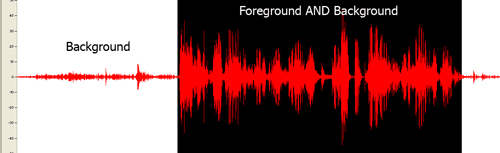
The selected region of the wave file in figure 1 above which contains both the foreground and background sound is a very large wave. The selected region of Figure 2 below which contains only background sound is a much smaller wave.
Figure 2
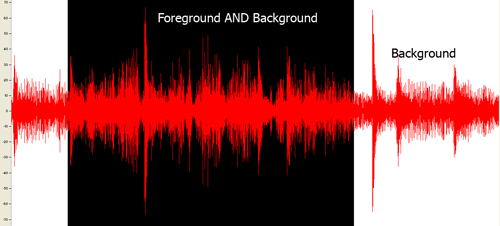
Resources
Resources are for information purposes only, no endorsement implied.
-
About Decibels by Gregg Vanderheiden
Related Techniques
(none currently listed)
Tests
Procedure
-
Locate loud values of background content between foreground speech
-
Measure the volume in dB(A) SPL
-
Measure the volume of the foreground speech in dB(A) SPL
-
Subtract the values
-
Check that the result is 20 or greater.
Expected Results
-
#5 is true
G57: Ordering the content in a meaningful sequence
Applicability
All technologies.
This technique relates to:
Description
The objective of this technique is to ensure that the order of content presented to assistive technologies allows the user to make sense of the content. Some techniques permit the content to be rendered visually in a meaningful sequence even if the underlying order of the content is confusing.
For example, when mixing languages with different directionality in HTML, the bidirectional algorithm may place punctuation in the wrong place. Correctly ordered content maintains the punctuation in the correct sequence in the content stream and uses markup to override the bidirectional algorithm, rather than moving the punctuation in the content stream so that the default rendering positions it correctly.
When rendered visually, white space characters such a space or tab may not appear to be part of the content. However, when inserted into the content to control visual formatting, they may interfere with the meaning of the content.
At a larger granularity, controlling the placement of blocks of content in an HTML document using layout tables may produce a rendering in which related information is positioned together visually, but separated in the content stream. Since layout tables are read row by row, if the caption of an illustration is placed in the row following the illustration, it may be impossible to associate the caption with the image.
Examples
Example 1
A Web page from a museum exhibition contains a navigation bar containing a long list of links. The page also contains an image of one of the pictures from the exhibition, a heading for the picture, and a detailed description of the picture. The links in the navigation bar form a meaningful sequence. The heading, image, and text of the description also form a meaningful sequence. CSS is used to position the elements on the page.
Markup:

<h1>My Museum Page</h1>
<ul id="nav">
	<li><a href="#">Link 1</a></li>
	...
	<li><a href="#">Link 10</a></li>
</ul>
<div id="description">
<h2>Mona Lisa</h2>
<p>
<img src="img.png" alt="Mona Lisa">
</p>
<p>...detailed description of the picture...</p>
</div>

CSS:

ul#nav
{
	float: left;
	width: 9em;
	list-style-type: none;
	margin: 0;
	padding: 0.5em;
	color: #fff;
	background-color: #063;
}

ul#nav a
{
	display: block;
	width: 100%;
	text-decoration: none;
	color: #fff;
	background-color: #063;
}

div#description
{
	margin-left: 11em;
}
Resources
No resources available for this technique.
Related Techniques
Tests
Procedure
-
Linearize content using a standard approach for the technology (e.g., removing layout styles or running a linearization tool)
-
Check to see if the order of content yields the same meaning as the original
Expected Results
-
Check #2 is true.
G58: Placing a link to the full text alternative for multimedia including any interaction immediately next to the non-text content
Applicability
This technique is not technology specific and can be used in any technology that supports links.
This technique relates to:
Description
With this technique, a link to the collated document of captions and audio description is provided. The collated document could be at another location on the same Web page or at another URI. A link to the collated document is immediately adjacent to the non-text content. The link can be immediately before or after the multimedia content. If the collated document is on the same Web page as other content then put "End of document" at the end so that they know when to stop reading and return to their previous place. If a "Back" button will not take the person back to the point from which they jumped, then a link back to the non-text content location is provided.
Examples
Example 1: An .MOV Document in an HTML Document
Code on a page called "Olympic_Sports.htm"
<a name="Olympic_Wrestling"></a>
<p><a href="http://www.example.com/movies/olympic_wrestling.mov">Olympic Wrestling movie</a>,
<a href="http://www.example.com/transcripts/olympic_wrestling_transcript.htm>Olympic
Wrestling collated Transcript</a></p>
Example 2: The link back to the .MOV Document in an HTML Document
Code on the page olympic_wrestling_transcript.htm
<p>Sports announcer 1: This is a great battle tonight between England's "Will Johnson" and
"Theodore Derringo" from Argentina</p>

<p>Scenery: There is a mat set out in the middle of the stadium with 500 people in the
stands...</p>

<p> ...more dialogue ...<p>

<p> ...more scenery...</p>

<p> ...etc...</p>

<p>Sports announcer 2: And that is all for tonight, thank you for joining us tonight where
Will Johnson is the new Gold Medalist.
<a href="../movies/Olympic_Sports.htm#Olympic_Wrestling>Return to Movie page</a> </p>
Resources
No resources available for this technique.
Related Techniques
(none currently listed)
Tests
Procedure
-
Check for the presence of a link immediately before or after the non-text content
-
Check that it is a valid link that points directly to the collated document of this particular multimedia.
-
Check for the availability of a link or back function to get the user back to the original location of the multimedia content
Expected Results
-
Items #1 through 3 are all true.
G59: Placing the interactive elements in an order that follows sequences and relationships within the content
Applicability
All technologies that contain interactive elements and define a default tab order for interactive elements.
This technique relates to:
Description
The objective of this technique is to ensure that interactive elements receive focus in an order that follows sequences and relationships in the content. When designing the content, the interactive elements such as links and form controls are placed in the content so that the default tab order follows the sequences and relationships in the content. Each technology defines its default tab order, so the mechanism for placing the controls in the content will depend on the technology used.
As an example, in HTML, the default focus order follows the order in which elements appear in the content source. When the order of the HTML source matches the visual order of the Web page, tabbing through the content follows the visual layout of the content. When the source order does not match the visual order, the tab order through the content must reflect the logical relationships in the content that are displayed visually.
Examples
-
A form contains two text input fields that are to be filled in sequentially. The first text input field is placed first in the content, the second input field is placed second.
-
A form contains two, side-by-side sections of information. One section contains information about an applicant; the other section contains information about the applicant's spouse. All the interactive elements in the applicant section receive focus before any of the elements in the spouse section. The elements in each section receive focus in the reading order of that section.
Resources
No resources available for this technique.
Related Techniques
Tests
Procedure
-
Determine the order of interactive elements in the content.
-
Determine the logical order of interactive elements.
-
Check that the order of the interactive elements in the content is the same as the logical order.
Expected Results
-
Check #3 is true.
G60: Playing a sound that turns off automatically within three seconds
Applicability
Applies to all technologies except those for voice interaction.
This technique relates to:
Description
The purpose of this technique is to allow authors to play a sound on their page but avoid the problem of users not being able to use their screen readers due to interference by the content sound. It also allows the author to avoid putting controls on the page to control the sound - and the problem faced by consumers with screen readers in finding the control (when unable to hear their screen reader).
The technique is simple. The sound plays for 3 or less seconds and stops automatically.
Examples
-
Example 1: A page opens with a trumpet fanfare and then goes silent
-
Example 2: A homepage opens with a short greeting by the chairman and then goes silent.
-
Example 3: A page opens with instructions on how to use the page.
-
Example 4: A page opens with a warning and then goes silent.
Resources
Resources are for information purposes only, no endorsement implied.
(none)
Related Techniques
(none currently listed)
Tests
Procedure
-
open the URI
-
check that all sound that plays automatically stops in 3 seconds or less
Expected Results
-
#2 is true
G61: Presenting repeated components in the same relative order each time they appear
Applicability
Any technologies.
This technique relates to:
Description
The objective of this technique is to make content easier to use by making the placement of repeated components more predictable. This technique helps maintain consistent layout or presentation between Web pages by presenting components that are repeated in these Web units in the same relative order each time they appear. Other components can be inserted between them, but their relative order is not changed.
This technique also applies to navigational components that are repeated. Web pages often contain a navigation menu or other navigational component that allows the user to jump to other Web pages. This technique makes the placement of navigational components more predictable by presenting the links or programmatic references inside a navigational component in the same relative order each time the navigational component is repeated. Other links can be removed or inserted between the existing ones, for example to allow navigation inside a subsection of a set of Web pages, but the relative order is not changed.
Examples
-
A Web site has a logo, a title, a search form and a navigation bar at the top of each page; these appear in the same relative order on each page where they are repeated. On one page the search form is missing but the other items are still in the same order.
-
A Web site has a left-hand navigation menu with links to the major sections of the site. When the user follows a link to another section of the site, the links to the major sections appear in the same relative order in the next page. Sometime links are dropped and other links are added, but the other links always stay in the same relative order. For example, on a Web site of a company that sells products and offers training, when a user moves from the section on products to the section on training, the links to individual products are removed from the navigation list, while links to training offerings are added.
Resources
Resources are for information purposes only, no endorsement implied.
Related Techniques
(none currently listed)
Tests
Procedure
-
List components that are repeated on each Web page in a set of Web pages (for example, on each page in a Web site).
-
For each component, check that it appears in the same relative order with regard to other repeated components on each Web page where it appears.
-
For each navigational component, check that the links or programmatic references are always in the same relative order.
Expected Results
-
#2 is true.
-
#3 is true.
G62: Providing a glossary
Applicability
Any technology containing text.
This technique relates to:
- Success Criterion 3.1.3 (Unusual Words)
- Success Criterion 3.1.4 (Abbreviations)
- Success Criterion 3.1.6 (Pronunciation)
- Understanding Success Criterion 3.1.3
- Understanding Success Criterion 3.1.4
- Understanding Success Criterion 3.1.6
Description
The objective of this technique is to make the definition of a word, phrase, or abbreviation available by providing the definition in a glossary. A glossary is an alphabetical list of words, phrases, and abbreviations with their definitions. Glossaries are most appropriate when the words, phrases, and abbreviations used within the content relate to a specific discipline or technology area. A glossary can also provide the pronunciation of a word or phrase.
The glossary is included at the end of the Web page or the glossary is located via one of the mechanisms for locating content within a set of Web pages. (See Understanding Success Criterion 2.4.5.)
If the glossary contains several definitions for the same word, phrase, or abbreviation, simply providing the glossary is not sufficient to satisfy this success criterion. A different technique should be used to find the correct definition. This is especially important if the uses of the word, phrase, or abbreviation are not unique within the Web page, that is, if different occurrences of the item have different definitions.
Examples
Example 1
Users of on line chat forums have created several acronyms and abbreviations to speed up typing conversations on the computer. For example, LOL refers to "laughing out loud" and FWIW abbreviates "for what it's worth". The site provides a glossary page that lists the expansions for the commonly used acronyms and abbreviations.
Example 2
A Web page discussing mathematical theory includes a glossary of commonly used mathematical terms, abbreviations and acronyms.
Example 3
A textbook contains a glossary of new vocabulary words introduced in each chapter.
Example 4
Dutch text uses the phrase 'Hij ging met de kippen op stok' (He went to roost with the chickens). The glossary explains that this phrase means 'Hij ging vroeg naar bed' (He went to bed early).
Example 5: A glossary of idiomatic expressions
The American novel "The Adventures of Huckleberry Finn" includes many idiomatic expressions that were used in the southwestern United States in the 1840s. In an online edition designed for students, each idiomatic expression is linked to an item in the glossary.
Resources
No resources available for this technique.
Related Techniques
(none currently listed)
Tests
Procedure
Check that either
-
The glossary is included in the Web page, or
-
A mechanism is available to locate the glossary.
For each word, phrase, or abbreviation to be defined,
-
Check that the item is defined in the glossary, and
-
Check that the glossary contains only one definition for each item.
Expected Results
-
All checks above pass.
G63: Providing a site map
Applicability
All technologies.
This technique relates to:
- Success Criterion 2.4.5 (Multiple Ways)
- Success Criterion 2.4.7 (Location)
- Understanding Success Criterion 2.4.5
- Understanding Success Criterion 2.4.7
Description
This is one of a series of techniques for locating content that are sufficient for addressing success criterion 2.4.5. A site map is a Web page that provides links to different sections of the site. To make the site map available within the site, at a minimum every page that is listed in the site map contains a link to the site map.
The site map serves several purposes.
-
It provides an overview of the entire site.
-
It helps users understand what the site contains and how the content is organized.
-
It offers an alternative to complex navigation bars that may be different at different parts of the site.
There are different types of site maps. The simplest and most common kind of site map is an outline that shows links to each section or sub-site. Such outline views do not show more complex relationships within the site, such as links between pages in different sections of the site. The site maps for some large sites use headings that expand to show additional detail about each section.
A site map describes the contents and organization of a site. It is important that site maps be updated whenever the site is updated. A Web page that does not link to all the sections of a site, that presents an organization that is different from the site's organization, or that contains links that are no longer valid is not a valid site map.
Examples
Example 1
The Web Accessibility Initiative provides a WAI site map that lists different sections of its Web site. The site map shows the different sections of the Web site, and shows some of the substructure within those sections.
Example 2
The site map for an on-line magazine lists all the sections of the magazine and the subsections in each section. It also include links for Help, How to Contact Us, Privacy Policy, Employment Opportunities, How to Subscribe, and the home page for the magazine.
Resources
Resources are for information purposes only, no endorsement implied.
-
Graphic Organizers page at the National Center for Accessible Curriculum provides a useful overview of different kinds of graphic organizers and their uses, plus a summary of relevant research on the effectiveness of graphical organizers for students with learning disabilities.
Related Techniques
Tests
Procedure
-
Check that the site contains a site map
-
Check that the links in the site map lead to the corresponding sections of the site
-
For each link in the site map, check that the target page contains a link to the site map
-
For each page in the site, check that the page can be reached by following some set of links that start at the site map.
Expected Results
-
All of the checks above are true.
G64: Providing a Table of Contents
Applicability
All technologies.
This technique relates to:
Description
This is one of a series of techniques for locating content that are sufficient for addressing success criterion 2.4.5. A table of contents provides links to sections and subsections of the same document. The information in the document is usually organized hierarchically, and is intended to be read sequentially. Just as there could be many books in a library, each with its own table of contents, a web site may contain many documents, each with its own table of contents.
The table of contents serves two purposes:
-
It gives users an overview of the document's contents and organization.
-
It allows readers to go directly to a specific section of an on-line document.
The table of contents typically includes only major sections of the document, though in some cases an expanded table of contents that provides a more detailed view of a complex document may be desirable.
The sections of the document could be located on the same Web page or divided into multiple Web pages. This technique can be used to orient the user when a document is divided into multiple Web pages.
There is a distinction between a table of contents and other Navigational elements such as a Navigation Bar or Site Map. A table of contents provides links to sections of the same document. Those sections could be located on the same Web page or spread across multiple Web pages. But together, they make a complete idea. To better understand this, consider a hard copy book which has sections. Each section belongs to the book. There could be many books in a library. In this example, the "library" is the entire web site.
Examples
Example 1
The Web Content Accessibility Guidelines 2.0 contains a table of contents that is a hierarchical list of links to the sections and subsections of the document. The hierarchy of the table of contents reflects the organization of the sections, and each item in the table of contents is a link that takes the user directly to that section.
Example 2
The first page of Using Accessible PDF Documents with Adobe Reader 7.0: A Guide for People with Disabilities contains a table of contents that lists the sections of the guide. The PDF version of the Guide for People with Disabilities contains a more detailed table of contents for the entire document on page 3.
Resources
No resources available for this technique.
Related Techniques
Tests
Procedure
-
Check that a table of contents or a link to a table of contents exists in the document.
-
Check that the values and order of the entries in the table of contents correspond to the names and order of the sections of the document.
-
Check that the entries in the table of contents link to the correct sections of the document.
Expected Results
-
All checks above are true.
G65: Providing a breadcrumb trail
Applicability
All technologies.
This technique relates to:
Description
A breadcrumb trail helps the user to visualize how content has been structured and how to navigate back to previous Web pages, and may identify the current location within a series of Web pages. A breadcrumb trail either displays locations in the path the user took to reach the Web page, or it displays the location of the current Web page within the organization of the site.
Breadcrumb trails are implemented using links to the Web pages that have been accessed in the process of navigating to the current Web page. They are placed in the same location within each Web page in the set.
It can be helpful to users to separate the items in the breakcrumb trailing with a visible separator. Examples of separators include >, |, /, and ::.
Examples
Example 1
A developer searches within the Web site of an authoring tool manufacturer to find out how to create hyperlinks. The search results bring him to a Web page with specific instructions for creating hyperlinks using the authoring tool. It contains the following links to create a breadcrumb trail:
Home :: Developer Center :: How To Center
In this example the breadcrumb trail does not contain the title of the current Web page, "How to create hyperlinks". That information is available as the title of the Web page.
Example 2
A photographer’s portfolio Web site has been organized into different galleries and each gallery has further been divided into categories. A user who navigates through the site to a Web page containing a photo of a Gentoo penguin would see the following breadcrumb trail at the top of the Web page:
Home / Galleries / Antarctica / Penguins / Gentoo Penguin
All of the items except "Gentoo Penguin" are implemented as links. The current location, Gentoo Penguin, is included in the breadcrumb trail but it is not implemented as a link.
Resources
No resources available for this technique.
Related Techniques
(none currently listed)
Tests
Procedure
When breadcrumb trails have been implemented in a set of Web pages:
-
Navigate to a Web page .
-
Check that a breadcrumb trail is displayed.
-
Check that the breadcrumb trail displays the correct navigational sequence to reach the current location or the correct hierarchical path to the current location within the site structure.
-
For a breadcrumb trail that does not include the current location:
-
Check that all elements in the breadcrumb trail are implemented as links.
-
-
For a breadcrumb trail that does include the current location:
-
Check that all elements except for the current location are implemented as links.
-
Check that the current location is not implemented as a link.
-
-
Check that all links navigate to the correct Web page as specified by the breadcrumb trail.
Expected Results
-
For all Web pages in the set using breadcrumb trails,
-
Checks #2, #3, and #6 are true.
-
Either check #4 or #5 is true.
-
G68: Providing a descriptive label that describes the purpose of live audio-only and live video-only content
Applicability
Applies to all technologies
This technique relates to:
Description
This technique provides a descriptive label for Live audio-only and live video-only content. This label may be used in combination with a full text transcript of the audio or a full text or audio description of the video. Those alternative however are not part of this technique. The purpose of this technique is to ensure that the user can determine what the non-text content is - even if they cannot access it. NOTE: Even if full alternatives are also available, it is important that users be able to identify the non-text content when they encounter it so that they are not confused, and so that they can associate it with the full alternative when they encounter it.
Examples
Example 1
-
A live video feed of the east coast highway has the following descriptive label "Live video picture of East Coast Highway just south of the I-81 interchange showing current traffic conditions."
-
A live audio feed of the Mississippi House of Representatives has the following descriptive label "Live audio from the microphones in the Mississippi House of Representatives."
Resources
Resources are for information purposes only, no endorsement implied.
Related Techniques
(none currently listed)
Tests
Procedure
-
remove, hide, or mask the non-text content
-
display the text alternative(s)
-
check that the purpose of the non-text content is clear - even if content is lost.
Expected Results
-
#3 is true.
G69: Providing a full multimedia text alternative including any interaction
Applicability
General technique. Applies to all technologies
This technique relates to:
- Success Criterion 1.2.2 (Audio Description or Full Text Alternative)
- Success Criterion 1.2.7 (Full Text Alternative)
- Understanding Success Criterion 1.2.2
- Understanding Success Criterion 1.2.7
Description
The purpose of this technique is to provide an accessible alternative way of presenting the information in a multimedia presentation.
In a multimedia presentation, information is presented in a variety of ways including
-
dialogue,
-
sounds (natural and artificial),
-
the setting and background,
-
the actions and expressions of people, animals, etc.,
-
text or graphics,
-
and more.
In order to present the same information in accessible form, this technique involves creating a document that tells the same story and presents the same information as the multimedia. Such a document is sometimes called a screenplay. It includes all the important dialogue and actions as well as descriptions of backgrounds etc. that are part of the story.
If an actual screenplay was used to create the multimedia in the first place, this can be a good place to start. In production and editing however, the multimedia usually changes from the screenplay. For this technique, the original screenplay would be corrected to match the dialogue and what actually happens in the final edited form of the multimedia.
In addition, some special types of multimedia include interaction that has to occur at particular places in the playing of the multimedia. Sometimes it may result in an action taking place (e.g. something is purchased, sent, done, etc.). Sometimes it may change the course of the multimedia (e.g. the multimedia has multiple paths that are determined by user input). In those cases links or some other mechanism would be used in the full multimedia text alternative to allow people using the alternative to be able to have the same options and abilities as those using the multimedia.
Examples
-
A training film shows employees how to use a new piece of equipment. It involves a person talking throughout while they demonstrate the operation. The screenplay used to create the training film is used as a starting point. It is then edited and corrected to match the dialogue etc. The film and the resulting full multimedia text alternative are then made available on the company Web site. Employees can then use either or both to learn how to use the machine.
-
An interactive shopping environment is created that allows users to steer themselves around in a virtual store and shop. A full multimedia text alternative allows the users to access the same shopping in text with links to choose aisles and to purchase things instead of dragging them into a virtual shopping basket.
Resources
No resources available for this technique.
Related Techniques
Tests
Procedure
-
View the multimedia presentation while referring to the full text alternative for multimedia.
-
Check that the dialogue in the full multimedia text alternative matches the dialogue in the multimedia presentation
-
Check that full multimedia text alternative has descriptions of sounds.
-
Check that full multimedia text alternative has descriptions of setting and setting changes.
-
Check that full multimedia text alternative has descriptions of actions and expressions of any 'actors' (people, animals etc).
Expected Results
-
#2, 3, 4, 5 are true.
G70: Providing a function to search an on-line dictionary
Applicability
All technologies
This technique relates to:
- Success Criterion 3.1.3 (Unusual Words)
- Success Criterion 3.1.4 (Abbreviations)
- Understanding Success Criterion 3.1.3
- Understanding Success Criterion 3.1.4
Description
The objective of this technique is to provide the definition of words, phrases, jargon, or abbreviation expansions by adding a mechanism to access an on-line dictionary to the Web page. This technique uses existing resources on the Web to provide the definition rather than requiring the author to create a glossary or other mechanism within the site. By providing access from within the Web page, a user can easily locate the desired definition.
Examples
Example 1
A site that describes how a computer works would include a search form on each Web page. The search would be performed against an on-line dictionary of computer terms, acronyms, and abbreviations. Since the dictionary is specialized for computer terms, the acronym expansion found should be more accurate than with a general dictionary.
Example 2
An on-line course in English grammar provides a paragraph of text which introduces new vocabulary words. Each of the vocabulary words is a link to an on-line dictionary to find the definition of the word. Activating a link will open up a new window to an on-line dictionary site with the specific vocabulary word defined.
An on-line course in English grammar provides a paragraph of text which introduces new vocabulary words. Each of the vocabulary words is a link to an on-line dictionary to find the definition of the word. Activating a link will open up a new window to an on-line dictionary site with the specific vocabulary word defined.
Resources
No resources available for this technique.
Related Techniques
Tests
Procedure
For each word, phrase, or abbreviation to be defined:
-
Check that a mechanism exists within the Web page to search for the word, phrase, or abbreviation via an on-line dictionary.
-
Check that a search of the dictionary for the word, phrase, or abbreviation finds the correct definition.
Expected Results
-
Checks #1 and #2 are true.
G71: Providing a help link on every Web page
Applicability
All technologies.
This technique relates to:
User Agent and Assistive Technology Support Notes
The example following does not work with JAWS—implicit labels are poorly supported, and JAWS does not read the Help link as part of the label before announcing the control (as required by the SC).
Description
The objective of this technique is to provide context sensitive help for users as they enter data in forms by providing at least one link to the help information on each Web page. The link targets a help page with information specific to that Web page. Another approach is to provide a help link for every interactive control. Positioning this link immediately before or after the control allows users to easily tab to it if they have problems in the control. Displaying the help information in a new browser window ensures that any data that has already been entered into the form will not be lost. NOTE: A link is not the only means to provide help.
Examples
Example 1
The example below shows a label element enclosing both an input form control, and a help link following the "input" in sequence. Including the help link within the label element allows screen reader users to have access to the help link when interacting with the input form control.
<form action="test.html">
	<label for="test">Test control
	<input type="text" name="test" id="test" />
	<a href="help.html" target="_blank">Help</a></label>
</form>
Tests
Procedure
-
Identify a Web page that contains forms.
-
Determine if there is at least one link to help information specific to completing the form on this Web page or other resource.
-
Determine if there are links either before or after each interactive control to help information specific to that control.
Expected Results
-
Either #2 or #3 are true.
G73: Providing a long description in another location with a link to it that is immediately adjacent to the non-text content
Applicability
Applies to all technologies
This technique relates to:
Description
The objective of this technique is to provide a way to link to remote long descriptions in technologies that do not have a long description feature built directly into them (e.g. longdesc) or where the feature is known to not be supported.
With this technique, the long description is provided in another location than the non-text content. This could be at another location within the same URI or at another URI. A link to that long description is provided that is immediately adjacent to the non-text content. The link can be immediately before or after the non-text content. If the description is located along with other text then put "End of description" at the end so that they know when to stop reading and return to the main content. If a "Back" button will not take the person back to the point from which they jumped, then a link back to the non-text content location is provided.
This technique was commonly used in HTML before 'longdesc' was added to the specification. In HTML it was called a D-Link because it was usually implemented by putting a D next to images and using the D as a link to the long description. This technique is not technology specific and can be used in any technology that supports links.
Examples
Example 1: Bar chart
There is a bar chart on a Web page showing the sales for the top three salespeople.
The short text alternative says "October sales chart for top three salespeople."
Immediately after the non-text content is a small image denoting a long description. The alternate text for the image is "Long description of chart". The image links to the bottom of the page where there is a section titles "Description of charts on this page". The link points to this specific description: " Sales for October show Mary leading with 400 units. Mike follows closely with 389. Chris rounds out our top 3 with sales of 350. [end of description]"
Example 2: Bar chart - in non-HTML technology where user agent "back" is not supported for security reasons.
There is a bar chart on a Web page showing the sales for the top three salespeople.
The short text alternative says "October sales chart for top three salespeople."
Immediately after the non-text content is a small image denoting the
long description. The alternate text for the image is "Long
description of chart". The image links to another page titled
"Description of charts in October Sales Report". The description
link points to this specific description: "Sales for October show
Mary leading with 400 units. Mike follows closely with 389. Chris
rounds out our top 3 with sales of 350. End of description.
<link> Back to Sales Chart
</link> ]"
Example 3: Caption used as link
There is a chart. The figure caption immediately below the chart serves as a link to the long description. The Title attribute of the link makes it clear that this is a link to a long description.
Example 4: Transcript of an audio-only file
There is a recording of a speech by Martin Luther King. Links to the audio file and the transcript appear side by side.
Resources
Resources are for information purposes only, no endorsement implied.
Related Techniques
(none currently listed)
Tests
Procedure
-
check for the presence of a link immediately before or after the non-text content
-
check that the link is a valid link that points directly to the long description of this particular non-text content.
-
check that the long description conveys the same information as the non-text content
-
check for the availability of a link or back function to get the user back to the original location of the non-text content
Expected Results
All 4 of the above are true
G74: Providing a long description in text near the non-text content, with a reference to the location of the long description in the short description
Applicability
Applies to all technologies
This technique relates to:
Description
The objective of this technique is to provide a long description without requiring the user to jump off to another location for the description. It also allows all users to see the description which may be useful to anyone who might miss some features in the non-text content.
With this technique, the long description is provided as part of the standard presentation (i.e. everyone receives it). The description is located near the non-text content but does not have to be the very next item. For example, there may be a caption under a chart with the long description provided in the following paragraph.
The location of this long description is then provided within the short text alternative so the user knows where to look for it if they cannot view the non-text content.
Examples
Example 1: Bar chart
There is a bar chart on a Web page showing the sales for the top three salespeople.
The short text alternative says: "October sales chart for top three salespeople. Details in text following the chart:"
The following is in the paragraph immediately below the chart. " Sales for October show Mary leading with 400 units. Mike follows closely with 389. Chris rounds out our top 3 with sales of 350"
Resources
Resources are for information purposes only, no endorsement implied.
Related Techniques
(none currently listed)
Tests
Procedure
-
check that the short text alternative includes the location of the long description
-
Check that the long description is near the non-text content both visually and in the linear reading order
-
check that the long description conveys the same information as the non-text content
Expected Results
All 3 of the above are true
G75: Providing a mechanism to postpone any updating of content
Applicability
Content that automatically updates itself.
This technique relates to:
Description
The objective of this technique is to ensure that users can postpone automatic updates of content, or other non-emergency interruptions. This can be accomplished either through a preference or by alerting users of an imminent update and allowing them to suppress it. If a preference is provided, automatic content update can be disabled by default and users can specify the frequency of automatic content updates if they choose to enable the setting.
Examples
-
A Web page provides stock quotes and automatically updates from time to time. The page provides a short form with a field "Refresh data frequency (minutes):" so users can adjust the frequency of the updating.
Tests
Procedure
-
Find pages with content that automatically updates.
-
For each automatic update, look for a mechanism to adjust the timing of the updates.
-
Check that automatic updating is disabled by default or that the user is warned before an automatic update occurs and allowed to suppress it.
Expected Results
-
#3 is true.
G76: Providing a mechanism to request an update of the content instead of updating automatically
Applicability
Any technology or combination of technologies that support automatic updates.
This technique relates to:
Description
The objective of this technique is to let the user control if and when content is updated, in order to avoid confusion or disorientation caused by automatic refreshes that cause a change of context. Users of screen readers may find automatic updates confusing because it is not always clear what is happening. When a page is refreshed, the screen reader's “virtual cursor”, which marks the user's current location on the page, is moved to the top of the page. People who use screen magnification software and people with reading disabilities may also be disoriented when pages are refreshed automatically.
Some content is frequently updated with new data or information. Some developers force automatic updates by inserting code in the content that causes the content to request a new copy of itself from the server. These updates and the frequency of these updates are not always under the user's control. Instead of triggering updates automatically, authors can provide a mechanism that allows the user to request an update of the content as needed.
Examples
Example 1
In HTML, a developer can provide a button or link that allows the user to update the content. For example, on a page with news items located at http://www.example.com/news.jsp
<a href="news.jsp">Update this page</a>
Example 2
In a Web interface for e-mail (Webmail), a developer can provide a button or link to fetch new incoming mails instead of updating automatically.
Resources
Resources are for information purposes only, no endorsement implied.
-
Time outs and page refreshes, by the Web Access Centre of the Royal National Institute of the Blind (RNIB), provides rationale and techniques.
Related Techniques
(none currently listed)
Tests
Procedure
-
Find mechanisms to update the content (if such a mechanism is present).
-
For each such mechanism, check if it allows the user to request an update.
-
For each such mechanism, check if it can cause an automatic update.
Expected Results
-
If #2 is true, then #3 is false.
G78: Providing a sound track that includes audio description
Applicability
Applies to any technology that has a sound track and visual content.
This technique relates to:
- Success Criterion 1.2.2 (Audio Description or Full Text Alternative)
- Success Criterion 1.2.4 (Audio Description)
- Understanding Success Criterion 1.2.2
- Understanding Success Criterion 1.2.4
Description
The objective of this technique is to provide an audio (spoken) version of information that is provided visually so that it is possible for people who cannot see to be able to understand audio-visual material better.
Since most user agents today cannot merge multiple sound tracks, this technique adds the additional audio information to multimedia by replacing the soundtrack with a new copy of the original soundtrack that has the additional audio description added. This added information focuses on actions, characters, scene changes and on-screen text (not captions) that are important to understanding the content.
Since it is not helpful to have this new information obscure key audio information in the original sound track (or be obscured by loud sound effects), the new information is added during pauses in dialog and sound effects. This limits the amount of supplementary information that can be added to program.
The soundtrack with the audio description (of visual information) can either be an alternate sound track that the user can choose, or it can be the standard sound track that everyone hears.
Examples
-
Example 1: A travelogue of the northeast has additional audio description added during the gaps in the dialog to let listeners who are blind know what the person is talking about at any point in time.
-
Example 2: A lecture has audio description added when the instructor says things like "and this is the one that is most important" to let listeners who are blind know what "this" is.
-
Example 3: A movie file has two audio tracks, one of which has audio description. Users can choose either one when listening to the movie.
Resources
Resources are for information purposes only, no endorsement implied.
Related Techniques
(none currently listed)
Tests
Procedure
-
Select audio track with descriptions if there is a choice of audio tracks
-
Listen to the multimedia
-
Check to see if gaps in dialog are used to convey important information regarding visual content
Expected Results
-
#3 is true
G79: Providing a spoken version of the text
Applicability
Technologies that support links, audio formats.
This technique relates to:
Description
Some users who have difficulty sounding out (decoding) words in written text find it very helpful to hear the text read aloud. This service can now be provided easily using either recorded human speech or synthetic speech. For example, there are a number of products that authors can use to convert text to synthetic speech, then save the spoken version as an audio file. A link to the spoken version can then be provided within the content. Cost depends in part on the quality of the voice used and whether the text is likely to change frequently.
-
Spoken versions of short texts and static text content
This method is effective for small amounts of text and for longer documents that do not change often.
-
Make a recording of someone reading the text aloud, or use a tool that converts individual documents or selected passages into synthetic speech. Choose the clearest, most attractive voice if a choice is available.
-
Save the spoken version as an audio file. Use an audio format that is widely available and supported by media players.
-
Provide a link to the audio version.
-
Identify the audio format (for example, .MP3, .WAV, .AU, etc.).
-
Provide a link to a media player that supports the format.
-
-
Spoken versions of text that changes
Server-based methods may be best when pages change often or when user choice determines text content. Some server-based tools allow users to select any text they are interested in and listen to it. Typically, the user presses a button which starts the text-to-speech conversion and reads the text aloud.
Examples
Example 1: A Web site for a government agency
The Web site for a municipal housing authority has a button on every page labeled "Read this page aloud." The user selects the button and the page is spoken by a synthetic voice.
Resources
No resources available for this technique.
Related Techniques
(none currently listed)
Tests
Procedure
-
Check if a spoken version of the content is available.
Expected Results
-
Check #1 is true.
G80: Providing a submit button to initiate a change of context
Applicability
Content that includes forms.
This technique relates to:
Description
The objective of this technique is to provide a mechanism that allows users to explicitly request changes of context. Since the intended use of a submit button is to generate an HTTP request that submits data entered in a form, this is an appropriate control to use for causing a change of context and is a practice that does not create confusion for users.
Examples
Example 1
Example 1: A submit button is used for each form that causes a change in context.
Resources
Resources are for information purposes only, no endorsement implied.
Related Techniques
Tests
Procedure
-
Find all forms in the content
-
For each form, check that it has a submit button
Expected Results
-
#2 is true
G81: Providing a synchronized video of the sign language interpreter that can be displayed in a different viewport or overlaid on the image by the player
Applicability
Applies to all multimedia technologies that allow synchronization of multiple video streams
This technique relates to:
Description
The objective of this technique is to allow users who cannot hear or read text rapidly to be able to access multimedia material without affecting the presentation of the material for all viewers.
For those who communicate primarily in sign language it is sometimes less preferable and sometimes not possible for them to read and understand text at the rate it is presented in captions. For these latter individuals it is important to provide sign language presentation of the audio information.
This technique accomplishes this by providing the sign language interpretation as a separate video stream that is synchronized with the original video stream. Depending on the player, this secondary video stream can be overlaid on top of the original video or displayed in a separate window. It may also be possible to enlarge the sign language interpreter separately from the original video to make it easier to read the hand, body and facial movements of the signer.
NOTE: Since sign language is not usually a signed version of the printed language, the author has to decide which sign language to include. Usually the sign language of the primary audience would be used. If intended for multiple audiences, multiple languages may be used. See advisory technique for multiple sign languages.
Examples
Example 1
Example 1: A university provides a synchronized sign language interpreter video stream that can be displayed, at the viewer's option, along with any of their education programs.
Resources
Resources are for information purposes only, no endorsement implied.
-
Guidelines for the Production of Signing Books
-
”Sign Language presentation” gives a broad overview of issues to consider when filming sign language interpreters. Includes discussion of signing both written and spoken originals.
-
Techniques for filming are discussed in chapter 12, “Filming the Signer(s)”.
-
Useful information about how to display the sign language interpreter in relation to the original multimedia content is provided in Chapter 13, "Editing".
Note: These techniques may need to be adapted for Web-based presentation.
-
(none)
Related Techniques
(none currently listed)
Tests
Procedure
-
Enable the display of the sign-language window in the player.
-
Have someone watch the program who can hear and is familiar with the sign language being used.
-
Check to see if there is a sign language interpreter on screen or in a separate window.
-
Check to see that dialog and important sounds are being conveyed by the interpreter and are synchronized with the audio.
Expected Results
-
#3 and #4 are true
G82: Providing a text alternative that identifies the purpose of the non-text content
Applicability
Applies to all technologies
This technique relates to:
Description
The purpose of this technique is to provide useful information via the text alternative even if the full function of the non-text content cannot be provided.
Sometimes, a text alternative cannot serve the same purpose as the original non-text content (for example an applet meant to develop two dimensional rapid targeting skills and eye hand coordination.) In these cases this technique is used. With this technique a description of the purpose of the non-text content is provided.
Examples
Example 1
-
An eye-hand coordination development applet has the following text alternative "Applet that uses the mouse and moving targets to develop eye-hand coordination"
-
A camera applet that has a round disk where you push on the edges to control a remote camera and a slider in the middle for zooming has the following text alternative "Control for aiming and zooming remote video camera".
Resources
Resources are for information purposes only, no endorsement implied.
Related Techniques
(none currently listed)
Tests
Procedure
-
remove, hide, or mask the non-text content
-
replace it with the text alternative
-
check that the purpose of the non-text content is clear - even if function is lost.
Expected Results
-
#3 is true.
G83: Providing text descriptions to identify required fields that were not completed
Applicability
Content that includes mandatory fields in user input
This technique relates to:
- Success Criterion 3.3.1 (Error Identification)
- Success Criterion 3.3.2 (Error Suggestion)
- Success Criterion 3.3.4 (Labels or Instructions)
- Understanding Success Criterion 3.3.1
- Understanding Success Criterion 3.3.2
- Understanding Success Criterion 3.3.4
Description
The objective of this technique is to notify the user when a field that must be completed has not been completed. When users fail to provide input for any mandatory form fields, information is provided in text to enable the users to identify which fields were omitted. One approach is to use client-side validation and provide an alert dialog box identifying the mandatory fields which were omitted. Another approach, using server-side validation, is to re-display the form (including any previously entered data), with either a text description at the location of the omitted mandatory field, or a text description that identifies the omitted mandatory fields.
Examples
-
A user attempts to submit a form but has neglected to provide input or select a choice in one or more mandatory fields. Using client-side validation, the omission is detected and an alert dialog appears informing the user that mandatory fields have not been completed. The labels of the fields with this problem are changed to identify the problem field, and links to the problem fields are inserted in the document after the submit button so the user can move to them after dismissing the alert.
-
A user attempts to submit a form but has neglected to provide input or select a choice in one or more mandatory fields. Using server-side validation, the omission is detected and the form is re-displayed with a text description at the top informing which mandatory fields were omitted. Each omitted mandatory field is also identified using a text label so that the user does not have to return to the list at the top of the form to find the omitted fields.
-
A user is completing a form that contains mandatory fields. The labels of the fields indicate whether or not they are mandatory. The user tabs to a mandatory field, and tabs out of the field without entering any data or selecting a choice. A client-side script modifies the label of the field to indicate that leaving it blank was an error.
Related Techniques
Tests
Procedure
-
Fill out a form, deliberately leaving one or more required (mandatory) fields blank, and submit it.
-
Check that a text description is provided identifying the mandatory field(s) that was not completed.
Expected Results
-
#2 is true
G84: Providing a text description when the user provides information that is not in the list of allowed values
Applicability
Content that collects user input where a limited set of values must be input.
This technique relates to:
Description
When users enter input that is validated, and errors are detected, the nature of the error needs to described to the user in manner they can access. One approach is to present an alert dialog that describes fields with errors when the user attempts to submit the form. Another approach, if validation is done by the server, is to return the form (with the user's data still in the fields) and a text description at the top of the page that indicates the fact that there was a validation problem, describes the nature of the problem, and provides ways to locate the field(s) with a problem easily. The "in text" portion of the success criterion underscores that it is not sufficient simply to indicate that a field has an error by putting an asterisk on its label or turning the label red. A text description of the problem should be provided.
When input must be one of a set of allowed values, the text description should indicate this fact. It should include the list of values if possible, or suggest the allowed value that is most similar to the entered value.
Examples
-
The user inputs invalid data on a form field. Before the user submits the form, an alert dialog appears that describes the nature of the error so the user can fix it.
-
The user inputs invalid data on a form field and submits the form. The server returns the form, with the user's data still present, and indicates clearly in text at the top of the page that there were input errors. The text describes the nature of the error(s) and clearly indicates which field had the problem so the user can easily navigate to it to fix the problem.
Tests
Procedure
-
Enter invalid data in a form field.
-
Check that information is provided in text about the problem.
Expected Results
-
#2 is true.
G85: Providing a text description when user input falls outside the required format or values
Applicability
Content that accepts user data input, with restrictions on the format, value, and/or type of the input.
This technique relates to:
- Success Criterion 3.3.1 (Error Identification)
- Success Criterion 3.3.2 (Error Suggestion)
- Understanding Success Criterion 3.3.1
- Understanding Success Criterion 3.3.2
Description
The objective of this technique is to provide assistance in correcting input errors where the information supplied by the user is not accepted . When users enter data input that is validated, and input errors are detected, information about the nature and location of the input error is provided in text to enable the users to identify the problem. One approach is to use client-side validation and provide an alert dialog box that describes the error immediately when users enter invalid data in field. Another approach, using server-side validation, is to re-display the form (including any previously entered data), and a text description at the top of the page that indicates the fact that there was an error , describes the nature of the problem, and provides ways to easily locate the field(s) with a problem.
However the text description is provided, it should do one of the following things to assist the user:
-
Provide examples of the correct data entry for the field,
-
Describe the correct data entry for the field,
-
Show values of the correct data entry that are similar to the user's data entry, with instructions to the user as to how to enter one of these correct values should the user choose to do so.
Examples
-
The user inputs invalid data on a form field. When the user exits the field, an alert dialog appears that describes the nature of the error so the user can fix it.
-
The user inputs invalid data on a form field and submits the form. The server returns the form, with the user's data still present, and indicates clearly in text at the top of the page that there were input errors. The text describes the nature of the error(s) and clearly indicates which field had the problem so the user can easily navigate to it to fix the problem.
-
The user inputs invalid data on a form field and attempts to submit the form. Client side scripting detects the error, cancels the submit, and modifies the document to provide a text description after the submit button describing the error, with links to the field(s) with the error. The script also modifies the labels of the fields with the problems to highlight them.
Related Techniques
Tests
Procedure
-
Fill out a form, deliberately enter user input that falls outside the required format or values
-
Check that a text description is provided that identifies the field in error and provides some information about the nature of the invalid entry and how to fix it.
Expected Results
-
#2 is true
G86: Providing a text summary that requires reading ability less advanced than the upper secondary education level
Applicability
All technologies.
This technique relates to:
Description
The objective of this technique is to provide a summary of content that is difficult to read. The summary is provided in addition to the original content.
Users with disabilities that make it difficult to decode words and sentences are likely to have trouble reading and understanding complex text. This technique provides a short statement of the most important ideas and information in the content. The summary is easier to read because it uses shorter sentences and more common words than the original.
The following steps can be used to prepare the summary:
-
Identify the most important ideas and information in the content.
-
Write one or more paragraphs that use shorter sentences and more common words to express the same ideas and information. (The number of paragraphs depends on the length of the original.)
-
Measure the readability of the summary.
-
Edit the summary. Consider dividing longer sentences into two or replacing long or unfamiliar words with shorter, more common terms.
-
Repeat steps 3 and 4 as needed.
Examples
Example 1: A technical article with a readable summary
An article describes a technical innovation. The first item after the title of the article is a section with the heading, “Summary.” The average length of the sentences in the summary is 16 words (compared to 23 words for sentences in the article), and it uses short, common words instead of the technical jargon in the article. A readability formula is applied; the summary requires reading ability less advanced than the lower secondary education level.
Resources
No resources available for this technique.
Related Techniques
(none currently listed)
Tests
Procedure
For each summary provided as supplemental content:
-
Measure the readability of the summary.
-
Check that the summary requires reading ability less advanced than the lower secondary education level.
Expected Results
-
All checks pass.
G87: Providing closed captions
Applicability
Any audiovideo technology where there are user agents that support closed captions.
This technique relates to:
Description
The objective of this technique is to provide a way for people who have hearing impairments or otherwise have trouble hearing the dialog in multimedia material to be able to view the material and see the dialog and sounds - without requiring people who are not deaf to watch the captions. With this technique all of the dialog and important sounds are embedded as text in a fashion that causes the text not to be visible unless the user requests it. As a result they are visible only when needed. This requires special support for captioning in the user agent.
NOTE: Captions should not be confused with subtitles. Subtitles provide text of only the dialog and do not include important sounds.
Examples
Example 1
Example 1: In order to ensure that users who are deaf can use their interactive educational materials, the college provides captions and instructions for turning on captions for all of their audio interactive educational programs.
Example 2: The online movies at a media outlet all include captions and are provided in a format that allows embedding of closed captions.
Example 3: Special caption files including synchronization information are provided for an existing movie. Players are available that can play the captions in a separate window on screen, synchronized with the movie window.
Example 4: A video of a local news event has captions provided that can be played over the video or in a separate window depending on the player used.
Resources
Resources are for information purposes only, no endorsement implied.
Guides to Captioning
SMIL
Other Captioning
Related Techniques
Tests
Procedure
-
Turn on the closed caption feature of the media player
-
View the multimedia content
-
Check that captions (of all dialog and important sounds) are visible
Expected Results
-
#3 is true
G88: Providing descriptive titles for Web pages
Applicability
All technologies.
This technique relates to:
Description
The objective of this technique is to give each Web page a descriptive title. Descriptive titles help users find content, orient themselves within it, and navigate through it. A descriptive title allows a user to easily identify what Web page they are using and to tell when the Web page has changed. The title can be used to identify the Web page without requiring users to read or interpret page content. Users can more quickly identify the content they need when accurate, descriptive titles appear in site maps or lists of search results. When descriptive titles are used within link text, they help users navigate more precisely to the content they are interested in.
The title of each Web page should:
-
Identify the subject of the Web page
-
Make sense when read out of context, for example by a screen reader or in a site map or list of search results
-
Be short
It may also be helpful for the title to
-
Identify the site or other resource to which the Web page belongs
-
Be unique within the site or other resource to which the Web page belongs
Examples
Example 1: A title that lists the most important identifying information first
A Web page is published by a group within a larger organization. The title of the Web page first identifies the topic of the page, then shows the group name followed by the name of the parent organization.
<title>Working with us: The Small Group: The Big Organization</title>
Example 2: A multimedia presentation with a descriptive title
A multimedia presentation about the 2004 South Asian tsunami is titled “The Tsunami of 2004.”
Example 3: A Web page with a descriptive title in three parts
A Web page provides guidelines and suggestions for creating closed captions. The Web page is part of a “sub-site” within a larger site. The title is separated into three parts by dashes. The first part of the title identifies the organization. The second part identifies the sub-site to which the Web page belongs. The third part identifies the Web page itself. (For a working example, see WGBH – Media Access Group – Captioning FAQ.)
Example 4: A newspaper Web page
A Web site that only permits viewing of the current edition titles its Web page "National News, Front Page". A Web site that permits editions from different dates to be viewed titles its Web page, "National News, Front Page, Oct 17, 2005".
Resources
No resources available for this technique.
Related Techniques
Tests
Procedure
-
Check that the Web page has a title
-
Check that the title is relevant to the content of the Web page.
-
Check that the Web page can be identified using the title.
Expected Results
-
All checks above are true.
G89: Providing expected data format and example
Applicability
Pages that collect information from users, and restrict the format the user can use.
This technique relates to:
- Success Criterion 3.3.4 (Labels or Instructions)
- Success Criterion 3.3.5 (Help)
- Understanding Success Criterion 3.3.4
- Understanding Success Criterion 3.3.5
Description
The objective of this technique is to help the user avoid input errors by informing them about restrictions on the format of data that they must enter. This can be done by describing characteristics of the format or providing a sample of the format the data should have.
Note: For data formats with common variations, such as dates and times, it may be useful to provide a preference option so users can use the format that is most comfortable to them.
Examples
Example 1
The following HTML form control for a date indicates in the label that the date must be in day-month-year format, not month-day-year as many users in the United States may assume.
<label for="date">Date (dd-mm-yyyy)</label>
<input type="text" name="date" id="date" />
Tests
Procedure
-
Identify form controls that will only accept user input data in a given format.
-
Determine if each of the form controls identified in 1 provides information about the expected format.
Expected Results
-
#2 is true.
G90: Providing keyboard-triggered event handlers
Applicability
Applies to all technologies where content includes functionality.
This technique relates to:
Description
The objective of this technique is to permit individuals who rely on a keyboard or keyboard interface to access the functionality of the content. To do this, make sure that all event handlers triggered by non-keyboard UI events are also associated with a keyboard-based event, or provide redundant keyboard-based mechanisms to accomplish the functionality provided by other device-specific functions.
Examples
-
Example 1: A drag and drop feature A photo application includes a "drag" and "drop" feature to allow users to re-order photographs in an on-line album for presentation as a slide show. It also includes a feature that allows users to select a photo and 'cut' and 'paste' the items into the list at the appropriate point using only the keyboard.
-
Example 2: A reorder feature A Web application that allows users to create surveys by dragging questions into position includes a list of the questions followed by a text field that allows users to re-order questions as needed by entering the desired question number.
Resources
No resources available for this technique.
Related Techniques
Tests
Procedure
-
check that all functionality can be accessed using only the keyboard
Expected Results
-
#1 is true
G91: Providing link text that describes the purpose of a link
Applicability
All technologies that contain links.
This technique relates to:
- Success Criterion 2.4.4 (Link Purpose (Context))
- Success Criterion 2.4.8 (Link Purpose (Link Text))
- Understanding Success Criterion 2.4.4
- Understanding Success Criterion 2.4.8
Description
The objective of this technique is to describe the purpose of a link in the text of the link. The description lets a user distinguish this link from links in the Web page that lead to other destinations and helps the user determine whether to follow the link. The URI of the destination is generally not sufficiently descriptive.
Examples
Example 1: Describing the purpose of a link in HMTL in the text content of the a element
<a href="routes.html">
  Current routes at Boulders Climbing Gym
</a>
Resources
No resources available for this technique.
Related Techniques
Tests
Procedure
For each link in the content that uses this technique:
-
Check that text of the link describes the purpose of the link
Expected Results
-
The above check is true.
G92: Providing long description for non-text content that serves the same purpose and presents the same information
Applicability
Applies to all technologies
This technique relates to:
Description
The objective of this technique is to provide a long text alternative that serves the same purpose and presents the same information as the original non-text content when a short text alternative is not sufficient.
Combined with the short text alternative, the long description should be able to substitute for the non-text content. The short alternative identifies the non-text content; the long alternative provides the information. If the non-text content were removed from the page and substituted with the short and long descriptions, the page would still provide the same function and information.
In deciding what should be in the text alternatives, the following questions are helpful.
-
Why is this non-text content here?
-
What information is it presenting?
-
What purpose does it fulfill?
-
If I could not use the non-text content, what words would I use to convey the same function and/or information?
Examples
Example 1
A chart showing sales for October has a short text alternative of "October sales chart". The long description would read "Bar Chart showing sales for October. There are 6 salespersons. Maria is highest with 349 units. Frances is next with 301. Then comes Juan with 256, Sue with 250, Li with 200 and Max with 195. The primary use of the chart is to show leaders, so the description is in sales order."
Example 2
A line graph that shows average winter temperatures from the past 10 years includes a short text alternative of "Average winter temperatures 1996-2006." The long description includes the data table that was used to generate the line graph.
Resources
Resources are for information purposes only, no endorsement implied.
Related Techniques
Tests
Procedure
-
Remove, hide, or mask the non-text content
-
Display the long description
-
Check that the long description conveys the same information conveyed by the non-text content.
Expected Results
-
#3 is true.
G93: Providing open (always visible) captions
Applicability
Any multimedia technology, even ones that do not support closed captions.
This technique relates to:
Description
The objective of this technique is to provide a way for people who are deaf or otherwise have trouble hearing the dialog in audio visual material to be able to view the material. With this technique all of the dialog and important sounds are embedded as text in the video track. As a result they are always visible and no special support for captioning is required by the user agent.
NOTE: Captions should not be confused with subtitles. Subtitles provide text of only the dialog and do not include important sounds.
Examples
-
In order to ensure that everyone can view their online movies, even if users do not know how to turn on captions in their media player, a library association puts the captions directly into the video.
-
A news organization provides open captions on all of its material.
Resources
Resources are for information purposes only, no endorsement implied.
(none listed)
Related Techniques
Tests
Procedure
-
Watch the multimedia with closed captioning turned off.
-
Check that captions (of all dialog and important sounds) are visible.
Expected Results
-
#2 is true
G94: Providing short text alternative for non-text content that serves the same purpose and presents the same information as the non-text content
Applicability
Applies to all technologies.
This technique relates to:
Description
The objective of this technique is to create a text alternative that serves the same purpose and presents the same information as the original non-text content. As a result, it is possible to remove the non-text content and replace it with the text alternative and no functionality or information would be lost. This text alternative should not necessarily describe the non-text content. It should serve the same purpose and convey the same information. This may sometimes result in a text alternative that looks like a description of the non-text content. But this would only be true if that was the best way to serve the same purpose.
If possible, the short text alternative should completely convey the purpose and information. If it is not possible to do this in a short phrase or sentence, then the short text alternative should provide a brief overview of the information. A long text alternative would be used in addition to convey the full information.
The text alternative should be able to substitute for the non-text content. If the non-text content were removed from the page and substituted with the text, the page would still provide the same function and information. The text alternative would be brief but as informative as possible.
In deciding what text to include in the alternative, it is a often a good idea to consider the following questions:
-
Why is this non-text content here?
-
What information is it presenting?
-
What purpose does it fulfill?
-
If I could not use the non-text content, what words would I use to convey the same function and/or information?
When non-text content contains words that are important to understanding the content, the alt text should include those words. If the text in the image is more than can fit in a short text alternative then it should be described in the short text alternative and a long text alternative should be provided as well with the complete text.
Examples
-
A search button uses an image of a magnifying glass. The text alternative is "search" and not "magnifying glass".
-
A picture shows how a knot is tied including arrows showing how the ropes go to make the knot. The text alternative describes how to tie the knot, not what the picture looks like.
-
A picture shows what a toy looks like from the front. The text alternative describes a front view of the toy.
-
An animation shows how to change a tire. A short text alternative describes what the animation is about. A long text alternative describes how to change a tire.
-
A logo of the TechTron company appears next to each product in a list that is made by that and has a short text alternative that reads, "TechTron."
-
A chart showing sales for October has an short text alternative of "October sales chart". It also has a long description that provides all of the information on the chart.
-
A heading contains a picture of the words, "The History of War" in stylized text. The alt text for the picture is "The History of War".
Resources
No resources available for this technique.
Related Techniques
(none currently listed)
Tests
Procedure
-
Remove, hide, or mask the non-text content
-
Replace it with the text alternative
-
Check that nothing is lost (the purpose of the non-text content is met by the text alternative)
-
If the non-text content contains words that are important to understanding the content, the words are included in the text alternative
Expected Results
-
Check #3 is true. If the non-text content contains words that are important to understanding the content, check #4 is also true
G95: Providing short text alternatives that provide a brief description of the non-text content
Applicability
Applies to all technologies
This technique relates to:
Description
This technique is used when the text needed to serve the same purpose and present the same information as the original non-text content is too lengthy or when this goal cannot be achieved with text alone. In that case this technique is used to provide a short text alternative that briefly describes the non-text content. (A long text alternative is then provided using another technique such that the combination serves the same purpose and presents the same information as the original non-text content.)
In deciding what text to include in the alternative, it is often a good idea to consider the following questions:
-
Why is this non-text content here?
-
What information is it presenting?
-
What purpose does it fulfill?
-
If I could not use the non-text content, what words would I use to convey the same function and/or information?
Examples
-
A chart showing sales for October has an short text alternative of "October sales chart". It also has a long description that provides all of the information on the chart.
Resources
Resources are for information purposes only, no endorsement implied.
Related Techniques
- G74: Providing a long description in text near the non-text content, with a reference to the location of the long description in the short description
- G73: Providing a long description in another location with a link to it that is immediately adjacent to the non-text content
- G92: Providing long description for non-text content that serves the same purpose and presents the same information
Tests
Procedure
-
Check for the presence of a short text alternative that provides a brief description of the non-text content.
Expected Results
-
Check #1 is true.
G96: [begin change]Providing textual identification of items that otherwise rely only on sensory information to be understood[end change]
Applicability
All technologies that present description of a content rendering to the user. [2015]
[end change]This technique relates to:
Description
The objective of this technique is to ensure that items within a Web page are referenced in the content not only by shape, size, sound or location, but also in ways that do not depend on that sensory perception. For example, a reference may also describe the function of the item or its label.
[end change]Examples
Example 1
A round button is provided on a form to submit the form and move onto the next step in a progression. The button is labeled with the text "go." The instructions state, "to submit the form press the round button labeled go". This includes both shape and textual information to locate the button.
Example 2
Instructions for a Web page providing on-line training state, "Use the list of links to the right with the heading, 'Class Listing' to navigate to the desired on-line course." This description provides location as well as textual clues to help find the correct list of links.
Example 3
The following layout places a button in the lower right corner and indicates it by position. An indication of the text label clarifies which button to use for users who access a linearized version in which the position is not meaningful.
<table>
  <tbody>
    <tr>
      <td colspan="2">Push the lower right [Preview] button.</td>
      <td>
        <span style="background: ButtonFace; color: ButtonText; border:
        medium outset ButtonShadow;
        width: 5em; display: block; font-weight: bold; text-align: center;">
        Print</span>
      </td>
    </tr>
    <tr>
      <td>
        <span style="background: ButtonFace; color: ButtonText; border:
        medium outset ButtonShadow;
        width: 5em; display: block; font-weight: bold; text-align: center;">
        Cancel</span>
      </td>
      <td>
        <span style="background: ButtonFace; color: ButtonText; border:
        medium outset ButtonShadow;
        width: 5em; display: block; font-weight: bold; text-align: center;">
        OK</span>
      </td>
      <td>
        <span style="background: ButtonFace; color: ButtonText; border:
        medium outset ButtonShadow;
        width: 5em; display: block; font-weight: bold; text-align: center;">
        Preview</span>
      </td>
    </tr>
  </tbody>
</table>
Resources
No resources available for this technique.
Related Techniques
(none currently listed)
Tests
Procedure
Find all references in the Web page that mention the shape, size, or position of an object. For each such item:
-
Check that the reference contains additional information that allows the item to be located and identified without any knowledge of its shape, size, or relative position.
Expected Results
-
Check #1 is true.
G97: Providing the abbreviation immediately following the expanded form
Applicability
Any technology containing text.
This technique relates to:
Description
The objective of this technique is to make the expanded form of an abbreviation available by associating the expanded form with its abbreviation the first time it occurs within a Web page. The expansion of any abbreviation can be found by searching the Web page for the first use.
When shortening a word, phrase or name by means of an abbreviation, initialism, acronym, or other shortened form, provide the full form before providing the abbreviated form. This makes the text easier to read and is advised by many style guides.
Note that some abbreviations require explanations rather than expansions. This technique is not appropriate for such abbreviations.
This technique is applied to the first occurrence of an abbreviation in a Web page. When combining multiple resources into a single Web page, the abbreviation would be expanded at the beginning of each resource. In this case, however, using a different technique for providing the expanded form may be more appropriate.
Examples
Example 1
"The United Nations High Commissioner for Human Rights (UNHCR) was established in 1950 to provide protection and assistance to refugees."
Resources
Resources are for information purposes only, no endorsement implied.
Related Techniques
(none currently listed)
Tests
Procedure
For each abbreviation in the content,
-
Search for the first use of that abbreviation in the authored component.
-
Check that the first use is immediately preceded by the expanded form of the abbreviation.
-
Check that the expanded form is the correct expanded form for the use of the abbreviation.
Expected Results
-
Checks #2 and #3 are true.
G98: Providing the ability for the user to review and correct answers before submitting
Applicability
Sites that collect data from users that is specific to the moment it is submitted, such as test data, and cannot be changed once it is submitted.
This technique relates to:
- Success Criterion 3.3.3 (Error Prevention (Legal, Financial, Data))
- Understanding Success Criterion 3.3.3
Description
The objective of this technique is to provide users with a way to ensure their input is correct before completing an irreversible transaction. Testing, financial, and legal applications permit transactions to occur which cannot be "undone". It is therefore important that there be no errors in the data submission, as the user will not have the opportunity to correct the error once the transaction has been committed.
On a simple, 1-page form this is easy because the user can review the form before submitting. On a form that spans multiple Web pages, however, data is collected from the user in multiple steps before the transaction is committed. The user may not recall all of the data that was entered in previous steps before the step which commits the transaction.
One approach is to cache the results of each individual step and allow the user to navigate back and forth at will to review all data entered. Another approach is to provide a summary of all data collected in all steps for the user to review prior to the final commitment of the transaction.
Before the final step that commits the transaction to occur, instructions are provided to prompt the user to review the data entered and confirm. Once the user confirms, the transaction is completed.
Examples
-
An online banking application provides multiple steps to complete a transfer of funds between accounts as follows:
-
Select "transfer from" account
-
Select "transfer to" account
-
Enter transfer amount
-
-
A summary of the transaction is provided showing the from and to accounts and the transfer amount. The user can select a button to either complete the transaction or cancel it.
-
A testing application provides multiple pages of questions. At any time, the user can choose to return to previously completed sections to review and change answers. A final page is displayed providing buttons to either submit the test answers or review answers.
Tests
Procedure
In a testing application or one that causes financial or legal transactions to occur and that also collects data from users in multiple steps:
-
Determine if the user is allowed to return to previous steps to review and change data.
-
Determine if a summary of all data input by the user is provided before the transaction is committed and a method is provided to correct errors if necessary.
Expected Results
-
Either #1 or #2 is true.
G99: Providing the ability to recover deleted information
Applicability
Content where user actions cause content to be deleted.
This technique relates to:
- Success Criterion 3.3.3 (Error Prevention (Legal, Financial, Data))
- Understanding Success Criterion 3.3.3
Description
When a Web application provides the capability of deleting information, the server can provide a means to recover information that was deleted in error by a user. One approach is to delay deleting the data by merely marking it for deletion or moving it to a holding area (such as a trash can) and waiting some period of time before actually deleting it. During this time period, the user can request that the data be restored or can retrieve it from the holding area. Another approach is to record all delete transactions in such a way that data can be restored if requested by the user, such as in the edit history stored by wikis and source control applications.The retrievable information that is stored should be that which would be needed to correct the transaction.
Examples
-
A Web application allows users to set up folders and store data within them. Each folder and data item is accompanied by a checkbox to mark it for action, and two buttons, one to move and one to delete. If the user selects the delete button by mistake, large amounts of data could be lost. The application presents the data as deleted to the user right away, but schedules it for actual deletion in one week. During the week, the user may go into a "deleted items" folder and request any folder or data item awaiting actual deletion to be restored.
Tests
Procedure
-
Identify functionality that allows deleting content
-
Delete content and attempt to recover it.
-
Check if deleted information can be recovered.
Expected Results
-
#3 is true.
G100: Providing the accepted name or a descriptive name of the non-text content
Applicability
All technologies
This technique relates to:
Description
The objective of this technique is to allow users to identify the non-text content even if the non-text content is intended to provide a specific sensory experience. For example, a deaf person may want to know what an audio instrumental file is - even if they cannot hear it. Similarly, a blind person may want to know what the subject of a visual image is - even if they cannot see it.
Examples
Example 1
-
Example 1: A painting of the Mona Lisa has an alternate text of "Mona Lisa, by Leonardo da Vinci"
-
Example 2: A sound file has an alternate text of "5 Grade schoolers playing a Theramin".
-
Example 3: A famous modern art piece is labeled "Red, Blue and Yellow, by Piet Mondrian"
Resources
Resources are for information purposes only, no endorsement implied.
Related Techniques
(none currently listed)
Tests
Procedure
-
Check that alternate text provides a descriptive name
-
Check that alternate text provides a name that has be previously given to the non-text content by the author or another.
Expected Results
-
#1 or #2 is true
G101: Providing the definition of a word or phrase used in an unusual or restricted way
Applicability
Any technology containing text.
This technique relates to:
Description
The objective of this technique is to provide a definition for any word used in an unusual or restricted way.
A word is used in an unusual or restricted way when:
-
dictionaries give several definitions of the word but one specific definition must be used in order to understand the content;
-
a specific definition must be used in order to understand the content and dictionaries list that definition as rare, archaic, obsolete, etc.;
-
the author creates a new definition that must be used in order to understand the content.
This technique can also be used to provide definitions for jargon, that is, the specialized vocabulary used in a particular profession or technical field and understood by people in that field but not by people outside the field.
The technique can also be used to define idiomatic expressions. For example, speakers of a language who live in a particular region may use idiomatic expressions that are accepted by everyone in the region but not by people from other regions where the same language is spoken.
Examples
Example 1: A term used in a restricted way
The word "technology" is widely used to cover everything from the stone tools used by early humans to contemporary digital devices such as cell phones. But in WCAG 2.0, the word technology is used in a more restricted way: it means markup languages, programming languages, data formats, style sheets, and Application Programming Interfaces (APIs) used in producing and delivering Web content.
Example 2: A word used according to an obsolete definition
The word "ether" is defined as a substance that filled interplanetary space: "He believed that sound traveled through the ether."
Example 3: Jargon
The word "driver" is defined as software that contains specific instructions for a printer: "It may be necessary to update the driver for your printer."
Example 4: An idiomatic expression
Some people say "kicked the bucket" when they mean "died", e.g., "No one was surprised when the old fellow finally kicked the bucket."
Example 5: An idiomatic expression in Japanese
This example uses parentheses to provide the definition of an idiomatic expression in Japanese. The phrase in Japanese says that "he throws a spoon." It means that there was nothing he can do and finally he gives up.
さじを投げる(どうすることもできなくなり、あきらめること)。
Example 6: An unfamiliar adopted foreign word in English
Users may not understand the meaning of an unfamiliar word adopted from another language: "We need to leave town pronto (quickly).
Example 7: Unfamiliar adopted words in Japanese
In Japanese, Kata-kana is used for adopted foreign words. If words are unfamiliar to users, provide the meaning or translation so that users can understand them.
アクセシビリティ(高齢者・障害者を含む全ての人が利用できること)は、Webサイトに不可欠である。
English translation: "Accessibility" (it can be accessed by all users including elderly people and people with disabilities) is an essential aspect of the websites.
レイアウトテーブルとCSSの併用をハイブリッド(複合型)という。
English translation: Using both layout table and CSS is called "hybrid" (combination of multiple forms).
Resources
No resources available for this technique.
Related Techniques
(none currently listed)
Tests
Procedure
For each word or phrase used in an unusual or restricted way:
-
Check that a definition is provided for the word or phrase
Expected Results
-
Check #1 is true.
G102: Providing the expansion or explanation of an abbreviation
Applicability
Any technology containing text.
This technique relates to:
Description
The objective of this technique is to provide information necessary to understand an abbreviation.
An abbreviation is the shortened form of a word, phrase, or name. For most abbreviations, providing the full word, phrase, or name is sufficient.
Some abbreviations represent words or phrases that are borrowed from a foreign language. For instance, many commonly used abbreviations in English are derived from Latin phrases, such as the short list of examples given below. The expanded form is only provided here as background information. For this category of abbreviations, providing an explanation is more helpful than the original expanded form, and the explanation of the abbreviation is provided instead of the expansion.
| Abbreviation | Latin expansion | Explanation |
|---|---|---|
| a.m. | ante meridiem | before noon; in the morning |
| p.m. | post meridiem | after noon; in the afternoon |
| e.g. | exempli gratia | for example |
| cf | confer/conferatur | compare |
If abbreviations do not need an expansion (for example, because the original expansion has been rejected by the organization that it refers to or if the abbreviation has become part of the language), provide an explanation, if appropriate, or treat the abbreviation as a word that does not require explanation.
Examples
Example 1: ADA
Some abbreviations have more than one meaning, and the meaning depends on the context. For example, ADA means "American Dental Association" in one context and "Americans with Disabilities Act" in another. Only the expansion relevant to the context needs to be provided.
Example 2: English abbreviations for phrases borrowed from Latin
In the following sentence, the explanation "for example" would be provided for "e.g.": Students participating in team sports, e.g. basketball or football, must set their schedules around team practice time.
Example 3: ABS
Some languages (including English and Dutch) borrowed the acronym ABS (Antiblockiersystem: anti-lock brakes) from German. An explanation (anti-lock brakes) is provided, rather than the expansion
Example 4: acronyms with no expansion
Examples of acronyms which no longer have expansions include
-
SIL, which used to mean Summer Institute of Linguistics, is now a name in its own right. See SIL history.
-
IMS, which used to mean Instructional Management Systems, is now a name in its own right.
For this category of examples, a short explanation of what the organization is or does is sufficient.
Example 5: Phrases that were once abbreviations, but have become part of the language
The Dutch fragment "'s nachts" meaning "at night" was originally an abbreviation for "des nachts". In the current Dutch language, the word "des" is rarely used anymore and perceived as archaic. Providing an expansion could be confusing. For "'s nachts" an expansion is not provided.
The English phrase "o'clock" was originally an abbreviation for "of the clock". Since then, "o'clock" has become part of the English language and an expansion does not need to be provided.
Resources
Resources are for information purposes only, no endorsement implied.
Related Techniques
(none currently listed)
Tests
Procedure
For each abbreviation in the content,
-
If the abbreviation has no expanded form, an explanation is provided.
-
If the expanded form of the abbreviation is in a different language than the content, an explanation is provided.
-
Otherwise, the expanded form is provided.
Expected Results
-
All the checks above are true.
G103: Providing visual illustrations of complex ideas, events, and processes
Applicability
All technologies.
This technique relates to:
Description
The objective of this technique is to provide visual illustrations that help users with reading disabilities understand difficult text that describes concepts or processes. The illustrations are provided in addition to the text.
Users with disabilities that make it difficult to decode words and sentences are likely to have trouble reading and understanding complex text. Charts, diagrams, animations, photographs, graphic organizers, or other visual materials often help these users. For example:
-
Charts and graphs help users understand complex data.
-
Diagrams, flowcharts, videos, and animations help users understand processes.
-
Concept maps and other graphic organizers help users understand how ideas are related to each other.
-
Photographs, drawings, and videos can help users understand natural or historical events or objects.
Examples
Example 1: An annual report for a company
An annual report discusses multiple factors that influenced the company’s performance in the past year. The report also includes charts and graphs that illustrate how these factors interact. Each chart or graph has a text alternative as required by Success Criterion 1.1.1. Each one also has a number in its caption (e.g., “Figure 7”). These numbers are used in the text to reference the charts or graphs.
Example 2: Screen shots in technical documentation
Online documentation for a product includes step by step instructions. Each step is illustrated by a screen shot that shows the visual appearance of the screen. Each screen shot has text alternatives as required by Success Criterion 1.1.1.
Example 3: Illustrations of a complex natural event
A Web site discusses the tsunami of 2004. The site describes how the tsunami affected different places around the Indian Ocean. Photographs of the devastation in each area are included. Each photograph has a text alternative as required by Success Criterion 1.1.1. The site also explains what happens underwater during a tsunami. The explanation is accompanied by an animation that shows how a tsunami occurs and spreads over the ocean. The animation has a text alternative as required by Success Criterion 1.1.1.
Resources
Resources are for information purposes only, no endorsement implied.
-
Hall, T., and Strangman, N. CAST: Graphic organizers. Retrieved 5 April 2005 from NCAC Publications. This article illustrates several different kinds of graphic organizers, explains how each type may be useful, and summarizes research findings that graphic organizers support learning, especially among students with learning disabilities.
-
Tufte, Edward. Envisioning information. Cheshire, Conn.: Graphics Press. 1990.
-
Tufte, Edward. The visual display of quantitative information. Cheshire, Conn.: Graphics Press. 1983.
-
Tufte, Edward. Visual explanations : images and quantities, evidence and narrative. Cheshire, Conn.: 1997.
Related Techniques
(none currently listed)
Tests
Procedure
-
Identify text that discusses ideas or processes that must be understood in order to use the content.
-
Check if visual illustrations are available in the content or through links within the content.
-
Check that visual illustrations show the concepts or processes discussed in the text.
Expected Results
-
Checks #2 and #3 are true.
G105: Saving data so that it can be used after a user re-authenticates
Applicability
Web pages that require user authentication and limit the time available for submitting data.
This technique relates to:
Description
Web servers that require user authentication often terminate the session after a set period of time if there is no activity from the user. If the user is unable to input the data quickly enough and the session times out before they submit, the server will require re-authentication before proceeding. When this happens, the server stores the data in a temporary cache while the user logs in, and when the user has re-authenticated, the data is made available from the cache and the form is processed as if there had never been a session time-out. The server does not keep the cache indefinitely, merely long enough to ensure success after re-authentication in a single user session, such as one day.
Examples
-
A user has logged in to use a forum and replies to a post. The time taken to write the reply is longer than the time allowed by the server for a session of inactivity. The user submits the reply and is informed of the time out and prompted to log in again to submit the response. The user's post reply is retained by the server and if the user log-in is successful the reply is processed as normal. If the log-in can not be successfully completed the reply is discarded.
-
The user had logged in to a secure area and fills out a form. The session times out for security reasons. The form data is retained by the server and the user is informed of the time out and is prompted to log-in again. If the user logs in correctly, the form is presented to the user with all of the data previously entered and user can submit the form. If the log-in can not be successfully completed the form data is discarded.
Tests
Procedure
On a site that requires user login to submit data,
-
Log in and begin the timed activity.
-
Allow the session to time out.
-
Submit the data.
-
Re-authenticate.
-
Check that the process can continue and be completed without loss of data, including the original data and any changes made after re-authentication.
Expected Results
-
#5 is true.
G107: Using "activate" rather than "focus" as a trigger for changes of context
Applicability
Applies to all technologies.
This technique relates to:
Description
The objective of this technique is to provide a method for activating things that is predictable by the user. Users with cognitive disabilities and people using screen readers or screen magnifiers may be confused by an unexpected event such as automatic form submission or activation of a function that causes a change of context.
With this technique, all changes of context would be triggered only by a specific action on the part of the user. Further, that action would be one that usually causes changes in context, such as clicking on a link or pressing a submit button. Actions that simply move the focus to an element would not cause a change of context.
Examples
Example 1
-
A page pops up a new window only when the user clicks(or uses spacebar) on a button rather than using onfocus to pop up a new window.
-
A submit button is used to move on to the next data entry screen rather than having the next screen appear automatically when the user tabbed onto a 'done' button.
Resources
No resources available for this technique.
Related Techniques
(none currently listed)
Tests
Procedure
-
Using a keyboard, cycle focus through all content
-
Check that no changes of context occur when any component receives focus.
Expected Results
-
#2 is true
G108: Using markup features to expose the name and role, allow user-settable properties to be directly set, and provide notification of changes
Applicability
Markup technologies where it is possible to expose the name and role, allow user-settable properties to be directly set, and provide notification of changes.
This technique relates to:
Description
The objective of this technique is to allow assistive technology to understand Web content so that it can convey equivalent information to the user through an alternate user interface and allow them to operate controls through the AT.
This technique involves using standard, documented and supported features to expose these properties to AT. It relies on the fact that these standard controls in standard browsers meet the requirements.
For HTML these assumptions are good. They may also be appropriate for some other technologies.
Even when the components support accessibility, it is essential that some information be provided by the author. For example, a control may have the ability to provide a name but the author still has to provide the name. The role attribute however may already be provided since it is a standard component with a fixed role.
Examples
Example 1
Example 1: A Web page written in HTML or XHTML uses standard form controls, and identifies the form control using the title attribute. The user agent makes information about these controls, including the name, available to assistive technology through the DOM and through a platform-specific Accessibility API.
Resources
Resources are for information purposes only, no endorsement implied.
Related Techniques
(none currently listed)
Tests
Procedure
-
Visually inspect the markup or use a tool.
-
Check that proper markup is used such that the name and role, for each user interface component can be determined.
-
Check that proper markup is used such that the user interface components that accept user input can all be operated from AT.
Expected Results
-
Step #2 and #3 are both true for each user interface component
G110: Using an instant client-side redirect
Applicability
Applies to all technologies.
This technique relates to:
Description
The objective of this technique is to enable redirects on the client side without confusing the user. Redirects are preferably implemented on the server side (see SVR1: Implementing automatic redirects on the server side instead of on the client side (SERVER) ), because a server-side redirect does not cause new content to be displayed before the server sends the content located at the new URL. However, authors do not always have control over server-side technologies; in that case, they can use a client-side redirect. A client-side redirect is implemented by code inside the content that instructs the user agent to retrieve content from a different URL. It is important that the redirecting page or Web page only contains information related to the redirect.
Examples
Example 1: HTML: meta Refresh With a URL and No Timeout
In HTML 4.x and XHTML 1.x, it is possible to implement a client-side
redirect using the meta element: see H76: Using meta refresh to create an instant client-side redirect (HTML)
.
Resources
Resources are for information purposes only, no endorsement implied.
Related Techniques
Tests
Procedure
-
Find each link or programmatic reference to another page or Web page.
-
For each link or programmatic reference, check if the referenced Web page contains code (e.g. meta element or script) that causes a client-side redirect.
-
For each link or programmatic reference that causes a client-side redirect, check if the redirect is implemented without a time limit or delay and that the page only contains information related to the redirect.
Expected Results
Step 2 is false or step 3 is true.
G111: Using color and pattern
Applicability
All technologies that support images.
This technique relates to:
Description
The objective of this technique is to ensure that when color differences are used to convey information within non-text content, patterns are included to convey the same information in a manner that does not depend on color.
Examples
Example 1
A real estate site provides a bar chart of average housing prices in several regions of the United States. The bar for each region is displayed with a different solid color and a different pattern. There is sufficient contrast between the solid and pattern colors to meet Success Criterion 1.4.1. The legend uses the same colors and patterns to identify each bar.
Example 2
An on-line map of a transportation system displays each route in a different color. The stops on each route are marked with a distinctive icon such as a diamond, square, or circle to help differentiate each route.
Example 3
A flow chart describes a set of iterative steps to complete a process. It uses dashed, arrowed lines with a green background to point to the next step in the process when the specified condition passes. It uses dotted arrowed lines with a red background to point to the next step in the process when the specified condition fails. There is sufficient contrast between the line and background colors to meet success criterion 1.4.1.
Example 4
The content includes an interactive game. The game pieces for the 4 players are distinguished from one another using both color and pattern.
Resources
No resources available for this technique.
Related Techniques
(none currently listed)
Tests
Procedure
For each image within the Web page that use color differences to convey information:
-
Check that all information that is conveyed using color is also conveyed using patterns that do not rely on color.
Expected Results
-
Check #1 is true.
G112: Using inline definitions
Applicability
Any technology containing text.
This technique relates to:
Description
The objective of this technique is to provide a definition in context for any word used in an unusual or restricted way. The definition is provided in the text, either just before or just after the word is used. The definition may be included in the same sentence as the word that is being defined, or in a separate sentence.
Examples
Example 1: Ether
He believed that sound traveled through the ether, which was thought to be a substance that filled interplanetary space.
Example 2: Driver
It may be necessary to update the driver for your printer (the driver is software that contains specific instructions for your printer).
Example 3: W3C key words
Definition: The key words must, must not, required, shall, shall not, should, should not, recommended, may, and optional in this specification are to be interpreted as described in RFC 2119.
Example 4: A Japanese idiomatic expression defined in context
This example uses parentheses to provide the definition of an idiomatic expression in Japanese. The phrase in Japanese says that "he throws a spoon." It means that there was nothing he can do and finally he gives up.
さじを投げる(どうすることもできなくなり、あきらめること)。
Resources
No resources available for this technique.
Related Techniques
(none currently listed)
Tests
Procedure
For each word or phrase used in an unusual or restricted way:
-
Check that the word is defined in text either before or after the first occurrence of the word.
Expected Results
-
Check #1 is true.
G115: Using semantic elements to mark up structure
Applicability
Markup languages, including HTML 4.01, XHTML 1.x
This technique relates to:
Description
The objective of this technique is to mark up the structure of the Web content using the appropriate semantic elements. In other words, the elements are used according to their meaning, not because of the way they appear visually.
Using the appropriate semantic elements will make sure the structure is available to the user agent. This involves explicitly indicating the role that different units have in understanding the meaning of the content. The nature of a piece of content as a paragraph, header, emphasized text, table, etc. can all be indicated in this way. In some cases, the relationships between units of content should also be indicated, such as between headings and subheadings, or amongst the cells of a table. The user agent can then make the structure perceivable to the user, for example using a different visual presentation for different types of structures or by using a different voice or pitch in an auditory presentation.
In HTML, for example, phrase-level elements such as em, abbr, and cite add semantic information within sentences, marking text for emphasis and identifying abbreviations and citations, respectively. MathML, a markup language designed to maintain important distinctions between structure and presentation in mathematics, includes special "presentation" markup for the complex notations used to represent mathematical ideas as well as "content" (semantic) markup for the mathematical ideas themselves.
Examples
Example 1
A paragraph contains a hyperlink to another page. The hyperlink is marked up using the a element.
<p>Do you want to try our new tool yourself? A free
demonstration version is available in our
<a href="download.html">download section</a></p>
Example 2
A page about the history of marriage uses a quotation from Jane Austen's novel, Pride and Prejudice, as an example. The reference to the book is marked up using the cite element and the quotation itself is marked up using the blockquote element.
<p>Marriage was considered a logical step for a bachelor,
as can be seen in the first chapter of the novel
<cite>Pride and Prejudice</cite>:</p>
<blockquote>
     <p>It is a truth universally acknowledged, that a single man in
     possession of a good fortune, must be in want of a wife.</p>

     <p>However little known the feelings or views of such a man may
     be on his first entering a neighbourhood, this truth is so well
     fixed in the minds of the surrounding families, that he is considered
     the rightful property of some one or other of their daughters.</p>
</blockquote>
Example 3
A car manual explains how to start the engine. The instructions include a warning to make sure the gear is in neutral. The author feels the warning is so important that it should be emphasized so the warning is marked up using the strong element.
<h1>How to start the engine</h1>
<p>Before starting the engine, <strong>make sure the gear
is in neutral</strong>. Next, turn the key in the ignition.
The engine should start.</p>
Example 4
This example shows how to use the em and strong elements to emphasize text.
<p>What she <em>really</em> meant to say was,
"This is not ok, it is <strong>excellent</strong>!"</p>
Example 5: Using highlighting and background color to visually and semantically identify important information.
<style type="text/css">
.vocab {
background-color:cyan;
font-style:normal;
}
</style>
.......
<p>New vocabulary words are emphasized and highlighted
with a cyan background</p>
<p>The <em class="vocab">scathing </em> review of the play
seemed a bit too harsh. .... </p>
Resources
Resources are for information purposes only, no endorsement implied.
-
Mathematical Markup Language (MathML) Version 2.0, Second Edition
-
Jeffrey Zeldman's book "Designing with Web standards"
-
Web Design Group's article "Document style: Use the right tag for the job"
Related Techniques
- H39: Using caption elements to associate data table captions with data tables
- H42: Using h1-h6 to identify headings
- H44: Using label elements to associate text labels with form controls
- H48: Using ol, ul and dl for lists
- H51: Using table markup to present tabular information
- H71: Providing a description for groups of form controls using fieldset and legend elements
Tests
Procedure
-
Check if there are parts of the content that have a semantic function.
-
For each part that has a semantic function, if corresponding semantic markup exists in the technology, check that the content has been marked up using that semantic markup.
Expected Results
-
Check #2 is true.
G117: Using text to convey information that is conveyed by variations in presentation of text
Applicability
Technologies that support variations in the visual presentation of text.
This technique relates to:
Description
The objective of this technique is to ensure that information conveyed through variations in the formatting of text is conveyed in text as well. When the visual appearance of text is varied to convey information, state the information explicitly in the text. Variations in the visual appearance can be made by changes in font face, font size, underline, strike through and various other text attributes. When these types of variations convey information, that information needs to be available elsewhere in the content via text. Including additional sections in the document or an inline description where the variation in presentation of text occurs can be used to convey the information.
Examples
Example 1: An on-line test requires students to write a short summary of a longer document.
When a sentence in the original document contains a word or phrase that must be used in the summary, the word or phrase is shown in a different font than the rest of the sentence. A separate section also lists all the words and phrases that must be used in the summary.
Example 2: Font variations and explicit statements.
An on-line document has gone through multiple drafts. Insertions are underlined and deletions are struck through. At the end of the draft a "change history" lists all changes made to each draft.
Resources
No resources available for this technique.
Related Techniques
(none currently listed)
Tests
Procedure
-
Find items where variations in presentation of text are used to convey information.
-
For those items, check to determine if information conveyed visually is also stated explicitly in text.
Expected Results
-
Check #2 is true.
G120: Providing the pronunciation immediately following the word
Applicability
All technologies.
This technique relates to:
Description
The objective of this technique is to make the pronunciation of a word available by providing the pronunciation after the word at least the first time it occurs within a Web page.
When a Web page contains words with the same spelling but different pronunciations, this technique is not appropriate for providing the pronunciation unless it is provided for each instance.
This technique is applied to the first occurrence of an abbreviation in a Web page. When combining multiple resources into a single Web page, the abbreviation would be expanded at the beginning of each resource. In this case, however, using a different technique for providing the expanded form may be more appropriate.
Examples
Example 1
In the following example of Japanese text, the information giving the pronunciation in Han characters(Kanji) is rendered in parentheses immediately following the text.
<p> 慶應大学 (けいおうだいがく) </p>
Resources
No resources available for this technique.
Related Techniques
Tests
Procedure
For each word that requires pronunciation information:
-
Search for the first use of that word in the Web page.
-
Check that the first use is immediately followed by the pronunciation of the word.
Expected Results
-
Check #2 is true.
G121: Linking to pronunciations
Applicability
All technologies that include links.
This technique relates to:
Description
The objective of this technique is to make the pronunciation of a word available by providing information about the pronunciation, either within the same Web page or in a different Web page, and establishing a link between the item and its pronunciation.
Examples
Example 1
A word is linked to its entry in a dictionary that includes pronunciation information.
Example 2
A word is linked to a sound file that will speak the pronunciation.
Example 3
A word in linked to its entry in a pronouncing dictionary.
Example 4
A word is linked to an International Phonetic Alphabet (IPA) representation of its pronunciation.
Example 5
A word is linked to an unambiguous phonetic spelling of the pronunciation.
Resources
No resources available for this technique.
Related Techniques
(none currently listed)
Tests
Procedure
For each word that requires pronunciation information:
-
Check that at least the first instance of the item is a link.
-
Check that each link navigates to information about the pronunciation of the item.
Expected Results
-
All checks are true.
G122: Including a text cue whenever color cues are used
Applicability
All technologies that support color and text.
This technique relates to:
Description
The objective of this technique is to combine color and text or character cues to convey information. Most users can quickly scan the content to locate information conveyed by using color. Users who cannot see color can look or listen for text cues; people using Braille displays or other tactile interfaces can detect text cues by touch.
Examples
Example 1: Required fields in an HTML form
The instructions for an online form say, "Required fields are shown in red and marked with (req)." The cue "(req)" is included within the label element.
<label for="lastname" class="required">Last name(req):</label>
<input id="lastname" type="text" size="25" value=""/>
.required {
color=red;
}
Resources
No resources available for this technique.
Related Techniques
Tests
Procedure
For any content where color differences are used to convey information:
-
Check that the same information is available through text or character cues.
Expected Results
-
Check #1 is true.
G123: Adding a link at the beginning of a block of repeated content to go to the end of the block
Applicability
All technologies that contain links.
This technique relates to:
Description
The objective of this technique is to provide a mechanism to bypass a block of material by skipping to the end of the block. The first link in the block or the link directly preceding the block moves focus to the content immediately after the block. Activating the link advances the keyboard focus past the block. When there are multiple blocks to be skipped, the user skips from block to block via these links.
Examples
Example 1: Skip navigation links
The pages on an organization's Web site include a navigation bar or main menu containing links to major sections of the site, the site map, information about the organization, and how to contact the organization. The first link in this area is titled "Skip Navigation Links". A user activates the link to skip over these links.
Example 2: A book index
A book contains an index that is divided into a set of pages. In the content at the beginning of each page of the index are links for each letter of the alphabet, linking into the index where the entries start with that letter. The first link in the set is titled "Skip Links into Index". A user activates this link to skip over the links.
Example 3: Several sets of links
All the pages on a Web site include a section containing links to the site map, information about the organization, and how to contact the organization. All the pages in each section of the site also contain a set of links to its subsections. The first link in the first block is titled "Skip Navigation Links" and skips over the first set of links. The first link in the second block is titled "Skip Section Links" and skips over the subsection links.
Example 4: HTML page with several blocks of navigation links
This example demonstrates both the use of Heading elements at the beginning of each section (H69) and links that skip to the end of each section. This allows people to skip blocks of repeated content using keyboard navigation or using heading navigation, depending on the capabilities of their user agents. Note that some sections of the content are wrapped in a div element to work around a limitation of Internet Explorer (see the User Agents Notes for Creating HTML links to skip blocks of content (future link)).
<p><a href="#content">Content title</a></p>
    <h2>Main Navigation</h2>
    <ul>
      <li><a href="#subnav">Sub Navigation</a></li>
      <li><a href="/a/">Link A</a></li>
      <li><a href="/b/">Link B</a></li>
      <li><a href="/c/">Link C</a></li>
...
      <li><a href="/j/">Link J</a></li>
    </ul>
    <div class="iekbfix">
      <h2 id="subnav">Sub Navigation</h2>
      <ul>
        <li><a href="#ultranav">Ultra Sub Navigation</a></li>
        <li><a href="/suba/">Sub A</a></li>
        <li><a href="/subb/">Sub B</a></li>
        <li><a href="/subc/">Sub C</a></li>
...
        <li><a href="/subj/">Sub J</a></li>
      </ul>
    </div>
    <div class="iekbfix">
      <h2 id="ultranav">Ultra Sub Navigation</h2>
      <ul>
        <li><a href="#content">Content title</a></li>
        <li><a href="/ultraa/">Ultra A</a></li>
        <li><a href="/ultrab/">Ultra B</a></li>
        <li><a href="/ultrac/">Ultra C</a></li>
...
        <li><a href="/ultraj/">Ultra J</a></li>
      </ul>
    </div>
    <div>
      <h2 id="content">Content title</h2>
      <p>Now that I have your attention...</p>
    </div>
And the CSS
div.iekbfix {
  width: 100%;
}
Resources
Resources are for information purposes only, no endorsement implied.
Related Techniques
Tests
Procedure
-
Check that a link is the last focusable control before the block of repeated content or the first link in the block.
-
Check that the description of the link communicates that it skips the block.
-
Check that activating the link moves the focus to the content immediately after the block.
-
Check that after activating the link, the keyboard focus has moved to the content immediately after the block.
Expected Results
-
All checks above are true.
G124: Adding links at the top of the page to each area of the content
Applicability
All technologies that contain links
This technique relates to:
Description
The objective of this technique is to provide a mechanism to bypass blocks of material by providing a list of links to the different sections of the content. The links in this list, like a small table of contents at the beginning of the content, set focus to the different sections of the content. This technique is particularly useful for pages with many independent sections, such as portals. It may also be combined with other techniques for skipping blocks within a section.
Examples
Example 1
The Web pages on a site all start with three links that navigate to the main content of that Web page, the search field, and the navigation bar.
Resources
Resources are for information purposes only, no endorsement implied.
Related Techniques
Tests
Procedure
For each link in the set of links provided for this purpose:
-
Check that the only controls in the Web page that precede the link are other links in the set.
-
Check that the description of each link communicates that it links to some section of the content.
-
Check that activating the link moves the focus to that section of the content.
Expected Results
-
All checks above are true.
G125: Providing links to navigate to related Web pages
Applicability
All technologies that contain links
This technique relates to:
Description
The objective of this technique is to make it possible for users to locate additional information by providing links to related Web pages. It is one of a series of techniques for locating content that are sufficient for addressing success criterion 2.4.5. Links are a basic component of the World Wide Web. They are the mechanism that makes the Web an interconnected Web of content. Most authors employ this technique automatically when creating Web pages.
Examples
Example 1
The Web Content Accessibility Guidelines 2.0 contains links to definitions of terms used in guidelines and success criteria, links to documents explaining how to meet different success criteria, a table of contents for each section containing links to different subsections of that section, and a Comparison of WCAG 1.0 checkpoints to WCAG 2.0. As users browse the document, they can follow these links to find related information.
Resources
Resources are for information purposes only, no endorsement implied.
Related Techniques
Tests
Procedure
For each link in the Web page:
-
Check whether the link leads to related information.
Expected Results
-
Check #1 is true.
G126: Providing a list of links to all other Web pages
Applicability
All technologies that contain links
This technique relates to:
Description
The objective of this technique is to provide a list of links to all the Web pages in the set on each Web page. It is one of a series of techniques for locating content that are sufficient for addressing success criterion 2.4.5. This technique is only effective for small sets of Web pages; if the list of links is longer than the rest of the content in the Web page, it may make the Web page more difficult for users to understand and use.
Note: Success Criterion 2.4.1 requires a technique for skipping this list of links.
Examples
Example 1
A family Web site contains home pages for all the members of the family. Each page contains a list of links to the home pages of the other family members.
Example 2
An electonic book is broken into separate Web pages for each chapter. Each Web page starts with a small table of contents that contains links to all the chapters in the book.
Resources
No resources available for this technique.
Related Techniques
Tests
Procedure
-
Check that each Web page contains a list of links to the other Web pages in the site
-
Check that the links in the list lead to the corresponding Web pages.
-
Check that the list contains a link for every Web page in the site.
Expected Results
-
All of the checks above are true.
G127: Identifying a Web page's relationship to a larger collection of Web pages
Applicability
All technologies.
This technique relates to:
- Success Criterion 2.4.2 (Page Titled)
- Success Criterion 2.4.7 (Location)
- Understanding Success Criterion 2.4.2
- Understanding Success Criterion 2.4.7
Description
The objective of this technique is to enable users to identify the relationship between the current Web page and other Web pages in the same collection (e.g., on the same Web site). In some cases this can be done programmatically—for example by using the rel attribute of the link element in HTML. In other cases the information is provided by including the relevant information in the title of the Web page.
Examples
Example 1: The title of a Web page includes the name of the sub-site
A large Web site includes tutorials and reference materials for numerous technologies. The title of each Web page includes the name of the sub-site as well as the organization that produces the site.
Example 2: Including identifying information in metadata
A Web page includes metadata that identifies it as the table of contents for a collection of documents. The metadata for each document in the collection identifies the document’s position in the collection and provides a reference to the table of contents.
Example 3: Chapters in an online textbook
An online textbook is divided into chapters. The title of each Web page includes the number and title of the chapter as well as the title of the textbook.
Resources
No resources available for this technique.
Related Techniques
Tests
Procedure
-
Check if the title of the Web page describes the Web page’s relationship to the collection to which it belongs.
-
Check if the Web page includes metadata identifying the Web page’s relationship to the collection to which it belongs.
Expected Results
-
Check #1 or check #2 is true.
G128: Indicating current location within navigation bars
Applicability
All technologies.
This technique relates to:
Description
The objective of this technique is to help orient the user by providing information about the current location via the navigational user interface component. This technique is especially useful when the Web pages are steps in a task that must be processed in order. Providing this indication helps the user to better understand his place in the sequence. The location may be indicated by adding an icon or text, or by changing the state of the item.
Examples
Example 1
A Web page implements tab panel style navigation. A list of panel tabs is displayed horizontally across the page. The current content is displayed in a panel below the list of panel tabs. When the user navigates to and selects a particular panel tab the content in the panel is updated to reflect the topic of the selected tab. In addition, the background color of the selected tab is changed from the default color and a check mark icon is displayed next to the tab panel text to indicate it is the active panel. The check mark icon includes an appropriate text alternative.
Example 2
The layout for a Web page uses a frameset and frames. One of the frames is designated as the navigation frame and another frame displays the content of the Web site. When the user selects a link in the navigation frame, the information related to the link is displayed within the content frame. The text for the selected item in the navigation frame is updated with an asterisk character to indicate that it is the selected topic.
Example 3
The navigation bar for a site is implemented as a list of links. The navigation bar appears on all Web pages within a collection of Web pages. As the user gives focus to or hovers over a particular link in the navigation bar the background color of the link is changed. This change in styling on mouseover or focus is specified via the cascading style sheet for the Web page. When focus is removed from the link the style is reset to the normal link style. When the link is activated to change the contents of the page, the selected link within the navigation bar is disabled since the result of following this link is the Web page currently being displayed. Changing the background color gives sighted users visual notification of the link to be selected. Disabling the link provides information to all users that it is the currently selected topic.
Resources
No resources available for this technique.
Related Techniques
Tests
Procedure
When the navigation component is repeated within a set of Web pages :
-
Check that the user is giving an indication of the currently selected item within the navigational unit.
-
Check that the selected item matches the content which is being displayed.
Expected Results
-
Checks #1 and #2 are true.
G130: Providing descriptive headings
Applicability
All technologies.
This technique relates to:
Description
The objective of this technique is to make section headings within Web content descriptive. Descriptive headings and titles (see G88: Providing descriptive titles for Web pages) work together to give users an overview of the content and its organization. Descriptive headings identify sections of the content in relation both to the Web page as a whole and to other sections of the same Web page.
Descriptive headings help users find specific content and orient themselves within the Web page.
Authors may also want to consider putting the most important information at the beginning of each heading. This helps users “skim” the headings to locate the specific content they need, and is especially helpful when browsers or assistive technology allow navigation from heading to heading.
Examples
Example 1
An HTML page that describes the range of tasks for disaster preparation may have the following headings:
  <h1>Disaster preparation</h1>
  <h2>Flood preparation</h2>
  <h2>Fire preparation</h2>
Note that the level 2 headings have the distinguishing information at the beginning (ie, instead of "Preparation for floods", "Preparation for fires", etc).
Example 2
A short article about the history of a town that explains about the founding and expansion of the town and then goes into some depth about the current situation. The title of the Web page is "History of Ourtown". The first section is called "The founding of Ourtown". The second section is called "Expansion of Ourtown". The third section is called "Ourtown today" which has the following subsections: "People in Ourtown", "Organizations in Ourtown" and "Buildings in Ourtown".
Resources
No resources available for this technique.
Tests
Procedure
-
Determine if the Web page contains headings.
-
Check that each heading identifies its section of the content.
Expected Results
-
Check #2 is true.
G131: Providing descriptive labels
Applicability
All technologies.
This technique relates to:
- Success Criterion 2.4.6 (Labels Descriptive)
- Success Criterion 3.3.4 (Labels or Instructions)
- Understanding Success Criterion 2.4.6
- Understanding Success Criterion 3.3.4
Description
The objective of this technique is to ensure that the label for any interactive component within Web content makes the component’s purpose clear. Using the appropriate technology-specific techniques for technologies for associating labels with interactive controls allows assistive technology to recognize the label and present it to the user.
Examples
Example 1: Online maps with controls for zooming in and out
A Web application presents maps of a city. Users can “zoom in” to view part of the map in greater detail, and can “zoom out” to make the show a larger part of the city. The controls can be operated using either a mouse or a keyboard. The controls are labeled “Zoom in (Ctrl + Shift + L)” And “Zoom out (Ctrl + Shift + R).”
Example 2: A form asking the name of the user
A form asks the name of the user. It consists of two input fields to ask for the first and last name. The first field is labeled "First name", the second is labeled "Last name".
Example 3: A form with required fields
A purchasing form includes several fields that are required. In addition to identifying the field, the label for each required field includes the word “required” in parentheses.
Resources
No resources available for this technique.
Tests
Procedure
For each interface component in the content:
-
Identify the purpose of the interface component.
-
Check that any required label is present.
-
Check that each label makes the component’s purpose clear.
Expected Results
-
Checks #2 and #3 are true.
G133: Providing a checkbox on the first page of a multipart form that allows users to ask for longer session time limit or no session time limit
Applicability
Content that includes multipart forms
This technique relates to:
Description
The objective of this technique is to minimize the risk that users with disabilities will lose their work by providing a checkbox to request additional time to complete multipart forms. The checkbox can allow the user to request a specific amount of additional time (for example 15 minutes) or an indefinite extension. (Note that allowing an indefinite extension would be inappropriate if it jeopardized user privacy or network security.)
Examples
Example 1: A checkbox for requesting a specific extension
A Web page contains the first part of a five-part form. Immediately following the general instructions for completing the form is a checkbox with the label, “Allow an additional 15 minutes to complete each part of this form.”
Example 2: Requesting an indefinite extension
A Web page contains the first part of a three-part form. Each part of the form includes more than 10 items. Some items require users to follow links for additional information. Immediately following the general instructions for completing the form is a checkbox with the label, “Allow as much time as I need to complete this form. I understand that I must close (quit) the Web browser if I choose to stop before completing the last part of the form.”
Tests
Procedure
If the Web page contains the first part of a multipart form:
-
Check that the Web page includes a checkbox to request additional time to complete the form.
-
Check that if the checkbox is checked, additional time is provided to complete the form.
Expected Results
-
All checks are true.
G134: Validating Web pages
Applicability
Any markup languages and many other technologies.
This technique relates to:
Description
The objective of this technique is to avoid ambiguities in Web pages that often result from code that does not validate against formal specifications. Each technology's mechanism to specify the technology and technology version is used, and the Web page is validated against the formal specification of that technology. If a validator for that technology is available, the developer can use it.
Validation will usually eliminate ambiguities (and more) because an essential step in validation is to check for proper use of that technology's markup (in a markup language) or code (in other technologies). Validation does not necessarily check for full conformance with a specification but it is the best means for automatically checking content against its specification.
Examples
Example 1: Validating HTML
HTML pages include a document type declaration (sometimes referred
to as !DOCTYPE statement) and are valid according to
the HTML version specified by the document type declaration. The
developer can use off-line or online validators (see Resources
below) to check the validity of the HTML pages.
Example 2: Validating XML
XHTML, SVG, SMIL and other XML-based documents reference a Document Type Definition (DTD) or other type of XML schema. The developer can uses online or off-line validators (including validation tools built into editors) to check the validity of the XML documents.
Example 3: Batch validation with Ant
The xmlvalidate task of Apache Ant can be used for
batch validation of XML files. The following Apache Ant target is a
simple example for the validation of files with the extension
.xml in the directory dev\\web
(relative to the Ant build file).
   <target name="validate-xml">
   <xmlvalidate lenient="no">
   <fileset dir="dev/web" includes="*.xml" />
   </xmlvalidate>
   </target>
Resources
Resources are for information purposes only, no endorsement implied.
-
Do not forget to add a doctype by the W3C Quality Assurance Initiative explains what doctypes are and why you should use them.
-
Recommended DTDs to use in your Web document by the W3C Quality Assurance Initiative is a list of commonly used declarations.
-
How do I validate my code or check for possible errors? describes the tools in the free editor HTML-Kit for checking HTML, CSS and XML.
Validating HTML and XHTML
-
The W3C Markup Validation Service by the World Wide Web Consortium allows you to validate HTML and XHTML files by URL, by file upload and by direct input of complete HTML or XHTML documents. There are also separate pages with an extended interface for file upload and for validating by URL (advanced options such as encodings and document types).
-
Installation Documentation for the W3C Markup Validation Service explains how to install this service (for example for use on an intranet).
-
HTML Validator is a German version of the W3C Markup Validation Service.
-
WDG HTML Validator by the Web Design Group allows you to enter a URL to validate single pages or entire sites. There are also versions to validate Web pages in batch mode (by specifying one or more URLs of HTML documents to validate), by file upload and by direct input of HTML code.
-
Offline HTMLHelp.com Validator is a tool for Unix users; it is the off-line version of the online WDG HTML Validator.
-
Off-line HTML Validator – A clipbook for NoteTab by Professor Igor Podlubny is an extension for the programming editor NoteTab. It uses James Clark's open-source SGML parser, which is also used by the W3C Markup Validation Service.
-
Off-line HTML Validator for Windows by Jan Kacur is another validator based on James Clark's open-source SGML parser. Source code (in Delphi) is also available.
-
Do-it-yourself Offline HTML Validator by Matti Tukiainen explains how you can create a simple validator with James Clark's SGML parser on Windows.
-
Validating an entire site by Peter Kranz explains how you can install a modified version of the W3C Markup Validation Service that outputs validation results as XML on Mac OS. Source code (in Perl and Python) is available.
-
XHTML Validator to RSS by Ben Hammersley explains how you can get the validation results of the W3C Markup Validation Service as an RSS feed. Source code is available.
-
HTML Validation Widget adds a "Validate HTML" option to Internet Explorer's context menu and validates the current HTML document with the Web Design Group's HTML Validator.
-
Can I use the W3C MarkUp Validation Service to validate HTML? explains how you can validate HTML from within the free editor HTML-Kit.
-
HTML/XML Validator is an online repair tool for HTML and XHTML based on Tidy and PHP 5. It is available in several languages but it is not a real validator.
-
Fix Your Site With the Right DOCTYPE! by Jeffrey Zeldman explains what HTML and XHTML doctypes work and what their effect is on the rendering mode of a few browsers.
-
Modifying Dreamweaver to Produce Valid XHTML by Carrie Bickner.
-
XHTML-Schemata für FrontPage 2003 und Visual Studio .NET by Christoph Schneegans is a German article that explains how the W3C XML Schemas for XHTML 1.0 can be used in FrontPage 2003 and Visual Studio .NET to create valid code.
-
Nvu is a free and open-source Web authoring tool for Windows, Macintosh and Linux that can call the W3C HTML Validation Service.
-
Amaya by the World Wide Web Consortium is a free and open-source Web authoring tool with support for HTML, XHTML, CSS, SVG and MathML that alerts you to validity errors when you save a document.
-
Web Developer Extension is an extension for Mozilla, Firefox and Flock by Chris Pedrick that allows you to use the W3C Validation Services for HTML and CSS.
Validating XML
-
HTML/XHTML/WML/XML Validator allows you to validate documents by URL or by file upload. An extended interface is also available.
-
HTML/XHTML/WML/XML Validator is a German version of the same validator.
-
XML Validator - A Document Validation Service by JavaView allows you to check wellformedness and validity of XML files, by file upload or by direct input of XML code.
-
Apache Ant's XMLValidate Task can be used to validate XML-based documents. This tool can be used to validate entire directories (and subdirectories) of XML files.
-
XML Schema Validator by Christoph Schneegans is an online tool that allows you to validate XML (and XHTML) files by by URL, by file upload, by direct input of complete XML documents, and by direct input of XML code fragments. A bookmarklet that allows you to validate the page currently displayed in your browser is also available. This validator claims to be more accurate than the W3C validator.
-
XML Schema Validator by DecisionSoft is an online tool that allows you to validate an XML file against a W3C XML Schema, both of which can be uploaded.
-
STG XML Validation Form by the Scholarly Technology Group of Brown University allows you to validate XML files by URL, by file upload and by direct input of complete XML documents.
-
NetBeans: Working with XML, Part 1 and NetBeans: Working with XML, Part 2 by Tim Boudreau and others, explains how to enable XML support, validation and other related functionality in the open-source NetBeans framework. .
-
Schema Validator: this is a validator that allows you to paste XML and W3C XML Schema code into text boxes to validate XML code.
-
XML Nanny: a graphical tool for validating XML and XHTML, with support for DTD, W3C XML Schema, RELAX NG and Schematron (Max OX X).
Note that many programming editors, XML editors and integrated development environments (IDEs) can validate XML files. These include the following free and/or open-source tools:
-
the programming editor JEdit with the XML and SideKick plugins, which supports DTDs and W3C XML Schemas,
-
the “workbench” Eclipse with the Web Tools Platform,
-
the Web authoring tool SCREEM for the Gnome desktop environment, which supports DTDs,
-
the XML editor Jaxe, which validates XML files with Apache Xerces,
-
the XML editor Xerlin, which supports DTDs and to some extent W3C XML schema,
-
the XML editor xmloperator, which supports DTDs and RELAX NG schemas,
-
Emacs in nXML mode (see the YahooGroup Emacs nXML Mode),
-
the XML editor Pollo, which supports DTDs, W3C XML Schemas and RELAX NG schemas, and is best suited for tree-like XML files.
Validating CSS
-
The W3C CSS Validation Service allows you to validate CSS files by URL, by file upload and by direct input of CSS code.
-
The W3C CSS Validation Service: Validate by URI is an extended interface that allows you to specify a CSS stylesheet or an HTML page with CSS, specify the CSS profile and medium, and choose the types of warnings that should be displayed.
-
CSSCheck by the Web Design Group allows you to validate CSS files by URL and by direct input of CSS code. Note that it is primarily a CSS 1 checker.
-
CSSCheckUp by the Web Design Group allows you to validate CSS files by file upload. Note that it is primarily a CSS 1 checker.
-
CSS (Cascading Style Sheets) Validator allows you to validate CSS files by URL.
Related Techniques
(none currently listed)
Tests
Procedure
For HTML, SGML-based and XML-based technologies:
-
Load each page or document into a validating parser.
-
Check that no validation errors are found.
For CSS:
-
Load each external or internal stylesheet into a CSS validator.
-
Check that no validation errors are found.
For other technologies:
Follow the validation procedure defined for the technology in use, if any exists.
Expected Results
For HTML, SGML-based and XML-based technologies:
Step 2 is true.
For CSS:
Step 2 is true.
G135: Using the accessibility API features of a technology to expose names and roles, to allow user-settable properties to be directly set, and to provide notification of changes
Applicability
programming technologies that have standard components that are programmed to interface with accessibility APIs
This technique relates to:
Description
The objective of this technique is to allow assistive technology to understand Web content so that it can convey equivalent information to the user through an alternate user interface.
Sometimes content is not created using markup language but rather using a programming language or tools. In many cases, these technologies have interface components that are already programmed to interface with accessibility APIs. If an author uses these components and fills in the properties (e.g. name, etc) the resulting user interface components in the content will be accessible to assistive technology.
Examples
Example 1
-
A Web page uses java to create an applet. Java swing objects (e.g. pushbutton) are used because they have accessibility properties built in that can be accessed from assistive technology written in Java and, with the Java Access Bridge, those written in other languages that use the Accessibility API of the operating system. The author fills in the values for the components and the result is accessible to AT.
Resources
Resources are for information purposes only, no endorsement implied.
Related Techniques
(none currently listed)
Tests
Procedure
-
Render content using an accessible User Agent
-
Use an Accessibility Tool designed for the Accessibility API of the User agent to evaluate each user interface component
-
Check that name and role for each user interface component are found by the tool.
Expected Results
-
Step #3 is true for each user interface component
G136: Providing a link at the beginning of the nonconforming content that points to an alternate version that does meet WCAG 2.0 at the level claimed
Applicability
Primary content does not conform to WCAG but alternate versions exist that do conform to WCAG. This technique can only be used if a technology makes it possible to create an accessible link to an alternate version.
This technique relates to:
Description
The objective of this technique is to enable users to access alternate content that does conform to WCAG if the primary content, or the default content that users access from a particular URI, does not conform. The alternate page may make some design or functionality compromises in order to conform but should provide the same content that is available in the primary content.
Placing a WCAG conforming link to alternate content at the top of the page allows users to find the link quickly and move to the alternate version. Each page needs a link to the WCAG conforming version of that page, to ensure users can always find it regardless of where they enter the site.
Examples
-
On a Web site, for each page that does not conform to WCAG at the declared level, the first link on the page is called "Alternate version". The target of this link is the alternate version of the page that conforms to WCAG at the declared level.
Tests
Procedure
-
Identify a page that does not conform to WCAG at conformance Level 1.
-
Determine if the page contains a link to an alternate version of the page.
-
Determine if the alternate version conforms to WCAG at conformance Level 1.
Expected Results
-
Both #2 and #3 are true.
G138: Using semantic markup whenever color cues are used
Applicability
All technologies that support color and text.
This technique relates to:
Description
The objective of this technique is to combine color and semantic markup to convey information. Most users can quickly scan the content to locate information conveyed by using color. For users who cannot see color, semantic markup can provide a different type of cue. User agents can then make this type of structure perceivable to the user, for example using a different visual presentation for different types of structures or by using a different voice or pitch in an auditory presentation.
Most user agents will visually distinguish text that has been identified using semantic markup. Some assistive technologies provide a mechanism for determining the characteristics of content that has been created using proper semantic markup.
Examples
Example 1: Color and strong emphasis for required form fields
An HTML form contains several required fields. The labels for the required fields are displayed in red. In addition, the text of each label is marked up with the STRONG element for stronger emphasis. The instructions for completing the form indicate that "all required fields are displayed in red and are emphasized", followed by an example.
Resources
Resources are for information purposes only, no endorsement implied.
Related Techniques
Tests
Procedure
For any content where color differences are used to convey information:
-
Check that the same information is available through semantic markup.
Expected Results
-
Check #1 is true.
G139: Creating a mechanism that allows users to jump to errors
Applicability
Content that accepts user data input, with restrictions on the format, value, and/or type of the input.
This technique relates to:
- Success Criterion 3.3.1 (Error Identification)
- Success Criterion 3.3.2 (Error Suggestion)
- Understanding Success Criterion 3.3.1
- Understanding Success Criterion 3.3.2
Description
The objective of this technique is to help users find input errors where the information supplied by the user is not accepted. This includes fields with missing required information and fields with incorrect information. When users enter data input that is checked, and input errors are detected, a link to that error is provided so that the user does not have to search for it. One approach is to use server-side validation, and to re-display the form (including any previously entered data), and a text description at the top of the page that indicates the fact that there was an input error, describes the nature of the problem, and provides a link the field(s) with a problem.
Examples
Example 1: Server-side error checking
The user inputs invalid data on a form field and submits the form. The server returns the form, with the user's data still present, and indicates clearly in text at the top of the page that there were not accepted. The text describes the nature of the error(s) and provides a link to the field that had the problem so the user can easily navigate to it to fix the problem.
Example 2: Client-side error checking with a popup
The user inputs invalid data on a form field and attempts to submit the form. Client-side scripting detects the error, cancels the submit, and modifies the document to provide a text message describing the error, with links to the field(s) with the error. The script also modifies the labels of the fields with the problems to highlight them.
Example 3: Client-side error checking with no popup
When the user submits a form, instead of taking them to a new page, a script automatically sets focus to a text link that says "Errors have occurred." The link goes to the first item in an ordered list of descriptive error messages." Each list item is a link to the control where the error had occurred. And there is a link from the error back to the ordered list of descriptive error messages. The process is repeated as needed.
Related Techniques
Tests
Procedure
-
Fill out a form, deliberately leaving a required (mandatory) field blank, and make an input error on another field and submit the form.
-
Check that a text message is provided that identifies the field that is missing required data.
-
Check that a text message is provided that identifies the field with the input error.
-
Check that there is a link to each field that has is missing required data from the missing data message
-
Check that there is a link to the list of errors from the error message.
Note: Success criterion 3.3.2 requires that if an input error is detected and suggestions for correction are known and can be provided without jeopardizing the security or purpose of the content, the suggestions are provided to the user.
Expected Results
-
If #2 is true, then #4 is true.
-
If #3 is true, then #5 is true.
G140: Separating information and structure from presentation so that Web pages can be presented different ways without losing information
Applicability
Any technology
This technique relates to:
Description
The objective of this technique is to facilitate the interaction of assistive technology with content by logically separating the content's structural encoding from the presentational encoding. Structural encoding is the indication of elements such as headings, paragraphs, lists, tables, etc., and is done by using technology features reserved for the purpose. By contrast, presentational encoding is the indication of formatting effects, such as typeface, color, size, position, borders, etc., and is also supported by technology features.
While presentational features visually imply structure — users can determine headings, paragraphs, lists, etc. from the formatting conventions used — these features do not encode the structure unambiguously enough for assistive technology to interact with the page effectively. Providing separate structure and presentation layers allows the semantics implied by the formatting to become programmatically determined via the structure layer.
Following this technique allows user agents to:
-
Perform meaningful structure transformations based on the existing structure of the content, such as reordering sections or generating a list of sections or a list of links.
-
Support interaction with content based on structural characteristics that cannot be determined by assistive technology on the basis of presentational information alone. For instance, it may be desirable to provide special interactions with lists by indicating the number of list items or skipping to the end, but this is only possible if the list structure is encoded in addition to the list presentation.
-
Modify the presentation of content by substituting alternate presentation rules attached to structural features.
Examples
Example 1: HTML with CSS
An (X)HTML document uses the structural features of HTML, such as paragraphs, lists, headings, etc., and avoids presentational features such as font changes, layout hints, etc. CSS is used to format the document based on its structural properties. Well-crafted "class" attributes in the HTML extend the semantics of the structural markup if needed to allow more flexible formatting with CSS. Assistive technologies can substitute or extend the CSS to modify presentation, or ignore the CSS and interact directly with the structural encoding.
Example 2: Tagged PDF
A PDF document consists mostly of the content embedded with formatting information. Information about the structure is provided in a separate section of the document using XML-like tags; this is called "tagged PDF". The information in these tags can be used by assistive technologies to adapt the presentation or understand the structure implied by the presentation.
Tests
Procedure
-
Examine the encoding of a document.
-
Check that structural information is explicitly provided and is logically separated from presentational information.
Expected Results
-
Check #2 is true
G141: Organizing a page using headings
Applicability
Pages with content organized into sections.
This technique relates to:
Description
The objective of this technique is to ensure that sections have headings that identify them. Success Criterion 1.3.1 requires that the headings be marked such that they can be programmatically identified.
In HTML, this would be done using the HTML heading elements (h1, h2, h3, h4, h5, and h6). These allow user agents to automatically identify section headings. Other technologies use other techniques for identifying headers. To facilitate navigation and understanding of overall document structure, authors should use headings that are properly nested (e.g. h1 followed by h2, h2 followed by h2 or h3, h3 followed by h3 or h4, etc.).
Examples
Example 1: Headings used to organize an HTML page
A page on cooking techniques uses a h1 element for the overall title, and h2 elements for major sections on cooking with oil vs cooking with butter, and h3 elements for sub-sections on oil-cooking techniques.
<html xmlns="http://www.w3.org/1999/xhtml">
<head>
<title>Cooking techniques</title>
</head>
<body>
<h1>Cooking techniques</h1>
... some text here ...
<h2>Cooking with oil</h2>
... text of the section ...
<h3>Sautéeing</h3>
....
<h3>Deep frying</h3>
<h2>Cooking with butter</h2>
... text of the section ...
</body>
</html>
Related Techniques
Tests
Procedure
-
Examine a page with content organized into sections.
-
Check that a heading for each section exists.
Expected Results
-
Check #2 is true.
G142: Using a technology that has commonly-available user agents that support zoom
Applicability
All technologies with user-agent provided zoom capability.
This technique relates to:
User Agent and Assistive Technology Support Notes
The Zoom functionality in IE 7.0 does not always scale uniformly when absolute positioning is used and the page is scaled smaller.
Description
The objective of this technique is to ensure content can be scaled uniformly by using a Web technology supported by user agents that change text size via a Zoom tool.
Content authored in technologies that are supported by user agents that can scale content uniformly (that is, zoom into content) satisfy this success criterion. Because this technique relies completely on user agent functionality, it is critical to test with a wide variety of user agents.
Examples
-
Internet Explorer 7 and Opera 9 provide a zoom function that scales HTML/CSS page content uniformly.
-
To allow users to resize text, Adobe Reader provides a magnification tool that scales PDF pages uniformly.
Related Techniques
(none currently listed)
Tests
Procedure
-
Display content in a user agent
-
Zoom content to 200%
-
# Check whether all content and functionality is available # Zoom content to 50%
-
Zoom content to 50%
-
Check whether all content and functionality is available
Expected Results
-
Check #3 is true.
-
Check #5 is true.
G143: Providing a text alternative that describes the purpose of the CAPTCHA
Applicability
Applies to all technologies.
This technique relates to:
Description
The purpose of this technique is to provide information via the text alternative that identifies the non-text content as a CAPTCHA tests often involve asking the user to type in text that is presented in an obscured image or audio file. From the text alternative, the user can tell that the CAPTCHA requires completing a task and what type of task it is.
When an alternate version of a CAPTCHA is available, the text alternative should include instructions about how to find the alternate version.
Examples
-
A CAPTCHA test asks the user to type in text that is displayed in an obscured image. The text alternative is "Type the word in the image".
-
A CAPTCHA test asks the user to type in text that is played in an audio file. The text alternative is "Type the letters spoken in the audio".
Related Techniques
Tests
Procedure
-
Remove, hide, or mask the CAPTCHA.
-
Replace it with the text alternative.
-
Check that the text alternative describes the purpose of the CAPTCHA.
Expected Results
-
Check #3 is true.
G144: Ensuring that the Web Page contains another CAPTCHA serving the same purpose using a different modality
Applicability
Applies to all technologies.
This technique relates to:
Description
The purpose of this technique is to reduce occasions in which a user with a disability cannot complete a CAPTCHA task. Because there are alternate CAPTCHA tasks that use different modalities, a user is more likely to be able to complete one of the tasks successfully.
Examples
-
A Web page that includes a CAPTCHA test that must be completed successfully before the user can advance to the next step in a process. The page includes both a visual task, such as typing words displayed in a image, and an audio task, such as typing letters spoken in an audio file. A user with hearing disabilities who cannot pass the audio CAPTCHA may be able to pass the video CAPTCHA.
-
A blog comment form includes a visual CAPTCHA that must be completed before a user can submit comments. In addition to the visual CAPTCHA, it includes a CAPTCHA with a form field that asks, "What is two plus seven?" with a text entry field that allows users to enter the correct answer.
Related Techniques
Tests
Procedure
For each CAPTCHA in a Web page
-
Check that the Web page contains another CAPTCHA for the same purpose but using a different modality.
Expected Results
-
Check #1 is true.
G145: Ensuring that a contrast ratio of at least 3:1 exists between text and background behind the text
Applicability
Any technology that produces visual output.
This technique relates to:
Description
The objective of this technique is to make sure that users can read text that is presented over a background. This technique relaxes the 5:1 contrast ratio requirement for text that is at least 18 point (if not bold) or at least 14 point (if bold).
If the background is a solid color (or all black or all white) then the contrast ratio of the larger-scale text can be maintained by making sure that each of the text letters have a 3:1 contrast ratio with the background.
If the background or the letters vary in relative luminance (or are patterned), then the background around the letters can be chosen or shaded so that the letters maintain a 3:1contrast ratio with the background behind them even if they do not have that contrast ratio with the entire background.
The contrast ratio can sometimes be maintained by changing the relative luminance of the letters as the relative luminance of the background changes across the page.
Another method is to provide a halo around the text that provides the necessary contrast ratio if the background image or color would not normally be sufficiently different in relative luminance.
Examples
-
A black background is chosen so that light colored letters that match the company’s logo can be used.
Larger-scale text is placed over a picture of the college campus. Since a wide variety of colors and darknesses appear in the picture, the area behind the text is fogged white so that the picture is very faint and the maximum darkness is still light enough to maintain a 3:1 contrast ratio with the black text written over the picture.
Resources
Resources are for information purposes only, no endorsement implied.
Related Techniques
(none currently listed)
Tests
Procedure
-
Measure the relative luminance of each letter (unless they are all uniform) using the formula:
-
L = 0.2126 * R + 0.7152 * G + 0.0722 * B where R, G and B are defined as:
-
if RsRGB <= 0.03928 then R = RsRGB/12.92 else R = ((RsRGB+0.055)/1.055) ^ 2.4
-
if GsRGB <= 0.03928 then G = GsRGB/12.92 else G = ((GsRGB+0.055)/1.055) ^ 2.4
-
if BsRGB <= 0.03928 then B = BsRGB/12.92 else B = ((BsRGB+0.055)/1.055) ^ 2.4
and RsRGB, GsRGB, and BsRGB are defined as:
-
RsRGB = R8bit/255
-
GsRGB = G8bit/255
-
BsRGB = B8bit/255
The "^" character is the exponentiation operator.
-
Note: For aliased letters, use the relative luminance value found two pixels in from the edge of the letter.
-
-
Measure the relative luminance of the background pixels immediately next to the letter using same formula.
-
Calculate the contrast ratio using the following formula.
-
(L1 + 0.05) / (L2 + 0.05), where
-
L1 is the relative luminance of the lighter of the foreground or background colors, and
-
L2 is the relative luminance of the darker of the foreground or background colors.
-
-
-
Check that the contrast ratio is equal to or greater than 3:1
Expected Results
-
#4 is true
G146: Using liquid layout
Applicability
Applies to all technologies.
This technique relates to:
- Success Criterion 1.4.4 (Resize text)
- Success Criterion 1.4.7 (Resize and Wrap)
- Understanding Success Criterion 1.4.4
- Understanding Success Criterion 1.4.7
Description
The objective of this technique is to be able to present content without introducing horizontal scroll bars by using layout techniques that adapt to the available horizontal space. Liquid layouts define layout regions that both resize with text, and reflow as needed to accommodate on-screen display. Although the exact layout therefore varies, the relationship of elements and the reading order remains the same. This is an effective way to create designs that present well on different devices and for users with different font size preferences.
The basic principles of liquid layouts are to:
-
Define the size of layout regions using units that will cause the region to scale relative to text, so they enlarge or shrink as text is enlarged or shrunk;
-
Position the layout regions as a row of adjacent floating boxes, which wrap to new rows as needed in much the same way as words in a paragraph wrap.
Complex liquid layouts may be achieved by nesting layout regions, thus creating localized liquid layouts within a larger liquid layout. Even simple liquid layouts require design finesse to achieve good-looking results at a wide range of text sizes, but well-designed liquid layouts can be the most effective page design.
Examples
Example 1: Simple liquid layout in HTML and CSS
The following fairly simple example uses HTML and CSS to create a liquid layout. The three columns adjust their size as text size is adjusted. When the total horizontal width exceeds the available width of the columns, the last column wraps to be positioned below, rather than beside, the previous column. The font size can be increased without either clipping or introducing horizontal scrolling until the longest word no longer fits in a column. This particular example uses percent sizes for the columns and defines them as floating regions using the "float" property.
<!DOCTYPE html PUBLIC "-//W3C//DTD XHTML 1.0 Strict//EN" "http://www.w3.org/TR/xhtml1/DTD/xhtml1-strict.dtd">
<html xmlns="http://www.w3.org/1999/xhtml">
<head>
<meta http-equiv="content-type" content="text/html; charset=utf-8" />
<title>Example of Basic Liquid Layout</title>
<style type="text/css">

.column
	{
	border-left: 1px solid green;
	padding-left:1%;
	float: left;
	width: 32%;
	}
#footer
	{
	border-top: 1px solid green;
	clear: both;
	}
</style>

</head>
<body>
   <h1>WCAG Example</h1>
   <h2>Text in Three Columns</h2>
      <div title="column one" class="column">
        <h3>Block 1</h3>
        <p> The objective of this technique is to be able to present content
            without introducing horizontal scroll bars by using layout
            techniques that adapt to the available horizontal space.
        </p>
      </div>

      <div title="column two" class="column">
        <h3>Block 2</h3>
        <p> This is a very simple example of a page layout that adapts as the
            text size changes.
        </p>
      </div>

      <div title="column three" class="column">
      <h3>Block 3</h3>
        <p> For techniques that support more complex page layouts, see the
            Resources listed below.
        </p>
      </div>

      <p id="footer">Footer text</p>
</body>
</html>
Resources
Resources are for information purposes only, no endorsement implied.
Related Techniques
Tests
Procedure
-
Display content in a user agent.
-
Increase text size to 200%.
-
Check whether all content and functionality is available with no horizontal scrolling.
-
Decrease text size to 50%.
-
Check whether all content and functionality is available with no horizontal scrolling
Expected Results
-
Check #3 is true.
-
Check #5 is true.
5. HTML Techniques
H2: Combining adjacent image and text links for the same resource
Applicability
HTML 4, XHTML 1.0 and XHTML 1.1 documents that contain links.
This technique relates to:
- Success Criterion 2.4.4 (Link Purpose (Context))
- Success Criterion 2.4.8 (Link Purpose (Link Text))
- Understanding Success Criterion 2.4.4
- Understanding Success Criterion 2.4.8
Description
This objective of this technique is to avoid unnecessary duplication that occurs when adjacent text and iconic versions of a link are contained in a document.
Many kinds of links have both a text and iconic link adjacent to each other. Often the text and the icon link are rendered in separate links, in part to create a slight visual separation from each other. Visually they appear to be the same link, but they are experienced by many people as two identical links and this can be confusing. To avoid this, some authors omit alternative text from the image, but this would fail Success Criterion 1.1.1 because the text alternative would not serve the same purpose as the graphical link. The preferred method to address this is to put the text and image together in one link, and provide null alternative text on the image to eliminate duplication of text.
Sometimes the text and the icon link are rendered in separate, adjacent table cells to facilitate page layout. Although WCAG 2 does not prohibit the use of layout tables, CSS-based layouts are recommended in order to retain the defined semantic meaning of the HTML table elements and to conform to the coding practice of separating presentation from content. If CSS is used, this technique can be applied to combine the links.
Examples
Example 1
This example demonstrates a failure to apply this technique. An icon and text link are side by side. The text alternative for the image is the same as the text link beside it, leading to a "stutter" effect as the link is read twice.
 <a href="products.html">
   <img src="icon.gif" alt="Products page" />
 </a>
 <a href="products.html">
   Products page
 </a>
Example 2
This example demonstrates a failure to apply this technique. An icon and text link are side by side. In an attempt to remove the "stutter" the text alternative for the image is null. However, now one of the links has an unknown destination, which is its own link text problem.
 <a href="products.html">
   <img src="icon.gif" alt="" />
 </a>
 <a href="products.html">
   Products page
 </a>
Example 3
The icon and text are contained in the same a element.
 <a href="products.html">
   <img src="icon.gif" alt="" />
   Products page
 </a>
Example 4
A link contains an icon and text, and the site help refers to the icon. The img has a text alternative which is the name used for the icon in the site help, which describes clicking the home page icon.
<a href="foo.htm">
  <img src="house.gif" alt="home page icon"/>
  Go to the home page
</a>
Resources
Resources are for information purposes only, no endorsement implied.
Related Techniques
Tests
Procedure
For each a in the content that contains an img element:
-
Check that there is no adjacent
aelement that has the samehrefattribute and the same description
For each a in the content that is contained in a table:
-
Check that there is no
aelement in an adjacent table cell that has the samehrefattribute and the same description
Expected Results
-
All checks above are true.
H4: Creating a logical tab order through links, form controls, and objects
Applicability
HTML 4.01, XHTML 1.x
This technique relates to:
Description
The objective of this technique is to provide a logical tab order when the default tab order does not suffice. Often, G59: Placing the interactive elements in an order that follows sequences and relationships within the content is sufficient and this technique is not necessary. It can be very easy to introduce usability bugs when setting the tab order explicitly.
In some cases, the author may want to specify a tab order that follows relationships in the content without following the order of the interactive elements in the code. In these cases, an alternative order can be specified using the tabindex attribute of the interactive element. The tabindex is given a value between 0 and 32767.
When the interactive elements are navigated using the tab key, the elements are given focus in increasing order of the value of their tabindex attribute. Elements that have a tabindex value higher than zero will receive focus before elements without a tabindex or a tabindex of 0. After all of the elements with a tabindex higher than 0 have received focus, the rest of the interactive elements are given focus in the order in which they appear in the Web page.
Examples
Example 1
A genealogical search form searches for marriage records. The search form includes several input fields for the bride and the groom. The form is marked up using a data table that includes the fields of the groom in the first column and the fields of the bride in the second column. The order in the content is row by row but the author feels it is more logical to navigate the form column by column. This way, all the groom's criteria can be filled in before moving on to the bride's criteria. The tabindex attributes of the input fields are used to specify a tab order that navigates column by column.
<form action="#" method="post">
 <table summary="the first column contains the search criteria
  of the groom, the second column the search criteria of
  of the bride">
 <caption>Search for marriage records</caption>
 <tr>
   <th>Search criteria</th>
   <th>Groom</th>
   <th>Bride</th>
 </tr>
 <tr>
  <th>First name</th>
  <td><input type="text" size="30" value="" name="groomfirst"
      title="First name of the groom" tabindex="1"></td>
  <td><input type="text" size="30" value="" name="bridefirst"
       title="First name of the bride" tabindex="4"></td>
 </tr>
 <tr>
  <th>Last name</th>
  <td><input type="text" size="30" value="" name="groomlast"
      title="Last name of the groom" tabindex="2"></td>
  <td><input type="text" size="30" value="" name="bridelast"
      title="Last name of the bride" tabindex="5"></td>
 </tr>
 <tr>
  <th>Place of birth</th>
  <td><input type="text" size="30" value="" name="groombirth"
      title="Place of birth of the groom" tabindex="3"></td>
  <td><input type="text" size="30" value="" name="bridebirth"
      title="Place of birth of the bride" tabindex="6"></td>
 </tr>
</table>
</form>
Example 2
A web page contains a search field in the upper right corner. The field is given tabindex="1" so that it will occur first in the tab order, even though it is not first in the content order.
Example 3
Tabindex values need not be sequential nor must they begin with any particular value. The values do not have to be unique. Elements that have identical tabindex values are navigated in the order they appear in the character stream. So in the following example, the tab order would be one, three, two, four.
 <a href="" tabindex="1">one</a>
 <a href="" tabindex="2">two</a>
 <a href="" tabindex="1">three</a>
 <a href="" tabindex="2">four</a>
In sections of the content where the tab order follows the content order, it can be less error prone to give all elements the same tabindex value rather than specifying a different number for each element. Then it is easy to rearrange those elements or add new elements and maintain a logical tab order.
  <a href="xxx" tabindex = "1">First link in list</a>
  <a href="xxx" tabindex = "1">Second link in list</a>
  <a href="xxx" tabindex = "1">Link that was added long
  after the original list was created</a>
  <a href="xxx" tabindex = "1">Third link in list</a>
  ...
  <a href="xxx" tabindex = "1">Twentieth link in list</a>
Resources
Resources are for information purposes only, no endorsement implied.
Related Techniques
Tests
Procedure
-
Check if
tabindexis used -
If
tabindexis used, check that the tab order specified by thetabindexattributes follows relationships in the content.
Expected Results
-
Check #2 is true.
H21: Not specifying background color, not specifying text color, and not using CSS that changes those defaults
Applicability
HTML and any technology where text and background color are specified separately and browsers can control default colors.
This technique relates to:
Description
The objective of this technique is to make sure that users can read text that is presented over a background. With this technique the author avoids having to do any contrast measures by simply not specifying the text color and not specifying the background. As a result the colors of both are completely determined by the user agent.
Examples
Example 1
Example 1: Author specifies neither text color nor background. They also do not use CSS. As a result the user can set his browser defaults to provide the colors and contrasts that work well for them.
Resources
Resources are for information purposes only, no endorsement implied.
Related Techniques
(none currently listed)
Tests
Procedure
-
Look in all places that text color can be specified
-
Check that text color is not specified
-
Look in all areas that background color or image can be specified
-
Check that no background color or image is specified
Expected Results
-
# 2 and 4 are true
H24:
Providing text alternatives for the area elements of image maps
Applicability
HTML 4, XHTML 1.0 and XHTML 1.1 Documents that contain area elements.
This technique relates to:
- Success Criterion 1.1.1 (Non-text Content)
- Success Criterion 2.4.4 (Link Purpose (Context))
- Success Criterion 2.4.8 (Link Purpose (Link Text))
- Understanding Success Criterion 1.1.1
- Understanding Success Criterion 2.4.4
- Understanding Success Criterion 2.4.8
User Agent and Assistive Technology Support Notes
The HTML 4.01 specification explains that the text of the alt attribute is to be displayed when the element can not be rendered normally. Thus, visual User Agents will display the alt attribute text when images are not displayed. The title attribute is meant to provide additional information. User Agents generally will display the title attribute text when the mouse is placed over the element containing the title attribute. Internet Explorer will display the alt text on mouse-over if there is no title text. The Firefox and Opera browsers only display the title text on mouse-over and do not use the alt attribute text for this purpose. Thus, if you want the alt attribute text visible on mouse-over, also include the text using the title attribute.
Description
The objective of this technique is to provide text alternatives that serve the same purpose as the selectable regions of an image map. An image map is an image divided into selectable regions defined by area elements. Each area is a link to another Web page or another part of the current Web page. The alt attribute of each area element serves the same purpose as the selectable area of the image.
Examples
Example 1
This example uses the alt attribute of the area element to provide text that describes the purpose of the image map areas.
<img src="welcome.gif" usemap="#map1"
    alt="Areas in the library" />
<map id="map1" name="map1">
  <area shape="rect" coords="0,0,30,30"
    href="reference.html" alt="Reference" />
  <area shape="rect" coords="34,34,100,100"
    href="media.html" alt="Audio visual lab" />
</map>
Resources
Resources are for information purposes only, no endorsement implied.
Related Techniques
Tests
Procedure
For each area element in an image map:
-
Check that the
areaelement has analtattribute. -
Check that the text alternative serves the same purpose as the part of image map image referenced by the
areaelement of the imagemap.
Expected Results
-
The above checks are true.
H25: Providing a title using the title element
Applicability
HTML 4, XHTML 1.0 and XHTML 1.1
This technique relates to:
Description
All HTML 4, XHTML 1.0 and XHTML 1.1 documents, including those in individual frames in a frameset, have a title element in the head section that defines in a simple phrase the purpose of the document. This helps users to orient themselves within the site quickly without having to search for orientation information in the body of the page.
Note that the (mandatory) title element, which only appears once in a document, is different from the title attribute, which may be applied to almost every HTML 4.01 element.
Examples
Example 1
This example defines a document's title.
<html xmlns="http://www.w3.org/1999/xhtml">
   <head>
      <title>The World Wide Web Consortium</title>
   </head>
   <body>
      ...
   </body>
</html>
Resources
Resources are for information purposes only, no endorsement implied.
Tests
Procedure
-
Examine the source code of the HTML document and check that a non-empty
titleelement appears in theheadsection. -
Check that the
titleelement describes the document.
Expected Results
-
Checks 1 and 2 are true.
H27: Providing text and non-text alternatives for object
Applicability
Documents that load media with the object element, when the media format is not an accessibility-supported content technology.
This technique relates to:
Description
If object is used, provide a text alternative in the content of the element:
Examples
Example 1
This example shows a text alternative for a Java applet using the object element.
<object classid="java:Press.class" width="500" height="500">
  As temperature increases, the molecules in the balloon...
</object>
Example 2
This example takes advantage of the fact the object elements may be nested to provide for alternative representations of information.
<object classid="java:Press.class" width="500" height="500">
  <object data="Pressure.mpeg" type="video/mpeg">
    <object data="Pressure.gif" type="image/gif">
      As temperature increases, the molecules in the balloon...
    </object>
  </object>
</object>
Resources
Resources are for information purposes only, no endorsement implied.
Tests
Procedure
H28: Providing definitions for abbreviations by using the abbr and acronym elements
Applicability
HTML 4.x, XHTML 1.x
This technique relates to:
User Agent and Assistive Technology Support Notes
Most graphical user agents render text enclosed within an abbr or acronym element with a dotted line below or surrounding it. In addition, when the mouse hovers over the element, the expansion is displayed as a tool tip.
In Internet Explorer 6 and below, items marked using the abbr element are not displayed with any additional formatting nor does the expanded version display as a tooltip when the mouse hovers over the item. Future versions are expected to provide these features for the abbr element.
JAWS 6.2, WindowEyes 5.0, and Home Page Reader 3.0 support the abbr and acronym elements. They can all be set to speak the title attribute when these elements are encountered. Within a given product the abbr and acronym elements are rendered the same way.
Description
The objective of this technique is to provide expansions or definitions for abbreviations by using the abbr and acronym elements.
It is always appropriate to use the abbr element for any abbreviation, including acronyms and initialisms. When using HTML 4.01, XHTML 1.0 or XHTML 1.1, initialisms and acronyms may be marked up using the acronym element. XHTML 2.0 proposes eliminating the acronym element in favor of the more general abbr element.
Examples
Example 1: Using abbr element to expand abbreviations.
<p>Sugar is commonly sold in 5 <abbr title="pound">lb.<abbr> bags.</p>
<p>Welcome to the <abbr title="World Wide Web">WWW</abbr>!</p>
Example 2: Using abbr element to define abbreviations.
<p>Tasini <abbr title="and others">et al.</abbr> <abbr title="versus">v.</abbr>
The New York Times <abbr title="and others">et al.</abbr> is the landmark lawsuit
brought by members of the National Writers Union against ......</p>
Example 3: Using the acronym element to expand an initialism
<p>The use of <acronym title="Keep It Simple Stupid">KISS</acronym> became popular in ...</p>
Example 4: Using the acronym element to expand an acronym
<p><acronym title="World Wide Web">WWW</acronym></p>
Resources
Resources are for information purposes only, no endorsement implied.
Related Techniques
Tests
Procedure
-
Check that an expansion or definition is provided for each abbreviation via
abbroracronym.
Expected Results
-
Check #1 is true.
H30: Providing link text that describes the purpose of a link for anchor elements
Applicability
HTML 4, XHTML 1.0 and XHTML 1.1 documents that contain links, that is, <a href> elements.
This technique relates to:
- Success Criterion 2.4.4 (Link Purpose (Context))
- Success Criterion 2.4.8 (Link Purpose (Link Text))
- Understanding Success Criterion 2.4.4
- Understanding Success Criterion 2.4.8
User Agent and Assistive Technology Support Notes
The HTML 4.01 specification explains that the text of the alt attribute is to be displayed when the element can not be rendered normally. Thus, visual User Agents will display the alt attribute text when images are not displayed. The title attribute is meant to provide additional information. User Agents generally will display the title attribute text when the mouse is placed over the element containing the title attribute. Internet Explorer will display the alt text on mouse-over if there is no title text. The Firefox and Opera browsers only display the title text on mouse-over and do not use the alt attribute text for this purpose. Thus, if you want the alt attribute text visible on mouse-over, also include the text using the title attribute.
Description
The objective of this technique is to describe the purpose of a link by providing descriptive text as the content of the a element. The description lets a user distinguish this link from other links in the Web page and helps the user determine whether to follow the link. The URI of the destination is generally not sufficiently descriptive.
When an image is the only content of a link, the text alternative for the image describes the unique function of the link.
When the content of a link contains both text and one or more images, if the text is sufficient to describe the purpose of the link, the images may have an empty text alternative. (See H67: Using null alt text and no title attribute on img elements for images that AT should ignore (HTML) .) When the images convey information beyond the purpose of the link, they must also have appropriate alt text.
Examples
Example 1
Describing the purpose of a link in HMTL in the text content of the a element.
<a href="routes.html">
  Current routes at Boulders Climbing Gym
</a>
Example 2
Using the alt attribute for the img element to describe the purpose of a graphical link.
<a href="routes.html">
   <img src="topo.gif" alt="Current routes at Boulders Climbing Gym" />
</a>
Example 3
Using an empty alt attribute when the anchor (a) element contains text that describes the purpose of the link in addition to the img element. Note that the link text will appear on the page next to the image.
<a href="routes.html">
  <img src="topo.gif" alt="" />
  Current routes at Boulders Climbing Gym
</a>
Example 4
A link contains an icon and text, and the site help refers to the icon. The img has a text alternative which is the name used for the icon in the site help, which describes clicking the home page icon.
<a href="foo.htm">
  <img src="house.gif" alt="home page icon"/>
  Go to the home page
</a>
Resources
Resources are for information purposes only, no endorsement implied.
Related Techniques
Tests
Procedure
For each link in the content that uses this technique:
-
Check that text or a text alternative for non-text content is included in the
aelement -
If an
imgelement is the only content of theaelement, check that its text alternative describes the purpose of the link -
If the
aelement contains one or moreimgelement(s) and the text alternative of theimgelement(s) is empty, check that the text of the link describes the purpose of the link -
If the
aelement only contains text, check that the text describes the purpose of the link
Expected Results
-
The above checks are true.
H32: Providing submit buttons
Applicability
Content that includes form controls.
This technique relates to:
Description
The objective of this technique is to provide a mechanism that allows users to explicitly request changes of context. The intended use of a submit button is to generate an HTTP request that submits data entered in a form, so it is an appropriate control to use for causing a change of context.
Examples
Example 1:
This is a basic example of a form with a submit button.
<form action="http://www.example.com/cgi/subscribe/" method="post"><br />
 <p>Enter your e-mail address to subscribe to our mailing list.</p><br />
 <label for="address">Enter email address:</label><input type="text"
 id="address" name="address" />
 <input type="submit" value="Subscribe" /><br />
</form>
Example 2:
The following example uses a server-side script (specified in the
action attribute) that redirects the user to the
requested page.
  <form action="http://www.example.com/cgi/redirect/" method="get"><br />
    <p>Navigate the site.</p><br />
    <select name="dest"><br />
      <option value="/index.html">Home</option/><br />
      <option value="/blog/index.html">My blog</option/><br />
      <option value="/tutorials/index.html">Tutorials</option/><br />
      <option value="/search.html">Search</option/><br />
    </select><br />
  <input type="submit" value="Go to Page" /><br />
  </form>
Resources
Resources are for information purposes only, no endorsement implied.
-
Navigational pulldown menus in HTML by Jukka Korpela discusses a few techniques that work or do not work.
Related Techniques
Tests
Procedure
-
Find all forms in the content
-
For each form, check that it has a submit button (input type="submit")
Expected Results
-
#2 is true
H33: Supplementing link text with the title attribute
Applicability
HTML 4, XHTML 1.0 and XHTML 1.1
This technique relates to:
- Success Criterion 2.4.4 (Link Purpose (Context))
- Success Criterion 2.4.8 (Link Purpose (Link Text))
- Understanding Success Criterion 2.4.4
- Understanding Success Criterion 2.4.8
User Agent and Assistive Technology Support Notes
-
Current user agents and assistive technology provide no feedback to the user when links have
titleattribute content available. -
Some graphical user agents will display a tool tip when the mouse hovers above an anchor element containing a
titleattribute. However, current user agents do not provide access totitleattribute content via the keyboard. -
The tool tip in some common user agents disappears after a short period of time (approximately 5 seconds). This can cause difficulty accessing
titleattribute content for those users who can use a mouse but have fine motor skill impairment, and may result in difficulties for users who need more time to read the tool tip. -
Current graphical user agents do not provide mechanisms to control the presentation of
titleattribute content. The user cannot resize the tool tip text or control the foreground and background colors. The placement and location of the tool tip cannot be controlled by users, causing some screen magnifier users to be unable to access meaningful portions of thetitleattribute content because the tool tip cannot be fully displayed within the viewport. -
Some user agents allow access to supplementary information through the context menu. For example, the keystroke combination Shift+F10 followed by P will display the
titleattribute content, along with other supplementary information in Mozilla/Firefox. -
Assistive technologies provide different levels of support for speaking the
titleattribute for an anchor element.-
JAWS 7.0 will speak either the link text or the
titleattribute for a link depending upon a JAWS setting. This setting can be changed temporarily or permanently within JAWS. However, it is awkward to read both the link text and thetitleattribute for a link. -
WindowEyes 5.5 has a hot key, ins-E, that will speak additional information, including the
titleattribute, for the item with focus. -
Home Page Reader 3.04 will speak the the URL of the current page and
titleattribute of any element with focus when the control-shift-F1 keys are pressed simultaneously.
-
Description
The objective of this technique is to demonstrate how to use a title attribute on an anchor element to provide additional text describing a link. The title attribute is used to provide additional information to help clarify or further describe the purpose of a link. If the supplementary information provided through the title attribute is something the user should know before following the link, such as a warning, then it should be provided in the link text rather than in the title attribute.
Examples
Example 1: Clarifying the purpose of a link
<a href="http://example.com/2005/WORLD/africa/08/25/kenya.elephants.ap/index.html"
   title="Read more about failed elephant evacuation">
   Evacuation Crumbles Under Jumbo load
</a>
Example 2: A link that opens in a new window
In HTML 4.01 the target="_blank" attribute can be used on an anchor element to indicate that the URI specified by the href attribute will be opened in a new window. This example shows using the title attribute of the anchor element to provide information that the link will be opened in a new window.
<a href="http://example.com/subscribe.html"
     target="_blank"
     title="link opens in new window">
     Subscribe to email notifications about breaking news
</a>
Resources
No resources available for this technique.
Related Techniques
Tests
Procedure
Examine the source code for anchor elements.
-
For each anchor element that has a
titleattribute, check that thetitleattribute together with the link text describes the purpose of the link.
Expected Results
-
Check #1 is true.
H34: Using a Unicode right-to-left mark (RLM) or left-to-right mark (LRM) to mix text direction inline
Applicability
HTML 4, XHTML 1.0 and XHTML 1.1
This technique relates to:
User Agent and Assistive Technology Support Notes
Description
The objective of this technique is to use Unicode right-to-left marks and left-to-right marks to override the HTML bidirectional algorithm when it produces undesirable results. This may be necessary, for instance, when placing neutral characters such as spaces or punctuation between different directional text runs. The concepts used in this technique are described in What you need to know about the bidi algorithm and inline markup.
[begin add]Unicode right-to-left marks and left-to-right marks can be entered directly or by means of entities. [1965] [end add]The character entities for these markers are
-
left-to-right mark: ‎ or ‎ (U+202A)
-
right-to-left mark: ‏ or ‏ (U+202B)
Due to the bidi algorithm, a source code editor may not display character entities as expected.
[end add]Examples
Example 1
This example shows an Arabic phrase in the middle of an English sentence. The exclamation point is part of the Arabic phrase and should appear on its left. Because it is between an Arabic and Latin character and the overall paragraph direction is LTR, the bidirectional algorithm would position it to the right of the Arabic phrase. [begin change]Inserting a Unicode right-to-left mark (in this case via the HTML character entity ‏) after the exclamation mark positions it correctly.[end change]
<p>The title is "مفتاح معايير الويب!‏" in Arabic.</p>
The following is a working example of the code above:
The title is "مفتاح معايير الويب!" in Arabic.
Resources
Resources are for information purposes only, no endorsement implied.
Related Techniques
Tests
Procedure
-
Examine the source for places where text changes direction.
-
When text changes direction, check whether neutral characters such as spaces or punctuation occur adjacent to text that is rendered in the non-default direction.
-
When #2 is true and the HTML bidirectional algorithm would produce the wrong placement of the neutral characters, check whether the neutral characters are followed by Unicode right-to-left or left-to-right marks that cause neutral characters to be placed as part of the preceding characters.
Expected Results
-
Check #3 is true.
H35:
Providing text alternatives on applet elements
Applicability
HTML Documents that load Java applets where applet is not deprecated.
This technique relates to:
User Agent and Assistive Technology Support Notes
IE 6 for Windows and Firefox 1.5 and Opera 9 on Windows treat alternative text for the applet element differently. IE will display the body text of the applet element and not the alt attribute. Firefox and Opera will display the alt attribute but not the body text.
Description
Provide a text alternative for an applet by using the alt attribute to label an applet and providing the text alternative in the body of the applet element. Both mechanisms are required due to the varying support of the alt attribute and applet body text by user agents.
Examples
Example 1: An applet to play the tic-tac-toe game.
<applet code="tictactoe.class" width="250" height="250" alt="tic-tac-toe game">
   tic-tac-toe game
</applet>
Resources
Resources are for information purposes only, no endorsement implied.
Related Techniques
Tests
Procedure
-
View the source code of the applet element
-
Check that the applet element contains an alt attribute with a text alternative for the applet
-
Check that the applet element contains a text alternative for the applet in the body of the applet element
Expected Results
-
Checks #2 and #3 are true.
H36: Using alt attributes on images used as submit buttons
Applicability
Applies to content using image-based submit buttons.
This technique relates to:
Description
For input elements of type 'image', the alt attribute of the
input element is used to provide a functional label. This
label indicates the button’s function, but does not attempt to describe the image.
The label is especially important if there are multiple submit buttons on
the page that each lead to different results.
The input element is used to create many kinds of form
controls. Although the HTML DTD permits the alt attribute on
all of these, it should be used only on image submit buttons. User agent
support for this attribute on other types of form controls is not well
defined, and other mechanisms are used to label these controls.
Examples
Example 1
An input element with an alt attribute
<form action="http://example.com/prog/text">
  http://example.com/prog/text-read" method="post">
  <input type="image" name="submit" src="button.gif" alt="Submit" />
</form>
Resources
Resources are for information purposes only, no endorsement implied.
Related Techniques
Tests
Procedure
-
For all input elements that have a type attribute value of "image", check for the presence of an alt attribute.
Expected Results
-
#1 is true
H37: Using alt attributes on img elements
Applicability
Documents that load images, when the image format is not an accessibility-supported content technology.
This technique relates to:
Description
When using the img element, specify a short text alternative with the alt attribute. Note. The value of this attribute is referred to as "alt text".
When an image contains words that are important to understanding the content, the alt text should include those words. This will allow the alt text to play the same function on the page as the image. Note that it does not necessarily describe the visual characteristics of the image itself but must convey the same meaning as the image. If the text in the image is more than can fit in a short text alternative then it should be described in the short text alternative and a longdesc should be provided as well with the complete text.
Examples
Example 1
An image on a website provides a link to a free newsletter. The image contains the text "Free newsletter. Get free recipes, news, and more. Learn more." The alt text matches the text in the image.
<img src="newsletter.gif" alt="Free newsletter.
   Get free recipes, news, and more. Learn more." />
Resources
Resources are for information purposes only, no endorsement implied.
Tests
Procedure
-
Examine each
imgelement in the content -
Check that each
imgelement which conveys meaning contains analtattribute. -
If the image contains words that are important to understanding the content, the words are included in the text alternative.
Expected Results
Check #2 is true. If the non-text content contains words that are important to understanding the content, Check #3 is also true.
H39: Using caption elements to associate data table captions with data tables
Applicability
HTML, XHTML data tables
This technique relates to:
Description
The objective of this technique is to programmatically associate captions for data tables where captions are provided in the presentation. The caption for a table is a table identifier and acts like a title or heading for the table.
The caption element is the appropriate markup for such text and it ensures that the table identifier remains associated with the table, including visually (by default). In addition, using the caption element allows screen reading software to navigate directly to the caption for a table if one is present.
The caption element may be used whether or not the table includes a summary attribute. The caption element identifies the table whereas the summary attribute gives an overview of the purpose or explains how to navigate the table. If both are used, the caption should not duplicate information in the summary.
Although WCAG 2.0 does not prohibit the use of layout tables, CSS-based layouts are recommended in order to retain the defined semantic meaning of the HTML tableelements and to conform to the coding practice of separating presentation from content. If a table is used for layout, the caption element is not used. The purpose of a layout table is simply to control the placement of content; the table itself is “transparent" to the user. A caption would "break" this transparency by calling attention to the table.
[1925]
Examples
Example 1: An appointment calendar with a caption
<table>
<caption>Schedule for the week of March 6</caption>
...</table>
Resources
Resources are for information purposes only, no endorsement implied.
-
HTML 4.01 Table Captions: The CAPTION element
Related Techniques
Tests
Procedure
-
Check for layout tables: determine whether the content has a relationship with other content in both its column and its row
-
If “no," the table is a layout table.
-
If “yes," the table is a data table.
-
-
Check if the table includes a
captionelement. -
If the table includes a
captionelement, check that the caption identifies the table. -
Check if a summary attribute is present for the table element.
-
If both a summary attribute and a caption element are present, check that the summary does not duplicate the caption.
Expected Results
-
For layout tables, #2 is false.
-
For data tables, #3 and #5 are true.
H40: Using definition lists
Applicability
HTML 4.x, XHTML 1.x
This technique relates to:
Description
The objective of this technique is to provide the definitions of words or phrases by presenting them in a definition list. The list is marked up using the dl element. Within the list, each term is put in a separate dt element, and its definition goes in the dd element directly following it. The title attribute can be used to provide additional information about the definition list.
Using dl, dt, and dd ensures that relationships between terms and their definitions are preserved if the presentation format changes and that the list of terms and definitions is treated as a unit.
Definition lists are easiest to use when the definitions are put in alphabetical order. Definition lists are typically used in a glossary.
Examples
Example 1
A list of definitions of nautical terms used on a website about sailing.
<dl title="Nautical terms">
<dt>Knot</dt>
<dd>
<p>A <em>knot</em> is a unit of speed equaling 1
nautical mile per hour (1.15 miles per hour or 1.852
kilometers per hour).</p>
</dd>
<dt>Port</dt>
<dd>
<p><em>Port</em> is the nautical term (used on
boats and ships) that refers to the left side
of a ship, as perceived by a person facing towards
the bow (the front of the vessel).</p>
</dd>
<dt>Starboard</dt>
<dd>
<p><em>Starboard</em> is the nautical term (used
on boats and ships) that refers to the right
side of a vessel, as perceived by a person
facing towards the bow (the front of the vessel).</p>
</dd>
</dl>
Resources
Resources are for information purposes only, no endorsement implied.
Related Techniques
Tests
Procedure
For any set of words and their definitions that have the appearance of a list:
-
Check that the list is contained within a
dlelement. -
Check that each word defined in the list is contained within a
dtelement. -
Check that the definition for each word appears in the
ddelement immediately following the word'sdtelement .
Expected Results
-
All checks above are true.
H42: Using h1-h6 to identify headings
Applicability
HTML 4, XHTML 1.0 and XHTML 1.1
This technique relates to:
Description
The objective of this technique is to use HTML heading markup to convey the structure of the content. Heading markup can be used:
-
to distinguish the main content from navigation bars, graphical banners, footers, etc.
-
to show the organization of material within the main content
In HTML 4.01 and XHTML 1.x, heading markup is designed to convey logical hierarchy, and heading elements include numbers (h1 through h6). Skipping levels in the sequence of headings may create the impression that the structure of the document has not been properly thought through or that specific headings have been chosen for their visual rendering rather than their meaning. CSS (Cascading Style Sheets) can be used to change the way headings look or sound.
Since headings indicate the start of important sections of content, it is possible for users with assistive technology to jump directly to the appropriate heading and begin reading the content. This significantly speeds interaction for users who would otherwise access the content slowly.
Using headings merely to change the appearance of text does not convey the organization of the content, and may confuse users who use headings to perceive structure or rely on them for navigation. Conversely, while applying bold format, or even "class=heading", can result in the visual display of a heading, assistive technologies will not recognize such text as headings.
Examples
Example 1: Headings show the overall organization of the content
In this example, heading markup is used to make the navigation and main content sections perceivable.
  <!-- Logo, banner graphic, search form, etc.  -->
  <h2>Navigation</h2>
    <ul>
      <li><a href="about.htm">About us</a></li>
      <li><a href="contact.htm">Contact us</a></li>
       ...
    </ul>
  <h2>All about headings</h2>
   <!-- Text, images, other material making up the main content... -->
Example 2: Headings show the organization of material within the main content
Note that in HTML 4.01 and XHTML 1.x, heading elements only mark the beginning of sections; they do not contain them as element content.
<html xmlns="http://www.w3.org/1999/xhtml">
  <head>
    <title>Cooking techniques</title>
  </head>
  <body>
    <h1>Cooking techniques</h1>
    <p>
      ... some text here ...
    </p>
    <h2>Cooking with oil</h2>
    <p>
        ... text of the section ...
    </p>
    <h2>Cooking with butter</h2>
    <p>
        ... text of the section ...
    </p>
  </body>
</html>
Example 3: Heading markup used to identify images used as headings
Heading markup can also be used to identify images of text that act as headings.
<html xmlns="http://www.w3.org/1999/xhtml">
<head>
<title>Cities of interest</title>
</head>
<body>
<h1><img src="../images/cities_of_interest.jpg" alt="cities of interest"
   width="91" height="95"/></h1>
<ul>
<li>Barcelona</li>
<li>New York</li>
<li>Paris</li>
</ul>
</body>
</html>
Resources
Resources are for information purposes only, no endorsement implied.
-
Pick a Heading Eric Meyer
Related Techniques
Tests
Procedure
-
Check that heading markup is used when content is a heading.
-
Check that heading markup is not used when content is not a heading.
Expected Results
-
Checks #1 and #2 are true.
H43: Using id and headers attributes to associate data cells with header cells in data tables
Applicability
HTML 4.01 and XHTML 1.x
This technique relates to:
Description
The objective of this technique is to associate each data cell (in a data table) with the appropriate headers. This technique adds a headers attribute to each data cell (td element). It also adds an id attribute to any cell used as a header for other cells. The headers attribute of a cell contains a list of the id attributes of the associated header cells. If there is more than one id, they are separated by spaces.
This technique is used when data cells are associated with more than one row and/or one column header. This allows screen readers to speak the headers associated with each data cell when the relationships are too complex to be identified using the th element alone or the th element with the scope attribute. Using this technique also makes these complex relationships perceivable when the presentation format changes.
This technique is not recommended for layout tables since its use implies a relationship between cells that is not meaningful when tables are used for layout.
Examples
Example 1: A table with multiple rows of headers
  <table>
   <tr>
     <th rowspan="2" id="h">Homework</th>
     <th colspan="3" id="e">Exams</th>
     <th colspan="3" id="p">Projects</th>
   </tr>
   <tr>
     <th id="e1" headers="e">1</th>
     <th id="e2" headers="e">2</th>
     <th id="ef" headers="e">Final</th>
     <th id="p1" headers="p">1</th>
     <th id="p2" headers="p">2</th>
     <th id="pf" headers="p">Final</th>
   </tr>
   <tr>
    <td headers="h">15%</td>
    <td headers="e e1">15%</td>
    <td headers="e e2">15%</td>
    <td headers="e ef">20%</td>
    <td headers="p p1">10%</td>
    <td headers="p p2">10%</td>
    <td headers="p pf">15%</td>
   </tr>
  </table>
Resources
Resources are for information purposes only, no endorsement implied.
-
HTML 4.01 header information with data cells
Related Techniques
- H39: Using caption elements to associate data table captions with data tables
- H51: Using table markup to present tabular information
- H63: Using the scope attribute to associate header cells and data cells in data tables
- H73: Using the summary attribute of the table element to give an overview of data tables
Tests
Procedure
-
Check for layout tables: determine whether the content has a relationship with other content in both its column and its row. If “no," the table is a layout table. If “yes," the table is a data table.
-
For data tables, check that any cell that is associated with more than one row and/or one column header contains a
headersattribute that lists theidfor all headers associated with that cell. -
For data tables where any cell contains an
idorheadersattribute,-
Check that each
idlisted in theheadersattribute of the data cell matches theidattribute of a cell that is used as a header element -
Check that the
headersattribute of a data cell contains theidattribute of all headers associated with the data cell -
Check that all ids are unique (that is, no two elements in the page have the same id)
-
Expected Results
-
If table is a layout table, no cells contain
headersoridattributes -
If table is a data table and any cell contains an
idattribute, checks #3.1, #3.2, and #3.3 are true. -
If table is a data table and any cell is associated with more than one row and/or one column header, check #2 is true.
H44: Using label elements to associate text labels with form controls
Applicability
HTML, XHTML controls that use external labels
This technique relates to:
- Success Criterion 1.1.1 (Non-text Content)
- Success Criterion 1.3.1 (Info and Relationships)
- Success Criterion 3.2.4 (Consistent Identification)
- Success Criterion 3.3.4 (Labels or Instructions)
- Success Criterion 4.1.2 (Name, Role, Value)
- Understanding Success Criterion 1.1.1
- Understanding Success Criterion 1.3.1
- Understanding Success Criterion 3.2.4
- Understanding Success Criterion 3.3.4
- Understanding Success Criterion 4.1.2
User Agent and Assistive Technology Support Notes
The HTML specification allows both implicit and explicit labels. However,
some assistive technologies do not correctly handle implicit labels (for example, <label>First name <input type="text" name="firstname"></label>).
-
JAWS 7.10 was tested on Windows XP with Internet Explorer 6.0 and Firefox 1.5. It reads the label for explicit and implicit labels for text fields in both virtual PC cursor and forms reading mode. In forms mode it does not read the label for implicit labels on checkboxes and radio fields.
-
Home Page Reader 3.04 reads the label for explicit and implicit labels the same when in control reading modes. In item reading mode explicitly and implicitly labelled text fields behave the same. When stepping from item to item in item reading or Windows cursor reading mode , Home Page Reader reads the label and control name together for implicitly labelled radio buttons and checkboxes but not for explicitly labelled ones.
-
Window-Eyes 5.5 was tested on Windows XP with Internet Explorer 6.0 and Firefox 1.5. It will always speak the label for an explicitly labelled form field. It does not speak the label for the implicitly labelled form control in browse on mode but will speak the implicit label when navigating from control to control in browse off mode.
User agents will display a tool tip when the mouse hovers above an input element containing a title attribute.
If no label is available, JAWS, Window-Eyes, and Home Page Reader speak the title attribute when the form control receives focus
-
JAWS 6.0 and later can be set to speak both
labelandtitlewhen the two items are different; however, very few users are aware of this setting. -
WindowEyes 5.5 has a hot key, ins-E, that will display additional information, including the title attribute, for the item with focus.
-
Home Page Reader 3.04 will speak the title attribute of any element with focus when the control-shift-F1 keys are pressed simultaneously.
Description
The objective of this technique is to use the label element to explicitly associate a form control with a label. A label is attached to a specific form control through the use of the for attribute. The value of the for attribute must be the same as the value of the id attribute of the form control.
The id attribute may have the same value as the name attribute, but both must be provided, and the id must be unique in the Web page.
Note that the label is positioned after input elements of type="checkbox" and type="radio".
Note 1: Elements that use explicitly associated labels are:
-
input type="text" -
input type="checkbox" -
input type="radio" -
input type="file" -
input type="password" -
textarea -
select
Note 2:
The label element is not used for the following because labels for these elements are provided via the value attribute (for Submit and Reset buttons), the alt attribute (for image buttons), or element content itself (button).
-
Submit and Reset buttons (
input type="submit"orinput type="reset") -
Image buttons (
input type="image") -
Hidden input fields (
input type="hidden") -
Script buttons (
buttonelements or<input type="button">)
Examples
Example 1: A text input field
The text field in the example below has the explicit label of "First name:". The label element's for attribute matches the id attribute of the input element.
<label for="firstname">First name:</label>
<input type="text" name="firstname" id="firstname" />
Example 2: A checkbox
<input type="checkbox" id="markuplang" name="computerskills" checked="checked">
<label for="markuplang">HTML</label>
Example 3: A group of radio buttons
A small, related group of radio buttons with a clear description and labels for each individual element.
Note: To provide clear associations and instructions for a large set of related radio buttons H71: Providing a description for groups of form controls using fieldset and legend elements , should be considered.
<h1>Donut Selection</h1>

<p>Choose the type of donut(s) you would like then select
   the "purchase donuts" button.</p>

<form action="http://example.com/donut" method="post">
<p>
  <input type="checkbox" name="flavor" id="choc" value="chocolate" />
    <label for="choc">Chocolate</label><br/>
  <input type="checkbox" name="flavor" id="cream" value="cream"/>
    <label for="cream">Cream Filled</label><br/>
  <input type="checkbox" name="flavor" id="honey" value="honey"/>
    <label for="honey">Honey Glazed</label><br/>
  <input type="submit" value="Purchase Donuts"/>
</p>
</form>
Resources
Resources are for information purposes only, no endorsement implied.
-
HTML 4.01 HTML 4.01 form labels
Related Techniques
Tests
Procedure
For all input elements of type text, file or password, for all textareas and for all select elements in the Web page:
-
Check that there is a
labelelement that identifies the purpose of the control before theinputelement -
Check that the
forattribute of thelabelelement matches the id of theinputelement
For all input elements of type checkbox or radio in the Web page::
-
Check that there is a
labelelement that identifies the purpose of the control after theinputelement -
Check that the
forattribute of thelabelelement matches theidof theinputelement
Expected Results
-
All checks above are true.
H45: Using longdesc
Applicability
HTML 4, XHTML 1.0 and XHTML 1.1 Documents that include images that can not be described in a short text alternative.
User Agent and Assistive Technology Support Notes
-
Some older assistive technologies do not support the longdesc attribute. Supported in leading Assistive technologies now.
This technique relates to:
Description
The objective of this technique is to provide information in a file designated by the longdesc attribute when a short text alternative does not adequately convey the function or information provided in the image. The longdesc attribute is a URI, the target of which contains a long description of the non-text content.
Examples
Example 1
Resources
Resources are for information purposes only, no endorsement implied.
Related Techniques
- G73: Providing a long description in another location with a link to it that is immediately adjacent to the non-text content
- G74: Providing a long description in text near the non-text content, with a reference to the location of the long description in the short description
- G92: Providing long description for non-text content that serves the same purpose and presents the same information
- G94: Providing short text alternative for non-text content that serves the same purpose and presents the same information as the non-text content
Tests
Procedure
-
Check that a longdesc attribute exists.
-
Check that the link in the longdesc attribute is valid
-
Check that the long description describes the original non-text content associated with it.
Expected Results
-
#1 through #3 are all true
H46: Using noembed with embed
Applicability
Documents that load plugins with the embed element.
This technique relates to:
- Success Criterion 1.1.1 (Non-text Content)
- Success Criterion 1.2.7 (Full Text Alternative)
- Understanding Success Criterion 1.1.1
- Understanding Success Criterion 1.2.7
User Agent and Assistive Technology Support Notes
Note: Although embed is widely supported in user agents - it is not a valid part of HTML.
Description
The objective of this technique is to provide alternative content for the embed element in a noembed element. The noembed is rendered only if the embed is not supported. While it can be positioned anywhere on the page, it is a good idea to include it as a child element of embed so that it is clear to assistive technologies that a text alternative is associated with the embed element it describes.
Examples
Example 1: noembed is provided inside an embed
<embed
  src="../movies/history_of_rome.mov"
  height="60" width="144" autostart="false">
	<noembed>
		<a href="../transcripts/transcript_history_rome.htm">
		Transcript of "The history of Rome"</a>
	</noembed>
</embed>
Example 2: noembed is provided beside an embed
<embed src="moviename.swf" width="100" height="80"
  pluginspage="http://example.com/shockwave/download/" />
<noembed>
  <img alt="Still from Movie" src="moviename.gif"
    width="100" height="80" />
</noembed>
Resources
No resources available for this technique.
Related Techniques
(none currently listed)
Tests
Procedure
-
Check if
embedelement has a childnoembedelement -
Check if
embedelement has anoembedelement that immediately follows it.
Expected Results
-
#1 is true or #2 is true
H48: Using ol, ul and dl for lists
Applicability
HTML, XHTML
This technique relates to:
Description
The objective of this technique is to create lists of related items using list elements appropriate for their purposes. The ol element is used when the list is ordered and the ul element is used when the list is unordered. Definition lists (dl) are used to group terms with their definitions. Although the use of this markup can make lists more readable, not all lists need markup. For instance, sentences that contain comma-separated lists may not need list markup.
When markup is used that visually formats items as a list but does not indicate the list relationship, users may have difficulty in
navigating the information. An example of such visual formatting is including asterisks in the content at the beginning of each list item and using <br> elements to separate the list items.
Some assistive technologies allow users to navigate from list to list or item to item. Style sheets can be used to change the presentation of the lists while preserving their integrity.
Examples
Example 1: A list showing steps in a sequence
This example uses an ordered list to show the sequence of steps in a process.
<ol>
<li>Mix eggs and milk in a bowl.</li>
<li>Add salt and pepper.</li>
</ol>
Example 2: A grocery list
This example shows an unordered list of items to buy at the store.
<ul>
<li>Milk</li>
<li>Eggs</li>
<li>Butter</li>
</ul>
Example 3: A word and its definition
This example uses a definition list to group a definition with the term that is being defined.
<dl>
<dt>blink</dt>
<dd>turn on and off between .5 and 3 times per second
</dd>
</dl>
Resources
Resources are for information purposes only, no endorsement implied.
Related Techniques
(none currently listed)
Tests
Procedure
-
Check that content that has the visual appearance of a bulleted list is marked as an unordered list
-
Check that content that has the visual appearance of a numbered list is marked as an ordered list
-
Check that content is marked as a definition list when terms and their definitions are presented in the form of a list
Expected Results
-
All the checks above are true.
H49: Using semantic markup to mark emphasized or special text
Applicability
HTML 4.01 and XHTML 1.x
This technique relates to:
User Agent and Assistive Technology Support Notes
Some semantic elements are not supported well by assistive technologies. JAWS contains support for blockquote and cite. WindowEyes contains support for blockquote, q and cite.
Firefox 1.0 (Windows) and higher, Opera 7.54 (Windows) and higher, Mozilla 1.7.3 (Windows) and higher automatically generate quotes around q elements, but Internet Explorer 6 for Windows does not.
Description
The objective of this technique is to demonstrate how semantic markup can be used to mark emphasized or special text so that it can be programmatically determined. Using semantic markup to mark emphasized or special text also provides structure to the document. User agents can then make the structure perceivable to the user, for example using a different visual presentation for different types of structures or by using a different voice or pitch in an auditory presentation.
Most user agents will visually distinguish text that has been identified using semantic markup. Some assistive technologies provide a mechanism for determining the characteristics of content that has been created using proper semantic markup.
Examples
Example 1
This example shows how to use the em and strong elements to emphasize text. The em and strong elements were designed to indicate structural emphasis that may be rendered in a variety of ways (font style changes, speech inflection changes, etc.).
...What she <em>really</em> meant to say was, "This is not ok, it is <strong>excellent</strong>"!...
Example 2
This example shows using the blockquote element to mark up long quotations which may require paragraph breaks. It also demonstrates the use of the cite element to specify a reference.
<p>The following is an excerpt from the <cite>The Story of my Life</cite> by Helen Keller</p>
 <blockquote>
 <p>Even in the days before my teacher came, I used to feel along the square stiff boxwood
 hedges, and, guided by the sense of smell, would find the first violets and lilies.
 There, too, after a fit of temper, I went to find comfort and to hide my hot face
 in the cool leaves and grass.</p>
 </blockquote>
Example 3
Here is the use of the q element to mark up a shorter quotation. Quotes are provided around the q element, because many user agents do not support this element yet and therefore do not display it properly (see UA notes). CSS rules to suppress automatic generation of quotes are provided for those user agents that do support the q element, to prevent them from generating quotes automatically in addition to the quotes provided by the author, resulting in double-quoted content. In the future, when the q element is more broadly supported, the need to provide quotes and suppress browser-generated quotes will go away.
q:before { content: ""; }
q:after { content: ""; }
<p>Helen Keller said, "<q>Self-pity is our worst enemy and if we yield to it, we can never do anything good in the world.</q>"</p>
Example 4
Superscripts and subscripts are created using the sup and sub elements.
<p>Beth received 1<sup>st</sup> place in the 9<sup>th</sup> grade science competition.</p>
<p>The chemical notation for water is H<sub>2</sub>O.</p>
Resources
Resources are for information purposes only, no endorsement implied.
Related Techniques
Tests
Procedure
-
Examine the content for information that is conveyed through variations in presentation of text.
-
Check that appropriate semantic markup (such as
em, strong, cite, blockquote, quote, sub, andsup) have been used to mark the text that conveys information through variations in text.
Expected Results
-
Check #2 is true.
H50: Using structural elements to group links
Applicability
HTML 4, XHTML 1.0 and XHTML 1.1
This technique relates to:
User Agent and Assistive Technology Support Notes
Current assistive technology does not support navigation by div elements.
Description
The objective of this technique is to demonstrate how to group links into logical sets. When links are grouped into logical sets (for example, in a navigation bar or main menu that appears on every page in a site) they should be marked up as a unit. Navigation bars are usually the first thing someone encounters on a page. People who are sighted are often able to ignore navigation parts and start reading the content of the page. Someone using a screen reader must first listen to the text of each link in the navigation bar before reading the interesting content. There are several ways to mark up content so that a user with a screen reader can jump over the navigation bar and avoid reading all of the links.
Group links via one of the following mechanisms (in descending order of preference):
-
ulorol -
div -
map
Examples
Example 1: Using lists to group links
In this example the links are grouped using the ul and li elements.
<a name="categories" id="categories"></a><h2>Product Categories</h2>
<ul class="navigation">
    <li><p><a href="kitchen.html">Kitchen</a></p></li>
    <li><p><a href="bedbath.html">Bed & Bath</a></p></li>
    <li><p><a href="dining.html">Fine Dining</a></p></li>
    <li><p><a href="lighting.html>Lighting</a></p></li>
    <li><p><a href="storage.html">Storage</a><li><p>
</ulist>
CSS can be used to style the list elements, so this technique can be used with a variety of visual appearances.
Here is a style that removes the list bullets and the left padding that creates the indent and flows the individual list elements horizontally.
 ul.navigation {
 list-style: none;
 padding: 0;
 }
 ul.navigation li {
 display: inline;
 }
This style removes the list bullets and the left padding and displays the items in a floating block.
 ul.navigation {
 list-style: none;
 padding: 0;
 }
 ul.navigation li {
 display: block;
 float: left;
 }
Example 2: Using div to group links
In this example the links in a breadcrumb trail are grouped within a div.
 <div title="Breadcrumb trail" class="breadcrumb">
   <a href="home.html">Home</a> :
   <a href="technology.html">Web Accessibility</a> :
   <a href="guideline.html">Guidelines</a> :
   1.3
 </div>
Which will display as Home : Web Accessibility : Guidelines : 1.3
Example 3: Using map to group links
In this example, the map element groups a set of links, the title attribute identifies it as a navigation bar.
 <map title="Navigation Bar">
  <p>
    [<a href="home.html">Home</a>]
    [<a href="search.html">Search</a>]
    [<a href="new.html">New and highlighted</a>]
    [<a href="sitemap.html">Site map</a>]
  </p>
 </map>
Resources
Resources are for information purposes only, no endorsement implied.
Related Techniques
(none currently listed)
Tests
Procedure
Examine the content for anchor elements which are to be grouped together
.
-
Check that the anchor elements are grouped using list,
divormapelements.
Expected Results
-
Check #1 is true.
H51: Using table markup to present tabular information
Applicability
HTML 4.01, XHTML 1.x
This technique relates to:
Description
The objective of this technique is to present tabular information in a way that preserves relationships within the information even when users cannot see the table or the presentation format is changed. Information is considered tabular when logical relationships among text, numbers, images, or other data exist in two dimensions (vertical and horizontal). These relationships are represented in columns and rows, and the columns and rows must be recognizable in order for the logical relationships to be perceived.
Using the HTML table element with the child elements tr, th, and td makes these relationships perceivable. Techniques such as inserting tabs to create columns or using the HTML pre element are purely visual, and visually implied logical relationships are lost if the user cannot see the table or the visual presentation is changed.
Examples
Example 1: A schedule marked up as a simple data table with column and row headers
This example uses markup for a simple data table. The first row shows the days of the week. Time intervals are shown in the first column. These cells are marked with the th element. This identifies the days of the week as column headers and the time intervals as row headers.
Screen readers speak header information that changes as the user navigates the table. Thus, when screen reader users move to left or right along a row, they will hear the day of the week (the column header) followed by the appointment (if any). They will hear the time interval as they move up or down within the same column.
<table>
<tr>
<td> </td>
<th>Monday</th>
<th>Tuesday</th>
<th>Wednesday</th>
<th>Thursday</th>
<th>Friday</th>
</tr>
<tr>
<th>8:00-9:00</th>
<td>Meet with Sam</td>
<td> </td>
<td> </td>
<td> </td>
<td> </td>
</tr>
<tr>
<th>9:00-10:00</th>
<td> </td>
<td> </td>
<td>Doctor Williams</td>
<td>Sam again</td>
<td>Leave for San Antonio</td>
</tr>
</table>
Resources
Resources are for information purposes only, no endorsement implied.
-
HTML 4.01 Table Element
-
HTML 4.01 Table rows: The TR element
-
HTML 4.01 Table cells: The TH and TD elements
Related Techniques
Tests
Procedure
-
Check for the presence of tabular information.
-
For each occurrence of tabular information:
-
Check that table markup with at least the elements
table,tr,th, andtdis used.
-
Expected Results
-
All checks above are true.
H52: Using the body of the applet element
Applicability
HTML 4, XHTML 1.0 and XHTML 1.1 Documents that load Java applets.
User Agent and Assistive Technology Support Notes
-
Note that the
appletelement was officially deprecated effective with HTML 4.0. However, this element remains in wide use on the Internet and is recognized by many user agents and assistive technologies.
This technique relates to:
Description
The objective of this technique is to provide a text alternative for content
rendered using the <applet> element. This is done
by including the alternate text in the body of the applet.
Examples
Example 1
This example shows a text alternative for a Java applet using the applet element.
 <applet code="Press.class" width="500" height="500">
                             As temperature increases, the molecules in the balloon...
                             </applet>
                            <p>
Resources
Resources are for information purposes only, no endorsement implied.
-
(none)
Related Techniques
(none currently listed)
Tests
Procedure
-
Locate each applet element and view the child elements of the applet.
-
Check that each applet element contains a text alternative for the applet.
Expected Results
-
#2 is true
H53: Using the body of the object element
Applicability
Documents that load media with the object element.
This technique relates to:
- Success Criterion 1.1.1 (Non-text Content)
- Success Criterion 1.2.7 (Full Text Alternative)
- Understanding Success Criterion 1.1.1
- Understanding Success Criterion 1.2.7
User Agent and Assistive Technology Support Notes
This technique is not supported well by assistive technologies and cross-browser support is irregular.
Description
The objective of this technique is to provide a text alternative for content rendered using the object element. The body of the object element can be used to provide a complete text alternative for the object or may contain additional non-text content with text alternatives.
Examples
Example 1: An object includes a long description that describes it
<object classid="http://www.example.com/analogclock.py">
  <p>Here is some text that describes the object and its operation.</p>
</object>
Example 2: An object includes non-text content with a text alternative
<object classid="http://www.example.com/animatedlogo.py">
  <img src="staticlogo.gif" alt="Company Name" />
</object>
Example 3: The image object has content that provides a brief description of the function of the image
<object data="companylogo.gif" type="image/gif">
  <p>Company Name</p>
</object>
Resources
Resources are for information purposes only, no endorsement implied.
Related Techniques
Tests
Procedure
-
Check that the body of each
objectelement contains a text alternative for the object.
Expected Results
-
#1 is true.
H54: Using the dfn element to identify the defining instance of a word
Applicability
HTML 4.x and XHTML 1.x
This technique relates to:
User Agent and Assistive Technology Support Notes
Description
The objective of this technique is to use the dfn to mark the use of a word or phrase where it is defined. The dfn element is used to indicate the defining instance of the enclosed term. In other words, it marks the occurrence of the term where the term is defined. Note that it encloses the term, not the definition. This technique would be used in combination with G112: Using inline definitions to provide the definition.
Examples
Example 1
The following code snippet demonstrates the use of the dfn element.
<p>The Web Content Accessibility Guidelines require that non-text content
has a text alternative, unless the non-text content is purely decorative
or a spacer image. <dfn>Non-text content</dfn> is content that is not
represented by a Unicode character or sequence of Unicode characters
when rendered in a user agent according to the formal specification of the
content type; this includes ASCII Art, which is a pattern of characters.</p>
Resources
Resources are for information purposes only, no endorsement implied.
-
HTML 4.01 DFN Element
Related Techniques
Tests
Procedure
-
Identify all words that are defined inline in the text, that is, where the definition occurs in a sentence near an occurrence of the word.
-
Check that each word that is defined inline is contained in a
dfnelement.
Expected Results
-
Check #2 is true.
H56: Using the dir attribute on an inline element to resolve problems with nested directional runs
Applicability
HTML 4, XHTML 1.0 and XHTML 1.1
This technique relates to:
User Agent and Assistive Technology Support Notes
Description
The objective of this technique is to identify changes in the text direction of text that includes nested directional runs by providing the dir attribute on inline elements. A nested directional run is a run of text that includes mixed directional text, for example, a paragraph in English containing a quoted Hebrew sentence which in turn includes a quotation in French. Use of the dir attribute on an enclosing span or other inline element may be necessary because the Unicode bidirectional algorithm can produce undesirable results when mixed directional text contains spaces or punctuation. [begin add]The concepts used in this technique are described in What you need to know about the bidi algorithm and inline markup.
[1966]
[end add]
Examples
Example 1
This example defines the text direction of a mixed phrase, Hebrew and English, to be right-to-left. Because the whole quote is in Hebrew, and therefore runs right to left, the text "W3C" and the comma should appear to the left of (i.e. after) the Hebrew text.
<p>The title says "<span lang="he" dir="rtl">פעילות הבינאום</span>, W3C" in Hebrew.</p>
Resources
Resources are for information purposes only, no endorsement implied.
Related Techniques
Tests
Procedure
-
Examine the text direction of text in the document
-
If the text direction is right-to-left, check that for the ancestor element that has a
dirattribute, the attribute has the value "rtl" -
If the text direction is left-to-right, check that there is no ancestor element with a
dirattribute, or that for the ancestor element that has adirattribute, the attribute has the value "ltr"
Expected Results
-
Checks #2 and #3 are true for all text.
H57: Using language attributes on the html element
Applicability
HTML 4, XHTML 1.0 and XHTML 1.1
This technique relates to:
Description
The objective of this technique is to identify the default language of a document by providing the lang
and/or xml:lang
attribute on the html element.
Identifying the language of the document is important for a number of reasons:
-
It allows braille translation software to substitute control codes for accented characters, and insert control codes necessary to prevent erroneous creation of Grade 2 braille contractions.
-
Speech synthesizers that support multiple languages will be able to orient and adapt to the pronunciation and syntax that are specific to the language of the page, speaking the text in the appropriate accent with proper pronunciation.
-
Marking the language can benefit future developments in technology, for example users who are unable to translate between languages themselves will be able to use machines to translate unfamiliar languages.
-
Marking the language can also assist user agents in providing definitions using a dictionary.
HTML 4.01 uses the lang attribute of the html element.
XHTML served as text/html uses the lang attribute and the xml:lang attribute of the html element, in order to meet the requirements of XHTML and provide backward compatibility with HTML. XHTML served as application/xhtml+xml uses the xml:lang attribute of the html element. [begin add]Both the lang and the xml:lang attributes can take only one value.
[1960]
[end add]
Note:
HTML only offers the use of the lang attribute, while XHTML 1.0 (as a transitional measure) allows both attributes, and XHTML 1.1 allows only xml:lang.
Examples
Example 1
This example defines the content of an HTML document to be in the French language.
<!DOCTYPE HTML PUBLIC "-//W3C//DTD HTML 4.01//EN" "http://www.w3.org/TR/html4/strict.dtd">
<html lang="fr">
<head>
  <title>document écrit en français</title>
  <meta http-equiv="content-type" content="text/html; charset=utf-8" />
</head>
<body>
	...document écrit en français...
</body>
</html>
Example 2
This example defines the content of an XHTML
1.0 document with content type of text/html to be in the
French language. Both the lang and xml:lang attributes are specified in order to meet the requirements of XHTML and provide backward compatibility with HTML.
<!DOCTYPE html PUBLIC "-//W3C//DTD XHTML 1.0 Transitional//EN"
  "http://www.w3.org/TR/xhtml1/DTD/xhtml1-transitional.dtd">
<html xmlns="http://www.w3.org/1999/xhtml" lang="fr" xml:lang="fr">
<head>
  <title>document écrit en français</title>
  <meta http-equiv="content-type" content="text/html; charset=utf-8" />
</head>
<body>
...document écrit en français...
</body>
</html>
Example 3
This example defines the content of an XHTML 1.1 document with content
type of application/xhtml+xml to be in the French language. Only the
xml:lang attribute is specified.
<!DOCTYPE html PUBLIC "-//W3C//DTD XHTML 1.1//EN"
   "http://www.w3.org/TR/xhtml11/DTD/xhtml11.dtd">
<html xmlns="http://www.w3.org/1999/xhtml" xml:lang="fr">
<head>
  <title>document écrit en français</title>
	<meta http-equiv="content-type" content="application/xhtml+xml; charset=utf-8" />
</head>
<body>
	...document écrit en français...
</body>
</html>
Resources
Resources are for information purposes only, no endorsement implied.
Related Techniques
Tests
Procedure
-
Examine the
htmlelement of the document. -
Check that the
htmlelement has alangand/orxml:langattribute. -
Check that the value of the
langattribute conforms to [begin change]BCP 47: Tags for the Identification of Languages[end change] [1961] or its successor .
Expected Results
-
The above checks are all true.
H58: Using language attributes to identify changes in the human language
Applicability
HTML 4, XHTML 1.0 and XHTML 1.1
This technique relates to:
User Agent and Assistive Technology Support Notes
Description
The objective of this technique is to clearly identify any changes in language on a page by using the lang or xml:lang attribute, as appropriate for the HTML or XHTML version you use.
HTML 4.01 uses the lang attribute on elements. XHTML served as text/html uses the lang attribute and the xml:lang attribute on elements, in order to meet the requirements of XHTML and provide backward compatibility with HTML. XHTML served as application/xhtml+xml uses the xml:lang attribute on elements.
Note:
HTML only offers the use of the lang attribute, while XHTML 1.0 (as a transitional measure) allows both attributes, and XHTML 1.1 allows only xml:lang.
Identifying changes in language is important for a number of reasons:
-
It allows braille translation software to follow changes in language, e.g., substitute control codes for accented characters, and insert control codes necessary to prevent erroneous creation of Grade 2 braille contractions.
-
Speech synthesizers that support multiple languages will be able to speak the text in the appropriate accent with proper pronunciation. If changes are not marked, the synthesizer will try its best to speak the words in the default language it works in. Thus, the French word for car, "voiture" would be pronounced "voyture" by a speech synthesizer that uses English as its default language.
-
Marking changes in language can benefit future developments in technology, for example users who are unable to translate between languages themselves will be able to use machines to translate unfamiliar languages.
-
Marking changes in language can also assist user agents in providing definitions using a dictionary.
Examples
Example 1
This example demonstrates the use of the xml:lang attribute defining a quote written in German. This snippet could be included by an XHTML 1.1 document where lang is not allowed.
<blockquote xml:lang="de">
<p>Da dachte der Herr daran, ihn aus dem Futter zu schaffen,
aber der Esel merkte, daß kein guter Wind wehte, lief fort
und machte sich auf den Weg nach Bremen: dort, meinte er,
könnte er ja Stadtmusikant werden.</p>
</blockquote>
Example 2
.
<p>
And with a certain <span lang="fr">je ne sais quoi</span>, she entered both the room, and
his life, forever. "My name is Natasha," she said.  "<span lang="it">Piacere,</span>" he
replied in impeccable Italian, locking the door.
</p>
Resources
Resources are for information purposes only, no endorsement implied.
Related Techniques
Tests
Procedure
For each element in the document:
-
Check that the human language of the content of the element is the same as the inherited language for the element as specified in HTML 4.01, Inheritance of language codes
For each lang attribute in the document:
-
Check that the value of the
langattribute conforms to [begin change]BCP 47: Tags for the Identification of Languages[end change] [1961] or its successor
For each xml:lang attribute in the document:
-
Check that the value of the
xml:langattribute conforms to [begin change]BCP 47: Tags for the Identification of Languages[end change] [1961] or its successor
Expected Results
-
All checks above are true.
H59: Using the link element and navigation tools
Applicability
HTML and XHTML
This technique relates to:
- Success Criterion 2.4.5 (Multiple Ways)
- Success Criterion 2.4.7 (Location)
- Understanding Success Criterion 2.4.5
- Understanding Success Criterion 2.4.7
User Agent and Assistive Technology Support Notes
Some user agents provide an optional navigation bar which will display the information specified in the link element. Current versions of the Mozilla and Opera browsers provide this functionality. IE 6.0 and Firefox 1.5 do not offer this feature but it may be available through extensions or add-ons.
See The 'link'-Element in (X)HTML for more information on browser support for link.
Description
The objective of this technique is to describe how the link element can provide metadata about the position of an HTML page within a set of Web pages or can assist in locating content with a set of Web pages. The value of the rel attributes indicates what type of relation is being described, and the href attribute provides a link to the document having that relation. Multiple link elements can provide multiple relationships. Several values of rel are useful:
-
Start: Refers to the first document in a collection of documents.
-
Next: Refers to the next document in a linear sequence of documents.
-
Prev: Refers to the previous document in an ordered series of documents.
-
Contents: Refers to a document serving as a table of contents.
-
Index: Refers to a document providing an index for the current document.
Examples
Example 1
A Web page for Chapter 2 of an on-line book might contain the following links within the head section.
<link rel="Contents" href="Contents.html" title="Table of Contents"  />
<link rel="Index" href="Index.html" title="Index" />
<link rel="Prev" href="Chapter01.html" title="01. Why Volunteer?" />
<link rel="Next" href="Chapter03.html" title="03. Who Volunteers?" />
Resources
Resources are for information purposes only, no endorsement implied.
-
Use <link>s in your document from W3C's Quality Web Tips
-
LINK - Document Relationship from Web Design Group
Related Techniques
Tests
Procedure
For a Web page that is within a sequence or collection of Web pages:
-
Check that all
linkelements pertaining to navigation occur in theheadsection of the document. -
For each
linkelement in theheadsection of the document which pertains to navigation, check that it contains at least:-
a
relattribute identifying the link type -
a valid
hrefattribute to locate the appropriate resource
-
Expected Results
-
All of the checks above are true.
H60: Using the link element to link to a glossary
Applicability
HTML 4.x, XHTML 1.x
This technique relates to:
- Success Criterion 3.1.3 (Unusual Words)
- Success Criterion 3.1.4 (Abbreviations)
- Understanding Success Criterion 3.1.3
- Understanding Success Criterion 3.1.4
User Agent and Assistive Technology Support Notes
Some user agents provide an optional navigation bar which will display the information specified in the link element. Current versions of the Mozilla and Opera browsers provide this functionality. IE 6.0 and Firefox 1.5 do not offer this feature but it may be available through extensions or add-ons.
See The 'link'-Element in (X)HTML for more information on browser support for the link element.
Description
The objective of this technique is to provide a mechanism for locating a glossary. When terms in the content are defined on a separate glossary page, the glossary is referenced using a link element in the head element of the document that uses the glossary. The rel attribute of the link element is set to "glossary", and the href attribute contains the URI of the glossary page. User agents can then assist users in accessing the glossary quickly and easily.
Examples
Example 1: The WCAG 2.0 Glossary.
<link rel="glossary" href="http://www.w3.org/TR/WCAG20/#glossary">
Resources
Resources are for information purposes only, no endorsement implied.
-
Use <link>s in your document from W3C's Quality Web Tips
-
LINK - Document Relationship from Web Design Group
Related Techniques
(none currently listed)
Tests
Procedure
For any set of words and their definitions that have the appearance of a list:
-
Check that the
headsection of the Web page that contains words, phrases or abbreviations defined in a glossary contains alinkelement -
Check that the
linkelement has attributerel="glossary" -
Check that the
hrefattribute of thelinkelement refers to the glossary page.
Expected Results
-
All checks above are true.
H62: Using the ruby element
Applicability
XHTML 1.1
This technique relates to:
User Agent and Assistive Technology Support Notes
Ruby markup includes the
rp
element as a fallback mechanism for user agents that do not support XHTML 1.1. Although ruby markup is only defined in XHTML 1.1, IE 5.0 and later supports the ruby, rt, and rp elements even if they are used in HTML 4.01 or XHTML 1.0.
Description
The objective of this technique is to use ruby annotation to provide information about the pronunciation and meaning of a run of text where meaning is determined by pronunciation.
There are many languages in which a run of text may mean different things depending on how the text is pronounced. This is common in East Asian languages as well as Hebrew, Arabic, and other languages; it also occurs in English and other Western European languages.
Ruby Annotation allows the author to annotate a "base text," providing a guide to pronunciation and, in some cases, a definition as well. Ruby is commonly used for text in Japanese and other East Asian languages. Ruby Annotation is defined as a module for XHTML 1.1.
There are two types of Ruby markup: simple and complex. Simple Ruby markup applies to a run of text such as a complete word or phrase. This is known as the "base" text (rb element).
The Ruby annotation that indicates how to pronounce the term (the rt element, or Ruby text) is shown in a smaller font. (The term "Ruby" is derived from a small font used for this purpose in printed texts.) The Ruby text is usually rendered above or immediately before the base text, that is, immediately above horizontal text or immediately to the right of vertical text. Sometimes Japanese uses Ruby to provide the meaning of text on the other side of the base text (visually) from the phonetic annotation.
Simple Ruby markup also provides a "fallback" option for user agents that do not support Ruby markup (that is, user agents that do not support XHTML 1.1).
Complex Ruby markup makes it possible to divide the base text into smaller units, each of which may be associated with a separate Ruby annotation. Complex Ruby markup does not support the fallback option.
Ruby annotation is uncommon in languages such as Hebrew, where Unicode fonts can include diacritical marks that convey pronunciation. It is also uncommon in English and European languages.
Note: The primary reason for indicating pronunciation through Ruby or any other means is to make the content accessible to people with disabilities who could read and understand the language of the content if information about pronunciation were provided. It is not necessary to provide information about pronunciation for use by people who are not familiar with the language of the content.
Examples
Example 1: Ruby markup providing pronunciation information for an initialism
This example uses Ruby annotation to give the pronunciation of the initialism (acronym) formed by the first letters of the words Web Content Accessibility Guidelines. The letters WCAG are the base (the rb element), and the pronunciation information is shown by the Ruby text (the rt element). The Ruby parenthesis element rp is used for user agents that do not support Ruby annotations to indicate that the text in the rt element provides the pronunciation information. The pronunciation information is rendered in parentheses immediately following the base text. (User agents that support Ruby do not show the parentheses.)
<p>When we talk about these guidelines, we often just call them
<ruby>
<rb>WCAG</rb>
<rp>(</rp>
<rt>Wuh-KAG</rt>
<rp>)</rp>
</ruby>.
</p>
Example 2: Ruby annotation for Japanese
The following is an example in Japanese. For Japanese, the Ruby is used to give the reading of Han characters(Kanji). the Ruby parenthesis element rp is used for user agents that do not support Ruby annotations to indicate that the text in the rt element provides the pronunciation information. The pronunciation information is rendered in parentheses immediately following the base text. (User agents that support Ruby do not show the parentheses.)
<p>
<ruby>
<rb>慶應大学</rb>
<rp>(</rp>
<rt>けいおうだいがく</rt>
<rp>)</rp>
</ruby>
</p>
Resources
Resources are for information purposes only, no endorsement implied.
Related Techniques
Tests
Procedure
For each run of text where a Ruby annotation is used to provide pronunciation information:
-
Check that a
rtelement contains pronunciation information for each run of text defined by therbelement. -
If simple Ruby markup is used, check that the
rpelement is present to indicate to user agents that do not support Ruby annotations that the text in the rt element provides the pronunciation information. .
Expected Results
-
Checks #1 and #2 are true.
H63: Using the scope attribute to associate header cells and data cells in data tables
Applicability
HTML 4.01, XHTML 1.x
This technique relates to:
User Agent and Assistive Technology Support Notes
The row and col values of the scope attribute are currently supported to a large extent by most current versions of JAWS and IBM Home Page reader. However, there are still some problems and WindowEyes support for scope is inconsistent. The same is true for Japanese versions of these screen readers. Versions of JAWS prior to version 5 and older versions of WindowsEyes have inconsistent support for scope. At the current time, we recommend the use of the th element wherever possible. Refer to resources for this technique for additional information on user agent support.
Description
The objective of this technique is to associate header cells with data cells using the scope attribute. The scope attribute may be used to clarify the scope of any cell used as a header. The scope identifies whether the cell is a header for a row, column, or group of rows or columns. The values row, col, rowgroup, and colgroup identify these possible scopes respectively. For simple data tables like the one in Example 1, this technique can be used instead of the more complex technique, H43: Using id and headers attributes to associate data cells with header cells in data tables (HTML)
. However, there are some circumstances where scope is desirable. Its use today is suggested in two situations both relating to simple tables:
-
data cells marked up with
tdthat also function as row header or column header -
header cells marked up with
tdinstead ofth. Sometimes, authors use this to avoid the display characteristics associated withthand also do not choose to use CSS to control the display forth.
Examples
Example 1: A simple schedule
In the following example, column #1 contains serial numbers for rows in the table and the second column contains the key value for the row. The cells in the second column may then use scope="row". The cells in the first row too are marked up with td and use scope="col".
<table border="1">
<caption>Contact Information</caption>
<tr>
<td></td>
<td scope="col">Name</td>
<td scope="col">Phone#</td>
<td scope="col">Fax#</td>
<td scope="col">City</td>
</tr><tr>
<td>1.</td>
<td scope="row">Joel Garner</td>
<td>412-212-5421</td>
<td>412-212-5400</td>
<td>Pittsburgh</td>
</tr><tr>
<td>2.</td>
<td scope="row">Clive Lloyd</td>
<td>410-306-1420</td>
<td>410-306-5400</td>
<td>Baltimore</td>
</tr><tr>
<td>3.</td>
<td scope="row">Gordon Greenidge</td>
<td>281-564-6720</td>
<td>281-511-6600</td>
<td>Houston</td>
</tr>
</table>
Resources
Resources are for information purposes only, no endorsement implied.
Related Techniques
Tests
Procedure
For each data table:
-
Check that all
thelements have ascopeattribute. -
Check that all
tdelements that act as headers for other elements have ascopeattribute. -
Check that all
scopeattributes have the valuerow,col,rowgroup, orcolgroup.
Expected Results
-
All checks above are true.
H64: Using the title attribute of the frame element
Applicability
HTML 4 and XHTML 1.0 documents that use frames
This technique relates to:
- Success Criterion 2.4.1 (Bypass Blocks)
- Success Criterion 2.4.9 (Section Headings)
- Understanding Success Criterion 2.4.1
- Understanding Success Criterion 2.4.9
User Agent and Assistive Technology Support Notes
Description
The objective of this technique is to demonstrate the use of the title attribute of the frame element to describe the contents of each frameset. This provides a label for the frameset so users can determine which frameset to enter and explore in detail. It does not label the individual page (frame) in the frameset.
Note that the title attribute labels frames, and is different from the title element which labels documents. Both should be provided, since the first facilitates navigation among frames and the second clarifies the user's current location.
The title attribute is not interchangeable with the name attribute. The title labels the frame for users; the name labels it for scripting and window targeting. The name is not presented to the user, only the title is.
Examples
Example 1
This example shows how to use the title attribute with frame to describe the frames containing the navigation bar and the document.
<html xmlns="http://www.w3.org/1999/xhtml">
  <head>
    <title>A simple frameset document</title>
  </head>
  <frameset cols="10%, 90%">
    <frame src="nav.html" title="Main menu" />
    <frame src="doc.html" title="Documents" />
    <noframes>
      <body>
        <a href="lib.html" title="Library link">Select to
        go to the electronic library</a>
      </body>
    </noframes>
  </frameset>
</html>
Resources
Resources are for information purposes only, no endorsement implied.
Tests
Procedure
-
Check each frame element in the HTML source code for the presence of a title attribute.
-
Check that the title attribute contains text that identifies the frame.
Expected Results
-
Checks #1 and #2 are true.
H65: Using the title attribute to identify form controls when the label element cannot be used
Applicability
HTML, XHTML form controls that are not identified using value, alt, or element content
This technique relates to:
- Success Criterion 1.1.1 (Non-text Content)
- Success Criterion 1.3.1 (Info and Relationships)
- Success Criterion 3.3.4 (Labels or Instructions)
- Success Criterion 4.1.2 (Name, Role, Value)
- Understanding Success Criterion 1.1.1
- Understanding Success Criterion 1.3.1
- Understanding Success Criterion 3.3.4
- Understanding Success Criterion 4.1.2
User Agent and Assistive Technology Support Notes
-
User agents will display a tool tip when the mouse hovers above an
inputelement containing atitleattribute. -
If no
labelis available, JAWS, Window-Eyes, and Home Page Reader speak thetitleattribute when the form control receives focus-
JAWS 6.0 and later can be set to speak both
labelandtitlewhen the two items are different; however, very few users are aware of this setting. -
WindowEyes 5.5 has a hot key, ins-E, that will display additional information, including the title attribute, for the item with focus.
-
Home Page Reader 3.04 will speak the title attribute of any element with focus when the control-shift-F1 keys are pressed simultaneously.
-
Description
The objective of this technique is to use the title attribute to label form controls when the visual design cannot accommodate the label (for example, if there is no text on the screen that can be identified as a label) or where it might be confusing to display a label. User agents, including assistive technology, can speak the title attribute.
Examples
Example 1: A pulldown menu that limits the scope of a search
A search form uses a pulldown menu to limit the scope of the search. The pulldown menu is immediately adjacent to the text field used to enter the search term. The relationship between the search field and the pulldown menu is clear to users who can see the visual design, which does not have room for a visible label. The title attribute is used to identify the select menu. The title attribute can be spoken by screen readers or displayed as a tool tip for people using screen magnifiers.
<label for="searchTerm">Search for:</label>
<input id="searchTerm" type="text" size="30" value="" name="searchTerm">
<select title="Search in" id="scope">
…
</select>
Example 2: Input fields for a phone number
A web page contains controls for entering a phone number in the United States, with three fields for area code, exchange, and last four digits.
<fieldset><legend>Phone number</legend>
<input id="areaCode" name="areaCode" title="Area Code"
type="text" size="3" value="" >
<input id="exchange" name="exchange" title="First three digits of phone number"
type="text" size="3" value="" >
<input id="lastDigits" name="lastDigits" title="Last four digits of phone number"
type="text" size="4" value="" >
</fieldset>
Resources
Resources are for information purposes only, no endorsement implied.
-
HTML 4.01 The title attribute
Related Techniques
Tests
Procedure
-
Identify each form control that is not associated with a
labelelement -
Check that the control has a
titleattribute -
Check that the
titleattribute identifies the purpose of the control
Expected Results
-
All checks above are true.
H67: Using null alt text and no title attribute on img elements for images that AT should ignore
Applicability
HTML 4.x and XHTML 1.x documents that load images.
This technique relates to:
Description
The purpose of this technique is to show how images can be marked so that they can be ignored by Assistive Technology.
If no title attribute is used, and the alt text is set to null (i.e.
alt="") it indicates to assistive technology that the image
can be safely ignored.
Note: Although alt=" " is also valid, alt="" is
recommended.
Note: Have a "null" ALT attribute is not the same as having no ALT attribute.
Examples
Example 1
Resources
Resources are for information purposes only, no endorsement implied.
-
'Null alt text' in WebAIM's 'Creating Accessible Images' also shows how to do this in Dreamweaver.
Related Techniques
(none currently listed)
Tests
Procedure
For each image that should be ignored.
-
Check that
titleattribute is either absent or empty. -
Check that
altattribute is present and empty or contains only whitespace (but not )
Expected Results
-
#1 and #2 are true
H69: Providing heading elements at the beginning of each section of content
Applicability
HTML and XHTML
This technique relates to:
User Agent and Assistive Technology Support Notes
Home Page Reader, JAWS, and WindowEyes all provide navigation via headings and provide information about the level of the heading. The Opera browser provides a mechanism to navigate by headings. Additional plugins support navigation by headings in other user agents.
Description
The objective of this technique is to demonstrate how using the heading elements, h1 - h6, to markup the beginning of each section in the content can assist in navigation. Most assistive technologies and many user agents provide a mechanism to navigate by heading elements by providing keyboard commands that allow users to jump from one heading to the next. Using heading elements to markup sections of a document allows users to easily navigate from section to section.
Examples
Example 1
This example organizes the sections of a search page by marking each section heading using h2 elements.
<h1>Search Technical Periodicals</h1>
 <h2>Search</h2>
 <form action="search.php">
  <p><label for="searchInput">Enter search topic: </label>
  <input type="text" size="30" id="searchInput">
  <input type="submit" value="Go"></p>
 </form>
 <h2>Available Periodicals</h2>
 <div class="jlinks">
  <a href="pcoder.com">Professional Coder</a> |
  <a href="algo.com">Algorithms</a> |
  <a href="jse.com">Journal of Software Engineering</a>
 </div>
 <h2>Search Results</h2>
 ... search results are returned in this section ...
Resources
Resources are for information purposes only, no endorsement implied.
Related Techniques
Tests
Procedure
For all content which is divided into separate sections,
-
Check that each section is marked with one of the elements
h1-h6.
Expected Results
-
Check #1 is true.
H70: Using frame elements to group blocks of repeated material
Applicability
HTML 4 and XHTML 1.0 documents that use frames
This technique relates to:
User Agent and Assistive Technology Support Notes
Description
The objective of this technique is to demonstrate how framesets can be used to group blocks of repeated material. Since most user agents and assistive technology provide a way to navigate from frame to frame, using frames to organize elements can provide a mechanism for easily bypassing blocks of repeated content. If the site uses framesets, organize the blocks of content into separate frames. Make certain that the repeated blocks of content appear in the same frame within the frameset of each Web page. In addition, each frame element must have a title attribute to describe the content of the frame. When frames are properly titled, users can use frame navigation to easily navigate between blocks of content.
This technique is appropriate when framesets are already used to organize the content of the page; other techniques are preferred for pages that are not already using framesets. An advisory technique about using noframes is available in SC 4.2.1.
Examples
Example 1
The following example shows the use of two frames to organize content. The source of the first frame is the Web page, navigation.html, which contains the HTML for the navigation. This frame has a title attribute which identifies it as a navigation bar. The second frame contains the main content of the site as indicated by the source parameter of main.html and the title attribute, "Main News Content" which identifies its function.
    <frameset cols="20%, *">
      <frame src="navigation.html" name="navbar" title="Navigation Bar" />
      <frame src="main.html" name="maincontent" title="Main News Content" />
      <noframes>
        <p>View <a href="noframe.html">no frame version</a>.</p>
      </noframes>
    </frameset>
Resources
Resources are for information purposes only, no endorsement implied.
-
HTML 4.01 The FRAMESET element
-
HTML 4.01 The FRAME element
Related Techniques
Tests
Procedure
If the Web page uses frames to organize content:
-
Check if repeated blocks of content are organized into separate frames.
-
Check that the frames with repeated content appear in the same location within each frameset.
Expected Results
-
Checks #1 and #2 are true.
H71: Providing a description for groups of form controls using fieldset and legend elements
Applicability
HTML 4.01, XHTML 1.x
This technique relates to:
- Success Criterion 1.3.1 (Info and Relationships)
- Success Criterion 3.3.4 (Labels or Instructions)
- Understanding Success Criterion 1.3.1
- Understanding Success Criterion 3.3.4
Description
The objective of this technique is to associate a description (such as a prompt or question) with a related group of radio buttons or checkboxes using the fieldset and legend elements. Generally, a set of radio buttons or checkboxes is related when they share the same value for the name attribute. Using fieldset and legend to associate a description with a group of form controls creates a programmatic association between the description and the group of form controls. This makes it possible for people using screen readers to hear the description as well as the available responses.
When a small group of related radio buttons includes clear instructions and distinct selections it may not be necessary to use fieldsets and legends; H44: Using label elements to associate text labels with form controls, may also be sufficient.
Examples
Example 1: A multiple choice test
This example shows a test item with one question and five possible answers. Each answer is represented by a radio button (input type="radio"). The radio buttons are contained within a fieldset. The test question is tagged with the legend element.
<fieldset>
<legend>The play <cite>Hamlet</cite> was written by:</legend>
<input type="radio" id="shakesp" name="hamlet" checked="checked" value="a">
<label for="shakesp">William Shakespeare</label><br />
<input type="radio" id="kipling" name="hamlet" value="b">
<label for="kipling">Rudyard Kipling</label><br />
<input type="radio" id="gbshaw" name="hamlet" value="c">
<label for="gbshaw">George Bernard Shaw</label><br />
<input type="radio" id="hem" name="hamlet" value="d">
<label for="hem">Ernest Hemingway</label><br />
<input type="radio" id="dickens" name="hamlet" value="e">
<label for="dickens">Charles Dickens</label>
</fieldset>
Example 2: A set of checkboxes
The User Profile page for a Web site allows users to indicate their interests by selecting multiple checkboxes. Each checkbox (input type="checkbox") has a label. The checkboxes are contained within a fieldset, and the legend element contains the prompt for the entire group of checkboxes.
<fieldset>
<legend>I am interested in the following (check all that apply):</legend>
<input type="checkbox" id="photo" name="interests" value="ph">
<label for="photo">Photography</label><br />
<input type="checkbox" id="watercol" name="interests" checked="checked" value="wa">
<label for="watercol">Watercolor</label><br />
<input type="checkbox" id="acrylic" name="interests" checked="checked" value="ac">
<label for="acrylic">Acrylic</label>
…
</fieldset>
Resources
Resources are for information purposes only, no endorsement implied.
-
HTML 4.01 Checkboxes
Related Techniques
Tests
Procedure
-
Check that any group of
inputelements oftype="radio"ortype="checkbox"with the samenameattribute is contained within afieldsetelement -
Check that each
fieldsethas alegendelement
Expected Results
-
Checks #1 and #2 are true.
H73: Using the summary attribute of the table element to give an overview of data tables
Applicability
HTML 4.01, XHTML 1.x
This technique relates to:
Description
The objective of this technique is to provide a brief overview of how a data table is organized or a brief explanation of how to navigate the table. The summary attribute of the table element makes this information available to people who use screen readers; the information is not displayed visually.
The summary is useful when the table has a complex structure (for example, when there are several sets of row or column headers, or when there are multiple groups of columns or rows). The summary may also be helpful for simple data tables that contain many columns or rows of data.
The summary attribute may be used whether or not the table includes a caption element. If both are used, the summary should not duplicate the caption.
Although WCAG 2 does not prohibit the use of layout tables, CSS-based layouts are recommended in order to retain the defined semantic meaning of the HTML table elements and to conform to the coding practice of separating presentation from content. However, if a layout table is used, then the summary attribute is not used or is null.
The purpose of a layout table is simply to control the placement of content; the table itself is “transparent" to the user. A summary would “break" this transparency by calling attention to the table. A null summary (summary="") on layout tables is acceptable.
Examples
Example 1: A data table with a summary but no caption
This example shows a bus schedule. The route number and direction are included in the summary along with information on how to use the schedule.
<table summary="Schedule for Route 7 going downtown. Service begins
at 4:00 AM and ends at midnight. Intersections are listed in the top row.
Find the intersection closest to your starting point or destination, then read
down that column to find out what time the bus leaves that intersection.">
<tr>
<th scope="col">State & First</th>
<th scope="col">State & Sixth</th>
<th scope="col">State & Fifteenth</th>
<th scope="col">Fifteenth & Morrison</th>
</tr>
<td>4:00</td>
<td>4:05</td>
<td>4:11</td>
<td>4:19</td>
</tr>
…
</table>
Example 2: A data table with both a summary and a caption
In this example both a summary attribute and a caption element are used. The caption identifies the bus route. The summary helps users who are blind understand how to use the schedule. Screen readers read the caption, followed by the summary.
<table summary="Intersections are listed in row 1.
Find the intersection closest to your starting point
or destination, then read down that column to find
out what time the bus leaves that intersection.
Service begins at 4:00 AM and ends at midnight.">
<caption>Route 7 Downtown (Weekdays)</caption>
…
</table>
Resources
Resources are for information purposes only, no endorsement implied.
-
HTML 4.01 summary attribute
Related Techniques
Tests
Procedure
For each data table:
-
Check if a
summaryattribute is present for thetableelement. -
If a
summaryis present, check that thesummaryattribute describes the table's organization or explains how to use the table. -
Check if a
captionelement is present in thetableelement. -
If both a
summaryattribute and acaptionelement are present, check that thesummarydoes not duplicate thecaption.
Expected Results
-
Checks #2 and #4 are true
H74: Ensuring that all id attribute values are unique for the document AND that opening and closing tags are used according to specification
Applicability
HTML 4.01 and XHTML 1.x.
This technique relates to:
Description
The objective of this technique is to avoid key errors that are known to cause problems for assistive technologies when they are trying to parse content: having opening and closing tags that are not used according to specification and having duplicate id attribute values. This can be done by using the HTML mechanism to specify the technology and technology version, and making sure the Web page does not have these types of errors in it. There are several validators that the developer can use: validation reports generally mention these two types of errors. This technique deals only with these two types of errors. The document type declaration is not strictly necessary for this type of evaluation, but specifying the document type declaration makes it easier to use a validator.
Examples
Example 1: HTML
HTML pages include a document type declaration (sometimes referred
to as !DOCTYPE statement). The developer can use
offline or online validators (see Resources below) to check that all
id attribute values are unique and that opening and closing tags are
used according to the specification.
Example 2: XHTML
Like other other XML-based documents, XHTML documents reference a Document Type Definition (DTD) or other type of XML schema. The developer can use online or offline validators (including validation tools built into editors) to check that that all id attribute values are unique and that opening and closing tags are used according to the specification.
Example 3: Using test frameworks
When a website generates XHTML dynamically instead of serving only static pages, a developer can use XHTMLUnit, XML Test Suite or a similar framework to test the generated XHTML code.
Resources
Resources are for information purposes only, no endorsement implied.
-
Do not forget to add a doctype by the W3C Quality Assurance Initiative explains what doctypes are and why you should use them.
-
Recommended DTDs to use in your Web document by the W3C Quality Assurance Initiative is a list of commonly used declarations.
-
How do I validate my code or check for possible errors? describes the tools in the free editor HTML-Kit for checking HTML, CSS and XML.
For other resources, see G134: Validating Web pages.
Related Techniques
(none currently listed)
Tests
Procedure
-
Check that all id attribute values are unique.
-
Check that there are closing tags for all elements with required closing tags.
-
Check that there are no closing tags for all elements where closing tags are forbidden.
-
Check that opening and closing tags for all elements are correctly nested.
Expected Results
Steps 1, 2, 3 and 4 are true.
H75: Ensuring that all id attribute values are unique for the document AND that the Web page is well-formed
Applicability
Any XML-based markup languages.
This technique relates to:
Description
The objective of this technique is to avoid key errors that are known to cause problems for assistive technologies when they are trying to parse content: well-formedness errors and duplicate id attribute values. Well-formedness is checked by parsing the document with a conforming XML parser. Every conforming XML parser is required to check well-formedness and stop normal processing when a well-formedness error is found (a conforming XML parser does not need to support validation). Checking that id attribute values are unique within a document can be done by validating the document against its schema, because the schema defines which attributes contain document-wide unique identifiers.
Both steps can be combined by validating the XML document and checking if
the validation report mentions these two types of errors. However, if the
XML document uses only the xml:id attribute as an ID attribute,
validation is not necessary: parsing the XML document with a validating
parser that supports the xml:id
specification is sufficient.
Examples
Example 1:
XML files include a document type declaration, a xsi:schemaLocation attribute or other type of reference to a schema. The developer can use off-line or online validators, an XML editor or an IDE with XML support (see Resources below) to check well-formedness and to check that all id attribute values are unique.
Example 2:
When XML files do not include a document type declaration, a xsi:schemaLocation attribute or a processing instruction referencing a schema even though there is a schema for them, the relevant schema is specified by a command line instruction, a user dialog or a configuration file, and the XML files are checked against the schema.
Example 3:
When XML files do not include a document type declaration, a xsi:schemaLocation attribute or a processing instruction referencing a schema even though there is a schema for them, the namespace is dereferenced to retrieve a schema document or resource directory (Resource Directory Description Language: RDDL), and the XML files are checked against the schema.
Example 4:
When a website generates XML dynamically instead of serving only static documents, a developer can use XMLUnit, XML Test Suite or a similar framework to test the generated XML code.
Resources
Resources are for information purposes only, no endorsement implied.
-
Well-Formed XML Documents in Extensible Markup Language (XML) 1.0 (Third Edition), W3C Recommendation 04 February 2004.
-
Well-Formed XML Documents in Extensible Markup Language (XML) 1.1, W3C Recommendation 04 February 2004.
-
xml:id Version 1.0 - W3C Recommendation 9 September 2005.
See also G134: Validating Web pages.
Related Techniques
(none currently listed)
Tests
Procedure
-
Load each file into a validating XML parser.
-
Check that all id attribute values are unique in the file.
-
Check that there are no well-formedness errors.
Expected Results
Steps 2 and 3 are true.
H76: Using meta refresh to create an instant client-side redirect
Applicability
HTML 4.x and XHTML 1.x.
This technique relates to:
Description
The objective of this technique is to enable redirects on the client side without confusing the user. Redirects are preferably implemented on the server side (see SVR1: Implementing automatic redirects on the server side instead of on the client side (SERVER) ), but authors do not always have control over server-side technologies.
HTML 4.x and XHTML 1.x, one can use the meta element with the
value of the http-equiv attribute set to "Refresh" and the
value of the content attribute set to "0" (meaning zero
seconds), followed by the URL that the browser should request. It is
important that the time-out is set to zero, to avoid that content is
displayed before the new page is loaded. The page containing the redirect
code should only contain information related to the redirect.
Examples
Example 1
<html xmlns="http://www.w3.org/1999/xhtml">
  <head>
    <title>The Tudors</title>
    <meta http-equiv="refresh" content="0;URL='http://thetudors.example.com/'" />
  </head>
  <body>
    <p>This page has moved to a <a href="http://thetudors.example.com/">
      theTudors.example.com</a>.</p>
  </body>
</html>
Resources
Resources are for information purposes only, no endorsement implied.
Related Techniques
Tests
Procedure
-
Find all
metaelements in the document. -
For each meta element, check if it contains the attribute
http-equivwith value "refresh" (case-insensitive) and thecontentattribute with a number greater than 0 followed by;'URL=anyURL'(where anyURL stands for the URL that should replace the current page).
Expected Results
Step 2 is false.
H77: Identifying the purpose of a link using link text combined with its enclosing list item
Applicability
All technologies that contain links.
This technique relates to:
Description
The objective of this technique is to identify the purpose of a link from the link and its list item context. The list item enclosing the link provides context for an otherwise unclear link when the link item is the nearest enclosing block-level ancestor element. The description lets a user distinguish this link from links in the Web page that lead to other destinations and helps the user determine whether to follow the link. Note that simply providing the URI of the destination is generally not sufficiently descriptive.
Note: These descriptions will be most useful to the user if the additional information needed to understand the link precedes the link. If the additional information follows the link, there can be confusion and difficulty for screen reader users who are reading through the page in order (top to bottom).
Examples
Example 1
<ul>
  <li>
    Check out the video report for last year's
    <a href="festival.htm">National Folk Festival</a>.
  </li>
  <li>
    <a href="listen.htm">Listen to the instruments</a>
  </li>
  <li>
    Guitar Man: George Golden talks about
    <a href="mkguitars.htm">making guitars</a>.
  </li>
</ul>
Example 2: A list of video games for download
<ul>
  <li>
    <a href="tomb_raider.htm">Tomb Raider: Legend</a>
    <a href="tomb_raider_images.htm">See Images</a>
    <a href="tomb_raider.mpeg">(Download Demo)</a>
  </li>
  <li>
    <a href="fear_extraction.htm">F.E.A.R. Extraction Point</a>
    <a href="fear_extraction_images.htm">See Images</a>
    <a href="fear_extraction.mpeg">(Download Demo)</a>
  </li>
  <li>
    <a href="call_of_duty.htm">Call of Duty 2</a>
    <a href="call_of_duty_images.htm">See Images</a>
    <a href="call_of_duty.mpeg">(Download Demo)</a>
  </li>
  <li>
    <a href="Warhammer 40K.htm">Warhammer 40K</a>
    <a href="warhammer_40k_images.htm">See Images</a>
    <a href="Warhammer_40k.mpeg">(Download Demo)</a>
  </li>
</ul>
Resources
No resources available for this technique.
Related Techniques
- G53: Identifying the purpose of a link using link text combined with the text of the enclosing sentence
- G91: Providing link text that describes the purpose of a link
- H33: Supplementing link text with the title attribute
- H78: Identifying the purpose of a link using link text combined with its enclosing paragraph
- H79: Identifying the purpose of a link using link text combined with its enclosing table cell and associated table headings
- C7: Using CSS to hide a portion of the link text
Tests
Procedure
For each link in the content that uses this technique:
-
Check that the link is part of a list item.
-
Check that text of the link combined with the text of its enclosing list item describes the purpose of the link.
Expected Results
-
The above checks are true.
H78: Identifying the purpose of a link using link text combined with its enclosing paragraph
Applicability
All technologies that contain links.
This technique relates to:
User Agent and Assistive Technology Support Notes
JAWS 5.0 and later includes the following keystrokes:
-
alt+leftArrow: read previous sentence
-
alt+rightArrow: read next sentence
-
alt+NumPad 5: read current sentence
-
Ctrl+NumPad5: read current paragraph
The "read current sentence" keystroke supports examples 1, 2, and 4 below. If alt+numPad5 is pressed when a link has focus, the sentence is read without changing the focus.
The "read current paragraph" keystroke supports Example 3 below. If Ctrl+NumPad 5 is pressed when the link has focus, the entire paragraph is read without changing the focus.
Window-Eyes 5.5 has hotkeys to read the current sentence and current paragraph; thus Window-Eyes 5.5 supports the examples listed below.
The "speak parent element" command in Fire Vox (Ctrl+Shift+u) supports Example 3. This keystroke works without changing the focus. Fire Vox is a free screen reader designed specifically for Firefox 1.0 and later. It supports Windows, Macintosh, and Linux.
Description
The objective of this technique is to identify the purpose of a link from the link in its paragraph context. The paragraph enclosing the link provides context for an otherwise unclear link when the paragraph is the nearest enclosing block-level ancestor element. The description lets a user distinguish this link from links in the Web page that lead to other destinations and helps the user determine whether to follow the link. Note that simply providing the URI of the destination is generally not sufficiently descriptive.
Note: These descriptions will be most useful to the user if the additional information needed to understand the link precedes the link. If the additional information follows the link, there can be confusion and difficulty for screen reader users who are reading through the page in order (top to bottom).
Examples
Example 1
Announcements column on a Folk Festival web page.
<h3>The final 15</h3>
<p>Coming soon to a town near you...the final 15 in the
National Folk Festival lineup.
<a href="final15.html">[Read more...]</a>
</p>

<h3>Folk artists get awards</h3>
<p>Performers from the upcoming National Folk Festival receive
 National Heritage Fellowships.
 <a href="nheritage.html">[Read more...]</a>
</p>
…
Resources
No resources available for this technique.
Related Techniques
- G53: Identifying the purpose of a link using link text combined with the text of the enclosing sentence
- G91: Providing link text that describes the purpose of a link
- H33: Supplementing link text with the title attribute
- H77: Identifying the purpose of a link using link text combined with its enclosing list item
- H79: Identifying the purpose of a link using link text combined with its enclosing table cell and associated table headings
- C7: Using CSS to hide a portion of the link text
Tests
Procedure
For each link in the content that uses this technique:
-
Check that the link is part of a paragraph.
-
Check that text of the link combined with the text of its enclosing paragraph describes the purpose of the link.
Expected Results
-
The above checks are true.
H79: Identifying the purpose of a link using link text combined with its enclosing table cell and associated table headings
Applicability
All technologies that contain links.
This technique relates to:
Description
The objective of this technique is to identify the purpose of a link from the link in its data table context. This context is the table cell enclosing the link and the cell's associated headings. The data table context provides the purpose for an otherwise unclear link when the table cell is the nearest enclosing block-level ancestor element. It lets a user distinguish this link from other links in the Web page that lead to other destinations and helps the user determine whether to follow the link. Note that simply providing the URI of the destination is not sufficiently descriptive for people with disabilities, especially those with cognitive disabilities.
Examples
Example 1: A table of rental car choices
<table>
<tr>
  <th></th>
  <th id="a1">Alamo</th>
  <th id="a2">Budget</th>
  <th id="a3">National</th>
  <th id="a4">Avis</th>
  <th id="a5">Hertz</th>
</tr>
<tr >
  <th id="b1">Economy cars</th>
  <td headers="a1 b1"><a href="econ_ala.htm>$67/day</a></td>
  <td headers="a2 b1"><a href="econ_bud.htm>$68/day</a></td>
  <td headers="a3 b1"><a href="econ_nat.htm>$72/day</a></td>
  <td headers="a4 b1"><a href="econ_av.htm>$74/day</a></td>
  <td headers="a5 b1"><a href="econ_hz.htm>$74/day</a></td>
</tr>
<tr >
  <th id="b2">Compact cars</th>
  <td headers="a1 b2"><a href="comp_ala.htm>$68/day</a></td>
  <td headers="a2 b2"><a href="comp_bud.htm>$69/day</a></td>
  <td headers="a3 b2"><a href="comp_nat.htm>$74/day</a></td>
  <td headers="a4 b2"><a href="comp_av.htm>$76/day</a></td>
  <td headers="a5 b2"><a href="comp_hz.htm>$76/day</a></td>
</tr>
<tr >
  <th id="b3">Mid-sized cars</th>
  <td headers="a1 b3"><a href="mid_ala.htm>$79/day</a></td>
  <td headers="a2 b3"><a href="mid_bud.htm>$80/day</a></td>
  <td headers="a3 b3"><a href="mid_nat.htm>$83/day</a></td>
  <td headers="a4 b3"><a href="mid_av.htm>$85/day</a></td>
  <td headers="a5 b3"><a href="mid_hz.htm>$85/day</a></td>
</tr>
<tr>
  <th id="b4">Full-sized cars</th>
  <td headers="a1 b4"><a href="full_ala.htm>$82/day</a></td>
  <td headers="a2 b4"><a href="full_bud.htm>$83/day</a></td>
  <td headers="a3 b4"><a href="full_nat.htm>$89/day</a></td>
  <td headers="a4 b4"><a href="full_av.htm>$91/day</a></td>
  <td headers="a5 b4"><a href="full_hz.htm>$91/day</a></td>
</tr>
</table>
Resources
No resources available for this technique.
Related Techniques
- G53: Identifying the purpose of a link using link text combined with the text of the enclosing sentence
- G91: Providing link text that describes the purpose of a link
- H33: Supplementing link text with the title attribute
- H77: Identifying the purpose of a link using link text combined with its enclosing list item
- H78: Identifying the purpose of a link using link text combined with its enclosing paragraph
- C7: Using CSS to hide a portion of the link text
Tests
Procedure
For each link in the content that uses this technique:
-
Check that the link is in a table cell.
-
Check that text of the link combined with the text of the associated table heading describes the purpose of the link.
Expected Results
-
The above checks are true.
6. Server-Side Techniques
SVR1: Implementing automatic redirects on the server side instead of on the client side
Applicability
Server-side technologies, including server-side scripting languages and server configuration files with URLs or URL patterns for redirects.
This technique relates to:
Description
The objective of this technique is to avoid confusion that may be caused
when two new pages are loaded in quick succession because one page (the one
requested by the user) redirects to another. Some user agents support the
use of the HTML meta element to redirect the user to another page
after a specified number of seconds. This makes a page inaccessible to some
users, especially users with screen readers. Server-side technologies
provide methods to implement redirects in a way that does not confuse users.
A server-side script or configuration file can cause the server to send an
appropriate HTTP response with a status code in the 3xx range and a Location
header with another URL. When the browser receives this response, the location
bar changes and the browser makes a request with the new URL.
Examples
Example 1: JSP/Servlets
In Java Servlets or JavaServer Pages (JSP), developers can use
HttpServletResponse.sendRedirect(String url).
…
public void doGet(HttpServletRequest request, HttpServletResponse response)
    throws ServletException, IOException {
…
  response.sendRedirect("/newUserLogin.do");
}
This sends a response with a 302 status code ("Found") and a
Location header with the new URL to the user agent. It is also
possible to set another status code with
response.sendError(int code, String message) with
one of the constants defined in the interface
javax.servlet.http.HttpServletResponse as status code.
…
public void doGet(HttpServletRequest request, HttpServletResponse response)
    throws ServletException, IOException {
…
  response.sendError(response.SC_MOVED_PERMANENTLY, "/newUserLogin.do");
}
If an application uses HttpServletResponse.encodeURL(String
url) for URL rewriting because the application depends on
sessions, the method
HttpServletResponse.encodeRedirectURL(String url)
should be used instead of
HttpServletResponse.sendRedirect(String url). It is
also possible to rewrite a URL with
HttpServletResponse.encodeURL(String url) and then
pass this URL to HttpServletResponse.sendRedirect(String
url).
Example 2: ASP
In Active Server Page (ASP) with VBScript, developers can use
Response.Redirect.
Response.Redirect "newUserLogin.asp"
or
Response.Redirect("newUserLogin.asp")The code below is a more complete example with a specific HTTP status code.
Response.Clear
Response.Status = 301
Response.AddHeader "Location", "newUserLogin.asp"
Response.Flush
Response.End
Example 3: PHP
In PHP, developers can send a raw HTTP header with the
header method. The code below sends a 301 status code
and a new location. If the status is not explicitly set, the
redirect response sends an HTTP status code 302.
 <?php
header("HTTP/1.1 301 Moved Permanently);
header("Location: http://www.example.com/newUserLogin.php");
?>
Example 4: Apache
Developers can configure the Apache Web server to handle redirects, as in the following example.
redirect 301 /oldUserLogin.jsp http://www.example.com/newUserLogin.do
Resources
Resources are for information purposes only, no endorsement implied.
-
Use standard redirects: do not break the back button! (W3C QA Tip).
-
HTTP 301 Permanent Redirection Techniques by Shailesh N. Humbad.
-
Interface javax.servlet.http.HttpServletResponse in the Java Servlets 2.3 API documentation.
-
header in the PHP Manual.
-
Apache Module mod_alias in the Apache HTTP Server Version 2.2 Documentation describes how redirects can be specified in Apache 2.2.
-
Module mod_alias in the Apache HTTP Server Version 1.3 Documentation describes how redirects can be specified in Apache 1.3.
Related Techniques
(none currently listed)
Tests
Procedure
-
Find each link or programmatic reference to another page or Web page.
-
For each link or programmatic reference to a URI in the set of Web pages being evaluated, check if the referenced Web page contains code (e.g. meta element or script) that causes a client-side redirect.
-
For each link or programmatic reference to a URI in the set of Web pages being evaluated, check if the referenced URI does not cause a redirect OR causes a server-side redirect without a time-out.
Expected Results
-
Step 2 is false AND step 3 is true.
SVR2: Using .htaccess to ensure that the only way to access non-conforming content is from conforming content
Applicability
Content residing on a Web server that supports .htaccess (typically Apache) where a conforming version of content is provided as an alternative to a non-conforming version.
This technique relates to:
Description
The objective of this technique is to ensure that users can always access an accessible version of the content when non-conforming versions are also available. Whenever content is provided in a format that does not conform to WCAG, the site as a whole can still conform if alternate versions of the inaccessible content are provided. Conformance Criterion 4 requires that alternate versions can be derived from the nonconforming content or from its URI.
Since it is not always possible to provide an accessible link from within non-conforming content, this technique describes how authors can use Apache's Module "mod_access" to ensure that non-conforming content can only be accessed from URIs that serve as alternate versions to the non-conforming content or from pages that include links to both the non-conforming version and the alternative version.
Examples
Example 1
The following .htaccess file uses Apache's mod_redirect module to redirect requests for "inaccessible.html" to "accessible.html" unless the request comes from "accessible.html".
# If the request for inaccessible content comes from a file
# called accessible.html, then set an environment variable that
# allows the inaccessible version to be displayed.
SetEnvIf Referer .*(accessible.html)$ let_me_in
<FilesMatch ^(inaccessible.html)$>
    Order Deny,Allow
    Deny from all
    Allow from env=let_me_in
</FilesMatch>

# If the request comes from anyplace but accessible.html, then
# redirect the error condition to a location where the accessible
# version resides
ErrorDocument 403 /example_directory/accessible.html
Example 2
This example assumes a directory structure where documents are available in multiple formats. One of the formats does not meet WCAG at the level claimed and uses the file extension "jna" (Just Not Accessible). All of these files are stored in a folder called "jna" with an .htaccess file which ensures that any direct request for a file with the .jna extension from pages where inaccessible versions are not already available is redirected to an index page that lists all of the available formats.
# If the request for inaccessible content comes from a file at
# http://example.com/documents/index.html, then set an environment
# variable that allows the inaccessible version to be displayed.
SetEnvIf Referer ^http://example.com/documents/index.html$ let_me_in
<FilesMatch ^(.*\.jna)$>
    Order Deny,Allow
    Deny from all
    Allow from env=let_me_in
</FilesMatch>

# If the request comes from anyplace but http://example.com/documents/index.html, then
# redirect the error condition to a location where a link the accessible
# version resides
ErrorDocument 403 http://example.com/documents/index.html
Resources
Resources are for information purposes only, no endorsement implied.
Related Techniques
Tests
Procedure
-
Identify pages that do not conform to WCAG at the conformance Level claimed where accessible alternatives are served based on the use of .htaccess files.
-
Visit the URI of the non-conforming content.
-
Verify that the resulting page does one of the following:
-
conforms at the level claimed
-
includes a link to both the conforming and non-conforming content
-
Expected Results
-
Either check #3.1 or #3.2 are true.
7. SMIL Techniques
SM1: Adding extended audio description in SMIL 1.0
Applicability
Applies whenever SMIL 1.0 player is available
This technique relates to:
Description
The purpose of this technique is to allow there to be more audio description than will fit into the gaps in the dialog of the audio-visual material.
With SMIL 1.0 there is no easy way to do this but it can be done by breaking the audio and video files up into a series of files that are played sequentially. Additional audio description is then played while the audio-visual program is frozen. The last frame of the video file is frozen so that it remains on screen while the audio file plays out.
The effect is that the video appears to play through from end to end but freezes in places while a longer audio description is provided. It then continues automatically when the audio description is complete.
To turn the extended audio description on and off one could use script to switch back and forth between two SMIL scripts, one with and one without the extended audio description lines. Or script could be used to add or remove the extended audio description lines from the SMIL file so that the film clips would just play sequentially.
If scripting is not available then two versions of the video could be provided, one with and one without extended audio descriptions.
Examples
Example 1: SMIL 1.0 Video with audio descriptions that pause the main media in 4 locations to allow extended audio description
<?xml version="1.0" encoding="UTF-8"?>
<smil xmlns:qt="http://www.apple.com/quicktime/resources/smilextensions"
xmlns="http://www.w3.org/TR/REC-smil" qt:time-slider="true">
  <head>
    <layout>
      <root-layout background-color="black" height="266" width="320"/>
      <region id="videoregion" background-color="black" top="26" left="0"
      height="144" width="320"/>
    </layout>
  </head>
  <body>
  <par>
   <seq>
     <par>
       <video src="video.rm" region="videoregion" clip-begin="0s" clip-end="5.4"
       dur="8.7" fill="freeze" alt="videoalt"/>
       <audio src="no1.wav" begin="5.4" alt="audio alt"/>
     </par>
     <par>
       <video src="video.rm" region="videoregion" clip-begin="5.4" clip-end="24.1"
       dur="20.3" fill="freeze" alt="videoalt"/>
       <audio src="no2.wav" begin="18.7" alt="audio alt"/>
     </par>
     <par>
       <video src="video.rm" region="videoregion" clip-begin="24.1" clip-end="29.6"
       dur="7.7" fill="freeze" alt="videoalt"/>
       <audio src="no3.wav" begin="5.5" alt="audio alt"/>
     </par>
     <par>
       <video src="video.rm" region="videoregion" clip-begin="29.6" clip-end="34.5"
       dur="5.7" fill="freeze" alt="videoalt"/>
       <audio src="no4.wav" begin="4.9" alt="audio alt"/>
     </par>
     <par>
       <video src="video.rm" region="videoregion" clip-begin="77.4" alt="video alt"/>
     </par>
   </seq>
  </par>
</body>
</smil>
The markup above is broken into five <par> segments. In each, there is a <video> and an <audio> tag (the last <par> has no <audio> tag intentionally). The convention with extended audio descriptions is that the main media pauses during the description. The way to make this happen in SMIL 1.0 is to set a "clip-begin" and "clip-end" which dictate the start and end of the video clip, and to set a duration for the clip that is longer than what is defined by the "clip-begin" and "clip-end". The fill="freeze" holds the last frame of the video during the extended description. The <audio> tag has a "begin" attribute with a value that is equal to the "clip-end" value of the preceding <video> tag.
The way to determine the values for "clip-begin," "clip-end", and "dur" is to find out the time the portion of the video before the audio description starts and ends, and to find out the total length of the extended audio description. The "clip-begin" and "clip-end" define their own values, but the "dur" value is the sum of the length of the extended description and the clip defined by the "clip-begin" and "clip-end". In the first <par>, the video clip starts at 0 seconds, ends and 5.4 seconds, and the description length is 3.3 seconds, so the "dur" value is 5.4s + 3.3s = 8.7s.
Resources
Resources are for information purposes only, no endorsement implied.
Related Techniques
- SM2: Adding extended audio description in SMIL 2.0
- SM6: Providing audio description in SMIL 1.0
- G81: Providing a synchronized video of the sign language interpreter that can be displayed in a different viewport or overlaid on the image by the player
- SM11: Providing captions through synchronized text streams in SMIL 1.0
Tests
Procedure
-
Play file with extended audio descriptions
-
Play file with audio description
-
Check whether video freezes in places and plays extended audio description
Expected Results
-
#2 is true
SM2: Adding extended audio description in SMIL 2.0
Applicability
Applies whenever SMIL 2.0 player is available
User Agent and Assistive Technology Support Notes
This technique relates to:
Description
The purpose of this technique is to allow there to be more audio description than will fit into the gaps in the dialog of the audio-visual material.
With SMIL 2.0 it is possible to specify that particular audio files be played at particular times, and that the program be frozen (paused) while the audio file is being played.
The effect is that the video appears to play through from end to end but freezes in places while a longer audio description is provided. It then continues automatically when the audio description is complete.
To turn the extended audio description on and off one could use script to switch back and forth between two SMIL scripts, one with and one without the extended audio description lines. Or script could be used to add or remove the extended audio description lines from the SMIL file so that the film clips would just play uninterrupted.
If scripting is not available then two versions of the SMIL file could be provided, one with and one without extended audio description.
Examples
Example 1: Video with extended audio description.
<smil xmlns="//www.w3.org/2001/SMIL20/Language">
<head>
<layout>
<root-layout backgroundColor="black" height="266" width="320"/>
<region id="video" backgroundColor="black" top="26" left="0"
height="144" width="320"/>
</layout>
</head>
<body>
<excl>
<priorityClass peers="pause">
<video src="movie.rm" region="video" title="video" alt="video" />
<audio src="desc1.rm" begin="12.85s" alt="Description 1" />
<audio src="desc2.rm" begin="33.71s" alt="Description 2" />
<audio src="desc3.rm" begin="42.65s" alt="Description 3" />
<audio src="desc4.rm" begin="59.80s" alt="Description 4" />
</priorityClass>
</excl>
</body>
     </smil>
Resources
Resources are for information purposes only, no endorsement implied.
Related Techniques
Tests
Procedure
-
Play file with extended audio description
-
Check whether video freezes in places and plays extended audio description
Expected Results
-
#2 is true
SM6: Providing audio description in SMIL 1.0
Applicability
Applies whenever SMIL 1.0 player is available
This technique relates to:
- Success Criterion 1.2.2 (Audio Description or Full Text Alternative)
- Understanding Success Criterion 1.2.2
Description
The objective of this technique is to provide a way for people who are blind or otherwise have trouble seeing the video in audio-visual material to be able to access the material. With this technique a description of the video is provided via audio description that will fit into the gaps in the dialog in the audio-visual material.
Examples
Example 1: SMIL 1.0 audio description sample for QuickTime player
<?xml version="1.0" encoding="UTF-8"?>
<smil xmlns:qt="http://www.apple.com/quicktime/resources/smilextensions"
  xmlns="http://www.w3.org/TR/REC-smil" qt:time-slider="true">
  <head>
    <layout>
      <root-layout background-color="black" height="266" width="320"/>
      <region id="videoregion" background-color="black" top="26" left="0"
      height="144" width="320"/>
    </layout>
  </head>
  <body>
    <par>
      <video dur="0:01:20.00" region="videoregion" src="salesdemo.mov"
      alt="Sales Demo"/>
      <audio dur="0:01:20.00" src="salesdemo_ad.mp3"
      alt="Sales Demo Audio Description"/>
    </par>
  </body>
</smil>
Example 2: SMIL 1.0 audio description sample for RealTime player
<?xml version="1.0" encoding="UTF-8"?>
<smil xmlns="http://www.w3.org/TR/REC-smil">
<head>
<layout>
<root-layout background-color="black" height="266" width="320"/>
<region id="videoregion" background-color="black" top="26" left="0"
height="144" width="320"/>
</layout>
</head>
<body>
<par>
<video src="salesdemo.mov" region="videoregion" title="Sales Demo"
alt="Sales Demo"/>
<audio src="salesdemo_ad.mp3" title="audio description"
alt="Sales Demo Audio Description"/>
</par>
</body>
</smil>Resources
Resources are for information purposes only, no endorsement implied.
Related Techniques
Tests
Procedure
-
Find method for turning on audio description from content/player (unless it is always played by default)
-
Play file with audio description
-
Check whether audio description is played
Expected Results
-
#3 is true
SM7: Providing audio description in SMIL 2.0
Applicability
Applies whenever SMIL 2.0 player is available
User Agent and Assistive Technology Support Notes
This technique relates to:
- Success Criterion 1.2.2 (Audio Description or Full Text Alternative)
- Understanding Success Criterion 1.2.2
Description
The objective of this technique is to provide a way for people who are blind or otherwise have trouble seeing the video in audio-visual material to be able to access the material. With this technique a description of the video is provided via audio description that will fit into the gaps in the dialog in the audio-visual material.
Examples
Example 1: SMIL 2.0 audio description sample for RealMedia player
<smil xmlns="//www.w3.org/2001/SMIL20/Language">
<head>
<layout>
<root-layout backgroundColor="black" height="266" width="320"/>
<region id="video" backgroundColor="black" top="26" left="0"
height="144" width="320"/>
</layout>
</head>
<body>
<par>
<video src="salesdemo.mpg" region="video" title="Sales Demo"
alt="Sales Demo"/>
<audio src="salesdemo_ad.mp3" begin="33.71s" title="audio description"
alt="Sales Demo Audio Description"/>
</par>
</body>
</smil>
The example shows a <par> segment containing an <audio> and a <video> tag. The audio stream is not started immediately.
Resources
Resources are for information purposes only, no endorsement implied.
Related Techniques
Tests
Procedure
-
Find method for turning on audio description from content/player (unless it is always played by default)
-
Play file with audio description
-
Check whether audio description is played
Expected Results
-
#2 is true
SM11: Providing captions through synchronized text streams in SMIL 1.0
Applicability
Applies to SMIL 1.0
User Agent and Assistive Technology Support Notes
There is no universal standard format for representing captions in SMIL 1.0. Different user agents support different caption formats. A file in a supported format must be provided as the textstream src argument for the caption textstream.
QuickTime supports QTText caption files. Real-based players, such as RealPlayer and GRiNS, support RealText caption files. WindowsMedia supports SAMI files, but does not support SMIL. Flash does not support a specific file type, but can parse XML-based caption files; it does not support SMIL.
This technique relates to:
Description
The objective of this technique is to provide a way for people who are deaf or otherwise have trouble hearing the dialog in audio visual material to be able to view the material. With this technique all of the dialog and important sounds are available in a text stream that is displayed in a caption area.
With SMIL 1.0, separate regions can be defined for the video and the captions. The captions and video playback are synchronized, with the caption text displayed in one region of the screen, while the corresponding video is displayed in another region.
Examples
Example 1: SMIL 1.0 caption sample for Quickime player
<?xml version="1.0" encoding="UTF-8"?>
<smil xmlns:qt="http://www.apple.com/quicktime/resources/smilextensions"
xmlns="http://www.w3.org/TR/REC-smil" qt:time-slider="true">
<head>
<layout>
<root-layout width="320" height="300" background-color="black"/>
<region top="0" width="320" height="240" left="0" background-color="black"
id="videoregion"/>
<region top="240" width="320" height="60" left="0" background-color="black"
id="textregion"/>
</layout>
</head>
<body>
<par>
<video dur="0:01:20.00" region="videoregion" src="salesdemo.mov"
alt="Sales Demo"/>
<textstream dur="0:01:20.00" region="textregion" src="salesdemo_cc.txt"
alt="Sales Demo Captions"/>
</par>
</body>
</smil> Example 2: SMIL 1.0 caption sample for RealMedia player
<?xml version="1.0" encoding="UTF-8"?>
<smil xmlns="http://www.w3.org/TR/REC-smil">
<head>
<layout>
<root-layout background-color="black" height="310" width="330"/>
<region id="video" background-color="black" top="5" left="5"
height="240" width="320"/>
<region id="captions" background-color="black" top="250"
height="60" left="5" width="320"/>
</layout>
</head>
<body>
<par>
<video src="salesdemo.mpg" region="video" title="Sales Demo"
alt="Sales Demo"/>
<textstream src="salesdemo_cc.rt" region="captions"
system-captions="on" title="captions"
alt="Sales Demo Captions"/>
</par>
</body>
</smil> The example shows a <par> segment
containing a <video> and a
<code><![CDATA[<textstream> tag. The system-captions attribute indicates that the
textstream should be displayed when the user's player setting for
captions indicates the preference for captions to be displayed. The
<layout> section defines the regions
used for the video and the captions.
Example 3: SMIL 1.0 caption sample with internal text streams
<?xml version="1.0" encoding="UTF-8"?>
<smil xmlns="http://www.w3.org/TR/REC-smil">
<head>
<layout>
<root-layout background-color="black" height="310" width="330"/>
<region id="video" background-color="black" top="5" left="5"
height="240" width="320"/>
<region id="captions" background-color="black" top="250"
height="60" left="5" width="320"/>
</layout>
</head>
<body>
<par>
<video src="salesdemo.mpg" region="video" title="Sales Demo"
alt="Sales Demo"/>
<text src="data:,This%20is%20inline%20text." region="captions" begin="0s"
dur="3" alt="Sales Demo Captions">
<param name="charset" value="iso-8859-1"/>
<param name="fontFace" value="System"/>
<param name="fontColor" value="yellow"/>
<param name="backgroundColor" value="blue"/>
</text>
</par>
</body>
</smil>
This example shows a <text> element that
includes synchronized text streams within the SMIL file.
Resources
Resources are for information purposes only, no endorsement implied.
Related Techniques
Tests
Procedure
-
Enabled caption preference in player, if present
-
Play file with captions
-
Check whether captions are displayed
Expected Results
-
#3 is true
SM12: Providing captions through synchronized text streams in SMIL 2.0
Applicability
Applies to SMIL 2.0
User Agent and Assistive Technology Support Notes
There is no universal standard format for representing captions in SMIL 2.0. Different user agents support different caption formats. A file in a supported format must be provided as the textstream src argument for the caption textstream.
QuickTime supports QTtext caption files. Real-based players, such as RealPlayer and GRiNS, support RealText caption files. WindowsMedia supports SAMI files, but does not support SMIL. Flash does not support a specific file type, but can parse XML-based caption files; it does not support SMIL.
This technique relates to:
Description
The objective of this technique is to provide a way for people who are deaf or otherwise have trouble hearing the dialog in audio visual material to be able to view the material. With this technique all of the dialog and important sounds are available in a text stream that is displayed in a caption area.
With SMIL 2.0, separate regions can be defined for the video and the captions. The captions and video playback are synchronized, with the caption text displayed in one region of the screen, and the corresponding video displayed in another region.
Examples
Example 1: SMIL 2.0 caption sample for RealMedia player
<?xml version="1.0" encoding="UTF-8"?>
<smil xmlns="//www.w3.org/2001/SMIL20/Language">
<head>
<layout>
<root-layout backgroundColor="black" height="310" width="330"/>
<region id="video" backgroundColor="black" top="5" left="5"
height="240" width="320"/>
<region id="captions" backgroundColor="black" top="250"
height="60" left="5" width="320"/>
</layout>
</head>
<body>
<par>
<video src="salesdemo.mpg" region="video" title="Sales Demo"
alt="Sales Demo"/>
<textstream src="salesdemo_cc.rt" region="captions" systemCaptions="on"
title="captions" alt="Sales Demo Captions"/>
</par>
</body>
</smil>
The example shows a <par> segment
containing a <video> and a
<textstream> tag. The systemCaptions
attribute indicates that the textstream should be displayed when the
user's player setting for captions indicates the preference for
captions to be displayed. The <layout>
section defines the regions used for the video and the captions.
Example 2: SMIL 2.0 caption sample with internal text streams for RealMedia player
<?xml version="1.0" encoding="UTF-8"?>
<smil xmlns="//www.w3.org/2001/SMIL20/Language">
<head>
<layout>
<root-layout backgroundColor="black" height="310" width="330"/>
<region id="video" backgroundColor="black" top="5" left="5"
height="240" width="320"/>
<region id="captions" backgroundColor="black" top="250"
height="60" left="5" width="320"/>
</layout>
</head>
<body>
<par>
<video src="salesdemo.mpg" region="video" title="Sales Demo"
alt="Sales Demo"/>
<text src="data:,This%20is%20inline%20text." region="captions"
begin="0s" dur="3">
<param name="charset" value="iso-8859-1"/>
<param name="fontFace" value="System"/>
<param name="fontColor" value="yellow"/>
<param name="backgroundColor" value="blue"/>
</text>
<text src="data:,This%20is%20a%20second%20text."
region="captions" begin="3s" dur="3">
<param name="charset" value="iso-8859-1"/>
<param name="fontFace" value="System"/>
<param name="fontColor" value="yellow"/>
<param name="backgroundColor" value="blue"/>
</text>
</par>
</body>
</smil>
This example shows a <text> element that
includes synchronized text streams within the SMIL file.
Resources
Resources are for information purposes only, no endorsement implied.
Related Techniques
Tests
Procedure
-
Enabled caption preference in player, if present
-
Play file with captions
-
Check whether captions are displayed
Expected Results
-
#3 is true
SM13: Providing sign language interpretation through synchronized video streams in SMIL 1.0
Applicability
Applies whenever SMIL 1.0 player is available
User Agent and Assistive Technology Support Notes
This technique relates to:
Description
The objective of this technique is to provide a way for people who are deaf or otherwise have trouble hearing the dialog in audio visual material to be able to view the material. With this technique all of the dialog and important sounds are available in a sign-language interpretation video that is displayed in a caption area.
With SMIL 1.0, separate regions can be defined for the two videos. The two video playbacks are synchronized, with the content video displayed in one region of the screen, while the corresponding sign-language interpretation video is displayed in another region.
Examples
Example 1: SMIL 1.0 sign-language interpretation sample for QuickTime player
<?xml version="1.0" encoding="UTF-8"?>
<smil xmlns:qt="http://www.apple.com/quicktime/resources/smilextensions"
xmlns="http://www.w3.org/TR/REC-smil" qt:time-slider="true">
<head>
<layout>
<root-layout width="320" height="300" background-color="black"/>
<region top="0" width="320" height="240" left="0" background-color="black"
id="videoregion"/>
<region top="240" width="320" height="60" left="0" background-color="black"
id="signingregion"/>
</layout>
</head>
<body>
<par>
<video dur="0:01:20.00" region="videoregion" src="salesdemo.mov"
alt="Sales Demo"/>
<video dur="0:01:20.00" region="signingregion" system-captions="on"
src="salesdemo_si.mov" alt="Sales Demo Sign Language Interpretation"/>
</par>
</body>
</smil>Example 2: SMIL 1.0 sign-language sample for RealMedia player:
<?xml version="1.0" encoding="UTF-8"?>
<smil xmlns="http://www.w3.org/TR/REC-smil">
<head>
<layout>
<root-layout background-color="black" height="310" width="330"/>
<region top="0" width="320" height="240" left="0" background-color="black"
id="videoregion"/>
<region top="240" width="320" height="60" left="0" background-color="black"
id="signingregion"/>
</layout>
</head>
<body>
<par>
<video dur="0:01:20.00" region="videoregion" src="salesdemo.mov"
alt="Sales Demo"/>
<video dur="0:01:20.00" region="signingregion" system-captions="on"
src="salesdemo_si.mov" alt="Sales Demo Sign Language Interpretation"/>
</par>
</body>
</smil> The example shows a <par> segment
containing two <video> tags. The
system-captions attribute indicates that the sign language video
should be displayed when the user's player setting for captions
indicates the preference for captions to be displayed. The
<layout> section defines the regions
used for the main video and the sign language interpretation video.
Resources
Resources are for information purposes only, no endorsement implied.
Related Techniques
Tests
Procedure
-
Enable control in content player to turn on sign language interpretation (unless it is always shown)
-
Play file with sign-language interpretation
-
Check whether sign language interpretation is displayed
Expected Results
-
#3 is true
SM14: Providing sign language interpretation through synchronized video streams in SMIL 2.0
Applicability
SMIL 2.0
User Agent and Assistive Technology Support Notes
This technique relates to:
Description
The objective of this technique is to provide a way for people who are deaf or otherwise have trouble hearing the dialog in audio visual material to be able to view the material. With this technique all of the dialog and important sounds are available in a sign-language interpretation video that is displayed in a caption area.
With SMIL 2.0, separate regions can be defined for the two videos. The two video playbacks are synchronized, with the content video displayed in one region of the screen, while the corresponding sign-language interpretation video is displayed in another region.
Examples
Example 1: SMIL 2.0 sign-language video sample for RealMedia player
<smil xmlns="//www.w3.org/2001/SMIL20/Language">
<head>
<layout>
<root-layout backgroundColor="black" height="310" width="330"/>
<region id="video" backgroundColor="black" top="5" left="5"
height="240" width="320"/>
<region id="signing" backgroundColor="black" top="250"
height="60" left="5" width="320"/>
</layout>
</head>
<body>
<par>
<video src="salesdemo.mpg" region="video" title="Sales Demo"
alt="Sales Demo"/>
<video src="salesdemo_signing.mpg"
region="signing" systemCaptions="on"
title="sign language interpretation"
alt="Sales Demo Sign Language Interpretation"/>
</par>
</body>
</smil>
The example shows a <par> segment containing
two <video> tags. The systemCaptions
attribute indicates that the sign language video should be displayed
when the user's player setting for captions indicates the preference
for captions to be displayed. The <layout>
section defines the regions used for the main video and the sign
language interpretation video.
Resources
Resources are for information purposes only, no endorsement implied.
Related Techniques
Tests
Procedure
-
Enable control in content or player to turn on sign language interpretation (unless it is always shown)
-
Play file with sign-language interpretation
-
Check whether sign language interpretation is displayed
Expected Results
-
#3 is true
8. Plain Text Techniques
T1: Using standard text formatting conventions for paragraphs
Applicability
Plain text documents. Not applicable to technologies that contain markup.
This technique relates to:
Description
The objective of this technique is to recognize a paragraph in a plain text document. A paragraph is a coherent block of text, such as a group of related sentences that develop a single topic or a coherent part of a larger topic.
The beginning of a paragraph is indicated by
-
the beginning of the content, that is, the paragraph is the first content in the document, or
-
exactly one blank line preceding the paragraph text
The end of a paragraph is indicated by
-
the end of the content, that is, the paragraph is the last content in the document, or
-
one or more blank lines following the paragraph text
A blank line contains zero or more non-printing characters, such as space or tab, followed by a new line.
Examples
Example 1
Two paragraphs. Each starts and ends with a blank line.
This is the first sentence in this
paragraph. Paragraphs may be long
or short.
In this paragraph the first line is
indented. Indented and non-indented
sentences are allowed. White space within
the paragraph lines is ignored in
defining paragraphs. Only completely blank
lines are significant.
Resources
No resources available for this technique.
Related Techniques
(none currently listed)
Tests
Procedure
For each paragraph:
-
Check that the paragraph is preceded by exactly one blank line, or that the paragraph is the first content in the Web page
-
Check that the paragraph is followed by at least one blank line, or that the paragraph is the last content in the Web page.
-
Check that no paragraph contains any blank lines
Expected Results
-
All checks above are all true for each paragraph.
T2: Using standard text formatting conventions for lists
Applicability
Plain text documents. Not applicable to technologies that contain markup.
This technique relates to:
Description
The objective of this technique is to use text formatting conventions to create simple lists of related items. Hierarchical lists or nested lists cannot be represented using this technique and should be represented using a different technology.
A list is a sequence of list items. A list item is a paragraph that begins with a label. For unordered lists, asterisks, dashes, and bullet characters may be used as the label, but the same label characters must be used for all the items in a list. For ordered lists, the label may be alphabetic or numeric, and may be terminated by a period or a right parenthesis. The labels must be in ascending order, that is,
-
numbers must be in numeric order,
-
alphabetic labels must be in alphabetical order or in numeric order when interpreted as Roman numerals.
Examples
Example 1: Unordered list
- unordered list item - unordered list item - unordered list item
Example 2: Numeric ordered list
1. Ordered list item 2. Ordered list item 3. Ordered list item
Example 3: Roman numeral ordered list
i. Ordered list item ii. Ordered list item iii. Ordered list item iv. Ordered list item
Example 4: Alphabetic ordered list
A) Ordered list item B) Ordered list item C) Ordered list item
Resources
No resources available for this technique.
Related Techniques
(none currently listed)
Tests
Procedure
For each list in the text content
-
Check that each list item is a paragraph that starts with a label
-
Check that the list contains no lines that are not list items
-
Check that all list items in a list use the same style label
-
Check that the labels in ordered lists are in sequential order
-
Check that the labels in each unordered list are the same
Expected Results
-
All checks above are all true.
T3: Using standard text formatting conventions for headings
Applicability
Plain text documents. Not applicable to technologies that contain markup.
This technique relates to:
Description
The objective of this technique is to use text formatting conventions to convey the structure of the content. Headings are used to locate and label sections of a text document, showing the organization of the document.
The beginning of a heading is indicated by
-
two blank lines preceding the heading
The end of a heading is indicated by
-
a blank line following the heading
A blank line contains any number of non-printing characters, such as space or tab, followed by a new line.
Examples
Example 1
A paragraph is followed by two blank lines, then a heading, then one blank line, then another paragraph:
...this is the end of paragraph 1. The Text of the Heading This is the beginning of paragraph 2.
Resources
No resources available for this technique.
Related Techniques
(none currently listed)
Tests
Procedure
For each heading in the content:
-
Check that each heading is preceded by two blank lines
-
Check that each heading is followed by a blank line
-
Check that no heading contains any blank lines
Expected Results
-
All of the checks above are true.
9. ARIA Techniques
ARIA1: Using Accessible Rich Internet Application describedby property to provide a descriptive, programmatically determined label
Applicability
HTML and XHTML with scripting and Accessible Rich Internet Applications.
Editorial Note: This technique will be applicable when Accessible Rich Internet Application specifications reach W3C recommendation status.
This technique relates to:
- Success Criterion 1.3.1 (Info and Relationships)
- Success Criterion 2.4.4 (Link Purpose (Context))
- Success Criterion 2.4.2 (Page Titled)
- Success Criterion 3.3.4 (Labels or Instructions)
- Understanding Success Criterion 1.3.1
- Understanding Success Criterion 2.4.4
- Understanding Success Criterion 2.4.2
- Understanding Success Criterion 3.3.4
User Agent and Assistive Technology Support Notes
As of October, 2006, Accessible Rich Internet Application techniques are supported in Firefox 1.5 or later on Windows and Window-Eyes version 5.5 or later. Support in other user agents and assistive technologies is in progress. This particular technique relies on updates made to Firefox 2.0 to allow the use of the describedby attribute by itself without also defining a role for the element.
Description
The purpose of this technique is to demonstrate how to use the Accessible Rich Internet Application (ARIA) descibedby property to provide descriptive information about a user interface control that can be programmatically determined by user agents. ARIA techniques provide the ability to add programmatically determined information to an element which can provide additional information about the element. The user agent can provide this additional information to assistive technology for presentation to the user. For example, the describedby property can be used to provide information that is available in the content surrounding the user interface control but would not normally be available when the user is navigating from control to control using an assistive technology.
Examples
Example 1: HTML
This example uses scripting to add the describedby property to user interface controls on the page. The use of scripting is necessary because the "describedby" attribute is not in the HTML specification and adding it directly to the markup would prevent the markup from validating. In user agents which support namespaces, the required state is assigned using the setAttributeNS() application programming interface (API). For other user agents the required state is assigned using the setAttribute() API and the namespace is simulated by adding a static text string to the front of the describedby attribute.
In the example below two array variables, buttonIds and linkIds, are created.
Each array holds the ids of the elements that contain the description text. Each array is indexed via the id of the elements which need a describedby property. The setDescribedBy() function is called from the onload event of window object.
The setDescribedBy() function finds all of the button elements on the page. It loops through all of the button elements found and, using the button id as the index, looks in the buttonIds array for an associated id value. This id is the id attribute of the element which contains the description text to be associated with the button. If an associated id is found, the script assigns the describedby property to the button using the setAttrNS() function.
The setDescribedBy() function also finds all of the anchor elements on the page and performs a similar process. It looks for associated ids in the linksId array and assigns the describedby property to each link using the setAttrNS() function.
The setAttrNS() function will call the setAttributeNS() API when it is available to set the required attribute. It uses the appropriate namespace URI, "http://www.w3.org/2005/07/aaa", for the States and Properties Module for Accessible Rich Internet Applications (ARIA States and Properties). If the setAttributeNS() API is not available in the user agent, a static, simulated namespace of "aaa:" is added to the required attribute name and it is set using the setAttribute() API.
Using a user agent and/or assistive technology which supports ARIA, the additional description will be provided when the user interface controls receive focus.
<head>
<meta http-equiv="content-type" content="text/xhtml; charset=utf-8" />
<title>Demonstration of describedby property</title>
<style type="text/css">
div.form p { clear:left; margin: 0.3em 0;}
.left {
float:left;
width:400px;
}
.right {
width:100px;
text-align:right;
}
</style>
<script type="text/javascript">
//<![CDATA[
// array entries for each button on the page that associates the button id
// with the id of the element containing the text which describes the button
var buttonIds = new Array();
buttonIds["fontB"]= "fontDesc";
buttonIds["colorB"] = "colorDesc";
buttonIds["customB"] = "customDesc";
// array entries for each link on the page that associates the link id with
// the id of the element containing the text which describes the link
var linkIds = new Array();
linkIds["iceberg"] = "icebergInfo";
// function that is run after the page has loaded to set the describedBy
// property on each of the elements referenced by the array of id values
function setDescribedBy(){
if (buttonIds){
var buttons = document.getElementsByTagName("button");
if (buttons){
var buttonId;
for(var i=0; i<buttons.length; i++){
buttonId = buttons[i].id;
if (buttonId && buttonIds[buttonId]){
setAttrNS(buttons[i], "describedby", buttonIds[buttonId]);
}
}
}
}
if (linkIds){
var links = document.getElementsByTagName("a");
if (links){
var linkId;
for(var k=0; k<links.length; k++){
linkId = links[k].id;
if (linkId && linkIds[linkId]){
setAttrNS(links[k], "describedby", linkIds[linkId]);
}
}
}
}
}
// method to set the attribute values based on the capability of the browser.
// Use setAttributeNS if it is available, otherwise append a namespace
// indicator string to the attribute and set its value.
function setAttrNS(elemObj, theAttr, theValue){
if (typeof document.documentElement.setAttributeNS != 'undefined') {
elemObj.setAttributeNS("http://www.w3.org/2005/07/aaa", theAttr, theValue);
}else{
elemObj.setAttribute("aaa:" + theAttr, theValue);
}
}
// simulated action function - currently just displays an alert
function doAction(theAction){
alert("Perform the " + theAction + " action");
}
window.onload=setDescribedBy;
//]]>
</script>
</head>
<body>
<p>The buttons on this page use the Accessible Rich Internet Applications
describedby property to provide more detailed information
about the button action
</p>
<div class="form">
<p><span class="left" id="fontDesc" >Select the font faces and sizes to be used on this page</span>
<span class="right"><button id="fontB" onclick="doAction('Fonts');"> Fonts </button></span>
</p>
<p><span class="left" id="colorDesc" >Select the colors to be used on this page</span>
<span class="right"><button id="colorB" onclick="doAction('Colors');"> Colors </button></span>
</p>
<p><span class="left" id="customDesc" >Customize the layout and styles used on this page</span>
<span class="right"><button id="customB" onclick="doAction('Customize');"> Customize </button></span>
</p>
</div>
<p>The link in this paragraph has been updated with the Accessible Rich
Internet Applications describedby property to provide more information
about the link</p>
<p> <span id="icebergInfo">Alaskan storm cracks iceberg in Antarctica. </span>
A bad storm in Alaska last October generated an ocean swell that broke apart
a giant iceberg near Antarctica six days later, U.S. researchers reported on Monday.
<a href="http://www.sciencemag.com/iceberg.html" id="iceberg">More Info...</a>.
</p>
</body>
Example 2: XHTML
This is the same example coded in XHTML with a MIME type of application:xhtml+xml. This MIME type is not supported in all user agents. It declares an xml namespace to access the describedby property. The describedby information is added directly into the XHTML markup and no additional scripting is needed.
<?xml version="1.0" encoding="UTF-8"?>
<!DOCTYPE html PUBLIC "-//W3C//DTD XHTML 1.1//EN"
"http://www.w3.org/TR/xhtml11/DTD/xhtml11.dtd">
<html xmlns="http://www.w3.org/1999/xhtml" xml:lang="en"
xmlns:waistate="http://www.w3.org/2005/07/aaa" >
<head>
<meta http-equiv="content-type" content="application:xhtml+xml; charset=utf-8" />
<title>Demonstration of describedby property</title>
<style type="text/css">
div.form p { clear:left; margin: 0.3em 0;}
.left {
float:left;
width:400px;
}
.right {
width:100px;
text-align:right;
}
</style>
</head>
<body>
<p>The buttons on this page use the Accessible Rich Internet Applications describedby property
to provide more detailed information about the button action</p>
<div class="form">
<p><span class="left" id="fontDesc" >Select the font faces and sizes to be used on this page</span>
<span class="right"><button id="fontB" onclick="doAction('Fonts');" waistate:describedby="fontDesc">
Fonts </button></span></p>
<p><span class="left" id="colorDesc" >Select the colors to be used on this page</span>
<span class="right"><button id="colorB" onclick="doAction('Colors');" waistate:describedby="colorDesc">
Colors </button></span></p>
<p><span class="left" id="customDesc" >Customize the layout and styles used on this page</span>
<span class="right"><button id="customB" onclick="doAction('Customize');"
waistate:describedby="customDesc"> Customize </button></span></p>
</div>
<p>The link in the next paragraph has been updated with the Accessible Rich Internet Applications
describedby property to provide more information about the link</p>
<p> <span id="icebergInfo">Alaskan storm cracks iceberg in Antarctica. </span>
A bad storm in Alaska last October generated an ocean swell that broke apart a giant
iceberg near Antarctica six days later, U.S. researchers reported on Monday.
<a href="http://www.sciencemag.com/iceberg.html" id="iceberg" waistate:describedby="icebergInfo">More Info...</a>.
</p>
</body>
</html>
Resources
Resources are for information purposes only, no endorsement implied.
Related Techniques
Tests
Procedure
-
Load the page using a user agent and/or assistive technology that supports Accessible Rich Internet Applications.
-
Navigate to each user interface control modified with a
describedbyproperty and verify that the description is available to the user.
Expected Results
-
Check #2 is true.
ARIA2: Identifying required fields with the "required" property
Applicability
Technologies that support States and Properties for Accessible Rich Internet Applications.
This technique relates to:
User Agent and Assistive Technology Support Notes
WAI-ARIA is partially supported in Firefox 2.0, which maps roles and properties to platform accessibility APIs. JAWS and Window-Eyes have been successfully tested presenting these properties to the user. FireVox, a self-voicing extension to Firefox, also supports WAI-ARIA via direct DOM access.
At this time, there is not additional user agent support.
Description
The objective of this technique is to indicate that the completion of a user input field is mandatory in a programmatically determinable way. The WAI-ARIA required state indicates that user input is required before submission. The "required" state can have values of "true" or "false". For example, if a user must fill in an address field, then "required" is set to true.
Note: The fact that the element is required is often visually presented (such as a sign or symbol after the control). Using the "required" property makes it much easier for user agents to pass on this important information to the user in a user agent-specific manner.
WAI-ARIA States and Properties is a module supported in XHTML 1.1 and higher, and the specification documents how to provide the properties in XHTML and other XML-based languages. Refer to Embedding Accessibility Role and State Metadata in HTML Documents for information on how to provide WAI-ARIA States and Properties with HTML and XHTML 1.0. WAI-ARIA States and Properties is compatible with other languages as well; refer to documentation in those languages.
Note: at this time, WAI-ARIA is a Working Draft. This technique is provided as an advisory technique for organizations that wish to experiment with achieving WCAG conformance using WAI-ARIA. When WAI-ARIA becomes a formal specification and is supported in user agents, this technique is anticipated to become a sufficient technique.
Examples
Example 1: A required text input field in XHTML
The following source code shows an XHTML document using the "required" property to indicate that a form field must be submitted. The mandatory nature of the field is also indicated in the label as a fallback for user agents that do not support ARIA.
<?xml version="1.0" encoding="UTF-8"?>
<!DOCTYPE html PUBLIC "-//W3C//DTD XHTML 1.1
For Accessible Adaptable Applications//EN"
"http://www.w3.org/2005/07/aaa/xhtml11-aaa.dtd">
<html xmlns="http://www.w3.org/1999/xhtml"
xmlns:aaa="http://www.w3.org/2005/07/aaa"
xml:lang="en">
<head>
<title>Required Input</title>
</head>
<body>
<h1>Required Input</h1>
<p>The following form input field must be completed by the user
before the form can be submitted.</p>
<form action="http://example.com/submit">
<p>
<label for="test">Test (required)</label>
<input name="test" id="test" aaa:required="true" />
</p>
<p>
<input type="submit" value="Submit" />
</p>
</form>
</body>
</html>
Resources
Resources are for information purposes only, no endorsement implied.
Related Techniques
Tests
Procedure
-
Access a page with mandatory form fields in a user agent that supports the Accessible Rich Internet Applications specification.
-
Leaving mandatory form fields empty, attempt to submit the form.
-
Check that that the user agent notifies of the missing information.
-
Provide values for the mandatory fields.
-
Check that the user agent allows form submission to proceed.
Expected Results
-
#3 and #5 are true
ARIA3: Identifying valid range information with the "valuemin" and "valuemax" properties
Applicability
Technologies that support States and Properties for Accessible Rich Internet Applications.
This technique relates to:
User Agent and Assistive Technology Support Notes
WAI-ARIA is partially supported in Firefox 2.0, which maps roles and properties to platform accessibility APIs. JAWS and Window-Eyes have been successfully tested presenting these properties to the user. FireVox, a self-voicing extension to Firefox, also supports WAI-ARIA via direct DOM access.
At this time there is not additional user agent support.
Description
The objective of this technique is to provide information about the allowable range of an entry field in a programmatically determinable way. The WAI-ARIA valuemin and valuemax states provide the minimum and maximum (respectively) values that may be provided by the user. User agents will not permit users to enter values outside that range, or will generate a validation error if users do so.
Various types of data can be constrained in this way. For instance, a form control may accept a range of numbers, or a range of dates. The WAI-ARIA datatype property should be used to indicate to what type of data the range constraint applies. The value of the "datatype" property should be the name of an XML Schema Datatype, and the values of "valuemin" and "valuemax" must match the constraints of that datatype.
WAI-ARIA States and Properties is a module supported in XHTML 1.1 and higher, and the specification documents how to provide the properties in XHTML and other XML-based languages. Refer to Embedding Accessibility Role and State Metadata in HTML Documents for information on how to provide WAI-ARIA States and Properties with HTML and XHTML 1.0. ARIA States and Properties is compatible with other languages as well; refer to documentation in those languages.
Note: at this time, WAI-ARIA is a Working Draft. This technique is provided as an advisory technique for organizations that wish to experiment with achieving WCAG conformance using WAI-ARIA. When WAI-ARIA becomes a formal specification and is supported in user agents, this technique is anticipated to become a sufficient technique.
Examples
Example 1: A text entry field that accepts dates during the year 2007
The following text entry field requires the user to enter a date value with a value during the year 2007:
<?xml version="1.0" encoding="UTF-8"?>
<!DOCTYPE html PUBLIC "-//W3C//DTD XHTML 1.1
For Accessible Adaptable Applications//EN"
"http://www.w3.org/2005/07/aaa/xhtml11-aaa.dtd">
<html xmlns="http://www.w3.org/1999/xhtml"
xmlns:aaa="http://www.w3.org/2005/07/aaa"
xmlns:xsd="http://www.w3.org/2001/XMLSchema-datatypes"
xml:lang="en">
<head>
<title>Date Entry</title>
</head>
<body>
<h1>Date Entry</h1>
<p>Text entry accepts a date in the year 2007.</p>
<form action="http://example.com/submit">
<p><label for="test">Enter a date in 2007:</label>
<input name="test" id="test"
aaa:valuemin="2007-01-01" aaa:valuemax="2007-12-31"
aaa:datatype="xsd:date" /></p>
<p><input type="submit" value="Submit" /></p>
</form>
</body>
</html>
Example 2: A spinner control that provides values between 1 and 100
The following spin button allows users to enter a number between 1 and 100.
<?xml version="1.0" encoding="UTF-8"?>
<!DOCTYPE html PUBLIC "-//W3C//DTD XHTML 1.1 For Accessible Adaptable Applications//EN" "http://www.w3.org/2005/07/aaa/xhtml11-aaa.dtd">
<html xmlns="http://www.w3.org/1999/xhtml"
xmlns:wairole="http://www.w3.org/2005/01/wai-rdf/GUIRoleTaxonomy#"
xmlns:aaa="http://www.w3.org/2005/07/aaa"
xmlns:xsd="http://www.w3.org/2001/XMLSchema-datatypes"
xml:lang="en">
<head>
<title>Spin Button</title>
</head>
<body>
<h1>Spin Button</h1>
<p>Spin button allows users to enter a number between 1 and 100. It is
implemented as a text input, to which user agents that do not support
ARIA roles fall back.</p>
<form action="http://example.com/submit">
<p><label for="test">Enter a number between 1 and 100</label>
<input name="test" id="test" role="wairole:spinbutton"
aaa:valuemin="1" aaa:valuemax="100" aaa:datatype="xsd:integer" /></p>
<p><input type="submit" value="Submit" /></p>
</form>
</body>
</html>
Resources
Resources are for information purposes only, no endorsement implied.
Related Techniques
Tests
Procedure
-
Access a page with form fields that require data in a certain range, using a user agent that supports the Accessible Rich Internet Applications specification.
-
Provide information that is outside the allowable range, and attempt to submit the form.
-
Check that the user agent notifies of the invalid data.
-
Provide information that is inside the allowable range, and attempt to submit the form.
-
Check that the user agent accepts the data and allows the submit to proceed.
Expected Results
-
#3 and #5 are true
ARIA4: Using Accessible Rich Internet Applications to programmatically identify form fields as required
Applicability
HTML and XHTML with scripting and Accessible Rich Internet Application support.
Editorial Note: This technique will be applicable when Accessible Rich Internet Application specifications reach W3C recommendation status.
This technique relates to:
- Success Criterion 1.3.1 (Info and Relationships)
- Success Criterion 3.3.4 (Labels or Instructions)
- Understanding Success Criterion 1.3.1
- Understanding Success Criterion 3.3.4
User Agent and Assistive Technology Support Notes
As of January 2007, the current version of the Accessible Rich Internet Application (ARIA) specification is supported in Firefox 1.5 or later on Windows using Window-Eyes version 5.5 or later and partially supported using JAWS 8.0 or later. Support in other user agents and assistive technologies is in progress. Since ARIA is not yet supported in all technologies, it is important to also use other sufficient techniques to mark a field as required. This particular technique relies on updates made to Firefox 2.0 to allow the use of the required attribute by itself without also defining a role for the element.
Description
The purpose of this technique is to demonstrate how to use Accessible Rich Internet Applications to programmatically identify form components for which user input or selection are required. Accessible Rich Internet Applications techniques provide the ability to add additional information about elements which can be programmatically determined. The user agent can provide this additional information to assistive technology for presentation to the user.
Examples
Example 1
This example uses scripting to add the required state to a form element. In user agents which support namepaces, the required state is assigned using the setAttributeNS() application programming interface (API). For other user agents the required state is assigned using the setAttribute() API and the namespace is simulated by adding a static text string to the front of the required attribute.
In the example below an array variable, requiredIds, is created with the ids of the elements which need to marked as required. The setRequired() function is called from the onload event of window object.
The setRequired() function loops through all of the ids provided, retrieves the element and assigns the required state of true using the setAttrNS() function.
The setAttrNS() function will call the setAttributeNS() API when it is available to set the required attribute. It uses the appropriate namespace URI, "http://www.w3.org/2005/07/aaa", for the Accessible Rich Internet Applications States and Properties Module. If the setAttributeNS() API is not available in the user agent, a static, simulated namespace of, "aaa:" is added to the required attribute name and it is set using the setAttribute() API.
When this page is accessed using Firefox 2.0 or later or Window-Eyes 5.5 or later, Window-Eyes will speak "required" when reading the label for the input fields.
<head>
<script type="text/javascript">
//<![CDATA[
// array or ids on the required fields on this page
var requiredIds = new Array( "firstName", "lastName");
// function that is run after the page has loaded to set the required role on each of the
//elements in requiredIds array of id values
function setRequired(){
if (requiredIds){
var field;
for (var i = 0; i< requiredIds.length; i++){
field = document.getElementById(requiredIds[i]);
setAttrNS(field, "required", "true");
}
}
}
// method to set the attribute values based on the capability of the browser.
// Use setAttributeNS if it is available,
// otherwise append a namespace indicator string to the attribute and set its value.
function setAttrNS(elemObj, theAttr, theValue){
if (typeof document.documentElement.setAttributeNS != 'undefined') {
elemObj.setAttributeNS("http://www.w3.org/2005/07/aaa", theAttr, theValue);
}else{
elemObj.setAttribute("aaa:" + theAttr, theValue);
}
}
window.onload=setRequired;
//]]>
</script>
</head>
<body>
<p>Please enter the following data. Required fields have been programmatically identified
as required and marked with an asterisk (*) following the field label.</p>
<form action="submit.php">
<p>
<label for="firstName">First Name *: </label><input type="text" name="firstName"
id="firstName" value="" />
<label for="lastName">Last Name *: </label><input type="text" name="lastName"
id="lastName" value="" />
</p>
</form>
</body>
Resources
Resources are for information purposes only, no endorsement implied.
Editorial Note: These URIs will need to be updated to the public drafts when they become available.
Related Techniques
(none currently listed)
Tests
Procedure
-
Load the page using an user agent and/or assistive technology that supports Accessible Rich Internet Applications.
-
Navigate to each required form element and verify that "required" is spoken.
Expected Results
-
Check #2 is true