W3C

Timed Text (TT) Authoring Format 1.0 – Distribution Format Exchange Profile (DFXP)

W3C Working Draft 11 May 02 June 2009

This version:
http://www.w3.org/TR/2009/WD-ttaf1-dfxp-20090511/ http://www.w3.org/TR/2009/WD-ttaf1-dfxp-20090602/
Latest version:
http://www.w3.org/TR/ttaf1-dfxp/
Previous version:
http://www.w3.org/TR/2006/CR-ttaf1-dfxp-20061116/ http://www.w3.org/TR/2009/WD-ttaf1-dfxp-20090511/
Editor:
Glenn Adams, Extensible Formatting Systems, Inc. (XFSI) Samsung Electronics Co., Ltd.
Contributing Authors:
Mike Dolan, Invited Expert
Geoff Freed, WGBH National Center for Accessible Media
Sean Hayes, Microsoft
Erik Hodge, RealNetworks
David Kirby, British Broadcasting Corporation (BBC)
Thierry Michel, W3C
Dave Singer, Apple Computer

Abstract

This document specifies the distribution format exchange profile (DFXP) of the timed text authoring format (TT AF) in terms of a vocabulary and semantics thereof.

The timed text authoring format is a content type that represents timed text media for the purpose of interchange among authoring systems. Timed text is textual information that is intrinsically or extrinsically associated with timing information.

The Distribution Format Exchange Profile is intended to be used for the purpose of transcoding or exchanging timed text information among legacy distribution content formats presently in use for subtitling and captioning functions.

In addition to being used for interchange among legacy distribution content formats, DFXP content may be used directly as a distribution format, for example, providing a standard content format to reference from a <text> or <textstream> media object element in a [SMIL 2.1] document.

Status of this Document

This section describes the status of this document at the time of its publication. Other documents may supersede this document. A list of current W3C publications and the latest revision of this technical report can be found in the W3C technical reports index at http://www.w3.org/TR/.

This is the 11 May 2009 third Last Call Working Draft of the Timed Text (TT) Authoring Format 1.0 – Distribution Format Exchange Profile (DFXP). The W3C membership and other interested parties are invited to review the document and send comments to public-tt@w3.org (with public archive ) through 30 June 2009.

This document is based on feedback from implementers. The list of changes made since the previous Candidate Recommendation is available in O.1 O.3 Changes since from First Candidate Recommendation to Third Last Call Working Draft ( . A diff version ). It is expected that this document will move to Last Call at with the beginning of June 2009. previous working draft is also available.

A test suite is available, along with its coverage report and a preliminary implementation report . Note that the test suite and implementations are work in progress and may not reflect all of the changes of this document.

Publication as a Working Draft does not imply endorsement by the W3C Membership. This is a draft document and may be updated, replaced or obsoleted by other documents at any time. It is inappropriate to cite this document as other than work in progress.

Comments on this document should be sent to the email list public-tt@w3.org , which is the public mailing list of Timed Text Working Group ( list archives ). This document has been produced by the Timed Text (TT) Working Group as part of the W3C Video in the Web Activity , following the procedures set out for the W3C Process . The authors of this document are listed in the header of this document.

This document was produced by a group operating under the 5 February 2004 W3C Patent Policy . W3C maintains a public list of any patent disclosures made in connection with the deliverables of the group; that page also includes instructions for disclosing a patent. An individual who has actual knowledge of a patent which the individual believes contains Essential Claim(s) must disclose the information in accordance with section 6 of the W3C Patent Policy .

Table of Contents

1 Introduction
    1.1 System Model
    1.2 Document Example
2 Definitions
    2.1 Acronyms
    2.2 Terminology
    2.3 Documentation Conventions
3 Conformance
    3.1 Content Conformance
    3.2 Processor Conformance
        3.2.1 Generic Processor Conformance
        3.2.2 Transformation Processor Conformance
        3.2.3 Presentation Processor Conformance
    3.3 Claims
4 Document Types
    4.1 DFXP Content
5 Vocabulary
    5.1 Namespaces
    5.2 Profiles
    5.3 Catalog
        5.3.1 Core Catalog
        5.3.2 Extension Catalog
6 Parameters
    6.1 Parameter Element Vocabulary
        6.1.1 ttp:profile
        6.1.2 ttp:features
        6.1.3 ttp:feature
        6.1.4 ttp:extensions
        6.1.5 ttp:extension
    6.2 Parameter Attribute Vocabulary
        6.2.1 ttp:cellResolution
        6.2.2 ttp:clockMode
        6.2.3 ttp:frameRate
        6.2.4 ttp:frameRateMultiplier
        6.2.5 ttp:markerMode
        6.2.6 ttp:pixelAspectRatio
        6.2.7 ttp:profile
        6.2.8 ttp:smpteMode
        6.2.9 ttp:subFrameRate
        6.2.10 ttp:tickRate
        6.2.11 ttp:timeBase
7 Content
    7.1 Content Element Vocabulary
        7.1.1 tt
        7.1.2 head
        7.1.3 body
        7.1.4 div
        7.1.5 p
        7.1.6 span
        7.1.7 br
    7.2 Content Attribute Vocabulary
        7.2.1 xml:id
        7.2.2 xml:lang
        7.2.3 xml:space
8 Styling
    8.1 Styling Element Vocabulary
        8.1.1 styling
        8.1.2 style
    8.2 Styling Attribute Vocabulary
        8.2.1 style
        8.2.2 tts:backgroundColor
        8.2.3 tts:color
        8.2.4 tts:direction
        8.2.5 tts:display
        8.2.6 tts:displayAlign
        8.2.7 tts:dynamicFlow
        8.2.8 tts:extent
        8.2.9 tts:fontFamily
        8.2.10 tts:fontSize
        8.2.11 tts:fontStyle
        8.2.12 tts:fontWeight
        8.2.13 tts:lineHeight
        8.2.14 tts:opacity
        8.2.15 tts:origin
        8.2.16 tts:overflow
        8.2.17 tts:padding
        8.2.18 tts:showBackground
        8.2.19 tts:textAlign
        8.2.20 tts:textDecoration
        8.2.21 tts:textOutline
        8.2.22 tts:unicodeBidi
        8.2.23 tts:visibility
        8.2.24 tts:wrapOption
        8.2.25 tts:writingMode
        8.2.26 tts:zIndex
    8.3 Style Value Expressions
        8.3.1 <alpha>
        8.3.2 <color>
        8.3.3 <digit>
        8.3.4 <duration>
        8.3.5 <familyName>
        8.3.6 <flowFunction>
        8.3.7 <flowIntervalFunction>
        8.3.8 <genericFamilyName>
        8.3.9 <hexDigit>
        8.3.10 <integer>
        8.3.11 <length>
        8.3.12 <namedColor>
        8.3.13 <quotedString>
        8.3.14 <string>
    8.4 Style Resolution
        8.4.1 Style Association
            8.4.1.1 Inline Styling
            8.4.1.2 Referential Styling
            8.4.1.3 Chained Referential Styling
            8.4.1.4 Nested Styling
        8.4.2 Style Inheritance
            8.4.2.1 Content Style Inheritance
            8.4.2.2 Region Style Inheritance
        8.4.3 Style Resolution Value Categories
            8.4.3.1 Specified Values
            8.4.3.2 Computed Values
            8.4.3.3 Actual Values
        8.4.4 Style Resolution Processing
            8.4.4.1 Conceptual Definitions
            8.4.4.2 Specified Style Set Processing
            8.4.4.3 Computed Style Set Processing
            8.4.4.4 Style Resolution Process
9 Layout
    9.1 Layout Element Vocabulary
        9.1.1 layout
        9.1.2 region
    9.2 Layout Attribute Vocabulary
        9.2.1 region
    9.3 Region Layout and Presentation
        9.3.1 Default Region
        9.3.2 Intermediate Synchronic Document Construction
        9.3.3 Synchronic Flow Processing
        9.3.4 Elaborated Example
    9.4 Line Layout
10 Timing
    10.1 Timing Element Vocabulary
    10.2 Timing Attribute Vocabulary
        10.2.1 begin
        10.2.2 end
        10.2.3 dur
        10.2.4 timeContainer
    10.3 Time Value Expressions
        10.3.1 <timeExpression>
    10.4 Time Intervals
11 Animation
    11.1 Animation Element Vocabulary
        11.1.1 set
    11.2 Animation Attribute Vocabulary
12 Metadata
    12.1 Metadata Element Vocabulary
        12.1.1 metadata
        12.1.2 ttm:title
        12.1.3 ttm:desc
        12.1.4 ttm:copyright
        12.1.5 ttm:agent
        12.1.6 ttm:name
        12.1.7 ttm:actor
    12.2 Metadata Attribute Vocabulary
        12.2.1 ttm:agent
        12.2.2 ttm:role

Appendices

A Reduced XML Infoset
    A.1 Document Information Item
    A.2 Element Information Item
    A.3 Attribute Information Item
    A.4 Character Information Item
B Dynamic Flow Processing Model
    B.1 Introduction
    B.2 Flow Buffer
    B.3 Flow Interval Timing Calculation
        B.3.1 Computed Fill Timing Interval
        B.3.2 Computed Clear Timing Interval
    B.4 Flow Operations
        B.4.1 Fill Operation
        B.4.2 Reflow Operation
        B.4.3 Clear Operation
        B.4.4 Combined Flow Operation
    B.5 Flow Timers
        B.5.1 Fill Timer
        B.5.2 Clear Timer
C Schemas
    C.1 Relax NG Schema
        C.1.1 Driver
        C.1.2 Modules
            C.1.2.1 Animation Module
            C.1.2.2 Classes Module
            C.1.2.3 Content Module
            C.1.2.4 Core Attributes Module
            C.1.2.5 Data Types Module
            C.1.2.6 Document Module
            C.1.2.7 Header Module
            C.1.2.8 Layout Module
            C.1.2.9 Metadata Module
            C.1.2.10 Metadata Items Module
            C.1.2.11 Metadata Attributes Module
            C.1.2.12 Parameters Module
            C.1.2.13 Parameter Items Module
            C.1.2.14 Parameter Attributes Module
            C.1.2.15 Styling Attributes Module
            C.1.2.16 Styling Module
            C.1.2.17 Timing Attributes Module
    C.2 XML Schema Definition (XSD) Schema
        C.2.1 Driver
        C.2.2 Modules
            C.2.2.1 Animation Module
            C.2.2.2 Content Module
            C.2.2.3 Core Attributes Module
            C.2.2.4 Data Types Module
            C.2.2.5 Document Module
            C.2.2.6 Header Module
            C.2.2.7 Layout Module
            C.2.2.8 Metadata Module
            C.2.2.9 Metadata Items Module
            C.2.2.10 Metadata Attributes Module
            C.2.2.11 Parameters Module
            C.2.2.12 Parameter Items Module
            C.2.2.13 Parameter Attributes Module
            C.2.2.14 Styling Attributes Module
            C.2.2.15 Styling Module
            C.2.2.16 Timing Attributes Module
            C.2.2.17 XML Attributes Module
D Media Type Registration
E Features
    E.1 Feature Designations
        E.1.1 #animation
        E.1.2 #backgroundColor
        E.1.3 #backgroundColor-block
        E.1.4 #backgroundColor-inline
        E.1.5 #backgroundColor-region
        E.1.6 #bidi
        E.1.7 #cellResolution
        E.1.8 #clockMode
        E.1.9 #color
        E.1.10 #content
        E.1.11 #core
        E.1.12 #direction
        E.1.13 #display
        E.1.14 #display-block
        E.1.15 #display-inline
        E.1.16 #display-region
        E.1.17 #displayAlign
        E.1.18 #dynamicFlow
        E.1.19 #dynamicFlow-block #dynamicFlow-character
        E.1.20 #dynamicFlow-character #dynamicFlow-clear
        E.1.21 #dynamicFlow-glyph #dynamicFlow-fill
        E.1.22 #dynamicFlow-in #dynamicFlow-glyph
        E.1.23 #dynamicFlow-inline #dynamicFlow-in
        E.1.24 #dynamicFlow-inter         E.1.25 #dynamicFlow-intra         E.1.26 #dynamicFlow-jump
        E.1.27         E.1.25 #dynamicFlow-line
        E.1.28         E.1.26 #dynamicFlow-out
        E.1.29         E.1.27 #dynamicFlow-rollUp
        E.1.30         E.1.28 #dynamicFlow-smooth
        E.1.31         E.1.29 #dynamicFlow-teletext
        E.1.32         E.1.30 #dynamicFlow-word
        E.1.33         E.1.31 #extent
        E.1.34         E.1.32 #fontFamily
        E.1.35         E.1.33 #fontFamily-generic
        E.1.36         E.1.34 #fontFamily-non-generic
        E.1.37         E.1.35 #fontSize
        E.1.38         E.1.36 #fontSize-anisomorphic
        E.1.39         E.1.37 #fontSize-isomorphic
        E.1.40         E.1.38 #fontStyle
        E.1.41         E.1.39 #fontStyle-italic
        E.1.42         E.1.40 #fontWeight
        E.1.43         E.1.41 #fontWeight-bold
        E.1.44         E.1.42 #frameRate
        E.1.45         E.1.43 #frameRateMultiplier
        E.1.46         E.1.44 #layout
        E.1.47         E.1.45 #length
        E.1.48         E.1.46 #length-cell
        E.1.49         E.1.47 #length-em
        E.1.50         E.1.48 #length-integer
        E.1.51         E.1.49 #length-negative
        E.1.52         E.1.50 #length-percentage
        E.1.53         E.1.51 #length-pixel
        E.1.54         E.1.52 #length-positive
        E.1.55         E.1.53 #length-real
        E.1.56         E.1.54 #lineBreak-uax14
        E.1.55 #lineHeight
        E.1.57         E.1.56 #markerMode
        E.1.58         E.1.57 #metadata
        E.1.59         E.1.58 #nested-div
        E.1.60         E.1.59 #nested-span
        E.1.61         E.1.60 #opacity
        E.1.62         E.1.61 #origin
        E.1.63         E.1.62 #overflow
        E.1.64         E.1.63 #overflow-dynamic
        E.1.65         E.1.64 #padding
        E.1.66         E.1.65 #padding-1
        E.1.67         E.1.66 #padding-2
        E.1.68         E.1.67 #padding-3
        E.1.69         E.1.68 #padding-4
        E.1.70         E.1.69 #pixelAspectRatio
        E.1.71         E.1.70 #presentation
        E.1.72         E.1.71 #profile
        E.1.73         E.1.72 #rollUp
        E.1.74         E.1.73 #showBackground
        E.1.75         E.1.74 #smpteMode
        E.1.76         E.1.75 #structure
        E.1.77         E.1.76 #styling
        E.1.78         E.1.77 #styling-chained
        E.1.79         E.1.78 #styling-inheritance-content
        E.1.80         E.1.79 #styling-inheritance-region
        E.1.81         E.1.80 #styling-inline
        E.1.82         E.1.81 #styling-nested
        E.1.83         E.1.82 #styling-referential
        E.1.84         E.1.83 #subFrameRate
        E.1.85         E.1.84 #textAlign
        E.1.86         E.1.85 #textAlign-absolute
        E.1.87         E.1.86 #textAlign-relative
        E.1.88         E.1.87 #textDecoration
        E.1.89         E.1.88 #textDecoration-over
        E.1.90         E.1.89 #textDecoration-through
        E.1.91         E.1.90 #textDecoration-under
        E.1.92         E.1.91 #textOutline
        E.1.93         E.1.92 #textOutline-blur
        E.1.94         E.1.93 #tickRate
        E.1.95         E.1.94 #timeBase-clock
        E.1.96         E.1.95 #timeBase-media
        E.1.97         E.1.96 #timeBase-smpte
        E.1.98         E.1.97 #timeContainer
        E.1.99         E.1.98 #time-clock
        E.1.100         E.1.99 #time-clock-with-frames
        E.1.101         E.1.100 #time-offset
        E.1.102         E.1.101 #time-offset-with-frames
        E.1.103         E.1.102 #time-offset-with-ticks
        E.1.104         E.1.103 #timing
        E.1.105         E.1.104 #transformation
        E.1.106         E.1.105 #unicodeBidi
        E.1.107         E.1.106 #visibility
        E.1.108         E.1.107 #visibility-block
        E.1.109         E.1.108 #visibility-inline
        E.1.110         E.1.109 #visibility-region
        E.1.111         E.1.110 #wrapOption
        E.1.112         E.1.111 #writingMode
        E.1.113         E.1.112 #writingMode-vertical
        E.1.114         E.1.113 #writingMode-horizontal
        E.1.115         E.1.114 #writingMode-horizontal-lr
        E.1.116         E.1.115 #writingMode-horizontal-rl
        E.1.117         E.1.116 #zIndex
    E.2 Feature Support
F Extensions
    F.1 Extension Designations
G Profiles
    G.1 DFXP Transformation Profile
    G.2 DFXP Presentation Profile
    G.2     G.3 DFXP Transformation Full Profile
H References
I Other References (Non-Normative)
J Requirements (Non-Normative)
K Vocabulary Derivation (Non-Normative)
    K.1 Element Derivation
    K.2 Attribute Derivation
L QA Framework Compliance (Non-Normative)
    L.1 Requirements
    L.2 Guidelines
M Streaming DFXP Content (Non-Normative)
N Acknowledgments (Non-Normative)
O Change History (Non-Normative)
    O.1 Changes since Candidate Recommendation     O.2 Changes from First to Second Last Call Working Draft
    O.3     O.2 Changes from Second Last Call Working Draft to First Candidate Recommendation
    O.3 Changes from First Candidate Recommendation to Third Last Call Working Draft


1 Introduction

Unless specified otherwise, this section and its sub-sections are non-normative.

The Timed Text Authoring Format (TT AF) Distribution Format Exchange Profile (DFXP) provides a standardized representation of a particular subset of textual information with which stylistic, layout, and timing semantics are associated by an author or an authoring system for the purpose of interchange and potential presentation.

DFXP is expressly designed to meet only a limited set of requirements established by [TTAF1-REQ] , and summarized in J Requirements . In particular, only those requirements which service the need of performing interchange with existing, legacy distribution systems are satisfied.

In addition to being used for interchange among legacy distribution content formats, DFXP content may be used directly as a distribution format, providing, for example, a standard content format to reference from a <text> or <textstream> media object element in a [SMIL 2.1] document. Certain properties of DFXP support streamability of content, as described in M Streaming DFXP Content .

Note:

While DFXP was not expressly designed for direct (embedded) integration into a SMIL document instance, such integration is not precluded.

Note:

In some contexts of use, it may be appropriate to employ animated content to depict sign language representations of the same content as expressed by a Timed Text document instance. This use case is not explicitly addressed by DFXP mechanisms, but may be addressed by some external multimedia integration technology, such as SMIL.

1.1 System Model

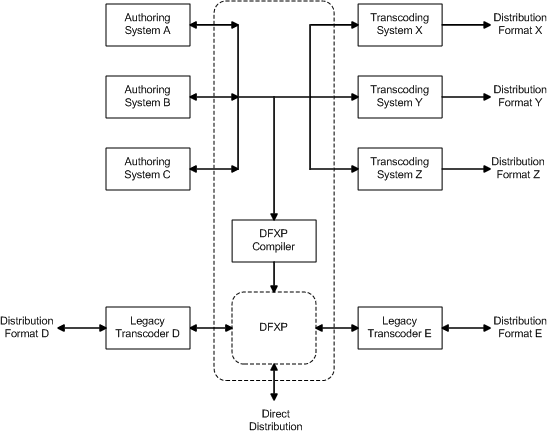
Use of DFXP is intended to function in a wider context of Timed Text Authoring and Distribution mechanisms that are based upon a system model, depicted in Figure 1 – System Model , wherein the timed text authoring format serves as a bidirectional interchange format among a heterogeneous collection of authoring systems, and as a unidirectional interchange format to a heterogeneous collection of distribution formats after undergoing transcoding or compilation to the target distribution formats as required, and where one particular distribution format is DFXP.

Figure 1 – System Model
System Model

1.2 Document Example

A DFXP document instance consists of a tt document element that contains a header and a body, where the header specifies document level metadata, styling definitions and layout definitions, and the body specifies text content intermixed with references to style and layout information and inline timing information.

Example Fragment – DFXP Document Structure
<tt xml:lang="" xmlns="http://www.w3.org/2006/10/ttaf1">
  <head>
    <metadata/>
    <styling/>
    <layout/>
  </head>
  <body/>
</tt>

Document level metadata may specify a document title, description, and copyright information. In addition, arbitrary metadata drawn from other namespaces may be specified.

Example Fragment – DFXP Metadata
<metadata xmlns:ttm="http://www.w3.org/2006/10/ttaf1#metadata">
  <ttm:title>Timed Text DFXP Example</ttm:title>
  <ttm:copyright>The Authors (c) 2006</ttm:copyright>
</metadata>

Styling information may be specified in the form of style specification definitions that are referenced by layout and content information.

In Example Fragment – DFXP Styling , four style sets of specifications are defined, with one set serving as a collection of default styles.

Example Fragment – DFXP Styling
<styling xmlns:tts="http://www.w3.org/2006/10/ttaf1#styling">
  <!-- s1 specifies default color, font, and text alignment -->
  <style xml:id="s1"
    tts:color="white"
    tts:fontFamily="proportionalSansSerif"
    tts:fontSize="22px"
    tts:textAlign="center"
  />
  <!-- alternative using yellow text but otherwise the same as style s1 -->
  <style xml:id="s2" style="s1" tts:color="yellow"/>
  <!-- a style based on s1 but justified to the right -->
  <style xml:id="s1Right" style="s1" tts:textAlign="end" />     
  <!-- a style based on s2 but justified to the left -->
  <style xml:id="s2Left" style="s2" tts:textAlign="start" />
</styling>

Layout information defines one or more regions into which content is intended to be presented. A region definition may reference one or more sets of style specifications in order to permit content flowed in the region to inherit from these styles. In Example Fragment – DFXP Layout , the region definition makes reference to style specification s1 which allows all content flowed into the region to inherit from the region's styles (in the case that a style is not already explicitly specified on content or inherited via the content hierarchy.)

Example Fragment – DFXP Layout
<layout xmlns:tts="http://www.w3.org/2006/10/ttaf1#styling">
  <region xml:id="subtitleArea"
    style="s1"
    tts:extent="560px 62px"
    tts:padding="5px 3px"
    tts:backgroundColor="black"
    tts:displayAlign="after"
  />
</layout>  

The content of a DFXP document instance is expressed in its body, which is organized in terms of block and inline text elements. The hierarchical organization of content elements serves a primary role in determining both spatial and temporal relationships. For example, in Example Fragment – DFXP Body , each paragraph ( p element) is flowed into its target region in the specified lexical order; furthermore, the active time interval of each paragraph is timed in accordance to its parent or sibling according to the applicable time containment semantics — in this case, the division parent is interpreted as a parallel time container.

Example Fragment – DFXP Body
<body region="subtitleArea">
  <div>
    <p xml:id="subtitle1" begin="0.76s" end="3.45s">
      It seems a paradox, does it not,
    </p>
    <p xml:id="subtitle2" begin="5.0s" end="10.0s">
      that the image formed on<br/>
      the Retina should be inverted?
    </p>
    <p xml:id="subtitle3" begin="10.0s" end="16.0s" style="s2">
      It is puzzling, why is it<br/>
      we do not see things upside-down?
    </p>
    <p xml:id="subtitle4" begin="17.2s" end="23.0s">
      You have never heard the Theory,<br/>
      then, that the Brain also is inverted?
    </p>
    <p xml:id="subtitle5" begin="23.0s" end="27.0s" style="s2">
      No indeed! What a beautiful fact!
    </p>
    <p xml:id="subtitle6a" begin="28.0s" end="34.6s" style="s2Left">
      But how is it proved?
    </p>
    <p xml:id="subtitle6b" begin="28.0s" end="34.6s" style="s1Right">
      Thus: what we call
    </p>
    <p xml:id="subtitle7" begin="34.6s" end="45.0s" style="s1Right">
      the vertex of the Brain<br/>
      is really its base
    </p>
    <p xml:id="subtitle8" begin="45.0s" end="52.0s" style="s1Right">
      and what we call its base<br/>
      is really its vertex,
    </p>
    <p xml:id="subtitle9a" begin="53.5s" end="58.7s">
      it is simply a question of nomenclature.
    </p>
    <p xml:id="subtitle9b" begin="53.5s" end="58.7s" style="s2">
      How truly delightful!
    </p>
  </div>    
</body>

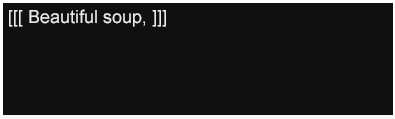
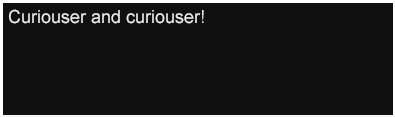
The first subtitle Subtitle 1 – Time Interval [0.76, 3.45) is presented during the time interval 0.76 to 3.45 seconds. This subtitle inherits its font family, font size, foreground color, and text alignment from the region into which it is presented. Since no region is explicitly specified on the paragraph, the nearest ancestor that specifies a region determines the region. Note also that content is presented at the bottom (after edge) of the containing region due to the tts:displayAlign="after" being specified on the region definition.

Note:

The notation "[ X , Y ]" denotes a closed interval from X to Y , including X and Y ; "[ X , Y )" denotes a right half-open interval from X to Y , including X but not including Y ; "( X , Y ]" denotes a left half-open interval from X to Y , not including X but including Y ; "( X , Y )" denotes an open interval from X to Y , not including X or Y .

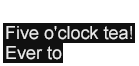
Subtitle 1 – Time Interval [0.76, 3.45)
Subtitle 1

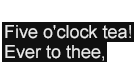
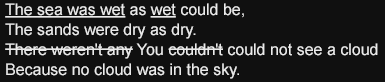
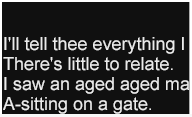
The second subtitle continues with the default style, except that it contains two lines of text with an intervening author-specified line break. Note the effects of the use of tts:textAlign="center" to specify the paragraph's alignment in the inline progression direction.

Subtitle 2 – Time Interval [5.0, 10.0)
Subtitle 2

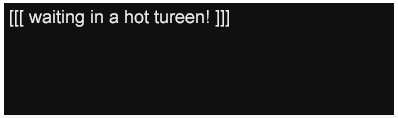
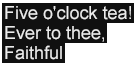
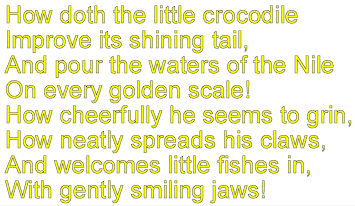
The third subtitle continues, using a variant style which overrides the default style's foreground color with a different color.

Subtitle 3 – Time Interval [10.0, 16.0)
Subtitle 3

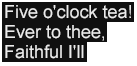
The fourth subtitle reverts to the default style.

Subtitle 4 – Time Interval [17.2, 23.0)
Subtitle 4

The fifth subtitle continues, again using a variant style which overrides the default style's foreground color with a different color.

Subtitle 5 – Time Interval [23.0, 27.0)
Subtitle 5

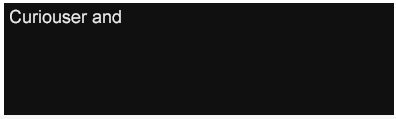
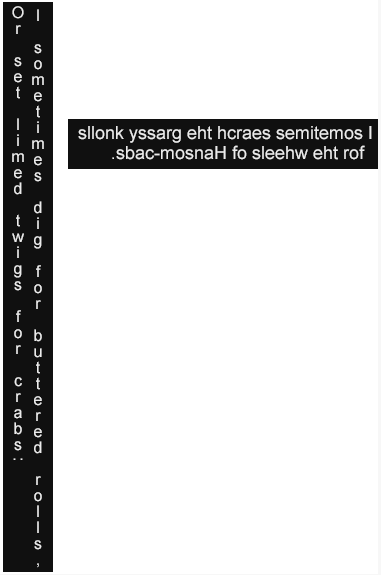
During the next active time interval, two distinct subtitles are simultaneously active, with the paragraph expressing each subtitle using a different style that overrides color and paragraph text alignment of the default style. Note that the flow order is determined by the lexical order of elements as they appear in the content hierarchy.

Subtitles 6a and 6b – Time Interval [28.0, 34.6)
Subtitles 6a and 6b

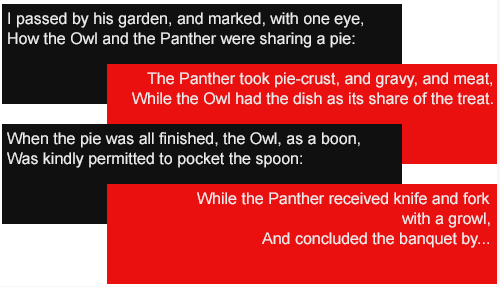
The next subtitle is specified in a similar manner using a style override to give a paragraph right (end) justified in the inline progression direction.

Subtitle 7 – Time Interval [34.6, 45.0)
Subtitles 7a and 7b

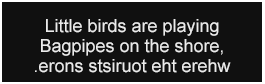
The eighth subtitle uses the same style override as the previous subtitle in order to maintain the right (end) justification of the paragraph.

Subtitle 8 – Time Interval [47.3, 49.0)
Subtitle 8

During the final (ninth) active time interval, two distinct subtitles are again simultaneously active, but with a different style applied to the second paragraph to override the default color. Note that the flow order is determined by the lexical order of elements as they appear in the content hierarchy.

Subtitles 9a and 9b – Time Interval [53.5, 58.7)
Subtitles 9a and 9b

The examples shown above demonstrate the primary types of information that may be authored using DFXP: metadata, styling, layout, timing, and content. In typical cases, styling and layout information are separately specified in a document instance. Content information is expressed in a hierarchical fashion that embodies the organization of both spatial (flow) and timing information. Content makes direct or indirect references to styling and layout information and may specify inline overrides to styling.

2 Definitions

2.1 Acronyms

DFXP

Distribution Format Exchange Profile

TT

Timed Text

TT AS

Timed Text Authoring System

TT AF

Timed Text Authoring Format

TT WG

Timed Text Working Group

2.2 Terminology

Abstract Document Instance

An instance of an abstract data set as represented by a Reduced XML Infoset .

Abstract Document Type

A set of constraints that defines a class of XML Information Set s [XML InfoSet] .

Attribute Information Item

Each specified or defaulted attribute of an XML document corresponds with an attribute information item as defined by [XML InfoSet] , §2.3.

Character Information Item

Each data character appearing in an XML document corresponds with a character information item as defined by [XML InfoSet] , §2.6.

Content Processor

A processing system capable of importing (receiving) timed text authoring format content for the purpose of transforming, presenting, or otherwise processing the content.

Content Profile

A collection of features and extensions that are (or may be) employed by timed text authoring format content.

Content Region

A logical region into which rendered content is placed when modeling or performing presentation processing.

Element Information Item

Each element appearing in an XML document corresponds with an element information item as defined by [XML InfoSet] , §2.2.

Exchange Profile

A content profile that serves a set of needs for content interchange.

Extension

A syntactic or semantic expression or capability that is defined and labeled (using a extension designation) in another (public or private) specification.

Feature

A syntactic or semantic expression or capability that is defined and labeled (using a feature designation) in this specification (or a future revision of this specification).

Processor

See Content Processor .

Processor Profile

A collection of features and extensions that must or may be implemented (supported) by by a content processor.

Profile Definition Document

A document that defines a specific collection of features and extensions for which support is required or optional in a recipient content processor.

Region

A logical construct that models authorial intention regarding desired or potential presentation processing, and which is represented as a rectangular area of a presentation surface into which content is composed and rendered during presentation processing.

Reduced XML Infoset

An XML Information Set [XML InfoSet] that satisfieds the constraints specify by A Reduced XML Infoset .

Root Container Region

A logical region that establishes a coordinate system into which content regions are placed and optionally clipped.

Timed Text

Textual information that is intrinsically or extrinsically associated with timing information.

Timed Text Authoring Format

A content type that represents timed text media for the purpose of interchange among authoring systems.

Timed Text Authoring System

A content authoring system capable of importing and exporting timed text authoring format content.

2.3 Documentation Conventions

Within normative prose in this specification, the words may , should , and must are defined as follows:

may

Conforming documents and/or TT AF processors are permitted to, but need not behave as described.

should

Conforming documents and/or TT AF processors are strongly recommended to, but need not behave as described.

must

Conforming documents and/or TT AF processors are required to behave as described; otherwise, they are in error.

All normative syntactic definitions of XML representations and other related terms are depicted with a light orange background color and labeled as "XML Representation" or "Syntax Representation", such as in the following:

XML Representation – Element Information Item: example
<example
  count = integer
  size = (large|medium|small) : medium>
  Content: (all | any*)
</example>

In an XML representation, bold-face attribute names (e.g. count above) indicate a required attribute information item, and the rest are optional. Where an attribute information item has an enumerated type definition, the values are shown separated by vertical bars, as for size above; if there is a default value, it is shown following a colon. Where an attribute information item has a built-in simple type definition defined in [XML Schema Part 2] , a hyperlink to its definition therein is given.

The allowed content of the information item is shown as a grammar fragment, using the Kleene operators ? , * and + . Each element name therein is a hyperlink to its own illustration.

All content of this specification that is not explicitly marked as non-normative is considered to be normative. If a section or appendix header contains the the expression "Non-Normative", then the entirety of the section or appendix is considered non-normative.

All paragraphs marked as a Note are considered non-normative.

Example code fragments are depicted with a light blue-green background color and labeled as "Example Fragment", such as in the following:

Example Fragment – Sample
<tt xml:lang="" xmlns="http://www.w3.org/2006/10/ttaf1">
  <head>
    <metadata/>
    <styling/>
    <layout/>
  </head>
  <body/>
</tt>

3 Conformance

This section specifies the general conformance requirements for TT AF content and processors.

3.1 Content Conformance

A TT AF document instance conforms to this specification if the following criteria are satisfied:

  1. When transporting a document instance in a context in which a MIME Media Type [MIME] identifies the content type of the interchanged document instance, then the specified media type is application/ttaf+xml in conformance with [XML Media Types] § 7, with which an optional profile parameter may appear, the value of which conforms to a profile designator as defined by 5.2 Profiles .

  2. The document instance is or can be represented as a Reduced XML Infoset as defined by A Reduced XML Infoset .

  3. The Reduced XML Infoset that corresponds to the document instance is or can be associated with one of the TT AF Abstract Document Types defined by 4 Document Types .

  4. The Reduced XML Infoset that corresponds to the document instance is a Valid Abstract Document Instance of the associated Abstract Document Type.

  5. The Reduced XML Infoset satisfies all additional mandatory syntactic and semantic constraints defined by this specification. In addition, this Infoset should satisfy the web content accessibility guidelines specified by [WCAG] .

3.2 Processor Conformance

3.2.1 Generic Processor Conformance

A TT AF processor conforms to this specification if the following generic processor criteria are satisfied:

  1. The processor provides at least one mechanism for notionally instantiating a Reduced XML Infoset representation of a conformant TT AF document instance.

  2. If a process does or can perform validation of a candidate TT AF document instance, then it provides at least one mechanism to implicitly or explicitly associate the Reduced XML Infoset representation of a conformant TT AF document instance with one of the TT AF Abstract Document Types defined by 4 Document Types .

  3. The processor does not a priori reject or abort the processing of a conformant TT AF document instance unless the processor does not support some required (mandatory) feature specified or implied by a TT AF content profile declared to apply to the document instance.

  4. The processor supports all mandatory processing semantics defined by this specification.

  5. If the processor supports some optional processing semantics defined by this specification, then it does so in a manner consistent with the defined semantics.

3.2.2 Transformation Processor Conformance

A TT AF processor is a conformant TT AF transformation processor if the following criteria are satisfied:

  1. The processor satisfies all requirements specified by 3.2.1 Generic Processor Conformance .

  2. The processor supports the DFXP Transformation profile as specified by G.2 G.1 DFXP Transformation Profile .

3.2.3 Presentation Processor Conformance

  1. The processor satisfies all requirements specified by 3.2.1 Generic Processor Conformance .

  2. The processor implements support for the region and line layout semantics defined by 9.3 Region Layout and Presentation and 9.4 Line Layout , respectively. In addition, the processor should satisfy the user agent accessibility guidelines specified by [UAAG] . The processor supports the DFXP Presentation profile as specified by G.1 G.2 DFXP Presentation Profile .

3.3 Claims

Any claim of compliance with respect to TT AF content or processor conformance must make reference to an implementation compliance statement (ICS).

An implementation compliance statement must identify all mandatory and optional features of this specification that are satisfied by the content or processor implementation. In particular, the statement must identify the utilized or supported TT AF vocabulary profile(s) as defined by 5.2 Profiles , and, if a subset or superset profile is used or supported, then what features are excluded or included in the subset or superset profile.

A TT AF document instance for which a compliance claim is made must specify either (1) a ttp:profile attribute on its root tt element as defined by 6.2.7 ttp:profile or (2) a ttp:profile element as a child of the head element as defined by 6.1.1 ttp:profile .

4 Document Types

This section defines the following TT AF Abstract Document Types:

Each abstract document type consists of the following constraints:

An Abstract Document Instance may be assessed in terms of validity, and is considered to be a Valid Abstract Document Instance if it satisfies the following condition: if after

  1. pruning all element information items whose names are not members of the collection of element types defined by the associated abstract document type, then

  2. pruning character information item children from any remaining element in case that all character children of the element denote XML whitespace characters and the element's type is defined as empty in the associated Abstract Document Type, and then

  3. pruning all attribute information items having expanded names such that the namespace URI of the expanded names are not listed in Table 1 – Namespaces ,

then the document element is one of the document element types permitted by the associated abstract document type, the descendants of the document element satisfy their respective element type's content specifications, all required attributes are present, and the declared value of each attribute satisfies the type declared by the associated abstract document type.

Note:

While a conformant processor may not a priori reject a conformant document instance that adheres to a supported content profile, a given document instance may be constrained by the author or authoring tool to satisfy a more restrictive definition of validity.

4.1 DFXP Content

DFXP Content is an abstract document type of the Timed Text Authoring Format intended to be used for interchange among distribution systems. This document type is defined in terms of the element and attribute vocabulary specified in 5 Vocabulary .

This specification defines two types of normative schemas that may be used to validate a subset of conformant DFXP document instances:

The (root) document element of a DFXP document instance must be a tt element, as defined by 7.1.1 tt .

Note:

The schemas included in this specification do not validate all syntactic constraints defined by this specification. In particular, performing validation with one of the above referenced schemas may result in a false positive indication of validity. However, their use will not produce a false negative indication of validity when used with a compliant validating processor.

5 Vocabulary

This section defines the namespaces, profiles, and vocabulary (as an element an attribute catalog) of the Timed Text Authoring Format (TT AF) as follows:

5.1 Namespaces

The Timed Text Authoring Format (TT AF) employs a number of namespaces for elements and certain global attributes. The following table specifies this set of namespaces and indicates the default prefix used within this specification and the normative URI that denotes each namespace.

Note:

In a specific document instance, it is not required that the default prefixes shown below are used. Any prefix or namespace binding that satisfies the constraints of XML Namespaces may be used that is associated with the specified namespace URI.

Table 1 – Namespaces
Name Prefix Value
TT tt: http://www.w3.org/2006/10/ttaf1
TT Parameter ttp: http://www.w3.org/2006/10/ttaf1#parameter
TT Parameter Extension ttpx: http://www.w3.org/2006/10/ttaf1#parameter-extension TT Style tts: http://www.w3.org/2006/10/ttaf1#styling
TT Style Extension ttsx: http://www.w3.org/2006/10/ttaf1#styling-extension TT Metadata ttm: http://www.w3.org/2006/10/ttaf1#metadata
TT Metadata Extension ttmx: http://www.w3.org/2006/10/ttaf1#metadata-extension TT Profile none http://www.w3.org/2006/10/ttaf1/profile
TT Feature none http://www.w3.org/2006/10/ttaf1/feature
TT Extension none http://www.w3.org/2006/10/ttaf1/extension

Note:

If a reference to an element type is used in this specification and the name of the element type is not namespace qualified, then the TT Namespace applies.

For certain namespaces defined above, the default prefix is specified as none if no XML vocabulary is defined in the namespace by this specification (nor expected to be defined in a future version of this specification). In such cases, the use of the namespace URI is for purposes other than defining XML vocabulary, e.g., for designating profiles, features, extensions and for dereferencing standard profile definitions.

All TT AF Namespaces are mutable [NSState] ; all undefined names in these namespaces are reserved for future standardization by the W3C.

5.2 Profiles

The Timed Text Authoring Format (TT AF) employs a number of standard, predefined profiles of its vocabulary and associated semantics. The following table specifies this set of profiles, indicating a normative name and designator for each predefined profile, and where each of these profiles is formally elaborated in G Profiles .

Table 2 – Profiles
Name Designator
DFXP Transformation http://www.w3.org/2006/10/ttaf1/profile/dfxp-transformation
DFXP Presentation http://www.w3.org/2006/10/ttaf1/profile/dfxp-presentation
DFXP Full http://www.w3.org/2006/10/ttaf1/profile/dfxp-full

A profile designator must adhere to the xsd:anyURI data type defined by [XML Schema Part 2] , §3.2.17. If the profile designator is expressed as a relative URI, then it must be absolutized by using the TT Profile Namespace value as the base URI.

Note:

For example, if a profile designator is expressed as dfxp-presentation ,then the absolutized profile designator would be http://www.w3.org/2006/10/ttaf1/profile/dfxp-presentation .

A profile designator is not restricted to the set of designators enumerated in Table 2 – Profiles , but may be any URI that feasibly dereferences a TT AF Profile Definition Document.

Note: For example, if a profile designator were expressed as dfxp-presentation , then the absolutized profile designator would be http://www.w3.org/2006/10/ttaf1/profile/dfxp-presentation .

The profile of TT AF that must be supported by a TT AF content processor in order to process a document instance is specified either (1) by specifying a ttp:profile attribute on the root tt element, as defined by 6.2.7 ttp:profile , or (2) by including a one or more ttp:profile element elements in the head element, in accordance with 6.1.1 ttp:profile .

If a ttp:profile element appears as a descendant of the tt element, then the ttp:profile attribute should not be specified on the tt element. If both a ttp:profile element and a ttp:profile attribute are present (in a given document instance), then the ttp:profile attribute must be ignored for the purpose of determining the declared profile requirements.

If more than one ttp:profile element appears in a TT AF document instance, then all specified profiles apply simultaneously. In such a case, if some feature or some extension is specified by one profile to be used (mandatory and enabled) and by another profile to be required (mandatory) or optional (voluntary), then that feature or extension must be considered to be used (mandatory and enabled); if some feature or some extension is specified by one profile to be merely required (mandatory) and by another profile to be optional (voluntary), then that feature or extension must be considered to be required (mandatory).

If neither ttp:profile attribute nor ttp:profile element is present in a TT AF document instance, and if the document interchange context does not specify a profile, then the DFXP Transformation profile applies.

Note:

It is intended that the ttp:profile attribute be used when the author wishes to reference one of the standard, predefined profiles of TT AF content, and does not wish to modify (by supersetting or subsetting) that profile. This attribute may also be used by an author to indicate the use of a non-standard profile, in which case the specified profile designator expresses a URI that denotes an externally defined TT AF Profile Definition Document. However, it is not required that a conformant TT AF content processor be able to dereference such an externally specified profile definition.

In contrast, it is intended that the ttp:profile element be used when the author wishes to make use of a modified predefined profile or wishes to include in the document instance a non-standard profile definition not based upon one of the predefined profiles.

A predefined profile is supersetted by specifying some feature or extension to be required (mandatory) that was either not specified in the underlying, baseline profile or was specified as optional (voluntary) in the baseline profile. A predefined profile is subsetted by specifying some feature or extension to be optional (voluntary) that was specified as required in the underlying, baseline profile.

When a baseline profile is modified by subsetting, the resulting, derived profile is referred to as a subtractive profile; when modified by supersetting, the result is referred to as an additive profile. It is also possible to define a derived profile that is simultaneously subtractive and additive.

If a TT AF document instance makes use of a feature defined by E.1 Feature Designations and if the intended use of the document requires the recognition and processing of that feature, then the document must include a required feature or a used feature specification in one of its declared or referenced profiles. If a TT AF document instance makes use of an extension designatable by F.1 Extension Designations and if the intended use of the document requires the recognition and processing of that extension, then the document must include a required extension or a used extension specification in one of its declared or referenced profiles.

Note:

A required or used feature specification is expressed directly (or indirectly by referring to a profile) by means of a ttp:feature element where the value of its value attribute is required . or use ,respectively. A required or used extension specification is expressed directly (or indirectly by referring to a profile) by means of a ttp:extension element where the value of its value attribute is required . or use ,respectively.

An example of an author defined subtractive, additive, derived profile of the DFXP Presentation profile is shown below in Example Fragment – DFXP Subtractive Additive Profile .

Example Fragment – DFXP Subtractive Additive Profile
<tt xml:lang="" xmlns="http://www.w3.org/2006/10/ttaf1">
 <head>
   <profile use="dfxp-presentation" xmlns="http://www.w3.org/2006/10/ttaf1#parameter">
     <features>
       <feature value="optional">#fontStyle-italic</feature>

     <features xml:base="http://www.w3.org/2006/10/ttaf1/feature">
       <feature value="required">#fontStyle-italic</feature>

     </features>
   </profile>
 </head>
 <body/>
</tt>

Note:

In the above example, the baseline profile is declared to be the DFXP Presentation profile, which is then subtractively additively modified by making the #fontStyle-italic feature optional required (rather than required optional as it is defined in G.1 G.2 DFXP Presentation Profile ). Note also the resetting of the default XMLNS binding on the profile element to the TT Parameter Namespace.

5.3 Catalog

The vocabulary of the Timed Text Authoring Format (TT AF) is defined in the following major catalogs (divisions of vocabulary):

The core catalog defines the baseline, core vocabulary of the TT AF, and, in particular, the vocabulary of DFXP. The extensions extension catalog serves as a placeholder for extensions to the core vocabulary defined by DFXP.

5.3.1 Core Catalog

The core vocabulary catalog is intended to satisfy the needs of DFXP while providing a baseline vocabulary for future profiles. This vocabulary is divided into distinct categories, specified in detail in the following sections:

The core element vocabulary specified for use with a TT AF document instance is enumerated in Table 3 – Element Vocabulary .

Table 3 – Element Vocabulary
Module Elements
Animation set
Content body , div , p , span , br
Document tt
Head head
Layout layout , region
Metadata metadata
Metadata Items ttm:actor , ttm:agent , ttm:copyright , ttm:desc , ttm:name , ttm:title
Parameter Items ttp:profile , ttp:features , ttp:feature , ttp:extensions , ttp:extension
Styling styling , style

Element vocabulary groups that are used in defining content models for TT AF element types are enumerated in Table 4 – Element Vocabulary Groups .

Table 4 – Element Vocabulary Groups
Group Elements
Animation.class set
Block.class div | p
Inline.class span | br | #PCDATA
Metadata.class metadata | ttm:agent | ttm:copyright | ttm:desc | ttm:title
Parameters.class ttp:profile

The attribute vocabulary specified for use with the core vocabulary catalog is enumerated in Table 5 – Attribute Vocabulary .

Table 5 – Attribute Vocabulary
Module Attributes
Core Attributes xml:id , xml:lang , xml:space
Layout region
Metadata Attributes ttm:agent , ttm:role
Parameter Attributes ttp:cellResolution , ttp:clockMode , ttp:frameRate , ttp:frameRateMultipler , ttp:markerMode , ttp:pixelAspectRatio , ttp:profile , ttp:smpteMode , ttp:subFrameRate , ttp:tickRate , ttp:timeBase
Styling style
Styling Attributes tts:backgroundColor , tts:color , tts:direction , tts:display , tts:displayAlign , tts:dynamicFlow , tts:extent , tts:fontFamily , tts:fontSize , tts:fontStyle , tts:fontWeight , tts:lineHeight , tts:opacity , tts:origin , tts:overflow , tts:padding , tts:showBackground , tts:textAlign , tts:textDecoration , tts:textOutline , tts:unicodeBidi , tts:visibility , tts:wrapOption , tts:writingMode , tts:zIndex
Timing Attributes begin , dur , end , timeContainer

Note:

Only those attributes defined as either (1) global, i.e., namespace qualified, or (2) shared element-specific, i.e., not namespace qualified but shared across multiple element types, are listed in Table 5 – Attribute Vocabulary above.

Note:

All vocabulary defined by the TT AF consistently makes use of the so-called lowerCamelCase naming convention. In some cases, this results in the change of a name when the name was based upon another specification that used a different naming convention.

5.3.2 Extension Catalog

The extension vocabulary catalog is intended for use by future profiles of the TT AF. In AF, and is not further defined by this version of this specification, no standardized extension vocabulary is defined. The following namespaces are specifically reserved by Table 1 – Namespaces for extension vocabulary: TT Metadata Extension TT Parameter Extension TT Style Extension specification.

In addition to standardized extension vocabulary, a conforming TT AF document instance may contain arbitrary namespace qualified elements that reside in any namespace other than those namespaces defined for use with this specification. Furthermore, a conforming TT AF document instance may contain arbitrary namespace qualified attributes on TT AF defined vocabulary where such attributes reside in any namespace other than those defined for use with this specification.

6 Parameters

This section specifies the parameters matter of the core vocabulary catalog, where parameters are to be understood as information that is either (1) essential or (2) of significant importance for the purpose of interpreting the semantics of other types of information expressed by core vocabulary items or for establishing a processing context by means of which TT AF content can be related to an external environment.

6.1 Parameter Element Vocabulary

The following elements, all defined in the TT Parameter Namespace, specify parametric information that applies to a document or a content processor:

6.1.1 ttp:profile

The ttp:profile element is used to specify a collection of used (mandatory and enabled), required (mandatory) (mandatory), and optional (voluntary) features and extensions that must or may be supported by a TT AF content processor in order to process a TT AF document that makes use (or may make use) of such features and extensions.

Note:

The difference between is a feature and an extension is where it is defined an how it is labeled: if defined in this specification (or a future revision thereof) and labeled with a feature designation in E Features , then it is considered to be a feature; if defined in another specification and labeled there with an extension designation, then it is considered to be an extension. In general, features are expected to be defined by the W3C standards process, while extensions are expected to be defined by third parties.

This specification defines two distinct uses of the ttp:profile element:

  • as a child of the head element within a TT AF document instance;

  • as the root element of a TT AF Profile Definition document instance;

When a tt:profile element appears within a TT AF document instance, its purpose is to express authorial intentions about which featueres features and extensions must or may be supported by a recipient content processor. In addition, the element indirectly expresses information about the set of features or extensions that are (or may expected to be) used by the document instance.

When a tt:profile element is used by a TT AF Profile Definition document instance, it serves to publish a machine readable specification of a specific TT AF content profile, of which this specification defines two four such Profile Definition Documents in G Profiles .

The ttp:profile element accepts as its children zero or more elements in the Metadata.class element group, followed by zero or more ttp:features elements, followed by zero or more ttp:extensions elements.

XML Representation – Element Information Item: ttp:profile
<ttp:profile
  use = string
  xml:id = ID
  {}>

  {any attribute not in default or any TT namespace}>

  Content: Metadata.class*, ttp:features*, ttp:extensions*
</ttp:profile>

If specified, the use attribute must adhere to the xsd:anyURI data type defined by [XML Schema Part 2] , §3.2.17, and, furthermore, must denote a profile designator in accordance with 5.2 Profiles . In this case, the profile designator must refer to (1) a standard, predefined TT AF Profile Definition Document as defined by G Profiles , or (2) a dereferenceable resource representing a valid TT AF Profile Definition document instance. In either case, the referenced profile serves as the baseline profile of the specifying ttp:profile element.

If the use attribute is not specified, then the baseline profile of the ttp:profile element must be considered to be the empty (null) profile, i.e., a profile definition containing no feature or extension specifications.

The collection of features and extensions of a profile are determined according to the following ordered rules:

  1. initialize the features and extensions of the profile to the empty set;

  2. if a use attribute is present, then augment the profile with the set of features and extensions specified by the referenced baseline profile;

  3. for each ttp:feature and ttp:extension element descendant of the ttp:profile element, using a post-order traversal, merge the specified feature or extension with the features and extensions of the profile, where merging a feature or extension entails replacing an existing feature or extension specification, if it already exists, or adding a new feature or extension specification, if it does not yet exist in the profile;

A conformant TT AF processor is not required to be able to dereference a TT AF Profile Definition Document that is not one of the standard, predefined profiles defined by G Profiles . A conformant TT AF processor may make use of a built-in, static form of each standard, predefined profile so as not to require dereferencing a network resource.

If a TT AF processor is unable to dereference a non-standard TT AF Profile Definition Document, then it must not further process the document without the presence of an explicit override from an end-user or some implementation specific parameter traceable to an end-user or to a user or system configuration setting. If a TT AF processor aborts processing of a TT AF document instance due to the inability to reference a non-standard TT AF Profile Definition Document, then some end-user notification should be given unless the end-user or system has disabled such a notification, or if the processor does not permit or entail the intervention of an end-user.

If more than one ttp:profile element appears in a TT AF document instance, then all specified profiles apply simultaneously. In such a case, if some feature or some extension is specified by one profile to be required (mandatory) and by another profile to be optional (voluntary), then that feature or extension must be considered to be required (mandatory). The ttp:profile element is illustrated by the following example.

Example Fragment – ttp:profile
<ttp:profile use="dfxp-presentation">
  <ttp:features>

  <ttp:features xml:base="http://www.w3.org/2006/10/ttaf1/feature">

    <ttp:feature>#rollUp</ttp:feature>
  </ttp:features>
</ttp:profile>

Note:

In the above example, the DFXP presentation profile is used as the baseline profile. This baseline profile is then supersetted (thus creating an additive derived profile) by requiring support for #rollUp feature.

6.1.2 ttp:features

The ttp:features element is a container element used to group infomation about feature support requirements.

The ttp:features element accepts as its children zero or more elements in the Metadata.class element group, followed by zero or more ttp:feature elements.

XML Representation – Element Information Item: ttp:features
<ttp:features
  base = string : 

  xml:base = string : TT Feature Namespace

  xml:id = ID
  {}>

  {any attribute not in default or any TT namespace}>

  Content: Metadata.class*, ttp:feature*
</ttp:features>

If specified, the base xml:base attribute must (1) adhere to the xsd:anyURI data type defined by [XML Schema Part 2] , §3.2.17, (2) express an absolute URI that adheres to [XML Base] and, furthermore, must (3) express a feature namespace as defined by E.1 Feature Designations . If not specified, the base xml:base attribute's default value applies, which is the TT Feature Namespace.

The base xml:base attribute is used to permit the abbreviation of feature designation URIs expressed by child ttp:feature elements.

6.1.3 ttp:feature

The ttp:feature element is used to specify infomation about support requirements for a particular feature.

The children of the ttp:feature element must express a non-empty sequence of character information items that adheres to the xsd:anyURI data type defined by [XML Schema Part 2] , §3.2.17.

XML Representation – Element Information Item: ttp:feature
<ttp:feature
  value = (required|optional) : required

  value = (optional|required|use) : required

  xml:id = ID
  {}>

  {any attribute not in default or any TT namespace}>

  Content: #PCDATA
</ttp:feature>

If the URI expressed by the content of the ttp:feature element is a relative URI, then, when combined with the feature namespace value of expressed by the base xml:base attribute of the nearest ancestor ttp:features element, it must express an absolute URI. In either case (original absolute URI or resulting absolutized URI), the URI expressed by the ttp:feature element must further adhere to the syntax of a feature designation as defined by E.1 Feature Designations .

If the URI expressed by the content of the ttp:feature element is a relative URI, then an xml:base attribute should be specified on the nearest ancestor ttp:features element.

The value attribute specifies whether a conforming TT AF processor must or may implement the designated feature in order to process the document. If the value of the value attribute is required optional , then the processor must need not implement or otherwise support the feature in order to process the document; however, if the value is optional required , then the processor need not must implement or otherwise support the feature in order to process the document. document; if the value is use ,then the processor must both (1) implement or otherwise support the feature and (2) enable (activate) use of the feature.

Note:

The default value of the value attribute is required , as indicated in the above element information item definition. Therefore, if a value attribute is not specified on a ttp:feature element, it is equivalent to specifying that support for the feature is required.

If the value of the value attribute is required or use , and if the TT AF processor implementation does not support the feature, then it must not further process the document without the presence of an explicit override from an end-user or some implementation specific parameter traceable to an end-user or to a user or system configuration setting. If a TT AF processor aborts processing of a TT AF document instance due to the specification of a required, but unsupported feature by this element, then some end-user notification should be given unless the end-user or system has disabled such a notification, or if the processor does not permit or entail the intervention of an end-user.

If the value of the value attribute is optional , and if the TT AF processor implementation does not support the feature, then it may further process the document even in the case that some use of the feature is present in the document. In the case of actual use of a feature designated as optional, the default semantics associated with that feature apply; that is, the processor may behave as if the feature were not actually used or referenced by the document. Notwithstanding the above, the syntactic presence or reference to an optional feature by a document must not be considered to be a violation of document validity or a barrier to further processing if the syntactic expression is well-formed and valid.

The ttp:feature element is illustrated by the following example.

Example Fragment – ttp:feature
<ttp:profile use="http://www.w3.org/2006/10/ttaf1/profile/dfxp-presentation">
  <ttp:features>

  <ttp:features xml:base="http://www.w3.org/2006/10/ttaf1/feature">
    <ttp:feature value="required">#fontStyle-italic</ttp:feature>
    <ttp:feature value="required">#textDecoration-under</ttp:feature>
    

  </ttp:features>
</ttp:profile>

Note:

In the above example, the DFXP presentation profile is used as the baseline profile. This baseline profile is then modified by two ttp:feature elements, the first elements in order to superset the baseline profile (since neither #textDecoration-under #fontStyle-italic is not required by the DFXP presentation profile), and the second to subset the baseline profile (since nor #fontStyle-italic #textDecoration-under is nominally are required by the DFXP presentation profile). Note that the explicit specification of required on the value attribute on the first of the these two ttp:feature elements is not strictly necessary, since it is the default value of this attribute.
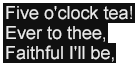
The effect of this example is to express authorial intentions that text underlining must be supported, but that the italic font style need not and text underlining must be supported (even though nominally required by the referenced baseline profile). supported.

6.1.4 ttp:extensions

The ttp:extensions element is a container element used to group infomation about extension support requirements.

The ttp:extensions element accepts as its children zero or more elements in the Metadata.class element group, followed by zero or more ttp:extension elements.

XML Representation – Element Information Item: ttp:extensions
<ttp:extensions
  base = string : 

  xml:base = string : TT Extension Namespace

  xml:id = ID
  {}>

  {any attribute not in default or any TT namespace}>

  Content: Metadata.class*, ttp:extension*
</ttp:extensions>

If specified, the base xml:base attribute must (1) adhere to the xsd:anyURI data type defined by [XML Schema Part 2] , §3.2.17, (2) express an absolute URI that adheres to [XML Base] and, furthermore, must (3) express an extension namespace as defined by F.1 Extension Designations . If not specified, the base xml:base attribute's default value applies, which is the TT Extension Namespace.

The base xml:base attribute is used to permit the abbreviation of extension feature designation URIs expressed by child ttp:extension elements.

6.1.5 ttp:extension

The ttp:extension element is used to specify infomation about support requirements for a particular extension.

The children of the ttp:extension element must express a non-empty sequence of character information items that adheres to the xsd:anyURI data type defined by [XML Schema Part 2] , §3.2.17.

XML Representation – Element Information Item: ttp:extension
<ttp:extension
  value = (required|optional) : required

  value = (optional|required|use) : required

  xml:id = ID
  {}>

  {any attribute not in default or any TT namespace}>

  Content: #PCDATA
</ttp:extension>

If the URI expressed by the content of the ttp:extension element is a relative URI, then, when combined with the extension namespace value of expressed by the base xml:base attribute of the nearest ancestor ttp:extensions element, it must express an absolute URI. In either case (original absolute URI or resulting absolutized URI), the URI expressed by the ttp:extension element must further adhere to the syntax of an extension designation as defined by F.1 Extension Designations .

If the URI expressed by the content of the ttp:feature element is a relative URI, then an xml:base attribute should be specified on the nearest ancestor ttp:extensions element.

The value attribute specifies whether a conforming TT AF processor must or may implement the designated extension in order to process the document. If the value of the value attribute is required optional , then the processor must need not implement or otherwise support the extension in order to process the document; however, if the value is optional required , then the processor need not must implement or otherwise support the extension in order to process the document. document; if the value is use ,then the processor must both (1) implement or otherwise support the extension and (2) enable (activate) use of the extension.

Note:

The default value of the value attribute is required , as indicated in the above element information item definition. Therefore, if a value attribute is not specified on a ttp:extension element, it is equivalent to specifying that support for the extension is required.

If the value of the value attribute is required or use , and if the TT AF processor implementation does not support the extension, then it must not further process the document without the presence of an explicit override from an end-user or some implementation specific parameter traceable to an end-user or to a user or system configuration setting. If a TT AF processor aborts processing of a TT AF document instance due to the specification of a required, but unsupported extension by this element, then some end-user notification should be given unless the end-user or system has disabled such a notification, or if the processor does not permit or entail the intervention of an end-user.

If the value of the value attribute is optional , and if the TT AF processor implementation does not support the extension, then it may further process the document even in the case that some use of the extension is present in the document. In the case of actual use of an extension designated as optional, the default semantics associated with that extension apply; that is, the processor may behave as if the extension were not actually used or referenced by the document. Notwithstanding the above, the syntactic presence or reference to an optional extension by a document must not be considered to be a violation of document validity or a barrier to further processing if the syntactic expression is well-formed and valid.

The ttp:extension element is illustrated by the following example.

Example Fragment – ttp:extension
<ttp:profile use="http://www.w3.org/2006/10/ttaf1/profile/dfxp-transformation">
  <ttp:extensions>
    
  </ttp:extensions>
  <ttp:extensions base="http://foo.bar.example.org/ttaf1/extension">
    

  <ttp:extensions xml:base="http://foo.bar.example.org/ttaf1/extension">
    <ttp:extension value="use">#prefilter-by-language</ttp:extension>
  </ttp:extensions>
</ttp:profile>

Note:

In the above example, the DFXP transformation profile is used as the baseline profile. This baseline profile is then supersetted by specifying that support and use is required for two extensions, where the first extension is a experimental extension #x-prefilter-by-language defined (hypothetically) by the W3C in the TT Extension Namespace, and where the second extension is a private extension defined in a third party namespace. The base attribute is elided from the first specified ttp:extensions element since it makes use of the TT Extension Namespace. Note that the explicit specification of required on the value attributes on the two ttp:extension elements is not necessary, since it is the default value of this attribute.
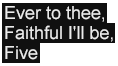
The effect of this example is to express authorial intentions that a recipient processor must support the DFXP transformation profile and must also support two additional extensions, one (hypothetically) defined by the W3C (in another specification or in a future version of this specification) and the other use an extension defined by a third party.

6.2 Parameter Attribute Vocabulary

The following attributes are defined in the TT Parameter Namespace.

Unless explicitly stated otherwise, linear white-space (LWSP) may appear between tokens of a value of a TT Parameter.

6.2.1 ttp:cellResolution

The ttp:cellResolution attribute may be used by an author to express the number of horizontal and vertical cells into which the root container region area is divided for the purpose of expressing presentation semantics in terms of a uniform grid.

If specified, the value of this attribute must adhere to the following syntax:

Syntax Representation – ttp:cellResolution
ttp:cellResolution
  : columns rows                            // columns != 0; rows != 0
columns | rows
  : <digit>+

If not specified, the number of columns and rows must be considered to be 32 and 15, respectively. If specified, then columns or rows must not be zero (0).

Note:

The choice of values 32 and 15 are based on this being the maximum number of columns and rows defined by [CEA-608-C] .

A ttp:cellResolution attribute is considered to be significant only when specified on the tt element.

Note:

The use of a uniform grid is employed only for the purpose of measuring lengths and expressing coordinates. In particular, it is not assumed that the presentation of text or the alignment of individual glyph areas is coordinated with this grid. Such alignment is possible, but requires the use of a monospaced font and a font size whose EM square exactly matches the cell size.

6.2.2 ttp:clockMode

The ttp:clockMode attribute is used to specify the interpretation of time expressions as real-time time coordinates when operating with time base of clock as defined by 6.2.11 ttp:timeBase .

Note:

See 10.3 Time Value Expressions for the specification of time expression syntax.

If specified, the value of this attribute must adhere to the following syntax:

Syntax Representation – ttp:clockMode
ttp:clockMode
  : "local"
  | "gps"
  | "utc"

If the time base, defined by 6.2.11 ttp:timeBase , is designated as clock , then this parameter applies as follows: if the parameter's value is local , then time expressions are interpreted as local wall-clock time coordinates; if utc , then time expressions are interpreted as UTC time coordinates [UTC] ; if gps , then time expressions are interpreted as GPS time coordinates [GPS] .

Note:

The primary difference between GPS time and UTC time is that GPS time is not adjusted for leap seconds, while UTC time is adjusted as follows: UTC = TAI ( Temp Atomique International ) + leap seconds accumulated since 1972 . TAI is maintained by the Bureau International des Poids et Mesures (BIPM) in Sevres, France. The GPS system time is steered to a Master Clock (MC) at the US Naval Observatory which is kept within a close but unspecified tolerance of TAI.

If not specified, the value of this parameter must be considered to be utc .

A ttp:clockMode attribute is considered to be significant only when specified on the tt element.

6.2.3 ttp:frameRate

The ttp:frameRate attribute is used to specify the frame rate of a related media object or the intrinsic frame rate of a document instance in case it is intended to function as an independent media object.

If specified, the value of this attribute must adhere to the following syntax:

Syntax Representation – ttp:frameRate
ttp:frameRate
  : <digit>+                                // value > 0

The frame rate that applies to a document instance is used to interpret time expressions that are expressed in frames as defined by 10.3.1 <timeExpression> .

A frame is interpreted as a division of a second of media time, such that if the frame rate is specified as F , then a second of media time is divided into F intervals of equal duration, where each interval is labeled as frame f , with f ∈ [0… F−1 ].

If not specified, the frame rate must be considered to be equal to some application defined frame rate, or if no application defined frame rate applies, then thirty (30) frames per second. If specified, then the frame rate must be greater than zero (0).

A ttp:frameRate attribute is considered to be significant only when specified on the tt element.

6.2.4 ttp:frameRateMultiplier

The ttp:frameRateMultiplier attribute is used to specify a multiplier to be applied to the frame rate specified by a ttp:frameRate attribute in order to compute the effective frame rate.

If specified, the value of this attribute must adhere to the following syntax:

Syntax Representation – ttp:frameRateMultiplier
ttp:frameRateMultiplier
  : numerator ( ":" denominator )?          // denominator != 0
numerator | denominator
  : <digit>+

A frame rate multiplier is used when the desired frame rate cannot be expressed as an integral number of frames per second.

If not specified, the frame rate multiplier must be considered to be equal to one (1:1). If a denominator is specified, then it must not be zero (0). If no denominator is specified, then a denominator of one (1) applies.

A ttp:frameRateMultiplier attribute is considered to be significant only when specified on the tt element.

Note:

The frame rate multiplier used for synchronizing with NTSC [SMPTE 170M] formatted video objects at 30 frames per second is nominally 1000:1001. The nominal frame rate of NTSC video is defined as the chrominance sub-carrier frequency of 3,579,545.45…Hz (= 5.0MHz × 63/88) times the ratio 2/455 divided by the number of horizontal lines per frame of 525, which yields a frame rate of 29.970029970029… (= 30 × 1000/1001) frames per second. Other frame rate multipliers apply to different regions of usage and video format standards.

Note:

Except in the case of PAL/M, the frame rate multiplier used for synchronizing with PAL formatted video objects at 25 frames per second is nominally 1:1.

6.2.5 ttp:markerMode

The ttp:markerMode attribute is used to specify constraints on the interpretation and use of time expressions that correspond with [SMPTE 12M] time coordinates when operating with time base of smpte as defined by 6.2.11 ttp:timeBase .

If specified, the value of this attribute must adhere to the following syntax:

Syntax Representation – ttp:markerMode
ttp:markerMode
  : "continuous"
  | "discontinuous"

If the time base, defined by 6.2.11 ttp:timeBase , is designated as smpte , then this parameter applies as follows: if the parameter's value is continuous , then [SMPTE 12M] time coordinates may be assumed to be linear and either monotonically increasing or decreasing; however, if discontinuous , then any assumption must not be made regarding linearity or monotonicity of time coordinates.

If not specified, the value of this parameter must be considered to be continuous .

A ttp:markerMode attribute is considered to be significant only when specified on the tt element.

If a value of discontinuous applies, then time expressions must not be converted to either media time or real time coordinates, arithmetical operators (addition, multiplication) are not defined on time expressions, and, consequently, any expression of a duration must be ignored.

Note:

When operating with smpte time base and discontinuous marker mode, there is no effective time coordinate space; rather, all time expressions are interpreted as labeled synchronization events (markers), where some external synchronization context emits these events, which, when they correspond with time expressions that denote the same label, cause a temporal interval to begin or end accordingly.

An additional side-effect of operating in discontinuous mode is that time expressions of children have no necessary relationship with time expressions of their temporal container; that is, temporal containers and children of these containers are temporally activated and inactivated independently based on the occurrence of a labeled synchronization (marker) event.

Note:

The notion of marker discontinuity as captured by this parameter is logically independent from the method used to count frames as expressed by the ttp:smpteMode parameter. In particular, even if the ttp:smpteMode parameter is specified as dropNTSC or dropPAL , the marker mode may be specified as continuous , even in the presence of frame count discontinuities induced by the frame counting method, unless there were some other non-linearity or discontinuity in marker labeling, for example, two consecutive frames labeled as 10:00:00:00 and 10:00:01:00 .

6.2.6 ttp:pixelAspectRatio

The ttp:pixelAspectRatio attribute may be used by a content author to express the aspect ratio of non-square pixels in the production of content that makes use of pixel coordinates.

If specified, the value of this attribute must adhere to the following syntax:

Syntax Representation – ttp:pixelAspectRatio
ttp:pixelAspectRatio
  : width ":" height                        // width != 0; height != 0
width | height
  : <digit>+

If not specified, then square pixels (i.e., aspect ratio 1:1) must be assumed to apply. If specified, then width or height must not be zero.

A ttp:pixelAspectRatio attribute is considered to be significant only when specified on the tt element.

Note:

This parameter may be used by a content transcoder or translator in order to convert pixel measurements between different pixel aspect ratios while still maintaining authorial layout intentions.

6.2.7 ttp:profile

The ttp:profile attribute may be used by a content author to express the profile of the Timed Text Authoring Format (TT AF) used in a document instance.

If specified, the value of this attribute must adhere to the xsd:anyURI data type defined by [XML Schema Part 2] , §3.2.17, and, further, must specify a profile designator in accordance with 5.2 Profiles .

A ttp:profile attribute is considered to be significant only when specified on the tt element.

If a ttp:profile element appears as a descendant of the tt element, then the ttp:profile attribute should not be specified on the tt element. If both a ttp:profile element and a ttp:profile attribute are present (in a given document instance), then the ttp:profile attribute must be ignored for the purpose of determining the declared profile requirements.

6.2.8 ttp:smpteMode

The ttp:smpteMode attribute is used to specify constraints on the interpretation and use of frame counts that correspond with [SMPTE 12M] time coordinates when operating with time base of smpte as defined by 6.2.11 ttp:timeBase .

If specified, the value of this attribute must adhere to the following syntax:

Syntax Representation – ttp:smpteMode
ttp:smpteMode
  : "dropNTSC"
  | "dropPAL"
  | "nonDrop"

If the time base, defined by 6.2.11 ttp:timeBase , is designated as smpte , then this parameter applies as follows: if the parameter's value is nonDrop , then, within any given second of a time expression, frames count from 0 to N−1 , where N is the value specified by the ttp:frameRate parameter, but while ignoring any value specified by the ttp:frameRateMultiplier parameter.

Note:

When operating in nonDrop mode, a second of a time expression may or may not be equal to a second of real time during normal (1x speed) forward playback. If the ttp:frameRateMultiplier parameter is specified and is not equal to 1:1, then a second of a time expression will either be shorter or longer than a second of elapsed play in real time.

If this parameter's value is dropNTSC , then, within any given second of a time expression except the second 00 , frames count from 0 to N−1 , where N is the value specified by the ttp:frameRate parameter, but while ignoring any value specified by the ttp:frameRateMultiplier parameter. If the second of a time expression is 00 and the minute of the time expression is not 00 , 10 , 20 , 30 , 40 , or 50 , then frame codes 00 and 01 are dropped during that second; otherwise, these frame codes are not dropped.

Note:

For example, when operating in dropNTSC mode with ttp:frameRate of 30 , a discontinuity in frame count occurs between consecutive frames as shown in the following sequence of time expressions: 01:08:59:28 , 01:08:59:29 , 01:09:00:02 , 01:09:00:03 .

If this parameter's value is dropPAL , then, within any given second of a time expression except the second 00 , frames count from 0 to N−1 , where N is the value specified by the ttp:frameRate parameter, but while ignoring any value specified by the ttp:frameRateMultiplier parameter. If the second of a time expression is 00 and the minute of the time expression is even but not 00 , 20 , or 40 , then frame codes 00 through 03 are dropped during that second; otherwise, these frame codes are not dropped.

Note:

For example, when operating in dropPAL mode with ttp:frameRate of 30 , a discontinuity in frame count occurs between consecutive frames as shown in the following sequence of time expressions: 01:09:59:28 , 01:09:59:29 , 01:10:00:04 , 01:10:00:04 .

Note:

The dropPAL mode is also known as the M/PAL or PAL (M) drop-frame code, which uses PAL modulation with the NTSC frame rate of ~29.97 frames/second. The M/PAL system is used primarily in Brazil.

If not specified, then nonDrop must be assumed to apply.

A ttp:smpteMode attribute is considered to be significant only when specified on the tt element.

6.2.9 ttp:subFrameRate

The ttp:subFrameRate attribute is used to specify the sub-frame rate of a related media object or the intrinsic sub-frame rate of a document instance in case it is intended to function as an independent media object.

If specified, the value of this attribute must adhere to the following syntax:

Syntax Representation – ttp:subFrameRate
ttp:subFrameRate
  : <digit>+                                // value > 0

The sub-frame rate that applies to a document instance is used to interpret time expressions that are expressed in sub-frames as defined by 10.3.1 <timeExpression> .

A sub-frame is interpreted as a division of a frame of media time, such that if the sub-frame rate is specified as S , then a frame of media time is divided into S intervals of equal duration, where each interval is labeled as sub-frame s , with s ∈ [0… S−1 ].

If not specified, the sub-frame rate must be considered to be equal to one (1). If specified, then the sub-frame rate must be greater than zero (0).

A ttp:subFrameRate attribute is considered to be significant only when specified on the tt element.

Note:

The sub-frame is sometimes referred to as a field in the context of synchronization with an interlaced video media object.

6.2.10 ttp:tickRate

The ttp:tickRate attribute is used to specify the tick rate of a related media object or the intrinsic tick rate of content of a document instance in case it is intended to function as an independent media object.

If specified, the value of this attribute must adhere to the following syntax:

Syntax Representation – ttp:tickRate
ttp:tickRate
  : <digit>+                                // value > 0

The tick rate that applies to a document instance is used to interpret time expressions that are expressed in ticks by using the t metric as defined by 10.3.1 <timeExpression> .

A tick is interpreted as an integral division of a second of media time, such that if the tick rate is specified as T , then a second of media time is divided into T intervals of equal duration, where each interval is labeled as tick t , with t ∈ [0… T−1 ].

If not specified, then if a frame rate is specified, the tick rate must be considered to be the effective frame rate multiplied by the sub-frame rate (i.e., ticks are interpreted as sub-frames); or, if no frame rate is specified, the tick rate must be considered to be one (1) tick per second of media time. If specified, then the tick rate must not be zero (0).

Note:

There is no predefined relationship between ticks and frames or sub-frames. Ticks are an arbitrary division of seconds that permit use of fixed point arithmetic rather than fractional (and potentially inexact) expressions of seconds.

A ttp:tickRate attribute is considered to be significant only when specified on the tt element.

6.2.11 ttp:timeBase

The ttp:timeBase attribute is used to specify the temporal coordinate system by means of which time expressions are interpreted in a document instance.

If specified, the value of this attribute must adhere to the following syntax:

Syntax Representation – ttp:timeBase
ttp:timeBase
  : "media"
  | "smpte"
  | "clock"

If the time base is designated as media , then a time expression denotes a coordinate in some media object's time line, where the media object may be an external media object with which the content of a document instance is to be synchronized, or it may be the content of a document instance itself in a case where the timed text content is intended to establish an independent time line.

Note:

When using a media time base, if that time base is paused or scaled positively or negatively, then it is expected that the presentation of associated Timed Text content will be similarly paused, accelerated, or decelerated, respectively. The means for controlling an external media time base is outside the scope of this specification.

If the time base is designated as smpte , then a time expression denotes a [SMPTE 12M] time coordinate with which the content of a document instance is to be synchronized. In this case, the value of the ttp:markerMode and ttp:smpteMode parameters apply, as defined by 6.2.5 ttp:markerMode and 6.2.8 ttp:smpteMode , respectively.

If the time base is designated as clock , then the time expression denotes a coordinate in some real-world time line as established by some real-time clock, such as the local wall-clock time or UTC (Coordinated Universal Time) or GPS (Global Positioning System) time lines.

If not specified, the default time base must be considered to be media .

A ttp:timeBase attribute is considered to be significant only when specified on the tt element.

When operating with either media or smpte time bases, a diachronic presentation of a document instance may be subject to transformations of the controlling time line, such as temporal reversal, dilation (expansion), or constriction (compression); however, when operating with the clock time base, no transformations are permitted, and diachronic presentation proceeds on a linear, monotonically increasing time line based on the passage of real time.

Note:

Due to there being only one time base parameter that applies to a given document instance, the interpretation of time expressions is uniform throughout the document instance.

7 Content

This section specifies the content matter of the core vocabulary catalog.

7.1 Content Element Vocabulary

The following elements specify the structure and principal content aspects of a document instance:

7.1.1 tt

The tt element serves as the root, document element of a document instance.

The tt element accepts as its children zero or one head element followed by zero or one body element.

XML Representation – Element Information Item: tt
<tt
  tts:extent = string
  xml:id = ID
  xml:lang = string
  xml:space = (default|preserve) : default
  {}
  {}>

  {any attribute in TT Parameter namespace}
  {any attribute not in default or any TT namespace}>

  Content: head?, body?
</tt>

The temporal beginning and ending of a document instance represented by a tt element is defined in relationship with some external application or presentation context. The temporal interval defined by these points is referred to subsequently as the external time interval .

A document instance has an implicit duration that is equal to the implicit duration of the body element of the document, if present, or zero, if not present.

If the tts:extent attribute is specified on the tt element, then it must adhere to 8.2.8 tts:extent , in which case it specifies the spatial extent of the root container region in which content regions are located and presented. If no tts:extent attribute is specified, then the spatial extent of the root container region is considered to be determined by the external authoring or presentation context.

An xml:lang attribute must be specified on the tt element. If the attribute value is empty, it signifies that there is no default language that applies to the text contained within the document instance.

If no xml:space attribute is specified upon the tt element, then it must be considered as if the attribute had been specified with a value of default .

7.1.2 head

The head element is a container element used to group header matter, including metadata, profile, styling, and layout information.

The head element accepts as its children zero or more elements in the Metadata.class element group, followed by zero or more elements in the Parameters.class element group, followed by zero or one styling element, followed by zero or one layout element.

Any metadata specified by children in the Metadata.class element group applies semantically to the document instance as a whole, and not just the head element.

Any parameters specified by children in the Parameters.class element group applies semantically to the document instance as a whole, and not just the head element.

A styling child element is used to specify style constructs that are referenced from other style constructs, by layout constructs, and by content elements.

A layout child element is used to specify layout constructs that are referenced by content elements.

XML Representation – Element Information Item: head
<head
  xml:id = ID
  xml:lang = string
  )>

  xml:space = (default|preserve)
  {any attribute not in default or any TT namespace}>

  Content: Metadata.class*, Parameters.class*, styling?, layout?
</head>

To the extent that time semantics apply to the content of the head element, the implied time interval of this element is defined to be coterminous with the external time interval.

7.1.3 body

The body element functions as a logical container and a temporal structuring element for a sequence of textual content units represented as logical divisions.

The body element accepts as its children zero or more elements in the Metadata.class element group, followed by zero or more elements in the Animation.class element group, followed by zero or more div elements.

Any metadata specified by children in the Metadata.class element group applies semantically to the body element and its descendants as a whole.

Any animation elements specified by children in the Animation.class element group apply semantically to the body element.

XML Representation – Element Information Item: body
<body
  begin = <timeExpression>
  dur = <timeExpression>
  end = <timeExpression>
  region = IDREF
  style = IDREFS
  timeContainer = (par|seq)
  xml:id = ID
  xml:lang = string
  xml:space = (default|preserve)
  {}
  {}
  {}
  {}
  {}>

  {any attribute in TT Metadata namespace}
  {any attribute in TT Style namespace}
  {any attribute not in default or any TT namespace}>

  Content: Metadata.class*, Animation.class*, div*
</body>

An author may specify a temporal interval for a body element using the begin , dur , and end attributes. If the begin point of this interval remains unspecified, then the begin point is interpreted as the begin point of the external time interval. Similarly, if the end point of this interval remains unspecified, then the end point is interpreted as the end point of the external time interval.

Note:

A TT AF document instance referenced from a SMIL presentation is expected to follow the same timing rules as apply to other SMIL media objects.

If relative begin or end times are specified on the body element, then these times are resolved by reference to the begin and end time of the external time interval.

If the external time interval is shorter than the computed duration of the body element, then the active time interval of a document instance is truncated to the active end point of the external time interval.

An author may associate a set of style properties with a body element by means of either the style attribute or inline style attributes or a combination thereof.

Note:

Style properties that are associated with a body element in a document instance are available for style inheritance by descendant content elements such as div , p , span and br .

If no timeContainer attribute is specified on a body element, then it must be interpreted as having parallel time containment semantics.

7.1.4 div

The div element functions as a logical container and a temporal structuring element for a sequence of textual content units represented as logical sub-divisions or paragraphs.

Note:

When rendered on a continuous (non-paged) visual presentation medium, a div element is expected to generate one or more block areas that contain zero or more child block areas generated by the div element's descendant p elements.

If some block area generated by a div element does not contain any child areas, then it is not expected to be presented.

The div element accepts as its children zero or more elements in the Metadata.class element group, followed by zero or more elements in the Animation.class element group, followed by zero or more div or p elements.

Any metadata specified by children in the Metadata.class element group applies semantically to the div element and its descendants as a whole.

Any animation elements specified by children in the Animation.class element group apply semantically to the div element.

XML Representation – Element Information Item: div
<div
  begin = <timeExpression>
  dur = <timeExpression>
  end = <timeExpression>
  region = IDREF
  style = IDREFS
  timeContainer = (par|seq)
  xml:id = ID
  xml:lang = string
  xml:space = (default|preserve)
  {}
  {}
  {}
  {}
  {}>

  {any attribute in TT Metadata namespace}
  {any attribute in TT Style namespace}
  {any attribute not in default or any TT namespace}>

  Content: Metadata.class*, Animation.class*, Block.class*
</div>

An author may associate a set of style properties with a div element by means of either the style attribute or inline style attributes or a combination thereof.

Note:

Style properties that are associated with a div element in a document instance are available for style inheritance by descendant content elements such as div , p , span , and br .

If no timeContainer attribute is specified on a div element, then it must be interpreted as having parallel time containment semantics.

7.1.5 p

A p element represents a logical paragraph, serving as a transition between block level and inline level formatting semantics.

The p element accepts as its children zero or more elements in the Metadata.class element group, followed by zero or more elements in the Animation.class element group, followed by zero or more span element, br element, or text nodes interpreted as anonymous spans.

Any metadata specified by children in the Metadata.class element group applies semantically to the p element and its descendants as a whole.

Any animation elements specified by children in the Animation.class element group apply semantically to the p element.

XML Representation – Element Information Item: p
<p
  begin = <timeExpression>
  dur = <timeExpression>
  end = <timeExpression>
  region = IDREF
  style = IDREFS
  timeContainer = (par|seq)
  xml:id = ID
  xml:lang = string
  xml:space = (default|preserve)
  {}
  {}
  {}
  {}
  {}>

  {any attribute in TT Metadata namespace}
  {any attribute in TT Style namespace}
  {any attribute not in default or any TT namespace}>

  Content: Metadata.class*, Animation.class*, Inline.class*
</p>

An author may associate a set of style properties with a p element by means of either the style attribute or inline style attributes or a combination thereof.

Note:

Style properties that are associated with a p element in a document instance are available for style inheritance by descendant content elements such as span and br .

If no timeContainer attribute is specified on a p element, then it must be interpreted as having parallel time containment semantics.

If a sequence of children of a p element consists solely of character information items, then that sequence must be considered to be an anonymous span for the purpose of applying style properties that apply to span elements.

7.1.6 span

The span element functions as a logical container and a temporal structuring element for a sequence of textual content units having inline level formatting semantics.

When presented on a visual medium, a span element is intended to generate a sequence of inline areas, each containing one or more glyph areas.

The span element accepts as its children zero or more elements in the Metadata.class element group, followed by zero or more elements in the Animation.class element group, followed by zero or more span elements , elements, br elements, or text nodes interpreted as anonymous spans.

Any metadata specified by children in the Metadata.class element group applies semantically to the span element and its descendants as a whole.

Any animation elements specified by children in the Animation.class element group apply semantically to the span element.

XML Representation – Element Information Item: span
<span
  begin = <timeExpression>
  dur = <timeExpression>
  end = <timeExpression>
  region = IDREF
  style = IDREFS
  timeContainer = (par|seq)
  xml:id = ID
  xml:lang = string
  xml:space = (default|preserve)
  {}
  {}
  {}
  {}
  {}>

  {any attribute in TT Metadata namespace}
  {any attribute in TT Style namespace}
  {any attribute not in default or any TT namespace}>

  Content: Metadata.class*, Animation.class*, Inline.class*
</span>

An author may associate a set of style properties with a span element by means of either the style attribute or inline style attributes or a combination thereof.

Note:

Style properties that are associated with a span element in a document instance are available for style inheritance by descendant content elements such as span and br .

If no timeContainer attribute is specified on a span element, then it must be interpreted as having parallel time containment semantics.

7.1.7 br

The br element denotes an explicit line break.

XML Representation – Element Information Item: br
<br
  style = IDREFS
  xml:id = ID
  xml:lang = string
  xml:space = (default|preserve)
  {}
  {}
  {}
  {}
  {}>

  {any attribute in TT Metadata namespace}
  {any attribute in TT Style namespace}
  {any attribute not in default or any TT namespace}>

  Content: Metadata.class*, Animation.class*
</br>

When presented on a visual medium, the presence of a br element must be interpreted as a forced line break.

Note:

The visual presentation of a br element is intended to produce the same effect as the ASCII control code CR followed by the control code NL when presented on a teletype device. Therefore, two br elements in sequence will produce a different effect than a single br element.

7.2 Content Attribute Vocabulary

This section defines the following common attributes used with many or all element types in the core vocabulary catalog:

7.2.1 xml:id

The xml:id attribute is used as defined by [XML ID] .

The xml:id attribute may be used with any element in the core vocabulary catalog.

7.2.2 xml:lang

The xml:lang attribute is used as defined by [XML 1.0] , §2.12, Language Identification .

The xml:lang attribute must be specified on the tt element and may be specified by an instance of any other element type in the core vocabulary catalog.

7.2.3 xml:space

The xml:space attribute is used as defined by [XML 1.0] , §2.10, White Space Handling .

The xml:space attribute may be used with any element in the core vocabulary catalog.

The semantics of the value default are fixed to mean that when performing presentation processing of a document instance as described by 9.3.3 Synchronic Flow Processing , processing must occur as if the following properties were specified on the affected elements of the intermediate XSL-FO document:

  • suppress-at-line-break="auto"

  • linefeed-treatment="treat-as-space"

  • white-space-collapse="true"

  • white-space-treatment="ignore-if-surrounding-linefeed"

Similarly, the semantics of the value preserve are fixed to mean that when performing presentation processing, processing must occur as if the following properties were specified on the affected elements of the intermediate XSL-FO document:

  • suppress-at-line-break="retain"

  • linefeed-treatment="preserve"

  • white-space-collapse="false"

  • white-space-treatment="preserve"

When performing other types of processing intended to eventually result in a visual presentation by means other than those described in this specification, the semantics of space collapsing and preservation as described above should be respected. For other types of processing, the treatment of the xml:space attribute is processor dependent, but should respect the semantics described above if possible.

8 Styling

This section specifies the styling matter of the core vocabulary catalog, where styling is to be understood as a separable layer of information that applies to content and that denotes authorial intentions about the presentation of that content.

No normative use of an <?xml-stylesheet ... ?> processing instruction is defined by this specification.

8.1 Styling Element Vocabulary

The following elements specify the structure and principal styling aspects of a document instance:

8.1.1 styling

The styling element is a container element used to group styling matter, including metadata that applies to styling matter.

The styling element accepts as its children zero or more elements in the Metadata.class element group, followed by zero or more style elements.

XML Representation – Element Information Item: styling
<styling
  xml:id = ID
  xml:lang = string
  xml:space = (default|preserve)
  {}>

  {any attribute not in default or any TT namespace}>

  Content: Metadata.class*, style*
</styling>

To the extent that time semantics apply to the content of the styling element, the implied time interval of this element is defined to be coterminous with the external time interval.

8.1.2 style

The style element is used to define a set of style specifications expressed as a specified style set in accordance with 8.4.4.2 Specified Style Set Processing .

The style element accepts as its children zero or more metadata elements.

XML Representation – Element Information Item: style
<style
  style = IDREFS
  xml:id = ID
  xml:lang = string
  xml:space = (default|preserve)
  {}
  {}
  {}>

  {any attribute in TT Style namespace}
  {any attribute not in default or any TT namespace}>

  Content: Metadata.class*
</style>

If a style element appears as a descendant of a region element, then the style element must be ignored for the purpose of computing referential styles as defined by 8.4.1.2 Referential Styling and 8.4.1.3 Chained Referential Styling .

Note:

That is to say, when referential styling is used by an element to refer to a style element, then the referenced style element must appear as a descendant of the styling element, and not in any other context.

8.2 Styling Attribute Vocabulary

This section defines the 8.2.1 style attribute used with both style definition elements as well as content elements.

In addition, this section specifies the following attributes in the TT Style Namespace for use with style definition elements, certain layout elements, and content elements that support inline style specifications:

Unless explicitly stated otherwise, linear white-space (LWSP) may appear between tokens of a value of a TT Style or TT Style Extension Property.

Note:

This specification makes use of lowerCamelCased local names for style attributes that are based upon like-named properties defined by [XSL 1.1] . This convention is likewise extended to token values of such properties.

Note:

A style property may be expressed as a specified attribute on any content element type independently of whether the property applies to that element type. This capability permits the expression of an inheritable style property on ancestor elements to which the property property does not apply.

8.2.1 style

The style attribute is used by referential style association to reference one or more style elements each of which define a specified style set.

The style attribute may be specified by an instance of the following element types:

Note:

See the specific element type definitions that permit use of the style attribute, as well as 8.4.1.2 Referential Styling and 8.4.1.3 Chained Referential Styling , for further information on its semantics.

8.2.2 tts:backgroundColor

The tts:backgroundColor attribute is used to specify a style property that defines the background color of a region or an area generated by content flowed into a region.

This attribute may be specified by any element type that permits use of attributes in the TT Style Namespace; however, this attribute applies as a style property only to those element types indicated in the following table.

Values: <color>
Initial: transparent
Applies to: body , div , p , region , span
Inherited: no
Percentages: N/A
Animatable: discrete

For the purpose of determining applicability of this style property, each character child of a p element is considered to be enclosed in an anonymous span.

The tts:backgroundColor style is illustrated by the following example.

Example Fragment – Background Color
<region xml:id="r1">
  <style tts:extent="306px 114px"/>
  <style tts:backgroundColor="red"/>
  <style tts:color="white"/>
  <style tts:displayAlign="after"/>
  <style tts:padding="3px 40px"/>
</region>
...
<p region="r1" tts:backgroundColor="purple" tts:textAlign="center">
  Twinkle, twinkle, little bat!<br/>
  How <span tts:backgroundColor="green">I wonder</span> where you're at!
</p>
Example Rendition – Background Color
TT AF backgroundColor style property

Note:

The semantics of the style property represented by this attribute are based upon that defined by [XSL 1.1] , § 7.7.2.

8.2.3 tts:color

The tts:color attribute is used to specify a style property that defines the foreground color of marks associated with an area generated by content flowed into a region.

This attribute may be specified by any element type that permits use of attributes in the TT Style Namespace; however, this attribute applies as a style property only to those element types indicated in the following table.

Values: <color>
Initial: see prose
Applies to: span
Inherited: yes
Percentages: N/A
Animatable: discrete

For the purpose of determining applicability of this style property, each character child of a p element is considered to be enclosed in an anonymous span.

The initial value of the tts:color property is considered to be implementation dependent. In the absence of end-user preference information, a conformant presentation processor should use an initial value that is highly contrastive to the background color of the root container region.

The tts:color style is illustrated by the following example.

Example Fragment – Color
<region xml:id="r1">
  <style tts:backgroundColor="black"/>
  <style tts:color="white"/>
  <style tts:displayAlign="after"/>
  <style tts:textAlign="center"/>
</region>
...
<p region="r1">
  In spring, when woods are <span tts:color="green">getting green</span>,<br/>
  I'll try and tell you what I mean.
</p>
Example Rendition – Color
DFXP color style property

Note:

The semantics of the style property represented by this attribute are based upon that defined by [XSL 1.1] , § 7.17.1.

8.2.4 tts:direction

The tts:direction attribute is used to specify a style property that defines the directionality of an embedding or override according to the Unicode bidirectional algorithm.

This attribute may be specified by any element type that permits use of attributes in the TT Style Namespace; however, this attribute applies as a style property only to those element types indicated in the following table.

Values: ltr | rtl
Initial: ltr
Applies to: p , span
Inherited: yes
Percentages: N/A
Animatable: discrete

For the purpose of determining applicability of this style property, each character child of a p element is considered to be enclosed in an anonymous span.

If a specified value of this attribute is not supported, then a presentation processor must ignore the attribute.
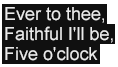
The tts:direction style is illustrated by the following example.

Example Fragment – Direction
<region xml:id="r1">
  <style tts:extent="265px 84px"/>
  <style tts:padding="5px"/>
  <style tts:backgroundColor="black"/>
  <style tts:color="white"/>
  <style tts:displayAlign="after"/>
  <style tts:textAlign="center"/>
</region>
...
<p region="r1">
  Little birds are playing<br/>
  Bagpipes on the shore,<br/>
  <span tts:unicodeBidi="bidiOverride" tts:direction="rtl">where the tourists snore.</span>
</p>
Example Rendition – Direction
DFXP direction style property

Note:

The semantics of the style property represented by this attribute are based upon that defined by [XSL 1.1] , § 7.27.1.

8.2.5 tts:display

The tts:display attribute is used to specify a style property that defines whether an element is a candidate for layout and composition in a region.

This attribute may be specified by any element type that permits use of attributes in the TT Style Namespace; however, this attribute applies as a style property only to those element types indicated in the following table.

Values: auto | none
Initial: auto
Applies to: body , div , p , region , span
Inherited: no
Percentages: N/A
Animatable: discrete

For the purpose of determining applicability of this style property, each character child of a p element is considered to be enclosed in an anonymous span.

If the value of this attribute is auto , then the affected element is a candidate for region layout and presentation; however, if the value is none , then the affected element and its descendants must be considered ineligible for region layout and presentation.

The tts:display style is illustrated by the following example.

Example Fragment – Display
<region xml:id="r1">
  <style tts:extent="369px 119px"/>
  <style tts:backgroundColor="black"/>
  <style tts:color="white"/>
  <style tts:displayAlign="before"/>
  <style tts:textAlign="start"/>
</region>
...
<div region="r1">
  <p dur="5s">
    [[[
    <span tts:display="none">
      <set begin="1s" dur="1s" tts:display="auto"/>
      Beautiful soup,
    </span>
    <span tts:display="none">
      <set begin="2s" dur="1s" tts:display="auto"/>
      so rich and green,
    </span>
    <span tts:display="none">
      <set begin="3s" dur="1s" tts:display="auto"/>
      waiting in a hot tureen!
    </span>
    ]]]
  </p>
</div>
Example Rendition – Display
DFXP display style property - [0,1)
DFXP display style property - [1,2)
DFXP display style property - [2,3)
DFXP display style property - [3,4)
DFXP display style property - [4,5)

Note:

The semantics of the style property represented by this attribute are based upon that defined by [CSS2] , § 9.2.5.

8.2.6 tts:displayAlign

The tts:displayAlign attribute is used to specify a style property that defines the alignment of block areas in the block progression direction.

This attribute may be specified by any element type that permits use of attributes in the TT Style Namespace; however, this attribute applies as a style property only to those element types indicated in the following table.

Values: before | center | after
Initial: before
Applies to: region
Inherited: yes
Percentages: N/A
Animatable: discrete

If a specified value of this attribute is not supported, then a presentation processor must interpret the attribute as if the value before were specified.

The tts:displayAlign style is illustrated by the following example.

Example Fragment – Display Align
<region xml:id="r1">
  <style tts:extent="128px 66px"/>
  <style tts:origin="0px 0px"/>
  <style tts:backgroundColor="black"/>
  <style tts:color="white"/>
  <style tts:displayAlign="before"/>
  <style tts:textAlign="start"/>
</region>
<region xml:id="r2">
  <style tts:extent="192px 66px"/>
  <style tts:origin="128px 66px"/>
  <style tts:backgroundColor="green"/>
  <style tts:color="white"/>
  <style tts:displayAlign="after"/>
  <style tts:textAlign="start"/>
</region>
<region xml:id="r3">
  <style tts:extent="128px 66px"/>
  <style tts:origin="0px 132px"/>
  <style tts:backgroundColor="black"/>
  <style tts:color="white"/>
  <style tts:displayAlign="before"/>
  <style tts:textAlign="start"/>
</region>
<region xml:id="r4">
  <style tts:extent="192px 66px"/>
  <style tts:origin="128px 198px"/>
  <style tts:backgroundColor="green"/>
  <style tts:color="white"/>
  <style tts:displayAlign="after"/>
  <style tts:textAlign="start"/>
</region>
...
<div>
  <p region="r1">I sent a message to the fish:</p>
  <p region="r2">I told them<br/> "This is what I wish."</p>
  <p region="r3">The little fishes of the sea,</p>
  <p region="r4">They sent an<br/> answer back to me.</p>
</div>
Example Rendition – Display Align
DFXP displayAlign style property

Note:

The semantics of the style property represented by this attribute are based upon that defined by [XSL 1.1] , § 7.13.4.

8.2.7 tts:dynamicFlow

The tts:dynamicFlow attribute is used to specify a style property that defines how to dynamically flow content into and out of a region over some time interval.

This style property applies only to a region when the tts:overflow property for that region has the value dynamic .

This attribute may be specified by any element type that permits use of attributes in the TT Style Namespace; however, this attribute applies as a style property only to those element types indicated in the following table.

Values: none | rollUp | <flowFunction> + <flowIntervalFunction> *
Initial: none
Applies to: region
Inherited: no
Percentages: N/A
Animatable: discrete

If the value of this attribute is none , then no dynamic flow semantics apply.

If the value of this attribute is rollUp , then this value is interpreted as a shorthand value equivalent to out(line,smooth) inter(0.433s) clear(0.433s) .

Note:

The choice of a definite duration of 0.433 seconds for the clear interval for roll up dynamic flow timing is based upon recommendations specified in [CC-DECODER-REQ] ,p. 792.

If the value of this attribute contains a single <flowFunction> , then that flow function applies equally to fill into and clear from dynamic flow operations.

If either intra() fill() or inter() clear() <flowIntervalFunction> is not specified, then the auto value for the missing <flowIntervalFunction> applies. Multiple instances of the same <flowIntervalFunction> must not appear in the value of this attribute.
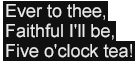
The normative processing model for dynamic flow behavior is specified in B Dynamic Flow Processing Model .

If a specified value of this attribute is not supported, then a presentation processor must interpret the attribute as if the value none were specified.

The tts:dynamicFlow style is illustrated by the following example, and depicted in an SVG Animation .

Example Fragment – Dynamic Flow
<region xml:id="r1">
  <style tts:extent="140px 70px"/>
  <style tts:displayAlign="after"/>
  <style tts:backgroundColor="transparent"/>
  <style tts:fontFamily="proportionalSansSerif"/>
  <style tts:fontSize="18px"/>
  <style tts:overflow="dynamic"/>
  <style />

  <style tts:dynamicFlow="in(word,jump) fill(1.0s) out(line,smooth) clear(0.3s)"/>

</region>
...
<p region="r1">
  <span tts:backgroundColor="black" tts:color="white">
    Five o'clock tea!<br/>
    Ever to thee,<br/>
    Faithful I'll be,<br/>
    Five o'clock tea!<br/>
    <br/>
    <br/>
    <br/>
  </span>
</p>
Example Rendition – Dynamic Flow – Discrete Frames
DFXP dynamic flow style property - frame 0 DFXP dynamic flow style property - frame 1 DFXP dynamic flow style property - frame 2 DFXP dynamic flow style property - frame 3
DFXP dynamic flow style property - frame 4 DFXP dynamic flow style property - frame 5 DFXP dynamic flow style property - frame 6 DFXP dynamic flow style property - frame 7
DFXP dynamic flow style property - frame 8 DFXP dynamic flow style property - frame 9 DFXP dynamic flow style property - frame 10 DFXP dynamic flow style property - frame 11
DFXP dynamic flow style property - frame 12 DFXP dynamic flow style property - frame 13 DFXP dynamic flow style property - frame 14 DFXP dynamic flow style property - frame 15

8.2.8 tts:extent

The tts:extent attribute is used to specify the width and height of a region area (which may be the root container region).

This attribute may be specified by any element type that permits use of attributes in the TT Style Namespace; however, this attribute applies as a style property only to those element types indicated in the following table.

Values: auto | <length> <length>
Initial: auto
Applies to: tt , region
Inherited: no
Percentages: relative to width and height of root container region
Animatable: discrete

If the value of this attribute consists of two <length> specifications, then they must be interpreted as width and height , where the first specification is the width , and the second specification is the height .

If the value of this attribute is auto , then the initial value of the style property must be considered to be the same as the root container extent.

The root container extent is determined either by a tts:extent specified on the tt element, if present, or by the external authoring context, if not present. If tts:extent is specified on the tt element, then the width and height must be expressed in terms of two <length> specifications, and these specifications must be expressed as non-percentage, definite lengths using pixel units.

If a specified value of this attribute is not supported, then a presentation processor must interpret the attribute as if the value auto were specified.

The tts:extent style is illustrated by the following example.

Example Fragment – Extent
<region xml:id="r1">
  <style tts:extent="330px 122px"/>
  <style tts:backgroundColor="black"/>
  <style tts:color="white"/>
  <style tts:displayAlign="after"/>
  <style tts:textAlign="center"/>
</region>
...
<p region="r1">
  'Tis the voice of the Lobster:<br/>
  I heard him declare,<br/>
  "You have baked me too brown,<br/>
  I must sugar my hair."
</p>
Example Rendition – Extent
DFXP extent style property

8.2.9 tts:fontFamily

The tts:fontFamily attribute is used to specify a style property that defines the font family from which glyphs are selected for glyph areas generated by content flowed into a region.

This attribute may be specified by any element type that permits use of attributes in the TT Style Namespace; however, this attribute applies as a style property only to those element types indicated in the following table.

Values: ( <familyName> | <genericFamilyName> ) ( ","  ( <familyName> | <genericFamilyName> ))*
Initial: default
Applies to: span
Inherited: yes
Percentages: N/A
Animatable: discrete

Note:

The initial value, default , is a generic font family name, and is further described in 8.3.8 <genericFamilyName> below.

For the purpose of determining applicability of this style property, each character child of a p element is considered to be enclosed in an anonymous span.

If a specified font family is not available, then a presentation processor must attempt to map the specified font family to an available font family that has similar typographic characteristics, or, in the absence of such a mapping, it must interpret the font family as if the value default were specified.

The tts:fontFamily style is illustrated by the following example.

Example Fragment – Font Family
<region xml:id="r1">
  <style tts:extent="474px 146px"/>
  <style tts:backgroundColor="black"/>
  <style tts:color="white"/>
  <style tts:displayAlign="center"/>
  <style tts:textAlign="start"/>
  <style tts:fontFamily="proportionalSansSerif"/>
</region>
...
<div region="r1">
  <p>
    "The time has come," the Walrus said,<br/>
    "to talk of many things:
  </p>
  <p tts:textAlign="end" tts:fontFamily="monospaceSerif">
    Of shoes, and ships, and sealing wax,<br/>
    Of cabbages and kings,
  </p>
  <p>
    And why the sea is boiling hot,<br/>
    and whether pigs have wings."
  </p>
</div>
Example Rendition – Font Family
DFXP fontFamily style property

Note:

The semantics of the style property represented by this attribute are based upon that defined by [XSL 1.1] , § 7.8.2.

8.2.10 tts:fontSize

The tts:fontSize attribute is used to specify a style property that defines the font size for glyphs that are selected for glyph areas generated by content flowed into a region, where font size is interpreted as a scaling transform to the font's design EM square.

This attribute may be specified by any element type that permits use of attributes in the TT Style Namespace; however, this attribute applies as a style property only to those element types indicated in the following table.

Values: <length> <length> ?
Initial: 1c
Applies to: span
Inherited: yes
Percentages: relative to parent element's font size
Animatable: discrete

If a single <length> value is specified, then this length applies equally to horizontal and vertical scaling of a glyph's EM square; if two <length> values are specified, then the first expresses the horizontal scaling and the second expresses vertical scaling.

Note:

Use of independent horizontal and vertical font sizes is expected to be used with cell based metrics in order to denote fonts that are two rows in height and one column in width.

If horizontal and vertical sizes are expressed independently, then the metrics of the <length> values must be the same.

The <length> value(s) used to express font size must be non-negative.

For the purpose of determining applicability of this style property, each character child of a p element is considered to be enclosed in an anonymous span.

If a specified value of this attribute is not supported, then a presentation processor must interpret the attribute as if the value 1c were specified.

The tts:fontSize style is illustrated by the following example.

Example Fragment – Font Size
<region xml:id="r1">
  <style tts:extent="299px 97px"/>
  <style tts:backgroundColor="black"/>
  <style tts:color="white"/>
  <style tts:displayAlign="center"/>
  <style tts:textAlign="center"/>
  <style tts:fontFamily="proportionalSansSerif"/>
  <style tts:fontSize="18px"/>
</region>
...
<p region="r1">
  Then fill up the glasses<br/>
  with treacle and ink,<br/>
  Or anything else<br/>
  that is <span tts:fontSize="24px">pleasant</span> to drink.
</p>
Example Rendition – Font Size
DFXP fontSize style property

Note:

The semantics of the style property represented by this attribute are based upon that defined by [XSL 1.1] , § 7.8.4.

8.2.11 tts:fontStyle

The tts:fontStyle attribute is used to specify a style property that defines the font style to apply to glyphs that are selected for glyph areas generated by content flowed into a region, where the mapping from font style value to specific font face or style parameterization is not determined by this specification.

This attribute may be specified by any element type that permits use of attributes in the TT Style Namespace; however, this attribute applies as a style property only to those element types indicated in the following table.

Values: normal | italic | oblique | reverseOblique
Initial: normal
Applies to: span
Inherited: yes
Percentages: N/A
Animatable: discrete

For the purpose of determining applicability of this style property, each character child of a p element is considered to be enclosed in an anonymous span.

Use of values oblique and reverseOblique denote a shear and reverse shear transformation (at an unspecified angle) in the inline progression dimension.

If a specified font style is not available, then a presentation processor must attempt to map the specified font style to an available font style that has similar typographic characteristics, or, in the absence of such a mapping, it must interpret the font style as if the value normal were specified.

The tts:fontStyle style is illustrated by the following example.

Example Fragment – Font Style
<region xml:id="r1">
  <style tts:extent="331px 84px"/>
  <style tts:backgroundColor="black"/>
  <style tts:color="white"/>
  <style tts:displayAlign="after"/>
  <style tts:textAlign="center"/>
  <style tts:fontFamily="proportionalSansSerif"/>
</region>
...
<p region="r1">
  In autumn, when the leaves are brown,<br/>
  Take pen and ink, and <span tts:fontStyle="italic">write it down.</span>
</p>
Example Rendition – Font Style
DFXP fontStyle style property

Note:

The semantics of the style property represented by this attribute are based upon that defined by [XSL 1.1] , § 7.8.7.

8.2.12 tts:fontWeight

The tts:fontWeight attribute is used to specify a style property that defines the font weight to apply to glyphs that are selected for glyph areas generated by content flowed into a region, where the mapping from font weight value to specific font face or weight parameterization is not determined by this specification.

This attribute may be specified by any element type that permits use of attributes in the TT Style Namespace; however, this attribute applies as a style property only to those element types indicated in the following table.

Values: normal | bold
Initial: normal
Applies to: span
Inherited: yes
Percentages: N/A
Animatable: discrete

For the purpose of determining applicability of this style property, each character child of a p element is considered to be enclosed in an anonymous span.

If a specified font weight is not available, then a presentation processor must attempt to map the specified font weight to an available font weight that has similar typographic characteristics, or, in the absence of such a mapping, it must interpret the font weight as if the value normal were specified.

The tts:fontWeight style is illustrated by the following example.

Example Fragment – Font Weight
<region xml:id="r1">
  <style tts:extent="376px 95px"/>
  <style tts:backgroundColor="black"/>
  <style tts:color="white"/>
  <style tts:displayAlign="center"/>
  <style tts:textAlign="center"/>
  <style tts:fontFamily="proportionalSansSerif"/>
</region>
...
<p region="r1">
  They told me you had been to her,<br/>
  <span tts:fontWeight="bold">and mentioned me to him:</span><br/>
  She gave me a good character<br/>
  <span tts:fontWeight="bold">but said I could not swim.</span>
</p>
Example Rendition – Font Weight
DFXP fontWeight style property

Note:

The semantics of the style property represented by this attribute are based upon that defined by [XSL 1.1] , § 7.8.9.

8.2.13 tts:lineHeight

The tts:lineHeight attribute is used to specify a style property that defines the inter-baseline separation between line areas generated by content flowed into a region.

This attribute may be specified by any element type that permits use of attributes in the TT Style Namespace; however, this attribute applies as a style property only to those element types indicated in the following table.

Values: normal | <length>
Initial: normal
Applies to: p
Inherited: yes
Percentages: relative to this element's font size
Animatable: discrete

If the value of this attribute is normal , then the initial value of the style property must be considered to be the same as the largest font size that applies to any descendant element.

If specified as a <length> , then the length must be non-negative.

If a specified value of this attribute is not supported, then a presentation processor must interpret the attribute as if the value normal were specified.

The tts:lineHeight style is illustrated by the following example.

Example Fragment – Line Height
<region xml:id="r1">
  <style tts:extent="255px 190px"/>
  <style tts:backgroundColor="black"/>
  <style tts:color="white"/>
  <style tts:displayAlign="center"/>
  <style tts:textAlign="start"/>
  <style tts:fontFamily="proportionalSansSerif"/>
  <style tts:fontSize="16px"/>
  <style tts:lineHeight="32px"/>
</region>
...
<p region="r1">
  He thought he saw an elephant,<br/>
  That practised on a fife:<br/>
  He looked again, and found it was<br/>
  A letter from his wife.<br/>
  "At length I realise," he said,<br/>
  "The bitterness of Life.
"</p>
Example Rendition – Line Height
DFXP lineHeight style property

Note:

The semantics of the style property represented by this attribute are based upon that defined by [XSL 1.1] , § 7.15.4.

8.2.14 tts:opacity

The tts:opacity attribute is used to specify a style property that defines the opacity (or transparency) of marks associated with a region.

When presented onto a visual medium, the opacity of the region is applied uniformly and on a linear scale to all marks produced by content targeted to the region.

This attribute may be specified by any element type that permits use of attributes in the TT Style Namespace; however, this attribute applies as a style property only to those element types indicated in the following table.

Values: <alpha>
Initial: 1.0
Applies to: region
Inherited: no
Percentages: N/A
Animatable: discrete

An <alpha> value greater than 1.0 must be considered equivalent to an <alpha> value of 1.0.

The tts:opacity style is illustrated by the following example.

Example Fragment – Opacity
<region xml:id="r1" dur="5s">
  <set begin="0s" dur="1s" tts:opacity="1.00"/>
  <set begin="1s" dur="1s" tts:opacity="0.75"/>
  <set begin="2s" dur="1s" tts:opacity="0.50"/>
  <set begin="3s" dur="1s" tts:opacity="0.25"/>
  <set begin="4s" dur="1s" tts:opacity="0.00"/>
  <style tts:extent="304px 77px"/>
  <style tts:backgroundColor="black"/>
  <style tts:color="white"/>
  <style tts:displayAlign="after"/>
  <style tts:textAlign="center"/>
</region>
...
<p region="r1">
  The sun was shining on the sea
</p>
Example Rendition – Opacity
DFXP opacity style property - [0,1)
DFXP opacity style property - [1,2)
DFXP opacity style property - [2,3)
DFXP opacity style property - [3,4)
DFXP opacity style property - [4,5)

Note:

The semantics of the style property represented by this attribute are based upon that defined by [CSS3 Color] , § 3.2.

8.2.15 tts:origin

The tts:origin attribute is used to specify the x and y coordinates of the origin of a region area with respect to the origin of the root container extent, if specified, or the external authoring context, if not specified.

This attribute may be specified by any element type that permits use of attributes in the TT Style Namespace; however, this attribute applies as a style property only to those element types indicated in the following table.

Values: auto | <length> <length>
Initial: auto
Applies to: region
Inherited: no
Percentages: relative to width and height of root container region
Animatable: discrete

If the value of this attribute consists of two <length> specifications, then they must be interpreted as x and y coordinates, where the first specification is the x coordinate, and the second specification is the y coordinate.

If the value of this attribute is auto , then the initial value of the style property must be considered to be the same as the root container origin. The root container origin is determined by the external authoring context.

If a specified value of this attribute is not supported, then a presentation processor must interpret the attribute as if the value auto were specified.

The tts:origin style is illustrated by the following example.

Example Fragment – Origin
<region xml:id="r1">
  <style tts:origin="40px 40px"/>
  <style tts:extent="308px 92px"/>
  <style tts:backgroundColor="black"/>
  <style tts:color="white"/>
  <style tts:displayAlign="center"/>
  <style tts:textAlign="center"/>
</region>
...
<p region="r1">
  "To dine!" she shrieked in dragon-wrath.<br/>
  "To swallow wines all foam and froth!<br/>
   To simper at a table-cloth!"
</p>
Example Rendition – Origin
DFXP origin style property

8.2.16 tts:overflow

The tts:overflow attribute is used to specify a style property that defines whether a region area is clipped or not if the descendant areas of the region overflow its extent.

This attribute may be specified by any element type that permits use of attributes in the TT Style Namespace; however, this attribute applies as a style property only to those element types indicated in the following table.

Values: visible | hidden | dynamic
Initial: hidden
Applies to: region
Inherited: no
Percentages: N/A
Animatable: discrete

If the value of this attribute is visible , then content should not be clipped outside of the affected region, and region composition and layout must be performed as if the region's width and height were unconstrained, but with a well-defined origin. If the value is hidden or dynamic , then content should be clipped outside of the affected region.

Note:

Unless a manual line break element br is used by the content author, a paragraph of a given region will generate no more than one line area in that region if the value of the tts:overflow style that applies to the region is visible and if the applicable tts:wrapOption style is noWrap .

If the value of this attribute is dynamic , then content is dynamically flowed into and out of the affected region according to the values of the tts:dynamicFlow style property; in this case, the semantics of the tts:dynamicFlow apply whether or not the affected region has overflowed.

If a specified value of this attribute is not supported, then a presentation processor must interpret the attribute as if the value hidden were specified.

The tts:overflow style is illustrated by the following example.

Example Fragment – Overflow
<region xml:id="r1">
  <style tts:extent="232px 40px"/>
  <style tts:origin="0px 0px"/>
  <style tts:backgroundColor="black"/>
  <style tts:color="red"/>
  <style tts:displayAlign="before"/>
  <style tts:textAlign="start"/>
  <style tts:fontFamily="proportionalSansSerif"/>
  <style tts:fontSize="18px"/>
  <style tts:wrapOption="noWrap"/>
  <style tts:overflow="visible"/>
</region>
<region xml:id="r2">
  <style tts:extent="232px 40px"/>
  <style tts:origin="0px 43px"/>
  <style tts:backgroundColor="black"/>
  <style tts:color="red"/>
  <style tts:displayAlign="before"/>
  <style tts:textAlign="start"/>
  <style tts:fontFamily="proportionalSansSerif"/>
  <style tts:fontSize="18px"/>
  <style tts:wrapOption="noWrap"/>
  <style tts:overflow="hidden"/>
</region>
...
<p region="r1">
  "But wait a bit," the Oysters cried,<br/>
  "Before we have our chat;
</p>
<p region="r2">
  For some of us are out of breath,<br/>
  And all of us are fat!"
</p>
Example Rendition – Overflow
DFXP overflow style property

Note:

In the above example, the tts:noWrap is set to noWrap to prevent automatic line wrapping (breaking); if this were not specified, then overflow would occur in the block progression direction as opposed to the inline progression direction.

Note:

The semantics of the style property represented by this attribute are based upon that defined by [XSL 1.1] , § 7.20.2.

8.2.17 tts:padding

The tts:padding attribute is used to specify padding (or inset) space on all sides of a region area.

This attribute may be specified by any element type that permits use of attributes in the TT Style Namespace; however, this attribute applies as a style property only to those element types indicated in the following table.

Values: <length> | <length> <length> | <length> <length> <length> | <length> <length> <length> <length>
Initial: 0px
Applies to: region
Inherited: no
Percentages: relative to width and height of region
Animatable: discrete

If the value of this attribute consists of one <length> specification, then that length applies to all edges of the affected areas. If the value consists of two <length> specifications, then the first applies to the before and after edges, and the second applies to the start and end edges. If three <length> specifications are provided, then the first applies to the before edge, the second applies to the start and end edges, and the third applies to the after edge. If four <length> specifications are provided, then they apply to before, end, after, and start edges, respectively.

If a specified value of this attribute is not supported, then a presentation processor must interpret the attribute as if the value 0px were specified.

The tts:padding style is illustrated by the following example.

Example Fragment – Padding
<region xml:id="r1">
  <style tts:extent="446px 104px"/>
  <style tts:backgroundColor="black"/>
  <style tts:color="white"/>
  <style tts:displayAlign="after"/>
  <style tts:textAlign="center"/>
  <style tts:padding="10px 40px"/>
</region>
...
<p region="r1" tts:backgroundColor="red">
  Just the place for a Snark! I have said it twice:<br/>
  That alone should encourage the crew.<br/>
  Just the place for a Snark! I have said it thrice:<br/>
  What I tell you three times is true.
</p>

When rendering an area to which padding applies, the background color that applies to the area is rendered into the padded portion of the area.

Example Rendition – Padding
DFXP padding style property

Note:

The semantics of the style property represented by this attribute are based upon that defined by [XSL 1.1] , § 7.29.15, except that individual shorthand values map to writing mode relative padding values as defined by [XSL 1.1] , § 7.7.31, 7.7.32, 7.7.33, and 7.7.34.

8.2.18 tts:showBackground

The tts:showBackground attribute is used to specify constraints on when the background color of a region is intended to be presented.

This attribute may be specified by any element type that permits use of attributes in the TT Style Namespace; however, this attribute applies as a style property only to those element types indicated in the following table.

Values: always | whenActive
Initial: always
Applies to: region
Inherited: no
Percentages: N/A
Animatable: discrete

If the value of this attribute is always , then the background color of a region is always rendered when performing presentation processing on a visual medium; if the value is whenActive , then the background color of a region is rendered only when some content is selected into the region.

If a specified value of this attribute is not supported, then a presentation processor must interpret the attribute as if the value always were specified.

The tts:showBackground style is illustrated by the following example.

Example Fragment – Show Background
<region xml:id="r1">
  <style tts:origin="0px 0px"/>
  <style tts:extent="265px 100px"/>
  <style tts:backgroundColor="black"/>
  <style tts:showBackground="always"/>
  <style tts:color="white"/>
  <style tts:displayAlign="before"/>
  <style tts:textAlign="start"/>
</region>
<region xml:id="r2">
  <style tts:origin="205px 60px"/>
  <style tts:extent="290px 100px"/>
  <style tts:backgroundColor="red"/>
  <style tts:color="white"/>
  <style tts:displayAlign="before"/>
  <style tts:textAlign="end"/>
  <style tts:showBackground="whenActive"/>
</region>

Note:

The semantics of the style property represented by this attribute are based upon that defined by [SMIL 2.1] , § 5.3.1.

8.2.19 tts:textAlign

The tts:textAlign attribute is used to specify a style property that defines how inline areas are aligned within a containing block area in the inline progression direction.

This attribute may be specified by any element type that permits use of attributes in the TT Style Namespace; however, this attribute applies as a style property only to those element types indicated in the following table.

Values: left | center | right | start | end
Initial: start
Applies to: p
Inherited: yes
Percentages: N/A
Animatable: discrete

If a specified value of this attribute is not supported, then a presentation processor must interpret the attribute as if the value start were specified.

The tts:textAlign style is illustrated by the following example.

Example Fragment – Text Align
<region xml:id="r1">
  <style tts:extent="355px 43px"/>
  <style tts:origin="0px 0px"/>
  <style tts:backgroundColor="black"/>
  <style tts:color="white"/>
  <style tts:textAlign="start"/>
</region>
<region xml:id="r2">
  <style tts:extent="355px 43px"/>
  <style tts:origin="0px 47px"/>
  <style tts:backgroundColor="black"/>
  <style tts:color="white"/>
  <style tts:textAlign="end"/>
</region>
...
<p region="r1">
  Beware the Jabberwock, my son!<br/>
  The jaws that bite, the claws that catch!
</p>
<p region="r2">
  Beware the Jubjub bird, and shun<br/>
  The frumious Bandersnatch!
</p>
Example Rendition – Text Align
DFXP textAlign style property

Note:

The semantics of the style property represented by this attribute are based upon that defined by [XSL 1.1] , § 7.15.9.

8.2.20 tts:textDecoration

The tts:textDecoration attribute is used to specify a style property that defines a text decoration effect to apply to glyph areas or other inline areas that are generated by content flowed into a region.

This attribute may be specified by any element type that permits use of attributes in the TT Style Namespace; however, this attribute applies as a style property only to those element types indicated in the following table.

Values: none | [ [ underline | noUnderline ] || [ lineThrough | noLineThrough ] || [ overline | noOverline ] ]
Initial: none
Applies to: span
Inherited: yes
Percentages: N/A
Animatable: discrete

For the purpose of determining applicability of this style property, each character child of a p element is considered to be enclosed in an anonymous span.

If a specified value of this attribute is not supported, then a presentation processor must interpret the attribute as if the value none were specified.

The tts:textDecoration style is illustrated by the following example.

Example Fragment – Text Decoration
<region xml:id="r1">
  <style tts:extent="385px 82px"/>
  <style tts:origin="0px 0px"/>
  <style tts:backgroundColor="black"/>
  <style tts:color="white"/>
  <style tts:padding="5px 2px"/>
  <style tts:textDecoration="underline"/>
</region>
...
<p region="r1">
  The sea was wet<span tts:textDecoration="noUnderline"> as </span>wet
  <span tts:textDecoration="noUnderline">
    could be,<br/>
    The sand was dry as dry.<br/>
    <span tts:textDecoration="lineThrough">There weren't any</span>
    You <span tts:textDecoration="lineThrough">couldn't</span>
    could not see a cloud<br/>
    Because no cloud was in the sky.
  </span>
</p>
Example Rendition – Text Decoration
DFXP textDecoration style property

Note:

The semantics of the style property represented by this attribute are based upon that defined by [XSL 1.1] , § 7.16.4.

8.2.21 tts:textOutline

The tts:textOutline attribute is used to specify a style property that defines a text outline effect to apply to glyphs that are selected for glyph areas generated by content flowed into a region.

This attribute may be specified by any element type that permits use of attributes in the TT Style Namespace; however, this attribute applies as a style property only to those element types indicated in the following table.

Values: none | <color> ? <length> <length> ?
Initial: none
Applies to: span
Inherited: yes
Percentages: relative to this element's font size
Animatable: discrete

For the purpose of determining applicability of this style property, each character child of a p element is considered to be enclosed in an anonymous span.

The value of this attribute consists of an optional <color> term followed by one or two <length> terms. If a color term is present, then it denotes the outline color; if no color term is present, the computed value of the tts:color applies. The first length term denotes the outline thickness and the second length term, if present, indicates the blur radius.

If a specified value of this attribute is not supported, then a presentation processor must interpret the attribute as if the value none were specified.

The tts:textOutline style is illustrated by the following example.

Example Fragment – Text Outline
<region xml:id="r1">
  <style tts:backgroundColor="transparent"/>
  <style tts:color="yellow"/>
  <style tts:textOutline="black 2px 0px"/>
  <style tts:fontFamily="proportionalSansSerif"/>
  <style tts:fontSize="24px"/>
</region>
...
<p>
  How doth the little crocodile<br/>
  Improve its shining tail,<br/>
  And pour the waters of the Nile<br/>
  On every golden scale!<br/>
  How cheerfully he seems to grin,<br/>
  How neatly spreads his claws,<br/>
  And welcomes little fishes in,<br/>
  With gently smiling jaws!
</p>
Example Rendition – Text Outline
backgroundColor style property

8.2.22 tts:unicodeBidi

The tts:unicodeBidi attribute is used to specify a style property that defines a directional embedding or override according to the Unicode bidirectional algorithm.

This attribute may be specified by any element type that permits use of attributes in the TT Style Namespace; however, this attribute applies as a style property only to those element types indicated in the following table.

Values: normal | embed | bidiOverride
Initial: normal
Applies to: p , span
Inherited: no
Percentages: N/A
Animatable: discrete

For the purpose of determining applicability of this style property, each character child of a p element is considered to be enclosed in an anonymous span.

If a specified value of this attribute is not supported, then a presentation processor must interpret the attribute as if the value normal were specified.

The tts:unicodeBidi style is illustrated by the following example.

Example Fragment – Unicode Bidirectionality
<region xml:id="r1">
  <style tts:extent="265px 84px"/>
  <style tts:padding="5px"/>
  <style tts:backgroundColor="black"/>
  <style tts:color="white"/>
  <style tts:displayAlign="after"/>
  <style tts:textAlign="center"/>
</region>
...
<p region="r1">
  Little birds are playing<br/>
  Bagpipes on the shore,<br/>
  <span tts:unicodeBidi="bidiOverride" tts:direction="rtl">where the tourists snore.</span>
</p>
Example Rendition – Unicode Bidirectionality
DFXP unicodeBidi style property

Note:

The semantics of the style property represented by this attribute are based upon that defined by [XSL 1.1] , § 7.27.6.

8.2.23 tts:visibility

The tts:visibility attribute is used to specify a style property that defines whether generated areas are visible or not when rendered on a visual presentation medium.

This attribute may be specified by any element type that permits use of attributes in the TT Style Namespace; however, this attribute applies as a style property only to those element types indicated in the following table.

Values: visible | hidden
Initial: visible
Applies to: body , div , p , region , span
Inherited: yes
Percentages: N/A
Animatable: discrete

For the purpose of determining applicability of this style property, each character child of a p element is considered to be enclosed in an anonymous span.

The tts:visibility style has no affect on content layout or composition, but merely determines whether composed content is visible or not.

If a specified value of this attribute is not supported, then a presentation processor must interpret the attribute as if the value visible were specified.

The tts:visibility style is illustrated by the following example.

Example Fragment – Visibility
<region xml:id="r1">
  <style tts:extent="398px 121px"/>
  <style tts:backgroundColor="black"/>
  <style tts:color="white"/>
  <style/>
</region>
...
<p region="r1" dur="4s">
  <span tts:visibility="hidden">
    <set begin="1s" tts:visibility="visible"/>
    Curiouser
  </span>
  <span tts:visibility="hidden">
    <set begin="2s" tts:visibility="visible"/>
    and
  </span>
  <span tts:visibility="hidden">
    <set begin="3s" tts:visibility="visible"/>
    curiouser!
  </span>
</p>
Example Rendition – Visibility
DFXP visibility style property - [0,1)
DFXP visibility style property - [1,2)
DFXP visibility style property - [2,3)
DFXP visibility style property - [3,4)

Note:

The semantics of the style property represented by this attribute are based upon that defined by [XSL 1.1] , § 7.28.8.

8.2.24 tts:wrapOption

The tts:wrapOption attribute is used to specify a style property that defines whether or not automatic line wrapping (breaking) applies within the context of the affected element.

This attribute may be specified by any element type that permits use of attributes in the TT Style Namespace; however, this attribute applies as a style property only to those element types indicated in the following table.

Values: wrap | noWrap
Initial: wrap
Applies to: span
Inherited: yes
Percentages: N/A
Animatable: discrete

For the purpose of determining applicability of this style property, each character child of a p element is considered to be enclosed in an anonymous span.

If a specified value of this attribute is not supported, then a presentation processor must interpret the attribute as if the value wrap were specified.

The tts:wrapOption style is illustrated by the following example.

Example Fragment – Wrap Option
<region xml:id="r1">
  <style tts:extent="192px 117px"/>
  <style tts:backgroundColor="black"/>
  <style tts:color="white"/>
  <style tts:displayAlign="after"/>
  <style tts:overflow="hidden"/>
  <style tts:wrapOption="noWrap"/>
</region>
...
<p>
  I'll tell thee everything I can:<br/>
  There's little to relate.<br/>
  I saw an aged aged man,<br/>
  A-sitting on a gate.
</p>
Example Rendition – Wrap Option
DFXP wrapOption style property

Note:

The semantics of the style property represented by this attribute are based upon that defined by [XSL 1.1] , § 7.15.13.

8.2.25 tts:writingMode

The tts:writingMode attribute is used to specify a style property that defines the block and inline progression directions to be used for the purpose of stacking block and inline areas within a region area.

This attribute may be specified by any element type that permits use of attributes in the TT Style Namespace; however, this attribute applies as a style property only to those element types indicated in the following table.

Values: lrtb | rltb | tbrl | tblr | lr | rl | tb
Initial: lrtb
Applies to: region
Inherited: no
Percentages: N/A
Animatable: discrete

If a specified value of this attribute is not supported, then a presentation processor must interpret the attribute as if the value lrtb were specified.

The tts:writingMode style is illustrated by the following example.

Example Fragment – Writing Mode
<region xml:id="r1">
  <style tts:extent="50px 570px"/>
  <style tts:origin="0px 0px"/>
  <style tts:padding="10px 3px"/>
  <style tts:backgroundColor="black"/>
  <style tts:color="white"/>
  <style tts:writingMode="tbrl"/>
</region>
<region xml:id="r2">
  <style tts:extent="310px 50px"/>
  <style tts:origin="70px 120px"/>
  <style tts:padding="10px 3px"/>
  <style tts:backgroundColor="black"/>
  <style tts:color="white"/>
  <style tts:writingMode="rltb"/>
</region>
...
<p region="r1">
  I sometimes dig for buttered rolls,<br/>
  Or set limed twigs for crabs:
</p>
<p region="r2" tts:direction="rtl" tts:unicodeBidi="bidiOverride">
  I sometimes search the grassy knolls for the wheels of Hansom-cabs.
</p>
Example Rendition – Writing Mode
DFXP writingMode style property

Note:

In the second paragraph in the above example that targets region r2 , the tts:unicodeBidi and tts:direction properties are set to bidiOverride and rtl , respectively, in order to override the normally left-to-right directionality of characters in the Latin script.

Note:

The semantics of the style property represented by this attribute are based upon that defined by [XSL 1.1] , § 7.27.7.

8.2.26 tts:zIndex

The tts:zIndex attribute is used to specify a style property that defines the front-to-back ordering of region areas in the case that they overlap.

This attribute may be specified by any element type that permits use of attributes in the TT Style Namespace; however, this attribute applies as a style property only to those element types indicated in the following table.

Values: auto | <integer>
Initial: auto
Applies to: region
Inherited: no
Percentages: N/A
Animatable: discrete

If two areas are associated with the same Z-index value, then, if those areas overlap in space, the area(s) generated by lexically subsequent elements must be rendered over area(s) generated by lexically prior elements, where lexical order is defined as the postorder traversal of a document instance.

The semantics of the value auto are those defined by [XSL 1.1] , § 7.28.9, where the tt element is considered to establish the root stacking context.

If a specified value of this attribute is not supported, then a presentation processor must interpret the attribute as if the value auto were specified.

The tts:zIndex style is illustrated by the following example.

Example Fragment – Z Index
<region xml:id="r1">
  <style tts:origin="0px 0px"/>
  <style tts:extent="400px 100px"/>
  <style tts:padding="5px"/>
  <style tts:backgroundColor="black"/>
  <style tts:color="white"/>
  <style tts:zIndex="0"/>
</region>
<region xml:id="r2">
  <style tts:origin="100px 60px"/>
  <style tts:extent="400px 100px"/>
  <style tts:padding="5px"/>
  <style tts:backgroundColor="red"/>
  <style tts:color="white"/>
  <style tts:textAlign="end"/>
  <style tts:zIndex="1"/>
</region>
<region xml:id="r3">
  <style tts:origin="0px 120px"/>
  <style tts:extent="400px 100px"/>
  <style tts:padding="5px"/>
  <style tts:backgroundColor="black"/>
  <style tts:color="white"/>
  <style tts:zIndex="2"/>
</region>
<region xml:id="r4">
  <style tts:origin="100px 180px"/>
  <style tts:extent="400px 100px"/>
  <style tts:padding="5px"/>
  <style tts:backgroundColor="red"/>
  <style tts:color="white"/>
  <style tts:textAlign="end"/>
  <style tts:zIndex="3"/>
</region>
...
<p region="r1">
  I passed by his garden, and marked, with one eye,<br/>
  How the Owl and the Panther were sharing a pie.
</p>
<p region="r2">
  The Panther took pie-crust, and gravy, and meat,<br/>
  While the Owl had the dish as its share of the treat.
</p>
<p region="r3">
  When the pie was all finished, the Owl, as a boon,<br/>
  Was kindly permitted to pocket the spoon:
</p>
<p region="r4">
  While the Panther received knife and fork<br/>
  with a growl,<br/>
  And concluded the banquet by...
</p>
Example Rendition – Z Index
DFXP zIndex style property

Note:

The semantics of the style property represented by this attribute are based upon that defined by [XSL 1.1] , § 7.28.9.

8.3 Style Value Expressions

Style property values include the use of the following expressions:

8.3.1 <alpha>

An <alpha> expression is used to express an opacity value, where 0 means fully transparent and 1 means fully opaque.

Syntax Representation – <alpha>
<alpha>
  : float

In the above syntax representation, the syntactic element float must adhere to the lexical representation defined by [XML Schema Part 2]  § 3.2.4.1. If the value represented is less than 0.0, then it must be interpreted as equal to 0.0; similarly, if the value represented is greater than 1.0, then it must be interpreted as 1.0.

If a presentation processor does not support a specific, valid opacity value, then it must interpret it as being equal to the closest supported value.

8.3.2 <color>

A <color> expression is used to specify a named color, exact RGB color triple, or exact RGBA color tuple, where the alpha component, if expressed, is maximum (255) at 100% opacity and minimum (0) at 0% opacity, and where the applicable color space is defined by [SRGB] .

Syntax Representation – <color>
<color>
  : "#" rrggbb
  | "#" rrggbbaa
  | "rgb" "(" r-value "," g-value "," b-value ")"
  | "rgba" "(" r-value "," g-value "," b-value "," a-value ")"
  | <namedColor>
rrggbb
  :  <hexDigit>{6}
rrggbbaa
  :  <hexDigit>{8}
r-value | g-value | b-value | a-value
  : component-value
component-value
  : non-negative-integer                    // valid range: [0,255]
non-negative-integer
  : <digit>+

When expressing RGB component values, these values are considered to not be premultiplied by alpha.

For the purpose of performing presentation processing such that non-opaque or non-transparent alpha or opacity values apply, then the semantics of compositing functions are defined with respect to the use of the [SRGB] color space for both inputs and outputs of the composition function.

Note:

The use of [SRGB] for the stated semantics of composition is not meant to prevent an actual processor from using some other color space either for internal or external purposes. For example, a presentation processor may ultimately convert the SRGB values used here to the YUV color space for rendition on a television device.

If a presentation processor does not support a specific, valid color or alpha value, then it must interpret it as being equal to the closest supported value.

8.3.3 <digit>

A <digit> is used to express integers and other types of numbers or tokens.

Syntax Representation – <digit>
<digit>
  : "0" | "1" | "2" | "3" | "4" | "5" | "6" | "7" | "8" | "9"

8.3.4 <duration>

A <duration> expression is used to express a temporal duration value.

Syntax Representation – <duration>
<duration>
  : <digit>+ ( "." <digit>+ )? metric
metric
  : "s"                 // seconds
  | "ms"                // milliseconds
  | "f"                 // frames
  | "t"                 // ticks

It is an error to omit the metric component of a duration.

When operating with smpte time base and discontinuous mode, a duration expression must be considered to denote a duration in (local) real-time, independently of the governing time base.

8.3.5 <familyName>

A <familyName> expression specifies a font family name.

If the name contains a quotation delimiter character, then it must be expressed as a <quotedString>. If the name contains a whitespace character, then it should be expressed as a <quotedString>; however, if it is expressed as a <string>, then it must not contain a COMMA ',' character.

Syntax Representation – <familyName>
<familyName>
  : <string>
  | <quotedString>

8.3.6 <flowFunction>

A <flowFunction> expression specifies a unit of content to be dynamic flowed into and out of a region according to an optional dynamic flow style.

Syntax Representation – <flowFunction>
<flowFunction>
  : "in(" flowArguments ")"
  | "out(" flowArguments ")"
flowArguments
  : flowUnit [ "," flowStyle ]
flowUnit
  : "glyph"
  | "inline"

  | "line"
  | "block"

  | "character"
  | "word"
  | extensionToken
flowStyle
  : "jump"
  | "smooth"
  | extensionTokenextensionToken

  | extensionToken
extensionToken

  : "x-" <token>

Dynamic flow can be specified independently for flowing content into its region and flowing it out of its region. These two phases of dynamic flow are specified using the in() and out() flow functions respectively.

Dynamic flow occurs on the basis of specific visual or semantic content units. In the case of glyph , inline , line , and block line , the unit of dynamic flow is based upon a visually rendered construct ( glyph ) or upon an area of the area tree produced by formatting the affected content. In the case of character and word , the unit of dynamic flow is based upon a semantic unit associated with one or more visually rendered or area units.

The dynamic flow unit word must be interpreted as being dependent upon the language or writing system of the affected content. If the language or writing system is unknown or unspecified, then word is interpreted as follows:

  1. If the affected content consists solely or mostly of Unified CJK Ideographic characters or of characters of another Unicode character block that are afforded similar treatment to that of Unified CJK Ideographic characters, then word is to be interpreted as if character were specified.

  2. Otherwise, word is to be interpreted as denoting a sequence of one or more characters that are not interpreted as an XML whitespace character.

When a flow unit is flowed into or out of its region, the manner by which the unit is flowed is controlled by the optional flowStyle argument of the relevant flow function. If the flow style is specified as jump , or if no flow style is specified, then the flow unit is instantaneously transitioned into, within, or out of the region. If the flow style is smooth , then the flow unit is smoothly transitioned by means of pixel based exposure, movement, or hiding, respectively.

If a presentation processor that supports dynamic flow does not the smooth flow style, then this flow style must be interpreted as if the jump flow style were specified.

8.3.7 <flowIntervalFunction>

A <flowIntervalFunction> expression specifies an interval or duration that affects dynamic flow timing behavior.

Syntax Representation – <flowIntervalFunction>
<flowIntervalFunction>
  : "intra(" flowIntervalArguments ")"
  | "inter(" flowIntervalArguments ")"

  : "fill(" flowIntervalArguments ")"
  | "clear(" flowIntervalArguments ")"

flowIntervalArguments
  : "auto"
  | <duration>
  | flowIntervalRate
flowIntervalRate
  : <digit>+ ( "." <digit>+ )?

The intra() fill() flow interval function is used to determine the computed fill interval state parameter for performing dynamic flow processing, which expresses the duration of time between fill timer events, as specified by B.5.1 Fill Timer , which in turn, limits the dynamic flowed content fill rate.

The inter() clear() flow interval function is used to determine the computed clear interval state parameter for performing dynamic flow processing, which expresses the duration of time between clear timer events, as specified by B.5.2 Clear Timer , which in turn, limits the dynamic flowed content retention period.

If a <duration> is specified as an argument to a flow interval function, then it is considered to represent a definite duration . If a flow interval rate is specified as an argument to a flow interval function, then it is considered to represent a definite rate in units per second, where the applicable unit is determined in the context of whether the rate is used with an intra() fill() or inter() clear() flow interval function.

The computed fill and clear interval values are defined by B.3 Flow Interval Timing Calculation .

8.3.8 <genericFamilyName>

A <genericFamilyName> expression specifies a font family using a general token that indicates a class of font families.

The resolution of a generic family name to a concrete font instance is considered to be implementation dependent, both in the case of content authoring and content interpretation.

Syntax Representation – <genericFamilyName>
<genericFamilyName>
  : "default"
  | "monospace"
  | "sansSerif"
  | "serif"
  | "monospaceSansSerif"
  | "monospaceSerif"
  | "proportionalSansSerif"
  | "proportionalSerif"

The mapping between a generic (font) family name and an actual font is not determined by this specification; however, the distinction of monospace versus proportional and serif versus sans-serif should be maintained if possible when performing presentation.

If a generic (font) family name of monospace is specified, then it may be interpreted as equivalent to either monospaceSansSerif or monospaceSerif . The generic family names sansSerif and serif are to be interpreted as equivalent to proportionalSansSerif and proportionalSerif , respectively.

If the generic family name default is specified (or implied by an initial value), then its typographic characteristics is considered to be implementation dependent; however, it is recommended that this default font family be mapped to an monospaced, sans-serif font.

8.3.9 <hexDigit>

A <hexDigit> is used to express integers and other types of numbers or tokens that employ base 16 arithmetic.

For the purpose of parsing, no distinction must be made between lower and upper case.

Syntax Representation – <hexDigit>
<hexDigit>
  : <digit>
  | "a" | "b" | "c" | "d" | "e" | "f"
  | "A" | "B" | "C" | "D" | "E" | "F"

8.3.10 <integer>

An <integer> expression is used to express an arbitrary, signed integral value.

Syntax Representation – <integer>
<integer>
  : ( "+" | "-" )? <digit>+

8.3.11 <length>

A <length> expression is used to express either a coordinate component of point in a cartesian space or a distance between two points in a cartesian space.

Syntax Representation – <length>
<length>
  : scalar
  | percentage
scalar
  : number units
percentage
  : number "%"
sign
  : "+" | "-"
number
  : sign? non-negative-number
non-negative-number
  : non-negative-integer
  | non-negative-real
non-negative-integer
  : <digit>+
non-negative-real
  : <digit>* "." <digit>+
units
  : "px"
  | "em"
  | "c"                                     // abbreviation of "cell"

It is an error to omit the units component of a scalar length value.

The semantics of the unit of measure px (pixel) are as defined by [XSL 1.1] , § 5.9.13.

When specified relative to a font whose size is expressed as a single length measure or as two length measures of equal length, the unit of measure em is considered to be identical to that defined by [XSL 1.1] , § 5.9.13; however, when specified relative to a font whose size is expressed as two length measures of non-equal lengths, then one em is equal to the inline progression dimension of the anisomorphically scaled font when used to specify lengths in the inline progression direction and equal to the block progression dimension of the scaled font when used to specify lengths in the block progression direction.

The semantics of the unit of measure c (cell) are defined by the parameter 6.2.1 ttp:cellResolution .

8.3.12 <namedColor>

A <namedColor> is used to express an RGBA color with a convenient name, and where the applicable color space is defined by [SRGB] .

For the purpose of parsing, no distinction must be made between lower and upper case.

Syntax Representation – <namedColor>
<namedColor>
  : "transparent"                           // #00000000
  | "black"                                 // #000000ff
  | "silver"                                // #c0c0c0ff
  | "gray"                                  // #808080ff
  | "white"                                 // #ffffffff
  | "maroon"                                // #800000ff
  | "red"                                   // #ff0000ff
  | "purple"                                // #800080ff
  | "fuchsia"                               // #ff00ffff
  | "magenta"                               // #ff00ffff (= fuchsia)
  | "green"                                 // #008000ff
  | "lime"                                  // #00ff00ff
  | "olive"                                 // #808000ff
  | "yellow"                                // #ffff00ff
  | "navy"                                  // #000080ff
  | "blue"                                  // #0000ffff
  | "teal"                                  // #008080ff
  | "aqua"                                  // #00ffffff
  | "cyan"                                  // #00ffffff (= aqua)

Note:

Except for transparent , the set of named colors specified above constitutes a proper subset of the set of named colors specified by [SVG 1.1] , § 4.2.

8.3.13 <quotedString>

A <quotedString> is used to express a delimited string that may contain a whitespace or a quotation delimiter character. Two types of quotation delimiters are provided in order to accommodate strings that contain the other delimiter.

Syntax Representation – <quotedString>
<quotedString>
  : "\"" ( char - { "\"" } )* "\""
  | "\'" ( char - { "\'" } )* "\'"

In the above syntax representation, the syntactic element char must adhere to production [2] Char as defined by [XML 1.0]  § 2.2.

8.3.14 <string>

A <string> expression consists of a sequence of characters where no character is a quotation delimiter character.

Syntax Representation – <string>
<string>
  : ( char - { "\"" | "\'" } )+

In the above syntax representation, the syntactic element char must adhere to production [2] Char as defined by [XML 1.0]  § 2.2.

8.4 Style Resolution

This section defines the semantics of style resolution in terms of a standard processing model as follows:

Any implementation of this model is permitted provided that the externally observable results are consistent with the results produced by this model.

Note:

The semantics of style resolution employed here are based upon [XSL 1.1] , § 5.

8.4.1 Style Association

Style association is a sub-process of 8.4.4 Style Resolution Processing used to determine the specified style set of each content and layout element.

Style matter may be associated with content and layout matter in a number of ways:

In addition to the above, style matter may be associated with layout matter using:

8.4.1.1 Inline Styling

Style properties may be expressed in an inline manner by direct specification of an attribute from the TT Style Namespace or TT Style Extension Namespace on the affected element. When expressed in this manner, the association of style information is referred to as inline styling .

Style properties associated by inline styling are afforded a higher priority than all other forms of style association.

Example – Inline Styling
<p tts:color="white">White 1 <span tts:color="yellow">Yellow</span> White 2</p>

Note:

In the above example, the two text fragments "White 1 " and " White 2" , which are interpreted as anonymous spans, are not associated with a color style property; rather, they inherit their color style from their parent p element as described in 8.4.2.1 Content Style Inheritance below.

8.4.1.2 Referential Styling

Style properties may be expressed in an out-of-line manner and referenced by the affected element using the style attribute. When expressed in this manner, the association of style information is referred to as referential styling .
If a style attribute specifies multiple references, then those references are evaluated in the specified order, and that order applies to resolution of the value of a style property in the case that it is specified along multiple reference paths.

The use of referential styling is restricted to making reference to style element descendants of a styling element. It is considered an error to reference a style element that is a descendant of a layout element.

Note:

The use of referential styling encourages the reuse of style specifications while sacrificing locality of reference.

Note:

A single content element may be associated with style properties by a hybrid mixture of inline and referential styling, in which case inline styling is given priority as described above by 8.4.1.1 Inline Styling .

Example – Referential Styling
<style xml:id="s1" tts:color="white"/>
<style xml:id="s2" tts:color="yellow"/>
...
<p style="s1">White 1 <span style="s2">Yellow</span> White 2</p>

Note:

In the above example, the two text fragments "White 1 " and " White 2" , which are interpreted as anonymous spans, are not associated with a color style property; rather, they inherit their color style from their parent p element as described in 8.4.2.1 Content Style Inheritance below.

8.4.1.3 Chained Referential Styling

Style properties may be expressed in an out-of-line manner and may themselves reference other out-of-line style properties, thus creating a chain of references starting at the affected element. When expressed in this manner, the association of style information is referred to as chained referential styling .

If the same style property is specified in more than one referenced style set, then the last referenced style set applies, where the order of application starts from the affected element and proceeds to referenced style sets, and, in turn, to subsequent, recursively referenced style sets.

A loop in a sequence of chained style references must be considered an error.

The use of referential styling is restricted to making reference to style element descendants of a styling element. It is considered an error to reference a style element that is a descendant of a layout element.

Note:

The use of chained referential styling encourages the grouping of style specifications into general and specific sets, which further aids in style specification reuse.

Note:

A single content element may be associated with style properties by a hybrid mixture of inline, referential styling, and chained referential styling, in which case inline styling is given priority as described above by 8.4.1.1 Inline Styling .

Example – Chained Referential Styling
<style xml:id="s1" tts:color="white" tts:fontFamily="monospaceSerif"/>
<style xml:id="s2" style="s1" tts:color="yellow"/>
...
<p style="s1">White Monospace</p>
<p style="s2">Yellow Monospace</p>
8.4.1.4 Nested Styling

Style properties may be expressed in an nested manner by direct specification of one or more style element children of the affected element. When expressed in this manner, the association of style information is referred to as nested styling .

Style properties associated by nested styling are afforded a lower priority than inline styling but with higher priority than referential styling.

Example – Nested Styling
<region xml:id="r1">
  <style tts:extent="128px 66px"/>
  <style tts:origin="0px 0px"/>
  <style tts:displayAlign="center"/>
</region>

Note:

In this version of this specification, nested styling applies only to the region element.

8.4.2 Style Inheritance

Style inheritance is a sub-process of 8.4.4 Style Resolution Processing used to determine the specified style set of each content and layout element.

Styles are further propagated to content matter using:

For the purpose of determining inherited styles, the element hierarchy of an intermediate synchronic document form of a DFXP document instance must be used, where such intermediate forms are defined by 9.3.2 Intermediate Synchronic Document Construction .

Note:

The intermediate synchronic document form is utilized rather than the original form in order to facilitate region inheritance processing.

8.4.2.1 Content Style Inheritance

Style properties are inherited from ancestor content elements within an intermediate synchronic document if a style property is not associated with a content element (or an anonymous span) and the style property is designated as inheritable.

If a style property is determined to require inheritance, then the inherited value must be the value of the same named style property in the computed style set of the element's immediate ancestor element within the applicable intermediate synchronic document.

Example – Content Style Inheritance
<p tts:fontFamily="monospaceSansSerif">
  <span tts:color="yellow">Yellow Monospace</span>
</p>

Note:

In the above example, the span element that encloses the character items Yellow Monospace is not associated with a tts:fontFamily style property and this property is inheritable; therefore, the value of the tts:fontFamily style is inherited from the computed style set of the ancestor p element, and is added to the specified style set of the span element.

8.4.2.2 Region Style Inheritance

Style properties are inherited from a region element in the following case:

  1. if a style property P is not associated with a content element or an anonymous span E and the style property is designated as inheritable, and

  2. if that style property P is in the computed style set of region R , and

  3. if that element E is flowed into (presented within) region R .

Example – Region Style Inheritance
<region xml:id="r1">
  <style tts:color="yellow"/>
  <style tts:fontFamily="monospaceSerif"/>
</region>
...
<p region="r1">Yellow Monospace</p>

Note:

In the above example, the anonymous span that encloses the character items Yellow Monospace effectively inherits the tts:color and tts:fontFamily styles specified on the region element into which the p element is flowed (presented).

8.4.3 Style Resolution Value Categories

During style resolution, layout, and presentation processing, three categories of style property values are distinguished as follows:

8.4.3.1 Specified Values

Values of style properties that are associated with or inherited by an element or anonymous span are referred to as specified values . The set of all specified style properties of a given element is referred to as the specified style set of that element.

8.4.3.2 Computed Values

When style properties are specified using relative value expressions, such as a named color, a relative unit (e.g., cell), or a percentage, then they need to be further resolved into absolute units, such as an RGB triple, pixels, etc.

During the style resolution process, all specified style values are reinterpreted (or recalculated) in absolute terms, and then recorded as computed values . The set of all computed style properties of a given element is referred to as the computed style set of that element.

When a style value is inherited, either explicitly or implicitly, it is the computed value of the style that is inherited from an ancestor element. This is required since the resolution of certain relative units, such as percentage, require evaluating the expression in the immediate (local) context of reference, and not in a distant (remote) context of reference where the related (resolving) expression is not available.

8.4.3.3 Actual Values

During the actual presentation process, other transformations occur that map some value expressions to concrete, physical values. For example, the colors of computed style values are further subjected to closest color approximation and gamma correction during the display process. In addition, length value expressions that use pixels in computed style values are considered to express logical rather than physical (device) pixels. Consequently, these logical pixels are subject to being further transformed or mapped to physical (device) pixels during presentation.

The final values that result from the logical to device mapping process are referred to as actual values . The set of all actual style properties of a given element is referred to as the actual style set of that element.

Note:

More than one set of actual values may be produced during the process of presentation. For example, a DFXP presentation processor device may output an RGBA component video signal which is then further transformed by an NTSC or PAL television to produce a final image. In this case, both color and dimensions may further be modified prior to presentation.

Note:

In general, a DFXP presentation processor will not have access to actual style set values; as a consequence, no further use or reference to actual values is made below when formally describing the style resolution process.

8.4.4 Style Resolution Processing

The process of style resolution is defined herein as the procedure (and results thereof) for resolving (determining) the computed values of all style properties that apply to content and layout elements:

The process described here forms an integral sub-process of 9.3 Region Layout and Presentation .

8.4.4.1 Conceptual Definitions

For the purpose of interpreting the style resolution processing model specified below, the following conceptual definitions apply:

[style property]

a style property, P , is considered to consist of a tuple [name, value] , where the name of the property is a tuple [namespace value, unqualified name] and the value of the property is a tuple [category, type, value expression]

Example – conceptual style property
[
  ["http://www.w3.org/2006/10/ttaf1#styling", "color"],
  ["specified", color, "red"]
]
[style (property) set]

a style (property) set consists of an unordered collection of style properties, where no two style properties within the set have an identical name, where by "identical name" is meant equality of namespace value of name tuple and unqualified name of name tuple;

in a specified style (property) set, the category of each style property is "specified"; a specified style (property) set of an element E is referred to as SSS(E) ;

Example – conceptual (specified) style (property) set
{
  [
    ["http://www.w3.org/2006/10/ttaf1#styling", "backgroundColor"],
    ["specified", color, 0x00FF00 ]
  ],
  [
    ["http://www.w3.org/2006/10/ttaf1#styling", "color"],
    ["specified", color, "red" ]
  ],
  [
    ["http://www.w3.org/2006/10/ttaf1#styling", "fontSize"],
    ["specified", length, "1c" ]
  ],
  [
    ["http://www.w3.org/2006/10/ttaf1#styling", "lineHeight"],
    ["specified", length, "117%" ]
  ]
}

in a computed style (property) set, the category of each style property is either "specified" or "computed"; a computed style (property) set of an element E is referred to as CSS(E) ;

Example – conceptual (computed) style (property) set
{
  [
    ["http://www.w3.org/2006/10/ttaf1#styling", "backgroundColor"],
    ["specified", color, 0x00FF00 ]
  ],
  [
    ["http://www.w3.org/2006/10/ttaf1#styling", "color"],
    ["computed", color, 0xFF0000 ]
  ],
  [
    ["http://www.w3.org/2006/10/ttaf1#styling", "fontSize"],
    ["computed", length, "24px" ]
  ],
  [
    ["http://www.w3.org/2006/10/ttaf1#styling", "lineHeight"],
    ["computed", length, "28px" ]
  ]
}
[style (property) merging]

a style property P new is merged into a style (property) set, SS , as follows: if a style property P old is already present in SS where the name of P new is identical to the name of P old , then replace P old in SS with P new ; otherwise, add P new to SS ;

[style (property) set merging]

a style (property) set SS new is merged into an existing style (property) set SS old as follows: for each style property P new in SS new , merge P new into SS old ;

8.4.4.2 Specified Style Set Processing

The specified style set SSS of an element or anonymous span E , SSS(E) , is determined according to the following ordered rules:

  1. [initialization] initialize the specified style set SSS of E to the empty set;

  2. [referential and chained referential styling] for each style element S REF referenced by a style attribute specified on E , and in the order specified in the style attribute, then, if S REF is a descendant of a styling element, merge the specified style set of S REF , SSS(S REF ) , into the specified style set of E , SSS(E) ;

  3. [nested styling] for each nested style element child S NEST of E , and in the specified order of child elements, merge the specified style set of S NEST , SSS(S NEST ) , into the specified style set of E , SSS(E) ;

  4. [inline styling] for each style property P expressed as a specified styling attribute of E , merge P into the specified style set of E , SSS(E) ;

  5. [implicit inheritance] if the element type of E is not the styling element type style , then for each inheritable style property P INH in the set of style properties defined above in 8.2 Styling Attribute Vocabulary , perform the following ordered sub-steps:

    1. if P INH is present in the specified style set of E , SSS(E) , then continue to the next inheritable style property;

    2. if the element type of E is the layout element type region , then set P′ to the initial value of property P , where the initial value of a property is determined according to the specific property definition found above in 8.2 Styling Attribute Vocabulary ;

    3. if the element type of E is a content element type or anonymous span, then set P′ to the result of looking up the value of P in the computed style set of the immediate ancestor element of E , i.e., CSS(PARENT(E)) ;

    4. if the value of P′ is not undefined, then merge P′ into the specified style set of E , SSS(E) .

8.4.4.3 Computed Style Set Processing

The computed style set CSS of an element or anonymous span E , CSS(E) , is determined according to the following ordered rules:

  1. [resolve specified styles] determine (obtain) the specified style set SSS of E , namely, SSS(E) , in accordance with 8.4.4.2 Specified Style Set Processing ;

  2. [initialization] initialize CSS(E) to a (deep) copy of SSS(E) ;

  3. [filter] if E is a style element, then return CSS(E) as the resulting computed style set without further resolution; otherwise, continue with the next rule;

  4. [relative value resolution] for each style property P in CSS(E) , where the value type of P is relative, perform the following ordered sub-steps:

    1. replace the relative value of P with an equivalent, non-relative (computed) value;

    2. set the category of P to "computed";

Note:

As a result of the filtering rule above, the computed style set of a style element includes only specified values, in which case relative value expressions remain relative; consequently, the resolution of relative value expressions (that may be assigned by means of referential style association) always takes place in the context of a layout or content element which has a presentation context, and not in the non-presentation, declaration context of a referentiable style element.

8.4.4.4 Style Resolution Process

The top-level style resolution process is defined as follows: using a preorder traversal of each element and anonymous span, E , of an intermediate synchronic document, DOC inter , perform the following ordered sub-steps:

  1. [filter] if the element type of E is not the styling element type style , is not the layout element type region , and is not one of the content element types body , div , p , span , br , or anonymous span, then continue to the next element in the preorder traversal;

  2. [resolve computed styles] determine (obtain) the computed style set CSS of E , namely, CSS(E) , in accordance with 8.4.4.3 Computed Style Set Processing .

9 Layout

This section specifies the layout matter of the core vocabulary catalog, where layout is to be understood as a separable layer of information that applies to content and that denotes authorial intentions about the presentation of that content.

Note:

The two layers of layout and style matter are considered to be independently separable. Layout matter specifies one or more spaces or areas into which content is intended to be presented, while style matter specifies the manner in which presentation occurs within the layout.

In certain cases, a content author may choose to embed (inline) style matter directly into layout or content matter. In such cases, an alternative exists – use of referential styling – in which the style matter is not embedded (inlined).

9.1 Layout Element Vocabulary

The following elements specify the structure and principal layout aspects of a document instance:

9.1.1 layout

The layout element is a container element used to group layout matter, including metadata that applies to layout matter.

The layout element accepts as its children zero or more elements in the Metadata.class element group, followed by zero or more region elements.

XML Representation – Element Information Item: layout
<layout
  xml:id = ID
  xml:lang = string
  xml:space = (default|preserve)
  {}>

  {any attribute not in default or any TT namespace}>

  Content: Metadata.class*, region*
</layout>

To the extent that time semantics apply to the content of the layout element, the implied time interval of this element is defined to be coterminous with the external time interval.

9.1.2 region

The region element is used to define a space or area into which content is to be flowed for the purpose of presentation.

In addition, and in accordance with 8.4.2.2 Region Style Inheritance , the region element may be used to specify inheritable style properties to be inherited by content that is flowed into it.

The region element accepts as its children zero or more elements in the Metadata.class element group, followed by zero or more elements in the Animation.class element group, followed by zero or more style elements.

Any metadata specified by children in the Metadata.class element group applies semantically to the region element and its descendants as a whole. Any animation elements specified by children in the Animation.class element group apply semantically to the region element. Any style child element must be considered a local style definition that applies only to the containing region element, i.e., does not apply for resolving referential styling.

XML Representation – Element Information Item: region
<region
  begin = <timeExpression>
  dur = <timeExpression>
  end = <timeExpression>
  style = IDREFS
  timeContainer = (par|seq)
  ttm:role = string
  xml:id = ID
  xml:lang = string
  xml:space = (default|preserve)
  {}
  {}
  {}>

  {any attribute in TT Style namespace}
  {any attribute not in default or any TT namespace}>

  Content: Metadata.class*, Animation.class*, style*
</region>

If begin and (or) end attributes are specified on a region element, then they specify the beginning and (or) ending points of a time interval during which the region is eligible for activation and with respect to which animation child elements of the region are timed. If specified, these begin and end points are relative to the time interval of the nearest ancestor element associated with a time interval, irregardless of whether that interval is explicit or implied.

The nearest ancestor element of a region element that is associated with a time interval is the document instance's root tt element.

If a dur attribute is specified on the region element, then it specifies the simple duration of the region.

For the purpose of determining the semantics of presentation processing, a region that is temporally inactive must not produce any visible marks when presented on a visual medium.

Note:

A region element may be associated with a time interval for two purposes: (1) in order to temporally bound the presentation of the region and its content, and (2) to provide a temporal context in which animations of region styles may be effected.

For example, an author may wish a region that is otherwise empty, but may have a visible background color to be presented starting at some time and continuing over the region's duration. The simple duration of the region serves additionaly to scope the presentation effects of content that is targeted to the region. An author may also wish to move a region within the root container extent or change a region's background color by means of animation effects. In both of these cases, it is necessary to posit an active time interval for a region.

If no timeContainer attribute is specified on a region element, then it must be interpreted as having parallel time containment semantics.

If a ttm:role attribute is specified on a region element, then it must adhere to the value syntax defined by Syntax Representation – ttm:role , and where the role(s) identified by this attribute expresses the semantic role(s) of the region independently from the semantic role(s) of any content targeted to (associated with) the region.

9.2 Layout Attribute Vocabulary

This section defines the 9.2.1 region attribute used with content elements.

9.2.1 region

The region attribute is used to reference a region element which defines a space or area into which a content element is intended to be flowed.

The region attribute may be specified by an instance of the following element types:

Note:

See 9.3 Region Layout and Presentation below for further information on content flow in a region.

9.3 Region Layout and Presentation

This section defines the semantics of region layout and presentation in terms of a standard processing model as follows:

Any implementation is permitted provided that the externally observable results are consistent with the results produced by this model.

9.3.1 Default Region

If a DFXP document instance does not specify a region element, then a default region is implied with the following characteristics:

  • the identify identity of the default region is consider considered to be anonymous;

  • the extent of the default region is the same as the root container region;

  • the temporal interval of the default region is the same as temporal interval of the document instance;

Furthermore, if no region element was specified, then the region attribute must not be specified on any content element in the document instance.

If a default region is implied for a given document instance, then the body element is implicitly targeted to (associated with) the default region.

When implying a default region, the document instance is to be treated as if a region element and its parent layout element were specified in a head element, and a matching region attribute were specified on the body element as shown in the following example:

Example – Implied Default Region
<tt xml:lang="" xmlns="http://www.w3.org/2006/10/ttaf1">
  <head>
    <layout>
      <region xml:id="anonymous"/>
    </layout>
  </head>
  <body region="anonymous"/>
</tt>

Note:

In the above example, a default region element and region attribute are implied. In addition, a layout container element is implied for the implied region element.

9.3.2 Intermediate Synchronic Document Construction

For the purposes of performing presentation processing, the active time duration of a document instance is divided into a sequence of time coordinates where at each time coordinate, some element becomes temporally active or inactive, then, at each such time coordinate, a document instance is mapped from its original, source form, DOC source , to an intermediate synchronic document form, DOC inter , as follows:

  1. for each temporally active region R , replicate the sub-tree of DOC source headed by the body element;

  2. evaluating this sub-tree in a postorder traversal, prune elements if they are not a content element, if they are temporally inactive, if they are empty, or if they aren't associated with region R ;

  3. if the pruned sub-tree is non-empty, then reparent it to the R element;

  4. finally, after completing the above steps, prune the original body element from the intermediate document, then prune all region , begin , end , and dur attributes, which are no longer semantically relevant;

A content element is associated with a region according to the following ordered rules, where the first rule satisfied is used and remaining rules are skipped:

  1. if the element specifies a region attribute, then the element is associated with the region referenced by that attribute;

  2. if some ancestor of that element specifies a region attribute, then the element is associated with the region referenced by the most immediate ancestor that specifies this attribute;

  3. if the element contains a descendant element that specifies a region attribute, then the element is associated with the region referenced by that attribute;

  4. if a default region was implied (due to the absence of any region element), then the element is associated with the default region region;

  5. the element is not associated with any region region.

The pseudo-code shown in Example – Content Hierarchy Region Mapping provides one possible algorithm that implements these processing steps.

Example – Content Hierarchy Region Mapping
PREPARE-CONTENT ( D ) := 
  foreach R in SELECT ( D, "/tt/head/layout/region" )
    if TEMPORALLY-ACTIVE? ( R )
      APPEND-CHILDREN ( R, SELECT ( D, "/tt/body" ) )
      foreach E in POSTORDER-TRAVERSE ( R )


        if ! CONTENT-ELEMENT? ( E ) or ! TEMPORALLY-ACTIVE? ( E ) or EMPTY? ( E ) or REGION-OF ( E ) != R
            then PRUNE ( E )
  PRUNE ( SELECT ( D, "/tt/body" ) )
  PRUNE ( SELECT ( D, "//*/@region" ) )
  PRUNE ( SELECT ( D, "//*/@begin" ) )
  PRUNE ( SELECT ( D, "//*/@end" ) )
  PRUNE ( SELECT ( D, "//*/@dur" ) )
 
REGION-OF ( E ) :=
  if NULL? ( E )
    return NULL
  else if HAS-ATTRIBUTE? ( E, "region" )
    return VALUE-OF-ATTRIBUTE ( E, "region" )
  else
    return REGION-OF ( PARENT-OF ( E ) )

The result of performing the processing described above will be a sequence of N intermediate synchronic document instances, DOC inter 0DOC inter N−1 .

9.3.3 Synchronic Flow Processing

Subsequent to performing a temporal (synchronic) slice and subsequent remapping of regionally selected content hierarchy, the resulting intermediate synchronic document is subjected to a flow transformation step that produces a rooted flow object tree represented as an XSL FO document instance as defined by [XSL 1.1] , and semantically extended by TT AF specific style properties that have no XSL FO counterpart.

Each intermediate synchronic document produced by 9.3.2 Intermediate Synchronic Document Construction is mapped to an XSL FO document instance, F , as follows:

  1. perform the following ordered sub-steps to create anonymous spans:

    1. for each significant text node in a content element, synthesize an anonymous span to enclose the text node, substituting the new anonymous span for the original text node child in its sibling and parent hierarchy;

    2. for each contiguous sequence of anonymous spans, replace the sequence with a single anonymous span which contains a sequence of text nodes representing the individual text node children of the original sequence of anonymous spans;

    3. for each span element whose child is a single anonymous span, replace the anonymous span with its sequence of child text nodes;

  2. resolve styles according to 8.4.4.4 Style Resolution Process ;

  3. map the tt element to an fo:root element, populated initially with an fo:layout-master-set element that contains a valid fo:simple-page-master that, in turn, contains an fo:region-body child, where the root container extent expressed on the tt element is mapped to page-width and page-height attributes on the fo:simple-page-master element;

  4. map the layout element to an fo:page-sequence element and a child fo:flow element that reference the page master and page region defined by the simple page master produced above;

  5. map each non-empty region element to an fo:block-container element with an absolute-position attribute with value absolute , and where the region's position and extent are mapped to equivalent top , left , width , and height attributes;

  6. for each body , div , and p element that is not associated with a tts:display style property with the value none , map the element to a distinct fo:block element, populating the style properties of fo:block by using the computed style set associated with each original TT AF content element;

  7. for the resulting fo:block formatting object produced in the previous step that corresponds to the body element, synthesize and append to the end of its children an empty fo:block with the following attributes: space-after.optimum , space-after.maximum , and space-after.conditionality , where the value of the former two attributes is the height or width of the containing fo:block-container element, whichever of these is designated as the block progression dimension, and where the value of the last is retain ;

  8. for each span element that is not associated with a tts:display style property with the value none and for each anonymous span that is a child of a p or span element, map the element or sequence of character items to a distinct fo:inline element, populating the style properties of fo:inline by using the computed style set associated with each original TT AF content element or anonymous span;

  9. for each br element that is not associated with a tts:display style property with the value none , map the element to a distinct fo:character element having the following properties:

    • character="&#x000A;"

    • suppress-at-line-break="retain"

  10. for each TT AF style property attribute in some computed style set that has no counterpart in [XSL 1.1] , map that attribute directly through to the relevant formatting object produced by the input TT AF content element to which the style property applies;

  11. optionally, synthesize a unique id attribute on each resulting formatting object element that relates that element to the input element that resulted in that formatting object element;

For each resulting XSL FO document instance DOC FO , if processing requires presentation on a visual medium, then apply the formatting semantics prescribed by [XSL 1.1] in order to produce an XSL FO area tree that may then be subsequently rendered onto the visual medium.

Note:

In the XSL FO area tree produced by formatting DOC FO , the page-viewport-area , which is generated by fo:page-sequence element by reference to the sole generated fo:simple-page-master element, corresponds to the root container region defined above in 2 Definitions .

Note:

Due to the possible presence of TT AF style properties or style property values in a given DFXP document instance for which there is no [XSL 1.1] counterpart, the use of a compliant [XSL 1.1] formatting processor is not necessarily sufficient to satisfy the presentation semantics defined by this specification.

9.3.4 Elaborated Example

An example of the processing steps described above is elaborated below, starting with Example – Sample Source Document .

Example – Sample Source Document
<tt tts:extent="640px 480px" xml:lang="en"
  xmlns="http://www.w3.org/2006/10/ttaf1"
  xmlns:tts="http://www.w3.org/2006/10/ttaf1#styling">
  <head>
    <layout>
      <region xml:id="r1">
        <style tts:origin="10px 100px"/>
        <style tts:extent="620px 96px"/>
        <style tts:fontSize="40px"/>
        <style tts:fontWeight="bold"/>
        <style tts:backgroundColor="black"/>
        <style tts:color="red"/>
        <style tts:textAlign="center"/>
        <style tts:displayAlign="center"/>
      </region>
      <region xml:id="r2">
        <style tts:origin="10px 300px"/>
        <style tts:extent="620px 96px"/>
        <style tts:fontSize="40px"/>
        <style tts:fontWeight="bold"/>
        <style tts:backgroundColor="black"/>
        <style tts:color="yellow"/>
        <style tts:textAlign="center"/>
        <style tts:displayAlign="center"/>
      </region>
    </layout>
  </head>
  <body xml:id="b1">
    <div xml:id="d1" begin="0s" dur="2s">
      <p xml:id="p1" region="r1">Text 1</p>
      <p xml:id="p2" region="r2">Text 2</p>
    </div>
    <div xml:id="d2" begin="1s" dur="2s">
      <p xml:id="p3" region="r2">Text 3</p>
      <p xml:id="p4" region="r1">Text 4</p>
    </div>
  </body>
</tt>

In the above document, the content hierarchy consists of two divisions, each containing two paragraphs. This content is targeted (selected into) one of two non-overlapping regions that are styled identically except for their position and their foreground colors, the latter of which is inherited by and applies to the (and, in this case, anonymous) spans reparented into the regions.

The following, first intermediate document shows the synchronic state at time interval [0,1), during which time only division d1 is temporally active, and where paragraphs p1 and p2 (and their ancestors) are selected into regions r1 and r2 , respectively.

Note:

The intermediate documents shown below are not valid DFXP document instances, but rather, are representations of possible internal processing states used for didactic purposes.

Example – Intermediate Document – [0s,1s)
<tt tts:extent="640px 480px" xml:lang="en"
  xmlns="http://www.w3.org/2006/10/ttaf1"
  xmlns:tts="http://www.w3.org/2006/10/ttaf1#styling">
  <head>
    <layout>
      <region xml:id="r1">
        <style tts:origin="10px 100px"/>
        <style tts:extent="620px 96px"/>
        <style tts:fontSize="40px"/>
        <style tts:fontWeight="bold"/>
        <style tts:backgroundColor="black"/>
        <style tts:color="red"/>
        <style tts:textAlign="center"/>
        <style tts:displayAlign="center"/>
        <body xml:id="b1-1">
          <div xml:id="d1-1">
            <p xml:id="p1">Text 1</p>
          </div>
        </body>
      </region>
      <region xml:id="r2">
        <style tts:origin="10px 300px"/>
        <style tts:extent="620px 96px"/>
        <style tts:fontSize="40px"/>
        <style tts:fontWeight="bold"/>
        <style tts:backgroundColor="black"/>
        <style tts:color="yellow"/>
        <style tts:textAlign="center"/>
        <style tts:displayAlign="center"/>
        <body xml:id="b1-2">
          <div xml:id="d1-2">
            <p xml:id="p2">Text 2</p>
          </div>
        </body>
      </region>
    </layout>
  </head>
</tt>

An XSL FO document instance produced by performing flow processing upon the first intermediate document is shown below.

Example – XSL FO Document – [0s,1s)
<fo:root xmlns:fo="http://www.w3.org/1999/XSL/Format">
  <fo:layout-master-set>
    <fo:simple-page-master master-name="m1"
      page-width="640px" page-height="480px">
      <fo:region-body/>
    </fo:simple-page-master>
  </fo:layout-master-set>
  <fo:page-sequence master-reference="m1">
    <fo:flow flow-name="xsl-region-body">
      <!-- region (r1) -->
      <fo:block-container id="r1" absolute-position="absolute"
        left="10px" top="100px" width="620px" height="96px"
        background-color="black" display-align="center">
        <!-- body (b1) -->
        <fo:block id="b1-1">
          <!-- div (d1) -->
          <fo:block id="d1-1">
            <!-- p (p1) -->
            <fo:block id="p1" text-align="center">
              <fo:inline font-size="40px" font-weight="bold"
              color="red">Text 1</fo:inline>
            </fo:block>
          </fo:block>
          <!-- body's space filler ->
          <fo:block
            space-after.optimum="96px"
            space-after.maximum="96px"
            space-after.conditionality="retain"/>
        </fo:block>
      </fo:block-container>
      <!-- region (r2) -->
      <fo:block-container id="r2" absolute-position="absolute"
        left="10px" top="300px" width="620px" height="96px"
        background-color="black" display-align="center">
        <!-- body (b1) -->
        <fo:block id="b1-2">
          <!-- div (d1) -->
          <fo:block id="d1-2">
            <!-- p (p2) -->
            <fo:block id="p2" text-align="center">
              <fo:inline font-size="40px" font-weight="bold"
              color="yellow">Text 2</fo:inline>
            </fo:block>
          </fo:block>
          <!-- body's space filler ->
          <fo:block
            space-after.optimum="96px"
            space-after.maximum="96px"
            space-after.conditionality="retain"/>
        </fo:block>
      </fo:block-container>
    </fo:flow>
  </fo:page-sequence>
</fo:root>

The following, second intermediate document shows the synchronic state at time interval [1,2), at which time both divisions d1 and d2 are temporally active, and where paragraphs p1 and p4 (and their ancestors) are selected into region r1 and paragraphs p2 and p3 (and their ancestors) are selected into region r2 .

Example – Intermediate Document – [1s,2s)
<tt tts:extent="640px 480px" xml:lang="en"
  xmlns="http://www.w3.org/2006/10/ttaf1"
  xmlns:tts="http://www.w3.org/2006/10/ttaf1#styling">
  <head>
    <layout>
      <region xml:id="r1">
        <style tts:origin="10px 100px"/>
        <style tts:extent="620px 96px"/>
        <style tts:fontSize="40px"/>
        <style tts:fontWeight="bold"/>
        <style tts:backgroundColor="black"/>
        <style tts:color="red"/>
        <style tts:textAlign="center"/>
        <style tts:displayAlign="center"/>
        <body xml:id="b1-1">
          <div xml:id="d1-1">
            <p xml:id="p1">Text 1</p>
          </div>
          <div xml:id="d2-1">
            <p xml:id="p4">Text 4</p>
          </div>
        </body>
      </region>
      <region xml:id="r2">
        <style tts:origin="10px 300px"/>
        <style tts:extent="620px 96px"/>
        <style tts:fontSize="40px"/>
        <style tts:fontWeight="bold"/>
        <style tts:backgroundColor="black"/>
        <style tts:color="yellow"/>
        <style tts:textAlign="center"/>
        <style tts:displayAlign="center"/>
        <body xml:id="b1-2">
          <div xml:id="d1-2">
            <p xml:id="p2">Text 2</p>
          </div>
          <div xml:id="d2-2">
            <p xml:id="p3">Text 3</p>
          </div>
        </body>
      </region>
    </layout>
  </head>
</tt>

The following, third intermediate document shows the synchronic state at time interval [2,3), at which time only division d2 is temporally active, and where paragraphs p4 and p3 (and their ancestors) are selected into regions r1 and r2 , respectively.

Example – Intermediate Document – [2s,3s)
<tt tts:extent="640px 480px" xml:lang="en"
  xmlns="http://www.w3.org/2006/10/ttaf1"
  xmlns:tts="http://www.w3.org/2006/10/ttaf1#styling">
  <head>
    <layout>
      <region xml:id="r1">
        <style tts:origin="10px 100px"/>
        <style tts:extent="620px 96px"/>
        <style tts:fontSize="40px"/>
        <style tts:fontWeight="bold"/>
        <style tts:backgroundColor="black"/>
        <style tts:color="red"/>
        <style tts:textAlign="center"/>
        <style tts:displayAlign="center"/>
        <body xml:id="b1-1">
          <div xml:id="d2-1">
            <p xml:id="p4">Text 4</p>
          </div>
        </body>
      </region>
      <region xml:id="r2">
        <style tts:origin="10px 300px"/>
        <style tts:extent="620px 96px"/>
        <style tts:fontSize="40px"/>
        <style tts:fontWeight="bold"/>
        <style tts:backgroundColor="black"/>
        <style tts:color="yellow"/>
        <style tts:textAlign="center"/>
        <style tts:displayAlign="center"/>
        <body xml:id="b1-2">
          <div xml:id="d2-2">
            <p xml:id="p3">Text 3</p>
          </div>
        </body>
      </region>
    </layout>
  </head>
</tt>

9.4 Line Layout

The semantics of line layout, including line breaking, defined by [XSL 1.1] apply to the performance of the composition and layout of lines for presentation processing of a document instance on a visual medium.

If a profile that applies to a document instance requires use of the #lineBreak-uax14 feature (i.e., the value attribute for the feature is specified as use ), then the recommendations defined by Line Breaking Algorithm [UAX14] apply when performing line layout on the content of the document instance.

10 Timing

This section specifies the timing matter of the core vocabulary catalog, where timing is to be understood as a separable layer of information that applies to content and that denotes authorial intentions about the temporal presentation of that content.

10.1 Timing Element Vocabulary

No timing related element vocabulary is defined for use in the core vocabulary catalog.

10.2 Timing Attribute Vocabulary

This section defines the following basic timing attributes for use with timed elements:

In addition, this section defines the 10.2.4 timeContainer attribute for use with timed elements that serve simultaneously as timing containers.

10.2.1 begin

The begin attribute is used to specify the begin point of a temporal interval associated with a timed element. If specified, the value of a begin attribute must adhere to a <timeExpression> specification as defined by 10.3.1 <timeExpression> .

The begin point of a temporal interval is included in the interval; i.e., the interval is left-wise closed.

The semantics of the begin attribute are those defined by [SMIL 2.1] , § 10.4.1, while taking into account any overriding semantics defined by this specification.

10.2.2 end

The end attribute is used to specify the ending point of a temporal interval associated with a timed element. If specified, the value of an end attribute must adhere to a <timeExpression> specification as defined by 10.3.1 <timeExpression> .

The ending point of a temporal interval is not included in the interval; i.e., the interval is right-wise open.

The presentation effects of a non-empty active temporal interval include the frame immediately prior to the frame (or tick) equal to or immediately following the time specified by the ending point, but do not extend into this latter frame (or tick).

Note:

For example, if an active interval is [10s,10.33333s), and the frame rate is 30 frames per second, then the presentation effects of the interval are limited to frames 300 through 309 only (assuming that 0s corresponds with frame 0). The same holds if the active interval is specified as [300f,310f).

The semantics of the end attribute are those defined by [SMIL 2.1] , § 10.4.1, while taking into account any overriding semantics defined by this specification.

10.2.3 dur

The dur attribute is used to specify the duration of a temporal interval associated with a timed element. If specified, the value of a dur attribute must adhere to a <timeExpression> specification as defined by 10.3.1 <timeExpression> .

The semantics of the dur attribute are those defined by [SMIL 2.1] , § 10.4.1, while taking into account any overriding semantics defined by this specification.

10.2.4 timeContainer

The timeContainer attribute is used to specify a local temporal context by means of which timed child elements are temporally situated.

If specified, the value of a timeContainer attribute must be one of the following:

  • par

  • seq

If the time container semantics of an element instance is par , then the temporal intervals of child elements are considered to apply in parallel, i.e., simultaneously in time. Furthermore, the specification of the time interval of each child element is considered to be relative to the temporal interval of the container element instance.

If the time container semantics of an element instance is seq , then the temporal intervals of child elements are considered to apply in sequence, i.e., sequentially in time. Furthermore, the specification of the time interval of each child element is considered to be relative to the temporal interval of its sibling elements, unless it is the first child element, in which case it is considered to be relative to the temporal interval of the container element instance.

Each time container is considered to constitute an independent time base, i.e., time coordinate system.

If a timeContainer attribute is not specified on an element that has time container semantics, then par time container semantics must apply.

Time container semantics applies only to the following element types:

The semantics of parallel and sequential time containment are those defined by [SMIL 2.1] , § 10.3.2, while taking into account any overriding semantics defined by this specification.

10.3 Time Value Expressions

Timing attribute values include the use of the following expressions:

10.3.1 <timeExpression>

A <timeExpression> is used to specify a coordinate along some time base, where the applicable time base is determined by the ttp:timeBase parameter.

Note:

See 6.2.11 ttp:timeBase , 6.2.3 ttp:frameRate , 6.2.9 ttp:subFrameRate , and 6.2.10 ttp:tickRate for further information on explicit specification of time base, frame rate, sub-frame rate, and tick rate.
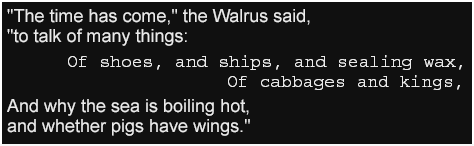
Syntax Representation – <timeExpression>
<timeExpression>
  : clock-time
  | offset-time
clock-time
  : hours ":" minutes ":" seconds ( fraction | ":" frames ( "." sub-frames )? )?
offset-time
  : time-count fraction? metric
hours
  : <digit> <digit>
  | <digit> <digit> <digit>+
minutes | seconds
  : <digit> <digit>
frames
  : <digit> <digit>
  | <digit> <digit> <digit>+
sub-frames
  : <digit>+
fraction
  : "." <digit>+
time-count
  : <digit>+
metric
  : "h"                 // hours
  | "m"                 // minutes
  | "s"                 // seconds
  | "ms"                // milliseconds
  | "f"                 // frames
  | "t"                 // ticks

If a <timeExpression> is expressed in terms of a clock-time , then leading zeroes are used when expressing hours, minutes, seconds, and frames less than 10. Minutes are constrained to the range [0…59], while seconds are constrained to [0…60], where the value 60 applies only to leap seconds.

If a <timeExpression> is expressed in terms of a clock-time and a frames term is specified, then the value of this term must be constrained to the interval [0… F-1 ], where F is the frame rate determined by the the ttp:frameRate parameter as defined by 6.2.3 ttp:frameRate .

If a <timeExpression> is expressed in terms of a clock-time and a sub-frames term is specified, then the value of this term must be constrained to the interval [0… S-1 ], where S is the sub-frame rate determined by the the ttp:subFrameRate parameter as defined by 6.2.9 ttp:subFrameRate .

10.4 Time Intervals

The semantics of time containment, durations, and intervals defined by [SMIL 2.1] apply to the interpretation of like-named timed elements and timing vocabulary defined by this specification, given the following constraints:

  • The implicit duration of an anonymous span is defined as follows: if the anonymous span's parent time container is a parallel time container, then the implicit duration is equivalent to the indefinite duration value as defined by [SMIL 2.1] ; if the anonymous span's parent time container is a sequential time container, then the implicit duration is equivalent to zero.

  • The implicit duration of a body , div , p , or span element is determined in accordance to (1) whether the element is a parallel or sequential time container, and (2) the semantics of [SMIL 2.1] as applied to these time containers.

  • The implicit duration of the region element is defined to be equivalent to the indefinite duration value as defined by [SMIL 2.1] .

  • If the governing time mode is media or smpte with mode continuous , then time expressions must be interpreted as equivalent to offset clock values related to the associated media time line.
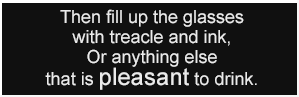
  • If the governing time mode is smpte with mode discontinuous , then time expressions must be interpreted as equivalent to marker values produced by an external marker event source, in which case all time expressions are equivalent to event based timing in [SMIL 2.1] .
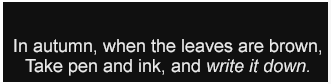
  • If the governing time mode is clock , then time expressions must be interpreted as equivalent to wallclock time expressions in [SMIL 2.1] , where the applicable wallclock used is determined by the clock mode parameter.

11 Animation

This section specifies the animation matter of the core vocabulary catalog, where animation is to be understood as a separable layer of information that combines timing and styling in order to denote authorial intention about (temporally) dynamic styling of content.

11.1 Animation Element Vocabulary

The following elements specify the structure and principal animation aspects of a document instance:

11.1.1 set

The set element is used as a child element of a content element or a region element in order to express a discrete change of some style parameter value that applies over some time interval.

The set element accepts as its children zero or more elements in the Metadata.class element group.

XML Representation – Element Information Item: set
<set
  begin = <timeExpression>
  dur = <timeExpression>
  end = <timeExpression>
  xml:id = ID
  xml:lang = string
  xml:space = (default|preserve)
  {}
  {}>

  {a single attribute in TT Style namespace}
  {any attribute not in default or any TT namespace}>

  Content: Metadata.class*
</set>

Note:

The use of multiple set element children may be used to effect fade and position transitions.

An example of using the set element to animate content styling is illustrated below:

Example Fragment – Content Style Animation
...
<p dur="5s" tts:color="yellow">
<set begin="1s" dur="1s" tts:color="red"/>
<set begin="2s" dur="1s" tts:color="green"/>
<set begin="3s" dur="1s" tts:color="red"/>
Text with Flashing Colors!
</p>
...

Note:

In the above example, the foreground color of the content "Text with Flashing Colors" is animated from yellow, to red, to green, to red, then back to yellow over a 5 second period.

An example of using the set element to animate region styling is illustrated below:

Example Fragment – Region Style Animation
<tt xml:lang="" xmlns="http://www.w3.org/2006/10/ttaf1"
    xmlns:ttp="http://www.w3.org/2006/10/ttaf1#parameter"
    xmlns:tts="http://www.w3.org/2006/10/ttaf1#styling"
    ttp:cellResolution="40 16">
    <head>
      <layout>
        <region xml:id="r1" timeContainer="seq">
          <set dur="10s" tts:origin=" 8c 14c"/>
          <set dur="2s"  tts:origin=" 2c  2c"/>
          <set dur="3s"  tts:origin=" 8c 14c"/>
          <set dur="2s"  tts:origin="14c  4c"/>
          <set dur="10s" tts:origin=" 8c 14c"/>
          <style tts:extent="24c 2c"/>
        </region>
      </layout>
    </head>
    <body region="r1">...</body>
</tt>

Note:

In the above example, the root container region is divided into a cell grid of 40 columns and 16 rows. A region, r1 , with dimensions of 24 columns and 2 rows is then positioned within the root container region, with its position varying over time in order to create an effect of moving the region, which may be desirable so as to avoid obscuring characters in an underlying video with captions.

Note:

The semantics of the set element are based upon that defined by [SMIL 2.1] , § 3.5.2.

11.2 Animation Attribute Vocabulary

No animation related attribute vocabulary is defined for use in the core vocabulary catalog.

12 Metadata

This section specifies the metadata matter of the core vocabulary catalog, where metadata is to be understood as a separable layer of information that applies to parameters, content, style, layout, timing, and even metadata itself, where the information represented by metadata takes one of two forms: (1) metadata defined by this specification for standardized use in a document instance, and (2) arbitrary metadata defined outside of the scope of this specification, whose use and semantics depend entirely upon an application's use of TT AF content.

12.1 Metadata Element Vocabulary

The 12.1.1 metadata element serves as a generic container element for grouping metadata information.

In addition, the following elements, all defined in the TT Metadata Namespace, provide standard representations for common metadata that is expected to be commonly used in a document instances:

12.1.1 metadata

The metadata element functions as a generic container for metadata information.

Metadata information may be expressed by a metadata element in one of two (non-mutually exclusive) manners: (1) by specifying one or more metadata attributes on the metadata element, and (2) by specifying one or more child elements in the metadata element that express metadata. Both types of metadata are referred to in this document as metadata items .

XML Representation – Element Information Item: metadata
<metadata
  xml:id = ID
  xml:lang = string
  xml:space = (default|preserve)
  {}
  {}
  {}>
  }*

  {any attribute in TT Metadata namespace}
  {any attribute not in default or any TT namespace}>
  Content: ({any element in TT Metadata namespace}|{any element not in any TT namespace})*
</metadata>

Note:

The meaning of a specific metadata item must be evaluated in the context of where it appears. The core vocabulary catalog permits an arbitrary number of metadata element children of any non-empty content element type except for the body tt element. See specific element vocabulary definitions for any constraints that apply to such usage.

The use of document metadata is illustrated by the following example.

Example Fragment – Document Metadata
...
<head>
  <metadata xmlns:ttm="http://www.w3.org/2006/10/ttaf1#metadata">
    <ttm:title>Document Metadata Example</ttm:title>
    <ttm:desc>This document employs document metadata.</ttm:desc>
  </metadata>
</head>
...

The use of element metadata is illustrated by the following example.

Example Fragment – Element Metadata
...
<div>
  <metadata xmlns:ttm="http://www.w3.org/2006/10/ttaf1#metadata">
    <ttm:title>Chapter 6 – Sherlock Holmes Gives a Demonstration</ttm:title>
    <ttm:desc>Holmes shows Watson how the murderer entered the window.</ttm:desc>
  </metadata>
</div>
...

The use of metadata attribute items is illustrated by the following example.

Example Fragment – Metadata Attribute Items
...
<div xmlns:ext="http://foo.bar.example.org/ttaf1#metadata">
  <metadata ext:ednote="remove this division prior to publishing"/>
</div>
...

Note:

In the above example, a global attribute from a foreign (external) namespace is used to express a metadata attribute that applies semantically to the containing div element. Note that the attribute may also be expressed directly on the div element; however, in this case the author wishes to segregate certain metadata attributes by expressing them indirectly on metadata elements.

12.1.2 ttm:title

The ttm:title element is used to express a human-readable title of a specific element instance.

XML Representation – Element Information Item: ttm:title
<ttm:title
  xml:id = ID
  xml:lang = string
  xml:space = (default|preserve)
  {}>

  {any attribute not in default or any TT namespace}>

  Content: #PCDATA
</ttm:title>

Note:

No specific use of the ttm:title element is defined by this specification.

Examples of the ttm:name element are shown above in Example Fragment – Document Metadata and Example Fragment – Element Metadata .

12.1.3 ttm:desc

The ttm:desc element is used to express a human-readable description of a specific element instance.

XML Representation – Element Information Item: ttm:desc
<ttm:desc
  xml:id = ID
  xml:lang = string
  xml:space = (default|preserve)
  {}>

  {any attribute not in default or any TT namespace}>

  Content: #PCDATA
</ttm:desc>

Note:

No specific use of the ttm:desc element is defined by this specification.

Examples of the ttm:desc element are shown above in Example Fragment – Document Metadata and Example Fragment – Element Metadata .

12.1.4 ttm:copyright

The ttm:copyright element is used to express a human-readable copyright that applies to some scoping level.

A copyright statement that applies to a document as a whole should appear as a child of the head element.

Note:

No specific use of the ttm:copyright element is defined by this specification.

12.1.5 ttm:agent

The ttm:agent element is used to define an agent for the purpose of associating content information with an agent who is involved in the production or expression of that content.

The ttm:agent element accepts as its children zero or more ttm:name elements followed by zero or one ttm:actor element.

At least one ttm:name element child should be specified that expresses a name for the agent, whether it be the name of a person, character, group, or organization.

XML Representation – Element Information Item: ttm:agent
<ttm:agent
  type = (person|character|group|organization|other)
  xml:id = ID
  xml:lang = string
  xml:space = (default|preserve)
  {}>

  {any attribute not in default or any TT namespace}>

  Content: ttm:name*, ttm:actor?
</ttm:agent>

A type attribute must be specified on each ttm:agent element, and, if specified, must have one of the following values:

  • person

  • character

  • group

  • organization

  • other

If the value of the type attribute is character , then the ttm:agent element instance should specify a ttm:actor child that specifies the agent that plays the role of the actor.

A ttm:agent metadata item is considered to be significant only when specified as a child of the head element or as a child of a metadata element child of the head element.

Note:

A ttm:agent element instance is typically referenced using a ttm:agent attribute on a content element.

Note:

If a character agent is played by multiple actors, then multiple character agents may be specified (and referenced) wherein different definitions of the character specify different actors.

The use of agent metadata is illustrated by the following example.

Example Fragment – Agent Metadata
<tt xml:lang="en" xmlns="http://www.w3.org/2006/10/ttaf1" xmlns:ttm="http://www.w3.org/2006/10/ttaf1#metadata">
  <head>
    <ttm:agent xml:id="connery" type="person">
      <ttm:name type="family">Connery</ttm:name>
      <ttm:name type="given">Thomas Sean</ttm:name>
      <ttm:name type="alias">Sean</ttm:name>
      <ttm:name type="full">Sir Thomas Sean Connery</ttm:name>
    </ttm:agent>
    <ttm:agent xml:id="bond" type="character">
      <ttm:name type="family">Bond</ttm:name>
      <ttm:name type="given">James</ttm:name>
      <ttm:name type="alias">007</ttm:name>
      <ttm:actor agent="connery"/>
    </ttm:agent>
  </head>
  <body>
    <div>
      ...  
      <p ttm:agent="bond">I travel, a sort of licensed troubleshooter.</p>
      ...  
    </div>
  </body>
</tt>

Note:

In the above example, two agents, a real (person) agent, Sean Connery, and a fictitious (character) agent, James Bond, are defined, where the latter is linked to the former by means of the a ttm:actor element. A reference is then made from content (the p element) to the character agent associated with (responsible for producing) that content. Note that in this example the ttm:agent metadata items are specified as immediate children of the document's head element rather than being placed in a container metadata element.

12.1.6 ttm:name

The ttm:name element is used to specify a name of a person, character, group, or organization.

XML Representation – Element Information Item: ttm:name
<ttm:name
  type = (full|family|given|alias|other)
  xml:id = ID
  xml:lang = string
  xml:space = (default|preserve)
  {}>

  {any attribute not in default or any TT namespace}>

  Content: #PCDATA
</ttm:name>

A type attribute must be specified on each ttm:name element, and, if specified, must have one of the following values:

  • full

  • family

  • given

  • alias

  • other

The relationship between the type of a name and the syntactic expression of the name is not defined by this specification.

Two examples of the ttm:name element are shown above in Example Fragment – Agent Metadata .

12.1.7 ttm:actor

The ttm:actor element is used to link the definition of a (role-based) character agent with another agent that portrays the character.

XML Representation – Element Information Item: ttm:actor
<ttm:actor
  agent = IDREF
  xml:id = ID
  xml:lang = string
  xml:space = (default|preserve)
  {}>

  {any attribute not in default or any TT namespace}>

  Content: EMPTY
</ttm:actor>

The agent attribute of a ttm:actor element must reference a ttm:agent element that denotes the person, group, or organization acting the part of a character.

An example of the ttm:actor element is shown above in Example Fragment – Agent Metadata .

12.2 Metadata Attribute Vocabulary

This section specifies the following attributes in the TT Metadata Namespace for use with the metadata element and with certain content elements:

Note:

Only certain metadata item attributes may be used with content elements. See the definitions of content elements to determine permissible usage.

12.2.1 ttm:agent

The ttm:agent attribute takes an IDREFS value, and is used with certain content elements to designate the agents that perform or are involved in the performance of the content.

If specified, a ttm:agent attribute must reference ttm:agent element instances that appear as a descendent of the same document instance as that of the referring element.

An example of the ttm:agent attribute is shown above in Example Fragment – Agent Metadata .

12.2.2 ttm:role

The ttm:role attribute may be used by a content author to express the roles, functions, or characteristics of some content element that is so labeled.

If specified, the value of this attribute must adhere to the following syntax, where the syntactic element S must adhere to production [3] S as defined by [XML 1.0]  § 2.3:

Syntax Representation – ttm:role
ttm:role
  role ( S role )*
role
  : "action"
  | "caption"
  | "description"
  | "dialog"
  | "expletive"
  | "kinesic"
  | "lyrics"
  | "music"
  | "narration"
  | "quality"
  | "sound"
  | "source"
  | "suppressed"
  | "reproduction"
  | "thought"
  | "title"
  | "transcription"
  | extension-role
extension-role
  : "x-" token-char+
token-char
  : { XML NameChar }    // XML 1.1 Production [4a]

Note:

All values of ttm:role that do not start with the prefix x- are reserved for future standardization.

A Reduced XML Infoset

This appendix is normative.

For the purposes of this specification, a Reduced XML Infoset is an XML Information Set [XML InfoSet] that consists of only the following information items and information item properties:

A.1 Document Information Item

  • [document element]

A.2 Element Information Item

  • [namespace URI]

  • [local name]

  • [children]

  • [attributes]

Child information items [children] are reduced to only element and character information items.

A.3 Attribute Information Item

  • [namespace URI]

  • [local name]

  • [normalized value]

A.4 Character Information Item

  • [character code]

Contiguous character information items are not required to be represented distinctly, but may be aggregated (chunked) into a sequence of character codes (i.e., a character string).

B Dynamic Flow Processing Model

This appendix is normative.

This appendix specifies a dynamic flow processing model that is used to present content in a region whose tts:overflow property is assigned a value of dynamic .

B.1 Introduction

This sub-section is non-normative.

Dynamic flow provides a mechanism by means of which content may be flowed through a presentation region over time where the rate of presentation is dynamically determined by a presentation processor based upon the region's extent, the textual content to be presented in the region, the formatting styles applied to this content, and a set of parameters that control in-flow and out-flow rates of content.

It is expected that this mechanism will be used by authors in a variety of circumstances in order to specify behavior that would otherwise be impossible or impractical to pre-compute at authoring time, since, for example, a region's absolute size or the font metrics used to present content may not be known at authoring time. In certain real-time streaming contexts, even the content is not known at authoring time, but is only known at time of streaming.

In describing dynamic flow, the flow process is logically divided into two types of flow operations:

  • fill into  – causes new content to consume extent in the designated presentation region;

  • clear out  – causes content presently consuming extent in the designated presentation region to no longer consume extent.

Each region subject to dynamic flow processing may be modeled in terms of:

  1. the region with a definite extent, into which content is to be flowed;

  2. a content buffer consisting of a sequence of content blocks, each of which consists of a sequence of content inlines (spans), where each block and inline has a computed style set, and where an inline has a (possibly empty) sequence of characters that express the textual content of the inline;

  3. two independent flow operation single-shot timers: a fill timer and a clear timer;

  4. a set of state parameters that includes:

    1. fill unit , as specified by the flowUnit argument of the in() flow function;

    2. fill style , as specified by the flowStyle argument of the in() flow function;

    3. reflow unit , which is set to the same value as the clear unit parameter;

    4. reflow style , which is set to the same value as the clear style parameter;

    5. clear unit , as specified by the flowUnit argument of the out() flow function;

    6. clear style , as specified by the flowStyle argument of the out() flow function;

    7. fill interval , as specified by the intra() fill() flow interval function;

    8. clear interval , as specified by the inter() clear() flow interval function;

    9. computed fill interval, interval , as determined by the flow interval timing calculation below;

    10. computed clear interval, interval , as determined by the flow interval timing calculation below;

    11. last fill time ,the time at which the last fill operation occurred;

    12. last clear time ,the time at which the last clear operation occurred;

    13. dynamic flow lock ,a synchronization primitive;

Except for the computed fill and clear interval parameters, and unless the tts:dynamicFlow property is animated, the flow interval state parameters enumerated above are nominally static and specified at authoring time. If the tts:dynamicFlow property is animated, then these nominally static parameters remain static between animation intervals.

B.2 Flow Buffer

Each region which is assigned a tts:overflow property with the value dynamic is associated with a flow buffer , whose implementation is not defined by this specification.

The content of a flow buffer is defined to be equivalent (in form) to the content of an fo:block-container element produced by 9.3.3 Synchronic Flow Processing , and represents content that is awaiting, but has not yet been flowed into (made visible in) the presentation region with which the flow buffer is associated.

Note:

In the context of dynamic flow processing, the temporal extent of a region's flow buffer is assumed to persist over a period that includes multiple instantiations of synchronous intermediate documents, as described by 9.3.3 Synchronic Flow Processing . This is feasible since the set of regions associated with a DFXP document instance is fixed and determined statically at authoring time.

The temporal content of a flow buffer is related to the performance of 9.3 Region Layout and Presentation as follows:

  1. At the time a dynamically flowed presentation region becomes temporally active, its flow buffer is reset to the empty state;

  2. If times T k and T k+1 are two immediately adjacent time coordinates at which synchronic region construction occurs, with T k ≤T k+1 , then compute the difference between the content produced for use in the region between time T k and time T k+1 , characterizing the difference as one of the following:

    1. no difference present;

    2. difference present, but only before the logical content position that corresponds with the most logically prior content presently visible in the region;

    3. difference present, but only between the logical content positions that correspond with the most logically prior and subsequent content presently visible in the region;

    4. difference present, but only after the logical content position that corresponds with the most logically subsequent content presently visible in the region;

    5. difference present, but not limited to before, between, or after the logical content positions that correspond with the most logically prior and subsequent content presently visible in the region;

  3. If any one of the conditions 2a, 2b, and 2c applies, then do not change the flow buffer.

  4. If condition 2d applies, then instantaneously replace at time T k+1 the affected content of the flow buffer with the new content (in part or in whole) that corresponds with time T k+1 such that the logical content position of the content that corresponds with the start of the flow buffer does not change with respect to the corresponding logical content position of the previous content.

  5. If condition 2e applies, then subdivide the new content that corresponds with time T k+1 into two parts: (1) that part that wholly precedes the logical content position that corresponds with the most logically subsequent content presently visible in the region, and (2) that part that corresponds with or wholly follows the logical content position that corresponds with the most logically subsequent content presently visible in the region, then ignore the first part and process the second part in the same manner as if condition 2d had originally applied.

  6. If after performing the above steps the flow buffer is non-empty, then perform the following steps:

    1. If, due to style property animation, the dynamic flow state parameters for the region have changed since last performing this procedure, then re-perform the process described in B.3 Flow Interval Timing Calculation , then reset both fill and clear timers to their inactive state.

    2. If using automatic flow interval timing, then re-perform the process described in B.3 Flow Interval Timing Calculation .

    3. If the fill timer is not active, then restart reset the timer. fill timer to the current value of the computed fill interval.

In the procedure described above, the content of a flow buffer at time T k is considered to be significantly different from the content of the same flow buffer at time T k+1 if the set of glyph areas that would be produced by formatting performing synchronic flow processing on the content intermediate synchronic document at time T k differs from the set of glyph areas that would be produced by formatting performing synchronic flow processing on the content intermediate synchronic document at time T k+1 in any of the following ways:

  • the number of glyph areas are different;

  • the (positionally) ordered sets of glyphs associated with the two sets of glyph areas are different;

  • the positions assigned to the glyph images associated with the two sets of glyph areas are different;

Note:

Other potential, but insignificant differences (as far as flow buffer processing is concerned) between the two sets of glyph areas are ignored, including (among others) differences in: background color, foreground color, glyph decoration(s), actual presentation order of glyphs (independently from their assigned position).

If the value of a style property assigned to content awaiting in a flow buffer or already dynamically flowed into a presentation region is changed due to animation or other temporal effects, and that style property change is not otherwise construed as a significant difference between temporal flow buffer states as described above, then the semantic, presentation effects of that change of value still apply.

In the procedure described above, the phrase logical content position refers to a tuple [active duration begin time, active duration end time, character information item index], where the active duration begin and end times refer to the computed active time interval for which the character information item is considered active, where the character information item index refers to the logical index of the character information item in the synchronic intermediate document instance associated with the character information item, and where the logical index of the character information item refers to the enumeration index that results by performing a post-order traversal enumeration of the character information items contained in the region sub-tree (of the synchronic intermediate document instance) associated with the presentation region of the current flow buffer.

A logical content position P 0 is considered to be prior to (before) logical content position P 1 if (1) the active duration begin time of P 0 is temporally prior to the active duration begin time of P 1 , or (2) the active duration begin times of P 0 and P 1 are equal and the character information item index of P 0 precedes (is less than) the character information item index of P 1 . Similarly, a logical content position P 0 is considered to be subsequent to (after) logical content position P 1 if (1) the active duration begin time of P 0 is temporally subsequent to the active duration begin time of P 1 , or (2) the active duration begin times of P 0 and P 1 are equal and the character information item index of P 0 follows (is greater than) the character information item index of P 1 . If a logical content position P 0 and a logical content position P 1 are neither prior nor subsequent to one another, then they are considered to be the same logical content position (in the present context).

B.3 Flow Interval Timing Calculation

Flow interval timing is either statically specified at authoring time or is dependent upon animation of the tts:dynamicFlow style property or upon the content of the flow buffer or the presentation region or both, in which case timing is recomputed dynamically upon changes to style property, the content of the flow buffer, or the presentation region.

B.3.1 Computed Fill Timing Interval

The computed fill timing interval from time T k up to but not including T k+1 is determined as follows: follows, where the meaning of T k and T k+1 is as described above:

  1. If the value of the fill interval parameter is a definite duration, then use this duration as the computed fill interval;

  2. otherwise, if the value of the fill interval parameter is a definite rate, then the computed fill interval is equal to the inverse of the specified rate (in fill units per second);

  3. otherwise, if the value of the fill interval is auto , then the computed fill interval is equal to the difference between the time coordinate associated with the most temporally prior beginning point of an active duration of some content unit present in the flow buffer at time T k and the most temporally subsequent ending point of an active duration of some content unit present in the flow buffer at time T k divided by the number of fill units currently available in the flow buffer. buffer at time T k .

B.3.2 Computed Clear Timing Interval

The computed clear timing interval from time T k up to but not including T k+1 is determined as follows: follows, where the meaning of T k and T k+1 is as described above:

  1. If the value of the clear interval parameter is a definite duration, then use this duration as the computed clear interval;

  2. otherwise, if the value of the clear interval parameter is a definite rate, then the computed clear interval is equal to the inverse of the specified rate (in clear units per second);

  3. otherwise, if the value of the clear interval is auto , then the computed clear interval is equal to the difference between the time coordinate associated with the most temporally prior beginning point of an active duration of some content unit present in the presentation region at time T k and the most temporally subsequent ending point of an active duration of some content unit present in the presentation region at time T k divided by the number of clear units currently available in the presentation region. region at time T k .

B.4 Flow Operations

Flow operations perform the filling, reflowing, and clearing of formatted content into, within, and from a presentation region undergoing dynamic flow processing.

When performing flow operations, the fill unit state parameters that apply to these operations determine which logical content and which formatted content are affected. If a fill unit is expressed in terms of logical content units, then the logical content corresponds in turn with the formatted content generated by this logical content; if expressed in terms of formatted content units, then the formatted content corresponds in turn with the logical content that generates this formatted content.

Flow operations apply simultaneously to logical content and to its corresponding formatted content. In the context of the presentation region, fill, reflow, and clear operations operate on formatted content units (glyph, inline, line, (glyph and block line areas); however, in the context of the flow buffer, fill, reflow, and clear operations operate on logical content units (character information items and element information items – fo:inline and fo:block ). items). Because logical content units and formatted content units are deterministically related to one another, an operation upon logical units can always be described in terms of operations on formatted units, and vice-versa.

Note:

In general, there is not a one-to-one correspondence between logical content units and formatted content units. A single logical content unit often corresponds to multiple formatted content units. Furthermore, a single formatted content unit may correspond with multiple logical content units. For example, a single character information item may correspond to multiple glyph areas; likewise, a single glyph area may correspond to multiple character information items.

For the purpose of performing line breaking in the context of dynamic flow processing, fill, reflow, and clear flow unit boundaries must be interpreted as potential legal line break opportunity regardless of other constraints.

When effecting the result of a flow operation on a presentation region, the direction of (apparent) translation of formatted content is determined by the nature of the affected formatted content element. If the affected formatted content unit is a glyph or inline area, then it is translated in the inline progression direction that applies to the nearest immediate ancestor inline or block area, and it is translated in a direction towards the start edge of this ancestor area. If the affected formatted content unit is a line or block area, line, then it is translated in the block progression direction that applies to the nearest immediate ancestor block, and it is translated in a direction towards the before edge of this ancestor area.

If the smooth flow style applies to a flow operation, then the direction of (apparent) translation of pixels that belong to the affected formatted content follows the direction of translation of the formatted content units as determined above.

B.4.1 Fill Operation

A fill operation causes the following ordered steps to be performed:

  1. reset the last fill time to the current value of the flow timers timeline;

  2. remove sufficient logical content from the beginning of the flow buffer to constitute (or compose) a fill unit ;

  3. format the content removed from the flow buffer in the previous step in order to create a sequence of glyph areas or a sequence of (full or partial measure) line areas each containing a sequence of glyph areas;

  4. append the sequence of areas produced in the previous step to the sequence of areas currently associated with the presentation region, where new glyph areas are appended to the current line area and new line areas are appended to the sequence of line areas;

  5. cause the newly appended areas to be made visible according to the fill style state parameter in force. force;

  6. if the clear timer is not active, then reset the clear timer to the current value of the computed clear interval ;

  7. reset the fill timer to the current value of the computed fill interval .

Note:

In certain cases, it may be necessary to retain logical content removed from the flow buffer in an intermediate, holding buffer. This will be the case when the smallest logical content unit of a flow buffer, namely, a character information item, generates more than one formatted fill unit. For example, certain characters are rendered using more than one glyph area. If the fill unit is glyph , then such a character needs to be retained (in such a holding buffer) until all generated glyphs are consumed.

B.4.2 Reflow Operation

A reflow operation causes the following ordered steps to be performed:

  1. translate glyph areas, inline areas, (full or partial measure) line areas , or block line areas that correspond with a reflow unit of formatted content that follows (in inline or block progression dimension order) the space cleared by the immediately preceding clear operation to a new position such that the glyph area that corresponds to the most logically prior content is aligned with the before and start edges of the presentation region, and where the translation adheres to the reflow style state parameter in force.

Note:

If a reflow unit is based on logical content units, then "reflow unit of formatted content" refers to the logical content that generates the block, line, inline and glyph and line areas of formatted content that are being translated within the presentation region. In contrast, if a reflow unit is based on formatted content units, then "reflow unit of formatted content" refers directly to the generated block, line, inline and glyph and line areas of formatted content.

B.4.3 Clear Operation

A clear operation causes the following ordered steps to be performed:

  1. reset the last clear time to the current value of the flow timers timeline;

  2. remove glyph areas, inline areas, (full areas or partial measure) line areas, or block areas that correspond with a clear unit of formatted content from the starting edge or the before edge of the presentation region in inline or block progression direction, respectively, applying the clear style state parameter in force.

Note:

If a clear unit is based on logical content units, then "clear unit of formatted content" refers to the logical content that generates the block, line, inline and glyph and line areas of formatted content that are being cleared from the presentation region. In contrast, if a clear unit is based on formatted content units, then "clear unit of formatted content" refers directly to the generated block, line, inline and glyph and line areas of formatted content.

B.4.4 Combined Flow Operation

A combined flow operation causes the following ordered steps to be performed:

  1. if the presentation region contains sufficient formatted content to compose a clear unit ,then perform the processing described in B.4.3 Clear Operation ;

  2. if (1) the space created by the above clear operation is sufficient to accept a reflow unit and (2) the presentation region contains sufficient formatted content to compose a reflow unit ,then perform the processing described in B.4.2 Reflow Operation ;

  3. if (1) the difference between the current value of the flow timers timeline and the last fill time is greater than or equal to the current value of the computed fill interval, (2) the presentation region contains sufficient space to accept a fill unit ,and (3) the flow buffer contains sufficient content to compose a fill unit ,then perform the processing described in B.4.1 Fill Operation ;

If more than one of the clear, reflow or fill operations would be performed by the above steps, then the visual rendering of these operations should be performed in such a manner as to reduce or eliminate delays between the completion of one operation and the start of the next operation.

Note:

For example, if the applicable clear, reflow, and fill styles are indicated as smooth flow style, then it should appear that the clear, reflow, and fill units are simultaneously translated in a continuous, smooth translation.

B.5 Flow Timers

Flow timers control the filling and clearing of formatted content from a presentation undergoing dynamic flow processing.

In the case of continuous time bases, the timeline of flow timers follows (is synchronized with) the time base that applies to the document instance as determined by the ttp:timeBase parameter; however, in the case of a discontinuous time base, the timeline of flow timers follows real (clock) time.

Note:

The semantics of flow timer initiated processing expressed below reflects the intent that clear and reflow operations or clear, reflow, and flow operations are performed simultaneously if the (logically, but not necesesarily temporally) prior operation would create sufficient space in the presentation region to accept the subsequent unit of formatted content.

When resetting a flow timer, the dynamic flow lock must first be acquired prior to changing the flow timer's value, and must be released immediately after making the change.

B.5.1 Fill Timer

The fill timer is used to pace the addition of formatted content to the presentation region undergoing dynamic flow processing.

Each time the fill timer expires, the following ordered steps are performed:

  1. If acquire dynamic flow lock ;

  2. if the difference between the current value of the flow timers timeline and the last fill buffer time is non-empty greater than or equal to the current value of the computed fill interval, then perform the following ordered sub-steps:

    1. if (1) the presentation region is non-full and contains sufficient content space to compose accept a fill unit and if sufficient space is present in (2) the presentation region to accept a unit of formatted flow buffer contains sufficient content that corresponds to compose a fill unit , then perform the processing described in B.4.1 Fill Operation , where, ;

    2. if the fill presentation region is non-empty, then perform the following ordered sub-steps:

      1. if the clear timer was expired or simulated as a result of performing a prior reflow operation, this operation commences at is not active, then reset the same time as clear timer to the reflow operation; current value of the computed clear interval;

      2. If if the fill timer is not active and the flow buffer is non-empty, empty, then reset the fill timer to the current value of the computed fill interval; interval.

  3. If otherwise (the difference between the current value of the flow timers timeline and the presentation region last fill time is non-empty and if less than the clear timer is not active, then current value of the computed fill interval), reset the clear fill timer to the difference between the current value of the computed clear interval. fill interval and the current value of the flow timers timeline;

  4. release dynamic flow lock .

B.5.2 Clear Timer

The clear timer is used to pace the removal of formatted content from the presentation region undergoing dynamic flow processing.

Each time the clear timer expires, the following ordered steps are performed:

  1. If the acquire presentation region dynamic flow lock is non-empty and contains sufficient formatted content to compose a clear unit , then perform the processing described in B.4.3 Clear Operation ;

  2. If the space created by performing if the clear operation indicated by difference between the above step would be sufficient to accept a unit current value of formatted content that corresponds to a the flow timers timeline and the reflow unit last fill time and if sufficient formatted content remains after this point in is greater than or equal to the presentation region, current value of the computed fill interval, then perform the processing described in B.4.2 Reflow Operation , where this operation commences at the same time as the clear operation; following ordered sub-steps:

    1. If a reflow operation would be performed as indicated by the above step and if the space created by performing this reflow operation would be presentation region is non-empty and contains sufficient to accept a unit of formatted content that corresponds to compose a fill clear unit and if either (1) the fill buffer presentation region is non-empty, then, if active, cause the fill timer so full as to immediately expire or, if not active, simulate prevent it from accepting another fill timer expiration, such that unit or (2) the expiration permits a fill operation to commence simultaneously with flow buffer is empty, then perform the reflow operation; processing described in B.4.4 Combined Flow Operation ;

  3. If otherwise (the difference between the previous step did not cause current value of the fill timer to expire flow timers timeline and if the presentation region last clear time is non-empty, then less than the current value of the computed clear interval), reset the clear timer to the difference between the current value of the computed clear interval. interval and the current value of the flow timers timeline;

  4. release dynamic flow lock .

C Schemas

This appendix is normative.

This appendix specifies the following schemas for use with DFXP document instances:

In any case where a schema specified by this appendix differs from the normative definitions of document type, element type, or attribute type as defined by the body of this specification, then the body of this specification takes precedence.

C.1 Relax NG Schema

This section specifies a Relax NG Compact Syntax (RNC) [RELAX NG] based schema for DFXP, also available in a ZIP Archive .

C.1.1 Driver

# .......................................................................
# TT-AF 1.0 Distribution Format Exchange Profile (DFXP) Schema ..........
# .......................................................................
# default namespace
default namespace tt = "http://www.w3.org/2006/10/ttaf1"
# generic tt modules
include "ttaf1-dfxp-datatypes.rnc"
include "ttaf1-dfxp-classes.rnc"
include "ttaf1-dfxp-core-attribs.rnc"
include "ttaf1-dfxp-parameter-attribs.rnc"
include "ttaf1-dfxp-metadata-attribs.rnc"
include "ttaf1-dfxp-styling-attribs.rnc"
include "ttaf1-dfxp-timing-attribs.rnc"
include "ttaf1-dfxp-parameter-items.rnc"
include "ttaf1-dfxp-parameters.rnc"
include "ttaf1-dfxp-metadata-items.rnc"
include "ttaf1-dfxp-metadata.rnc"
include "ttaf1-dfxp-styling.rnc"
include "ttaf1-dfxp-animation.rnc"
include "ttaf1-dfxp-layout.rnc"
include "ttaf1-dfxp-content.rnc"
include "ttaf1-dfxp-head.rnc"
include "ttaf1-dfxp-document.rnc"
start = TTAF.tt | TTAF.parameters.profile
# .......................................................................
# .......................................................................
# .......................................................................

C.1.2 Modules

C.1.2.1 Animation Module
# .......................................................................
# TT-AF 1.0 DFXP Animation Module .......................................
# .......................................................................
# set - discrete animation
TTAF.set =
  element set {
    TTAF.set.attlist,
    TTAF.set.content
  }
TTAF.set.attlist &=
  TTAF.Core.attrib.class,
  TTAF.Timed.attrib.class,
  (TTAF.Styling.attrib.class |
   TTAF.Styling.ForeignExtension.attrib+ )
TTAF.set.content.extra = empty
TTAF.set.content =
  (TTAF.Metadata.class*,
   TTAF.set.content.extra*)
TTAF.Animation.extra = empty
TTAF.Animation.class |=
  TTAF.set |
  TTAF.Animation.extra
# .......................................................................
# .......................................................................
# .......................................................................
C.1.2.2 Classes Module
# .......................................................................
# TT-AF 1.0 DFXP Class Declarations Module ..............................
# .......................................................................
# attribute group classes
TTAF.Core.attrib.class = empty
TTAF.Metadata.attrib.class = empty
TTAF.Parameter.attrib.class = empty
TTAF.RegionBinding.attrib.class = empty
TTAF.StyleBinding.attrib.class = empty
TTAF.Styled.attrib.class = empty
TTAF.Styling.attrib.class = empty
TTAF.Timed.attrib.class = empty
TTAF.TimedContainer.attrib.class = empty
TTAF.TimingInterval.attrib.class = empty
# element group classes
TTAF.Animation.class = empty
TTAF.Block.class = empty
TTAF.BlockNoDiv.class = empty
TTAF.Inline.class = empty
TTAF.InlineNoSpan.class = empty
TTAF.MetadataNoAgent.class = empty
TTAF.Metadata.class = empty
TTAF.MetadataItems.class = empty
# .......................................................................
# .......................................................................
# .......................................................................
C.1.2.3 Content Module
# .......................................................................
# TT-AF 1.0 DFXP Content Module .........................................
# .......................................................................
# body - content body
TTAF.body =
  element body {
    TTAF.body.attlist,
    TTAF.body.content
  }
TTAF.body.attlist &=
  TTAF.Core.attrib.class,
  TTAF.Metadata.attrib.class,
  TTAF.RegionBinding.attrib.class,
  TTAF.Styled.attrib.class,
  TTAF.TimedContainer.attrib.class
TTAF.body.content.extra = empty
TTAF.body.content =
  (TTAF.Metadata.class*,
   TTAF.Animation.class*,
   (TTAF.Block.class | TTAF.body.content.extra)*)
# div - division
TTAF.div =
  element div {
    TTAF.div.attlist,
    TTAF.div.content
  }
TTAF.div.attlist &=
  TTAF.Core.attrib.class,
  TTAF.Metadata.attrib.class,
  TTAF.RegionBinding.attrib.class,
  TTAF.Styled.attrib.class,
  TTAF.TimedContainer.attrib.class
TTAF.div.content.extra = empty
TTAF.div.content =
  (TTAF.Metadata.class*,
   TTAF.Animation.class*,
   (TTAF.Block.class | TTAF.div.content.extra)*)
# p - paragraph
TTAF.p =
  element p {
    TTAF.p.attlist,
    TTAF.p.content
  }
TTAF.p.attlist &=
  TTAF.Core.attrib.class,
  TTAF.Metadata.attrib.class,
  TTAF.RegionBinding.attrib.class,
  TTAF.Styled.attrib.class,
  TTAF.TimedContainer.attrib.class
TTAF.p.content.extra = empty
TTAF.p.content =
  (TTAF.Metadata.class*,
   TTAF.Animation.class*,
   (TTAF.Inline.class |
    TTAF.p.content.extra)*)
# span - intra-paragraph inline span
TTAF.span =
  element span {
    TTAF.span.attlist,
    TTAF.span.content
  }
TTAF.span.attlist &=
  TTAF.Core.attrib.class,
  TTAF.Metadata.attrib.class,
  TTAF.RegionBinding.attrib.class,
  TTAF.Styled.attrib.class,
  TTAF.TimedContainer.attrib.class
TTAF.span.content.extra = empty
TTAF.span.content =
  (TTAF.Metadata.class*,
   TTAF.Animation.class*,
   (TTAF.Inline.class |
    TTAF.span.content.extra)*)
# br - manual line break
TTAF.br =
  element br {
    TTAF.br.attlist,
    TTAF.br.content
  }
TTAF.br.attlist &=
  TTAF.Core.attrib.class,
  TTAF.Metadata.attrib.class,
  TTAF.Styled.attrib.class
TTAF.br.content.extra = empty
TTAF.br.content =
  (TTAF.Metadata.class*,
   TTAF.Animation.class*,
   TTAF.br.content.extra*)
# Block.class
TTAF.Block.extra = empty
TTAF.BlockNoDiv.class |=
  TTAF.p | TTAF.Block.extra
TTAF.Block.class |=
  TTAF.div | TTAF.BlockNoDiv.class
# Inline.class
TTAF.Inline.extra = empty
TTAF.InlineNoSpan.class |=
  text | TTAF.br | TTAF.Inline.extra
TTAF.Inline.class |=
  TTAF.span | TTAF.InlineNoSpan.class
# .......................................................................
# .......................................................................
# .......................................................................
C.1.2.4 Core Attributes Module
# .......................................................................
# TT-AF 1.0 DFXP Core Attributes Module .................................
# .......................................................................
TTAF.id.attrib
  = attribute xml:id { xsd:ID }?
TTAF.lang.attrib
  = attribute xml:lang { TTAF.LanguageCode.datatype }?
TTAF.lang.required.attrib
  = attribute xml:lang { TTAF.LanguageCode.datatype }
TTAF.space.attrib
  = attribute xml:space { TTAF.XMLSpace.datatype }?
TTAF.Core.extra.attrib
  = empty
TTAF.Core.attrib.class &=
  TTAF.id.attrib,
  TTAF.lang.attrib,
  TTAF.space.attrib,
  TTAF.Core.extra.attrib
TTAF.Core.required.attrib.class &=
  TTAF.id.attrib,
  TTAF.lang.required.attrib,
  TTAF.space.attrib,
  TTAF.Core.extra.attrib
# .......................................................................
# .......................................................................
# .......................................................................
C.1.2.5 Data Types Module
# .......................................................................
# TT-AF 1.0 DFXP Datatypes Module .......................................
# .......................................................................
TTAF.Alpha.datatype =
  xsd:float { minInclusive = "0" maxInclusive = "1" }
TTAF.Agent.datatype =
  xsd:IDREFS
TTAF.CellResolution.datatype =
  string
TTAF.ClockMode.datatype =
  "local" |
  "gps" |
  "utc"
TTAF.Color.datatype =
  string
TTAF.Direction.datatype =
  "ltr" |
  "rtl"
TTAF.Display.datatype =
  "auto" |
  "none"
TTAF.DisplayAlign.datatype =
  "before" |
  "center" |
  "after"
TTAF.DynamicFlow.datatype =
  string
TTAF.ExtensionBase.datatype =
  TTAF.URI.datatype

TTAF.ExtensionDesignator.datatype =
  TTAF.URI.datatype
TTAF.ExtensionValue.datatype =
 "optional" |

 "required" |
 "optional"

 "use"

TTAF.Extent.datatype =
  string
TTAF.FeatureBase.datatype =
  TTAF.URI.datatype

TTAF.FeatureDesignator.datatype =
  TTAF.URI.datatype
TTAF.FeatureValue.datatype =
 "optional" |

 "required" |
 "optional"

 "use"

TTAF.FontFamily.datatype =
  string
TTAF.FontSize.datatype =
  string
TTAF.FontStyle.datatype =
  "normal" |
  "italic" |
  "oblique" |
  "reverseOblique"
TTAF.FontWeight.datatype =
  "normal" |
  "bold"
TTAF.FrameRate.datatype =
  xsd:nonNegativeInteger
TTAF.FrameRateMultiplier.datatype =
  xsd:string { pattern = "\p{Nd}+(\s*:\s*\p{Nd}+)?" }
TTAF.LanguageCode.datatype =
  xsd:NMTOKEN
TTAF.LineHeight.datatype =
  string
TTAF.MarkerMode.datatype =
  "continuous" |
  "discontinuous"
TTAF.MetadataAgentType.datatype =
  "person" |
  "character" |
  "group" |
  "organization" |
  "other"
TTAF.MetadataNameType.datatype =
  "full" |
  "family" |
  "given" |
  "alias" |
  "other"
TTAF.MetadataRoleBaseType.datatype =
  "action" |
  "caption" |
  "description" |
  "dialog" |
  "expletive" |
  "kinesic" |
  "lyrics" |
  "music" |
  "narration" |
  "quality" |
  "sound" |
  "source" |
  "suppressed" |
  "reproduction" |
  "thought" |
  "title" |
  "transcription"
TTAF.Opacity.datatype =
  string
TTAF.Origin.datatype =
  string
TTAF.Overflow.datatype =
  "visible" |
  "hidden" |
  "dynamic"
TTAF.Padding.datatype =
  string
TTAF.PixelAspectRatio.datatype =
  xsd:string { pattern = "\p{Nd}+\s*:\s*\p{Nd}+" }
TTAF.Profile.datatype =
  TTAF.URI.datatype
TTAF.Role.datatype =
  xsd:NMTOKENS
TTAF.ShowBackground.datatype =
  "always" |
  "whenActive"
TTAF.SMPTEMode.datatype =
  "dropNTSC" |
  "dropPAL" |
  "nonDrop"
TTAF.SubFrameRate.datatype =
  xsd:positiveInteger
TTAF.TextAlign.datatype =
  "left" |
  "center" |
  "right" |
  "start" |
  "end"
TTAF.TextDecoration.datatype =
  "none" |
  "underline" |
  "noUnderline" |
  "overline" |
  "noOverline" |
  "lineThrough" |
  "noLineThrough"
TTAF.TextOutline.datatype =
  string
TTAF.TickRate.datatype =
  xsd:positiveInteger
TTAF.TimeBase.datatype =
  "media" |
  "smpte" |
  "clock"
TTAF.TimeContainer.datatype =
  "par" |
  "seq"
TTAF.TimeCoordinate.datatype =
  string
TTAF.TimeDuration.datatype =
  string
TTAF.URI.datatype =
  xsd:anyURI
TTAF.UnicodeBidi.datatype =
  "normal" |
  "embed" |
  "bidiOverride"
TTAF.Visibility.datatype =
  "hidden" |
  "visible"
TTAF.WrapOption.datatype =
  "wrap" |
  "noWrap"
TTAF.WritingMode.datatype =
  "lrtb" |
  "rltb" |
  "tbrl" |
  "tblr" |
  "lr" |
  "rl" |
  "tb"
TTAF.XMLSpace.datatype =
  "default" |
  "preserve"
TTAF.ZIndex.datatype =
  string
  
# .......................................................................
# .......................................................................
# .......................................................................
C.1.2.6 Document Module
# .......................................................................
# TT-AF 1.0 DFXP Document Module ........................................
# .......................................................................
## tt - generic top-level document element type
TTAF.tt =
  element tt {
    TTAF.tt.attlist,
    TTAF.tt.content
  }
TTAF.tt.attlist &=
  TTAF.Core.required.attrib.class,
  TTAF.Parameter.attrib.class
TTAF.tt.content =
  (TTAF.head?, TTAF.body?)
# .......................................................................
# .......................................................................
# .......................................................................
C.1.2.7 Header Module
# .......................................................................
# TT-AF 1.0 DFXP Header Module ..........................................
# .......................................................................
# head - generic header
TTAF.head =
  element head {
    TTAF.head.attlist,
    TTAF.head.content
  }
TTAF.head.attlist &=
  TTAF.Core.attrib.class
TTAF.head.content.extra = empty
TTAF.head.content =
  (TTAF.Metadata.class*,
   TTAF.Parameters.class*,
   TTAF.styling?,
   TTAF.layout?,
   TTAF.head.content.extra*)
# .......................................................................
# .......................................................................
# .......................................................................
C.1.2.8 Layout Module
# .......................................................................
# TT-AF 1.0 DFXP Layout Module ..........................................
# .......................................................................
# region reference attribute; must reference /head/layout/region
TTAF.region.attrib
  = attribute region { xsd:IDREF }?
# region binding attribute class
TTAF.RegionBinding.attrib.class &=
  TTAF.region.attrib
# layout - generic layout container
TTAF.layout =
  element layout {
    TTAF.layout.attlist,
    TTAF.layout.content
  }
TTAF.layout.attlist &=
  TTAF.Core.attrib.class
TTAF.layout.content.extra = empty
TTAF.layout.content =
  (TTAF.Metadata.class*,
   TTAF.layout.region*,
   TTAF.layout.content.extra*)
# region - region declaration
TTAF.layout.region =
  element region {
    TTAF.layout.region.attlist,
    TTAF.layout.region.content
  }
TTAF.layout.region.attlist &=
  TTAF.Core.attrib.class,
  TTAF.TimedContainer.attrib.class,
  TTAF.style.attrib,
  (TTAF.Styling.attrib.class |
   TTAF.Styling.ForeignExtension.attrib+ )
TTAF.layout.region.content.extra = empty
TTAF.layout.region.content =
  (TTAF.Metadata.class*,
   TTAF.Animation.class*,
   TTAF.styling.style*,
   TTAF.layout.region.content.extra*)
# .......................................................................
# .......................................................................
# .......................................................................
C.1.2.9 Metadata Module
# .......................................................................
# TT-AF 1.0 DFXP Metadata Module ........................................
# .......................................................................
# namespace prefix bindings
namespace tt = "http://www.w3.org/2006/10/ttaf1"
namespace local = ""
# meta - generic metadata
TTAF.metadata =
  element metadata {
    TTAF.metadata.attlist,
    TTAF.metadata.content
  }
TTAF.metadata.attlist &=
  TTAF.Core.attrib.class
TTAF.External.class =
  element * - tt:* {
    ( attribute * - ( xml:* | local:* ) { text }
      | text
      | TTAF.External.class
    )*
  }
TTAF.metadata.content.extra = empty
TTAF.metadata.content =
  (TTAF.External.class |
   TTAF.metadata.content.extra)*
TTAF.MetadataNoAgent.class |=
  TTAF.MetadataItems.class |
  TTAF.metadata
TTAF.Metadata.class |=
  TTAF.MetadataNoAgent.class |
  TTAF.meta.agent
# .......................................................................
# .......................................................................
# .......................................................................
C.1.2.10 Metadata Items Module
# .......................................................................
# TT-AF 1.0 DFXP Metadata Items Module ......................................
# .......................................................................
namespace ttm = "http://www.w3.org/2006/10/ttaf1#metadata"
namespace ttmx = "http://www.w3.org/2006/10/ttaf1#metadata-extension"
## actor - specifies actor
TTAF.meta.actor =
  element ttm:actor {
    TTAF.meta.actor.attlist,
    TTAF.meta.actor.content
  }
TTAF.meta.actor.attlist &=
  TTAF.Core.attrib.class,
  attribute agent { xsd:IDREF }
TTAF.meta.actor.content.extra = empty
TTAF.meta.actor.content = empty
## agent - specifies agent
TTAF.meta.agent =
  element ttm:agent {
    TTAF.meta.agent.attlist,
    TTAF.meta.agent.content
  }
TTAF.meta.agent.attlist &=
  TTAF.Core.attrib.class,
  attribute type { TTAF.MetadataAgentType.datatype }
TTAF.meta.agent.content.extra = empty
TTAF.meta.agent.content =
  (TTAF.meta.name*,
   TTAF.meta.actor?,
   TTAF.meta.agent.content.extra*)
## copyright - specifies copyright statement
TTAF.meta.copyright =
  element ttm:copyright {
    TTAF.meta.copyright.attlist,
    TTAF.meta.copyright.content
  }
TTAF.meta.copyright.attlist &=
  TTAF.Core.attrib.class
TTAF.meta.copyright.content.extra = empty
TTAF.meta.copyright.content = text
## desc - specifies description
TTAF.meta.desc =
  element ttm:desc {
    TTAF.meta.desc.attlist,
    TTAF.meta.desc.content
  }
TTAF.meta.desc.attlist &=
  TTAF.Core.attrib.class
TTAF.meta.desc.content.extra = empty
TTAF.meta.desc.content = text
## name - specifies name
TTAF.meta.name =
  element ttm:name {
    TTAF.meta.name.attlist,
    TTAF.meta.name.content
  }
TTAF.meta.name.attlist &=
  TTAF.Core.attrib.class,
  attribute type { TTAF.MetadataNameType.datatype }
TTAF.meta.name.content.extra = empty
TTAF.meta.name.content = text
## title - describes title
TTAF.meta.title =
  element ttm:title {
    TTAF.meta.title.attlist,
    TTAF.meta.title.content
  }
TTAF.meta.title.attlist &=
  TTAF.Core.attrib.class
TTAF.meta.title.content.extra = empty
TTAF.meta.title.content = text
## MetadataItems.class
TTAF.MetadataItems.extra = empty
TTAF.MetadataItems.class |=
  TTAF.meta.title |
  TTAF.meta.desc |
  TTAF.meta.copyright |
  TTAF.MetadataItems.extra
# .......................................................................
# .......................................................................
# .......................................................................
C.1.2.11 Metadata Attributes Module
# .......................................................................
# TT-AF 1.0 DFXP Metadata Attributes Module ..............................
# .......................................................................
namespace tt = "http://www.w3.org/2006/10/ttaf1"
namespace ttm = "http://www.w3.org/2006/10/ttaf1#metadata"
namespace ttmx = "http://www.w3.org/2006/10/ttaf1#metadata-extension"
namespace local = ""
# Standard Metadata Attributes
TTAF.agent.attrib
  = attribute ttm:agent { TTAF.Agent.datatype }?
TTAF.role.attrib
  = attribute ttm:role { TTAF.Role.datatype }?
# Extension Metadata Attributes
TTAF.Metadata.Extension.attrib =
  attribute ttmx:* { text }
# Metadata Attribute Class
TTAF.Metadata.attrib.class &=
  TTAF.agent.attrib,
  TTAF.role.attrib
# .......................................................................
# .......................................................................
# .......................................................................
C.1.2.12 Parameters Module
# .......................................................................
# TT-AF 1.0 DFXP Parameters Module ......................................
# .......................................................................
TTAF.Parameters.class |=
  TTAF.ParameterItems.class
# .......................................................................
# .......................................................................
# .......................................................................
C.1.2.13 Parameter Items Module
# .......................................................................
# TT-AF 1.0 DFXP Parameter Items Module .................................
# .......................................................................
namespace ttp = "http://www.w3.org/2006/10/ttaf1#parameter"
# profile - profile definition or use declaration
TTAF.parameters.profile =
  element ttp:profile {
    TTAF.parameters.profile.attlist,
    TTAF.parameters.profile.content
  }
TTAF.parameters.profile.attlist &=
  TTAF.id.attrib,
  attribute use { TTAF.Profile.datatype }?
TTAF.parameters.profile.content.extra = empty
TTAF.parameters.profile.content =
  (TTAF.Metadata.class*,
   TTAF.parameters.features*,
   TTAF.parameters.extensions*,
   TTAF.parameters.profile.content.extra*)
# features - container for feature elements
TTAF.parameters.features =
  element ttp:features {
    TTAF.parameters.features.attlist,
    TTAF.parameters.features.content
  }
TTAF.parameters.features.attlist &=
  TTAF.id.attrib,
  attribute base { TTAF.FeatureBase.datatype }?

  attribute xml:base { TTAF.URI.datatype }?

TTAF.parameters.features.content.extra = empty
TTAF.parameters.features.content =
  (TTAF.Metadata.class*,
   TTAF.parameters.feature*,
   TTAF.parameters.features.content.extra*)
# feature - feature requirements declaration
TTAF.parameters.feature =
  element ttp:feature {
    TTAF.parameters.feature.attlist,
    TTAF.parameters.feature.content
  }
TTAF.parameters.feature.attlist =
  TTAF.id.attrib,
  attribute value { TTAF.FeatureValue.datatype }?
TTAF.parameters.feature.content =
  TTAF.FeatureDesignator.datatype
# extensions - container for extension elements
TTAF.parameters.extensions =
  element ttp:extensions {
    TTAF.parameters.extensions.attlist,
    TTAF.parameters.extensions.content
  }
TTAF.parameters.extensions.attlist &=
  TTAF.id.attrib,
  attribute base { TTAF.ExtensionBase.datatype }?

  attribute xml:base { TTAF.URI.datatype }?

TTAF.parameters.extensions.content.extra = empty
TTAF.parameters.extensions.content =
  (TTAF.Metadata.class*,
   TTAF.parameters.extension*,
   TTAF.parameters.extensions.content.extra*)
# extension - extension requirements declaration
TTAF.parameters.extension =
  element ttp:extension {
    TTAF.parameters.extension.attlist,
    TTAF.parameters.extension.content
  }
TTAF.parameters.extension.attlist =
  TTAF.id.attrib,
  attribute value { TTAF.ExtensionValue.datatype }?
TTAF.parameters.extension.content =
  TTAF.ExtensionDesignator.datatype
## ParameterItems.class
TTAF.ParameterItems.extra = empty
TTAF.ParameterItems.class |=
  TTAF.parameters.profile |
  TTAF.ParameterItems.extra
# .......................................................................
# .......................................................................
# .......................................................................
C.1.2.14 Parameter Attributes Module
# .......................................................................
# TT-AF 1.0 DFXP Parameter Attributes Module ............................
# .......................................................................
namespace ttp = "http://www.w3.org/2006/10/ttaf1#parameter"
# Standard Metadata Attributes
TTAF.cellResolution.attrib
  = attribute ttp:cellResolution { TTAF.CellResolution.datatype }?
TTAF.clockMode.attrib
  = attribute ttp:clockMode { TTAF.ClockMode.datatype }?
TTAF.frameRate.attrib
  = attribute ttp:frameRate { TTAF.FrameRate.datatype }?
TTAF.frameRateMultiplier.attrib
  = attribute ttp:frameRateMultiplier { TTAF.FrameRateMultiplier.datatype }?
TTAF.markerMode.attrib
  = attribute ttp:markerMode { TTAF.MarkerMode.datatype }?
TTAF.profile.attrib
  = attribute ttp:profile { TTAF.Profile.datatype }?
TTAF.pixelAspectRatio.attrib
  = attribute ttp:pixelAspectRatio { TTAF.PixelAspectRatio.datatype }?
TTAF.smpteMode.attrib
  = attribute ttp:smpteMode { TTAF.SMPTEMode.datatype }?
TTAF.subFrameRate.attrib
  = attribute ttp:subFrameRate { TTAF.SubFrameRate.datatype }?
TTAF.tickRate.attrib
  = attribute ttp:tickRate { TTAF.TickRate.datatype }?
TTAF.timeBase.attrib
  = attribute ttp:timeBase { TTAF.TimeBase.datatype }?
# Parameter Attribute Class
TTAF.Parameter.attrib.class &=
  TTAF.cellResolution.attrib,
  TTAF.clockMode.attrib,
  TTAF.frameRate.attrib,
  TTAF.frameRateMultiplier.attrib,
  TTAF.markerMode.attrib,
  TTAF.pixelAspectRatio.attrib,
  TTAF.profile.attrib,
  TTAF.smpteMode.attrib,
  TTAF.subFrameRate.attrib,
  TTAF.tickRate.attrib,
  TTAF.timeBase.attrib
# .......................................................................
# .......................................................................
# .......................................................................
C.1.2.15 Styling Attributes Module
# .......................................................................
# TT-AF 1.0 DFXP Styling Attributes Module ..............................
# .......................................................................
namespace tt = "http://www.w3.org/2006/10/ttaf1"
namespace tts = "http://www.w3.org/2006/10/ttaf1#style"
namespace ttsx = "http://www.w3.org/2006/10/ttaf1#style-extension"
namespace local = ""
# Standard Style Attributes
TTAF.backgroundColor.attrib
  = attribute tts:backgroundColor { TTAF.Color.datatype }?
TTAF.color.attrib
  = attribute tts:color { TTAF.Color.datatype }?
TTAF.direction.attrib
  = attribute tts:direction { TTAF.Direction.datatype }?
TTAF.display.attrib
  = attribute tts:display { TTAF.Display.datatype }?
TTAF.displayAlign.attrib
  = attribute tts:displayAlign { TTAF.DisplayAlign.datatype }?
TTAF.dynamicFlow.attrib
  = attribute tts:dynamicFlow { TTAF.DynamicFlow.datatype }?
TTAF.extent.attrib
  = attribute tts:extent { TTAF.Extent.datatype }?
TTAF.fontFamily.attrib
  = attribute tts:fontFamily { TTAF.FontFamily.datatype }?
TTAF.fontSize.attrib
  = attribute tts:fontSize { TTAF.FontSize.datatype }?
TTAF.fontStyle.attrib
  = attribute tts:fontStyle { TTAF.FontStyle.datatype }?
TTAF.fontWeight.attrib
  = attribute tts:fontWeight { TTAF.FontWeight.datatype }?
TTAF.lineHeight.attrib
  = attribute tts:lineHeight { TTAF.LineHeight.datatype }?
TTAF.opacity.attrib
  = attribute tts:opacity { TTAF.Opacity.datatype }?
TTAF.origin.attrib
  = attribute tts:origin { TTAF.Origin.datatype }?
TTAF.overflow.attrib
  = attribute tts:overflow { TTAF.Overflow.datatype }?
TTAF.padding.attrib
  = attribute tts:padding { TTAF.Padding.datatype }?
TTAF.showBackground.attrib
  = attribute tts:showBackground { TTAF.ShowBackground.datatype }?
TTAF.textAlign.attrib
  = attribute tts:textAlign { TTAF.TextAlign.datatype }?
TTAF.textDecoration.attrib
  = attribute tts:textDecoration { TTAF.TextDecoration.datatype }?
TTAF.textOutline.attrib
  = attribute tts:textOutline { TTAF.TextOutline.datatype }?
TTAF.unicodeBidi.attrib
  = attribute tts:unicodeBidi { TTAF.UnicodeBidi.datatype }?
TTAF.visibility.attrib
  = attribute tts:visibility { TTAF.Visibility.datatype }?
TTAF.wrapOption.attrib
  = attribute tts:wrapOption { TTAF.WrapOption.datatype }?
TTAF.writingMode.attrib
  = attribute tts:writingMode { TTAF.WritingMode.datatype }?
TTAF.zIndex.attrib
  = attribute tts:zIndex { TTAF.ZIndex.datatype }?
# Extension Style Attributes
TTAF.Styling.Extension.attrib =
  attribute ttsx:* { text }
TTAF.Styling.ForeignExtension.attrib =
  attribute * - ( tt:* | tts:* | ttsx:* | xml:* | local:* ) { text }
# Styling Attribute Class
TTAF.Styling.attrib.class &=
  TTAF.backgroundColor.attrib,
  TTAF.color.attrib,
  TTAF.display.attrib,
  TTAF.displayAlign.attrib,
  TTAF.dynamicFlow.attrib,
  TTAF.extent.attrib,
  TTAF.fontFamily.attrib,
  TTAF.fontSize.attrib,
  TTAF.fontStyle.attrib,
  TTAF.fontWeight.attrib,
  TTAF.lineHeight.attrib,
  TTAF.opacity.attrib,
  TTAF.origin.attrib,
  TTAF.overflow.attrib,
  TTAF.padding.attrib,
  TTAF.showBackground.attrib,
  TTAF.textAlign.attrib,
  TTAF.textDecoration.attrib,
  TTAF.textOutline.attrib,
  TTAF.visibility.attrib,
  TTAF.wrapOption.attrib,
  TTAF.writingMode.attrib,
  TTAF.zIndex.attrib
# Style Binding Attribute Class
TTAF.StyleBinding.attrib.class &=
  TTAF.style.attrib
# Styled Content Attribute Class
TTAF.Styled.extra.attrib = empty
TTAF.Styled.attrib.class &=
  TTAF.Styling.attrib.class,
  TTAF.StyleBinding.attrib.class,
  TTAF.Styled.extra.attrib
# .......................................................................
# .......................................................................
# .......................................................................
C.1.2.16 Styling Module
# .......................................................................
# TT-AF 1.0 DFXP Styling Module .........................................
# .......................................................................
# style reference attribute; must reference /tt/head/styling/style
TTAF.style.attrib
  = attribute style { xsd:IDREFS }?
# styling - generic styling container
TTAF.styling =
  element styling {
    TTAF.styling.attlist,
    TTAF.styling.content
  }
TTAF.styling.attlist &=
  TTAF.Core.attrib.class
TTAF.styling.content.extra = empty
TTAF.styling.content =
  (TTAF.Metadata.class*,
   TTAF.styling.defs.class*,
   TTAF.styling.content.extra*)
# style - style declaration
TTAF.styling.style =
  element style {
    TTAF.styling.style.attlist,
    TTAF.styling.style.content
  }
TTAF.styling.style.attlist =
  TTAF.Core.attrib.class,
  TTAF.style.attrib,
  (TTAF.Styling.attrib.class |
   TTAF.Styling.ForeignExtension.attrib+ )
TTAF.styling.style.content.extra = empty
TTAF.styling.style.content =
  (TTAF.Metadata.class*,
   (TTAF.styling.style.content.extra)*)
# style definitions class
TTAF.styling.defs.extra = empty
TTAF.styling.defs.class = 
  TTAF.styling.style
  | TTAF.styling.defs.extra
# .......................................................................
# .......................................................................
# .......................................................................
C.1.2.17 Timing Attributes Module
# .......................................................................
# TT-AF 1.0 DFXP Timing Attributes Module ...............................
# .......................................................................
# Timing Attributes
TTAF.timing.begin.attrib
  = attribute begin { TTAF.TimeCoordinate.datatype }?
TTAF.timing.dur.attrib
  = attribute dur { TTAF.TimeDuration.datatype }?
TTAF.timing.end.attrib
  = attribute end { TTAF.TimeCoordinate.datatype }?
TTAF.timing.timeContainer.attrib
  = attribute timeContainer { TTAF.TimeContainer.datatype }?
# Timing Interval Attribute class
TTAF.TimingInterval.extra.attrib = empty
TTAF.TimingInterval.attrib.class &=
  TTAF.timing.begin.attrib,
  TTAF.timing.dur.attrib,
  TTAF.timing.end.attrib,
  TTAF.TimingInterval.extra.attrib
# Timing Container Attribute class
TTAF.TimingContainer.extra.attrib = empty
TTAF.TimingContainer.attrib.class &=
  TTAF.timing.timeContainer.attrib,
  TTAF.TimingContainer.extra.attrib
# Timed Content Attribute Class
TTAF.Timed.extra.attrib = empty
TTAF.Timed.attrib.class &=
  TTAF.TimingInterval.attrib.class,
  TTAF.Timed.extra.attrib
# Timed Content Container Attribute Class
TTAF.TimedContainer.extra.attrib = empty
TTAF.TimedContainer.attrib.class &=
  TTAF.Timed.attrib.class,
  TTAF.TimingContainer.attrib.class,
  TTAF.TimedContainer.extra.attrib
# .......................................................................
# .......................................................................
# .......................................................................

C.2 XML Schema Definition (XSD) Schema

This section specifies a W3C XML Schema Definition (XSD) [XML Schema Part 1] based schema for DFXP, also available in a ZIP Archive .

C.2.1 Driver

<xs:schema targetNamespace="http://www.w3.org/2006/10/ttaf1" xml:lang="en"
  xmlns:xs="http://www.w3.org/2001/XMLSchema"
  xmlns:tt="http://www.w3.org/2006/10/ttaf1">
  <xs:include schemaLocation="ttaf1-dfxp-document.xsd"/>
</xs:schema>

C.2.2 Modules

C.2.2.1 Animation Module
<xs:schema targetNamespace="http://www.w3.org/2006/10/ttaf1" xml:lang="en"
  xmlns:xs="http://www.w3.org/2001/XMLSchema"
  xmlns:tt="http://www.w3.org/2006/10/ttaf1"
  xmlns:ttm="http://www.w3.org/2006/10/ttaf1#metadata"
  xmlns:tts="http://www.w3.org/2006/10/ttaf1#styling">
  <xs:include schemaLocation="ttaf1-dfxp-core-attribs.xsd"/>
  <xs:include schemaLocation="ttaf1-dfxp-timing-attribs.xsd"/>
  <xs:include schemaLocation="ttaf1-dfxp-metadata.xsd"/>
  <xs:import namespace="http://www.w3.org/2006/10/ttaf1#styling"
    schemaLocation="ttaf1-dfxp-styling-attribs.xsd"/>
  <xs:attributeGroup name="set.attlist">
    <xs:attributeGroup ref="tt:Core.attrib.class" />
    <xs:attributeGroup ref="tt:Timed.attrib.class" />
    <xs:attributeGroup ref="tts:Styling.attrib.class" />
  </xs:attributeGroup>
  <xs:complexType name="set.eltype">
    <xs:sequence>
      <xs:group ref="tt:Metadata.class" minOccurs="0" maxOccurs="unbounded"/>
    </xs:sequence>
    <xs:attributeGroup ref="tt:set.attlist"/>
  </xs:complexType>
  <xs:element name="set" type="tt:set.eltype"/>
  <xs:group name="Animation.class">
    <xs:choice>
      <xs:element ref="tt:set"/>
    </xs:choice>
  </xs:group>
</xs:schema>
C.2.2.2 Content Module
<xs:schema targetNamespace="http://www.w3.org/2006/10/ttaf1" xml:lang="en"
  xmlns:xs="http://www.w3.org/2001/XMLSchema"
  xmlns:tt="http://www.w3.org/2006/10/ttaf1"
  xmlns:ttm="http://www.w3.org/2006/10/ttaf1#metadata"
  xmlns:tts="http://www.w3.org/2006/10/ttaf1#styling">
  <xs:include schemaLocation="ttaf1-dfxp-core-attribs.xsd"/>
  <xs:include schemaLocation="ttaf1-dfxp-timing-attribs.xsd"/>
  <xs:include schemaLocation="ttaf1-dfxp-metadata.xsd"/>
  <xs:include schemaLocation="ttaf1-dfxp-animation.xsd"/>
  <xs:include schemaLocation="ttaf1-dfxp-layout.xsd"/>
  <xs:include schemaLocation="ttaf1-dfxp-styling.xsd"/>
  <xs:import namespace="http://www.w3.org/2006/10/ttaf1#metadata"
    schemaLocation="ttaf1-dfxp-metadata-attribs.xsd"/>
  <xs:attributeGroup name="body.attlist">
    <xs:attributeGroup ref="tt:Core.attrib.class"/>
    <xs:attributeGroup ref="tt:TimedContainer.attrib.class"/>
    <xs:attributeGroup ref="tt:RegionBinding.attrib.class"/>
    <xs:attributeGroup ref="tt:Styled.attrib.class"/>
    <xs:attributeGroup ref="ttm:Metadata.attrib.class"/>
  </xs:attributeGroup>
  <xs:attributeGroup name="div.attlist">
    <xs:attributeGroup ref="tt:Core.attrib.class"/>
    <xs:attributeGroup ref="tt:TimedContainer.attrib.class"/>
    <xs:attributeGroup ref="tt:RegionBinding.attrib.class"/>
    <xs:attributeGroup ref="tt:Styled.attrib.class"/>
    <xs:attributeGroup ref="ttm:Metadata.attrib.class"/>
  </xs:attributeGroup>
  <xs:attributeGroup name="p.attlist">
    <xs:attributeGroup ref="tt:Core.attrib.class"/>
    <xs:attributeGroup ref="tt:TimedContainer.attrib.class"/>
    <xs:attributeGroup ref="tt:RegionBinding.attrib.class"/>
    <xs:attributeGroup ref="tt:Styled.attrib.class"/>
    <xs:attributeGroup ref="ttm:Metadata.attrib.class"/>
  </xs:attributeGroup>
  <xs:attributeGroup name="span.attlist">
    <xs:attributeGroup ref="tt:Core.attrib.class"/>
    <xs:attributeGroup ref="tt:TimedContainer.attrib.class"/>
    <xs:attributeGroup ref="tt:RegionBinding.attrib.class"/>
    <xs:attributeGroup ref="tt:Styled.attrib.class"/>
    <xs:attributeGroup ref="ttm:Metadata.attrib.class"/>
  </xs:attributeGroup>
  <xs:attributeGroup name="br.attlist">
    <xs:attributeGroup ref="tt:Core.attrib.class"/>
    <xs:attributeGroup ref="tt:Styled.attrib.class"/>
    <xs:attributeGroup ref="ttm:Metadata.attrib.class"/>
  </xs:attributeGroup>
  <xs:complexType name="body.eltype">
    <xs:sequence>
      <xs:group ref="tt:Metadata.class" minOccurs="0" maxOccurs="unbounded"/>
      <xs:group ref="tt:Animation.class" minOccurs="0" maxOccurs="unbounded"/>
      <xs:element ref="tt:div" minOccurs="0" maxOccurs="unbounded"/>
    </xs:sequence>
    <xs:attributeGroup ref="tt:body.attlist"/>
  </xs:complexType>
  <xs:complexType name="div.eltype">
    <xs:sequence>
      <xs:group ref="tt:Metadata.class" minOccurs="0" maxOccurs="unbounded"/>
      <xs:group ref="tt:Animation.class" minOccurs="0" maxOccurs="unbounded"/>
      <xs:group ref="tt:Block.class" minOccurs="0" maxOccurs="unbounded"/>
    </xs:sequence>
    <xs:attributeGroup ref="tt:div.attlist"/>
  </xs:complexType>
  <xs:complexType name="p.eltype" mixed="true">
    <xs:sequence>
      <xs:group ref="tt:Metadata.class" minOccurs="0" maxOccurs="unbounded"/>
      <xs:group ref="tt:Animation.class" minOccurs="0" maxOccurs="unbounded"/>
      <xs:group ref="tt:Inline.class" minOccurs="0" maxOccurs="unbounded"/>
    </xs:sequence>
    <xs:attributeGroup ref="tt:p.attlist"/>
  </xs:complexType>
  <xs:complexType name="span.eltype" mixed="true">
    <xs:sequence>
      <xs:group ref="tt:Metadata.class" minOccurs="0" maxOccurs="unbounded"/>
      <xs:group ref="tt:Animation.class" minOccurs="0" maxOccurs="unbounded"/>
      <xs:group ref="tt:Inline.class" minOccurs="0" maxOccurs="unbounded"/>
    </xs:sequence>
    <xs:attributeGroup ref="tt:span.attlist"/>
  </xs:complexType>
  <xs:complexType name="br.eltype">
    <xs:sequence>
      <xs:group ref="tt:Metadata.class" minOccurs="0" maxOccurs="unbounded"/>
      <xs:group ref="tt:Animation.class" minOccurs="0" maxOccurs="unbounded"/>
    </xs:sequence>
    <xs:attributeGroup ref="tt:br.attlist"/>
  </xs:complexType>
  <xs:element name="body" type="tt:body.eltype"/>
  <xs:element name="div" type="tt:div.eltype"/>
  <xs:element name="p" type="tt:p.eltype"/>
  <xs:element name="span" type="tt:span.eltype"/>
  <xs:element name="br" type="tt:br.eltype"/>
  <xs:group name="BlockNoDiv.class">
    <xs:choice>
      <xs:element ref="tt:p"/>
    </xs:choice>
  </xs:group>
  <xs:group name="Block.class">
    <xs:choice>
      <xs:group ref="tt:BlockNoDiv.class"/>
      <xs:element ref="tt:div"/>
    </xs:choice>
  </xs:group>
  <xs:group name="InlineNoSpan.class">
    <xs:choice>
      <xs:element ref="tt:br"/>
    </xs:choice>
  </xs:group>
  <xs:group name="Inline.class">
    <xs:choice>
      <xs:group ref="tt:InlineNoSpan.class"/>
      <xs:element ref="tt:span"/>
    </xs:choice>
  </xs:group>
</xs:schema>
C.2.2.3 Core Attributes Module
<xs:schema targetNamespace="http://www.w3.org/2006/10/ttaf1" xml:lang="en"
  xmlns:xs="http://www.w3.org/2001/XMLSchema"
  xmlns:tt="http://www.w3.org/2006/10/ttaf1"
  xmlns:xml="http://www.w3.org/XML/1998/namespace">
  <xs:import namespace="http://www.w3.org/XML/1998/namespace"
    schemaLocation="xml.xsd"/>
  <xs:attributeGroup name="Core.ID.attrib.class">
    <xs:attribute ref="xml:id"/>
  </xs:attributeGroup>
  <xs:attributeGroup name="Core.attrib.class">
    <xs:attributeGroup ref="tt:Core.ID.attrib.class"/>
    <xs:attribute ref="xml:lang"/>
    <xs:attribute ref="xml:space"/>
  </xs:attributeGroup>
  <xs:attributeGroup name="Core.required.attrib.class">
    <xs:attributeGroup ref="tt:Core.ID.attrib.class"/>
    <xs:attribute ref="xml:lang" use="required"/>
    <xs:attribute ref="xml:space"/>
  </xs:attributeGroup>
</xs:schema>
C.2.2.4 Data Types Module
<xs:schema targetNamespace="http://www.w3.org/2006/10/ttaf1#datatype"
        xml:lang="en" xmlns:xs="http://www.w3.org/2001/XMLSchema"
        xmlns:ttd="http://www.w3.org/2006/10/ttaf1#datatype">
  <xs:simpleType name="alpha">
    <xs:restriction base="xs:float">
      <xs:minInclusive value="0"/>
      <xs:maxInclusive value="1"/>
    </xs:restriction>
  </xs:simpleType>
  <xs:simpleType name="agent">
    <xs:restriction base="xs:IDREFS"/>
  </xs:simpleType>
  <xs:simpleType name="cellResolution">
    <xs:annotation>
      <xs:documentation>positiveInteger positiveInteger</xs:documentation>
    </xs:annotation>
    <xs:restriction base="xs:string"/>
  </xs:simpleType>
  <xs:simpleType name="clockMode">
    <xs:restriction base="xs:token">
      <xs:enumeration value="local"/>
      <xs:enumeration value="gps"/>
      <xs:enumeration value="utc"/>
    </xs:restriction>
  </xs:simpleType>
  <xs:simpleType name="color">
    <xs:restriction base="xs:string"/>
  </xs:simpleType>
  <xs:simpleType name="direction">
    <xs:restriction base="xs:token">
      <xs:enumeration value="ltr"/>
      <xs:enumeration value="rtl"/>
    </xs:restriction>
  </xs:simpleType>
  <xs:simpleType name="display">
    <xs:restriction base="xs:token">
      <xs:enumeration value="auto"/>
      <xs:enumeration value="none"/>
    </xs:restriction>
  </xs:simpleType>
  <xs:simpleType name="displayAlign">
    <xs:restriction base="xs:token">
      <xs:enumeration value="before"/>
      <xs:enumeration value="center"/>
      <xs:enumeration value="after"/>
    </xs:restriction>
  </xs:simpleType>
  <xs:simpleType name="dynamicFlow">
    <xs:restriction base="xs:string"/>
  </xs:simpleType>
  <xs:simpleType name="extensionBase">
    <xs:restriction base="xs:anyURI"/>
  </xs:simpleType>

  <xs:simpleType name="extensionDesignator">
    <xs:restriction base="xs:anyURI"/>
  </xs:simpleType>
  <xs:simpleType name="extensionValue">
    <xs:restriction base="xs:token">
      <xs:enumeration value="required"/>

      <xs:enumeration value="optional"/>
      <xs:enumeration value="required"/>
      <xs:enumeration value="use"/>

    </xs:restriction>
  </xs:simpleType>
  <xs:simpleType name="extent">
    <xs:annotation>
      <xs:documentation>auto | length length</xs:documentation>
    </xs:annotation>
    <xs:restriction base="xs:string"/>
  </xs:simpleType>
  <xs:simpleType name="featureBase">
    <xs:restriction base="xs:anyURI"/>
  </xs:simpleType>

  <xs:simpleType name="featureDesignator">
    <xs:restriction base="xs:anyURI"/>
  </xs:simpleType>
  <xs:simpleType name="featureValue">
    <xs:restriction base="xs:token">
      <xs:enumeration value="required"/>

      <xs:enumeration value="optional"/>
      <xs:enumeration value="required"/>
      <xs:enumeration value="use"/>

    </xs:restriction>
  </xs:simpleType>
  <xs:simpleType name="fontFamily">
    <xs:restriction base="xs:string"/>
  </xs:simpleType>
  <xs:simpleType name="fontSize">
    <xs:annotation>
      <xs:documentation>length | length length</xs:documentation>
    </xs:annotation>
    <xs:restriction base="xs:string"/>
  </xs:simpleType>
  <xs:simpleType name="fontStyle">
    <xs:restriction base="xs:token">
      <xs:enumeration value="normal"/>
      <xs:enumeration value="italic"/>
      <xs:enumeration value="oblique"/>
      <xs:enumeration value="reverseOblique"/>
    </xs:restriction>
  </xs:simpleType>
  <xs:simpleType name="fontWeight">
    <xs:restriction base="xs:token">
      <xs:enumeration value="normal"/>
      <xs:enumeration value="bold"/>
    </xs:restriction>
  </xs:simpleType>
  <xs:simpleType name="frameRate">
    <xs:restriction base="xs:nonNegativeInteger"/>
  </xs:simpleType>
  <xs:simpleType name="frameRateMultiplier">
    <xs:annotation>
      <xs:documentation>positiveInteger:positiveInteger</xs:documentation>
    </xs:annotation>
    <xs:restriction base="xs:string">
      <xs:pattern value="\p{Nd}+(\s*:\s*\p{Nd}+)?"/>
    </xs:restriction>
  </xs:simpleType>
  <xs:simpleType name="lineHeight">
    <xs:annotation>
      <xs:documentation>normal | length</xs:documentation>
    </xs:annotation>
    <xs:restriction base="xs:string"/>
  </xs:simpleType>
  <xs:simpleType name="markerMode">
    <xs:restriction base="xs:token">
      <xs:enumeration value="continuous"/>
      <xs:enumeration value="discontinuous"/>
    </xs:restriction>
  </xs:simpleType>
  <xs:simpleType name="metadataAgentType">
    <xs:restriction base="xs:token">
      <xs:enumeration value="person"/>
      <xs:enumeration value="character"/>
      <xs:enumeration value="group"/>
      <xs:enumeration value="organization"/>
      <xs:enumeration value="other"/>
    </xs:restriction>
  </xs:simpleType>
  <xs:simpleType name="metadataNameType">
    <xs:restriction base="xs:token">
      <xs:enumeration value="full"/>
      <xs:enumeration value="family"/>
      <xs:enumeration value="given"/>
      <xs:enumeration value="alias"/>
      <xs:enumeration value="other"/>
    </xs:restriction>
  </xs:simpleType>
  <xs:simpleType name="metadataRoleBaseType">
    <xs:annotation>
      <xs:documentation>orphan simpleType retained in hope it can be used for role</xs:documentation>
    </xs:annotation>
    <xs:restriction base="xs:token">
      <xs:enumeration value="action"/>
      <xs:enumeration value="caption"/>
      <xs:enumeration value="description"/>
      <xs:enumeration value="dialog"/>
      <xs:enumeration value="expletive"/>
      <xs:enumeration value="kinesic"/>
      <xs:enumeration value="lyrics"/>
      <xs:enumeration value="music"/>
      <xs:enumeration value="narration"/>
      <xs:enumeration value="quality"/>
      <xs:enumeration value="sound"/>
      <xs:enumeration value="source"/>
      <xs:enumeration value="suppressed"/>
      <xs:enumeration value="reproduction"/>
      <xs:enumeration value="thought"/>
      <xs:enumeration value="title"/>
      <xs:enumeration value="transcription"/>
    </xs:restriction>
  </xs:simpleType>
  <xs:simpleType name="opacity">
    <xs:annotation>
      <xs:documentation>alpha</xs:documentation>
    </xs:annotation>
    <xs:restriction base="xs:string"/>
  </xs:simpleType>
  <xs:simpleType name="origin">
    <xs:annotation>
      <xs:documentation>auto | length length</xs:documentation>
    </xs:annotation>
    <xs:restriction base="xs:string"/>
  </xs:simpleType>
  <xs:simpleType name="overflow">
    <xs:restriction base="xs:token">
      <xs:enumeration value="visible"/>
      <xs:enumeration value="hidden"/>
      <xs:enumeration value="dynamic"/>
    </xs:restriction>
  </xs:simpleType>
  <xs:simpleType name="padding">
    <xs:annotation>
      <xs:documentation>length length | length length length | length length length length</xs:documentation>
    </xs:annotation>
    <xs:restriction base="xs:string"/>
  </xs:simpleType>
  <xs:simpleType name="pixelAspectRatio">
    <xs:annotation>
      <xs:documentation>positiveInteger:positiveInteger</xs:documentation>
    </xs:annotation>
    <xs:restriction base="xs:string">
      <xs:pattern value="\p{Nd}+\s*:\s*\p{Nd}+"/>
    </xs:restriction>
  </xs:simpleType>
  <xs:simpleType name="profile">
    <xs:restriction base="xs:anyURI"/>
  </xs:simpleType>
  <xs:simpleType name="role">
    <xs:annotation>
      <xs:documentation>metadataRoleBaseType | "x-"string</xs:documentation>
    </xs:annotation>
    <xs:restriction base="xs:NMTOKENS"/>
  </xs:simpleType>
  <xs:simpleType name="showBackground">
    <xs:restriction base="xs:token">
      <xs:enumeration value="always"/>
      <xs:enumeration value="whenActive"/>
    </xs:restriction>
  </xs:simpleType>
  <xs:simpleType name="smpteMode">
    <xs:restriction base="xs:token">
      <xs:enumeration value="dropNTSC"/>
      <xs:enumeration value="dropPAL"/>
      <xs:enumeration value="nonDrop"/>
    </xs:restriction>
  </xs:simpleType>
  <xs:simpleType name="subFrameRate">
    <xs:restriction base="xs:positiveInteger"/>
  </xs:simpleType>
  <xs:simpleType name="textAlign">
    <xs:restriction base="xs:token">
      <xs:enumeration value="left"/>
      <xs:enumeration value="center"/>
      <xs:enumeration value="right"/>
      <xs:enumeration value="start"/>
      <xs:enumeration value="end"/>
    </xs:restriction>
  </xs:simpleType>
  <xs:simpleType name="textDecoration">
    <xs:restriction base="xs:token">
      <xs:enumeration value="none"/>
      <xs:enumeration value="underline"/>
      <xs:enumeration value="noUnderline"/>
      <xs:enumeration value="overline"/>
      <xs:enumeration value="noOverline"/>
      <xs:enumeration value="lineThrough"/>
      <xs:enumeration value="noLineThrough"/>
    </xs:restriction>
  </xs:simpleType>
  <xs:simpleType name="textOutline">
    <xs:annotation>
      <xs:documentation>none | length | length length | color length | color length length</xs:documentation>
    </xs:annotation>
    <xs:restriction base="xs:string"/>
  </xs:simpleType>
  <xs:simpleType name="tickRate">
    <xs:restriction base="xs:positiveInteger"/>
  </xs:simpleType>
  <xs:simpleType name="timeBase">
    <xs:restriction base="xs:token">
      <xs:enumeration value="media"/>
      <xs:enumeration value="smpte"/>
      <xs:enumeration value="clock"/>
    </xs:restriction>
  </xs:simpleType>
  <xs:simpleType name="timeContainer">
    <xs:restriction base="xs:token">
      <xs:enumeration value="par"/>
      <xs:enumeration value="seq"/>
    </xs:restriction>
  </xs:simpleType>
  <xs:simpleType name="timeCoordinate">
    <xs:annotation>
      <xs:documentation>timeExpression</xs:documentation>
    </xs:annotation>
    <xs:restriction base="xs:string"/>
  </xs:simpleType>
  <xs:simpleType name="timeDuration">
    <xs:annotation>
      <xs:documentation>timeExpression</xs:documentation>
    </xs:annotation>
    <xs:restriction base="xs:string"/>
  </xs:simpleType>
  <xs:simpleType name="unicodeBidi">
    <xs:restriction base="xs:token">
      <xs:enumeration value="normal"/>
      <xs:enumeration value="embed"/>
      <xs:enumeration value="bidiOverride"/>
    </xs:restriction>
  </xs:simpleType>
  <xs:simpleType name="visibility">
    <xs:restriction base="xs:token">
      <xs:enumeration value="hidden"/>
      <xs:enumeration value="visible"/>
    </xs:restriction>
  </xs:simpleType>
  <xs:simpleType name="wrapOption">
    <xs:restriction base="xs:token">
      <xs:enumeration value="wrap"/>
      <xs:enumeration value="noWrap"/>
    </xs:restriction>
  </xs:simpleType>
  <xs:simpleType name="writingMode">
    <xs:restriction base="xs:token">
      <xs:enumeration value="lrtb"/>
      <xs:enumeration value="rltb"/>
      <xs:enumeration value="tbrl"/>
      <xs:enumeration value="tblr"/>
      <xs:enumeration value="lr"/>
      <xs:enumeration value="rl"/>
      <xs:enumeration value="tb"/>
    </xs:restriction>
  </xs:simpleType>
  <xs:simpleType name="zIndex">
    <xs:annotation>
      <xs:documentation>auto | integer</xs:documentation>
    </xs:annotation>
    <xs:restriction base="xs:string"/>
  </xs:simpleType>
</xs:schema>
C.2.2.5 Document Module
<xs:schema targetNamespace="http://www.w3.org/2006/10/ttaf1" xml:lang="en"
  xmlns:xs="http://www.w3.org/2001/XMLSchema"
  xmlns:tt="http://www.w3.org/2006/10/ttaf1"
  xmlns:ttm="http://www.w3.org/2006/10/ttaf1#metadata"
  xmlns:ttp="http://www.w3.org/2006/10/ttaf1#parameter"
  xmlns:tts="http://www.w3.org/2006/10/ttaf1#styling">
  <xs:import namespace="http://www.w3.org/2006/10/ttaf1#metadata"
    schemaLocation="ttaf1-dfxp-metadata-items.xsd"/>
  <xs:import namespace="http://www.w3.org/2006/10/ttaf1#parameter"
    schemaLocation="ttaf1-dfxp-parameter-items.xsd"/>
  <xs:import namespace="http://www.w3.org/2006/10/ttaf1#styling"
    schemaLocation="ttaf1-dfxp-styling-attribs.xsd"/>
  <xs:include schemaLocation="ttaf