Index of /2001/08/rdfweb/foafwho/imagemap

[ICO]NameLast modifiedSizeDescription

[DIR]Parent Directory  -
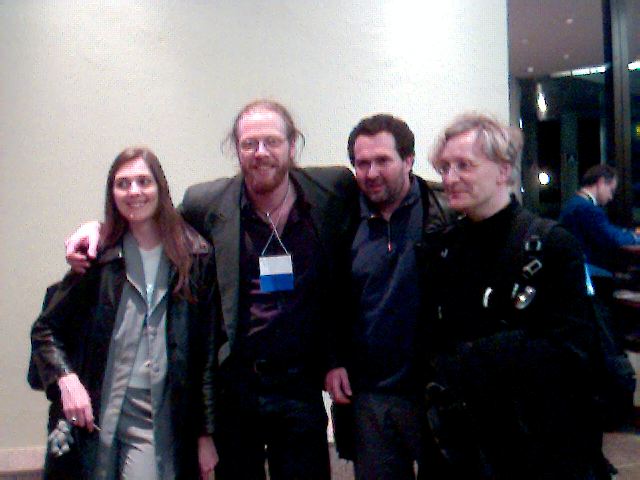
[IMG]001721.JPG02-Mar-2002 02:35 42K
[TXT]gimp-w34.imagemap.html02-Mar-2002 19:37 1.6K
[TXT]gimp-w34.imagemap.txt02-Mar-2002 02:35 1.2K
[   ]imagemap2meta.rb02-Mar-2002 19:39 1.1K
[   ]imagemap2svg.xslt03-Mar-2002 02:14 1.2K
[   ]Makefile03-Mar-2002 02:14 379
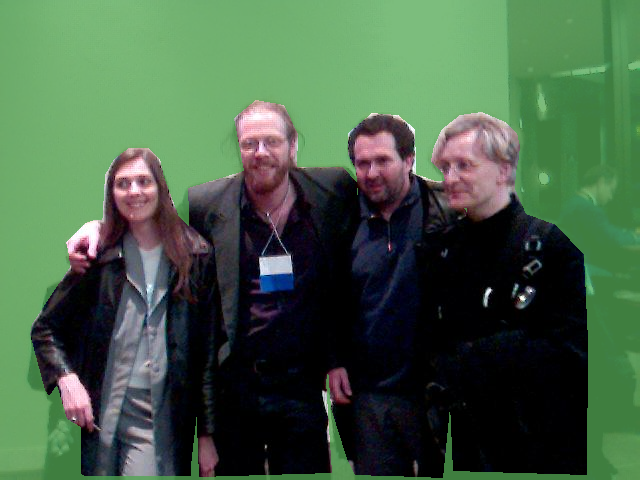
[IMG]_imagemap2svg-output.png03-Mar-2002 02:14 378K
[IMG]_imagemap2svg-output.svg03-Mar-2002 02:14 1.2K


imagemap notes.

I'm trying imagemap editing using gimp, the opensouce image editing package.

The .html file nearby is the HTML tidy'd result; the .txt file is the raw output.

under Filters/Web/ menu (right click on image) it'll bring up an
imagemap editor.

Select the polygon tool. Draw an outline, double-click w/ left mouse button
(or equiv?) to finish the polygon. Enter info into text window and hit save.
Repeat, then save the entire thing (in default syntax).

see http://www.w3.org/TR/html4/struct/objects.html#h-13.6 for HTML spec:

example:


<HTML>
   <HEAD>
      <TITLE>The cool site!</TITLE>
   </HEAD>
   <BODY>
     <P><OBJECT data="navbar1.gif" type="image/gif" usemap="#map1">
     <MAP name="map1">
       <P>Navigate the site:
       <A href="guide.html" shape="rect" coords="0,0,118,28">Access Guide</a> |
       <A href="shortcut.html" shape="rect" coords="118,0,184,28">Go</A> |
       <A href="search.html" shape="circle" coords="184,200,60">Search</A> |
       <A href="top10.html" shape="poly" coords="276,0,276,28,100,200,50,50,276,0">Top Ten</A>
     </MAP>
     </OBJECT>
   </BODY>
</HTML>

Taking the output from Gimp and HTML Tidying, we get a reasonable imagemap.

Tidy complains:

	The alt attribute should be used to give a short description
	of an image; longer descriptions should be given with the
	longdesc attribute which takes a URL linked to the description.
	These measures are needed for people using non-graphical browsers.

...which is reasonable.

===============

SVG via XSLT

Max wrote an XSLT sheet that takes HTML imagemaps and creates SVG :)

It seems to have similar problem to one we had before when using Batik's rasteriser, namely that 
we need width/height etc viewbox information, otherwise it crops to the topleft.
This should be easy to add. 

Also want to be able to pass it params, eg. so it filters out everyone except person named in some path...